Single Sign-On - Google, GitHub, LinkedIn, Microsoft and more
Magic’s dashboard can sign users in through external identity providers, in addition to its own username and password login. Eight providers are supported out of the box - Google, GitHub, LinkedIn, Microsoft Entra ID, Okta, Auth0, Keycloak and Slack - and each one you configure appears as a “Continue with …” button on the login screen.
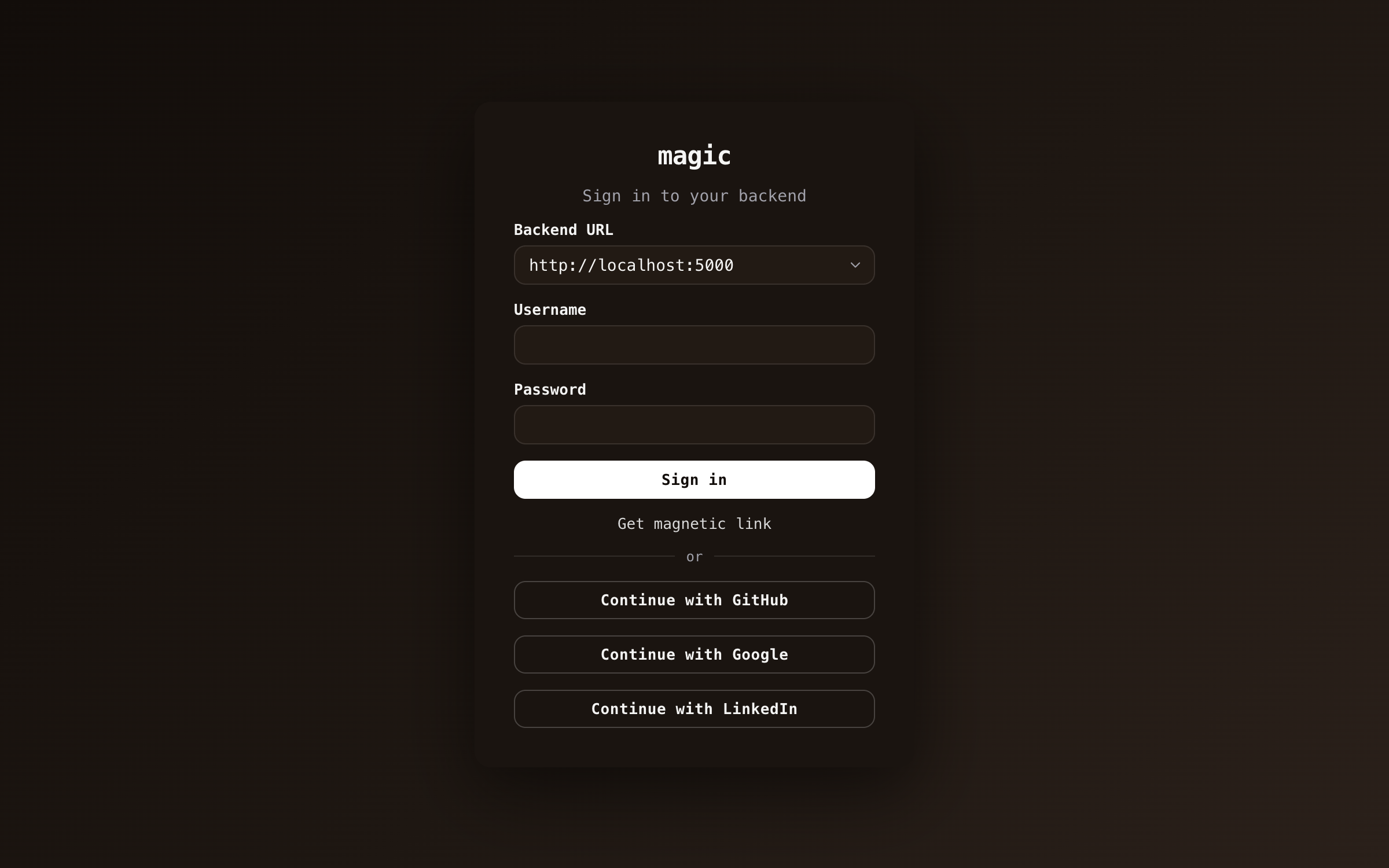
Configuring a provider is the same three steps every time.
- Create an OAuth client in the provider’s developer console, of the web application type where the console asks.
- Register Magic’s redirect URI with it - the “OpenID” dialog on the Configuration component shows the exact URI for your cloudlet, with a copy button. It has to match character for character.
- Paste the client ID - and whatever else the provider needs, see below - into the same dialog, and save.
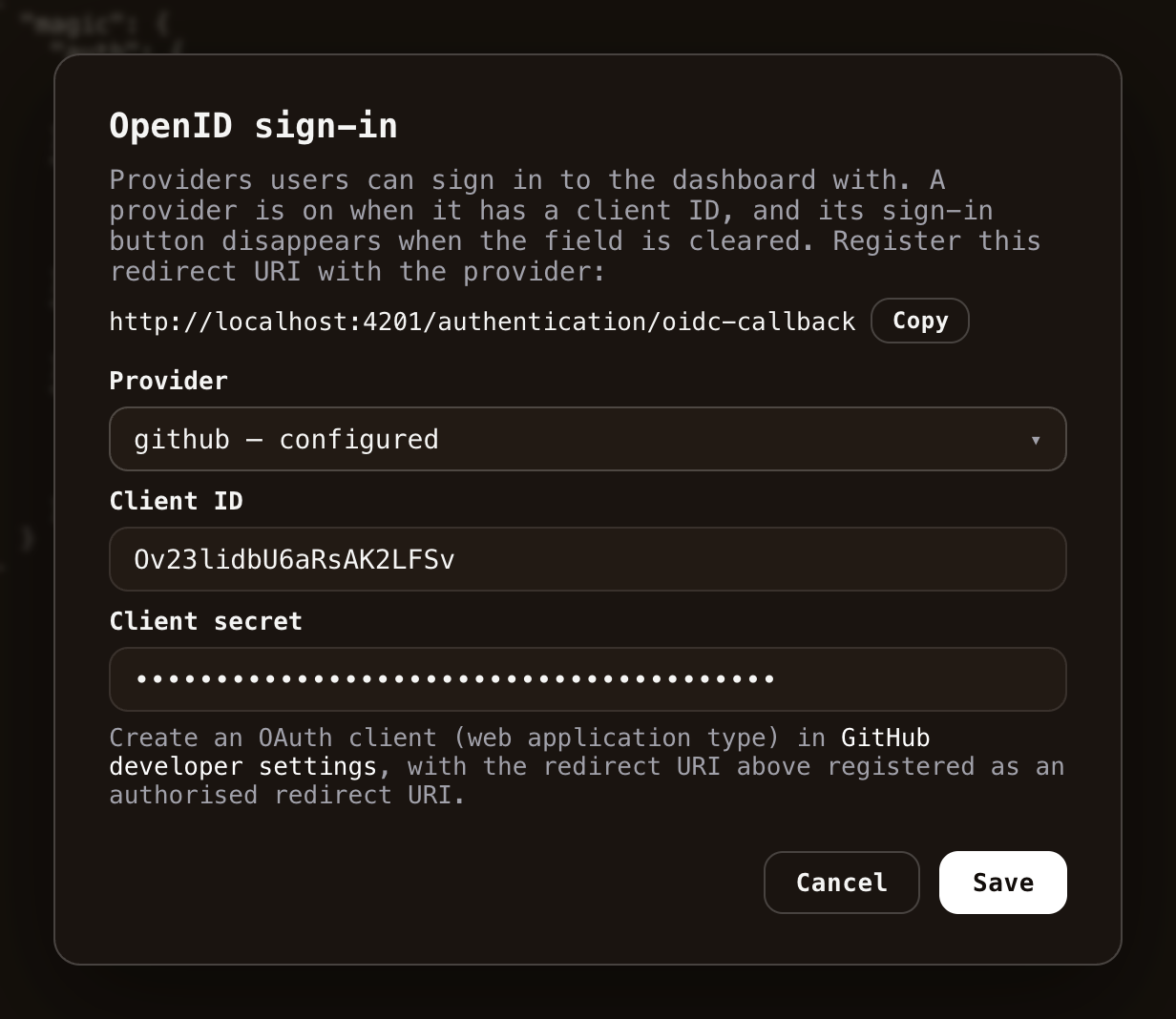
The dialog’s dropdown lists every provider your cloudlet supports and marks the ones already configured. A provider is on when it has a client ID, and turning one off again is clearing the field and saving.
What each provider needs
Every provider needs a client ID. Beyond that:
| Provider | Also needs | Where to create the client |
|---|---|---|
| - | Google Cloud console | |
| GitHub | client secret | GitHub developer settings |
| client secret | LinkedIn developer portal | |
| Slack | client secret | Slack API dashboard |
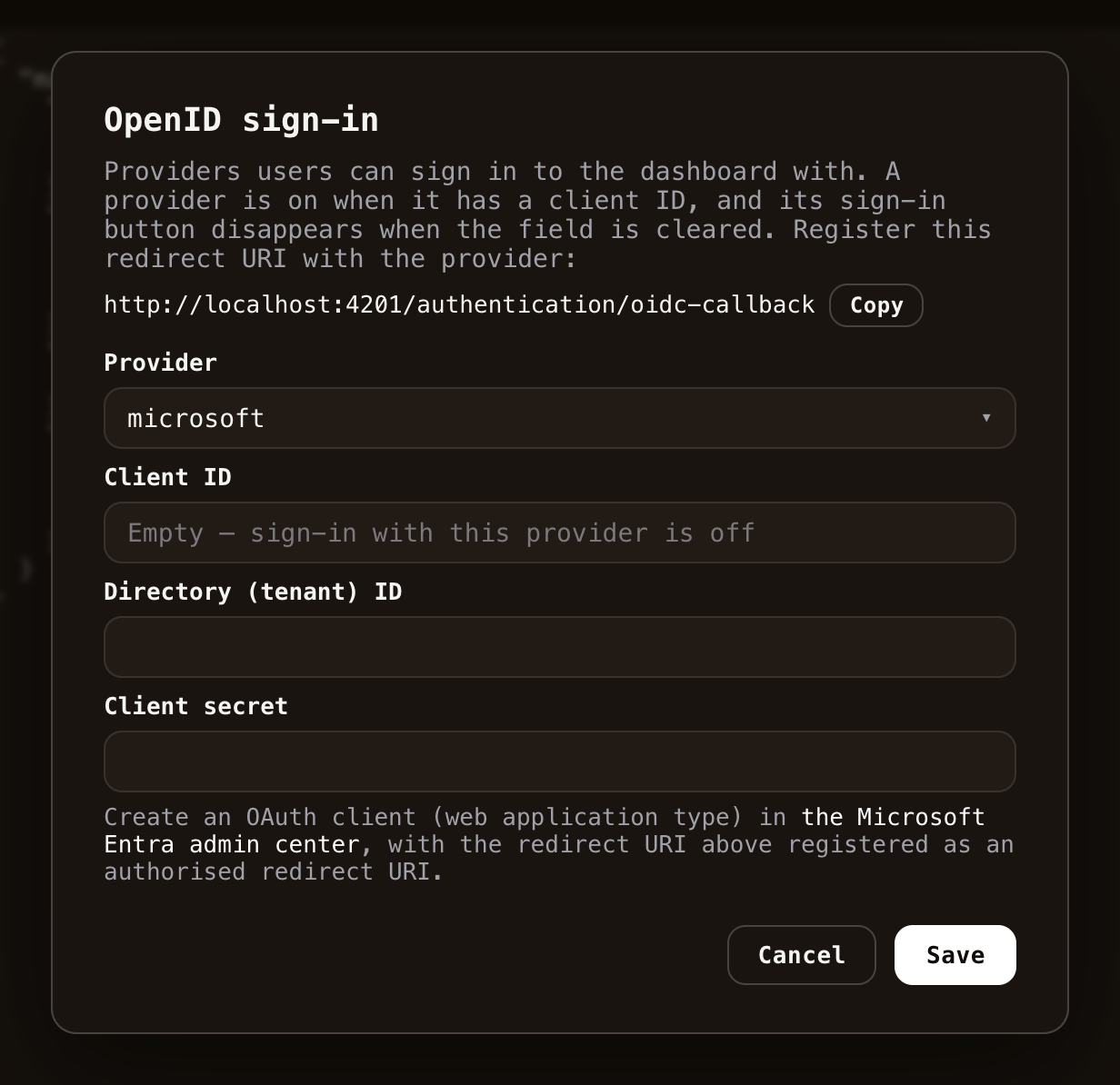
| Microsoft Entra ID | client secret + tenant ID | Microsoft Entra admin center |
| Okta | issuer URL, secret optional | Your Okta admin console |
| Auth0 | issuer URL, secret optional | Your Auth0 dashboard |
| Keycloak | issuer URL, secret optional | Your Keycloak admin console |
Client secrets are used server-side only - Magic exchanges authorization codes on the backend, so neither the secret nor the code verifier ever reaches the browser.
Provider-specific notes, learned the hard way so you don’t have to:
- GitHub - an OAuth app takes exactly one callback URL, so use one app for development and another for production. Plain
http://localhost:...callbacks are fine for development. - LinkedIn - you must add the “Sign In with LinkedIn using OpenID Connect” product to your app under its Products tab, or the sign-in fails with a scope error. Approval is instant.
- Microsoft Entra ID - the tenant has to be a concrete directory (tenant) ID, not
common, since the issuer of the tokens Entra creates embeds the tenant. Register the app with the Web platform, which is why the secret is required.
- Auth0 - paste the issuer URL exactly as Auth0 reports it, including the trailing slash, or token verification fails.
- Okta / Keycloak - the issuer is your authorization server’s or realm’s issuer URL, e.g.
https://dev-123456.okta.com/oauth2/defaultorhttps://keycloak.example.com/realms/master.
How identities behave
Three things are worth understanding before you roll this out.
Identities are provider-scoped. A user signing in through GitHub with the verified email jane@example.com becomes the Magic user github:jane@example.com. The prefix is added server-side and can never be forged or shed, so an external sign-in can never collide with a local account such as root, nor with another provider’s identity for the same email address.
First sign-in grants nothing. A new identity is created with the guest role only, so authenticating gives no access to anything. You grant roles explicitly from the Users & Roles component, per identity.
Only verified emails count. Magic accepts an email address only when the provider vouches for its ownership - for instance, GitHub identities use only addresses GitHub has actually verified. Adding someone else’s address to your account does not get you their identity.
Troubleshooting
If a provider refuses the sign-in outright, the login screen shows the provider’s own error message - a scope error on LinkedIn means the product from the notes above is missing, and a redirect URI error means step 2 doesn’t match character for character. If the sign-in bounces with “Could not exchange the code”, the server’s Log has the provider’s response, which usually names a wrong client secret.