Databases
The databases component allows you to manage your connection strings, in addition to your external and internal databases. This is your goto component if you want to connect to an external database. It allows you to connect to any MySQL, PostgreSQL, SQL Server, or MariaDB database. Provide it with your connection string, give your connection string a name, and click connect.
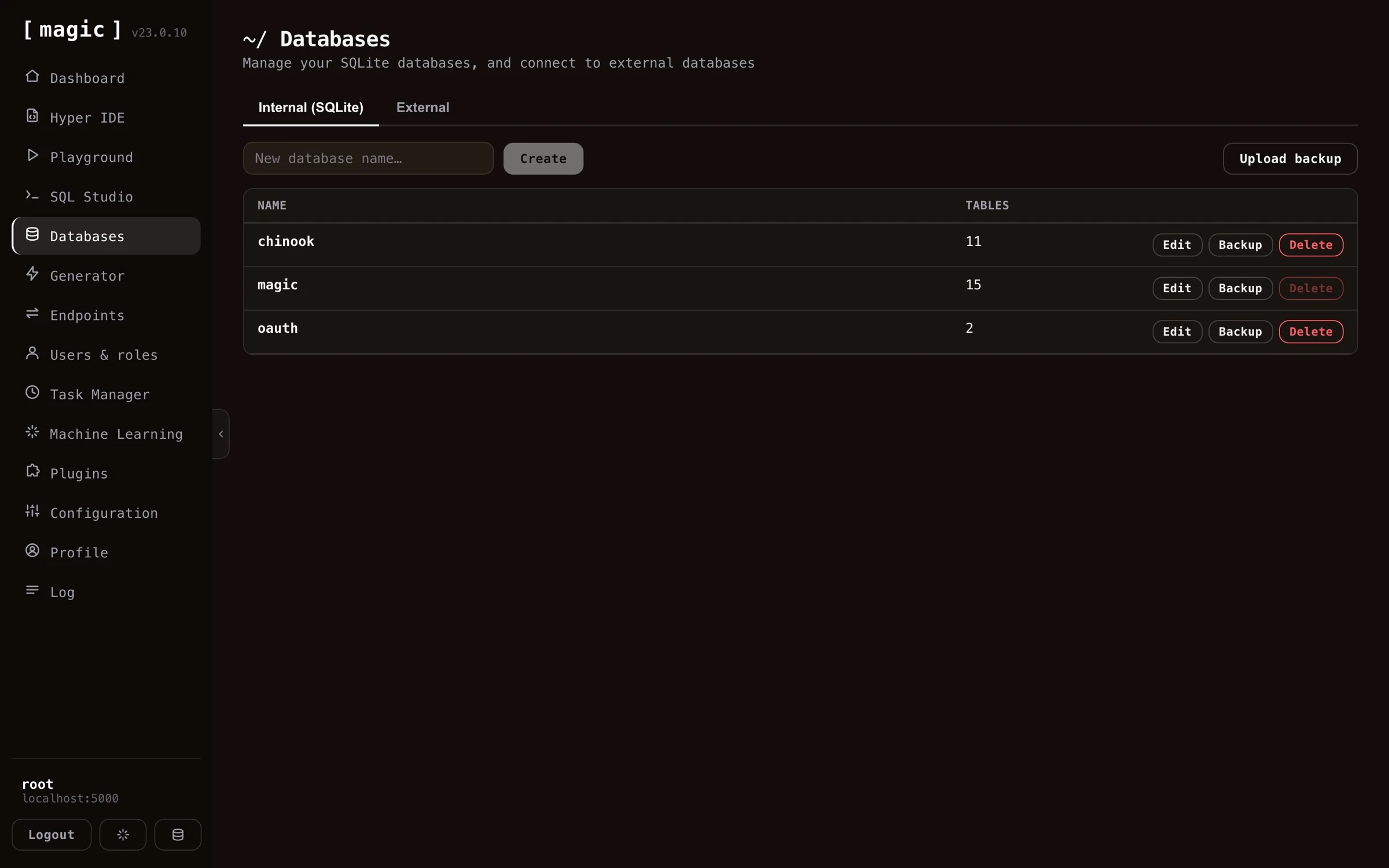
In addition to allowing you to connect to external databases, this is also the place you go to create a new SQLite file-based database.
Creating and designing SQLite databases
Besides connecting to external databases, you can create your own file-based SQLite databases directly from this component — no server or connection string required. Just give your database a name, and Magic creates it for you.
Once created, you can design your database visually in SQL Studio, adding tables, columns, and foreign keys through a graphical designer without writing any DDL by hand. You can of course also execute SQL against your database directly if you prefer - and you don’t even have to write the DDL yourself. SQL Studio’s “Where the Machine Creates the Code” bar takes natural language input and generates the schema for you - ask it for something such as “Create DDL for a 3 table CRM system”, and execute the result.
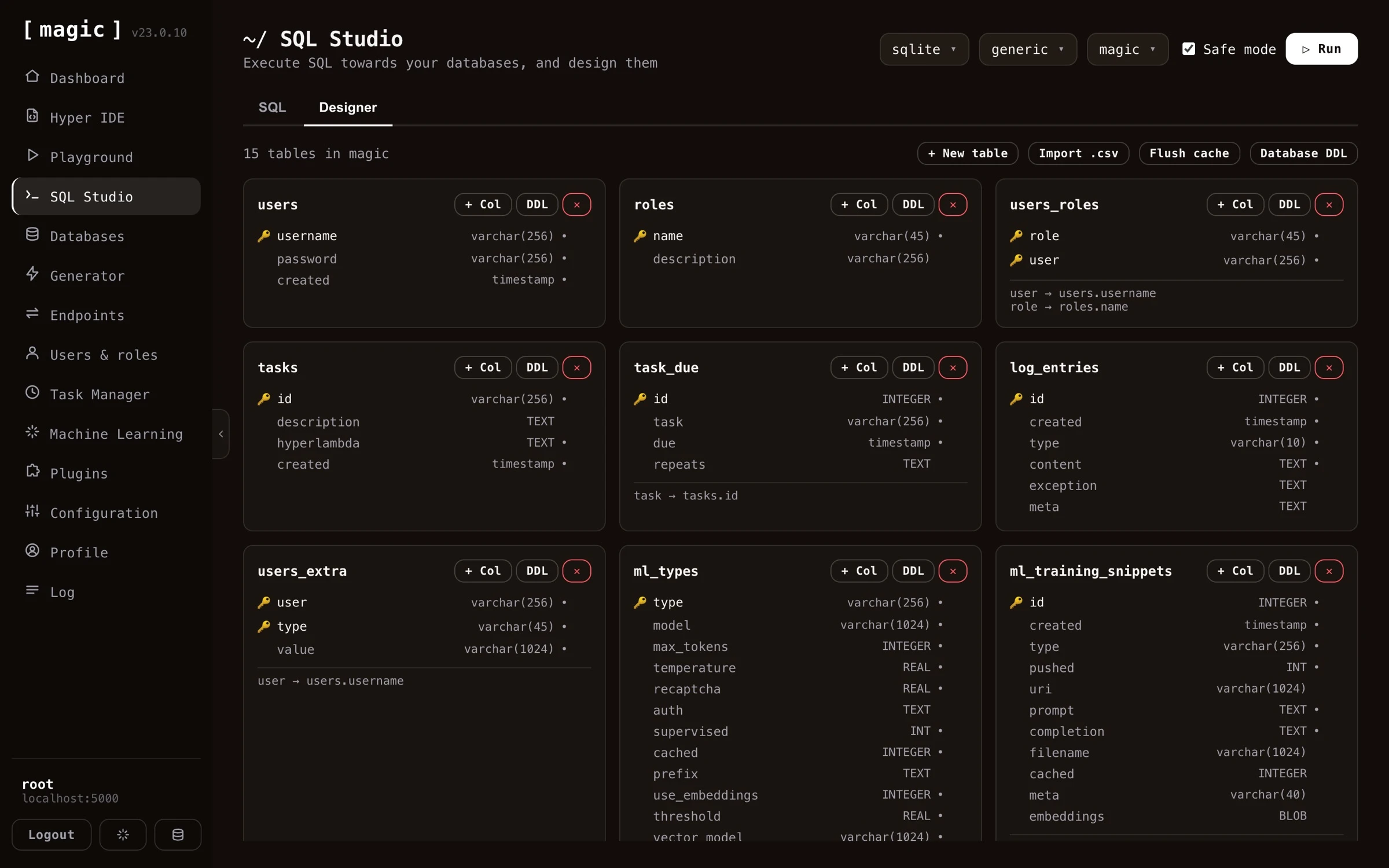
You can even let an AI do it for you. If you connect your cloudlet to an AI agent such as Claude over the MCP server, you can describe the database you want in plain English, and have the orchestrating LLM create the SQLite database and its schema for you.
Adding a connection string

Before connecting, you can click “Test” to verify your connection string actually works, without saving it. And once connected, the component lets you create and delete individual catalogues directly on your external database server - in addition to opening any database in SQL Studio with one click.
It is important that you exchange your catalogue name, or database name, with the text “{database}”. This is because Magic needs to be able to dynamically connect to multiple catalogues or databases in your database server. Magic needs to be able to read system databases, in addition to connecting generically to any database in your system it’s got access to. This is why it’ll need the above {database} parts in its connection string.
If you’re hosting your database in for instance Azure or AWS, you might also have to white list your cloudlet’s IP address.
Backup your SQLite databases
Every now and then, you should download a backup of your SQLite databases to make sure you’ve got a local backup if something goes wrong. We have global backups of our K8S volumes as a whole, but it might also be beneficial to have local backups in your own machine too.
Frequently asked questions
What is the Databases component?
The place to manage your connection strings and databases. Connect to any external MySQL, PostgreSQL, SQL Server or MariaDB database, or create file based SQLite databases with a single click - no server required.
How do I connect to an external database?
Provide your connection string, give it a name, and click connect. If your database is hosted in Azure or AWS, you may also need to whitelist your cloudlet's IP address.
Why must my connection string contain {database}?
Magic needs to dynamically connect to multiple catalogues on your database server, so you exchange the database name in your connection string with the text {database}.
Can an AI create my database?
Yes, two ways: connect an AI agent such as Claude over MCP and describe your database in plain English - or use SQL Studio's 'Where the Machine Creates the Code' bar to generate the DDL, for instance from 'Create DDL for a 3 table CRM system'.
Can I backup and restore SQLite databases?
Yes. Download a backup of any SQLite database with one click, and upload a backup to restore or move a database between cloudlets.