Magic Cloud Documentation
Magic Cloud, or Magic for short, is a backend software development platform that creates most of your code “automagically”, by leveraging meta programming, declarative programming, AI, low-code, and no-code. This allows you to focus on creative tasks, while having the machine create the boring parts. Read more about Hyperlambda.
Where the Machine Creates the Code!
Magic gives you everything you need to build your entire backend — your database, your API, your business logic, your background jobs, and your authentication and authorisation — and to host it, all in one place. And when you connect it to an AI-based MCP client such as Claude, or point it at OpenAI, the machine can generate your frontend too — turning a plain-English description into a working full stack application.
This also makes Magic exceptionally well suited for building AI agents, and especially database-driven agents. Because your entire backend and its data become secured tools the AI can invoke over MCP, an agent can query and update your database, call your endpoints, and even create brand new endpoints on demand — all behind your own authentication and role based access control, with your data never leaving your database.
Magic is 100% open source, and you can find its GitHub repo here. If you don’t want to mess with hosting yourself, you can check out our professional or enterprise hosting plans here.
The video below is a guided tour of the most important components in Magic Cloud, demonstrated from its dashboard — a good place to start before diving into the rest of this documentation.
What can you use Magic for?
Magic is a general purpose backend platform, but some things it is particularly good at. Below are the most important use cases.
- Full stack apps - CRM systems, admin panels, booking systems, internal tools - a database, a secure API, and a frontend, generated from natural language in minutes
- Database-driven AI agents - AI agents that query and update your database, invoke your endpoints, and even create new tools for themselves on demand - all behind your own RBAC
- A kick-ass MCP server - connect Claude, Cursor, Codex, or any MCP client to your cloudlet, and every endpoint becomes a tool the agent can invoke
- Custom AI chatbots - crawl your website, and get an embeddable chatbot trained on your own content, with widgets and AI functions
- Wrapping legacy databases - point Magic at an existing MySQL, PostgreSQL, SQL Server or MariaDB database, and get a secured, modern web API in seconds
- Managing your databases - design schemas visually, execute SQL from the browser, or let an AI agent administer your database through natural language
- Web APIs without code - CRUD endpoints, custom SQL endpoints, safe code-executing sandboxes, search endpoints and wrappers around third party APIs - generated, not written
- Background jobs and automation - scheduled tasks written in Hyperlambda, or generated from plain English descriptions
- Hosting static websites and SPAs - your cloudlet serves files from /etc/www/, turning it into a web server for landing pages and single-page apps, right next to the APIs powering them
- Email, workflows and integrations - SMTP, Stripe, Shopify, WordPress, HubSpot, NetSuite and more, through installable plugins
The dashboard is an agent too
You don’t need an external AI client to get the benefits above. Magic’s dashboard ships with Chat Ops - press CTRL+. anywhere, describe what you want in plain English, and the dashboard operates your cloudlet for you, generating endpoints, running SQL, reading your log to diagnose a failure, and showing every function it invoked. It is the MCP capability turned inwards, running as the user you signed in as, and it needs nothing beyond an OpenAI API key.
Getting around is just as quick. The command palette - CTRL+K, or COMMAND+K on a Mac - is one search box that jumps you to any page, file, endpoint, task or machine learning model in your cloudlet, with fuzzy matching, and opens tasks and models straight in their editor. CTRL+/ lists every keyboard shortcut the dashboard supports.
AI Generated Code - “Vibe Coding”
With Magic you can sometimes accomplish in some few minutes what requires weeks of coding with a more traditional platform. The CRM app below was created with Qoder in 7 minutes over Magic’s MCP server, using Kimi K3, costing a grand total of $0.50 in inference. It’s a full stack app; A SQLite database with 3 tables, a secure API wrapping it, and authentication and authorisation - All generated from natural language.
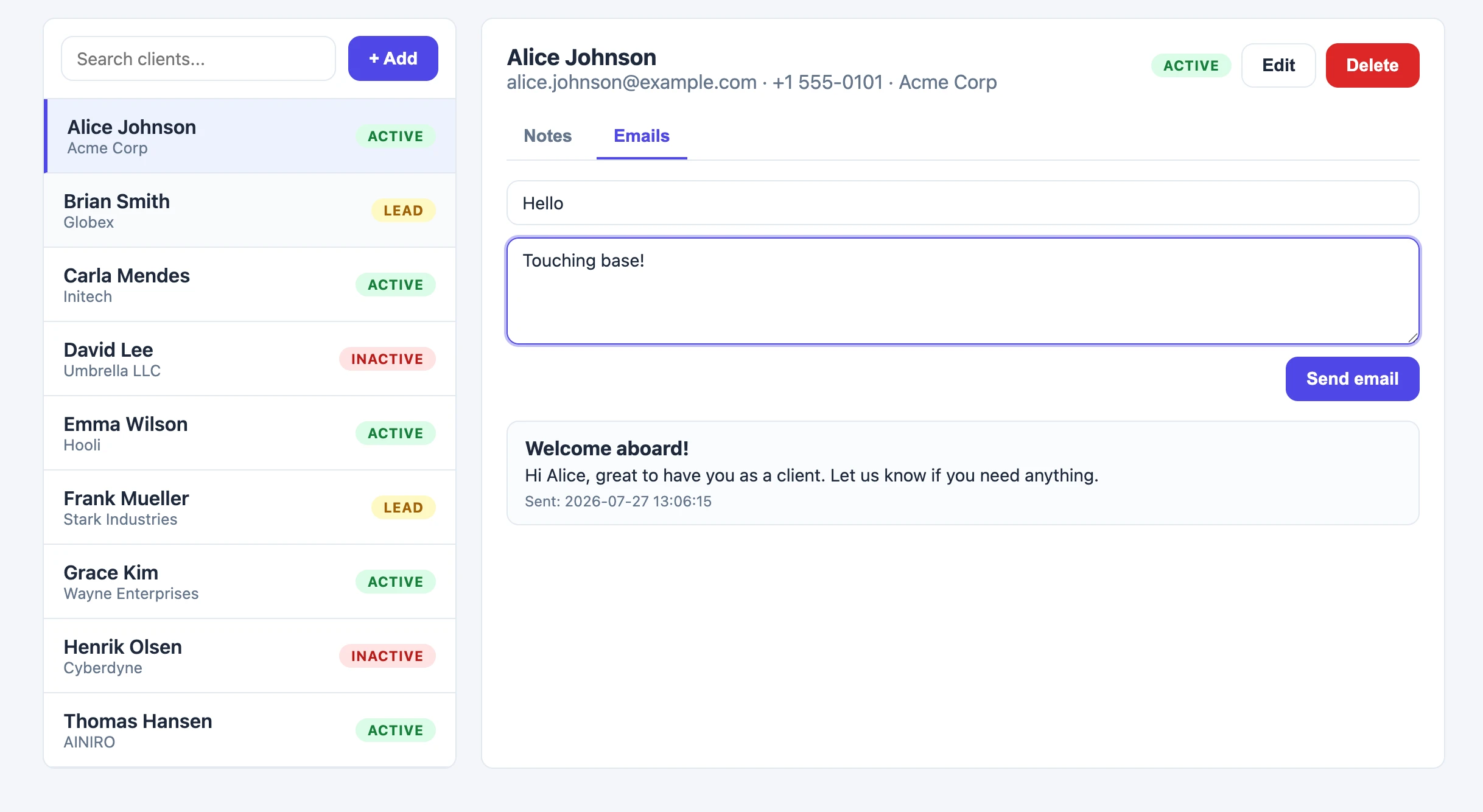
Notice, the AI doesn’t need to create your database from scratch - Legacy databases can be just as easily wrapped, turning your existing MySQL, PostgreSQL, SQL Server, or SQLite database into a secure API and a working app in minutes.
MCP Support
Magic contains an integrated MCP server, with OAuth, allowing you to connect it to.
- Claude Code
- Codex
- Cursor
- Qoder
- Grok
The above is just some of what I’ve tried it with, but it should work with everything having MCP support. To get started, check out how to connect the MCP server.

The Hyperlambda Generator
At the heart of Magic you’ll find the Hyperlambda Generator — our own proprietary SLM (Small Language Model), fine-tuned with more than 600,000 training snippets, transforming natural language into working Hyperlambda code in typically 1.5 to 5 seconds. Unlike general purpose LLMs, it cannot hallucinate function invocations — every slot the generated code invokes is verified against the slots that actually exist in your cloudlet before the code is returned to you.
Combined with the MCP server, this allows an AI agent such as Claude to create new tools for itself on demand — describing the endpoint it needs in plain English, and having the generator create it in seconds.
The Magic Dashboard
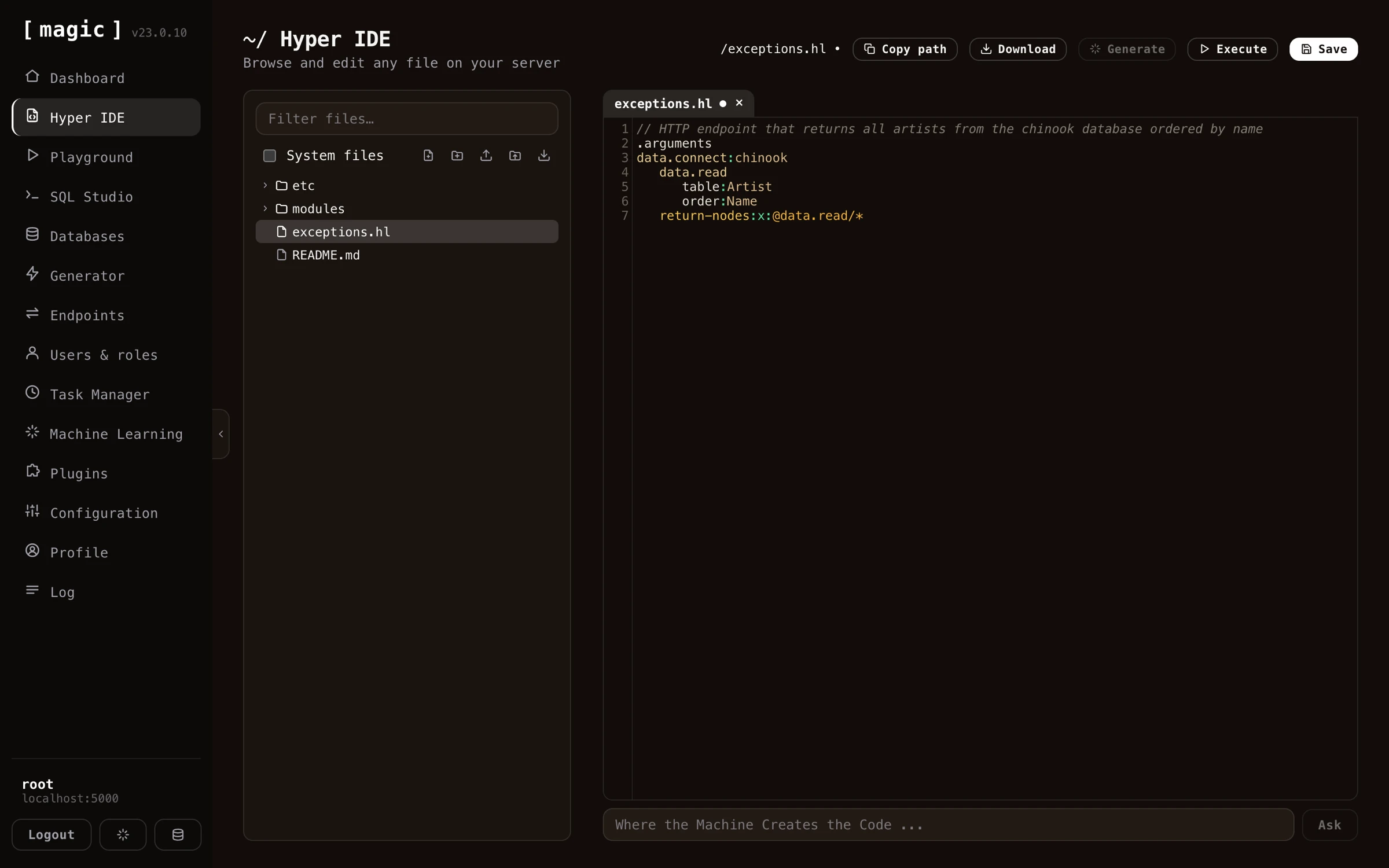
Magic’s purpose is to help you with your backend, and it comes with a dashboard allowing you to manage all aspects of your backend. The dashboard contains UI components for most things you’ll need when creating and maintaining your API and backend code. Below you can find some general information about some of its most important components.
Hyper IDE
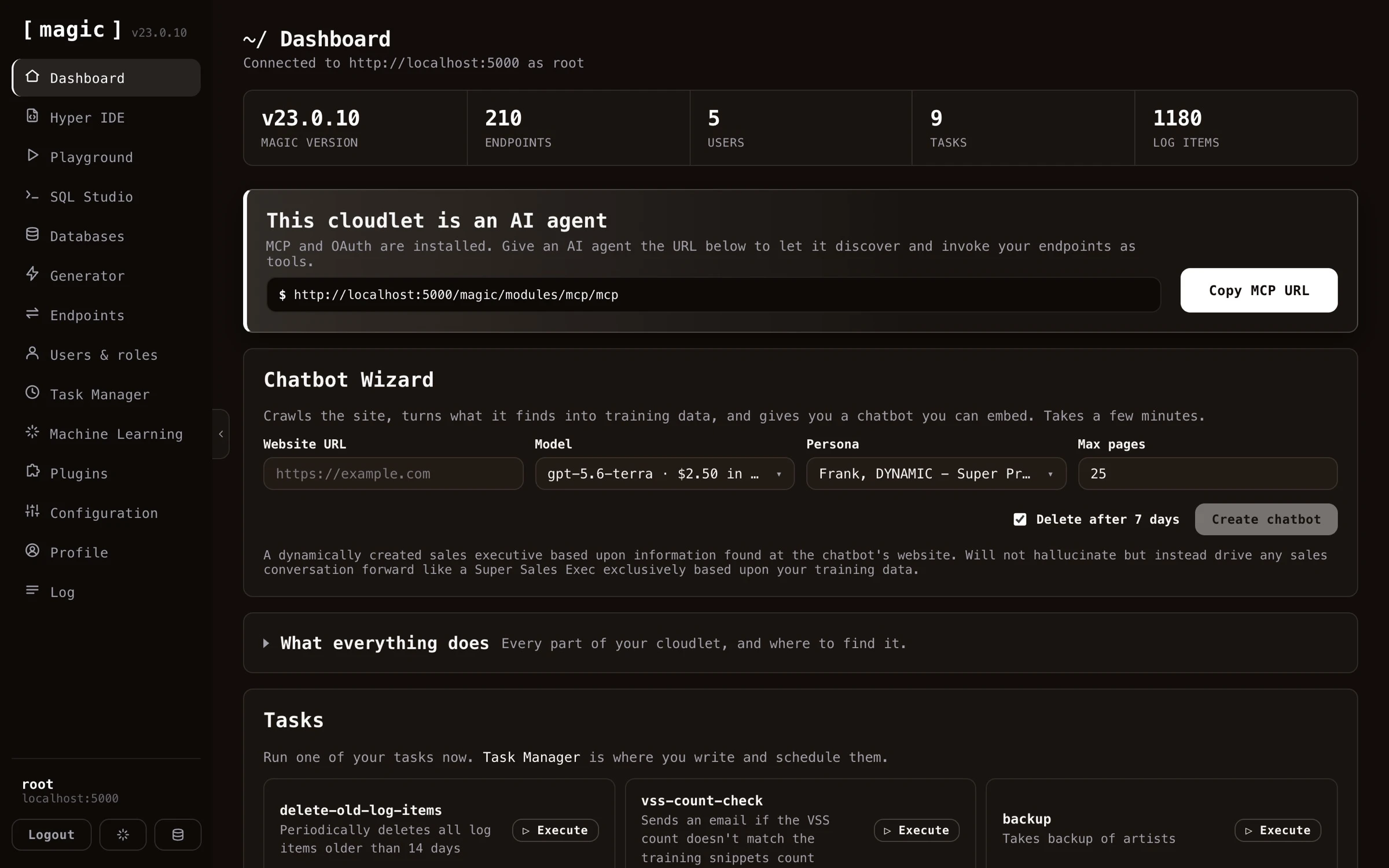
Magic contains its own IDE or integrated development environment. Hyper IDE provides syntax highlighting and autocomplete for Hyperlambda. With Hyper IDE you can edit your code, save it, and immediately see the result of your modifications, by executing your endpoint without ever having to leave your IDE. Magic even has its own backend “vibe coding” prompting mechanisms, allowing you to generate Hyperlambda from natural language using generative AI.
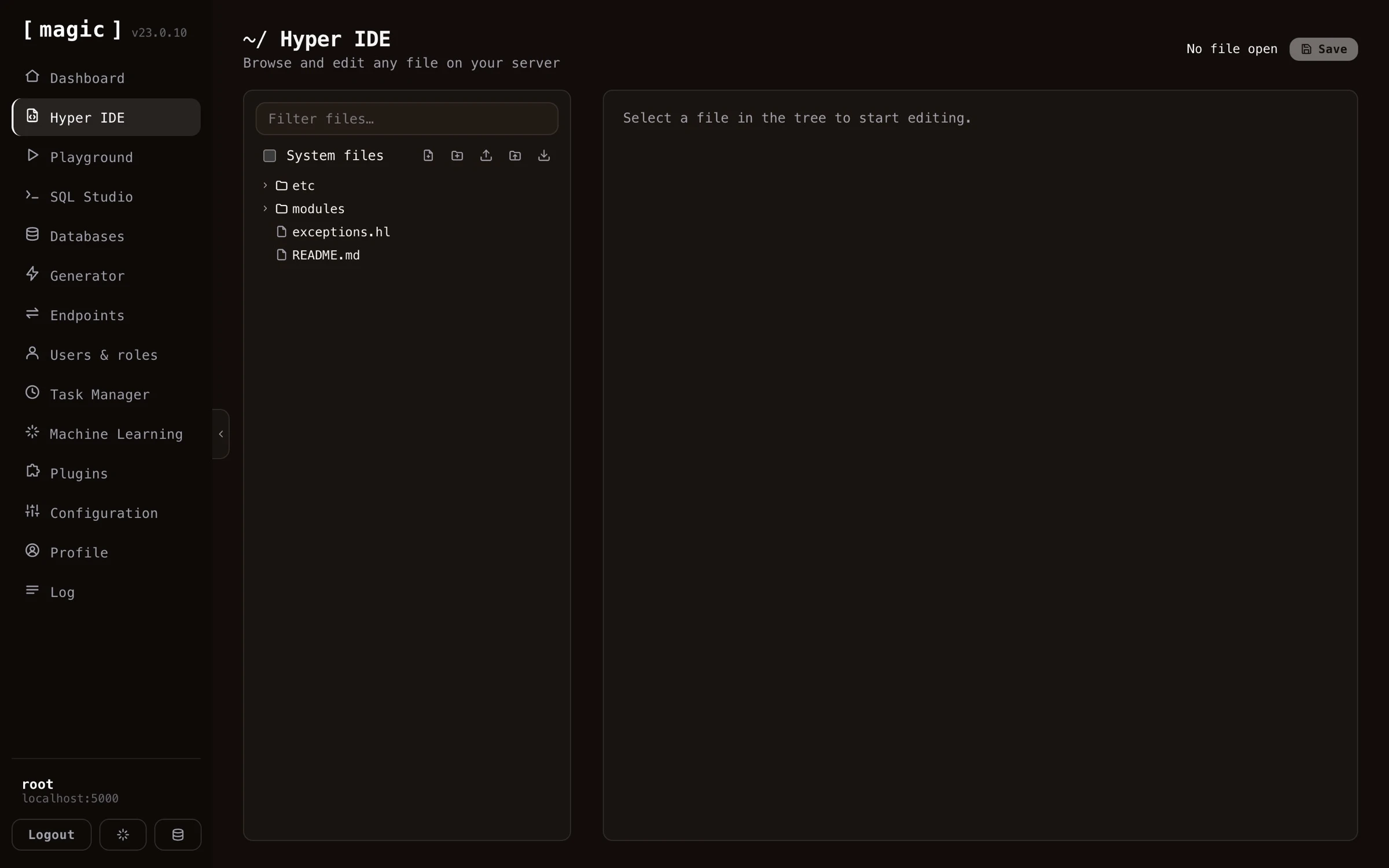
Hyper IDE also integrates with our Machine Learning component, built on top of OpenAI, allowing you to write your requests in plain English, and have Hyper IDE and OpenAI automatically generate code for you solving your problem.
Hyper IDE can also replay an execution for you. Instead of invoking a file, click “Debug”, and Magic records every operation your code performs, letting you step through it afterwards and see your program’s entire state at each step - with the statement that threw marked in red when something fails. Read more about Rewind.
With Hyper IDE manually writing code is optional
The Endpoint Generator
The Endpoint Generator allows you to wrap any database you have in CRUD API endpoints. It reads meta data from your database, and automatically generates a web API for you. The generated API is secured according to your instructions, and can be modified after it’s created.
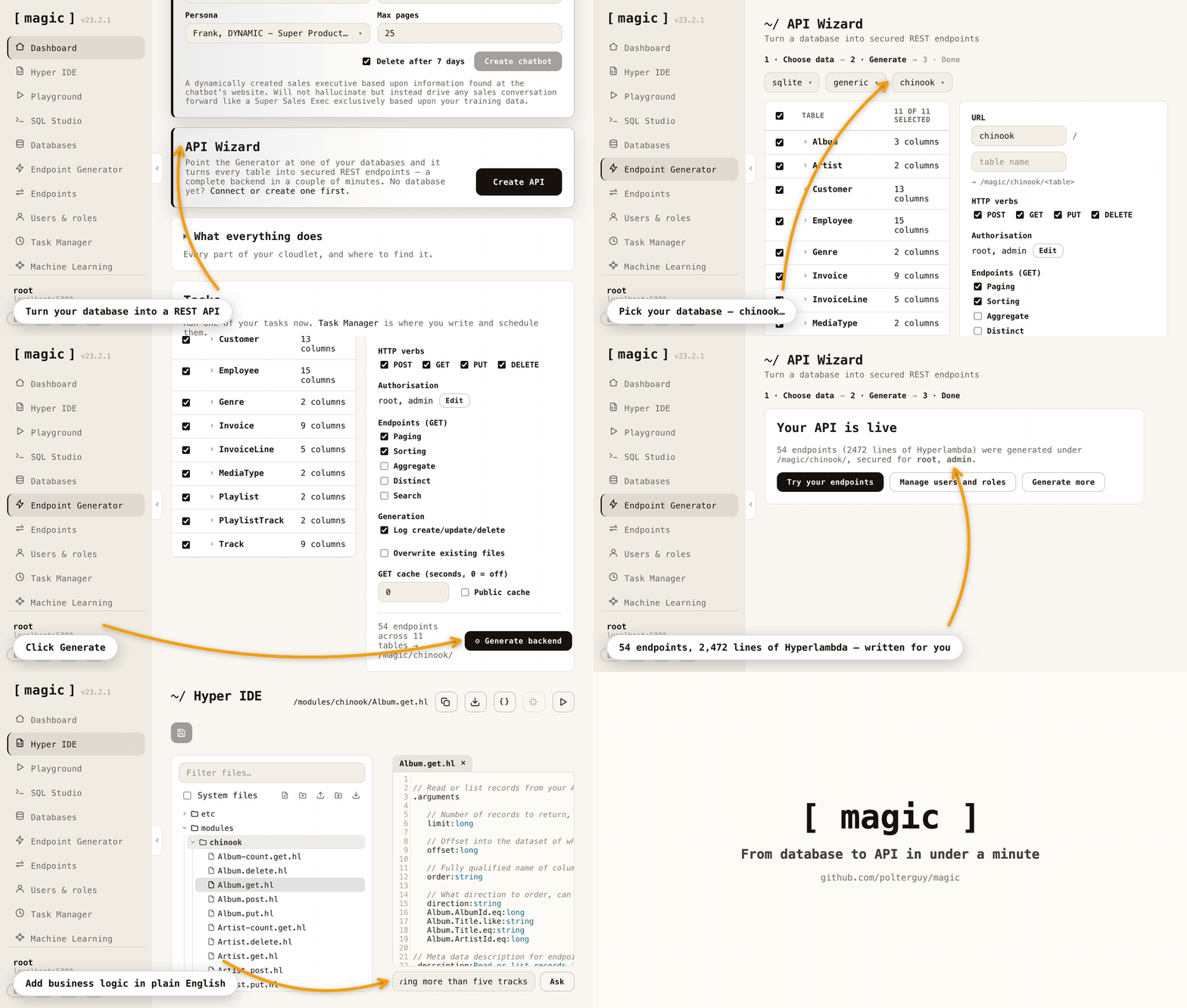
The Endpoint Generator takes care of referential integrity, validators, authentication, and authorisation - While allowing you to declaratively tell it how to generate your API, in addition to having lots of additional features simplifying your life as a software developer.
By combining the Endpoint Generator with the Hyperlambda Generator and an AI agent connected over MCP, you can create entire backends straight from natural language.
The Endpoint Generator has five tabs, and each one is meta programming in practice: you describe what you want, and Magic writes the Hyperlambda source for it - ordinary files you can open, read, edit and version control afterwards. CRUD endpoints wrapping a database, SQL wrapped into endpoints, a Sandbox API that safely runs the code its callers send, a Search API putting your own knowledge behind an endpoint, and an API Import wrapping somebody else’s API. It works because Hyperlambda is homoiconic - a program is a tree of nodes, the very structure the generators build and inspect. The slot reference is the proof: it was not written either. Hyperlambda wrote it, by asking the running system about itself.
The SQL Endpoint Generator
Magic allows you to create HTTP endpoints using SQL. This allows you to compose some SQL statement, and rapidly wrap it inside an HTTP endpoint. You can find this component in the Endpoint Generator, in its “SQL Endpoint Generator” tab. Choose your database, provide some SQL, add arguments that you reference in your SQL, and click the “Generate” button.
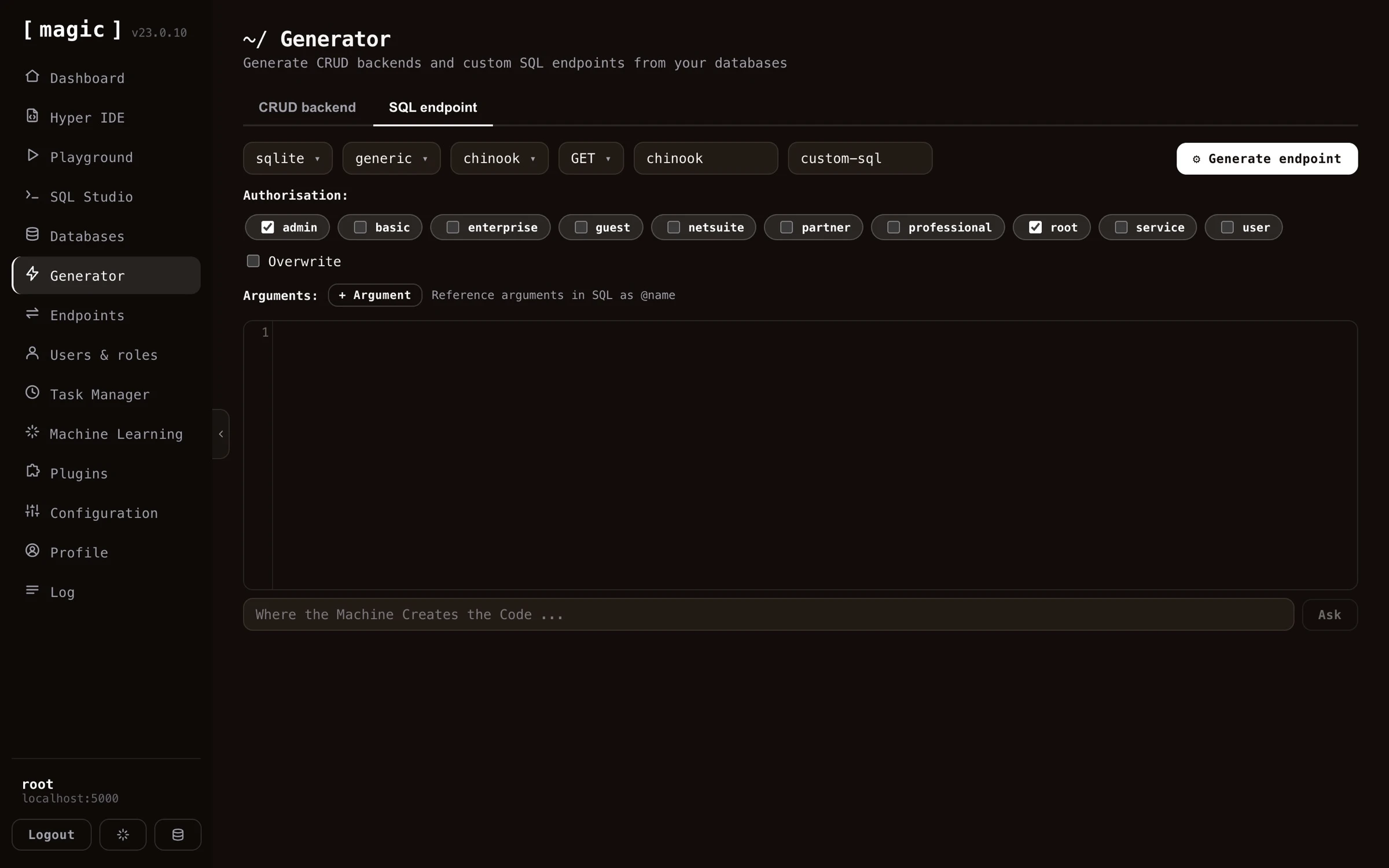
The SQL endpoint generator allows you to secure your endpoints, declare what arguments your endpoints can handle, use all 5 most common HTTP verbs for your endpoints, etc. You can use it with SQL Server, MySQL, MariaDB, PostgreSQL, or SQLite - And if you don’t know SQL, then SQL Studio even has integrated support for generating SQL from natural language.
The Sandbox API Generator
The CRUD and SQL generators turn your data and your SQL into fixed endpoints. The “Sandbox API” tab does something more unusual: it publishes one endpoint that accepts code - Hyperlambda, or a plain English instruction that the Hyperlambda Generator turns into Hyperlambda - from whoever calls it, and runs it inside a whitelist that you define, function by function.
This is where meta programming and homoiconicity earn their keep. Hyperlambda code is a tree of nodes, so before anything runs, Magic can parse the caller’s code, check that every function it mentions actually exists on your server, and refuse it when a function is not in the caller’s vocabulary. A function you did not grant simply does not exist as far as the caller’s code is concerned. You build the policy in the dashboard - a base vocabulary for everybody plus per-role grants, with pinned arguments such as one single database or one single folder, a rate limit and a timeout per role - and root is trusted completely.
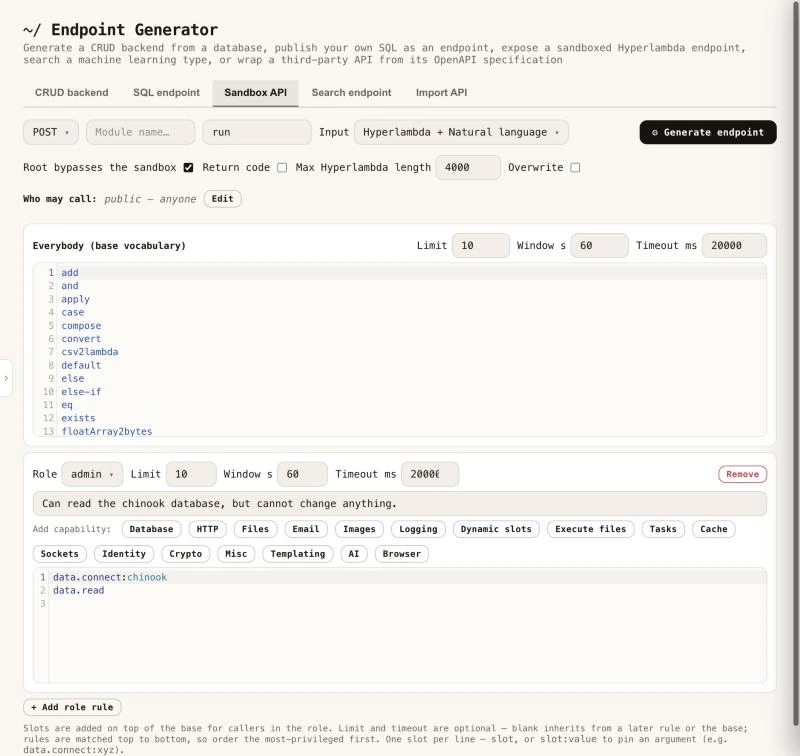
Every sandbox endpoint answers a describe call, listing exactly what the caller may do without executing anything. It is also an MCP tool with its own description, and it is listed in /.well-known/hyperlambda-agent, so AI agents can find it without any setup. You can try one yourself, since the public sandbox behind the slot reference is a generated Sandbox API endpoint, open to everybody. Read more about the Sandbox API generator.
The Search API Generator
Magic can put your own knowledge behind an HTTP endpoint. The “Search endpoint” tab generates one endpoint that searches the training snippets of a single machine learning type, and returns the best matches - by keyword (BM25), by meaning (vectors), or both. Everything except the query is fixed inside the generated file; the type, the search mode, what comes back and how many matches, so a caller can only send a search string.
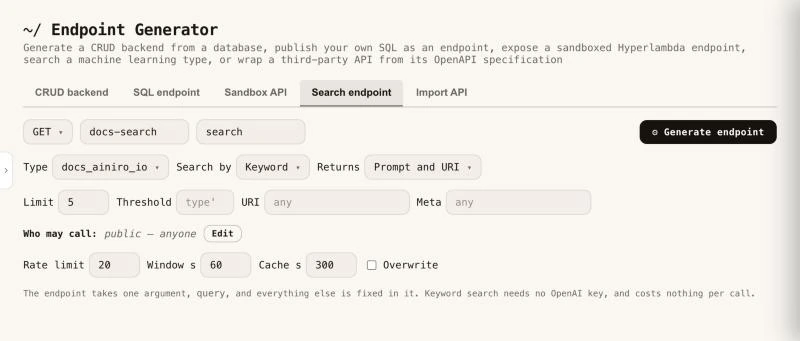
It is retrieval only, no AI model is invoked, which makes it cheap and fast. A keyword search needs no OpenAI key and costs nothing per call, while a search by meaning spends one OpenAI embedding per uncached call, which is why the tab applies a rate limit by default and lets callers cache an answer. It is a good fit behind a website’s search box, or as a tool for an AI agent over MCP - the generator writes the file level comment Magic exposes as the tool’s description. Read more about the Search endpoint generator.
The API Import Generator
The “Import API” tab works the other way around from the rest. Instead of reading your database, it reads somebody else’s OpenAPI specification - Stripe, GitHub, Slack, or any API that publishes one, OpenAPI 3.x or Swagger 2.0, JSON or YAML - and generates Hyperlambda endpoints in your cloudlet wrapping the operations you tick. A specification can hold more than a thousand operations, so you filter and select, give the module a name, and click “Import”.
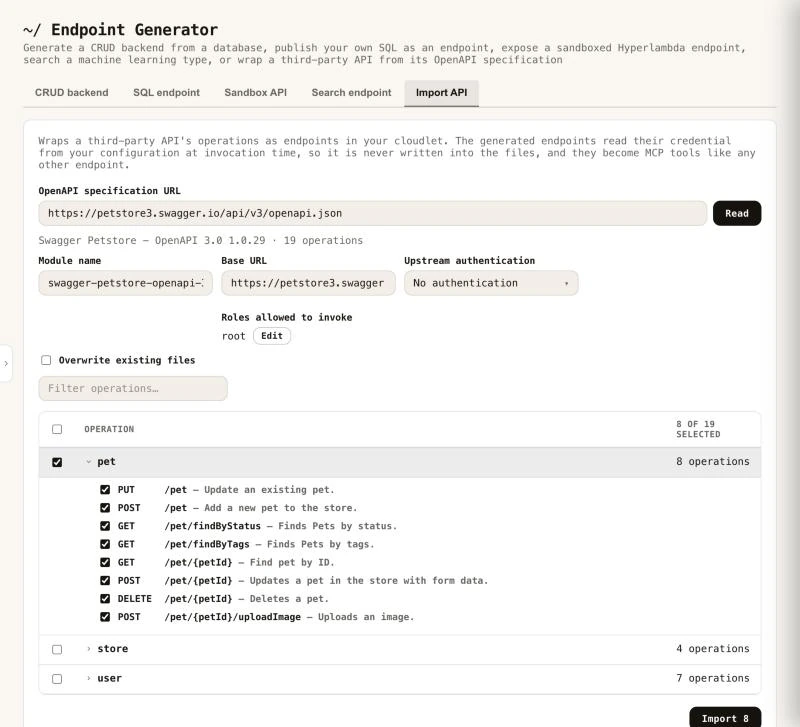
The generated endpoints are documented from the specification. Every parameter becomes a typed argument with a comment, required arguments are validated before the upstream API is ever contacted, and the credential is read from your configuration when the endpoint is invoked, never written into a file. That documentation is also exactly what an MCP client reads when deciding how to call a tool, so an imported API arrives as a set of self describing tools an AI agent can use without further work. Read more about the Import API generator.
SQL Studio
SQL Studio allows you to visually design your database using a graphical user interface. SQL Studio supports the following databases.
- Microsoft SQL Server
- PostgreSQL
- MySQL
- MariaDB
- SQLite
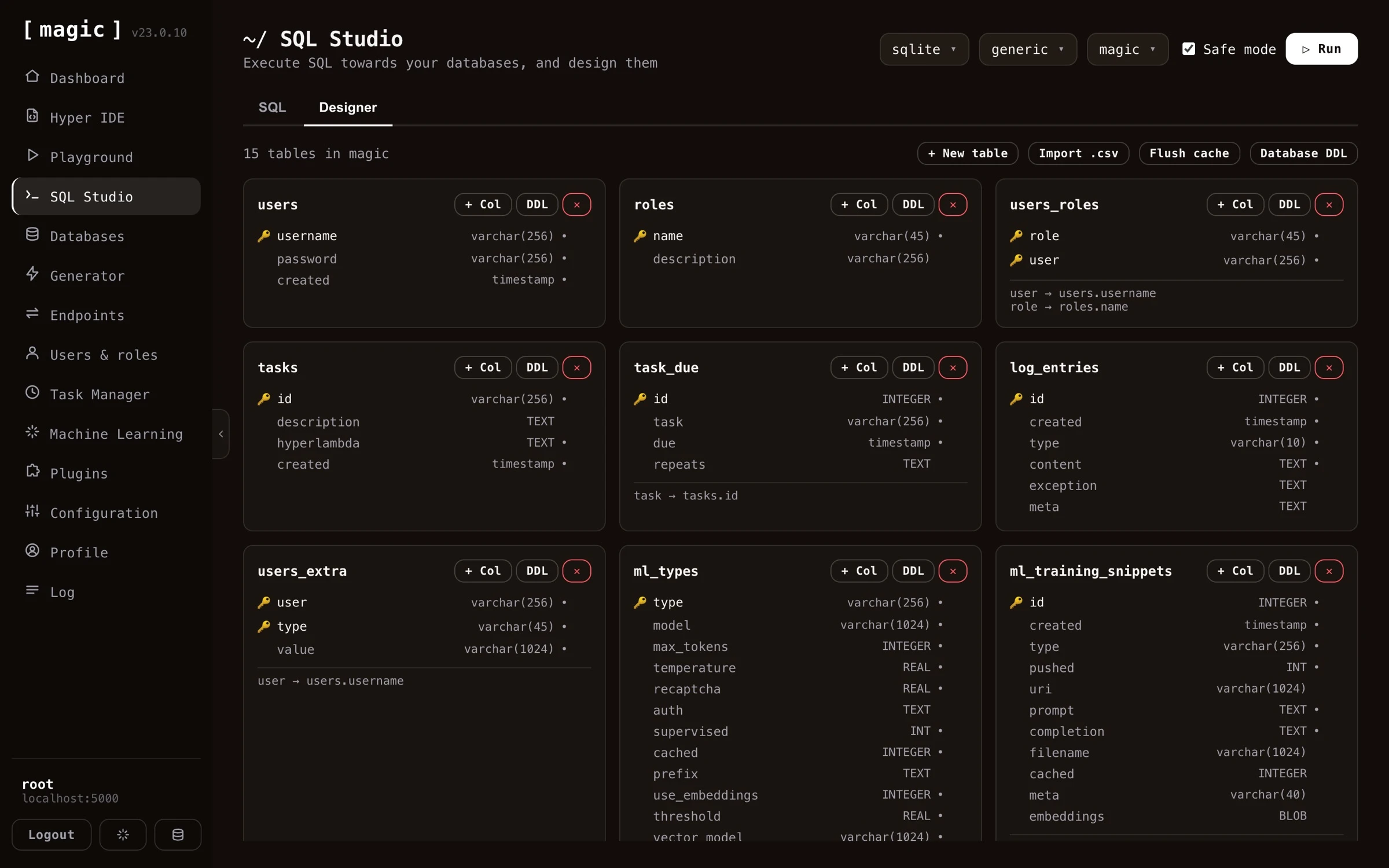
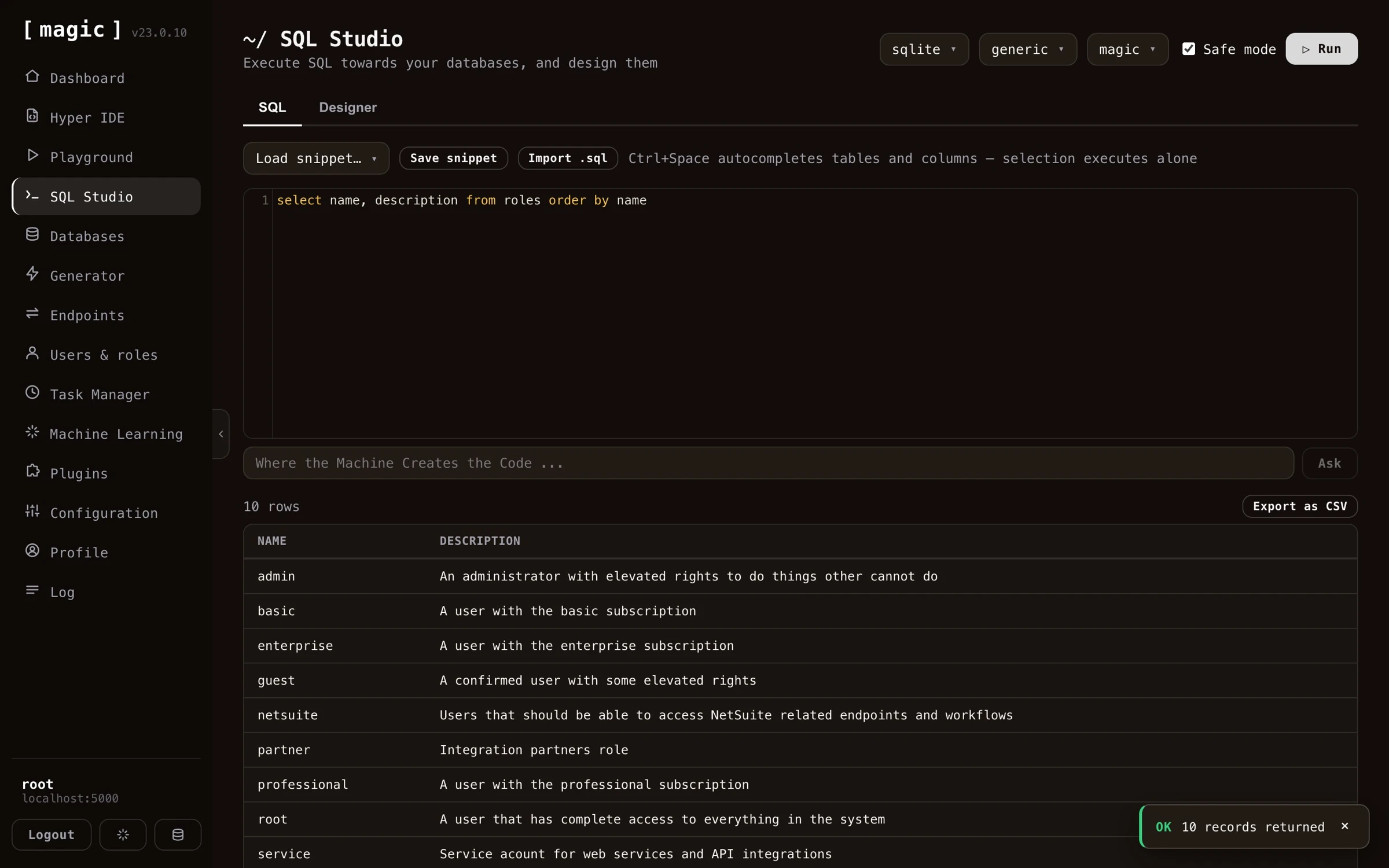
SQL Studio also allows you to execute any SQL towards your database of choice, allowing you to administer your databases from anywhere. By combining SQL Studio with the Endpoint Generator, and especially its SQL endpoint tab, you can compose some SQL, and rapidly wrap it into an API endpoint.
Machine Learning and AI
Magic Cloud is scattered with AI and allows you to create your own Machine Learning models using OpenAI, by scraping any website, and generate training data (RAG data) that you can use to answer questions related to your domain. Use cases might be.
- Expert legal system, answering legal questions for clients
- Medical expert advice system based upon AI and machine learning, giving you help when diagnosing patients and clients
- Support chatbot for your enterprise, giving your clients support for whatever questions they might have related to your company
- Automated sales expert systems, converting leads on your website into paying clients
- Cognitive assistants, helping your employees with some specific task at hand
- Etc, etc, etc
You can try out such a chatbot in the bottom/right corner of this page.
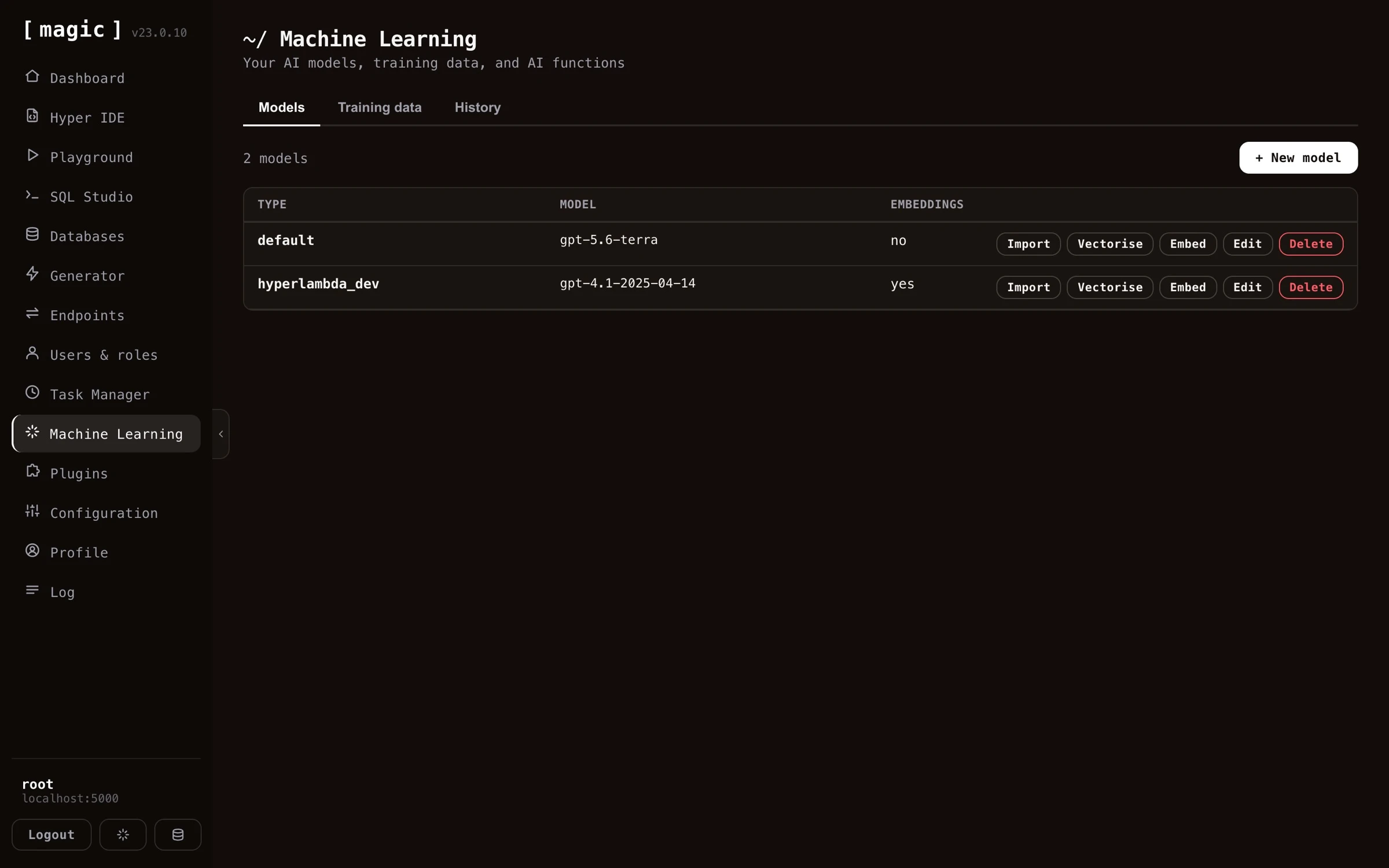
Create an AI chatbot
Creating your own AI chatbot with Magic takes minutes. Provide the Chatbot Wizard with your website’s URL, and it crawls your site, scrapes each page, and turns your content into training data - reporting its progress in real time as it works its way through the site. A few minutes later you have a chatbot trained on your own content, ready to embed on your website.
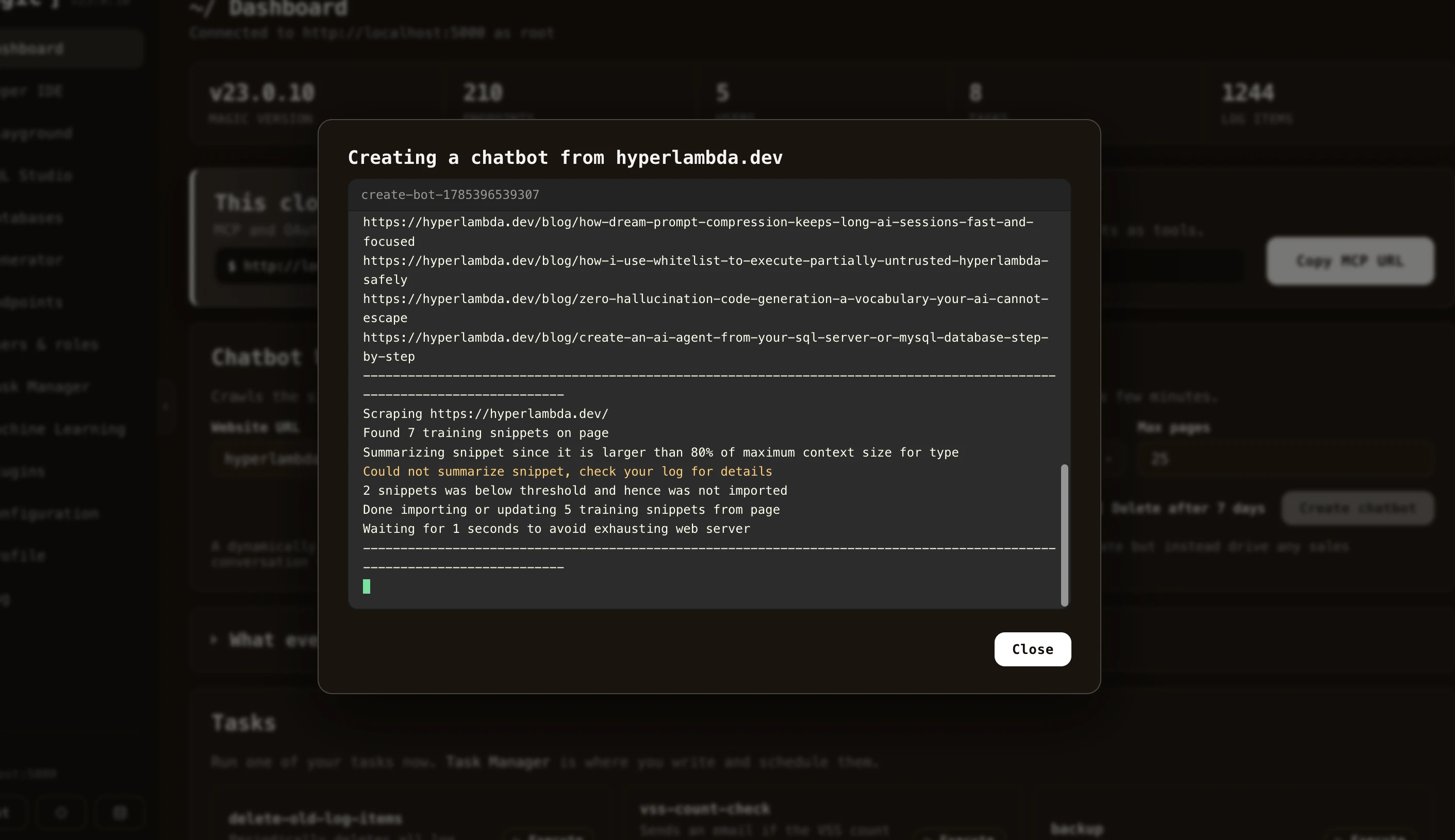
User management
Magic Cloud allows you to create and administer users, by giving you a graphical user interface, allowing you to manage your application’s users and roles, using a role based access control (RBAC) component. Provide access to modules and components according to what roles your users belong to, and make sure only authorised users have access to private and secured data.
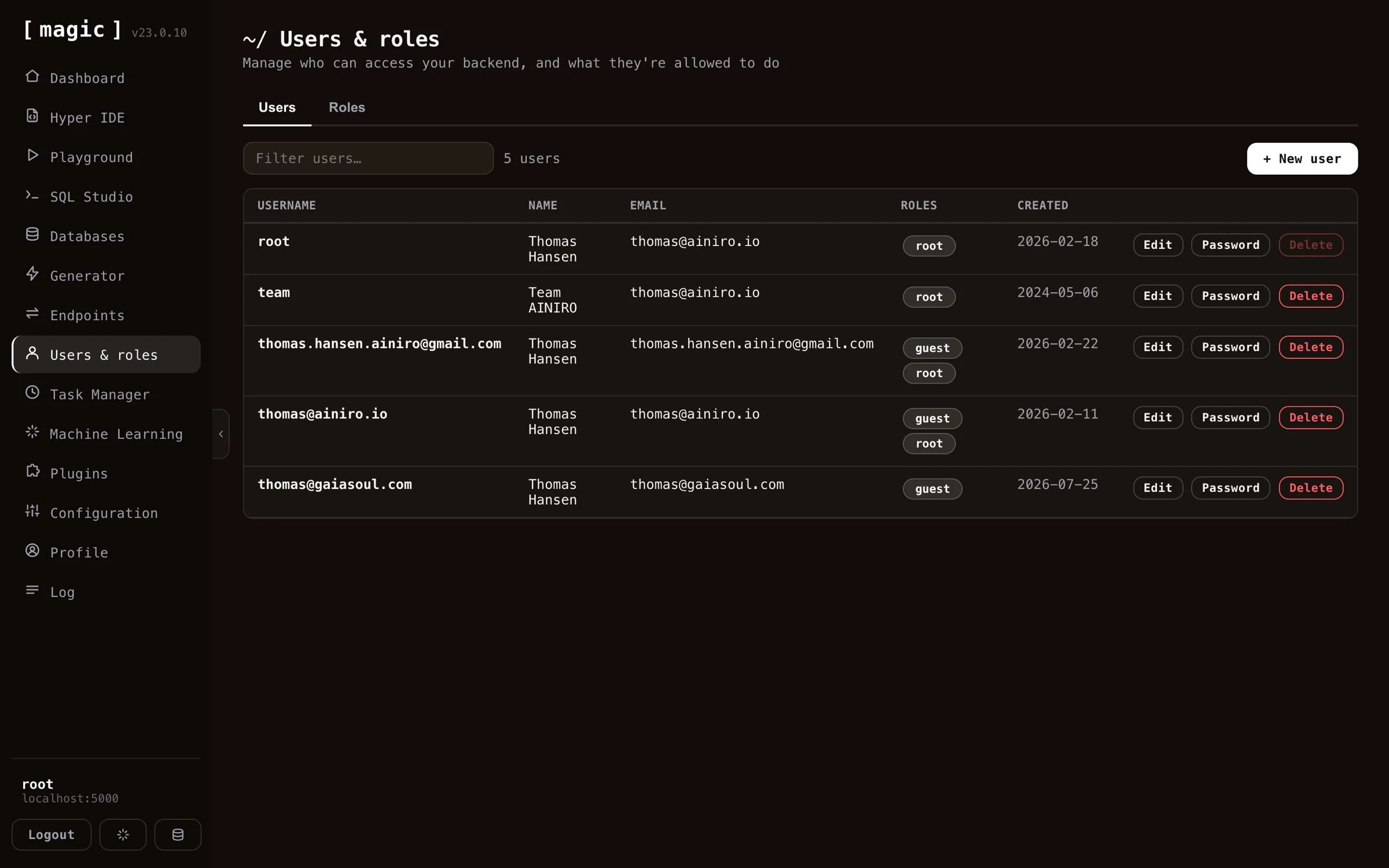
The task manager
Magic Cloud allows you to create and administer tasks. A task is a background job, that is persisted into your database as Hyperlambda, and it can either be executed by a “trigger” occurring somewhere else in your system, or periodically scheduled to execute repeatedly, or at some specific date and time in the future. The task manager allows you to easily manage your tasks, edit them, and create new tasks as you see fit.
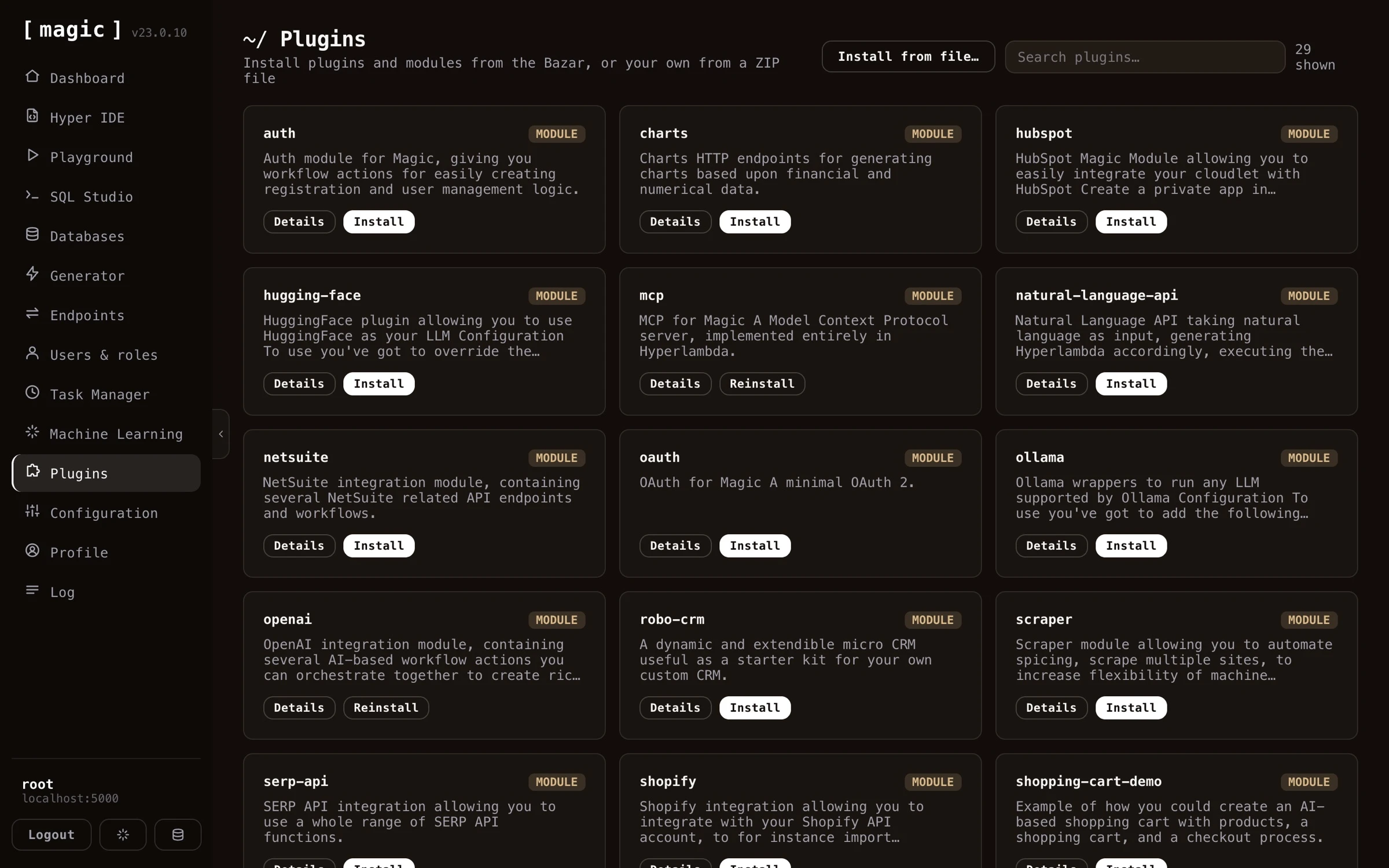
Plugins
Magic Cloud also contains its own “App Store”, allowing you to rapidly install some plugin solving some particular need you might have in your own applications. Some example plugins are listed below;
- Stripe payment integrations
- Registration workflow actions
- Shopify AI chatbot integration
- WordPress AI chatbot integration
- Several example SQLite databases
- Etc, etc, etc
The integrated log
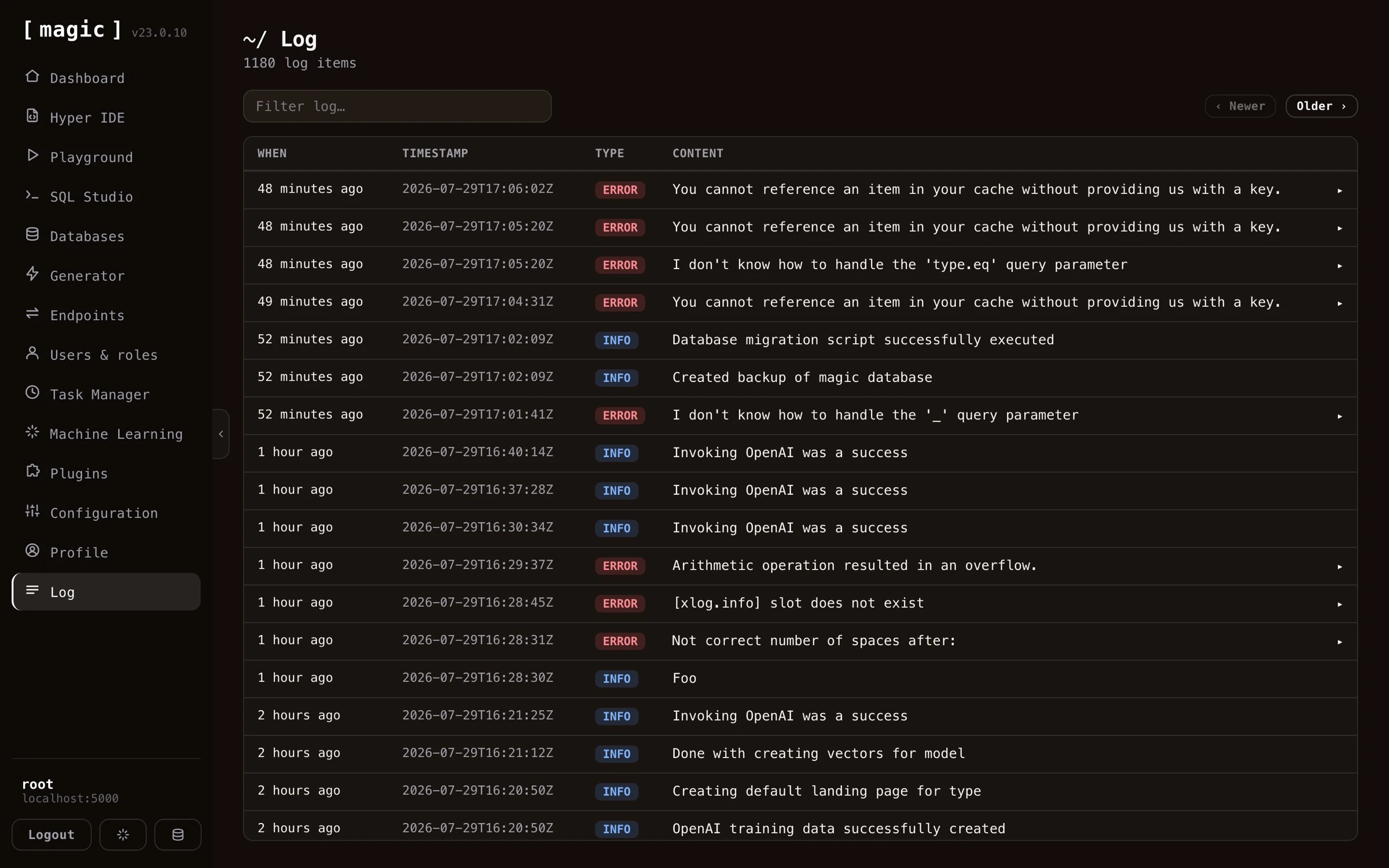
Magic Cloud also comes with an integrated log component, allowing you to browse your cloudlet’s log, giving you control over events occurring that might somehow have consequences for your system.
When you create your own Hyperlambda applications, you can also create log entries as you see fit, to log important events, such as deleting records, executing tasks, registering users, etc.
Custom AI chatbots
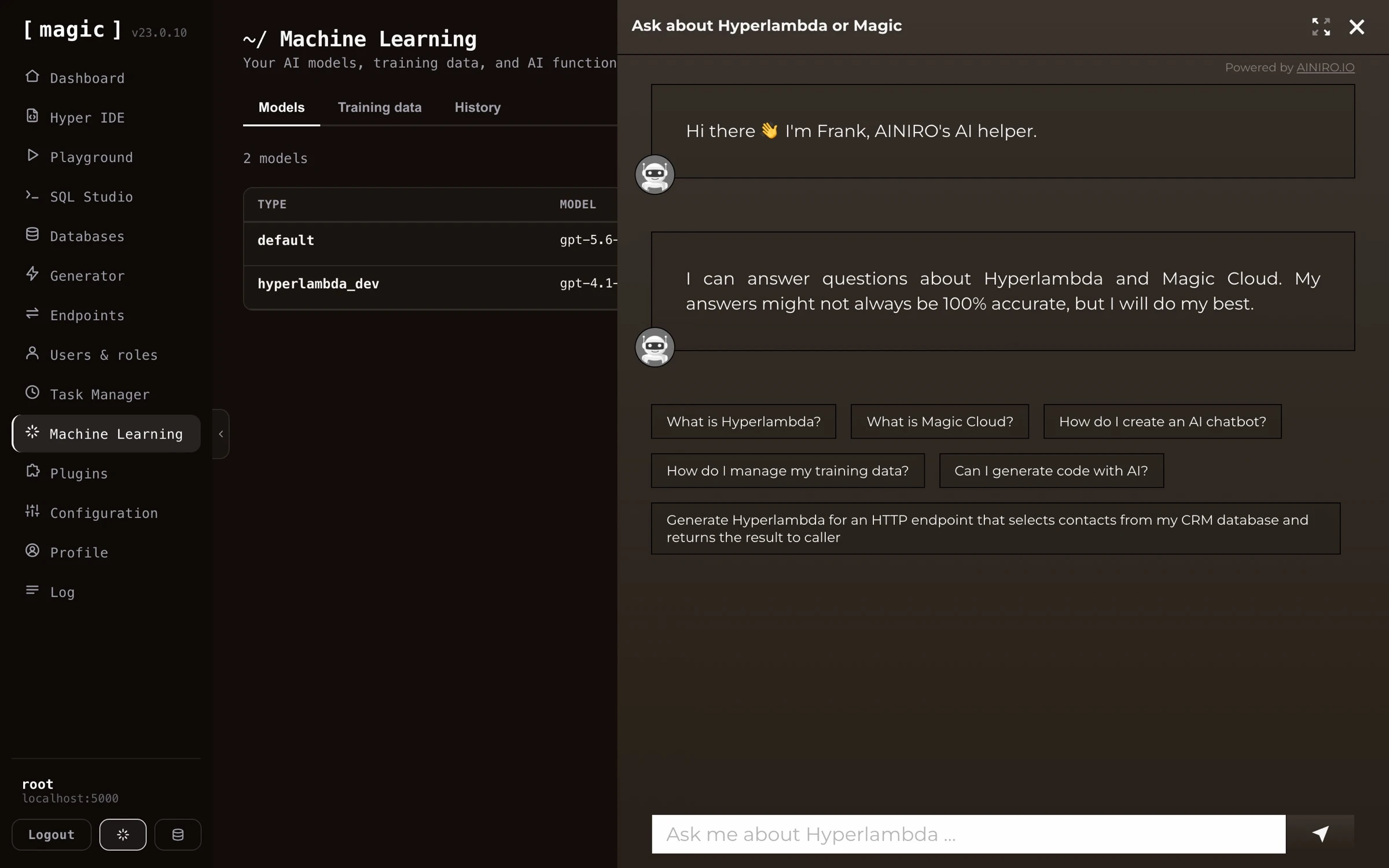
You can also use Magic to create your own custom AI chatbot, for then to embed it into your website. The Chatbot Wizard component in Magic will ask you for your OpenAI API key, for then to scrape your website generating a RAG database in the process. The end result allows your users to ask questions related to your website, and have the chatbot answer how you want it to answer questions.
It works by scraping your website, generating training data in the process, for then to end up with a custom “machine learning model” (based upon RAG), that answers questions according to your training data. You can try out such a chatbot by clicking the button in the bottom / right corner of this page, and ask it any question about Magic Cloud. This chatbot was created by scraping this website. At AINIRO we also deliver such chatbots as one of our services. Read more about our AI chatbots here.
Frequently asked questions
What is Magic Cloud?
An open source AI, Low-Code and No-Code platform that builds and hosts your entire backend - database, API, business logic, background jobs, and authentication - and powers database-driven AI agents over MCP.
What can I build with Magic?
Full stack apps such as CRM systems, secure web APIs wrapping new or legacy databases, custom AI chatbots trained on your own content, database-driven AI agents, scheduled background jobs, and static websites - most of it generated from natural language.
Can I create an AI agent with Magic?
Yes. Create a machine learning model, give it AI functions - endpoints the AI can invoke, added from Hyper IDE or straight into the model's system instruction - and the chatbot becomes an agent that can query your database, trigger workflows, and act on the user's behalf. Alternatively, connect an orchestrator such as Claude over MCP, and your entire cloudlet becomes the agent's toolbox, behind your own RBAC.
Can I create full stack apps with Magic?
Yes. Describe your app to an MCP-connected orchestrator LLM, and it creates the database, generates a secured CRUD API with the Endpoint Generator, and builds the frontend - served straight from your cloudlet's /etc/www/ folder. A working CRM has been built this way 100% autonomously in 7 minutes, for roughly $0.50 in inference.
Do I need to know how to code?
No. The Hyperlambda Generator transforms plain English into working code, the Endpoint Generator creates complete CRUD APIs from your database without a single line of code, and AI prompt bars throughout the dashboard write SQL and Hyperlambda for you.
What is Hyperlambda?
Magic's declarative orchestration language - technically a relational file format for execution trees. Machines can generate it reliably, which is what makes Magic's AI code generation possible. You don't need to master it to use Magic.
What is the Hyperlambda Generator?
Magic's proprietary SLM, fine-tuned with more than 600,000 training snippets, turning natural language into working Hyperlambda in seconds - and it cannot hallucinate function invocations, since every generated slot is verified against your cloudlet.
How does Magic work with AI agents such as Claude?
Magic has an integrated MCP server with OAuth. Connect Claude, Claude Code, Cursor, Codex or any MCP client, and every endpoint in your cloudlet becomes a tool the agent can invoke - obeying your RBAC - while the agent can also create new endpoints for itself on demand.
Can I create an AI chatbot from my website?
Yes. The Chatbot Wizard crawls your website, turns your content into RAG training data, and gives you an embeddable chatbot in minutes - which you can then refine with training data, widgets, and AI functions.
Can Magic wrap my existing database?
Yes. Point the Endpoint Generator at any MySQL, PostgreSQL, SQL Server, MariaDB or SQLite database, and it generates a complete, secured CRUD API from your existing schema in seconds.
Can I wrap my database into a CRUD AI agent?
Yes, in seconds. The CRUD generator wraps your database in secured endpoints, which become tools an AI agent can invoke over MCP - letting it read and write your data through natural language. And when the agent needs more than plain CRUD, the Hyperlambda Generator lets you add custom business logic on top, described in plain English.
Can I wrap a third party API in Magic?
Yes. The Import API tab of the Endpoint Generator reads an OpenAPI specification, OpenAPI 3.x or Swagger 2.0 in JSON or YAML, and generates Hyperlambda endpoints wrapping the operations you select. They are documented from the specification, required arguments are validated before the upstream API is contacted, and the credential is read from your configuration, never written into a file. Imported endpoints are self describing MCP tools.
Can I let other people or AI agents run code on my cloudlet safely?
Yes. The Sandbox API tab generates one endpoint that accepts Hyperlambda, or plain English turned into Hyperlambda, and runs it inside a whitelist you define per role. Every function the code uses is checked against your cloudlet before anything runs, a function you did not grant does not exist as far as the caller is concerned, and the rate limit and timeout are set per role.
Can I put my own knowledge behind an API?
Yes. The Search endpoint tab generates an endpoint that searches the training snippets of one machine learning type, by keyword, by meaning, or both, and returns the best matches. It invokes no AI model, and a keyword search costs nothing per call.
Why does Magic generate code instead of interpreting configuration?
Because generated code is ordinary Hyperlambda that you can read, edit, version control and extend, instead of settings hidden inside a platform. It works because Hyperlambda is homoiconic: a program is a tree of nodes, the same structure the generators build and inspect, which is also how Magic verifies generated code and sandboxes code sent by callers.
Is Magic secure?
Magic is built on JWT authentication and role based access control, with every endpoint declaring which roles may invoke it. It also acts as an OAuth server, and supports OIDC for federated sign-in through providers such as Google and Microsoft.
Is Magic open source, and where can I run it?
Yes, Magic is 100% open source. Run it locally with one Docker command, deploy it to any VPS, or use AINIRO.IO's professional hosting - a managed cloudlet with backups and HTTPS out of the box.
For AI agents
Everything in this documentation is available in a form made for agents, without scraping.
- llms.txt and llms-full.txt are the curated index and the whole documentation in one file.
- slots-index.json lists every slot of Hyperlambda, with links to its reference page and its guide, and slots.json has every slot with its complete signature. Each slot also has its own
slot.json, next to its reference page. - The agent entry point lists the live endpoints, the public sandbox where an agent can run Hyperlambda, and the MCP server.
The goal of the project
The goal of the project is to make it easier to produce high quality and scalable code, much faster, without security holes, in an extremely scalable runtime. AKA …
Where the Machine Creates the Code!