Workflows
A workflow is a chain of operations that together accomplish some larger task, where each step can consume the output produced by previous steps. In Magic you build workflows by connecting an orchestrator AI - such as Claude - to your cloudlet over the MCP server, and letting it combine Magic’s tools and the Hyperlambda Generator to solve problems dynamically.
Instead of wiring steps together by hand, you describe the outcome you want in plain English, and the AI figures out which tools to call, in which order, feeding the result of one step into the next.
A workflow in practice
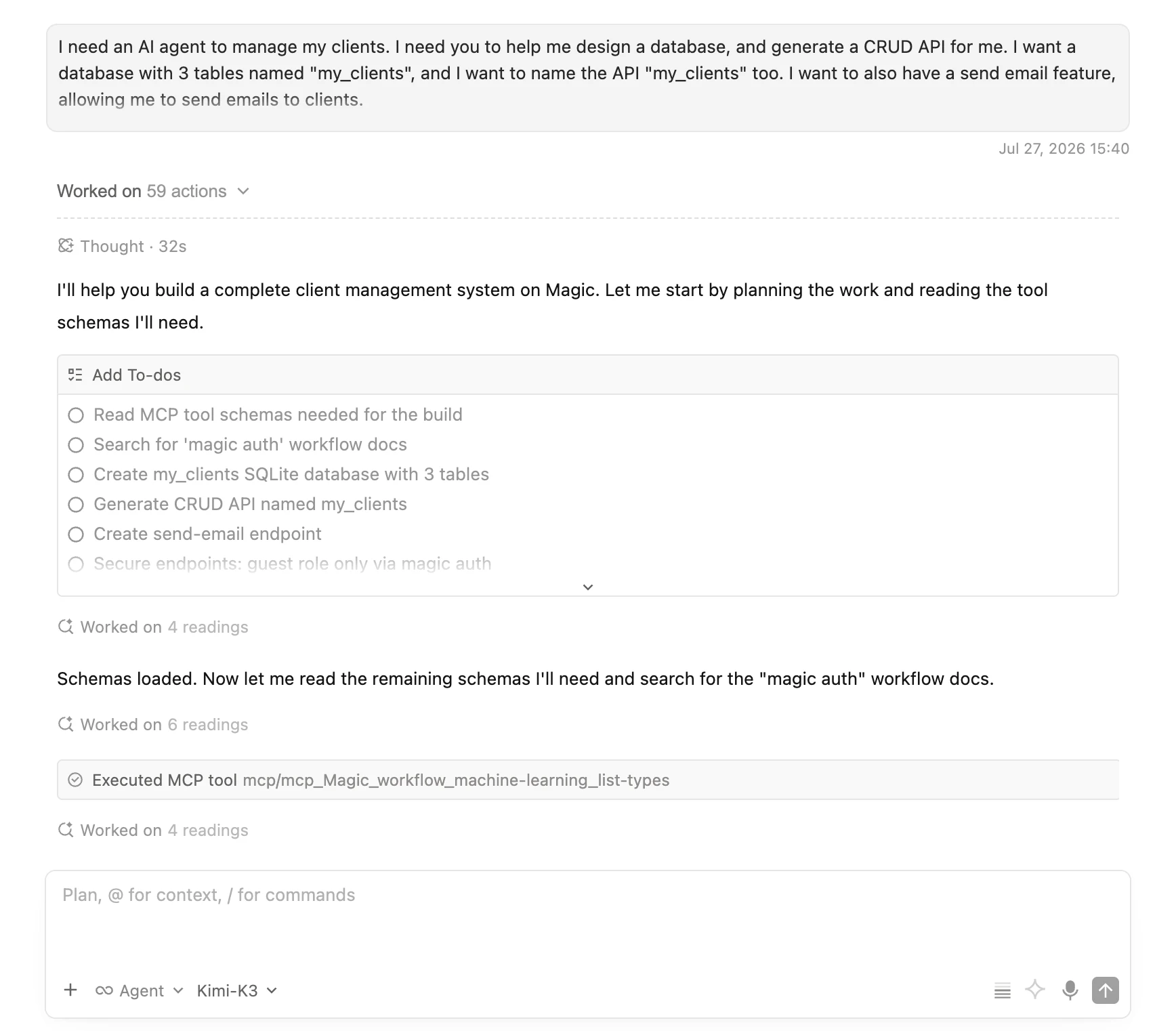
Below is a real example. The prompt asks for an AI agent to manage clients; a database with 3 tables, a CRUD API wrapping it, and a send email feature. The workflow was submitted to Qoder using Kimi K3 as the orchestrator LLM, connected to a cloudlet through Magic’s MCP connector - giving the orchestrator full control over the server; creating the database, generating the API, securing the endpoints, and building the frontend. The whole thing ran 100% autonomously in 7 minutes, and cost roughly $0.50 in inference. Below is the complete prompt, that you can copy and paste to try it out for yourself.
I need an AI agent to manage my clients. I need you to
help me design a database, and generate a CRUD API for
me. I want a database with 3 tables named "my_clients",
and I want to name the API "my_clients" too. I want to
also have a send email feature, allowing me to send
emails to clients.

I also want a full stack frontend, named "my_clients".
Remember to use absolute paths for CSS and JS, and I
want you to use the "magic auth" workflow (search for
it first), and implement ONLY access for users that
belongs to the "guest" roles.
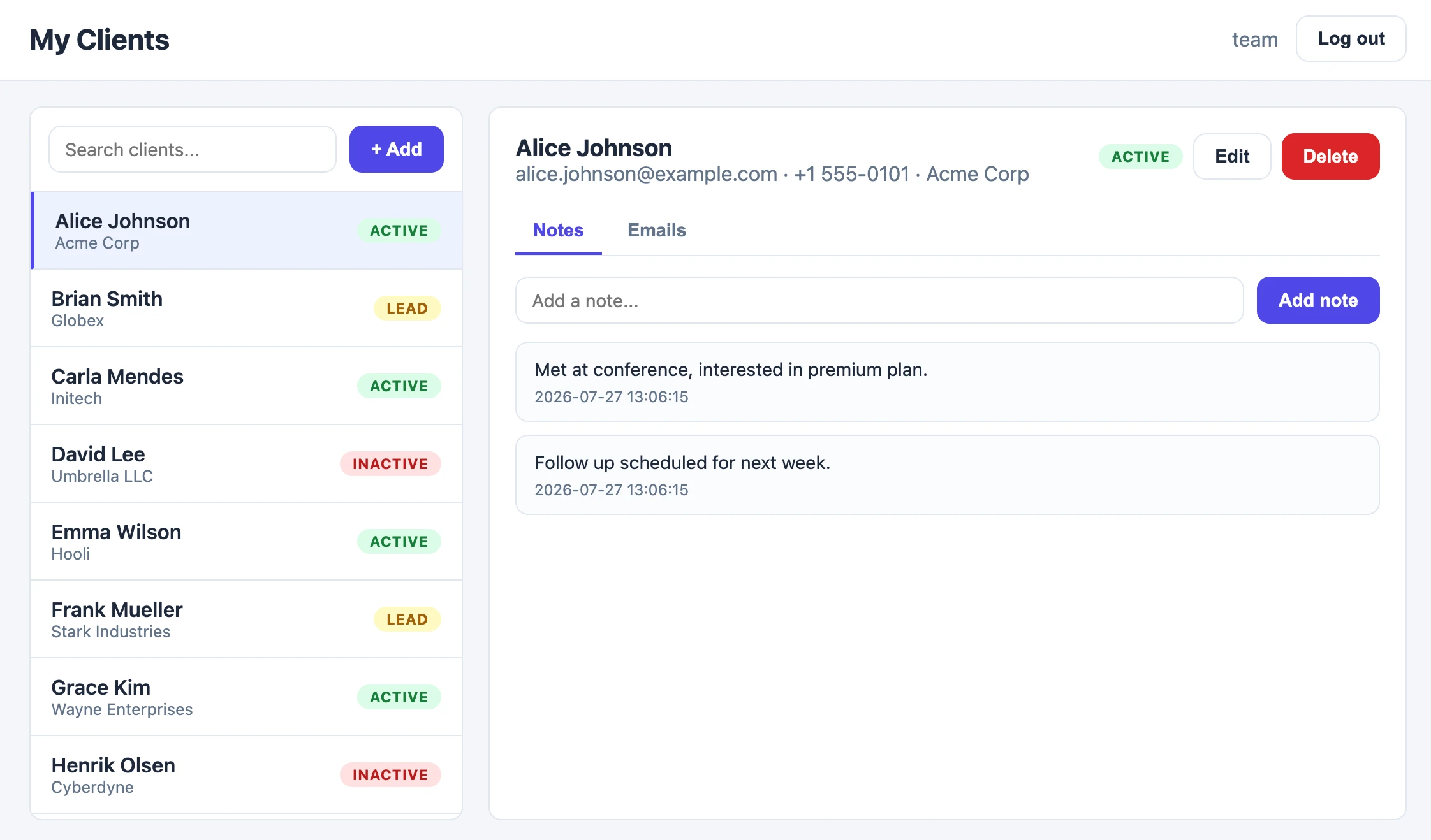
And below is the end result - a working full stack client management app, with search, statuses, notes, and email - created entirely by the workflow above.
This is the point of workflows in Magic; you submit a description to some orchestrator LLM through Magic’s MCP connector, and the orchestrator controls the server - creating apps, AI agents, databases, endpoints, and whatever else the workflow requires.
The AI is the orchestrator
When you connect an AI agent to your cloudlet, every one of your endpoints - and a large library of built-in tools - becomes something the AI can invoke. That means a single instruction can turn into a multi-step workflow, where the AI:
- queries and writes to your databases,
- calls external HTTP APIs and services,
- reads and writes files on your cloudlet,
- sends emails, generates images or PDFs, scrapes websites, and more,
chaining these together to reach the goal you described. You stay the orchestrator - you decide what you want - while the AI works out the how.
Hyperlambda is the execution layer
Every step the AI takes ultimately runs as Hyperlambda inside your cloudlet. This is what makes AI workflows in Magic so powerful; when the AI needs logic that doesn’t exist yet, it doesn’t get stuck - it uses the Hyperlambda Generator to create it.
The AI describes the endpoint it needs in plain English, the generator produces working Hyperlambda in seconds, and the new endpoint immediately becomes another tool the AI can call. In other words, the AI can extend its own capabilities in the middle of a workflow, building exactly the tools it needs, on demand.
Why Hyperlambda and AI fit together so well
- Hyperlambda is a meta programming language - the machine can easily generate functioning Hyperlambda that it then executes, which is exactly what an orchestrating AI needs.
- The generator cannot hallucinate function invocations - every slot the generated code invokes is verified against the slots that actually exist in your cloudlet before the code is returned, so the tools the AI builds actually work.
- Everything runs inside your cloudlet - behind your own authentication and role based access control, so the AI can only ever do what the consenting user is allowed to do, and your data never leaves your database.
- Slots compose naturally - each slot in Hyperlambda takes a node-set as input and returns another node-set, which is what allows the output of one operation to flow into the next as you chain them together.
An example
Imagine you tell your connected AI:
“Every morning, find yesterday’s new signups in my CRM database, and email me a short summary.”
To fulfil this, the AI composes a workflow from Magic’s tools; it inspects your database schema, generates and runs the Hyperlambda that selects yesterday’s rows, formats a summary, sends it with the email tool, and schedules the whole thing as a recurring task - all from that one sentence, and all as real, secured Hyperlambda running on your cloudlet.
The building blocks
The operations the AI composes into workflows are the same tools documented in the MCP guide - covering databases, files, machine learning, HTTP, email, Git, tasks, browser automation, and more - plus any endpoints you have created yourself with the Endpoint Generator or by hand in Hyper IDE.
This results in a “point and click software development model” raised to a whole new level; you describe the problem, and the machine assembles - and where necessary writes - the code required to solve it. Or as we phrase it …
Where the Machine Creates the Code