Plugins
The Plugins component is Magic’s integrated “AppStore”, and allows you to install backend micro services on the fly, without interrupting normal usage. It resolves towards AINIRO’s repository of plugins, that contains several pre-fabricated backend micro services, serving some generic requirement, such as for instance Stripe payments, OpenAI helpers, and registration helpers. Most plugins automatically take care of creating their databases, and other things required to initialise the plugin.
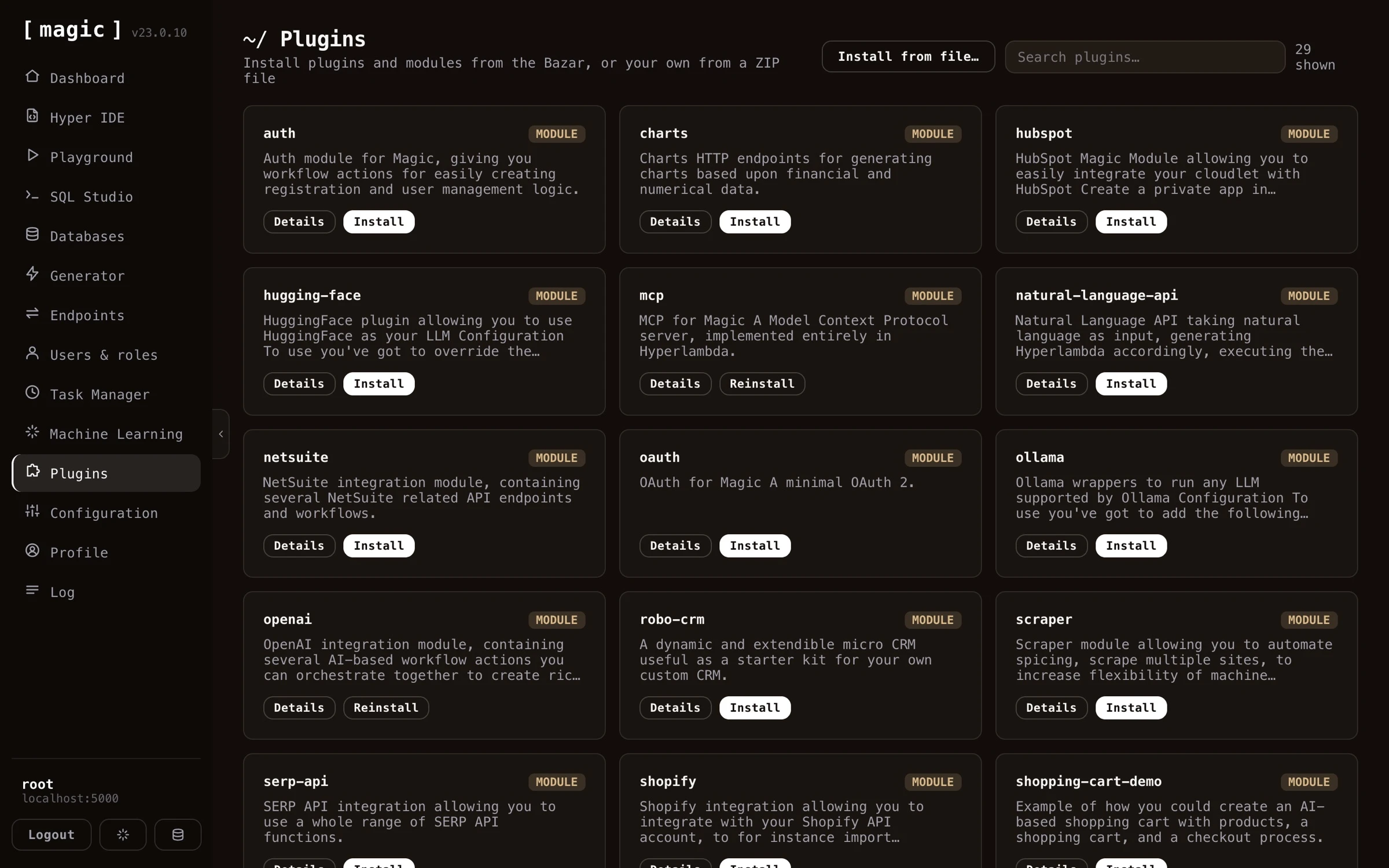
There are two types of plugins; modules and frontends. Modules are backend micro services, installed into your cloudlet’s modules folder. Frontends are complete applications served from your frontend domain. Notice, frontends can not be installed if your backend and your frontend dashboard are running on the same host or domain - which is the case for the all-in-one (aio) image and the DigitalOcean deployment - since installed frontends need their own domain to be served from.
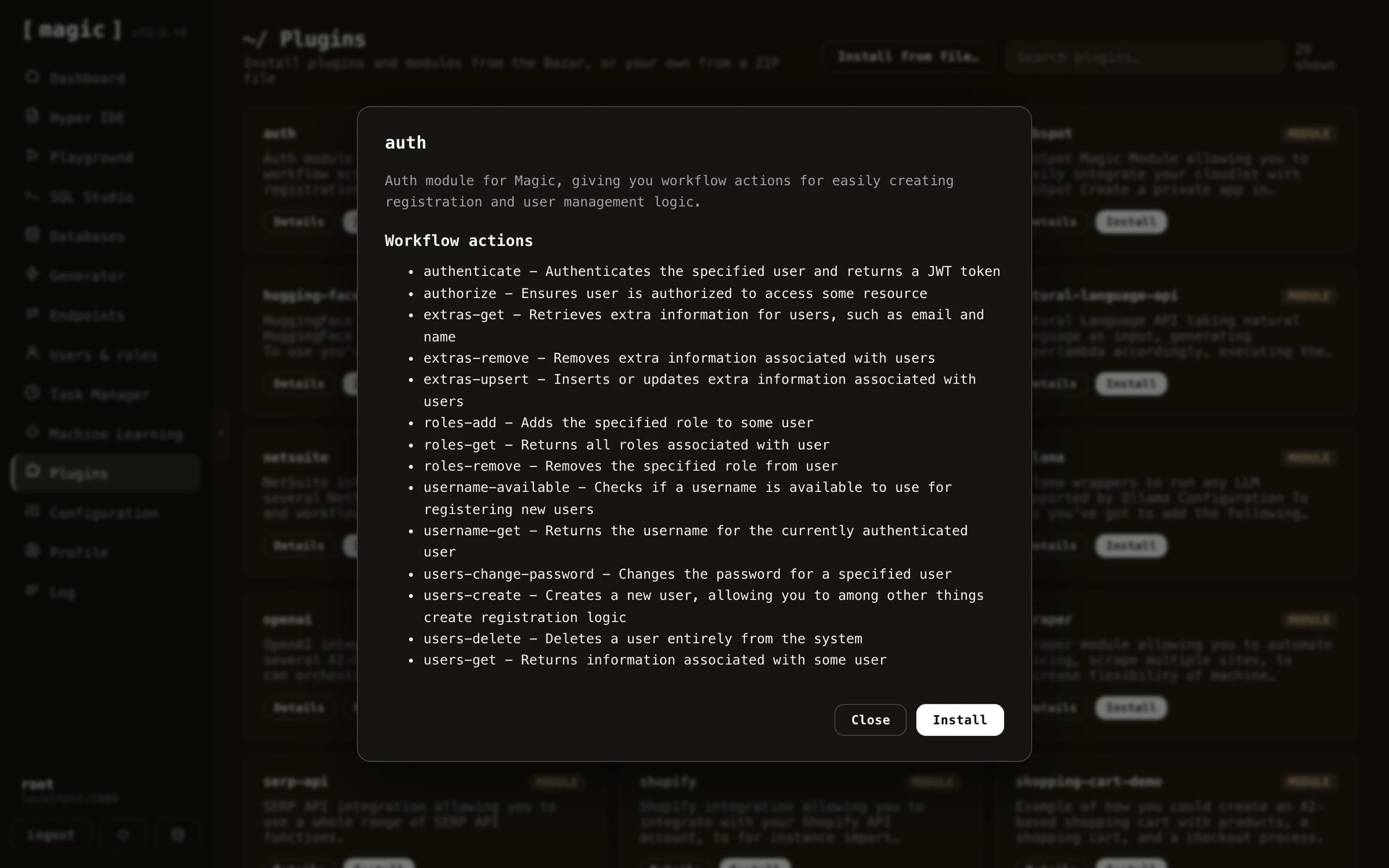
Before installing anything, click the “Details” button on a plugin. This shows you the plugin’s complete description - what it does, and exactly what it contains - for instance which workflow actions a module gives you, allowing you to read through everything the plugin provides and make an informed decision before you install it.
How plugins work in Magic
When you install a plugin, a ZIP file is downloaded from our plugins repository, and unzipped into your modules folder. After unzipping the file, all Hyperlambda files inside the “magic.startup” folder will be automatically executed, allowing for startup and installation logic. And in fact, if you create your own micro service module using Hyperlambda, you should create such startup folders yourself, where you initialise your plugin, by creating slots your module depends upon, creating its initial database if it’s needing a database, etc.
After you have installed a plugin, you can see its code by using Hyper IDE, and expand the modules folder, for then to expand the folder where your plugin was installed, and look at its files. You can even immediately edit any files this way too, but if you do, you can no longer update your plugin. If your plugin creates a database of some sort, you can also look at your database using SQL Studio.
Available plugins
Below is the catalogue of plugins currently available from the AppStore. The list grows over time, so you may find additional plugins in your dashboard.
- ai-expert-system - A chat frontend for password-protected AI models, with OpenID Connect login, Stripe subscriptions, and full white-labeling — an “AI SaaS in a box”.
- auth - Workflow actions and a ready-made registration workflow for user management, authentication, and authorisation.
- charts - HTTP endpoints that render grouped and stacked charts as PNG images from numerical data.
- hubspot - Integrate your cloudlet with HubSpot, reading and writing contacts, notes, and more.
- hugging-face - Use Hugging Face as your LLM provider.
- mcp - A Model Context Protocol server that exposes your dynamic endpoints as MCP tools.
- natural-language-api - Expose secure APIs that take natural language as input, generate Hyperlambda, execute it, and return the result.
- netsuite - NetSuite integration with REST and SuiteQL workflows and endpoints for administering records.
- oauth - An OAuth 2.1 authorization server that lets standards-compliant clients log in and receive a Magic JWT.
- ollama - Run any Ollama-supported LLM as your model.
- openai - OpenAI-based workflow actions — context retrieval, querying, image creation, and vectorizing — you can chain together.
- robo-crm - A small, extensible starter CRM, and an example of building AI-assistant style apps.
- scraper - Automate scraping of multiple sites and spice URLs to build machine-learning training data.
- serp-api - SERP API integration with AI functions and workflows for searching and analysing patents and the web.
- shopify - Integrate with Shopify to import products as training snippets, track orders, and more.
- shopping-cart-demo - An example AI-based shopping cart with products, a cart, and a checkout process.
- slack - Interact with Slack from your cloudlet, for example escalating AI support queries to human agents.
- sqlite-chinook - Installs the Chinook example SQLite database to experiment with the generators.
- sqlite-northwind - Installs the Northwind example SQLite database to experiment with the generators.
- sqlite-sakila - Installs the Sakila example SQLite database to experiment with the generators and SQL Studio.
- stripe - Stripe integration with workflow actions for customers, payments, subscriptions, refunds, and webhooks.
- stripe-subscription-templates - Out-of-the-box Stripe subscription support with role-based plans (depends on the Stripe plugin).
- sys - System actions such as compiling C# code and executing shell commands.
- together-ai - Use Together AI as your LLM provider.
- utilities - Helper slots and workflow actions for AI chatbot functionality, such as emailing chat logs.
- vibe-coding - API functions and endpoints for automating software development — files, databases, Hyperlambda, modules, and plugins — with an AI agent.
- woocommerce - Integrate with WooCommerce to import products as training snippets.
- wordpress - Import WordPress pages and posts through the REST API to create semantic training content.
- xpert-system - The React and TypeScript AI Expert System chat frontend, with streaming, OIDC, Stripe, white-labeling, and rich Markdown rendering.
Frequently asked questions
What is the Plugins component?
Magic's own 'App Store', letting you rapidly install backend micro services and applications solving particular needs - Stripe payments, registration workflows, AI chatbot integrations, MCP, OAuth, example databases, and more.
What types of plugins exist?
Two types: modules and frontends. Modules are backend micro services installed into your modules folder, while frontends are complete applications served from your frontend domain.
Why can't I install frontends?
Frontends cannot be installed if your backend and frontend dashboard run on the same host or domain - which is the case for the all-in-one (aio) image and the DigitalOcean deployment - since installed frontends need their own domain to be served from.
Can I see what a plugin contains before installing?
Yes. Click Details on any plugin to read its complete description and see exactly what it contains - for instance which workflow actions a module gives you - before deciding to install.
How do plugins work under the hood?
Installing downloads a ZIP file and unzips it into your modules folder, after which all Hyperlambda files inside its magic.startup folder are executed, taking care of initialisation such as creating databases and slots.
Can I modify an installed plugin?
Yes, you can edit its files with Hyper IDE - but if you do, you can no longer update the plugin from the App Store.
How do I update an installed plugin?
Plugins you have already installed show a Reinstall button, installing the App Store's current version over the one you have - which is also how you upgrade a plugin to its latest version.