 Notice, the AI doesn't need to create your database from scratch - Legacy databases can be just as easily wrapped, turning your existing MySQL, PostgreSQL, SQL Server, or SQLite database into a secure API and a working app in minutes.
## MCP Support
Magic contains an integrated MCP server, with OAuth, allowing you to connect it to.
* Claude Code
* Codex
* Cursor
* Qoder
* Grok
The above is just some of what I've tried it with, but it should work with everything having MCP support. To get started, check out [how to connect the MCP server](https://docs.ainiro.io/tutorials/how-to-connect-the-mcp-server/).
Notice, the AI doesn't need to create your database from scratch - Legacy databases can be just as easily wrapped, turning your existing MySQL, PostgreSQL, SQL Server, or SQLite database into a secure API and a working app in minutes.
## MCP Support
Magic contains an integrated MCP server, with OAuth, allowing you to connect it to.
* Claude Code
* Codex
* Cursor
* Qoder
* Grok
The above is just some of what I've tried it with, but it should work with everything having MCP support. To get started, check out [how to connect the MCP server](https://docs.ainiro.io/tutorials/how-to-connect-the-mcp-server/).
 ## The Hyperlambda Generator
At the heart of Magic you'll find the [Hyperlambda Generator](https://docs.ainiro.io/dashboard/hyperlambda-generator/) — our own proprietary SLM (Small Language Model), fine-tuned with more than 600,000 training snippets, transforming natural language into working Hyperlambda code in typically 1.5 to 5 seconds. Unlike general purpose LLMs, it cannot hallucinate function invocations — every slot the generated code invokes is verified against the slots that actually exist in your cloudlet before the code is returned to you.
Combined with the [MCP server](https://docs.ainiro.io/tutorials/how-to-connect-the-mcp-server/), this allows an AI agent such as Claude to create new tools for itself on demand — describing the endpoint it needs in plain English, and having the generator create it in seconds.
## The Hyperlambda Generator
At the heart of Magic you'll find the [Hyperlambda Generator](https://docs.ainiro.io/dashboard/hyperlambda-generator/) — our own proprietary SLM (Small Language Model), fine-tuned with more than 600,000 training snippets, transforming natural language into working Hyperlambda code in typically 1.5 to 5 seconds. Unlike general purpose LLMs, it cannot hallucinate function invocations — every slot the generated code invokes is verified against the slots that actually exist in your cloudlet before the code is returned to you.
Combined with the [MCP server](https://docs.ainiro.io/tutorials/how-to-connect-the-mcp-server/), this allows an AI agent such as Claude to create new tools for itself on demand — describing the endpoint it needs in plain English, and having the generator create it in seconds.
 ## The Magic Dashboard
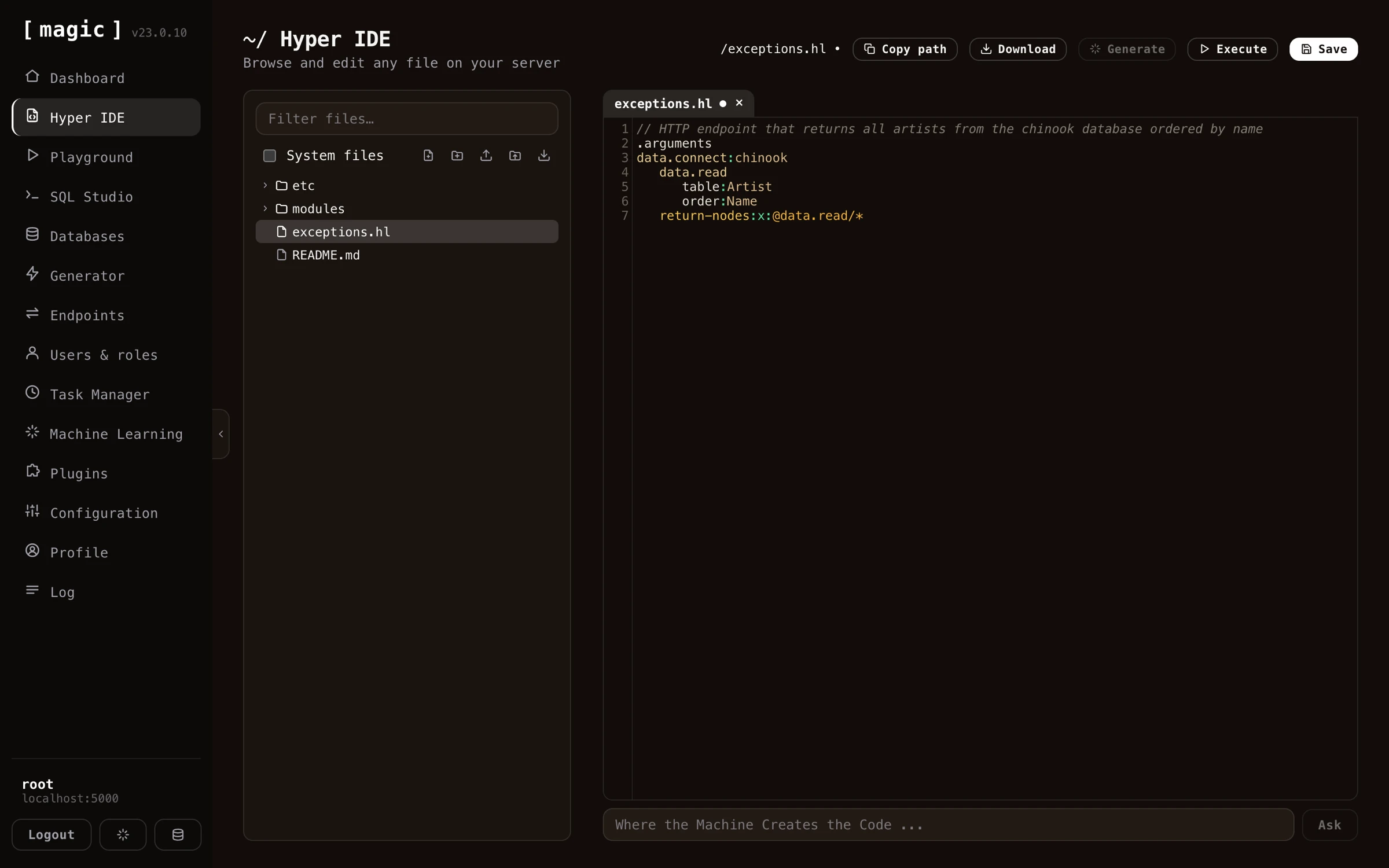
Magic's purpose is to help you with your backend, and it comes with a dashboard allowing you to manage all aspects of your backend. The dashboard contains UI components for most things you'll need when creating and maintaining your API and backend code. Below you can find some general information about some of its most important components.
## The Magic Dashboard
Magic's purpose is to help you with your backend, and it comes with a dashboard allowing you to manage all aspects of your backend. The dashboard contains UI components for most things you'll need when creating and maintaining your API and backend code. Below you can find some general information about some of its most important components.
 ## Hyper IDE
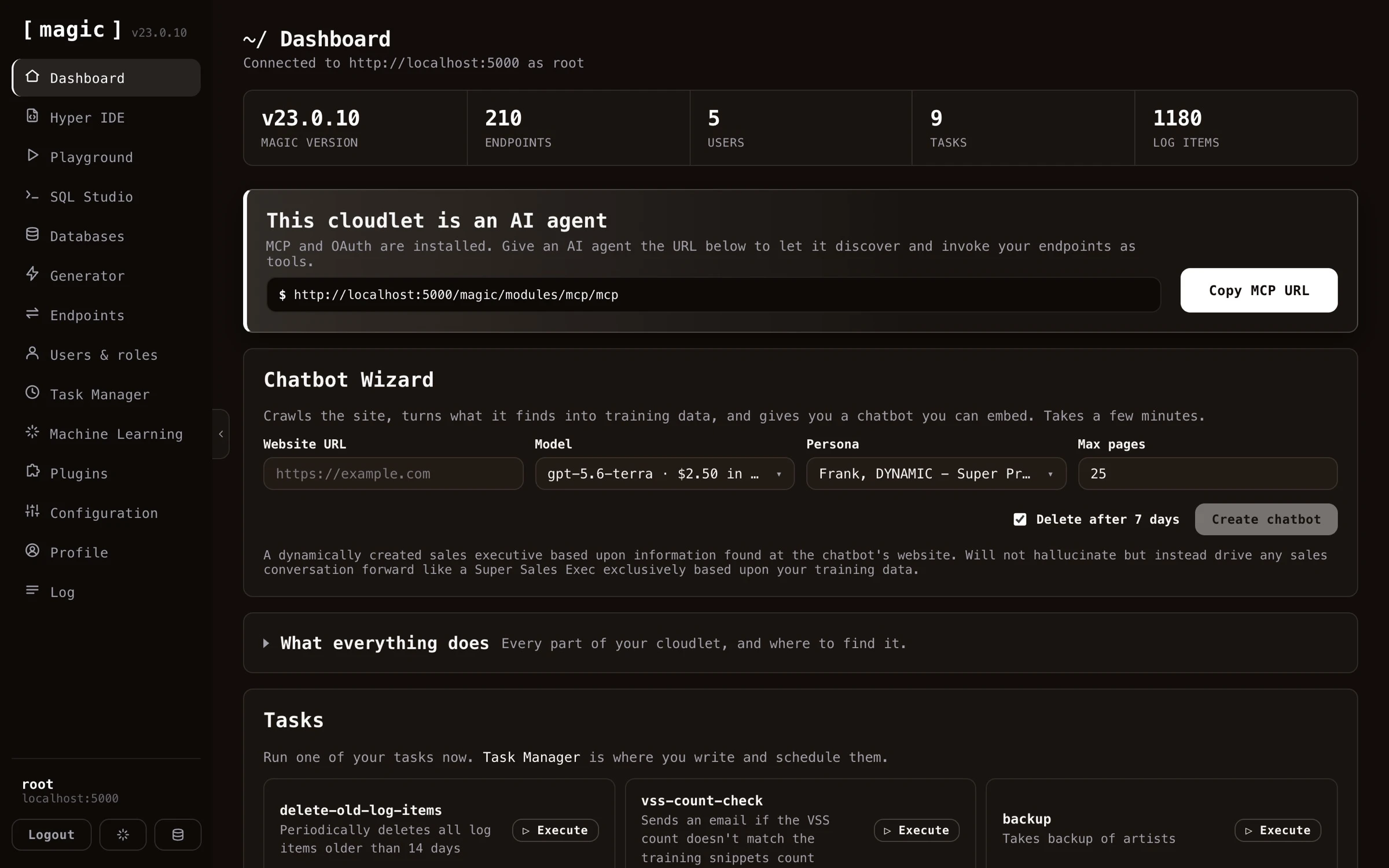
Magic contains its own IDE or integrated development environment. [Hyper IDE](https://docs.ainiro.io/dashboard/hyper-ide/) provides syntax highlighting
and autocomplete for Hyperlambda. With Hyper IDE you can edit your code, save it, and immediately see the result
of your modifications, by executing your endpoint without ever having to leave your IDE. Magic even has its own backend _"vibe coding"_ prompting mechanisms, allowing you to generate Hyperlambda from natural language using generative AI.
## Hyper IDE
Magic contains its own IDE or integrated development environment. [Hyper IDE](https://docs.ainiro.io/dashboard/hyper-ide/) provides syntax highlighting
and autocomplete for Hyperlambda. With Hyper IDE you can edit your code, save it, and immediately see the result
of your modifications, by executing your endpoint without ever having to leave your IDE. Magic even has its own backend _"vibe coding"_ prompting mechanisms, allowing you to generate Hyperlambda from natural language using generative AI.
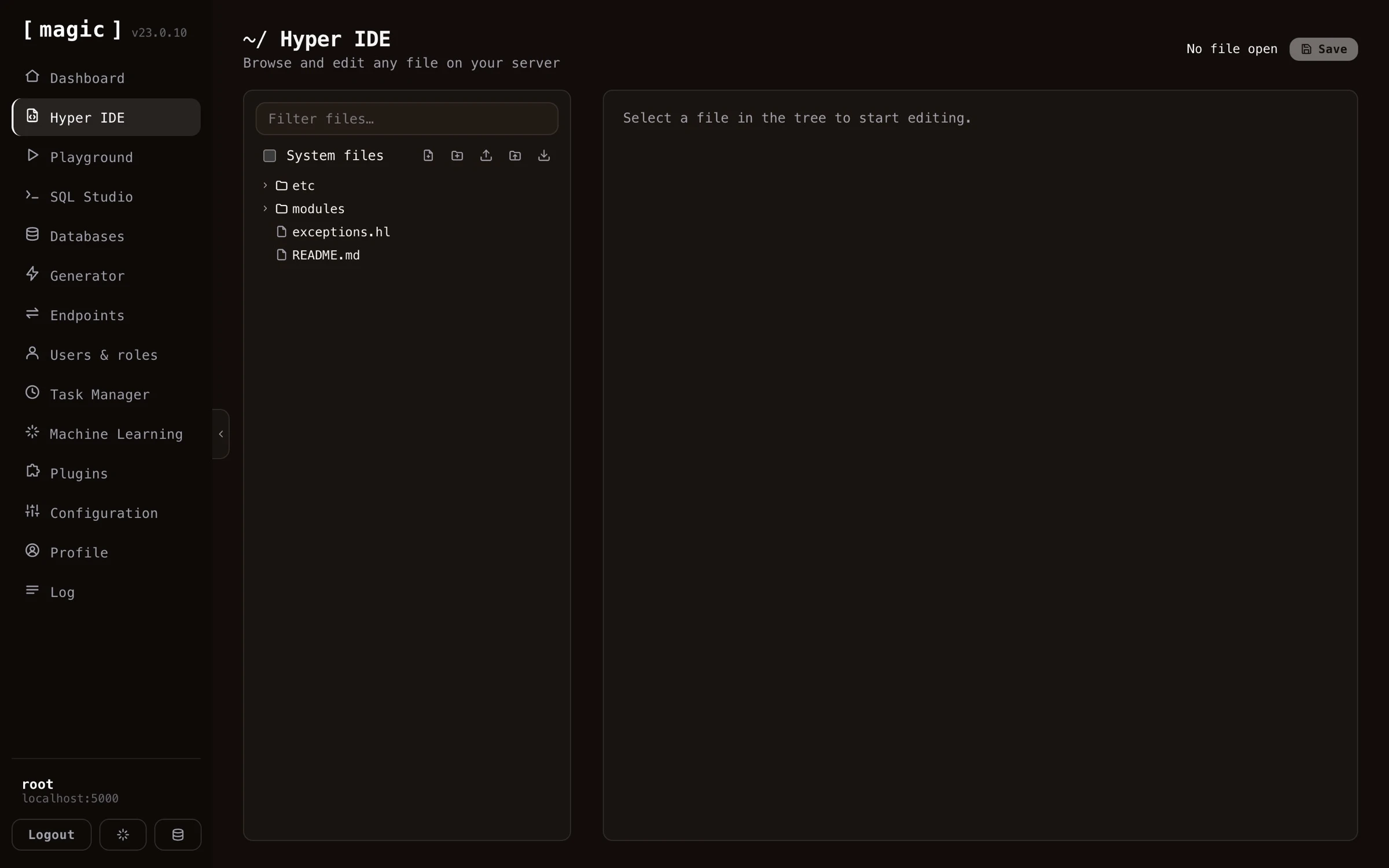 Hyper IDE also integrates with our Machine Learning component, built on top of OpenAI, allowing you to write your requests in plain English, and have Hyper IDE and OpenAI automatically generate code for you solving your problem.
Hyper IDE can also _replay_ an execution for you. Instead of invoking a file, click _"Debug"_, and Magic records every operation your code performs, letting you step through it afterwards and see your program's entire state at each step - with the statement that threw marked in red when something fails. Read more about [Rewind](https://docs.ainiro.io/dashboard/hyper-ide/).
> With Hyper IDE manually writing code is optional
## The Endpoint Generator
The [Endpoint Generator](https://docs.ainiro.io/dashboard/endpoint-generator/) allows you to wrap any database you have in CRUD API endpoints. It reads
meta data from your database, and automatically generates a web API for you. The generated API is
secured according to your instructions, and can be modified after it's created.
Hyper IDE also integrates with our Machine Learning component, built on top of OpenAI, allowing you to write your requests in plain English, and have Hyper IDE and OpenAI automatically generate code for you solving your problem.
Hyper IDE can also _replay_ an execution for you. Instead of invoking a file, click _"Debug"_, and Magic records every operation your code performs, letting you step through it afterwards and see your program's entire state at each step - with the statement that threw marked in red when something fails. Read more about [Rewind](https://docs.ainiro.io/dashboard/hyper-ide/).
> With Hyper IDE manually writing code is optional
## The Endpoint Generator
The [Endpoint Generator](https://docs.ainiro.io/dashboard/endpoint-generator/) allows you to wrap any database you have in CRUD API endpoints. It reads
meta data from your database, and automatically generates a web API for you. The generated API is
secured according to your instructions, and can be modified after it's created.
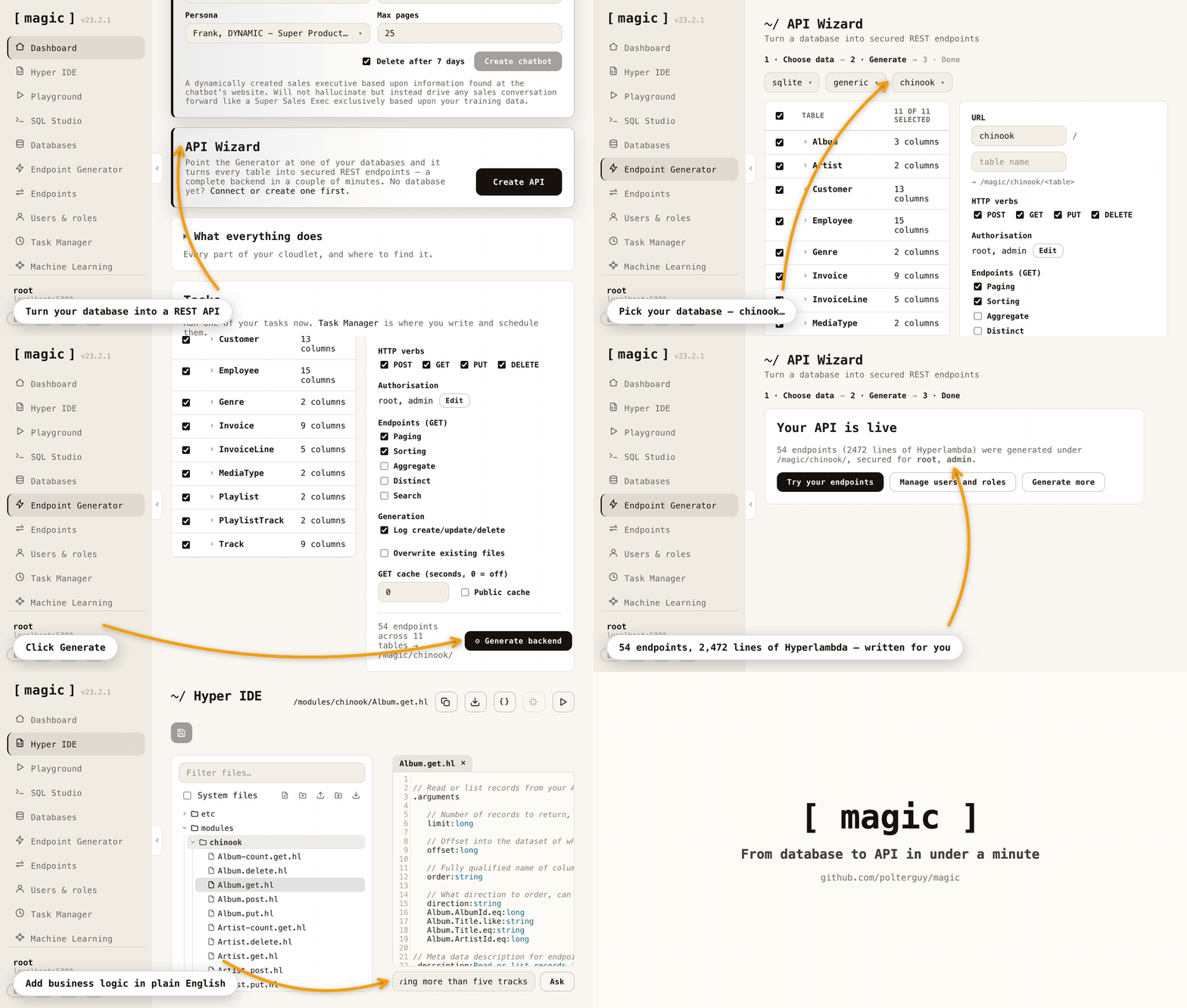 The Endpoint Generator takes care of referential integrity, validators, authentication, and authorisation -
While allowing you to declaratively tell it how to generate your API, in addition to having lots of
additional features simplifying your life as a software developer.
By combining the Endpoint Generator with the [Hyperlambda Generator](https://docs.ainiro.io/dashboard/hyperlambda-generator/) and an AI agent connected over MCP, you can create entire backends straight from natural language.
The Endpoint Generator has five tabs, and each one is meta programming in practice: you describe what you want, and Magic writes the Hyperlambda source for it - ordinary files you can open, read, edit and version control afterwards. CRUD endpoints wrapping a database, [SQL](#the-sql-endpoint-generator) wrapped into endpoints, a [Sandbox API](#the-sandbox-api-generator) that safely runs the code its callers send, a [Search API](#the-search-api-generator) putting your own knowledge behind an endpoint, and an [API Import](#the-api-import-generator) wrapping somebody else's API. It works because Hyperlambda is homoiconic - a program is a tree of nodes, the very structure the generators build and inspect. [The slot reference](https://docs.ainiro.io/reference/slots/) is the proof: it was not written either. Hyperlambda wrote it, by asking the running system about itself.
## The SQL Endpoint Generator
Magic allows you to create HTTP endpoints using SQL. This allows you to compose some SQL statement,
and rapidly wrap it inside an HTTP endpoint. You can find this component in the Endpoint Generator,
in its _"SQL Endpoint Generator"_ tab. Choose your database, provide some SQL, add arguments that you
reference in your SQL, and click the _"Generate"_ button.
The Endpoint Generator takes care of referential integrity, validators, authentication, and authorisation -
While allowing you to declaratively tell it how to generate your API, in addition to having lots of
additional features simplifying your life as a software developer.
By combining the Endpoint Generator with the [Hyperlambda Generator](https://docs.ainiro.io/dashboard/hyperlambda-generator/) and an AI agent connected over MCP, you can create entire backends straight from natural language.
The Endpoint Generator has five tabs, and each one is meta programming in practice: you describe what you want, and Magic writes the Hyperlambda source for it - ordinary files you can open, read, edit and version control afterwards. CRUD endpoints wrapping a database, [SQL](#the-sql-endpoint-generator) wrapped into endpoints, a [Sandbox API](#the-sandbox-api-generator) that safely runs the code its callers send, a [Search API](#the-search-api-generator) putting your own knowledge behind an endpoint, and an [API Import](#the-api-import-generator) wrapping somebody else's API. It works because Hyperlambda is homoiconic - a program is a tree of nodes, the very structure the generators build and inspect. [The slot reference](https://docs.ainiro.io/reference/slots/) is the proof: it was not written either. Hyperlambda wrote it, by asking the running system about itself.
## The SQL Endpoint Generator
Magic allows you to create HTTP endpoints using SQL. This allows you to compose some SQL statement,
and rapidly wrap it inside an HTTP endpoint. You can find this component in the Endpoint Generator,
in its _"SQL Endpoint Generator"_ tab. Choose your database, provide some SQL, add arguments that you
reference in your SQL, and click the _"Generate"_ button.
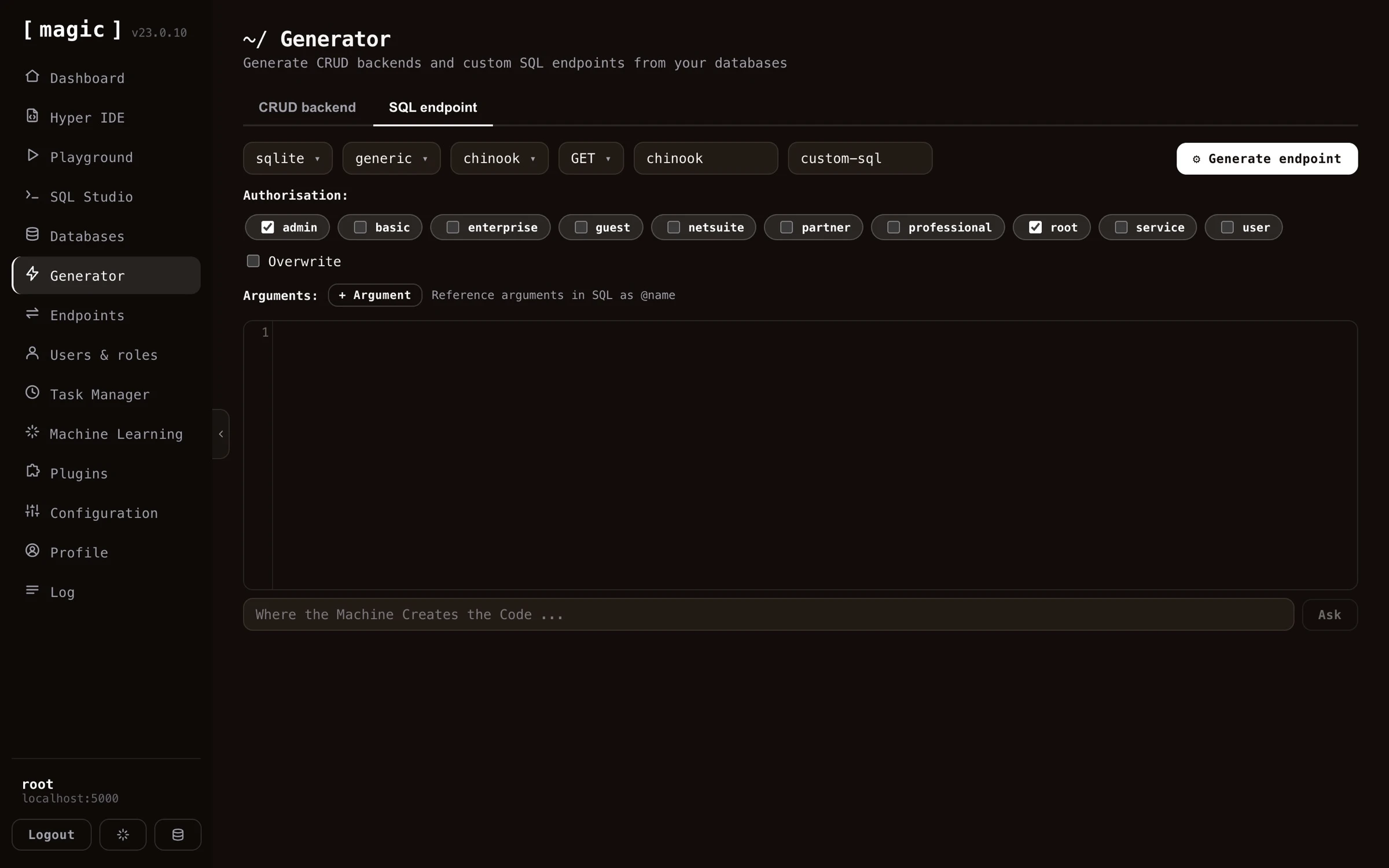 The SQL endpoint generator allows you to secure your endpoints, declare what arguments your endpoints can handle,
use all 5 most common HTTP verbs for your endpoints, etc. You can use it with SQL Server, MySQL, MariaDB,
PostgreSQL, or SQLite - And if you don't know SQL, then SQL Studio even has integrated support for generating SQL from natural language.
## The Sandbox API Generator
The CRUD and SQL generators turn _your_ data and _your_ SQL into fixed endpoints. The _"Sandbox API"_ tab does something more unusual: it publishes one endpoint that accepts **code** - Hyperlambda, or a plain English instruction that the [Hyperlambda Generator](https://docs.ainiro.io/dashboard/hyperlambda-generator/) turns into Hyperlambda - from whoever calls it, and runs it inside a whitelist that you define, function by function.
This is where meta programming and homoiconicity earn their keep. Hyperlambda code is a tree of nodes, so before anything runs, Magic can parse the caller's code, check that every function it mentions actually exists on your server, and refuse it when a function is not in the caller's vocabulary. A function you did not grant simply does not exist as far as the caller's code is concerned. You build the policy in the dashboard - a base vocabulary for everybody plus per-role grants, with pinned arguments such as one single database or one single folder, a rate limit and a timeout per role - and root is trusted completely.
The SQL endpoint generator allows you to secure your endpoints, declare what arguments your endpoints can handle,
use all 5 most common HTTP verbs for your endpoints, etc. You can use it with SQL Server, MySQL, MariaDB,
PostgreSQL, or SQLite - And if you don't know SQL, then SQL Studio even has integrated support for generating SQL from natural language.
## The Sandbox API Generator
The CRUD and SQL generators turn _your_ data and _your_ SQL into fixed endpoints. The _"Sandbox API"_ tab does something more unusual: it publishes one endpoint that accepts **code** - Hyperlambda, or a plain English instruction that the [Hyperlambda Generator](https://docs.ainiro.io/dashboard/hyperlambda-generator/) turns into Hyperlambda - from whoever calls it, and runs it inside a whitelist that you define, function by function.
This is where meta programming and homoiconicity earn their keep. Hyperlambda code is a tree of nodes, so before anything runs, Magic can parse the caller's code, check that every function it mentions actually exists on your server, and refuse it when a function is not in the caller's vocabulary. A function you did not grant simply does not exist as far as the caller's code is concerned. You build the policy in the dashboard - a base vocabulary for everybody plus per-role grants, with pinned arguments such as one single database or one single folder, a rate limit and a timeout per role - and root is trusted completely.
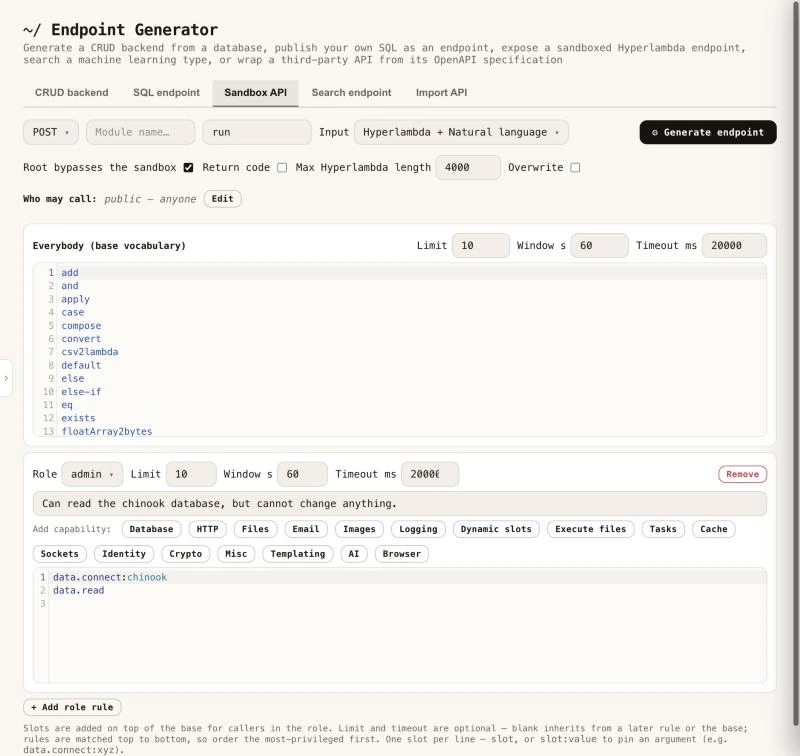 Every sandbox endpoint answers a `describe` call, listing exactly what the caller may do without executing anything. It is also an MCP tool with its own description, and it is listed in `/.well-known/hyperlambda-agent`, so AI agents can find it without any setup. You can try one yourself, since the [public sandbox behind the slot reference](https://docs.ainiro.io/reference/slots/#the-public-sandbox) is a generated Sandbox API endpoint, open to everybody. Read more about [the Sandbox API generator](https://docs.ainiro.io/dashboard/endpoint-generator/#the-sandbox-api-generator).
## The Search API Generator
Magic can put your own knowledge behind an HTTP endpoint. The _"Search endpoint"_ tab generates one endpoint that searches the training snippets of a single [machine learning](https://docs.ainiro.io/dashboard/machine-learning/) type, and returns the best matches - by keyword (BM25), by meaning (vectors), or both. Everything except the query is fixed inside the generated file; the type, the search mode, what comes back and how many matches, so a caller can only send a search string.
Every sandbox endpoint answers a `describe` call, listing exactly what the caller may do without executing anything. It is also an MCP tool with its own description, and it is listed in `/.well-known/hyperlambda-agent`, so AI agents can find it without any setup. You can try one yourself, since the [public sandbox behind the slot reference](https://docs.ainiro.io/reference/slots/#the-public-sandbox) is a generated Sandbox API endpoint, open to everybody. Read more about [the Sandbox API generator](https://docs.ainiro.io/dashboard/endpoint-generator/#the-sandbox-api-generator).
## The Search API Generator
Magic can put your own knowledge behind an HTTP endpoint. The _"Search endpoint"_ tab generates one endpoint that searches the training snippets of a single [machine learning](https://docs.ainiro.io/dashboard/machine-learning/) type, and returns the best matches - by keyword (BM25), by meaning (vectors), or both. Everything except the query is fixed inside the generated file; the type, the search mode, what comes back and how many matches, so a caller can only send a search string.
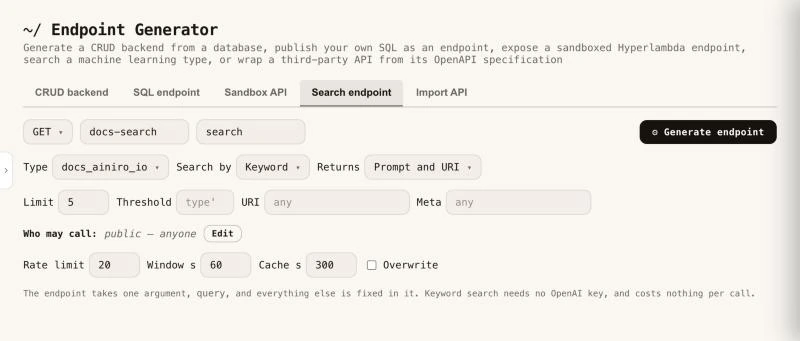 It is retrieval only, no AI model is invoked, which makes it cheap and fast. A keyword search needs no OpenAI key and costs nothing per call, while a search by meaning spends one OpenAI embedding per uncached call, which is why the tab applies a rate limit by default and lets callers cache an answer. It is a good fit behind a website's search box, or as a tool for an AI agent over MCP - the generator writes the file level comment Magic exposes as the tool's description. Read more about [the Search endpoint generator](https://docs.ainiro.io/dashboard/endpoint-generator/#search-endpoint---searching-a-machine-learning-type).
## The API Import Generator
The _"Import API"_ tab works the other way around from the rest. Instead of reading your database, it reads somebody else's [OpenAPI](https://www.openapis.org/) specification - Stripe, GitHub, Slack, or any API that publishes one, OpenAPI 3.x or Swagger 2.0, JSON or YAML - and generates Hyperlambda endpoints in your cloudlet wrapping the operations you tick. A specification can hold more than a thousand operations, so you filter and select, give the module a name, and click _"Import"_.
It is retrieval only, no AI model is invoked, which makes it cheap and fast. A keyword search needs no OpenAI key and costs nothing per call, while a search by meaning spends one OpenAI embedding per uncached call, which is why the tab applies a rate limit by default and lets callers cache an answer. It is a good fit behind a website's search box, or as a tool for an AI agent over MCP - the generator writes the file level comment Magic exposes as the tool's description. Read more about [the Search endpoint generator](https://docs.ainiro.io/dashboard/endpoint-generator/#search-endpoint---searching-a-machine-learning-type).
## The API Import Generator
The _"Import API"_ tab works the other way around from the rest. Instead of reading your database, it reads somebody else's [OpenAPI](https://www.openapis.org/) specification - Stripe, GitHub, Slack, or any API that publishes one, OpenAPI 3.x or Swagger 2.0, JSON or YAML - and generates Hyperlambda endpoints in your cloudlet wrapping the operations you tick. A specification can hold more than a thousand operations, so you filter and select, give the module a name, and click _"Import"_.
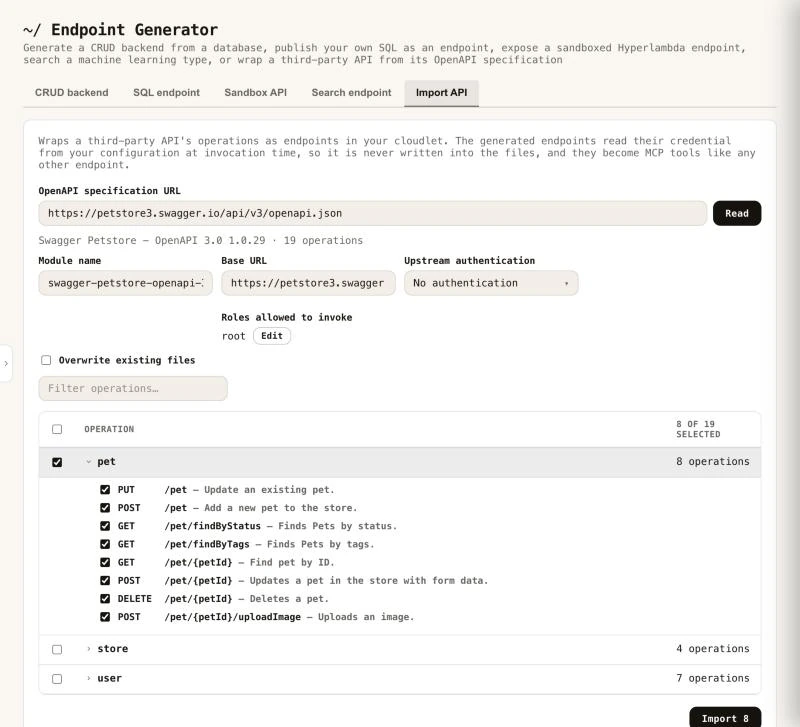 The generated endpoints are documented from the specification. Every parameter becomes a typed argument with a comment, required arguments are validated before the upstream API is ever contacted, and the credential is read from your configuration when the endpoint is invoked, never written into a file. That documentation is also exactly what an MCP client reads when deciding how to call a tool, so an imported API arrives as a set of self describing tools an AI agent can use without further work. Read more about [the Import API generator](https://docs.ainiro.io/dashboard/endpoint-generator/#import-api---wrapping-a-third-party-api).
## SQL Studio
SQL Studio allows you to visually design your database using a graphical user interface. SQL Studio supports the following databases.
* Microsoft SQL Server
* PostgreSQL
* MySQL
* MariaDB
* SQLite
The generated endpoints are documented from the specification. Every parameter becomes a typed argument with a comment, required arguments are validated before the upstream API is ever contacted, and the credential is read from your configuration when the endpoint is invoked, never written into a file. That documentation is also exactly what an MCP client reads when deciding how to call a tool, so an imported API arrives as a set of self describing tools an AI agent can use without further work. Read more about [the Import API generator](https://docs.ainiro.io/dashboard/endpoint-generator/#import-api---wrapping-a-third-party-api).
## SQL Studio
SQL Studio allows you to visually design your database using a graphical user interface. SQL Studio supports the following databases.
* Microsoft SQL Server
* PostgreSQL
* MySQL
* MariaDB
* SQLite
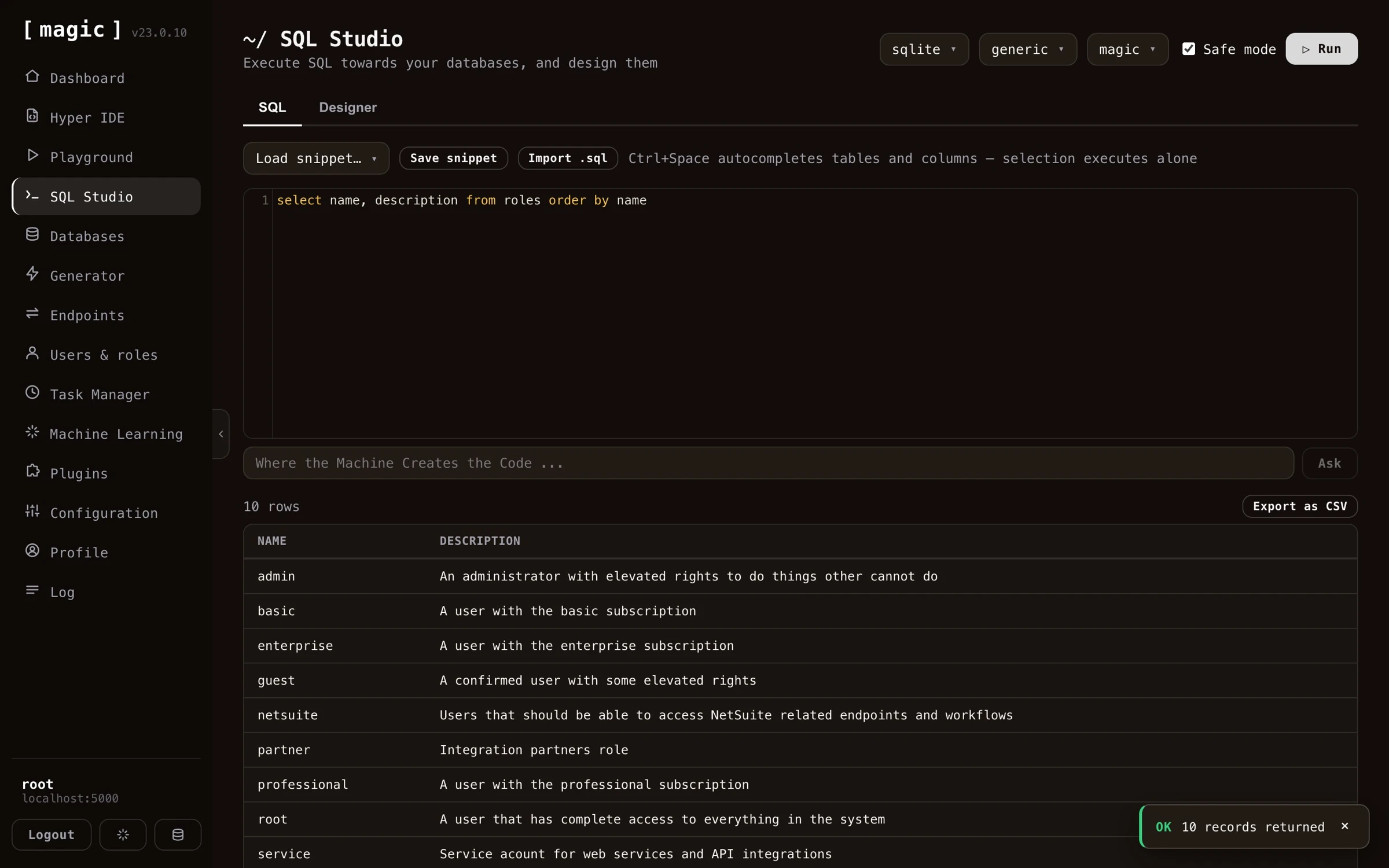
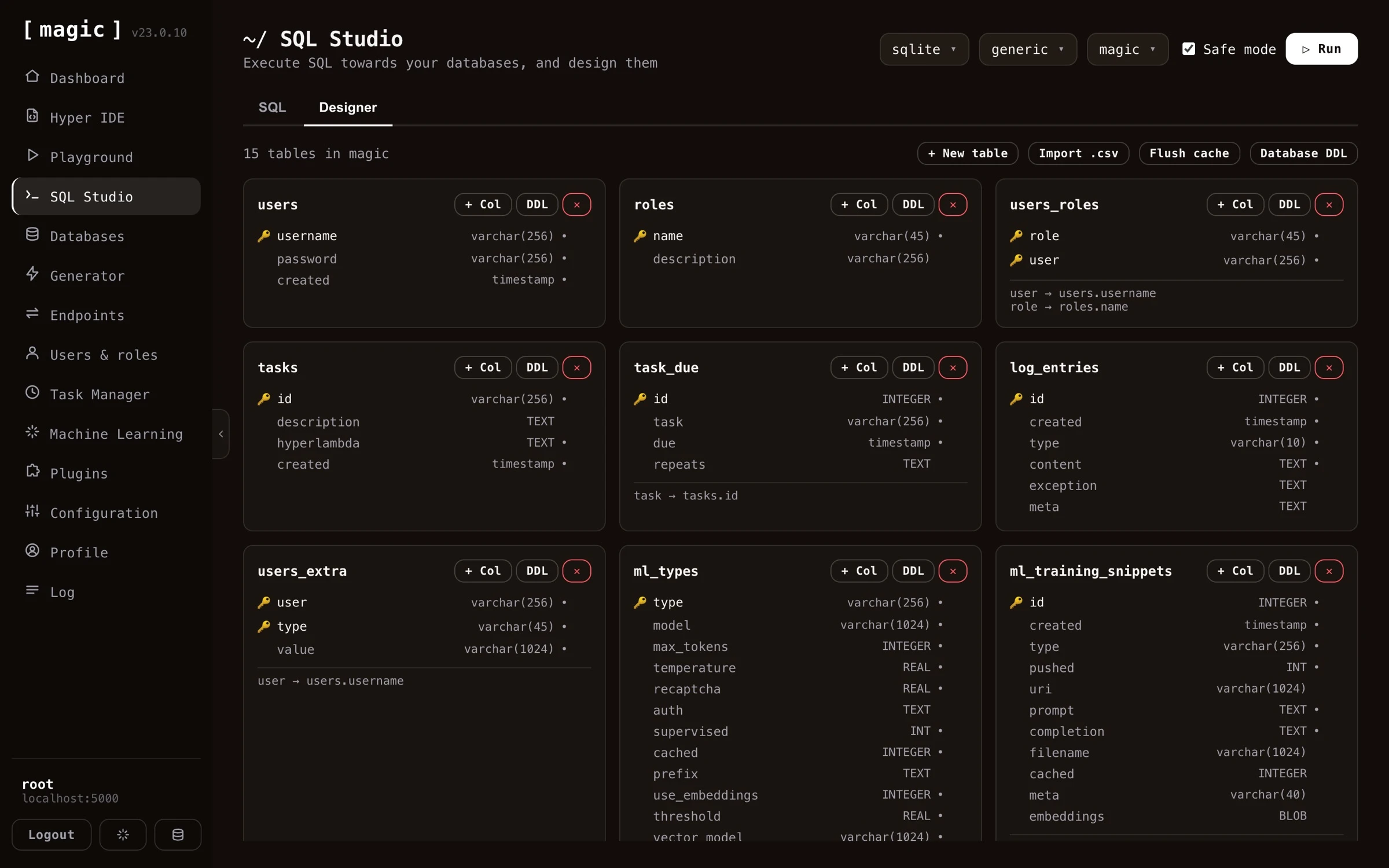 SQL Studio also allows you to execute any SQL towards your database of choice, allowing you to administer your databases from anywhere. By combining SQL Studio with the Endpoint Generator, and especially its SQL endpoint tab, you can compose some SQL, and rapidly wrap it into an API endpoint.
 ## Machine Learning and AI
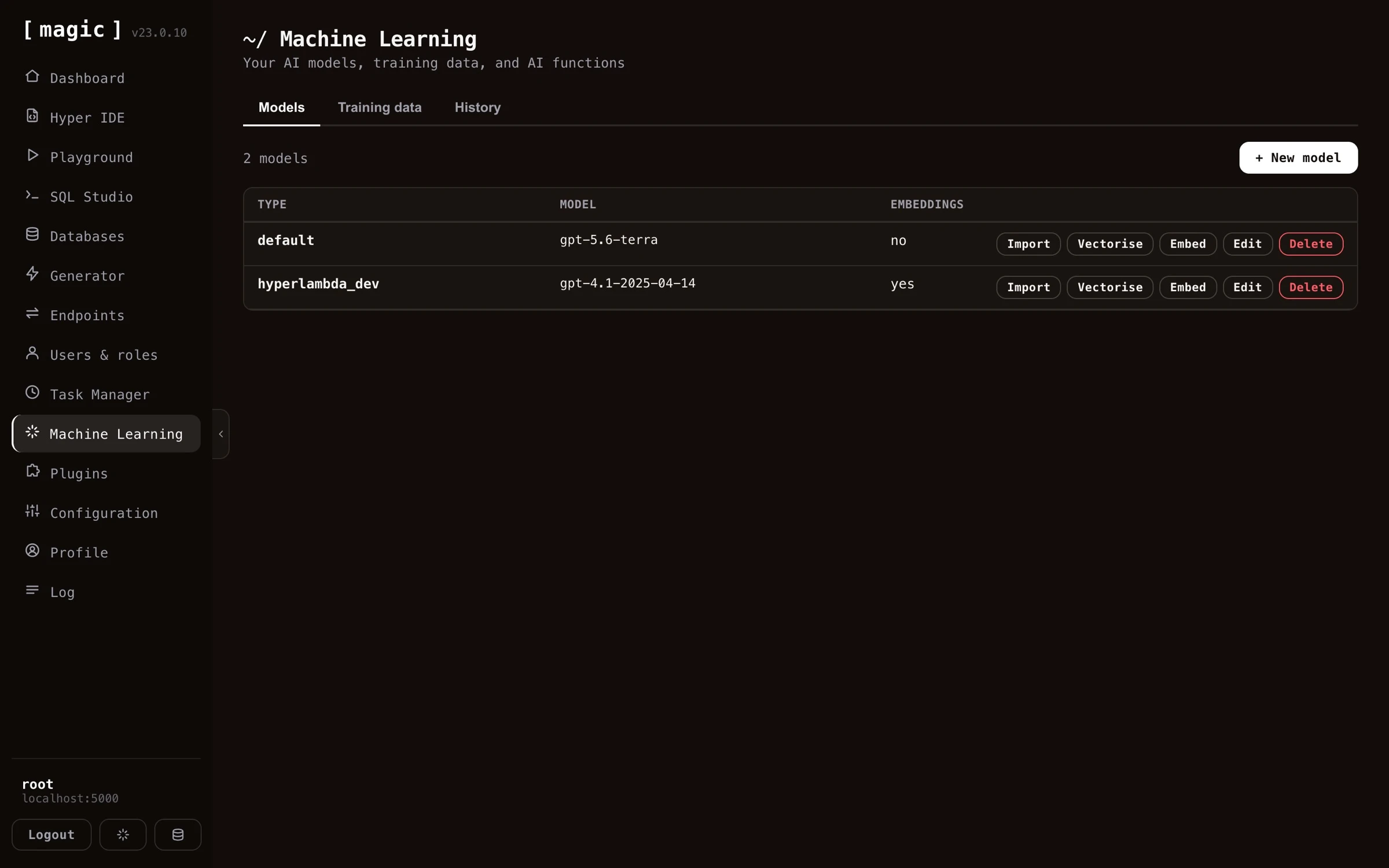
Magic Cloud is scattered with AI and allows you to create your own Machine Learning models using OpenAI, by scraping any website, and generate training data (RAG data) that you can use to answer questions related to your domain. Use cases might be.
* Expert legal system, answering legal questions for clients
* Medical expert advice system based upon AI and machine learning, giving you help when diagnosing patients and clients
* Support chatbot for your enterprise, giving your clients support for whatever questions they might have related to your company
* Automated sales expert systems, converting leads on your website into paying clients
* Cognitive assistants, helping your employees with some specific task at hand
* Etc, etc, etc
You can try out such a chatbot in the bottom/right corner of this page.
## Machine Learning and AI
Magic Cloud is scattered with AI and allows you to create your own Machine Learning models using OpenAI, by scraping any website, and generate training data (RAG data) that you can use to answer questions related to your domain. Use cases might be.
* Expert legal system, answering legal questions for clients
* Medical expert advice system based upon AI and machine learning, giving you help when diagnosing patients and clients
* Support chatbot for your enterprise, giving your clients support for whatever questions they might have related to your company
* Automated sales expert systems, converting leads on your website into paying clients
* Cognitive assistants, helping your employees with some specific task at hand
* Etc, etc, etc
You can try out such a chatbot in the bottom/right corner of this page.
 ## Create an AI chatbot
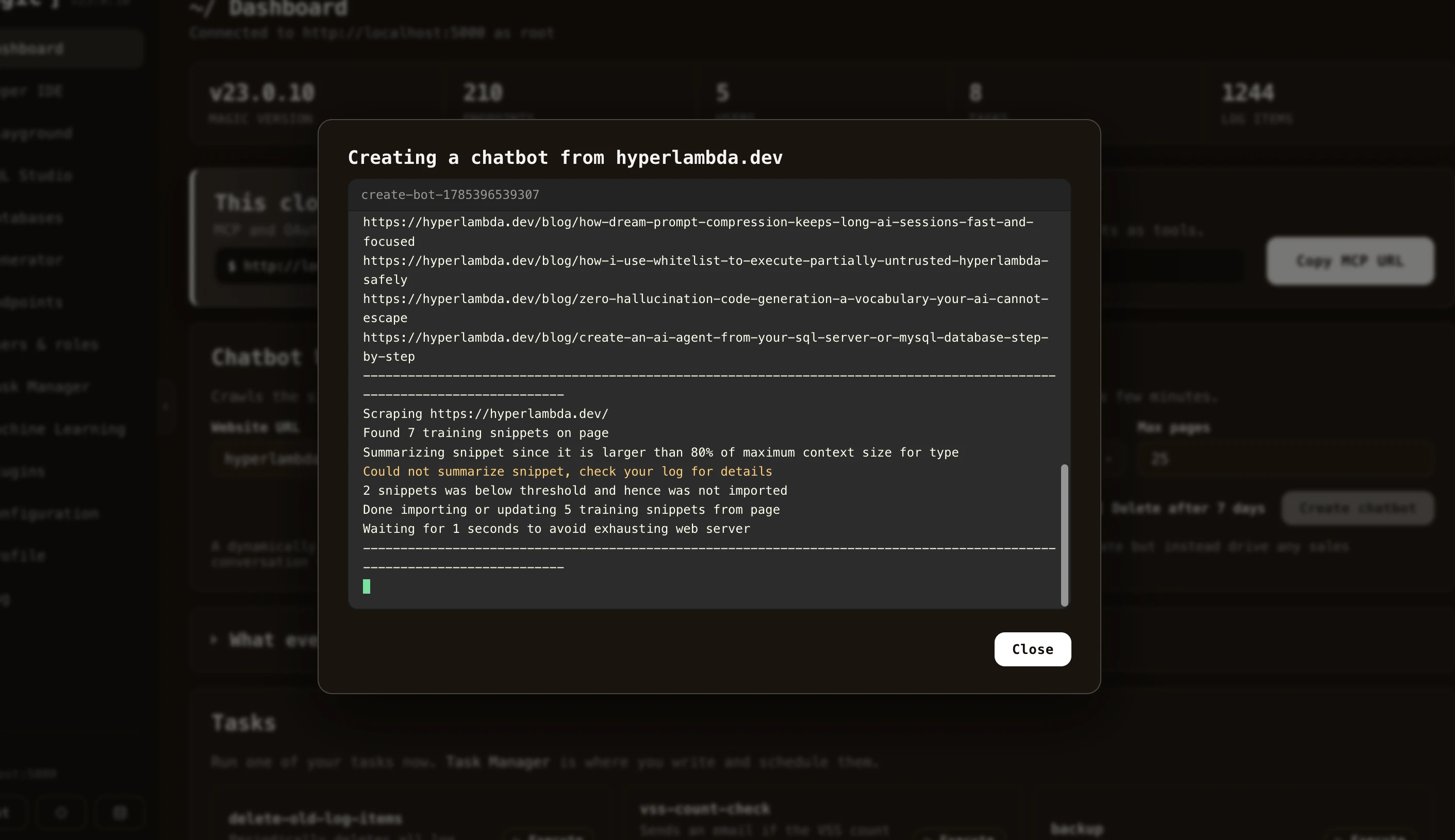
Creating your own AI chatbot with Magic takes minutes. Provide the Chatbot Wizard with your website's URL, and it crawls your site, scrapes each page, and turns your content into training data - reporting its progress in real time as it works its way through the site. A few minutes later you have a chatbot trained on your own content, ready to embed on your website.
## Create an AI chatbot
Creating your own AI chatbot with Magic takes minutes. Provide the Chatbot Wizard with your website's URL, and it crawls your site, scrapes each page, and turns your content into training data - reporting its progress in real time as it works its way through the site. A few minutes later you have a chatbot trained on your own content, ready to embed on your website.
 ## User management
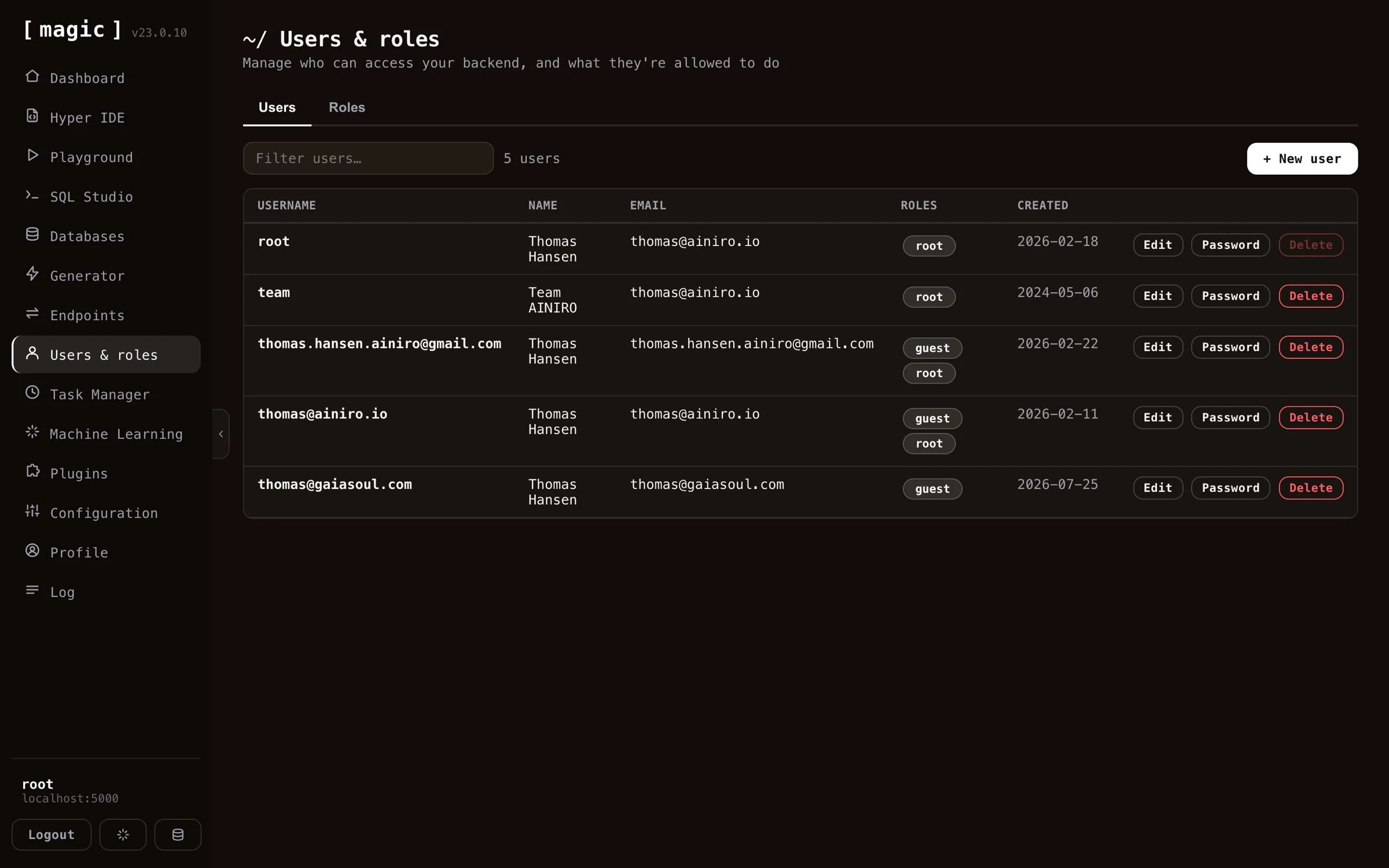
Magic Cloud allows you to create and administer users, by giving you a graphical user interface, allowing you to manage your application's users and roles, using a role based access control (RBAC) component. Provide access to modules and components according to what roles your users belong to, and make sure only authorised users have access to private and secured data.
## User management
Magic Cloud allows you to create and administer users, by giving you a graphical user interface, allowing you to manage your application's users and roles, using a role based access control (RBAC) component. Provide access to modules and components according to what roles your users belong to, and make sure only authorised users have access to private and secured data.
 ## The task manager
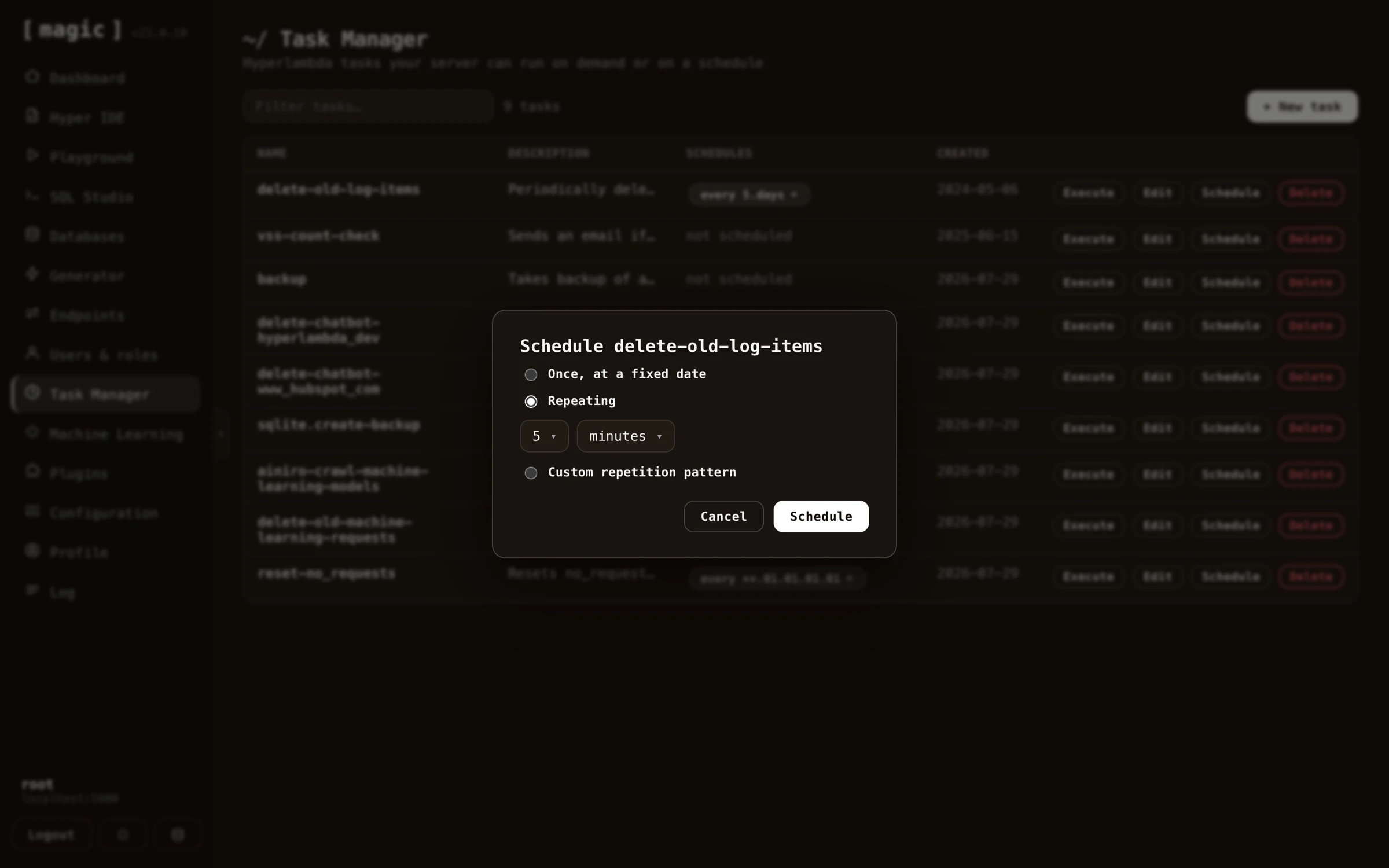
Magic Cloud allows you to create and administer tasks. A task is a background job, that is persisted into your database as Hyperlambda, and it can either be executed by a _"trigger"_ occurring somewhere else in your system, or periodically scheduled to execute repeatedly, or at some specific date and time in the future. The task manager allows you to easily manage your tasks, edit them, and create new tasks as you see fit.
## The task manager
Magic Cloud allows you to create and administer tasks. A task is a background job, that is persisted into your database as Hyperlambda, and it can either be executed by a _"trigger"_ occurring somewhere else in your system, or periodically scheduled to execute repeatedly, or at some specific date and time in the future. The task manager allows you to easily manage your tasks, edit them, and create new tasks as you see fit.
 ## Plugins
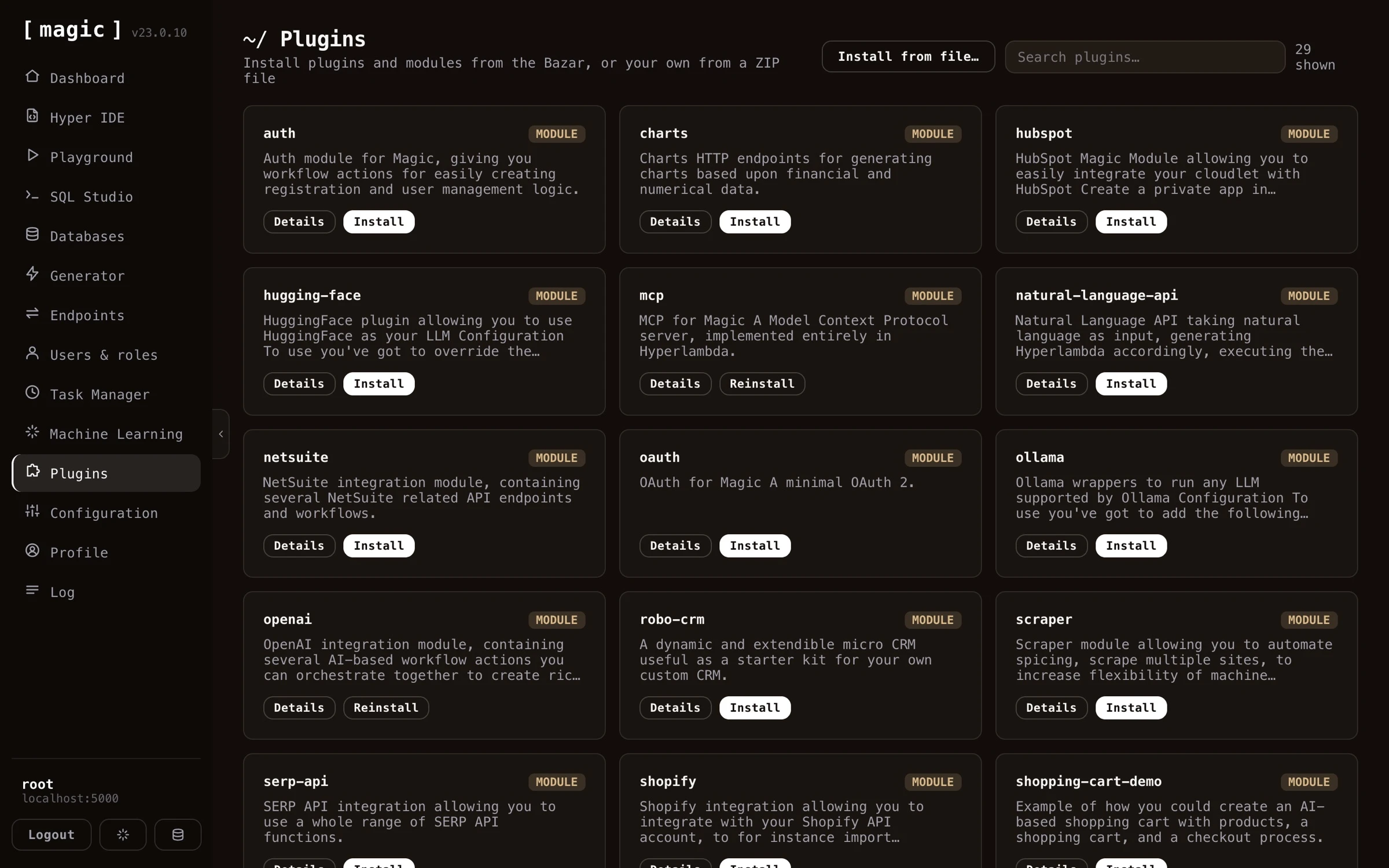
Magic Cloud also contains its own _"App Store"_, allowing you to rapidly install some plugin solving some particular need you might have in your own applications. Some example plugins are listed below;
* Stripe payment integrations
* Registration workflow actions
* Shopify AI chatbot integration
* WordPress AI chatbot integration
* Several example SQLite databases
* Etc, etc, etc
## Plugins
Magic Cloud also contains its own _"App Store"_, allowing you to rapidly install some plugin solving some particular need you might have in your own applications. Some example plugins are listed below;
* Stripe payment integrations
* Registration workflow actions
* Shopify AI chatbot integration
* WordPress AI chatbot integration
* Several example SQLite databases
* Etc, etc, etc
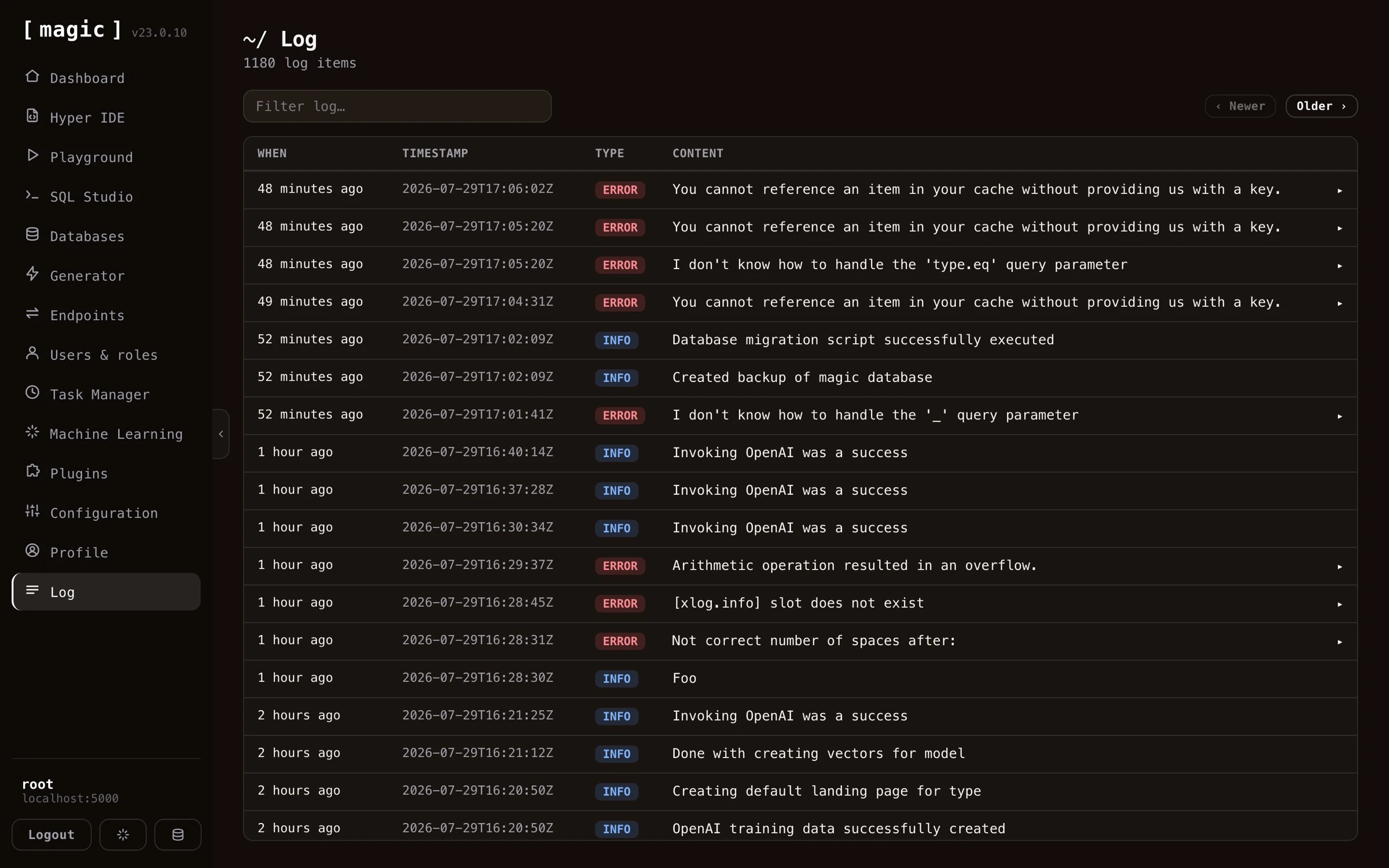
 ## The integrated log
Magic Cloud also comes with an integrated log component, allowing you to browse your cloudlet's log, giving you control over events occurring that might somehow have consequences for your system.
When you create your own Hyperlambda applications, you can also create log entries as you see fit, to log important events, such as deleting records, executing tasks, registering users, etc.
## The integrated log
Magic Cloud also comes with an integrated log component, allowing you to browse your cloudlet's log, giving you control over events occurring that might somehow have consequences for your system.
When you create your own Hyperlambda applications, you can also create log entries as you see fit, to log important events, such as deleting records, executing tasks, registering users, etc.
 ## Custom AI chatbots
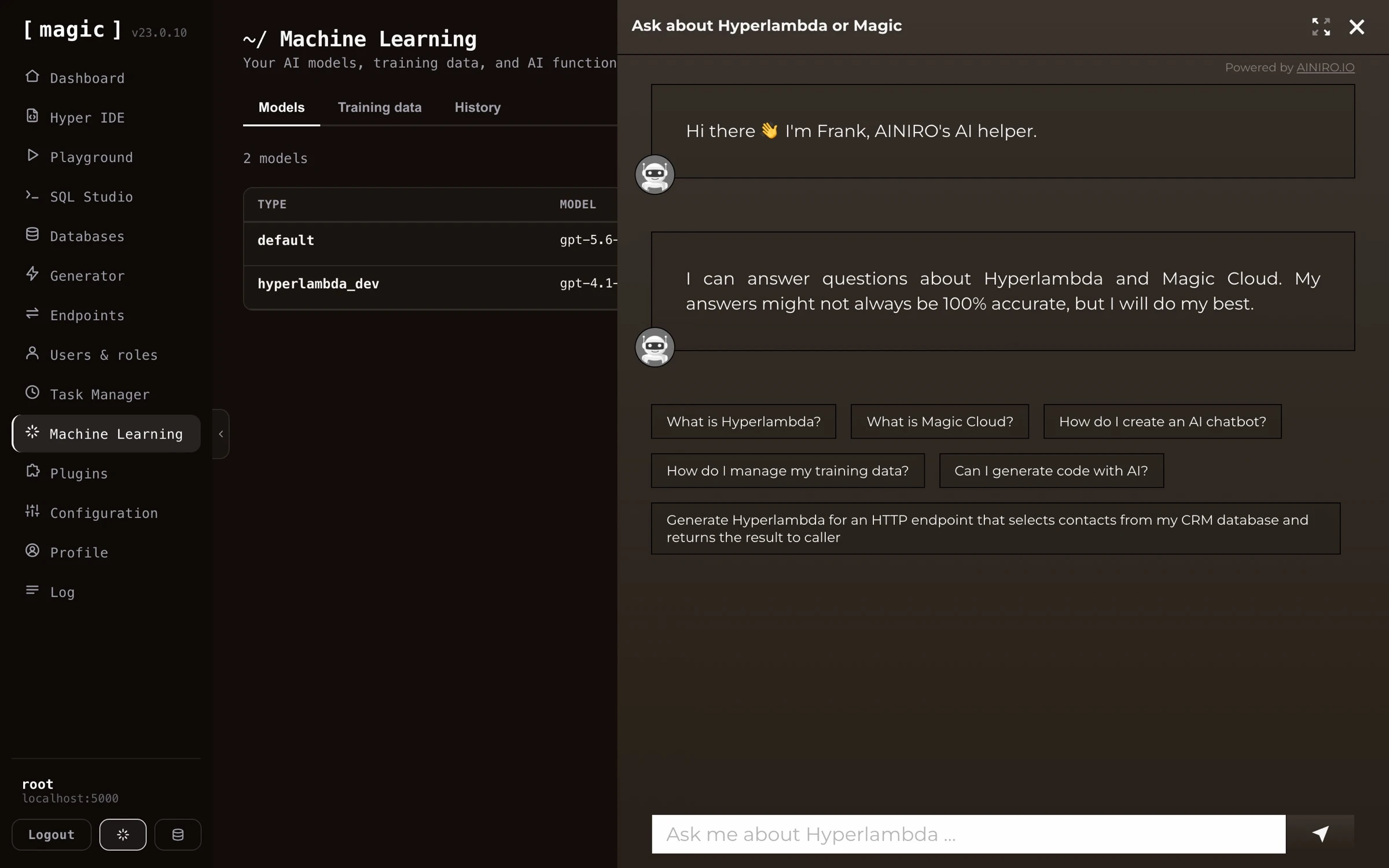
You can also use Magic to create your own custom AI chatbot, for then to embed it into your website. The Chatbot Wizard component in Magic will ask you for your OpenAI API key, for then to scrape your website generating a RAG database in the process. The end result allows your users to ask questions related to your website, and have the chatbot answer how you want it to answer questions.
It works by scraping your website, generating training data in the process, for then to end up with a custom _"machine learning model"_ (based upon RAG), that answers questions according to your training data. You can try out such a chatbot by clicking the button in the bottom / right corner of this page, and ask it any question about Magic Cloud. This chatbot was created by scraping this website. At AINIRO we also deliver such chatbots as one of our services. Read more about [our AI chatbots here](https://docs.ainiro.io/dashboard/chatbot-wizard/).
## Custom AI chatbots
You can also use Magic to create your own custom AI chatbot, for then to embed it into your website. The Chatbot Wizard component in Magic will ask you for your OpenAI API key, for then to scrape your website generating a RAG database in the process. The end result allows your users to ask questions related to your website, and have the chatbot answer how you want it to answer questions.
It works by scraping your website, generating training data in the process, for then to end up with a custom _"machine learning model"_ (based upon RAG), that answers questions according to your training data. You can try out such a chatbot by clicking the button in the bottom / right corner of this page, and ask it any question about Magic Cloud. This chatbot was created by scraping this website. At AINIRO we also deliver such chatbots as one of our services. Read more about [our AI chatbots here](https://docs.ainiro.io/dashboard/chatbot-wizard/).
 ## Frequently asked questions
**What is Magic Cloud?**
An open source AI, Low-Code and No-Code platform that builds and hosts your entire backend - database, API, business logic, background jobs, and authentication - and powers database-driven AI agents over MCP.
**What can I build with Magic?**
Full stack apps such as CRM systems, secure web APIs wrapping new or legacy databases, custom AI chatbots trained on your own content, database-driven AI agents, scheduled background jobs, and static websites - most of it generated from natural language.
**Can I create an AI agent with Magic?**
Yes. Create a machine learning model, give it AI functions - endpoints the AI can invoke, added from Hyper IDE or straight into the model's system instruction - and the chatbot becomes an agent that can query your database, trigger workflows, and act on the user's behalf. Alternatively, connect an orchestrator such as Claude over MCP, and your entire cloudlet becomes the agent's toolbox, behind your own RBAC.
**Can I create full stack apps with Magic?**
Yes. Describe your app to an MCP-connected orchestrator LLM, and it creates the database, generates a secured CRUD API with the Endpoint Generator, and builds the frontend - served straight from your cloudlet's /etc/www/ folder. A working CRM has been built this way 100% autonomously in 7 minutes, for roughly $0.50 in inference.
**Do I need to know how to code?**
No. The Hyperlambda Generator transforms plain English into working code, the Endpoint Generator creates complete CRUD APIs from your database without a single line of code, and AI prompt bars throughout the dashboard write SQL and Hyperlambda for you.
**What is Hyperlambda?**
Magic's declarative orchestration language - technically a relational file format for execution trees. Machines can generate it reliably, which is what makes Magic's AI code generation possible. You don't need to master it to use Magic.
**What is the Hyperlambda Generator?**
Magic's proprietary SLM, fine-tuned with more than 600,000 training snippets, turning natural language into working Hyperlambda in seconds - and it cannot hallucinate function invocations, since every generated slot is verified against your cloudlet.
**How does Magic work with AI agents such as Claude?**
Magic has an integrated MCP server with OAuth. Connect Claude, Claude Code, Cursor, Codex or any MCP client, and every endpoint in your cloudlet becomes a tool the agent can invoke - obeying your RBAC - while the agent can also create new endpoints for itself on demand.
**Can I create an AI chatbot from my website?**
Yes. The Chatbot Wizard crawls your website, turns your content into RAG training data, and gives you an embeddable chatbot in minutes - which you can then refine with training data, widgets, and AI functions.
**Can Magic wrap my existing database?**
Yes. Point the Endpoint Generator at any MySQL, PostgreSQL, SQL Server, MariaDB or SQLite database, and it generates a complete, secured CRUD API from your existing schema in seconds.
**Can I wrap my database into a CRUD AI agent?**
Yes, in seconds. The CRUD generator wraps your database in secured endpoints, which become tools an AI agent can invoke over MCP - letting it read and write your data through natural language. And when the agent needs more than plain CRUD, the Hyperlambda Generator lets you add custom business logic on top, described in plain English.
**Can I wrap a third party API in Magic?**
Yes. The Import API tab of the Endpoint Generator reads an OpenAPI specification, OpenAPI 3.x or Swagger 2.0 in JSON or YAML, and generates Hyperlambda endpoints wrapping the operations you select. They are documented from the specification, required arguments are validated before the upstream API is contacted, and the credential is read from your configuration, never written into a file. Imported endpoints are self describing MCP tools.
**Can I let other people or AI agents run code on my cloudlet safely?**
Yes. The Sandbox API tab generates one endpoint that accepts Hyperlambda, or plain English turned into Hyperlambda, and runs it inside a whitelist you define per role. Every function the code uses is checked against your cloudlet before anything runs, a function you did not grant does not exist as far as the caller is concerned, and the rate limit and timeout are set per role.
**Can I put my own knowledge behind an API?**
Yes. The Search endpoint tab generates an endpoint that searches the training snippets of one machine learning type, by keyword, by meaning, or both, and returns the best matches. It invokes no AI model, and a keyword search costs nothing per call.
**Why does Magic generate code instead of interpreting configuration?**
Because generated code is ordinary Hyperlambda that you can read, edit, version control and extend, instead of settings hidden inside a platform. It works because Hyperlambda is homoiconic: a program is a tree of nodes, the same structure the generators build and inspect, which is also how Magic verifies generated code and sandboxes code sent by callers.
**Is Magic secure?**
Magic is built on JWT authentication and role based access control, with every endpoint declaring which roles may invoke it. It also acts as an OAuth server, and supports OIDC for federated sign-in through providers such as Google and Microsoft.
**Is Magic open source, and where can I run it?**
Yes, Magic is 100% open source. Run it locally with one Docker command, deploy it to any VPS, or use AINIRO.IO's professional hosting - a managed cloudlet with backups and HTTPS out of the box.
## For AI agents
Everything in this documentation is available in a form made for agents, without scraping.
* [llms.txt](https://docs.ainiro.io/llms.txt) and [llms-full.txt](https://docs.ainiro.io/llms-full.txt) are the curated index and the whole documentation in one file.
* [slots-index.json](https://docs.ainiro.io/reference/slots-index.json) lists every slot of Hyperlambda, with links to its reference page and its guide, and [slots.json](https://docs.ainiro.io/reference/slots.json) has every slot with its complete signature. Each slot also has its own `slot.json`, next to its [reference page](https://docs.ainiro.io/reference/slots/).
* The [agent entry point](https://hyperlambda.dev/.well-known/hyperlambda-agent) lists the live endpoints, the public sandbox where an agent can run Hyperlambda, and the MCP server.
## The goal of the project
The goal of the project is to make it easier to produce high quality and scalable code, much faster, without security holes, in an extremely scalable runtime. AKA ...
> Where the Machine Creates the Code!
# Dashboard
URL: https://docs.ainiro.io/dashboard/
Description: The Magic Dashboard allows you to manage your cloudlet by providing a graphical user interface towards it.
The Magic Dashboard is how you would manage your cloudlet. When you login to your cloudlet, you will be greeted by the dashboard's landing page, showing key numbers about your cloudlet - its Magic version, and how many endpoints, users, scheduled tasks, and log items it has.
## Your cloudlet is an AI agent (MCP)
Every Magic cloudlet can act as an AI agent through its built-in [MCP server](https://docs.ainiro.io/tutorials/how-to-connect-the-mcp-server/). Connect an orchestrator AI - such as Claude, Claude Code, Cursor, or Codex - to your cloudlet, and it can discover and invoke your endpoints as tools, query your databases, generate new Hyperlambda, and even build new tools for itself on demand. As soon as the MCP module is installed, the dashboard's landing page shows your MCP URL together with a _"Copy MCP URL"_ button. If the MCP or OAuth plugins are _not_ yet installed, the landing page instead shows a _"Turn this cloudlet into an AI agent"_ card, installing both plugins for you with a single click. This is the preferred way to work with Magic - you orchestrate, and the AI builds and runs your backend for you.
## The landing page
When you log in, the dashboard typically resembles the following.
Below the key numbers, the landing page gives you quick access to the things you'll reach for most often. The _Chatbot Wizard_ crawls a website, turns what it finds into training data, and gives you an embeddable AI chatbot in a few minutes. The _API Wizard_ card starts a guided version of the [Endpoint Generator](https://docs.ainiro.io/dashboard/endpoint-generator/), turning every table in one of your databases into secured REST endpoints in three steps. A _"What everything does"_ section explains every part of your cloudlet and where to find it, and a _Tasks_ section lets you execute your scheduled tasks on demand.
If you get stuck anywhere, ask _Frank_ - AINIRO's AI support agent, trained on the Hyperlambda and Magic documentation. You'll find him both in the _"What everything does"_ section and behind the spark button in the bottom of the navigation, and he answers with code you can paste.
The fastest way around the dashboard is the command palette - click CTRL+K (COMMAND+K on a Mac) anywhere, and one search box jumps you to any page, file, endpoint, task or machine learning model, with fuzzy matching. Picking a task or a model opens it straight in its editor, rather than dropping you on the list it lives in. CTRL+/ shows an overview of every [keyboard shortcut](https://docs.ainiro.io/dashboard/hyper-ide/#keyboard-shortcuts) the dashboard supports.
## Frequently asked questions
**What is Magic Cloud?**
An open source AI, Low-Code and No-Code platform that builds and hosts your entire backend - database, API, business logic, background jobs, and authentication - and powers database-driven AI agents over MCP.
**What can I build with Magic?**
Full stack apps such as CRM systems, secure web APIs wrapping new or legacy databases, custom AI chatbots trained on your own content, database-driven AI agents, scheduled background jobs, and static websites - most of it generated from natural language.
**Can I create an AI agent with Magic?**
Yes. Create a machine learning model, give it AI functions - endpoints the AI can invoke, added from Hyper IDE or straight into the model's system instruction - and the chatbot becomes an agent that can query your database, trigger workflows, and act on the user's behalf. Alternatively, connect an orchestrator such as Claude over MCP, and your entire cloudlet becomes the agent's toolbox, behind your own RBAC.
**Can I create full stack apps with Magic?**
Yes. Describe your app to an MCP-connected orchestrator LLM, and it creates the database, generates a secured CRUD API with the Endpoint Generator, and builds the frontend - served straight from your cloudlet's /etc/www/ folder. A working CRM has been built this way 100% autonomously in 7 minutes, for roughly $0.50 in inference.
**Do I need to know how to code?**
No. The Hyperlambda Generator transforms plain English into working code, the Endpoint Generator creates complete CRUD APIs from your database without a single line of code, and AI prompt bars throughout the dashboard write SQL and Hyperlambda for you.
**What is Hyperlambda?**
Magic's declarative orchestration language - technically a relational file format for execution trees. Machines can generate it reliably, which is what makes Magic's AI code generation possible. You don't need to master it to use Magic.
**What is the Hyperlambda Generator?**
Magic's proprietary SLM, fine-tuned with more than 600,000 training snippets, turning natural language into working Hyperlambda in seconds - and it cannot hallucinate function invocations, since every generated slot is verified against your cloudlet.
**How does Magic work with AI agents such as Claude?**
Magic has an integrated MCP server with OAuth. Connect Claude, Claude Code, Cursor, Codex or any MCP client, and every endpoint in your cloudlet becomes a tool the agent can invoke - obeying your RBAC - while the agent can also create new endpoints for itself on demand.
**Can I create an AI chatbot from my website?**
Yes. The Chatbot Wizard crawls your website, turns your content into RAG training data, and gives you an embeddable chatbot in minutes - which you can then refine with training data, widgets, and AI functions.
**Can Magic wrap my existing database?**
Yes. Point the Endpoint Generator at any MySQL, PostgreSQL, SQL Server, MariaDB or SQLite database, and it generates a complete, secured CRUD API from your existing schema in seconds.
**Can I wrap my database into a CRUD AI agent?**
Yes, in seconds. The CRUD generator wraps your database in secured endpoints, which become tools an AI agent can invoke over MCP - letting it read and write your data through natural language. And when the agent needs more than plain CRUD, the Hyperlambda Generator lets you add custom business logic on top, described in plain English.
**Can I wrap a third party API in Magic?**
Yes. The Import API tab of the Endpoint Generator reads an OpenAPI specification, OpenAPI 3.x or Swagger 2.0 in JSON or YAML, and generates Hyperlambda endpoints wrapping the operations you select. They are documented from the specification, required arguments are validated before the upstream API is contacted, and the credential is read from your configuration, never written into a file. Imported endpoints are self describing MCP tools.
**Can I let other people or AI agents run code on my cloudlet safely?**
Yes. The Sandbox API tab generates one endpoint that accepts Hyperlambda, or plain English turned into Hyperlambda, and runs it inside a whitelist you define per role. Every function the code uses is checked against your cloudlet before anything runs, a function you did not grant does not exist as far as the caller is concerned, and the rate limit and timeout are set per role.
**Can I put my own knowledge behind an API?**
Yes. The Search endpoint tab generates an endpoint that searches the training snippets of one machine learning type, by keyword, by meaning, or both, and returns the best matches. It invokes no AI model, and a keyword search costs nothing per call.
**Why does Magic generate code instead of interpreting configuration?**
Because generated code is ordinary Hyperlambda that you can read, edit, version control and extend, instead of settings hidden inside a platform. It works because Hyperlambda is homoiconic: a program is a tree of nodes, the same structure the generators build and inspect, which is also how Magic verifies generated code and sandboxes code sent by callers.
**Is Magic secure?**
Magic is built on JWT authentication and role based access control, with every endpoint declaring which roles may invoke it. It also acts as an OAuth server, and supports OIDC for federated sign-in through providers such as Google and Microsoft.
**Is Magic open source, and where can I run it?**
Yes, Magic is 100% open source. Run it locally with one Docker command, deploy it to any VPS, or use AINIRO.IO's professional hosting - a managed cloudlet with backups and HTTPS out of the box.
## For AI agents
Everything in this documentation is available in a form made for agents, without scraping.
* [llms.txt](https://docs.ainiro.io/llms.txt) and [llms-full.txt](https://docs.ainiro.io/llms-full.txt) are the curated index and the whole documentation in one file.
* [slots-index.json](https://docs.ainiro.io/reference/slots-index.json) lists every slot of Hyperlambda, with links to its reference page and its guide, and [slots.json](https://docs.ainiro.io/reference/slots.json) has every slot with its complete signature. Each slot also has its own `slot.json`, next to its [reference page](https://docs.ainiro.io/reference/slots/).
* The [agent entry point](https://hyperlambda.dev/.well-known/hyperlambda-agent) lists the live endpoints, the public sandbox where an agent can run Hyperlambda, and the MCP server.
## The goal of the project
The goal of the project is to make it easier to produce high quality and scalable code, much faster, without security holes, in an extremely scalable runtime. AKA ...
> Where the Machine Creates the Code!
# Dashboard
URL: https://docs.ainiro.io/dashboard/
Description: The Magic Dashboard allows you to manage your cloudlet by providing a graphical user interface towards it.
The Magic Dashboard is how you would manage your cloudlet. When you login to your cloudlet, you will be greeted by the dashboard's landing page, showing key numbers about your cloudlet - its Magic version, and how many endpoints, users, scheduled tasks, and log items it has.
## Your cloudlet is an AI agent (MCP)
Every Magic cloudlet can act as an AI agent through its built-in [MCP server](https://docs.ainiro.io/tutorials/how-to-connect-the-mcp-server/). Connect an orchestrator AI - such as Claude, Claude Code, Cursor, or Codex - to your cloudlet, and it can discover and invoke your endpoints as tools, query your databases, generate new Hyperlambda, and even build new tools for itself on demand. As soon as the MCP module is installed, the dashboard's landing page shows your MCP URL together with a _"Copy MCP URL"_ button. If the MCP or OAuth plugins are _not_ yet installed, the landing page instead shows a _"Turn this cloudlet into an AI agent"_ card, installing both plugins for you with a single click. This is the preferred way to work with Magic - you orchestrate, and the AI builds and runs your backend for you.
## The landing page
When you log in, the dashboard typically resembles the following.
Below the key numbers, the landing page gives you quick access to the things you'll reach for most often. The _Chatbot Wizard_ crawls a website, turns what it finds into training data, and gives you an embeddable AI chatbot in a few minutes. The _API Wizard_ card starts a guided version of the [Endpoint Generator](https://docs.ainiro.io/dashboard/endpoint-generator/), turning every table in one of your databases into secured REST endpoints in three steps. A _"What everything does"_ section explains every part of your cloudlet and where to find it, and a _Tasks_ section lets you execute your scheduled tasks on demand.
If you get stuck anywhere, ask _Frank_ - AINIRO's AI support agent, trained on the Hyperlambda and Magic documentation. You'll find him both in the _"What everything does"_ section and behind the spark button in the bottom of the navigation, and he answers with code you can paste.
The fastest way around the dashboard is the command palette - click CTRL+K (COMMAND+K on a Mac) anywhere, and one search box jumps you to any page, file, endpoint, task or machine learning model, with fuzzy matching. Picking a task or a model opens it straight in its editor, rather than dropping you on the list it lives in. CTRL+/ shows an overview of every [keyboard shortcut](https://docs.ainiro.io/dashboard/hyper-ide/#keyboard-shortcuts) the dashboard supports.
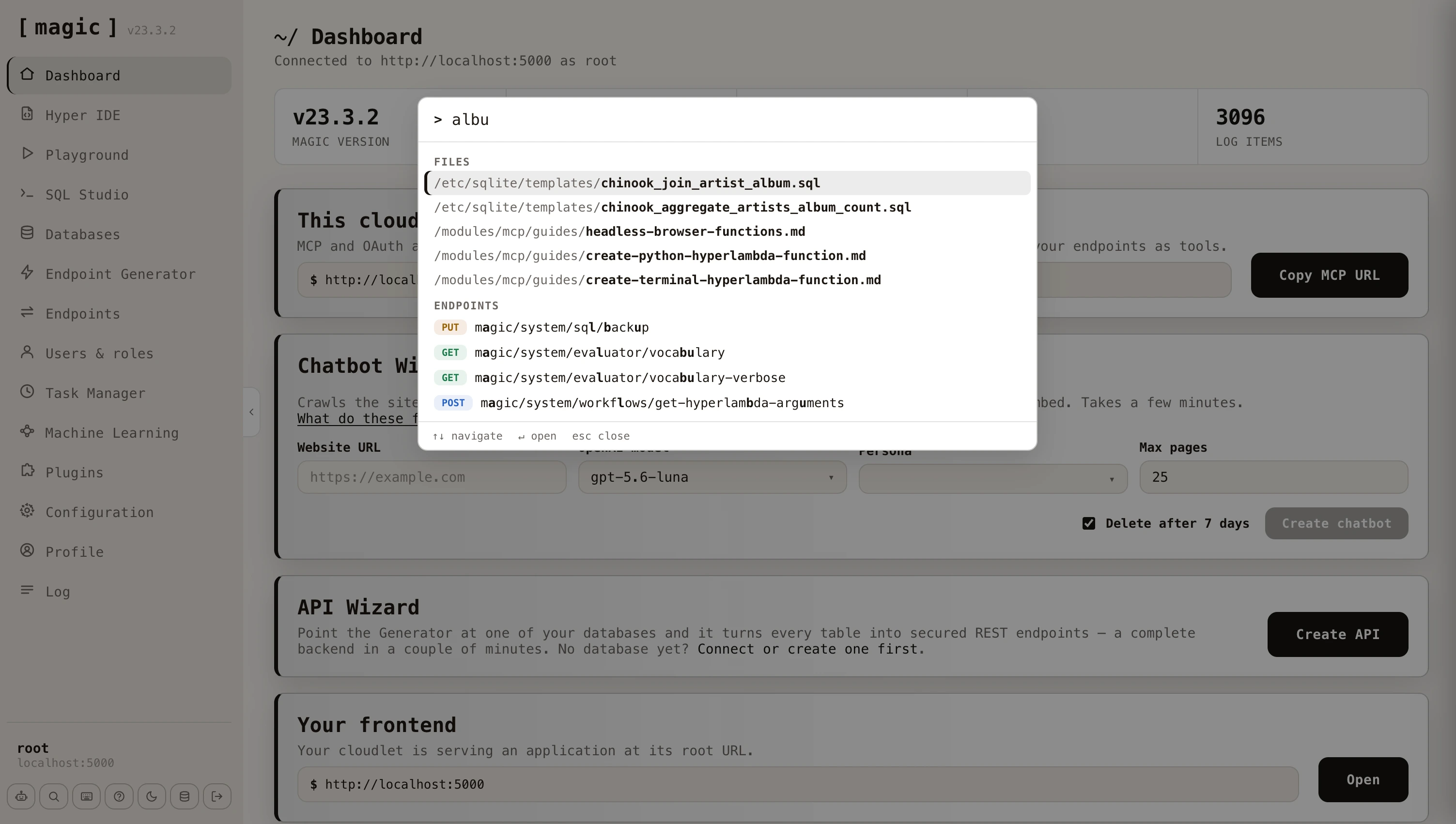 The first time you open the dashboard, a short guided tour points out the things worth knowing on the landing page. You can skip it at any point, and re-run it later from the command palette by searching for _"tour"_. The Chatbot Wizard has a tour of its own, explaining what each field does.
## Chat Ops - let the dashboard operate your cloudlet
Where the command palette is the fastest way to *get* somewhere, [Chat Ops](https://docs.ainiro.io/dashboard/chat-ops/) is the fastest way to get something *done*. Press CTRL+. (COMMAND+. on a Mac), describe what you want in plain English, and the dashboard's own AI agent does the work - generating endpoints, running SQL, reading your log to diagnose a failure, or editing files - showing every function it invoked as you go.
It is the same capability you get by connecting Claude to your cloudlet over [MCP](https://docs.ainiro.io/tutorials/how-to-connect-the-mcp-server/), except the AI client is the dashboard you are already signed in to, running as the user you signed in as. It needs an OpenAI API key, and appears once you have configured one.
## Create an AI chatbot
The fastest way to experience Magic's AI capabilities is to create a chatbot straight from the dashboard's landing page. Provide a website URL to the Chatbot Wizard, choose a model and a persona, and click _"Create chatbot"_. The wizard crawls the site, scrapes each page it finds, and turns the content into training data (RAG data) for your chatbot - reporting its progress in real time as it works its way through the site.
A few minutes later your chatbot is ready, and you can embed it on your website, or use it as the foundation for an AI agent. From here you manage its training data and configuration using the [Machine Learning component](https://docs.ainiro.io/dashboard/machine-learning/). Read more about the entire process in the [Chatbot Wizard documentation](https://docs.ainiro.io/dashboard/chatbot-wizard/).
## Components
Below is the documentation for each individual dashboard component.
* [SQL Studio](https://docs.ainiro.io/dashboard/sql-studio/)
* [Hyper IDE](https://docs.ainiro.io/dashboard/hyper-ide/)
* [Endpoint Generator](https://docs.ainiro.io/dashboard/endpoint-generator/)
* [Hyperlambda Generator](https://docs.ainiro.io/dashboard/hyperlambda-generator/)
* [Endpoints](https://docs.ainiro.io/dashboard/endpoints/)
* [Users & Roles](https://docs.ainiro.io/dashboard/users-roles/)
* [Task Manager](https://docs.ainiro.io/dashboard/task-manager/)
* [Plugins](https://docs.ainiro.io/dashboard/plugins/)
* [Machine Learning](https://docs.ainiro.io/dashboard/machine-learning/)
* [Log](https://docs.ainiro.io/dashboard/log/)
* [Hyperlambda Playground](https://docs.ainiro.io/dashboard/hyperlambda-playground/)
* [Databases](https://docs.ainiro.io/dashboard/databases/)
* [Configuration](https://docs.ainiro.io/dashboard/configuration/)
* [Chatbot Wizard](https://docs.ainiro.io/dashboard/chatbot-wizard/)
* [Chat Ops](https://docs.ainiro.io/dashboard/chat-ops/)
In addition to the above, there's also the profile component, allowing you to change your password, and change some other settings related to your profile.
## Generate token
The most important additional component is probably the _"Generate Token"_ component, that allows you to create long lasting JWT tokens, you can use when interacting with your cloudlet from other systems. Below is a screenshot.
The first time you open the dashboard, a short guided tour points out the things worth knowing on the landing page. You can skip it at any point, and re-run it later from the command palette by searching for _"tour"_. The Chatbot Wizard has a tour of its own, explaining what each field does.
## Chat Ops - let the dashboard operate your cloudlet
Where the command palette is the fastest way to *get* somewhere, [Chat Ops](https://docs.ainiro.io/dashboard/chat-ops/) is the fastest way to get something *done*. Press CTRL+. (COMMAND+. on a Mac), describe what you want in plain English, and the dashboard's own AI agent does the work - generating endpoints, running SQL, reading your log to diagnose a failure, or editing files - showing every function it invoked as you go.
It is the same capability you get by connecting Claude to your cloudlet over [MCP](https://docs.ainiro.io/tutorials/how-to-connect-the-mcp-server/), except the AI client is the dashboard you are already signed in to, running as the user you signed in as. It needs an OpenAI API key, and appears once you have configured one.
## Create an AI chatbot
The fastest way to experience Magic's AI capabilities is to create a chatbot straight from the dashboard's landing page. Provide a website URL to the Chatbot Wizard, choose a model and a persona, and click _"Create chatbot"_. The wizard crawls the site, scrapes each page it finds, and turns the content into training data (RAG data) for your chatbot - reporting its progress in real time as it works its way through the site.
A few minutes later your chatbot is ready, and you can embed it on your website, or use it as the foundation for an AI agent. From here you manage its training data and configuration using the [Machine Learning component](https://docs.ainiro.io/dashboard/machine-learning/). Read more about the entire process in the [Chatbot Wizard documentation](https://docs.ainiro.io/dashboard/chatbot-wizard/).
## Components
Below is the documentation for each individual dashboard component.
* [SQL Studio](https://docs.ainiro.io/dashboard/sql-studio/)
* [Hyper IDE](https://docs.ainiro.io/dashboard/hyper-ide/)
* [Endpoint Generator](https://docs.ainiro.io/dashboard/endpoint-generator/)
* [Hyperlambda Generator](https://docs.ainiro.io/dashboard/hyperlambda-generator/)
* [Endpoints](https://docs.ainiro.io/dashboard/endpoints/)
* [Users & Roles](https://docs.ainiro.io/dashboard/users-roles/)
* [Task Manager](https://docs.ainiro.io/dashboard/task-manager/)
* [Plugins](https://docs.ainiro.io/dashboard/plugins/)
* [Machine Learning](https://docs.ainiro.io/dashboard/machine-learning/)
* [Log](https://docs.ainiro.io/dashboard/log/)
* [Hyperlambda Playground](https://docs.ainiro.io/dashboard/hyperlambda-playground/)
* [Databases](https://docs.ainiro.io/dashboard/databases/)
* [Configuration](https://docs.ainiro.io/dashboard/configuration/)
* [Chatbot Wizard](https://docs.ainiro.io/dashboard/chatbot-wizard/)
* [Chat Ops](https://docs.ainiro.io/dashboard/chat-ops/)
In addition to the above, there's also the profile component, allowing you to change your password, and change some other settings related to your profile.
## Generate token
The most important additional component is probably the _"Generate Token"_ component, that allows you to create long lasting JWT tokens, you can use when interacting with your cloudlet from other systems. Below is a screenshot.
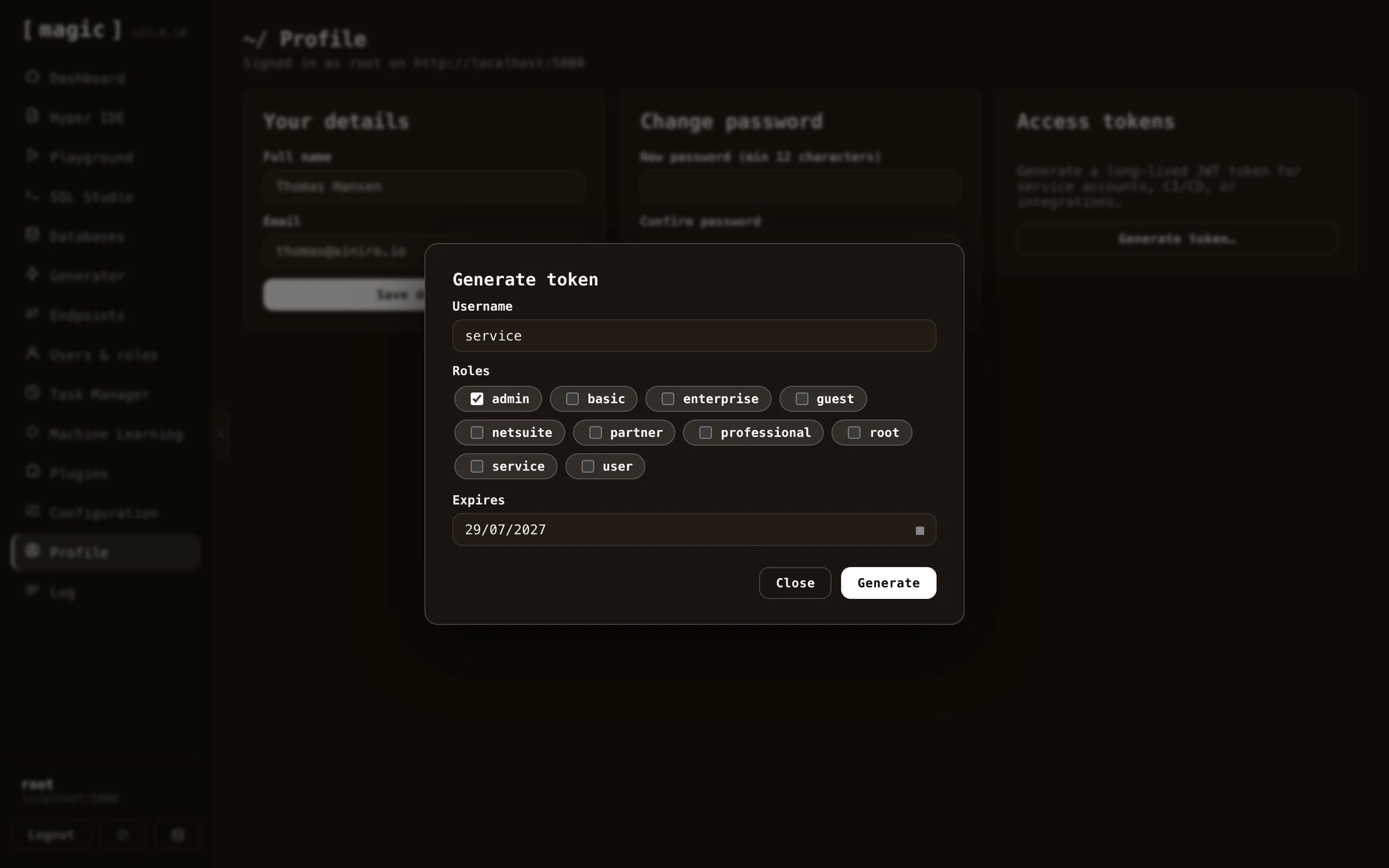 This allows you to create a token you can use to authorize HTTP requests towards your cloudlet, if you need other systems to have extended rights towards your cloudlet. Tokens should be passed into your cloudlet as Bearer tokens in the Authorization HTTP header.
# Chat Ops
URL: https://docs.ainiro.io/dashboard/chat-ops/
Description: Chat Ops turns Magic's dashboard into an AI agent that operates your cloudlet. Ask for what you want in plain English, and it creates endpoints, queries your databases, and reads your log - behind your own RBAC.
Chat Ops turns the dashboard itself into an AI agent that operates your cloudlet. You describe what you want in plain English, and it does the work - creating endpoints, querying your databases, reading your log, editing files - reporting every action it took as it goes.
This allows you to create a token you can use to authorize HTTP requests towards your cloudlet, if you need other systems to have extended rights towards your cloudlet. Tokens should be passed into your cloudlet as Bearer tokens in the Authorization HTTP header.
# Chat Ops
URL: https://docs.ainiro.io/dashboard/chat-ops/
Description: Chat Ops turns Magic's dashboard into an AI agent that operates your cloudlet. Ask for what you want in plain English, and it creates endpoints, queries your databases, and reads your log - behind your own RBAC.
Chat Ops turns the dashboard itself into an AI agent that operates your cloudlet. You describe what you want in plain English, and it does the work - creating endpoints, querying your databases, reading your log, editing files - reporting every action it took as it goes.
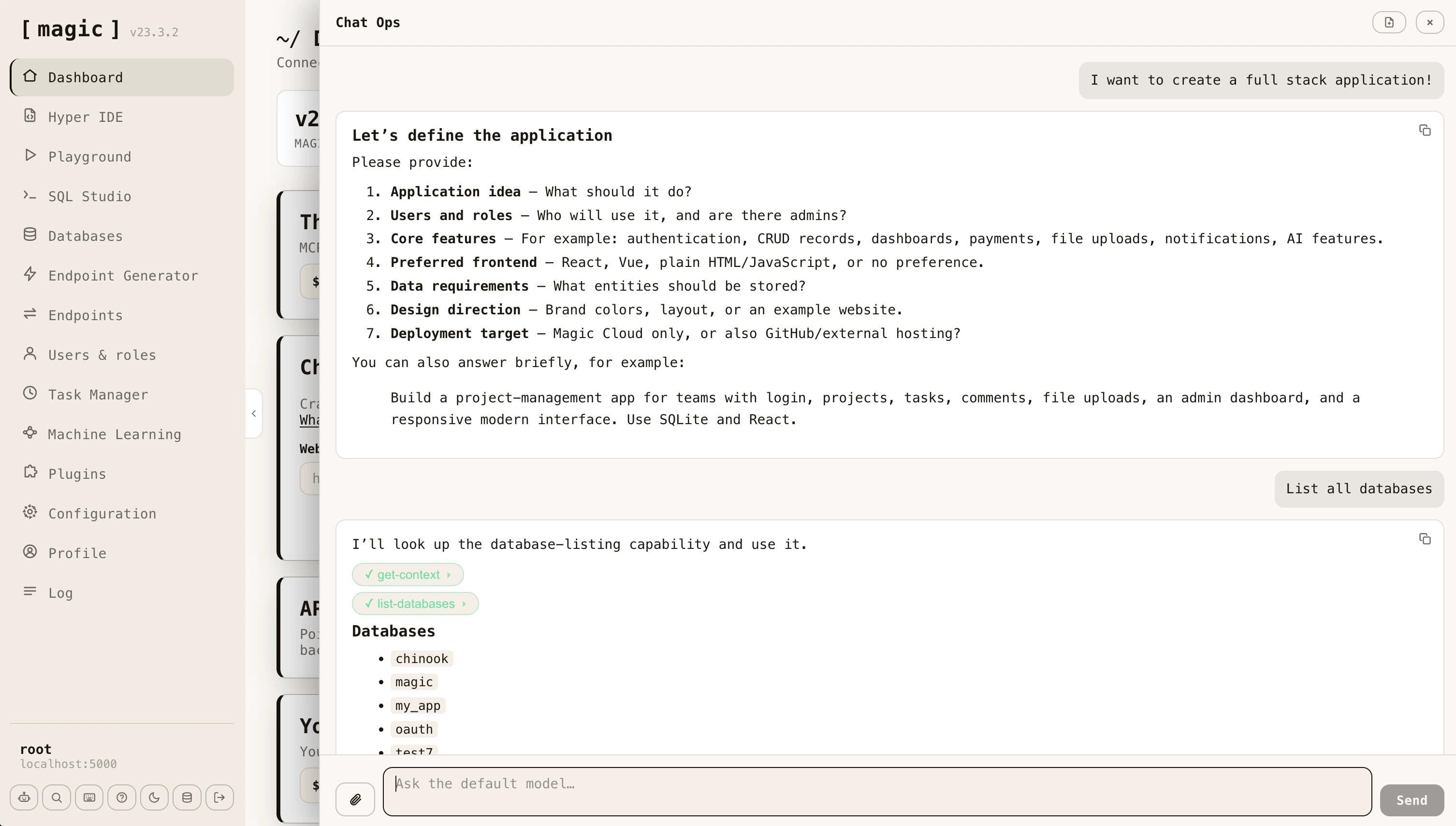 This is the same capability you get by connecting an AI client such as Claude to your cloudlet over [MCP](https://docs.ainiro.io/tutorials/how-to-connect-the-mcp-server/), except the client is the dashboard you are already signed in to. There is nothing to connect, and no orchestrator subscription required - only an [OpenAI API key](https://docs.ainiro.io/dashboard/configuration/).
## Opening Chat Ops
Click the robot button at the bottom of the navigation, or press CTRL+. (COMMAND+. on a Mac) from anywhere in the dashboard. The panel opens over whatever you were doing and closes again without losing your place.
Chat Ops only appears once Magic has been configured with an OpenAI API key, since it needs a model to talk to. If you cannot see it, add your key in the [Configuration](https://docs.ainiro.io/dashboard/configuration/) component and reload the dashboard.
## What it can do
Chat Ops talks to your cloudlet's `default` machine learning model, which ships with a library of _AI functions_ - the same built-in tools your cloudlet exposes over MCP. This means it can do the things you would otherwise do by hand across several components.
* **Build backends** - generate Hyperlambda, crudify a database table into a complete CRUD API, create modules and SQL endpoints
* **Work with data** - list databases, read a schema, run SQL, create SQLite databases and backups
* **Handle files** - read, create and search files in your cloudlet, and download files from the web
* **Diagnose problems** - read the log to find out why something failed, and invoke an endpoint to see what it actually returns
* **Administer the cloudlet** - create users and roles, schedule background tasks, install plugins, send email
Ask for an outcome rather than a step. _"Create a REST API for the Album table in my chinook database, restricted to the admin role"_ is a better prompt than a sequence of individual instructions, because the agent will look up the schema, generate the endpoints, and tell you what it created.
## Seeing what it did
Every function the agent invokes appears in the conversation as a pill naming that function. Click a pill and it expands to show the exact JSON payload that was sent - so you can always audit what happened rather than trusting a summary.
Answers are rendered as Markdown, and any Hyperlambda in them is syntax highlighted, so generated code is readable without copying it elsewhere. When a function produces a file, a download button appears alongside it.
## Attaching files
Click the paperclip to attach up to five files to a message. Attachments are previewed before you send, and can be removed while composing. This lets you hand the agent a spreadsheet, a screenshot, a PDF or a code file and ask it to work from that.
## Security
Chat Ops executes as the user you are signed in as. Every AI function it invokes goes through the same JWT authentication and role based access control as any other request to your cloudlet, so the agent can never do anything you could not do yourself. If you are signed in as `root`, it has root access - which is worth remembering before asking it to delete things.
The model itself never receives your OpenAI API key, your connection strings, or your JWT. The agent loop runs server-side inside your cloudlet, and only the conversation and the function results travel back to the browser.
## Related
* [Machine Learning](https://docs.ainiro.io/dashboard/machine-learning/) - manage the `default` model Chat Ops uses, and add AI functions of your own
* [MCP Server](https://docs.ainiro.io/tutorials/how-to-connect-the-mcp-server/) - give an external AI client the same capabilities
* [Configuration](https://docs.ainiro.io/dashboard/configuration/) - where you add your OpenAI API key
## Frequently asked questions
**What is Chat Ops?**
An AI agent built into the dashboard that operates your cloudlet for you. Unlike a chatbot that answers questions, Chat Ops invokes your cloudlet's AI functions - creating endpoints, running SQL, reading the log, and managing files - and shows you every action it took.
**How do I open Chat Ops?**
Click the robot button at the bottom of the navigation, or press CTRL+. (COMMAND+. on a Mac) anywhere in the dashboard. It only appears once you have configured Magic with an OpenAI API key.
**What can Chat Ops actually do?**
Anything your cloudlet exposes as an AI function - generate and execute Hyperlambda, crudify a database table into a REST API, run SQL, read and write files, read the log to diagnose a failure, manage users and roles, and schedule tasks.
**Is it safe to let it act on my cloudlet?**
It runs as the user you are signed in as, so it can only do what you can do - the same role based access control that governs every other part of Magic. Every function it invokes is shown as a pill you can expand to see exactly what was sent.
**How is Chat Ops different from Frank?**
Frank is AINIRO's support agent - he answers questions about Magic and Hyperlambda. Chat Ops operates your cloudlet. Frank tells you how to do something, Chat Ops does it.
**How is it different from connecting Claude over MCP?**
It is the same idea from the other direction. Over MCP an external AI client drives your cloudlet; with Chat Ops the dashboard itself is the client, so you get the same capability without connecting anything - and with no orchestrator subscription.
**Can I give it files?**
Yes. Attach up to five files to a message - images, PDFs, spreadsheets, code - and the model can analyse them as part of the conversation.
# Chatbot Wizard
URL: https://docs.ainiro.io/dashboard/chatbot-wizard/
Description: Magic allows you to create an AI chatbot that you can embed on your website. Point Magic to your website, automatically scrape your site, and you're done.
The Chatbot Wizard component allows you to rapidly create an AI website chatbot powered by OpenAI that you can embed on your website. It's not as powerful as the [Machine Learning](https://docs.ainiro.io/dashboard/machine-learning/) component, but much easier to use. You can start out with the Chatbot Wizard, for then to later configure your model with the Machine Learning component.
This is the same capability you get by connecting an AI client such as Claude to your cloudlet over [MCP](https://docs.ainiro.io/tutorials/how-to-connect-the-mcp-server/), except the client is the dashboard you are already signed in to. There is nothing to connect, and no orchestrator subscription required - only an [OpenAI API key](https://docs.ainiro.io/dashboard/configuration/).
## Opening Chat Ops
Click the robot button at the bottom of the navigation, or press CTRL+. (COMMAND+. on a Mac) from anywhere in the dashboard. The panel opens over whatever you were doing and closes again without losing your place.
Chat Ops only appears once Magic has been configured with an OpenAI API key, since it needs a model to talk to. If you cannot see it, add your key in the [Configuration](https://docs.ainiro.io/dashboard/configuration/) component and reload the dashboard.
## What it can do
Chat Ops talks to your cloudlet's `default` machine learning model, which ships with a library of _AI functions_ - the same built-in tools your cloudlet exposes over MCP. This means it can do the things you would otherwise do by hand across several components.
* **Build backends** - generate Hyperlambda, crudify a database table into a complete CRUD API, create modules and SQL endpoints
* **Work with data** - list databases, read a schema, run SQL, create SQLite databases and backups
* **Handle files** - read, create and search files in your cloudlet, and download files from the web
* **Diagnose problems** - read the log to find out why something failed, and invoke an endpoint to see what it actually returns
* **Administer the cloudlet** - create users and roles, schedule background tasks, install plugins, send email
Ask for an outcome rather than a step. _"Create a REST API for the Album table in my chinook database, restricted to the admin role"_ is a better prompt than a sequence of individual instructions, because the agent will look up the schema, generate the endpoints, and tell you what it created.
## Seeing what it did
Every function the agent invokes appears in the conversation as a pill naming that function. Click a pill and it expands to show the exact JSON payload that was sent - so you can always audit what happened rather than trusting a summary.
Answers are rendered as Markdown, and any Hyperlambda in them is syntax highlighted, so generated code is readable without copying it elsewhere. When a function produces a file, a download button appears alongside it.
## Attaching files
Click the paperclip to attach up to five files to a message. Attachments are previewed before you send, and can be removed while composing. This lets you hand the agent a spreadsheet, a screenshot, a PDF or a code file and ask it to work from that.
## Security
Chat Ops executes as the user you are signed in as. Every AI function it invokes goes through the same JWT authentication and role based access control as any other request to your cloudlet, so the agent can never do anything you could not do yourself. If you are signed in as `root`, it has root access - which is worth remembering before asking it to delete things.
The model itself never receives your OpenAI API key, your connection strings, or your JWT. The agent loop runs server-side inside your cloudlet, and only the conversation and the function results travel back to the browser.
## Related
* [Machine Learning](https://docs.ainiro.io/dashboard/machine-learning/) - manage the `default` model Chat Ops uses, and add AI functions of your own
* [MCP Server](https://docs.ainiro.io/tutorials/how-to-connect-the-mcp-server/) - give an external AI client the same capabilities
* [Configuration](https://docs.ainiro.io/dashboard/configuration/) - where you add your OpenAI API key
## Frequently asked questions
**What is Chat Ops?**
An AI agent built into the dashboard that operates your cloudlet for you. Unlike a chatbot that answers questions, Chat Ops invokes your cloudlet's AI functions - creating endpoints, running SQL, reading the log, and managing files - and shows you every action it took.
**How do I open Chat Ops?**
Click the robot button at the bottom of the navigation, or press CTRL+. (COMMAND+. on a Mac) anywhere in the dashboard. It only appears once you have configured Magic with an OpenAI API key.
**What can Chat Ops actually do?**
Anything your cloudlet exposes as an AI function - generate and execute Hyperlambda, crudify a database table into a REST API, run SQL, read and write files, read the log to diagnose a failure, manage users and roles, and schedule tasks.
**Is it safe to let it act on my cloudlet?**
It runs as the user you are signed in as, so it can only do what you can do - the same role based access control that governs every other part of Magic. Every function it invokes is shown as a pill you can expand to see exactly what was sent.
**How is Chat Ops different from Frank?**
Frank is AINIRO's support agent - he answers questions about Magic and Hyperlambda. Chat Ops operates your cloudlet. Frank tells you how to do something, Chat Ops does it.
**How is it different from connecting Claude over MCP?**
It is the same idea from the other direction. Over MCP an external AI client drives your cloudlet; with Chat Ops the dashboard itself is the client, so you get the same capability without connecting anything - and with no orchestrator subscription.
**Can I give it files?**
Yes. Attach up to five files to a message - images, PDFs, spreadsheets, code - and the model can analyse them as part of the conversation.
# Chatbot Wizard
URL: https://docs.ainiro.io/dashboard/chatbot-wizard/
Description: Magic allows you to create an AI chatbot that you can embed on your website. Point Magic to your website, automatically scrape your site, and you're done.
The Chatbot Wizard component allows you to rapidly create an AI website chatbot powered by OpenAI that you can embed on your website. It's not as powerful as the [Machine Learning](https://docs.ainiro.io/dashboard/machine-learning/) component, but much easier to use. You can start out with the Chatbot Wizard, for then to later configure your model with the Machine Learning component.
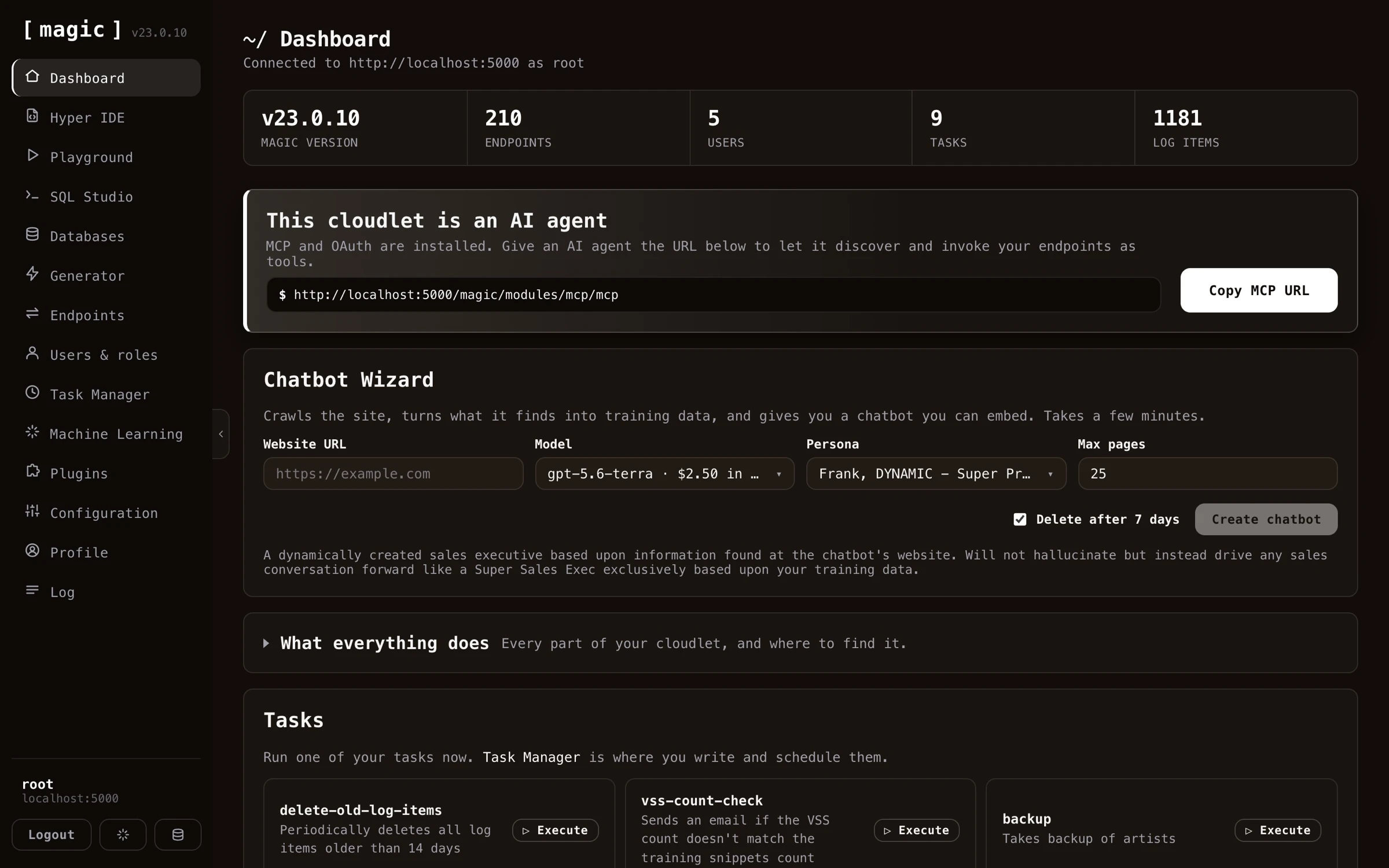 You'll need an OpenAI API account, and provide Magic with your API key. You can optionally configure reCAPTCHA if you want to, but Magic contains Magic CAPTCHA out of the box, which should be good enough for most. Once you've done this, you can provide your website URL, click a button, and some few minutes later you've got an AI chatbot you can include on your website. Once you're done with this process, you can further configure your model using the Machine Learning component, manually adding training snippets, edit training snippets, etc.
## Create your own AI chatbot
The process of creating an AI chatbot is fairly straight forward. The following guides you through everything you need to know to get started.
### 1. Configuring Magic with your OpenAI API key
To create your own AI chatbot you first have to supply Magic with your OpenAI API key.
You'll need an OpenAI API account, and provide Magic with your API key. You can optionally configure reCAPTCHA if you want to, but Magic contains Magic CAPTCHA out of the box, which should be good enough for most. Once you've done this, you can provide your website URL, click a button, and some few minutes later you've got an AI chatbot you can include on your website. Once you're done with this process, you can further configure your model using the Machine Learning component, manually adding training snippets, edit training snippets, etc.
## Create your own AI chatbot
The process of creating an AI chatbot is fairly straight forward. The following guides you through everything you need to know to get started.
### 1. Configuring Magic with your OpenAI API key
To create your own AI chatbot you first have to supply Magic with your OpenAI API key.
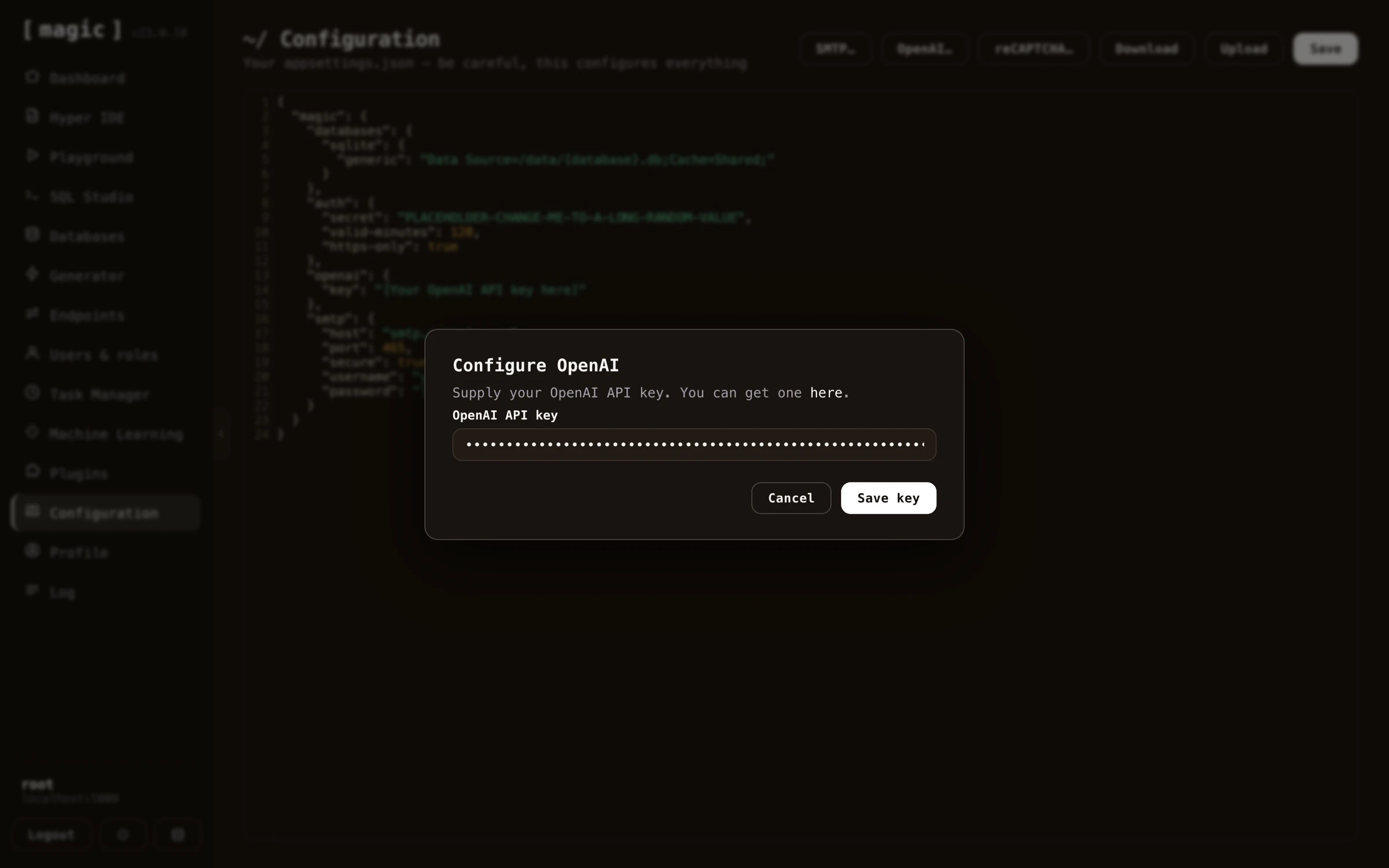 If you don't have an OpenAI API key you can click [here](https://platform.openai.com/api-keys) to go to OpenAI's platform and create one. Notice, you have to _make at least one payment to OpenAI before you're given access to their latest models_.
Your API key should resemble the following;
```
sk-xyGHa45xyzQWEghjKLMNOaBCdQHHllsdf345SFGfdg
```
The above is obviously _not_ a valid API key, but simply provided to illustrate roughly what it looks like.
### 2. Configuring Magic with reCAPTCHA keys - OPTIONAL
To avoid having your chatbot overrun by bots, you should use some sort of CAPTCHA library. Magic contains its own PoW-based CAPTCHA library, but you might want to use Google reCAPTCHA as an alternative here. You can create a Google reCAPTCHA key pair for free by clicking [here](https://www.google.com/recaptcha). Copy and paste both the site-key and the secret into the dialog asking you for your reCAPTCHA settings.
If you don't have an OpenAI API key you can click [here](https://platform.openai.com/api-keys) to go to OpenAI's platform and create one. Notice, you have to _make at least one payment to OpenAI before you're given access to their latest models_.
Your API key should resemble the following;
```
sk-xyGHa45xyzQWEghjKLMNOaBCdQHHllsdf345SFGfdg
```
The above is obviously _not_ a valid API key, but simply provided to illustrate roughly what it looks like.
### 2. Configuring Magic with reCAPTCHA keys - OPTIONAL
To avoid having your chatbot overrun by bots, you should use some sort of CAPTCHA library. Magic contains its own PoW-based CAPTCHA library, but you might want to use Google reCAPTCHA as an alternative here. You can create a Google reCAPTCHA key pair for free by clicking [here](https://www.google.com/recaptcha). Copy and paste both the site-key and the secret into the dialog asking you for your reCAPTCHA settings.
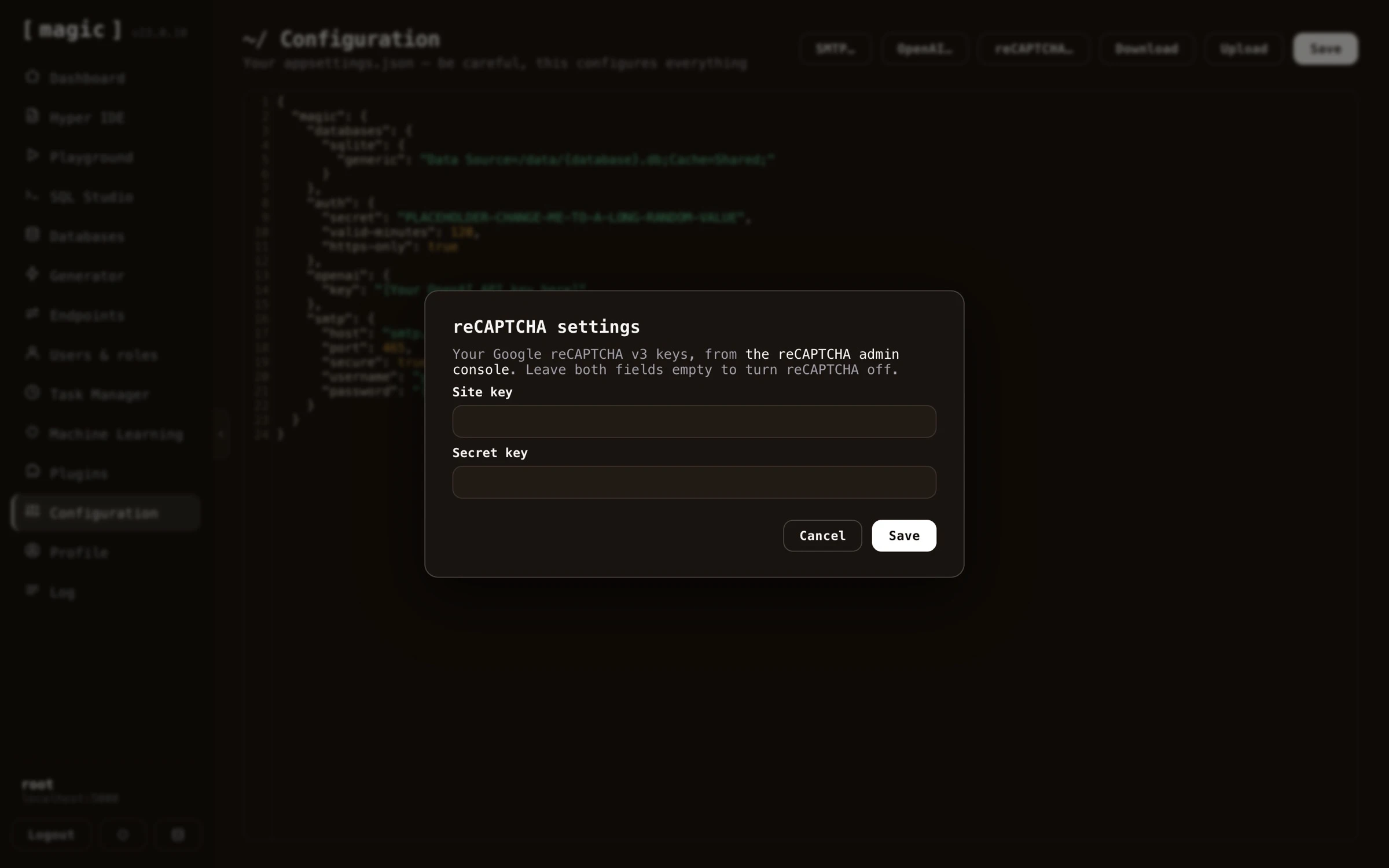 Since Magic contains its own internal PoW-based CAPTCHA library, this step is optional, and you can just ignore it unless you want extra tight security for your chatbot.
### 3. Scraping your website
Before you click _"Create chatbot"_, you can choose a base model from OpenAI, a _"persona"_, how many pages you want to scrape, and whether the chatbot should be automatically deleted after 7 days. The persona is a template for a system message or OpenAI instruction. If you choose a persona with the word _"DYNAMIC"_ in its name, the system message will be dynamically created according to the landing page of the website you are crawling, and typically produce a much higher quality chatbot for you. We recommend using _"Frank - DYNAMIC"_ here.
Finally you can scrape your website. Provide the chatbot wizard with your website's URL, and click the _"Create chatbot"_ button.
Since Magic contains its own internal PoW-based CAPTCHA library, this step is optional, and you can just ignore it unless you want extra tight security for your chatbot.
### 3. Scraping your website
Before you click _"Create chatbot"_, you can choose a base model from OpenAI, a _"persona"_, how many pages you want to scrape, and whether the chatbot should be automatically deleted after 7 days. The persona is a template for a system message or OpenAI instruction. If you choose a persona with the word _"DYNAMIC"_ in its name, the system message will be dynamically created according to the landing page of the website you are crawling, and typically produce a much higher quality chatbot for you. We recommend using _"Frank - DYNAMIC"_ here.
Finally you can scrape your website. Provide the chatbot wizard with your website's URL, and click the _"Create chatbot"_ button.
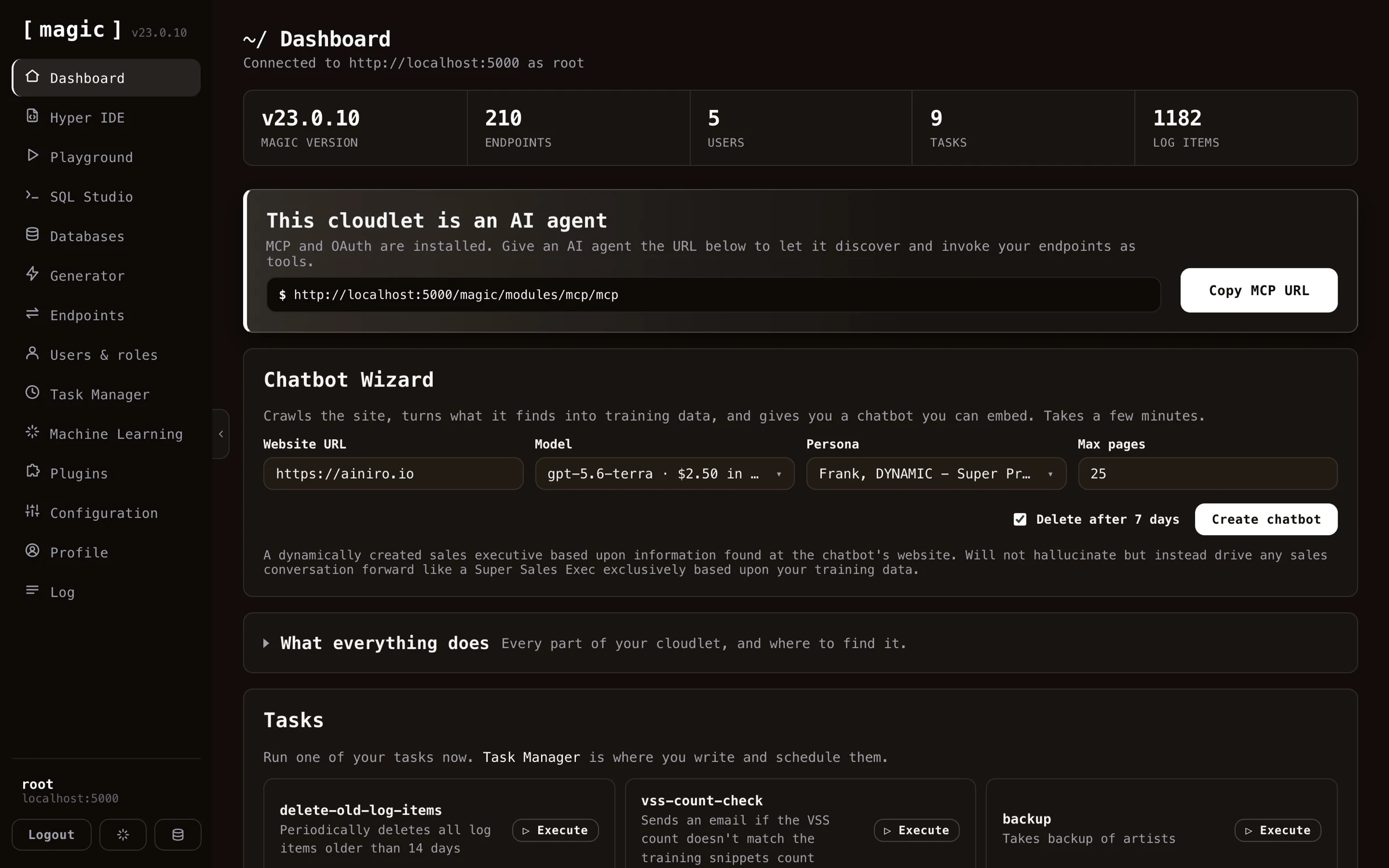 If you provide a sub-URL such as for instance `foo.com/blogs`, the scraper will only scrape pages beneath `/blogs`. This allows you to scrape an explicitly defined sub-portion of your website, and such have some control over which pages are being scraped.
The wizard reports its progress as it crawls your site and turns the pages into training data - which pages it found, how many training snippets each page produced, and what it is currently working on.
Once the process is done, your AI chatbot has its own _landing page_, served straight from your cloudlet at `your-cloudlet-url/model-name` - the wizard shows an _"Open chatbot"_ button taking you there. This gives you a URL you can copy and paste, sharing your chatbot with anyone before you've even embedded it on your website - useful for testing it, or handing it to a client for review. A few minutes later your chatbot is ready. From here you manage and embed your chatbot using the [Machine Learning component](https://docs.ainiro.io/dashboard/machine-learning/), where you can further edit its training data and copy the HTML snippet required to embed it on your website.
If you want to see what the different chatbot themes look like, you can try all different themes [here](https://ainiro.io/blog/try-our-chatbot-themes).
When you're done with the above you probably want to use the [Machine Learning component](https://docs.ainiro.io/dashboard/machine-learning/) to further configure and manage your chatbot.
## Frequently asked questions
**What is the Chatbot Wizard?**
The fastest way to create an AI website chatbot. Provide your website URL, and the wizard crawls the site, turns what it finds into training data, and gives you an embeddable chatbot a few minutes later.
**What do I need before creating a chatbot?**
An OpenAI API key. Optionally you can configure Google reCAPTCHA, although Magic ships with its own PoW-based Magic CAPTCHA, which is good enough for most.
**What is a persona?**
A template for the chatbot's system instruction. Personas with DYNAMIC in their name generate the instruction from your website's landing page, typically producing a much higher quality chatbot.
**Can I control which pages are scraped?**
Yes. If you provide a sub-URL such as foo.com/blogs, only pages beneath /blogs are scraped, giving you control over which parts of your site become training data.
**How do I embed the chatbot on my website?**
Once created, use the Machine Learning component's Embed button, which gives you a script tag you can paste into your website, with themes and colours you can customise.
**Can I refine the chatbot afterwards?**
Yes. The chatbot is a machine learning model, so you manage it with the Machine Learning component - editing training data, changing its model or instruction, adding widgets and AI functions, and monitoring its usage.
# Configuration
URL: https://docs.ainiro.io/dashboard/configuration/
Description: Manage your cloudlet's settings as a root user. Changes take effect instantly and immediately alter your cloudlet's behaviour, with no restart needed.
The configuration component allows you to view and edit your cloudlet's configuration settings. Your server's configuration is basically your _"appsettings.json"_ file, which is being used in all parts of the system to retrieve configuration settings, such as for instance SMTP settings when email slots are sending emails, etc.
If you provide a sub-URL such as for instance `foo.com/blogs`, the scraper will only scrape pages beneath `/blogs`. This allows you to scrape an explicitly defined sub-portion of your website, and such have some control over which pages are being scraped.
The wizard reports its progress as it crawls your site and turns the pages into training data - which pages it found, how many training snippets each page produced, and what it is currently working on.
Once the process is done, your AI chatbot has its own _landing page_, served straight from your cloudlet at `your-cloudlet-url/model-name` - the wizard shows an _"Open chatbot"_ button taking you there. This gives you a URL you can copy and paste, sharing your chatbot with anyone before you've even embedded it on your website - useful for testing it, or handing it to a client for review. A few minutes later your chatbot is ready. From here you manage and embed your chatbot using the [Machine Learning component](https://docs.ainiro.io/dashboard/machine-learning/), where you can further edit its training data and copy the HTML snippet required to embed it on your website.
If you want to see what the different chatbot themes look like, you can try all different themes [here](https://ainiro.io/blog/try-our-chatbot-themes).
When you're done with the above you probably want to use the [Machine Learning component](https://docs.ainiro.io/dashboard/machine-learning/) to further configure and manage your chatbot.
## Frequently asked questions
**What is the Chatbot Wizard?**
The fastest way to create an AI website chatbot. Provide your website URL, and the wizard crawls the site, turns what it finds into training data, and gives you an embeddable chatbot a few minutes later.
**What do I need before creating a chatbot?**
An OpenAI API key. Optionally you can configure Google reCAPTCHA, although Magic ships with its own PoW-based Magic CAPTCHA, which is good enough for most.
**What is a persona?**
A template for the chatbot's system instruction. Personas with DYNAMIC in their name generate the instruction from your website's landing page, typically producing a much higher quality chatbot.
**Can I control which pages are scraped?**
Yes. If you provide a sub-URL such as foo.com/blogs, only pages beneath /blogs are scraped, giving you control over which parts of your site become training data.
**How do I embed the chatbot on my website?**
Once created, use the Machine Learning component's Embed button, which gives you a script tag you can paste into your website, with themes and colours you can customise.
**Can I refine the chatbot afterwards?**
Yes. The chatbot is a machine learning model, so you manage it with the Machine Learning component - editing training data, changing its model or instruction, adding widgets and AI functions, and monitoring its usage.
# Configuration
URL: https://docs.ainiro.io/dashboard/configuration/
Description: Manage your cloudlet's settings as a root user. Changes take effect instantly and immediately alter your cloudlet's behaviour, with no restart needed.
The configuration component allows you to view and edit your cloudlet's configuration settings. Your server's configuration is basically your _"appsettings.json"_ file, which is being used in all parts of the system to retrieve configuration settings, such as for instance SMTP settings when email slots are sending emails, etc.
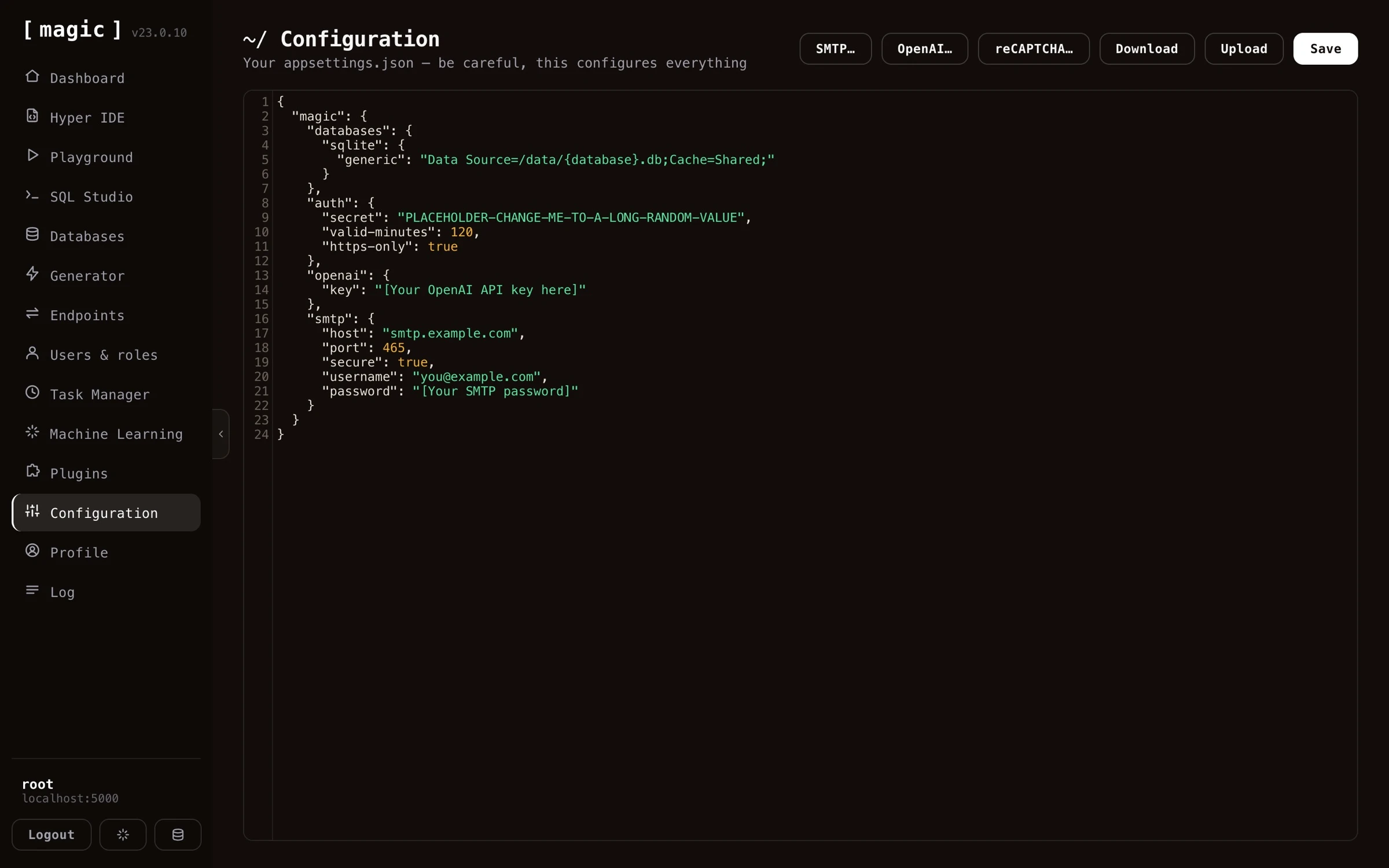 You should be careful as you edit your cloudlet's configuration settings, since this might result in that your cloudlet becomes erroneously configured, resulting in that your system stops working - In addition to that if you edit your cloudlet's configuration erroneously, you might open up your cloudlet
such that malicious adversaries gain access to your system. The configuration component has helper UI elements to help you configure things such as OpenAI, SMTP and reCAPTCHA, giving you a graphical user interface to edit some of its most important parts.
The _"OpenAI"_ button lets you supply your OpenAI API key without touching the JSON.
You should be careful as you edit your cloudlet's configuration settings, since this might result in that your cloudlet becomes erroneously configured, resulting in that your system stops working - In addition to that if you edit your cloudlet's configuration erroneously, you might open up your cloudlet
such that malicious adversaries gain access to your system. The configuration component has helper UI elements to help you configure things such as OpenAI, SMTP and reCAPTCHA, giving you a graphical user interface to edit some of its most important parts.
The _"OpenAI"_ button lets you supply your OpenAI API key without touching the JSON.
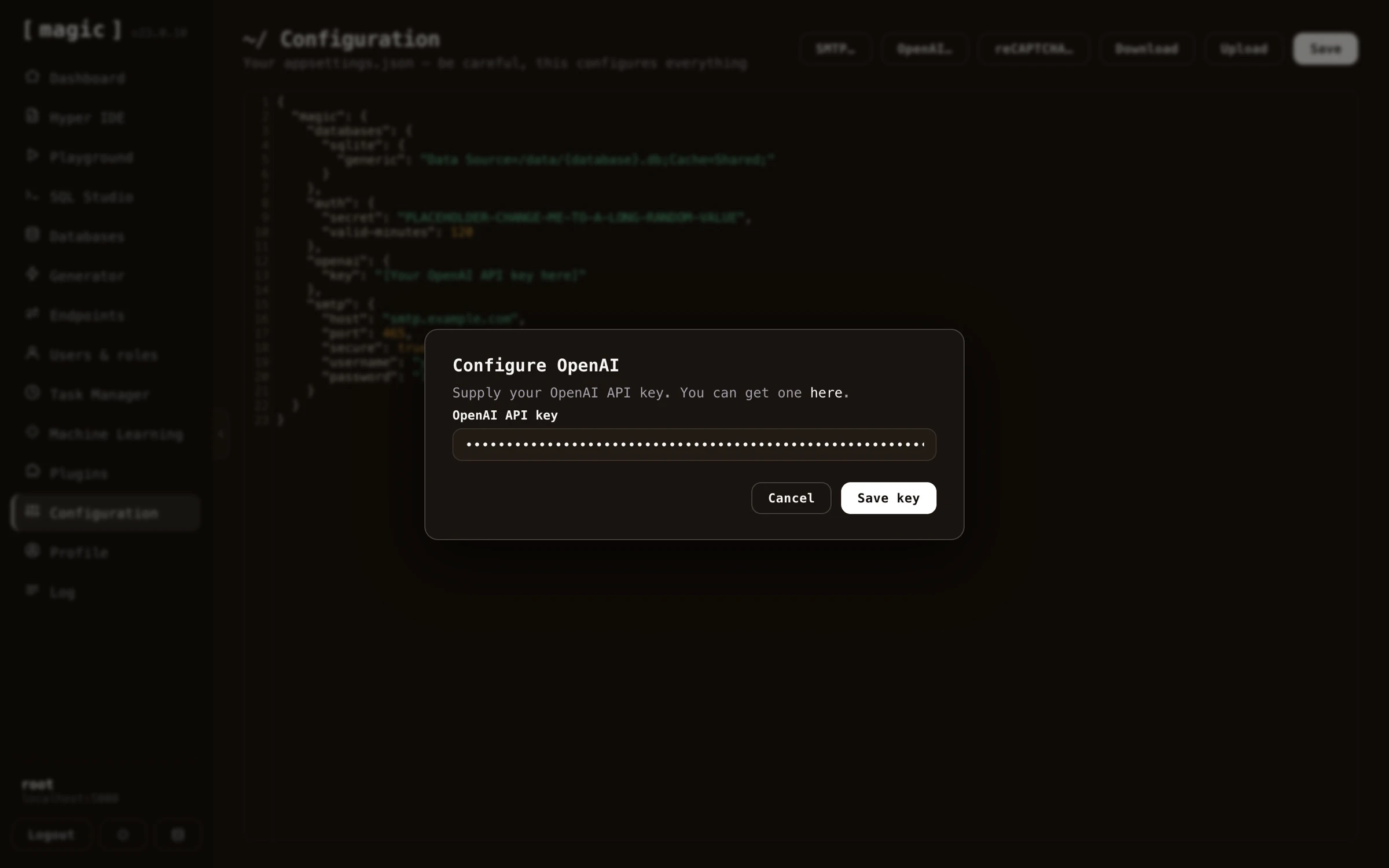 The _"reCAPTCHA"_ button similarly asks you for your reCAPTCHA site key and secret.
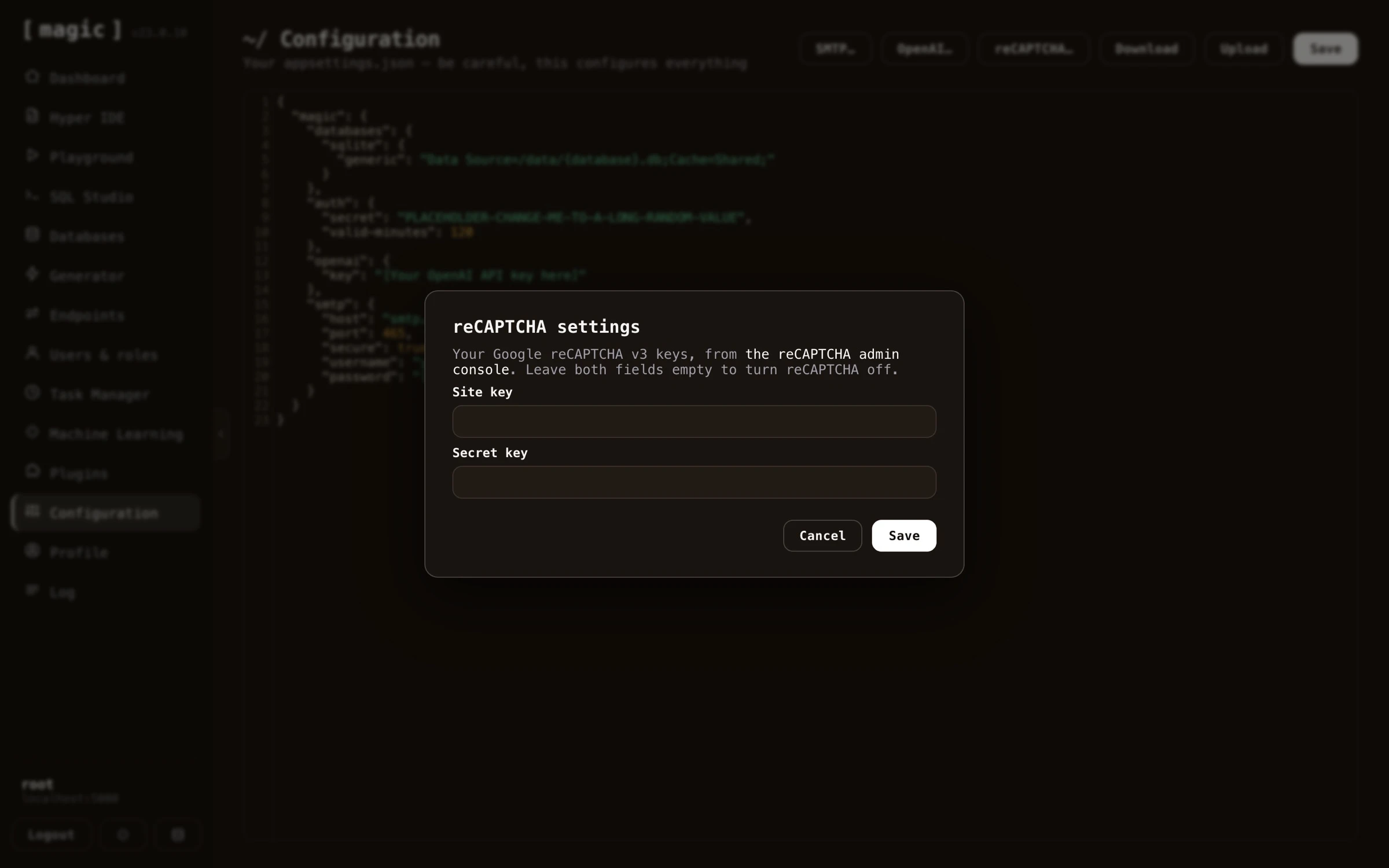 And the _"SMTP"_ button configures your email server; host, port, credentials, and the default from name and address.
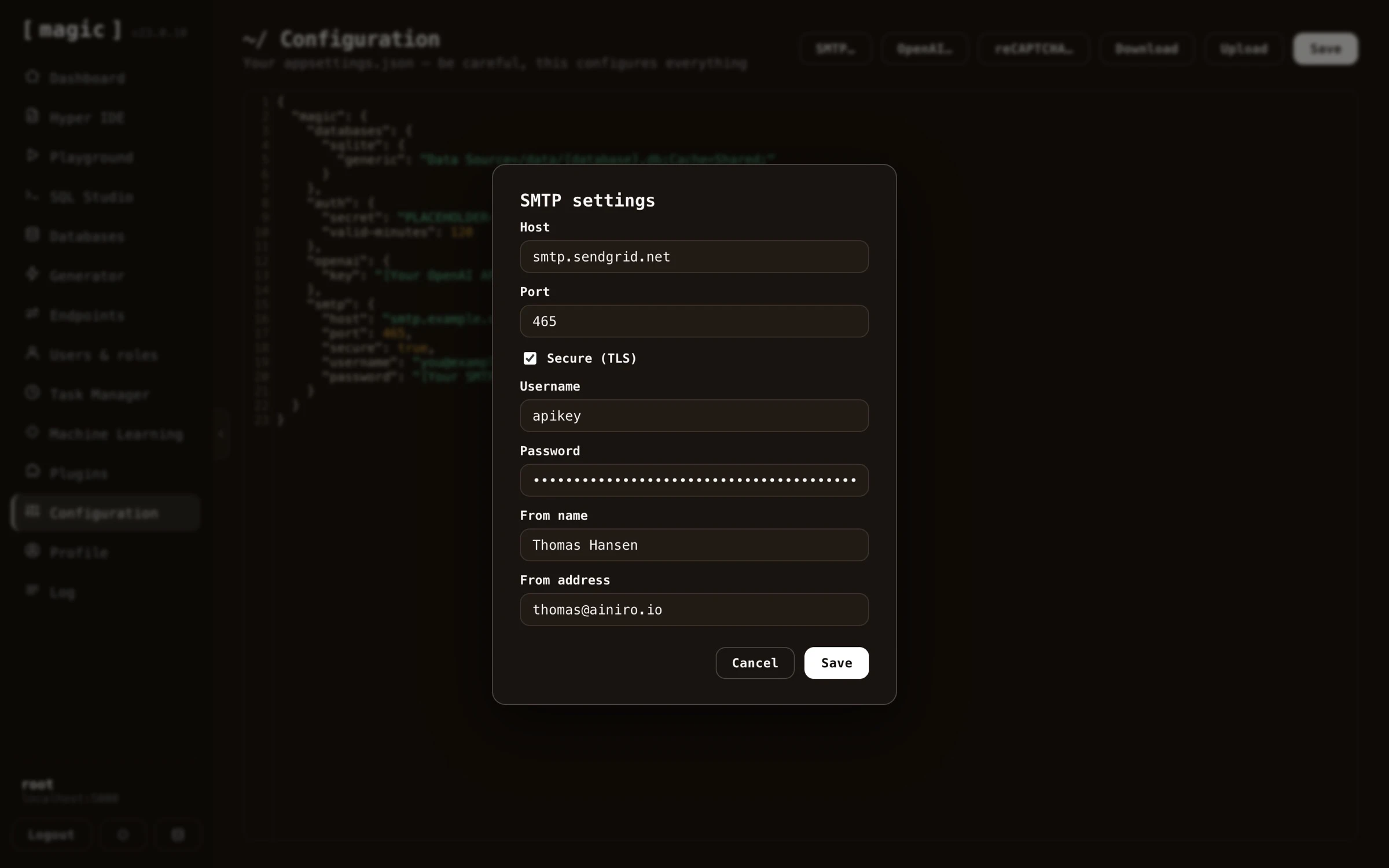 The _"OpenID"_ button configures single sign-on providers for the dashboard's login screen. The dropdown lists every provider your cloudlet supports - Google, GitHub, LinkedIn, Microsoft Entra ID, Okta, Auth0, Keycloak and Slack - and marks the ones already configured. A provider is turned on by giving it a client ID, and turned off again by clearing the field. The dialog also shows the redirect URI you need to register with the provider, with a copy button. See the [SSO sign-in providers tutorial](https://docs.ainiro.io/tutorials/sso-sign-in-providers/) for a walkthrough of each provider.
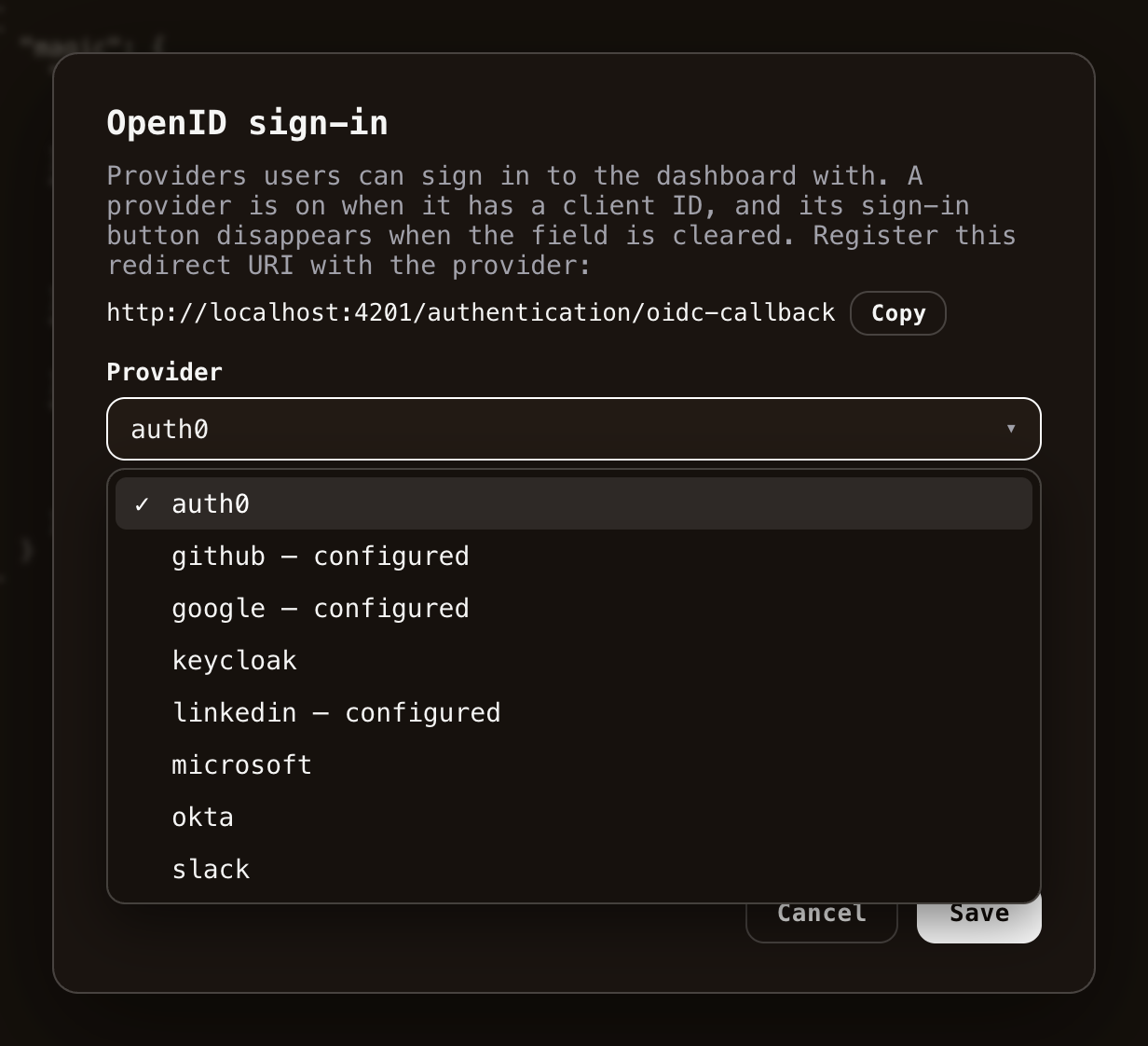 Notice, if you supply buggy JSON the component will not allow for saving your configuration, but instead provide you with an error message informing you that your JSON has errors. You can also create your own configuration sections as you see fit to use in your own modules.
The component also lets you download a backup of your entire configuration as a file, and restore your configuration from such a backup later - useful before making larger changes, or when moving settings between cloudlets.
Below is a list of the most important sections you can configure in your cloudlet.
## CORS
The `magic:frontend:urls` section allows you to explicitly specify CORS, implying frontend URLs that are allowed to retrieve data from your backend. Its default setting implies _all_ URLs are allowed to retrieve data from your backend, but sometimes you need to explicitly specify one or more URLs here. You can do this by adding a comma separated list of URLs in this setting.
## SMTP configuration
The `magic:smtp` section allows you to specify which SMTP server Magic should use for sending emails. Most parts of this section are self explanatory, but the `from` section is the default from name and address to use, which is only used if an email is sent _without_ explicitly declaring who it originated from.
## Database configuration
The `magic:databases` section allows you to configure your database connection strings. Magic supports 4 relational database types, these are as follows.
* `sqlite` - SQLite
* `mysql` - MySQL + MariaDB
* `pgsql` - PostgreSQL
* `mssql` - SQL Server
You can use all of the above database types in your cloudlet. However, to access your database you need to provide Magic with one or more connection strings. Each of these sections contains a key/value pair where the key becomes the name of your connection string, and the value its actual
connection string. This section also has a `default` setting, which is the default database type to use if not specified by caller. This needs to be one of _"mysql"_, _"pgsql"_, _"sqlite"_, or _"mssql"_ - Implying MySQL, PostgreSQL, SQLite or SQL Server.
You would typically never edit the default setting, since Magic only supports SQLite as its primary magic database out of the box.
## Authentication and authorisation configuration
This section allows you to override the default authentication and authorisation values for Magic. Its sub-sections imply the following.
* `secret` - JWT secret used to generate a JWT signature
* `https-only` - If true this implies JWT tokens will only be verified over an SSL/TLS connection
* `valid-minutes` - Default number of minutes before JWT token generated by Magic expires. Notice, this can be overridden as your Hyperlambda code is creating a JWT token, but the authenticate endpoint respects this value by default
## OIDC sign-in configuration
The `magic:oidc` section holds one sub-section per sign-in provider, each keyed by the provider's name. Every provider takes a `client-id`, and providers speaking the authorization-code flow exchange their codes server-side, so the `client-secret` never reaches the browser. Beyond that, what each provider needs varies slightly.
* `google` - `client-id` only
* `github` - `client-id` and `client-secret`
* `linkedin` - `client-id` and `client-secret`
* `slack` - `client-id` and `client-secret`
* `microsoft` - `client-id`, `client-secret` and `tenant`, the latter being your directory (tenant) ID - a concrete tenant is required, since the issuer of the tokens Entra creates embeds it
* `okta` - `client-id`, `issuer` being your authorization server's issuer URL, and optionally `client-secret`
* `auth0` - `client-id`, `issuer` exactly as Auth0 reports it including its trailing slash, and optionally `client-secret`
* `keycloak` - `client-id`, `issuer` being your realm's issuer URL, and optionally `client-secret`
You rarely need to edit this section by hand - the _"OpenID"_ helper dialog described above maintains it for you, showing exactly the fields each provider needs.
## Logging configuration
The `level` parts of this section imply which logging level you want to use. Magic supports 5 legal values for this setting, and these are as follows.
* `debug` - Log everything
* `info` - Log only from info level and above
* `error` - Log only from error level and above
* `fatal` - Log only fatal errors
* `off` - Never log
This works similarly to log4net, and implies _"minimum logging level"_, where any log invocations from and above your minimum level are logged, while the rest of your log invocations will be ignored. The default value of _"debug"_ implies that everything will be logged.
## Sockets configuration
The `url` setting here allows you to override which URL clients need to use to negotiate a socket channel with your cloudlet. You can also completely turn off web sockets entirely here, by changing the value to `null` or remove the section entirely.
## Frequently asked questions
**What is the Configuration component?**
It lets you view and edit your cloudlet's configuration - the appsettings.json file used throughout the system for settings such as SMTP, OpenAI, database connection strings, and authentication.
**Is it dangerous to edit the configuration?**
You should be careful, since erroneous configuration can stop your system from working or weaken its security. The component refuses to save invalid JSON, and provides helper dialogs for the most important sections such as OpenAI, SMTP and reCAPTCHA.
**How do I restrict which frontends can call my backend?**
The magic:frontend:urls section declares CORS, as a comma separated list of URLs allowed to retrieve data from your backend. By default all URLs are allowed.
**Where do I configure my database connections?**
The magic:databases section holds connection strings for sqlite, mysql, pgsql and mssql, each as name/value pairs, plus a default database type.
**What is the auth secret?**
The magic:auth section's secret is the key used to sign your JWT tokens - it must be kept secret, and changing it invalidates all previously issued tokens.
**How do I let users sign in with Google or GitHub?**
Use the OpenID helper dialog to give the provider a client ID (and where required a secret), and register the dialog's redirect URI with the provider. Magic supports Google, GitHub, LinkedIn, Microsoft Entra ID, Okta, Auth0, Keycloak and Slack out of the box.
# Databases
URL: https://docs.ainiro.io/dashboard/databases/
Description: The databases component allows you to manage your connection strings, connect to external databases, and create new SQLite databases in Magic.
The databases component allows you to manage your connection strings, in addition to your external and internal databases. This is your goto component if you want to connect to an external database. It allows you to connect to any MySQL, PostgreSQL, SQL Server, or MariaDB database. Provide it with your connection string, give your connection string a name, and click connect.
Notice, if you supply buggy JSON the component will not allow for saving your configuration, but instead provide you with an error message informing you that your JSON has errors. You can also create your own configuration sections as you see fit to use in your own modules.
The component also lets you download a backup of your entire configuration as a file, and restore your configuration from such a backup later - useful before making larger changes, or when moving settings between cloudlets.
Below is a list of the most important sections you can configure in your cloudlet.
## CORS
The `magic:frontend:urls` section allows you to explicitly specify CORS, implying frontend URLs that are allowed to retrieve data from your backend. Its default setting implies _all_ URLs are allowed to retrieve data from your backend, but sometimes you need to explicitly specify one or more URLs here. You can do this by adding a comma separated list of URLs in this setting.
## SMTP configuration
The `magic:smtp` section allows you to specify which SMTP server Magic should use for sending emails. Most parts of this section are self explanatory, but the `from` section is the default from name and address to use, which is only used if an email is sent _without_ explicitly declaring who it originated from.
## Database configuration
The `magic:databases` section allows you to configure your database connection strings. Magic supports 4 relational database types, these are as follows.
* `sqlite` - SQLite
* `mysql` - MySQL + MariaDB
* `pgsql` - PostgreSQL
* `mssql` - SQL Server
You can use all of the above database types in your cloudlet. However, to access your database you need to provide Magic with one or more connection strings. Each of these sections contains a key/value pair where the key becomes the name of your connection string, and the value its actual
connection string. This section also has a `default` setting, which is the default database type to use if not specified by caller. This needs to be one of _"mysql"_, _"pgsql"_, _"sqlite"_, or _"mssql"_ - Implying MySQL, PostgreSQL, SQLite or SQL Server.
You would typically never edit the default setting, since Magic only supports SQLite as its primary magic database out of the box.
## Authentication and authorisation configuration
This section allows you to override the default authentication and authorisation values for Magic. Its sub-sections imply the following.
* `secret` - JWT secret used to generate a JWT signature
* `https-only` - If true this implies JWT tokens will only be verified over an SSL/TLS connection
* `valid-minutes` - Default number of minutes before JWT token generated by Magic expires. Notice, this can be overridden as your Hyperlambda code is creating a JWT token, but the authenticate endpoint respects this value by default
## OIDC sign-in configuration
The `magic:oidc` section holds one sub-section per sign-in provider, each keyed by the provider's name. Every provider takes a `client-id`, and providers speaking the authorization-code flow exchange their codes server-side, so the `client-secret` never reaches the browser. Beyond that, what each provider needs varies slightly.
* `google` - `client-id` only
* `github` - `client-id` and `client-secret`
* `linkedin` - `client-id` and `client-secret`
* `slack` - `client-id` and `client-secret`
* `microsoft` - `client-id`, `client-secret` and `tenant`, the latter being your directory (tenant) ID - a concrete tenant is required, since the issuer of the tokens Entra creates embeds it
* `okta` - `client-id`, `issuer` being your authorization server's issuer URL, and optionally `client-secret`
* `auth0` - `client-id`, `issuer` exactly as Auth0 reports it including its trailing slash, and optionally `client-secret`
* `keycloak` - `client-id`, `issuer` being your realm's issuer URL, and optionally `client-secret`
You rarely need to edit this section by hand - the _"OpenID"_ helper dialog described above maintains it for you, showing exactly the fields each provider needs.
## Logging configuration
The `level` parts of this section imply which logging level you want to use. Magic supports 5 legal values for this setting, and these are as follows.
* `debug` - Log everything
* `info` - Log only from info level and above
* `error` - Log only from error level and above
* `fatal` - Log only fatal errors
* `off` - Never log
This works similarly to log4net, and implies _"minimum logging level"_, where any log invocations from and above your minimum level are logged, while the rest of your log invocations will be ignored. The default value of _"debug"_ implies that everything will be logged.
## Sockets configuration
The `url` setting here allows you to override which URL clients need to use to negotiate a socket channel with your cloudlet. You can also completely turn off web sockets entirely here, by changing the value to `null` or remove the section entirely.
## Frequently asked questions
**What is the Configuration component?**
It lets you view and edit your cloudlet's configuration - the appsettings.json file used throughout the system for settings such as SMTP, OpenAI, database connection strings, and authentication.
**Is it dangerous to edit the configuration?**
You should be careful, since erroneous configuration can stop your system from working or weaken its security. The component refuses to save invalid JSON, and provides helper dialogs for the most important sections such as OpenAI, SMTP and reCAPTCHA.
**How do I restrict which frontends can call my backend?**
The magic:frontend:urls section declares CORS, as a comma separated list of URLs allowed to retrieve data from your backend. By default all URLs are allowed.
**Where do I configure my database connections?**
The magic:databases section holds connection strings for sqlite, mysql, pgsql and mssql, each as name/value pairs, plus a default database type.
**What is the auth secret?**
The magic:auth section's secret is the key used to sign your JWT tokens - it must be kept secret, and changing it invalidates all previously issued tokens.
**How do I let users sign in with Google or GitHub?**
Use the OpenID helper dialog to give the provider a client ID (and where required a secret), and register the dialog's redirect URI with the provider. Magic supports Google, GitHub, LinkedIn, Microsoft Entra ID, Okta, Auth0, Keycloak and Slack out of the box.
# Databases
URL: https://docs.ainiro.io/dashboard/databases/
Description: The databases component allows you to manage your connection strings, connect to external databases, and create new SQLite databases in Magic.
The databases component allows you to manage your connection strings, in addition to your external and internal databases. This is your goto component if you want to connect to an external database. It allows you to connect to any MySQL, PostgreSQL, SQL Server, or MariaDB database. Provide it with your connection string, give your connection string a name, and click connect.
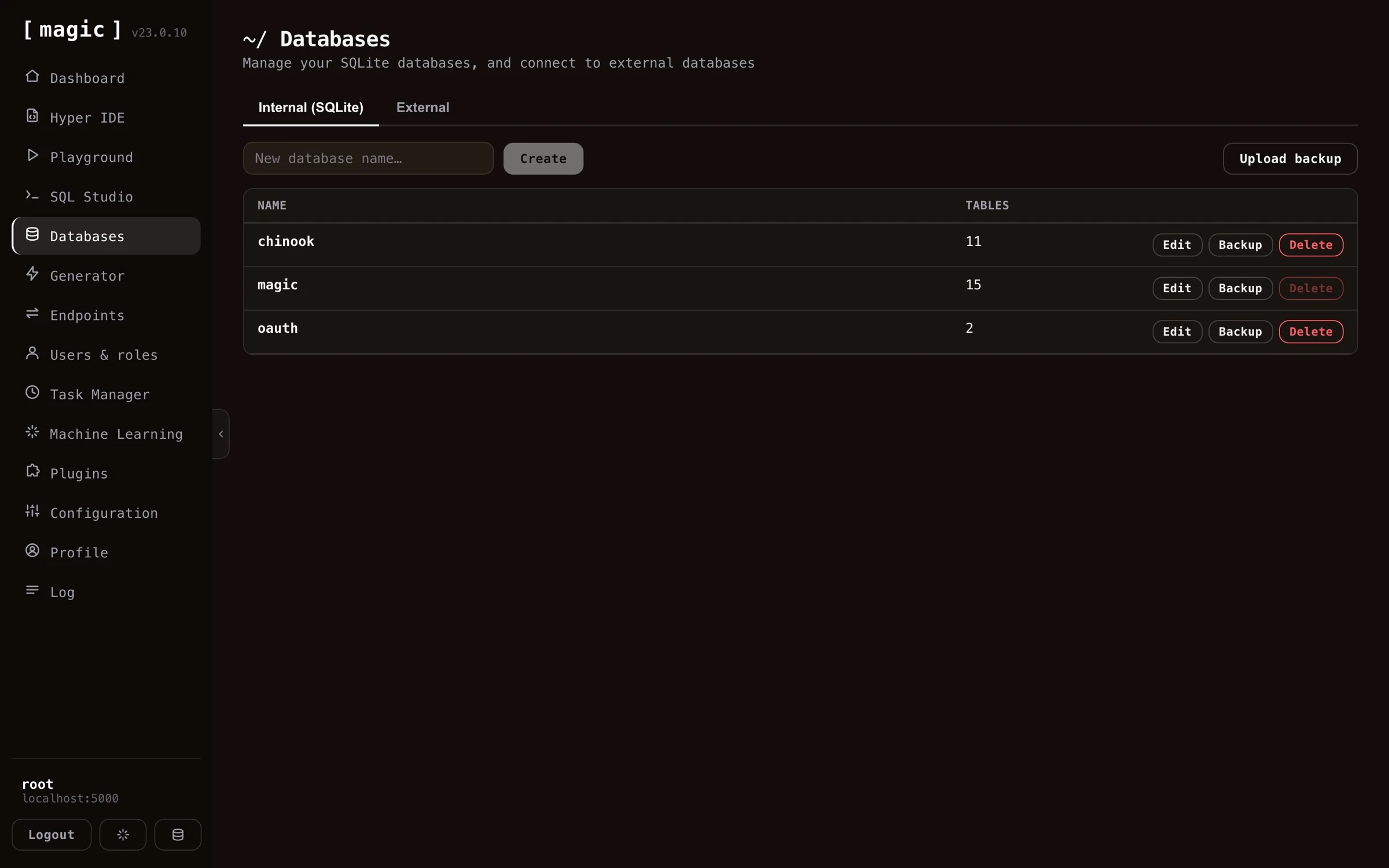 In addition to allowing you to connect to external databases, this is also the place you go to create a new SQLite file-based database.
## Creating and designing SQLite databases
Besides connecting to external databases, you can create your own file-based SQLite databases directly from this component — no server or connection string required. Just give your database a name, and Magic creates it for you.
Once created, you can design your database visually in [SQL Studio](https://docs.ainiro.io/dashboard/sql-studio/), adding tables, columns, and foreign keys through a graphical designer without writing any DDL by hand. You can of course also execute SQL against your database directly if you prefer - and you don't even have to write the DDL yourself. SQL Studio's _"Where the Machine Creates the Code"_ bar takes natural language input and generates the schema for you - ask it for something such as _"Create DDL for a 3 table CRM system"_, and execute the result.
You can even let an AI do it for you. If you connect your cloudlet to an AI agent such as Claude over the [MCP server](https://docs.ainiro.io/tutorials/how-to-connect-the-mcp-server/), you can describe the database you want in plain English, and have the orchestrating LLM create the SQLite database and its schema for you.
## Adding a connection string
In addition to allowing you to connect to external databases, this is also the place you go to create a new SQLite file-based database.
## Creating and designing SQLite databases
Besides connecting to external databases, you can create your own file-based SQLite databases directly from this component — no server or connection string required. Just give your database a name, and Magic creates it for you.
Once created, you can design your database visually in [SQL Studio](https://docs.ainiro.io/dashboard/sql-studio/), adding tables, columns, and foreign keys through a graphical designer without writing any DDL by hand. You can of course also execute SQL against your database directly if you prefer - and you don't even have to write the DDL yourself. SQL Studio's _"Where the Machine Creates the Code"_ bar takes natural language input and generates the schema for you - ask it for something such as _"Create DDL for a 3 table CRM system"_, and execute the result.
You can even let an AI do it for you. If you connect your cloudlet to an AI agent such as Claude over the [MCP server](https://docs.ainiro.io/tutorials/how-to-connect-the-mcp-server/), you can describe the database you want in plain English, and have the orchestrating LLM create the SQLite database and its schema for you.
## Adding a connection string
 Before connecting, you can click _"Test"_ to verify your connection string actually works, without saving it. And once connected, the component lets you create and delete individual catalogues directly on your external database server - in addition to opening any database in [SQL Studio](https://docs.ainiro.io/dashboard/sql-studio/) with one click.
It is important that you exchange your catalogue name, or database name, with the text _"{database}"_. This is because Magic needs to be able to dynamically connect to multiple catalogues or databases in your database server. Magic needs to be able to read system databases, in addition to connecting generically to any database in your system it's got access to. This is why it'll need the above `{database}` parts in its connection string.
If you're hosting your database in for instance Azure or AWS, you might also have to white list your cloudlet's IP address.
## Backup your SQLite databases
Every now and then, you should download a backup of your SQLite databases to make sure you've got a local backup if something goes wrong. We have global backups of our K8S volumes as a whole, but it might also be beneficial to have local backups in your own machine too.
## Frequently asked questions
**What is the Databases component?**
The place to manage your connection strings and databases. Connect to any external MySQL, PostgreSQL, SQL Server or MariaDB database, or create file based SQLite databases with a single click - no server required.
**How do I connect to an external database?**
Provide your connection string, give it a name, and click connect. If your database is hosted in Azure or AWS, you may also need to whitelist your cloudlet's IP address.
**Why must my connection string contain {database}?**
Magic needs to dynamically connect to multiple catalogues on your database server, so you exchange the database name in your connection string with the text {database}.
**Can an AI create my database?**
Yes, two ways: connect an AI agent such as Claude over MCP and describe your database in plain English - or use SQL Studio's 'Where the Machine Creates the Code' bar to generate the DDL, for instance from 'Create DDL for a 3 table CRM system'.
**Can I backup and restore SQLite databases?**
Yes. Download a backup of any SQLite database with one click, and upload a backup to restore or move a database between cloudlets.
# Endpoint Generator
URL: https://docs.ainiro.io/dashboard/endpoint-generator/
Description: The Endpoint Generator reads your database's metadata and automatically generates a secured CRUD API wrapping it, wraps your own SQL into endpoints, safely executes caller-supplied code inside a role-based sandbox, searches a machine learning type, and imports third party APIs from their OpenAPI specifications - with no manual coding required.
The Endpoint Generator component allows you to automatically generate an HTTP CRUD web API wrapping your database of choice. The endpoint generator component works by reading meta data from your database, which it then uses to generate Hyperlambda HTTP endpoints for you automatically.
Before connecting, you can click _"Test"_ to verify your connection string actually works, without saving it. And once connected, the component lets you create and delete individual catalogues directly on your external database server - in addition to opening any database in [SQL Studio](https://docs.ainiro.io/dashboard/sql-studio/) with one click.
It is important that you exchange your catalogue name, or database name, with the text _"{database}"_. This is because Magic needs to be able to dynamically connect to multiple catalogues or databases in your database server. Magic needs to be able to read system databases, in addition to connecting generically to any database in your system it's got access to. This is why it'll need the above `{database}` parts in its connection string.
If you're hosting your database in for instance Azure or AWS, you might also have to white list your cloudlet's IP address.
## Backup your SQLite databases
Every now and then, you should download a backup of your SQLite databases to make sure you've got a local backup if something goes wrong. We have global backups of our K8S volumes as a whole, but it might also be beneficial to have local backups in your own machine too.
## Frequently asked questions
**What is the Databases component?**
The place to manage your connection strings and databases. Connect to any external MySQL, PostgreSQL, SQL Server or MariaDB database, or create file based SQLite databases with a single click - no server required.
**How do I connect to an external database?**
Provide your connection string, give it a name, and click connect. If your database is hosted in Azure or AWS, you may also need to whitelist your cloudlet's IP address.
**Why must my connection string contain {database}?**
Magic needs to dynamically connect to multiple catalogues on your database server, so you exchange the database name in your connection string with the text {database}.
**Can an AI create my database?**
Yes, two ways: connect an AI agent such as Claude over MCP and describe your database in plain English - or use SQL Studio's 'Where the Machine Creates the Code' bar to generate the DDL, for instance from 'Create DDL for a 3 table CRM system'.
**Can I backup and restore SQLite databases?**
Yes. Download a backup of any SQLite database with one click, and upload a backup to restore or move a database between cloudlets.
# Endpoint Generator
URL: https://docs.ainiro.io/dashboard/endpoint-generator/
Description: The Endpoint Generator reads your database's metadata and automatically generates a secured CRUD API wrapping it, wraps your own SQL into endpoints, safely executes caller-supplied code inside a role-based sandbox, searches a machine learning type, and imports third party APIs from their OpenAPI specifications - with no manual coding required.
The Endpoint Generator component allows you to automatically generate an HTTP CRUD web API wrapping your database of choice. The endpoint generator component works by reading meta data from your database, which it then uses to generate Hyperlambda HTTP endpoints for you automatically.
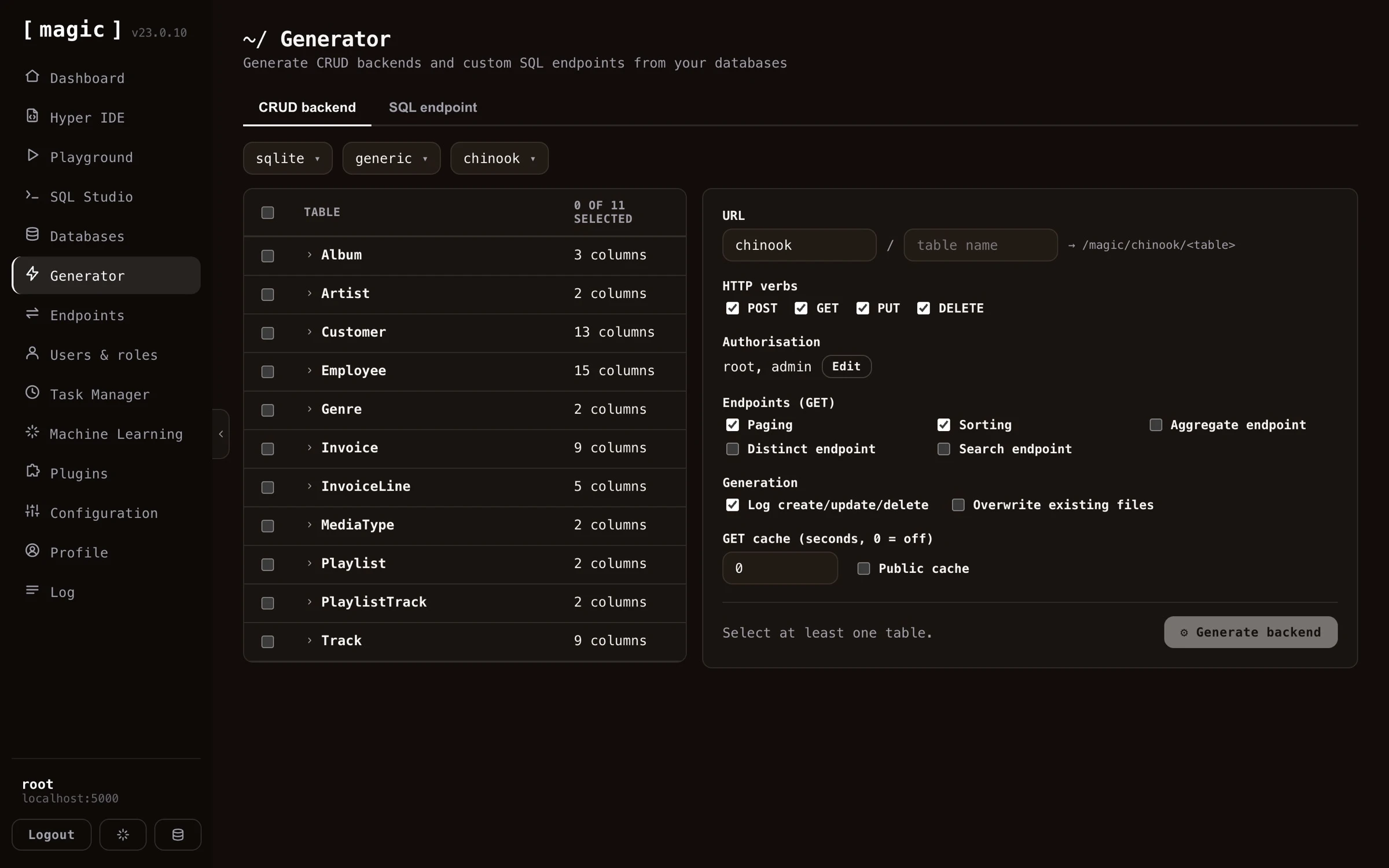 If you use the generator on for instance the _"SQLite Sakila"_ database that you can find as a [plugin](https://docs.ainiro.io/dashboard/plugins/), Magic will create more than 3,000 lines of Hyperlambda code for you automatically, resulting in some roughly 100 HTTP endpoints for you, providing you with all CRUD operations towards all tables in your database.
Magic can also generate an API wrapping your existing databases. If you want to use your existing databases as input, you'll have to provide Magic with a connection string that allows it to connect to your database. You can do this through the [databases](https://docs.ainiro.io/dashboard/databases/) component.
## In this section
* [CRUD Endpoint Generator](https://docs.ainiro.io/dashboard/endpoint-generator/crud-generator/): The fastest way to use the generator is through the "API Wizard" card on the dashboard's landing page.
* [SQL Endpoint Generator](https://docs.ainiro.io/dashboard/endpoint-generator/sql-endpoints/): The SQL endpoint generator component allows you to generate an API endpoint wrapping an SQL statement.
* [Sandbox API Generator](https://docs.ainiro.io/dashboard/endpoint-generator/sandbox-api/): The "Sandbox API" tab generates a single endpoint that safely executes code its own callers supply.
* [Sandbox API - Business Logic Without Raw Access](https://docs.ainiro.io/dashboard/endpoint-generator/sandbox-business-logic/): A whitelist answers "which functions may this role call?" Often the better question is "which results may this role get?" A role that should be able to see your top customers does not need [data.conne
* [Sandbox API - Callers, Throttling and Discovery](https://docs.ainiro.io/dashboard/endpoint-generator/sandbox-callers-and-discovery/): Two settings sit above the policy.
* [Search Endpoint](https://docs.ainiro.io/dashboard/endpoint-generator/search-endpoint/): The "Search endpoint" tab generates a single HTTP endpoint that searches the training snippets of one machine learning type and returns the best matches.
* [Import API](https://docs.ainiro.io/dashboard/endpoint-generator/import-api/): The fifth tab in the Endpoint Generator, "Import API", works the other way around from the other four.
## Frequently asked questions
**What does the Endpoint Generator do?**
It reads metadata from your database and automatically generates a complete CRUD web API wrapping it, secured according to your instructions. What would normally take weeks of coding is done in seconds.
**Which databases can it wrap?**
Any MySQL, PostgreSQL, SQL Server, MariaDB, or SQLite database - including existing legacy databases, which makes it a fast way to put a modern, secure API on top of an old system.
**Which endpoint types can it generate?**
POST, GET, PUT and DELETE endpoints for each table, plus additional GET endpoints such as count, aggregate, distinct, and a keyword density search endpoint.
**What is keyword density search?**
A search endpoint that ranks each row by how many of your keywords it matches, sorting by most matches first. It is a good substitute for RAG and VSS - no embeddings, no vector database, no AI inference - yet often yields surprisingly relevant results.
**Is the generated API secure?**
Yes. You declare which roles can invoke each verb, and the generator takes care of authentication, authorisation, validators, and referential integrity - plus optional logging of create, update and delete invocations.
**Does caching apply to all generated endpoints?**
No. Caching, implying the Cache-Control HTTP header, is only applied to GET endpoints in this component.
**What is the fastest way to create an API?**
The dashboard's landing page has an 'API Wizard' card starting a guided version of the Endpoint Generator - it preselects every table in your database, and when generation is done it links you directly to your new endpoints and to user management.
**Can I wrap somebody else's API instead of a database?**
Yes. The Import API tab reads an OpenAPI specification - OpenAPI 3.x or Swagger 2.0, JSON or YAML - and generates Hyperlambda endpoints wrapping whichever operations you select, complete with arguments, validators and documentation taken from the specification.
**Where is the credential for an imported API stored?**
In your configuration, never in the generated files. You nominate a configuration key, and the generated endpoints read the credential from it at invocation time, which keeps your files safe to check into source control.
**Do imported endpoints work as MCP tools?**
Yes. The importer writes the operation's summary as the file level comment and each argument's documentation as a comment above that argument, which is what Magic exposes as the tool's description and its arguments' descriptions - so an imported API becomes a set of self describing tools for an AI agent.
**Can I wrap my own SQL in an endpoint?**
Yes. The SQL endpoint tab lets you provide any SQL statement, declare arguments you reference as @name in the SQL, choose an HTTP verb and authorisation, and generate a secure endpoint wrapping it. The AI prompt bar can even write the SQL for you, and you can load saved snippets or import .sql files.
**What is the Sandbox API tab?**
It generates one endpoint that safely executes code its own callers supply - Hyperlambda, or plain English turned into Hyperlambda - inside a whitelist you define per role. Callers can only reach the functions you granted, a function you did not grant does not exist as far as their code is concerned, and a hallucinated function is refused before anything runs.
**How do I limit what a Sandbox API caller can do?**
You build a policy from an 'everybody' base vocabulary plus per-role rules that add functions on top. A caller runs with the union of the functions their roles grant, so you can, for example, give one role access to a specific database while another role cannot reach it. The rate limit and the execution timeout are set per role too, and root is trusted completely - never sandboxed, throttled, or timed out.
**How can a role run complex business logic without access to the raw resources behind it?**
Put the logic in a Hyperlambda file, and grant the role that one file with the Execute files wizard instead of the functions the file uses. The file runs fully trusted, so it can read a database or call an API the role itself can never touch - the caller can only run exactly what the file does, with the arguments it accepts. You review the file once, and the role never gets raw access.
**Can the Sandbox API run a natural-language instruction?**
Yes. Choose the natural-language or 'both' input mode, and the endpoint sends the instruction to the Hyperlambda Generator, verifies every function the generated code references actually exists, and runs it inside the same whitelist. The response says whether it executed, and why not when it was refused.
**Does the Sandbox API endpoint work as an MCP tool?**
Yes. The generator writes the endpoint's file level comment to match its input mode, which Magic exposes as the tool's description, and the comment even tells the calling model how to discover its own capability surface - by calling the tool with describe set to true. Each role's one-line description is added to the comment too. An AI agent can therefore learn exactly which functions a given sandbox permits before it calls it.
**How does a caller find out what a Sandbox API permits?**
It calls the endpoint with describe set to true instead of sending code. The endpoint answers with the functions that particular caller may use - each with its pinned value, if it has one - plus the rate limit and timeout that apply to it. Nothing is executed, and the call does not count against the rate limit.
**Can I discover Sandbox API endpoints without MCP?**
Yes. Every time the generator saves a Sandbox API endpoint, it lists the endpoint in /.well-known/hyperlambda-agent on your cloudlet - a JSON document an agent can fetch without any prior setup, then call each listed endpoint with describe set to true.
**How do I check what a particular role can really do?**
Open the endpoint in the Endpoints component, pick the role in the Run as dropdown, and invoke it with describe set to true. Magic mints a short lived token for that role and calls the endpoint with it, so you see exactly what a caller in that role would see.
**What is the Search endpoint tab?**
It generates one endpoint that searches the training snippets of a single machine learning type, by keyword (BM25), by meaning (vectors), or both. The type, the search mode and what comes back are fixed in the endpoint, so callers send only a query. It is retrieval only - no AI model is invoked.
**Does a search endpoint cost anything per call?**
Not when it searches by keyword - that needs no OpenAI key and no vectors. Searching by meaning, or by both, spends one OpenAI embedding on every call, which is why the tab applies a rate limit by default and can let the caller cache answers.
# CRUD Endpoint Generator
URL: https://docs.ainiro.io/dashboard/endpoint-generator/crud-generator/
Description: The fastest way to use the generator is through the "API Wizard" card on the dashboard's landing page.
The fastest way to use the generator is through the _"API Wizard"_ card on the dashboard's landing page. This starts a guided version of the Endpoint Generator, walking you through three steps - _choose data_, _generate_, and _done_. The guided flow preselects every table in your database, since that is almost always what you want when creating an API from scratch, and if you haven't got a database of your own yet, it points you to the [databases](https://docs.ainiro.io/dashboard/databases/) component to create or connect one first.
When generation is done, the guided flow tells you how many endpoints it created and where they live, and links you directly to the [endpoints](https://docs.ainiro.io/dashboard/endpoints/) component - filtered to your new module such that you can try your API immediately - and to [users and roles](https://docs.ainiro.io/dashboard/users-roles/), where you control who is allowed to invoke it.
## How to use the endpoint generator
To use the endpoint generator component you must first select a database. Then you can optionally configure the CRUD process for individual tables, such as configuring what URL your CRUD API should use, whether or not to turn on caching of HTTP GET endpoints, what authorisation requirements each endpoint should have, etc.
Notice, if you deselect all tables and select only one table, you get a lot more options to choose from. This is useful if you need additional control over how your API endpoints are generated, and what results the endpoint generator should give you.
If you use the generator on for instance the _"SQLite Sakila"_ database that you can find as a [plugin](https://docs.ainiro.io/dashboard/plugins/), Magic will create more than 3,000 lines of Hyperlambda code for you automatically, resulting in some roughly 100 HTTP endpoints for you, providing you with all CRUD operations towards all tables in your database.
Magic can also generate an API wrapping your existing databases. If you want to use your existing databases as input, you'll have to provide Magic with a connection string that allows it to connect to your database. You can do this through the [databases](https://docs.ainiro.io/dashboard/databases/) component.
## In this section
* [CRUD Endpoint Generator](https://docs.ainiro.io/dashboard/endpoint-generator/crud-generator/): The fastest way to use the generator is through the "API Wizard" card on the dashboard's landing page.
* [SQL Endpoint Generator](https://docs.ainiro.io/dashboard/endpoint-generator/sql-endpoints/): The SQL endpoint generator component allows you to generate an API endpoint wrapping an SQL statement.
* [Sandbox API Generator](https://docs.ainiro.io/dashboard/endpoint-generator/sandbox-api/): The "Sandbox API" tab generates a single endpoint that safely executes code its own callers supply.
* [Sandbox API - Business Logic Without Raw Access](https://docs.ainiro.io/dashboard/endpoint-generator/sandbox-business-logic/): A whitelist answers "which functions may this role call?" Often the better question is "which results may this role get?" A role that should be able to see your top customers does not need [data.conne
* [Sandbox API - Callers, Throttling and Discovery](https://docs.ainiro.io/dashboard/endpoint-generator/sandbox-callers-and-discovery/): Two settings sit above the policy.
* [Search Endpoint](https://docs.ainiro.io/dashboard/endpoint-generator/search-endpoint/): The "Search endpoint" tab generates a single HTTP endpoint that searches the training snippets of one machine learning type and returns the best matches.
* [Import API](https://docs.ainiro.io/dashboard/endpoint-generator/import-api/): The fifth tab in the Endpoint Generator, "Import API", works the other way around from the other four.
## Frequently asked questions
**What does the Endpoint Generator do?**
It reads metadata from your database and automatically generates a complete CRUD web API wrapping it, secured according to your instructions. What would normally take weeks of coding is done in seconds.
**Which databases can it wrap?**
Any MySQL, PostgreSQL, SQL Server, MariaDB, or SQLite database - including existing legacy databases, which makes it a fast way to put a modern, secure API on top of an old system.
**Which endpoint types can it generate?**
POST, GET, PUT and DELETE endpoints for each table, plus additional GET endpoints such as count, aggregate, distinct, and a keyword density search endpoint.
**What is keyword density search?**
A search endpoint that ranks each row by how many of your keywords it matches, sorting by most matches first. It is a good substitute for RAG and VSS - no embeddings, no vector database, no AI inference - yet often yields surprisingly relevant results.
**Is the generated API secure?**
Yes. You declare which roles can invoke each verb, and the generator takes care of authentication, authorisation, validators, and referential integrity - plus optional logging of create, update and delete invocations.
**Does caching apply to all generated endpoints?**
No. Caching, implying the Cache-Control HTTP header, is only applied to GET endpoints in this component.
**What is the fastest way to create an API?**
The dashboard's landing page has an 'API Wizard' card starting a guided version of the Endpoint Generator - it preselects every table in your database, and when generation is done it links you directly to your new endpoints and to user management.
**Can I wrap somebody else's API instead of a database?**
Yes. The Import API tab reads an OpenAPI specification - OpenAPI 3.x or Swagger 2.0, JSON or YAML - and generates Hyperlambda endpoints wrapping whichever operations you select, complete with arguments, validators and documentation taken from the specification.
**Where is the credential for an imported API stored?**
In your configuration, never in the generated files. You nominate a configuration key, and the generated endpoints read the credential from it at invocation time, which keeps your files safe to check into source control.
**Do imported endpoints work as MCP tools?**
Yes. The importer writes the operation's summary as the file level comment and each argument's documentation as a comment above that argument, which is what Magic exposes as the tool's description and its arguments' descriptions - so an imported API becomes a set of self describing tools for an AI agent.
**Can I wrap my own SQL in an endpoint?**
Yes. The SQL endpoint tab lets you provide any SQL statement, declare arguments you reference as @name in the SQL, choose an HTTP verb and authorisation, and generate a secure endpoint wrapping it. The AI prompt bar can even write the SQL for you, and you can load saved snippets or import .sql files.
**What is the Sandbox API tab?**
It generates one endpoint that safely executes code its own callers supply - Hyperlambda, or plain English turned into Hyperlambda - inside a whitelist you define per role. Callers can only reach the functions you granted, a function you did not grant does not exist as far as their code is concerned, and a hallucinated function is refused before anything runs.
**How do I limit what a Sandbox API caller can do?**
You build a policy from an 'everybody' base vocabulary plus per-role rules that add functions on top. A caller runs with the union of the functions their roles grant, so you can, for example, give one role access to a specific database while another role cannot reach it. The rate limit and the execution timeout are set per role too, and root is trusted completely - never sandboxed, throttled, or timed out.
**How can a role run complex business logic without access to the raw resources behind it?**
Put the logic in a Hyperlambda file, and grant the role that one file with the Execute files wizard instead of the functions the file uses. The file runs fully trusted, so it can read a database or call an API the role itself can never touch - the caller can only run exactly what the file does, with the arguments it accepts. You review the file once, and the role never gets raw access.
**Can the Sandbox API run a natural-language instruction?**
Yes. Choose the natural-language or 'both' input mode, and the endpoint sends the instruction to the Hyperlambda Generator, verifies every function the generated code references actually exists, and runs it inside the same whitelist. The response says whether it executed, and why not when it was refused.
**Does the Sandbox API endpoint work as an MCP tool?**
Yes. The generator writes the endpoint's file level comment to match its input mode, which Magic exposes as the tool's description, and the comment even tells the calling model how to discover its own capability surface - by calling the tool with describe set to true. Each role's one-line description is added to the comment too. An AI agent can therefore learn exactly which functions a given sandbox permits before it calls it.
**How does a caller find out what a Sandbox API permits?**
It calls the endpoint with describe set to true instead of sending code. The endpoint answers with the functions that particular caller may use - each with its pinned value, if it has one - plus the rate limit and timeout that apply to it. Nothing is executed, and the call does not count against the rate limit.
**Can I discover Sandbox API endpoints without MCP?**
Yes. Every time the generator saves a Sandbox API endpoint, it lists the endpoint in /.well-known/hyperlambda-agent on your cloudlet - a JSON document an agent can fetch without any prior setup, then call each listed endpoint with describe set to true.
**How do I check what a particular role can really do?**
Open the endpoint in the Endpoints component, pick the role in the Run as dropdown, and invoke it with describe set to true. Magic mints a short lived token for that role and calls the endpoint with it, so you see exactly what a caller in that role would see.
**What is the Search endpoint tab?**
It generates one endpoint that searches the training snippets of a single machine learning type, by keyword (BM25), by meaning (vectors), or both. The type, the search mode and what comes back are fixed in the endpoint, so callers send only a query. It is retrieval only - no AI model is invoked.
**Does a search endpoint cost anything per call?**
Not when it searches by keyword - that needs no OpenAI key and no vectors. Searching by meaning, or by both, spends one OpenAI embedding on every call, which is why the tab applies a rate limit by default and can let the caller cache answers.
# CRUD Endpoint Generator
URL: https://docs.ainiro.io/dashboard/endpoint-generator/crud-generator/
Description: The fastest way to use the generator is through the "API Wizard" card on the dashboard's landing page.
The fastest way to use the generator is through the _"API Wizard"_ card on the dashboard's landing page. This starts a guided version of the Endpoint Generator, walking you through three steps - _choose data_, _generate_, and _done_. The guided flow preselects every table in your database, since that is almost always what you want when creating an API from scratch, and if you haven't got a database of your own yet, it points you to the [databases](https://docs.ainiro.io/dashboard/databases/) component to create or connect one first.
When generation is done, the guided flow tells you how many endpoints it created and where they live, and links you directly to the [endpoints](https://docs.ainiro.io/dashboard/endpoints/) component - filtered to your new module such that you can try your API immediately - and to [users and roles](https://docs.ainiro.io/dashboard/users-roles/), where you control who is allowed to invoke it.
## How to use the endpoint generator
To use the endpoint generator component you must first select a database. Then you can optionally configure the CRUD process for individual tables, such as configuring what URL your CRUD API should use, whether or not to turn on caching of HTTP GET endpoints, what authorisation requirements each endpoint should have, etc.
Notice, if you deselect all tables and select only one table, you get a lot more options to choose from. This is useful if you need additional control over how your API endpoints are generated, and what results the endpoint generator should give you.
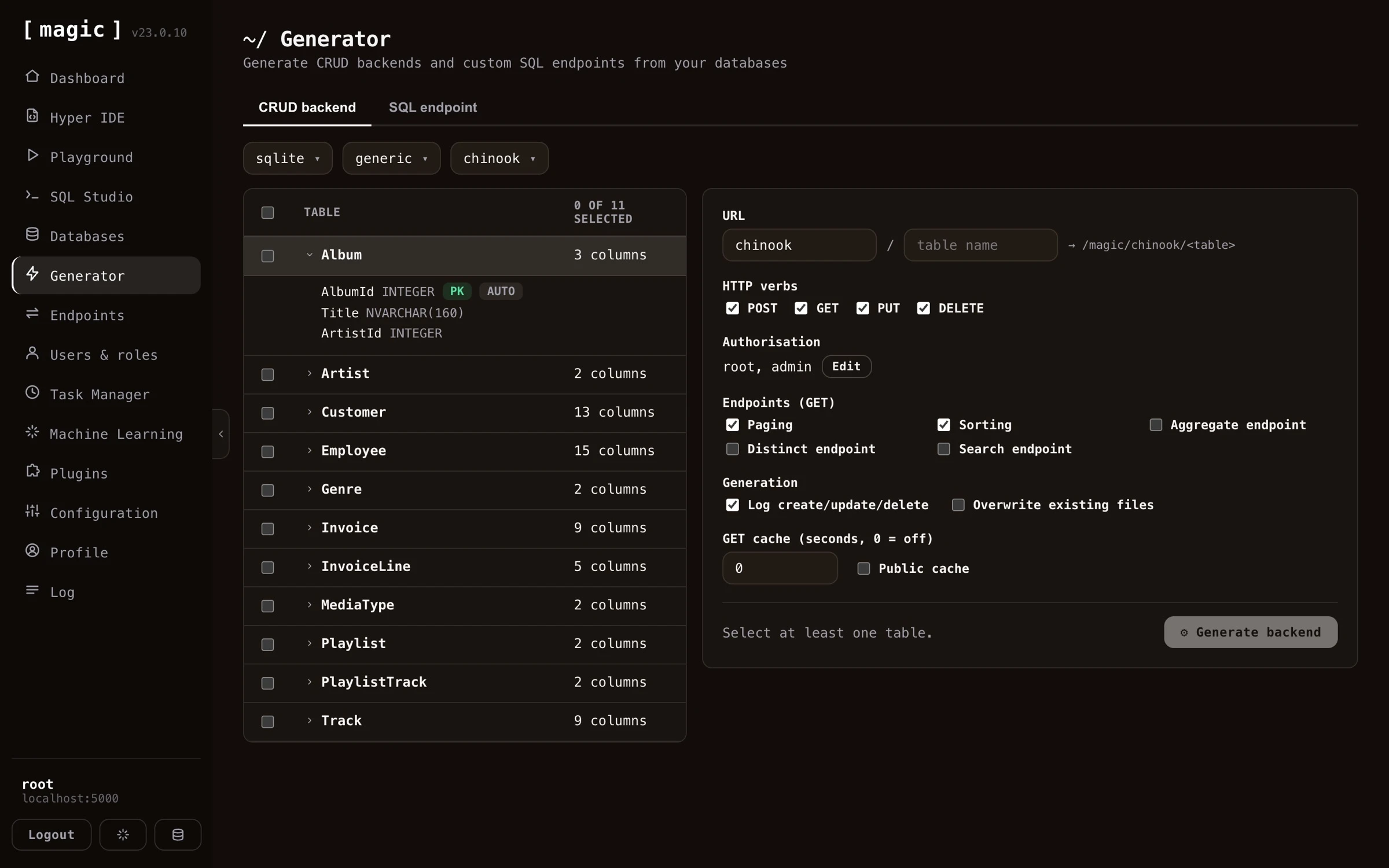 The Endpoint Generator creates 5 HTTP endpoints by default for each table. One endpoint for each CRUD operation, and a 5th endpoint to count items. If your table does not have a primary key, it will not be able to generate delete or update endpoints. If your primary key has a default value, it will not generate endpoint code requiring a primary key value for its create endpoints. In general, the endpoint generator tries to intelligently choose defaults for your tables as it generates your backend. However, it is not always able to choose correctly for you, so you might want to sanity check its result after you've generated your backend.
## Additional endpoint types
In addition to the standard CRUD endpoints, the generator can optionally create a few extra query endpoints for a table. You enable these per table before you generate your backend.
* **Aggregate** - Creates an endpoint that returns the minimum, maximum, average, sum, or count for a column you specify, grouped by another column. The grouping column is mandatory, so the endpoint always returns your aggregate value per group. This lets you produce totals and statistics directly from your database, without writing any SQL yourself.
* **Distinct** - Creates an endpoint that returns the unique, distinct values from a column, allowing you to list every value that occurs in a column without duplicates.
* **Search** - Creates an endpoint that performs a _"keyword density search"_ across your table, ranking each row by how many of your keywords it matches, and sorting the result by _"most matches"_ first. This gives you a simple relevance-ranked, full-text style search endpoint out of the box. Keyword density search is actually a good substitute for RAG and VSS - it requires no embeddings, no vector database, and no AI inference, yet often yields surprisingly relevant results, making it a great low-cost alternative when you need search but don't need semantic understanding.
Below is how the result looks like in [Hyper IDE](https://docs.ainiro.io/dashboard/hyper-ide/) after having generated all endpoint types for a table - one Hyperlambda file per endpoint, including the count, distinct, aggregate, group, and search endpoints.
The Endpoint Generator creates 5 HTTP endpoints by default for each table. One endpoint for each CRUD operation, and a 5th endpoint to count items. If your table does not have a primary key, it will not be able to generate delete or update endpoints. If your primary key has a default value, it will not generate endpoint code requiring a primary key value for its create endpoints. In general, the endpoint generator tries to intelligently choose defaults for your tables as it generates your backend. However, it is not always able to choose correctly for you, so you might want to sanity check its result after you've generated your backend.
## Additional endpoint types
In addition to the standard CRUD endpoints, the generator can optionally create a few extra query endpoints for a table. You enable these per table before you generate your backend.
* **Aggregate** - Creates an endpoint that returns the minimum, maximum, average, sum, or count for a column you specify, grouped by another column. The grouping column is mandatory, so the endpoint always returns your aggregate value per group. This lets you produce totals and statistics directly from your database, without writing any SQL yourself.
* **Distinct** - Creates an endpoint that returns the unique, distinct values from a column, allowing you to list every value that occurs in a column without duplicates.
* **Search** - Creates an endpoint that performs a _"keyword density search"_ across your table, ranking each row by how many of your keywords it matches, and sorting the result by _"most matches"_ first. This gives you a simple relevance-ranked, full-text style search endpoint out of the box. Keyword density search is actually a good substitute for RAG and VSS - it requires no embeddings, no vector database, and no AI inference, yet often yields surprisingly relevant results, making it a great low-cost alternative when you need search but don't need semantic understanding.
Below is how the result looks like in [Hyper IDE](https://docs.ainiro.io/dashboard/hyper-ide/) after having generated all endpoint types for a table - one Hyperlambda file per endpoint, including the count, distinct, aggregate, group, and search endpoints.
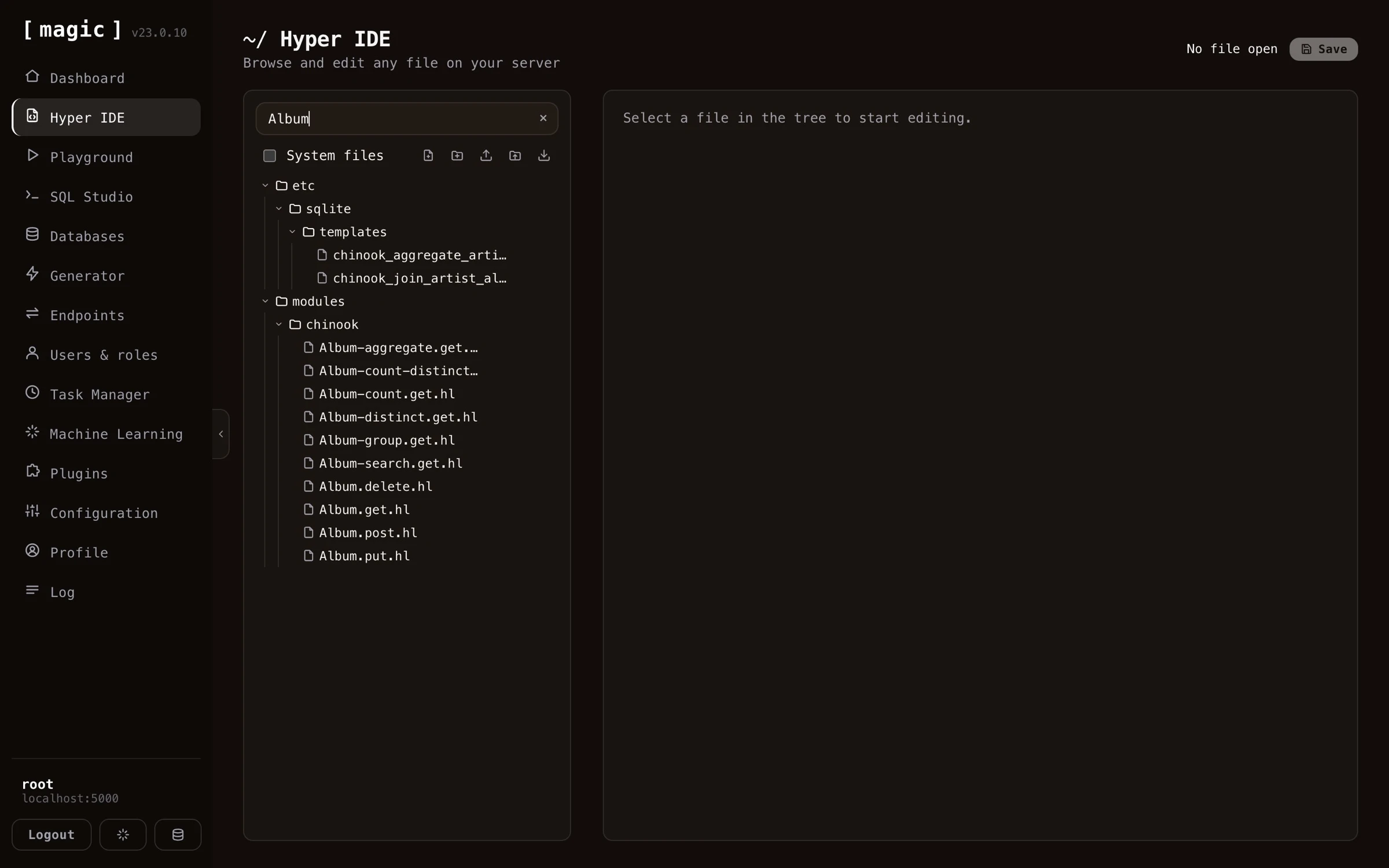 ## Endpoint generator settings
Once you have selected a database and a table, you can override individual settings for how Magic should create CRUD endpoints wrapping your specified table. You can also turn on or off specific columns, preventing Magic from accepting values for these columns, also for individual CRUD verbs. If you have a read only type of column for instance, that should only be set during _"create"_ invocations, you can easily remove that field from your _"update"_ endpoint, making sure Magic does not accept new values to that column when its update endpoint is invoked.
## Endpoint generator settings
Once you have selected a database and a table, you can override individual settings for how Magic should create CRUD endpoints wrapping your specified table. You can also turn on or off specific columns, preventing Magic from accepting values for these columns, also for individual CRUD verbs. If you have a read only type of column for instance, that should only be set during _"create"_ invocations, you can easily remove that field from your _"update"_ endpoint, making sure Magic does not accept new values to that column when its update endpoint is invoked.
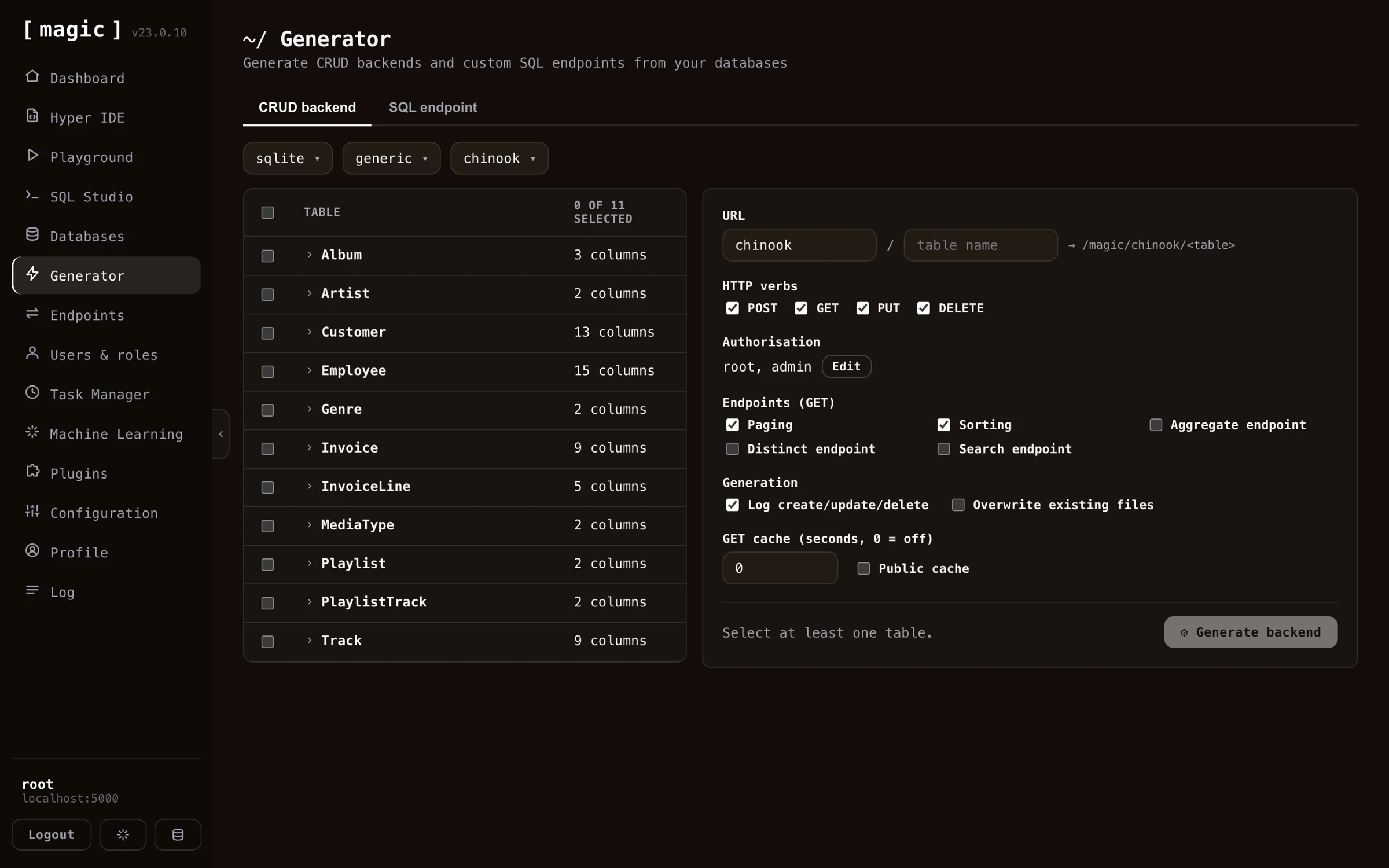 You can also override what URLs your endpoints should use, what authorisation requirements your endpoints should have, in addition to a lot of other settings, such as turning on logging, caching, etc.
## Endpoint generator settings complete list
Below is a complete list of what settings you can apply when generating your endpoints. Notice, some of these settings are only possible to apply if you've selected only _one_ table.
* What fields each CRUD endpoint accepts
* Authorisation requirements for each CRUD endpoint, allowing you to declare which role a user must have to be able to invoke your endpoints
* Primary and secondary URL, allowing you to tell the backend generator what URLs to generate for a particular table
* Paging and sorting, allowing you to turn on or off paging of data and sorting of data
* Additional GET endpoints, such as aggregate, distinct, and search endpoints, giving you more ways to query your table
* Turning on or off logging when your create, update and delete endpoints are invoked
* Caching, implying HTTP cache, or the _"Cache-Control"_ HTTP header, and whether or not to turn on public cache or not, where public caching allows proxies to cache your endpoint's result. Notice, caching is _only_ applied to GET endpoints in this component
* Overwrite, which if true, will overwrite an existing endpoint. By default, the endpoint generator will _not_ overwrite existing files unless you explicitly tell it to do so
## Endpoint generator internals
The endpoint generator will actually create 5 files for you, one file for each CRUD verb, and one file to count items. These files will be Hyperlambda files, and you can see these after the process is done by using [Hyper IDE](https://docs.ainiro.io/dashboard/hyper-ide/) and expand your _"modules"_ folder. The generated Hyperlambda will basically be wrappers around the **[data.connect]** slot, in addition to one of the following slots, depending upon which CRUD verb the file you're looking at is wrapping.
* __[data.create]__ - The Hyperlambda slot for creating new items in your database
* __[data.read]__ - The Hyperlambda slot for reading items from your database
* __[data.update]__ - The Hyperlambda slot for updating items in your database
* __[data.delete]__ - The Hyperlambda slot for deleting items from your database
## HTTP verbs
The CRUD endpoint generator creates endpoints wrapping the POST, GET, PUT, and DELETE verbs, while the SQL and Sandbox API generators can additionally wrap PATCH, and the Search endpoint generator wraps GET or POST.
* POST - Typically used for creating or inserting new items
* GET - Typically used for retrieving or counting records
* PUT - Typically used for updating values in your database
* PATCH - Alternative to PUT with similar semantics, typically when adding new fields (SQL and Sandbox API generators)
* DELETE - Typically used when deleting records in your database.
# Import API
URL: https://docs.ainiro.io/dashboard/endpoint-generator/import-api/
Description: The fifth tab in the Endpoint Generator, "Import API", works the other way around from the other four.
The fifth tab in the Endpoint Generator, _"Import API"_, works the other way around from the other four. Instead of generating endpoints from your own database or your own SQL, it reads an [OpenAPI](https://www.openapis.org/) specification belonging to somebody else's API - Stripe, GitHub, Slack, or any other API that publishes one - and generates Hyperlambda endpoints in your cloudlet wrapping the operations you choose.
You can also override what URLs your endpoints should use, what authorisation requirements your endpoints should have, in addition to a lot of other settings, such as turning on logging, caching, etc.
## Endpoint generator settings complete list
Below is a complete list of what settings you can apply when generating your endpoints. Notice, some of these settings are only possible to apply if you've selected only _one_ table.
* What fields each CRUD endpoint accepts
* Authorisation requirements for each CRUD endpoint, allowing you to declare which role a user must have to be able to invoke your endpoints
* Primary and secondary URL, allowing you to tell the backend generator what URLs to generate for a particular table
* Paging and sorting, allowing you to turn on or off paging of data and sorting of data
* Additional GET endpoints, such as aggregate, distinct, and search endpoints, giving you more ways to query your table
* Turning on or off logging when your create, update and delete endpoints are invoked
* Caching, implying HTTP cache, or the _"Cache-Control"_ HTTP header, and whether or not to turn on public cache or not, where public caching allows proxies to cache your endpoint's result. Notice, caching is _only_ applied to GET endpoints in this component
* Overwrite, which if true, will overwrite an existing endpoint. By default, the endpoint generator will _not_ overwrite existing files unless you explicitly tell it to do so
## Endpoint generator internals
The endpoint generator will actually create 5 files for you, one file for each CRUD verb, and one file to count items. These files will be Hyperlambda files, and you can see these after the process is done by using [Hyper IDE](https://docs.ainiro.io/dashboard/hyper-ide/) and expand your _"modules"_ folder. The generated Hyperlambda will basically be wrappers around the **[data.connect]** slot, in addition to one of the following slots, depending upon which CRUD verb the file you're looking at is wrapping.
* __[data.create]__ - The Hyperlambda slot for creating new items in your database
* __[data.read]__ - The Hyperlambda slot for reading items from your database
* __[data.update]__ - The Hyperlambda slot for updating items in your database
* __[data.delete]__ - The Hyperlambda slot for deleting items from your database
## HTTP verbs
The CRUD endpoint generator creates endpoints wrapping the POST, GET, PUT, and DELETE verbs, while the SQL and Sandbox API generators can additionally wrap PATCH, and the Search endpoint generator wraps GET or POST.
* POST - Typically used for creating or inserting new items
* GET - Typically used for retrieving or counting records
* PUT - Typically used for updating values in your database
* PATCH - Alternative to PUT with similar semantics, typically when adding new fields (SQL and Sandbox API generators)
* DELETE - Typically used when deleting records in your database.
# Import API
URL: https://docs.ainiro.io/dashboard/endpoint-generator/import-api/
Description: The fifth tab in the Endpoint Generator, "Import API", works the other way around from the other four.
The fifth tab in the Endpoint Generator, _"Import API"_, works the other way around from the other four. Instead of generating endpoints from your own database or your own SQL, it reads an [OpenAPI](https://www.openapis.org/) specification belonging to somebody else's API - Stripe, GitHub, Slack, or any other API that publishes one - and generates Hyperlambda endpoints in your cloudlet wrapping the operations you choose.
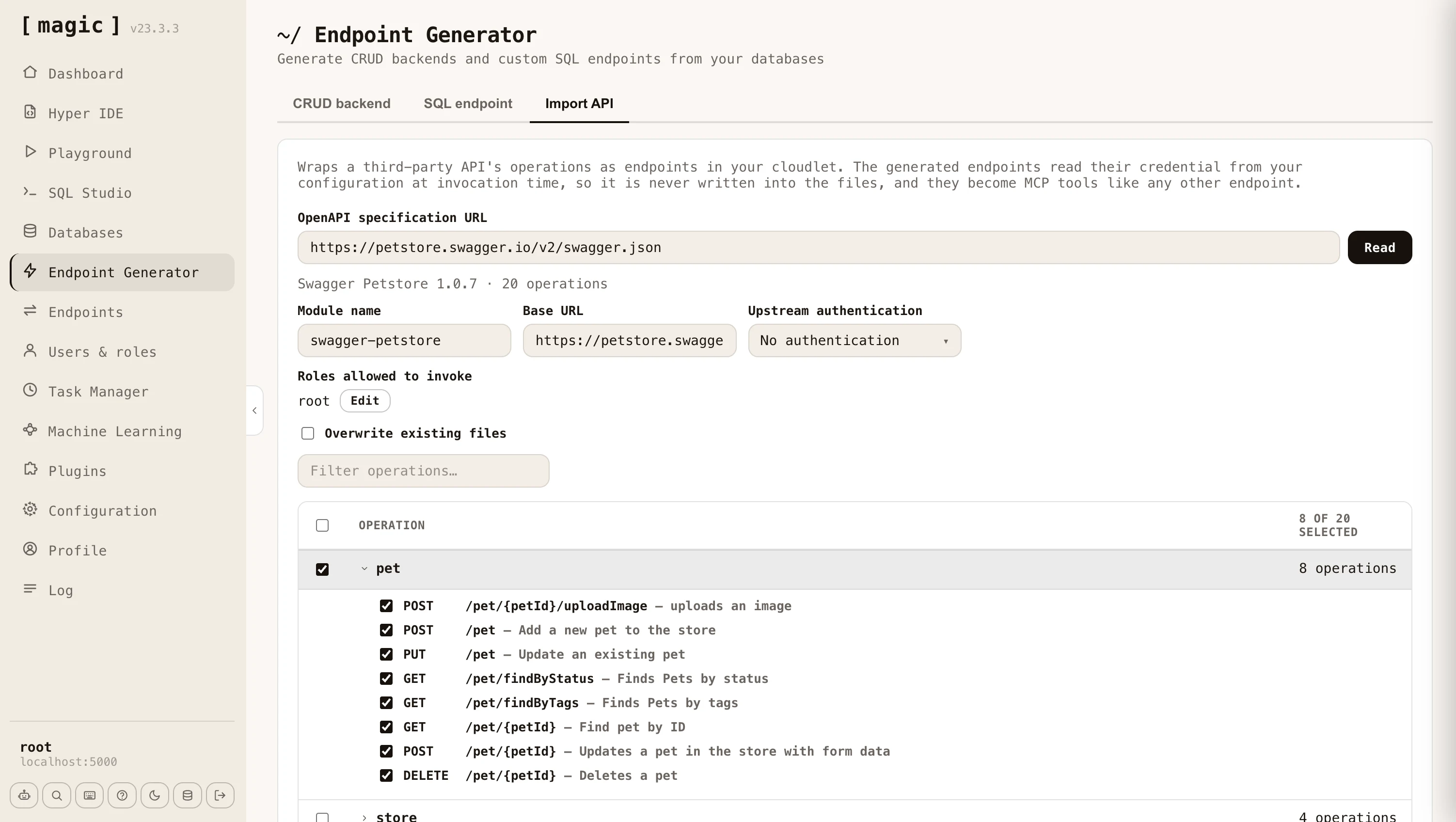 Paste the URL of the specification and click _"Read"_. Magic fetches and parses it, then shows you every operation it found, grouped by the specification's own tags - or by the first meaningful segment of the path for specifications that don't use tags. Tick the operations you want, give the module a name, and click _"Import"_. A terminal dialog reports each endpoint as it is created, and tells you how many lines of Hyperlambda it generated when it finishes.
Both major dialects are supported - OpenAPI 3.x and the older Swagger 2.0 - in either JSON or YAML. Specifications range from a handful of operations to well over a thousand, so the filter box and the group checkboxes let you pick out just the parts of an API you actually intend to use.
## Arguments and documentation
The generated endpoints are ordinary Hyperlambda endpoints, and they are documented from the specification as they are generated. URL parameters, query parameters, and form fields each become a named, typed argument with its own comment stating the type, whether it is required, its default value, the values it accepts, and the description the specification gave it. Required arguments get a **[validators.mandatory]** invocation, so a missing argument is refused before the upstream API is ever contacted.
This matters beyond readability. Magic exposes the file level comment as an endpoint's description and each argument's comment as that argument's description, which is exactly what an [MCP](https://docs.ainiro.io/tutorials/how-to-connect-the-mcp-server/) client reads when deciding how to call a tool. An imported API therefore arrives as a set of self describing tools an AI agent can use without any further work from you.
## Authentication towards the upstream API
Most third party APIs require a credential. You choose how the generated endpoints should authenticate - a bearer token, a custom header, a query parameter, or nothing at all - and which configuration key the credential is read from. The credential itself is never written into the generated files. It is read from your [configuration](https://docs.ainiro.io/dashboard/configuration/) at the moment the endpoint is invoked, so your files stay safe to check into source control. The _"Set"_ button next to the configuration key lets you store the credential without leaving the component.
You also declare which of your own roles are allowed to invoke the generated endpoints, exactly as you do for CRUD endpoints, so wrapping a third party API does not implicitly expose it to everybody.
## Request bodies
Magic generates different code depending upon what the operation expects, which it reads from the specification.
* **JSON** - The endpoint takes a **[payload]** argument, and the fields the specification declares are documented above it, nested objects included.
* **Form encoded** - Each field becomes a named argument of its own, unless the specification nests objects deeply enough to require bracketed keys, in which case the endpoint keeps a single **[payload]** argument.
* **Multipart** - The endpoint accepts a file upload, and forwards it to the upstream API under the field name the specification asks for.
* **Binary** - The endpoint accepts the raw request body and passes it on untouched, which is what APIs accepting an image or a document directly expect.
By default the importer refuses to replace an endpoint that already exists, telling you which file was in the way. Tick _"Overwrite existing files"_ to re-import over an existing module, which is what you want when the upstream specification has changed and you need to regenerate.
# Sandbox API Generator
URL: https://docs.ainiro.io/dashboard/endpoint-generator/sandbox-api/
Description: The "Sandbox API" tab generates a single endpoint that safely executes code its own callers supply.
The _"Sandbox API"_ tab generates a single endpoint that safely executes code its own callers supply. Where the CRUD and SQL generators turn _your_ data and _your_ SQL into fixed endpoints, the Sandbox API publishes one endpoint that accepts Hyperlambda - or a plain-English instruction it turns into Hyperlambda - from whoever calls it, and runs it inside a whitelist that decides, function by function, what that code is allowed to do. The caller never gets more power than the roles you granted, and a function you did not grant simply does not exist as far as their code is concerned.
This is the same mechanism behind the public [Natural Language API](https://hyperlambda.dev/natural-language-api) demonstration, generalised so you can shape the vocabulary, the rate limit and the timeout per role, and mount it at a URL of your choice.
## Input - Hyperlambda, natural language, or both
The _"Input"_ selector decides what the generated endpoint accepts, and your choice is reflected both in the endpoint's arguments and in its documentation.
* **Hyperlambda** - the endpoint takes a **[hyperlambda]** argument and executes it as-is
* **Natural language** - the endpoint takes an **[instruction]** argument, sends it to the [Hyperlambda Generator](https://docs.ainiro.io/dashboard/hyperlambda-generator/) for code, and executes the result
* **Both** - the endpoint accepts either; a non-empty **[instruction]** is used when present, otherwise the **[hyperlambda]** argument
Whichever you choose, the generator writes a matching file level comment and argument comments, so the endpoint documents itself - and, because it becomes an [MCP](https://docs.ainiro.io/tutorials/how-to-connect-the-mcp-server/) tool, so does the tool an AI agent sees.
## How the code is checked and run
Every request goes through the same pipeline.
1. **Verify** - the code is parsed and every function it references is checked against the functions that actually exist on this server. A hallucinated function stops here, before anything runs.
2. **Execute** - the code runs inside a **[whitelist]** whose vocabulary is chosen from the caller's roles. A function that is not in the vocabulary does not resolve, and an argument that is pinned - such as a database name - must match exactly.
3. **Return** - the response always carries a **[state]** saying what happened, the **[result]** the code produced, and a **[reason]** when the runtime refused the code or it failed.
The possible states are `described` (a call that asked what is permitted), `executed`, `rejected` (a function or a pinned argument was not allowed), `unknown-slot` (a referenced function does not exist), `error` (the code threw), `timeout` (execution exceeded the configured limit), and `generator-failed` (no code came back from the generator).
## The policy - base vocabulary plus per-role grants
What the sandbox can reach is defined by a policy you build in the component, made of an _"everybody"_ base rule plus any number of per-role rules.
* **Everybody (base vocabulary)** - the language every caller gets, seeded for you with a safe set of pure, data-shaping functions (mirroring the public Natural Language API's vocabulary, minus database and HTTP access). It also carries the fallback rate limit and timeout.
* **Role rules** - each adds more functions on top of the base for callers in that role. This is how you grant your CEO's role access to one database while your HR role cannot reach it - both keep the base language, and each role's extra functions are added to it.
The vocabulary a given caller runs with is the _union_ of every rule they match, so capabilities compose. The rate limit and the timeout are resolved _independently_ - each is taken from the first matching rule, top to bottom, that declares it, so you order your rules most-privileged first and never have to calculate a maximum. The base rule sits last as the fallback for both.
Functions are written one per line. A bare name such as `data.read` grants the function; a name with a value such as `data.connect:northwind` pins its primary argument - here restricting database access to exactly the `northwind` database. File and folder functions pin their path the same way. A function that takes a _file_ takes a filename, so `io.file.load:/etc/reports/*.csv` grants loading the CSV files directly in that folder, while `io.file.load:/etc/reports/summary.csv` grants exactly one file. A folder function takes a folder, which ends with a slash, such as `io.folder.list:/etc/reports/`.
Each role rule also has a one-line description field - _"What can this role do?"_ - which you can leave empty. Everything you write there is added to the generated endpoint's file level comment as a list of roles, which is what an AI agent reads as the tool's description. It should say what the role can accomplish, in plain words, such as _"Can run the pre-approved reporting logic on the chinook data, but never touches the database directly"_.
Paste the URL of the specification and click _"Read"_. Magic fetches and parses it, then shows you every operation it found, grouped by the specification's own tags - or by the first meaningful segment of the path for specifications that don't use tags. Tick the operations you want, give the module a name, and click _"Import"_. A terminal dialog reports each endpoint as it is created, and tells you how many lines of Hyperlambda it generated when it finishes.
Both major dialects are supported - OpenAPI 3.x and the older Swagger 2.0 - in either JSON or YAML. Specifications range from a handful of operations to well over a thousand, so the filter box and the group checkboxes let you pick out just the parts of an API you actually intend to use.
## Arguments and documentation
The generated endpoints are ordinary Hyperlambda endpoints, and they are documented from the specification as they are generated. URL parameters, query parameters, and form fields each become a named, typed argument with its own comment stating the type, whether it is required, its default value, the values it accepts, and the description the specification gave it. Required arguments get a **[validators.mandatory]** invocation, so a missing argument is refused before the upstream API is ever contacted.
This matters beyond readability. Magic exposes the file level comment as an endpoint's description and each argument's comment as that argument's description, which is exactly what an [MCP](https://docs.ainiro.io/tutorials/how-to-connect-the-mcp-server/) client reads when deciding how to call a tool. An imported API therefore arrives as a set of self describing tools an AI agent can use without any further work from you.
## Authentication towards the upstream API
Most third party APIs require a credential. You choose how the generated endpoints should authenticate - a bearer token, a custom header, a query parameter, or nothing at all - and which configuration key the credential is read from. The credential itself is never written into the generated files. It is read from your [configuration](https://docs.ainiro.io/dashboard/configuration/) at the moment the endpoint is invoked, so your files stay safe to check into source control. The _"Set"_ button next to the configuration key lets you store the credential without leaving the component.
You also declare which of your own roles are allowed to invoke the generated endpoints, exactly as you do for CRUD endpoints, so wrapping a third party API does not implicitly expose it to everybody.
## Request bodies
Magic generates different code depending upon what the operation expects, which it reads from the specification.
* **JSON** - The endpoint takes a **[payload]** argument, and the fields the specification declares are documented above it, nested objects included.
* **Form encoded** - Each field becomes a named argument of its own, unless the specification nests objects deeply enough to require bracketed keys, in which case the endpoint keeps a single **[payload]** argument.
* **Multipart** - The endpoint accepts a file upload, and forwards it to the upstream API under the field name the specification asks for.
* **Binary** - The endpoint accepts the raw request body and passes it on untouched, which is what APIs accepting an image or a document directly expect.
By default the importer refuses to replace an endpoint that already exists, telling you which file was in the way. Tick _"Overwrite existing files"_ to re-import over an existing module, which is what you want when the upstream specification has changed and you need to regenerate.
# Sandbox API Generator
URL: https://docs.ainiro.io/dashboard/endpoint-generator/sandbox-api/
Description: The "Sandbox API" tab generates a single endpoint that safely executes code its own callers supply.
The _"Sandbox API"_ tab generates a single endpoint that safely executes code its own callers supply. Where the CRUD and SQL generators turn _your_ data and _your_ SQL into fixed endpoints, the Sandbox API publishes one endpoint that accepts Hyperlambda - or a plain-English instruction it turns into Hyperlambda - from whoever calls it, and runs it inside a whitelist that decides, function by function, what that code is allowed to do. The caller never gets more power than the roles you granted, and a function you did not grant simply does not exist as far as their code is concerned.
This is the same mechanism behind the public [Natural Language API](https://hyperlambda.dev/natural-language-api) demonstration, generalised so you can shape the vocabulary, the rate limit and the timeout per role, and mount it at a URL of your choice.
## Input - Hyperlambda, natural language, or both
The _"Input"_ selector decides what the generated endpoint accepts, and your choice is reflected both in the endpoint's arguments and in its documentation.
* **Hyperlambda** - the endpoint takes a **[hyperlambda]** argument and executes it as-is
* **Natural language** - the endpoint takes an **[instruction]** argument, sends it to the [Hyperlambda Generator](https://docs.ainiro.io/dashboard/hyperlambda-generator/) for code, and executes the result
* **Both** - the endpoint accepts either; a non-empty **[instruction]** is used when present, otherwise the **[hyperlambda]** argument
Whichever you choose, the generator writes a matching file level comment and argument comments, so the endpoint documents itself - and, because it becomes an [MCP](https://docs.ainiro.io/tutorials/how-to-connect-the-mcp-server/) tool, so does the tool an AI agent sees.
## How the code is checked and run
Every request goes through the same pipeline.
1. **Verify** - the code is parsed and every function it references is checked against the functions that actually exist on this server. A hallucinated function stops here, before anything runs.
2. **Execute** - the code runs inside a **[whitelist]** whose vocabulary is chosen from the caller's roles. A function that is not in the vocabulary does not resolve, and an argument that is pinned - such as a database name - must match exactly.
3. **Return** - the response always carries a **[state]** saying what happened, the **[result]** the code produced, and a **[reason]** when the runtime refused the code or it failed.
The possible states are `described` (a call that asked what is permitted), `executed`, `rejected` (a function or a pinned argument was not allowed), `unknown-slot` (a referenced function does not exist), `error` (the code threw), `timeout` (execution exceeded the configured limit), and `generator-failed` (no code came back from the generator).
## The policy - base vocabulary plus per-role grants
What the sandbox can reach is defined by a policy you build in the component, made of an _"everybody"_ base rule plus any number of per-role rules.
* **Everybody (base vocabulary)** - the language every caller gets, seeded for you with a safe set of pure, data-shaping functions (mirroring the public Natural Language API's vocabulary, minus database and HTTP access). It also carries the fallback rate limit and timeout.
* **Role rules** - each adds more functions on top of the base for callers in that role. This is how you grant your CEO's role access to one database while your HR role cannot reach it - both keep the base language, and each role's extra functions are added to it.
The vocabulary a given caller runs with is the _union_ of every rule they match, so capabilities compose. The rate limit and the timeout are resolved _independently_ - each is taken from the first matching rule, top to bottom, that declares it, so you order your rules most-privileged first and never have to calculate a maximum. The base rule sits last as the fallback for both.
Functions are written one per line. A bare name such as `data.read` grants the function; a name with a value such as `data.connect:northwind` pins its primary argument - here restricting database access to exactly the `northwind` database. File and folder functions pin their path the same way. A function that takes a _file_ takes a filename, so `io.file.load:/etc/reports/*.csv` grants loading the CSV files directly in that folder, while `io.file.load:/etc/reports/summary.csv` grants exactly one file. A folder function takes a folder, which ends with a slash, such as `io.folder.list:/etc/reports/`.
Each role rule also has a one-line description field - _"What can this role do?"_ - which you can leave empty. Everything you write there is added to the generated endpoint's file level comment as a list of roles, which is what an AI agent reads as the tool's description. It should say what the role can accomplish, in plain words, such as _"Can run the pre-approved reporting logic on the chinook data, but never touches the database directly"_.
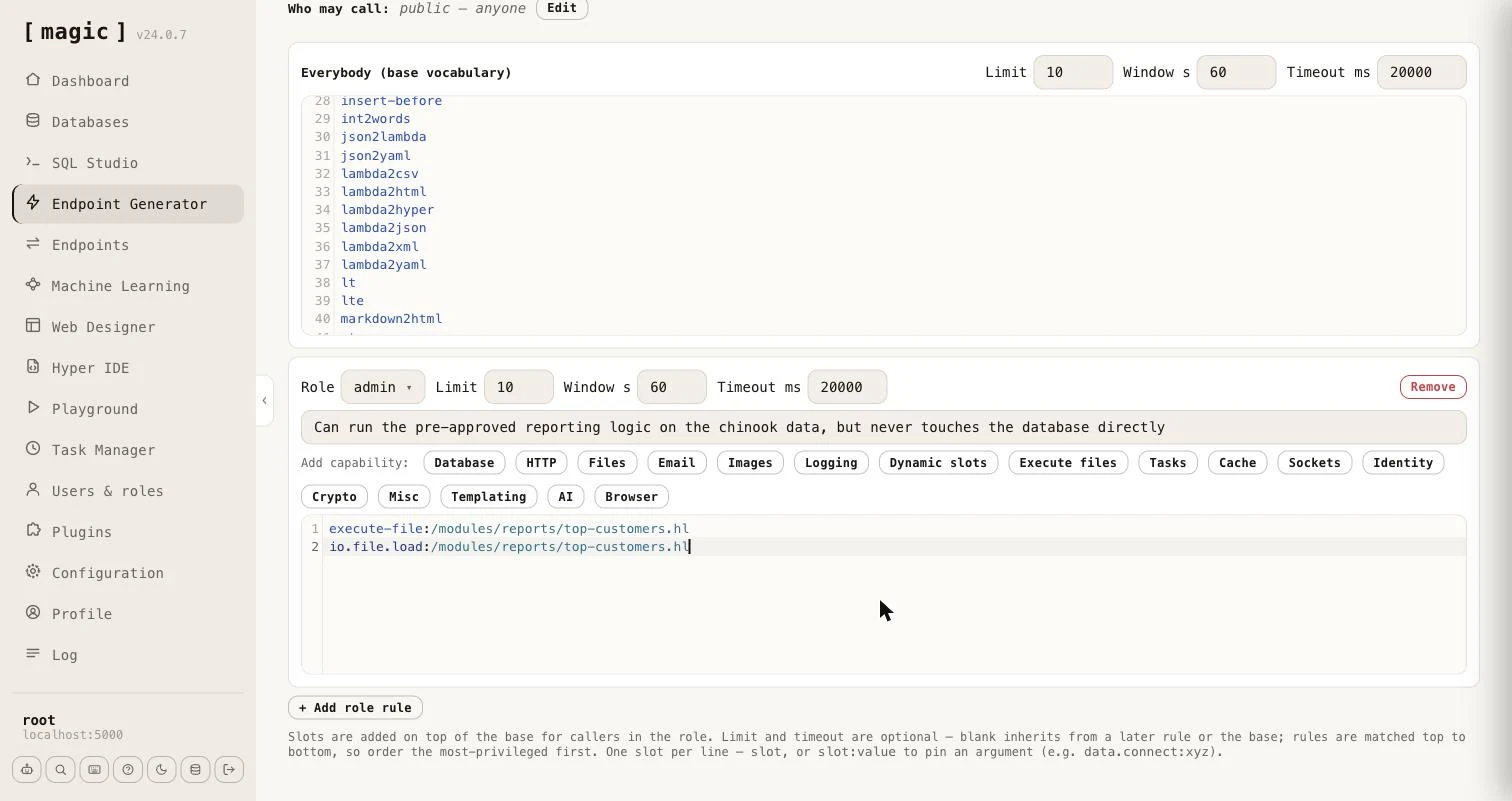 The editor warns you when a grant is wider than you probably intended. A function whose argument is what confines it - **[data.connect]**, every file and folder function, **[execute]**, **[signal]**, **[try-signal]**, **[execute-file]** and **[io.file.execute]** - reaches _anything_ on the server when it has no pinned argument, so a bare line for any of them shows a warning telling you to pin it.
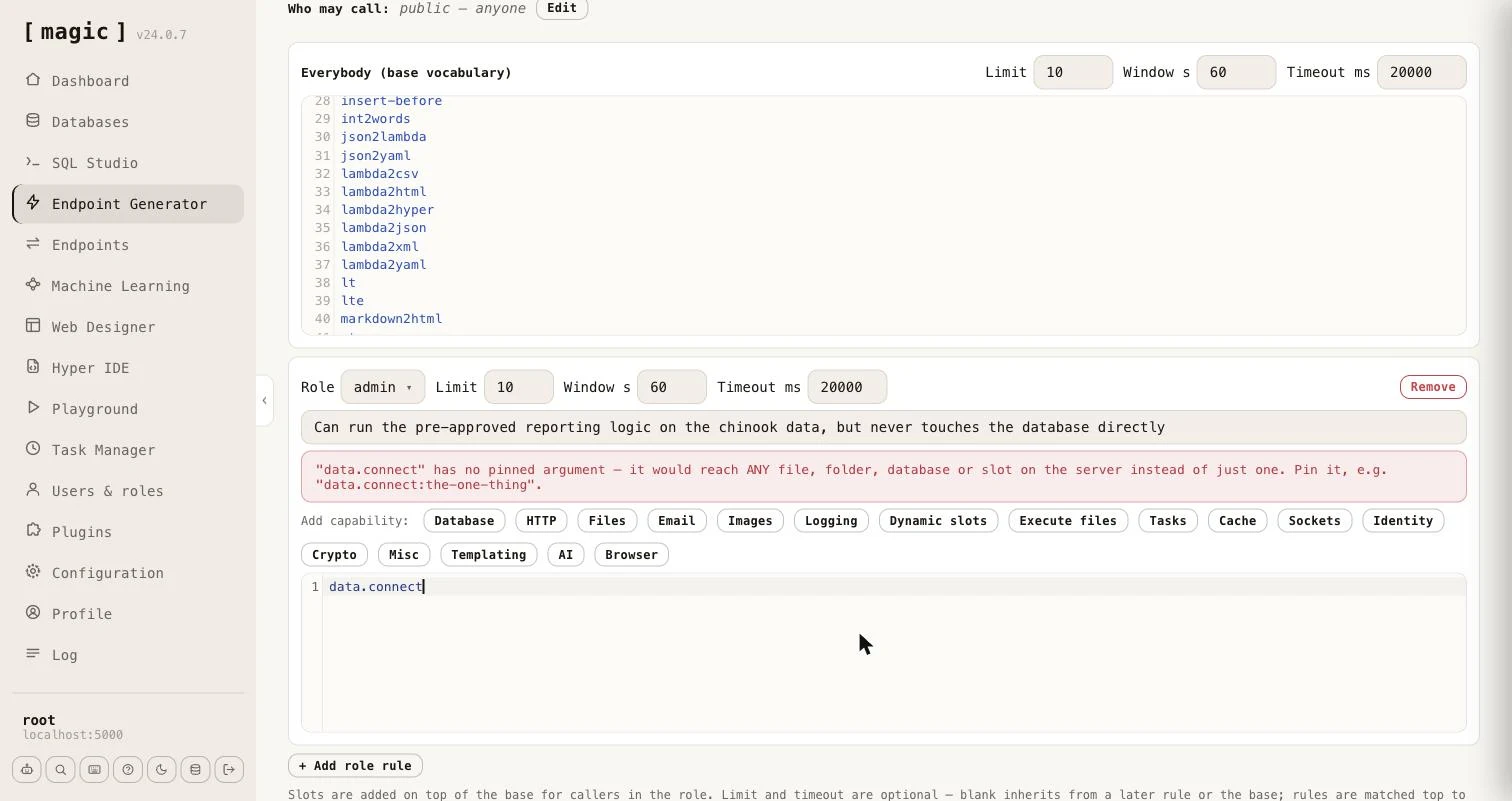 ## Capability wizards
Typing function names by hand is error-prone, so each role rule carries a row of wizards that write the correct lines for you. The _"Add capability"_ buttons cover Database, HTTP, Files, Email, Images, Logging, Dynamic slots, Execute files, Tasks, Cache, Sockets, Identity, Crypto, Misc, Templating, AI, and a headless Browser. The Database wizard lets you pick a database and tick Read, Create, Update and Delete, and writes the pinned **[data.connect]** line plus a function per operation. The Files wizard grants Read, Write and/or Delete and can pin them all to a folder, and to an extension. Deliberately omitted are configuration - which would expose secrets - and ticket minting, which is the one escalation the sandbox exists to prevent, so the Identity wizard is read-only.
Two of the wizards work differently from the rest, because they grant _code you wrote_ rather than functions - which is the subject of the next section.
# Sandbox API - Business Logic Without Raw Access
URL: https://docs.ainiro.io/dashboard/endpoint-generator/sandbox-business-logic/
Description: A whitelist answers "which functions may this role call?" Often the better question is "which results may this role get?" A role that should be able to see your top customers does not need [data.conne
### Business logic without raw access
A whitelist answers _"which functions may this role call?"_ Often the better question is _"which results may this role get?"_ A role that should be able to see your top customers does not need **[data.connect]**, **[data.read]**, and the freedom to write SQL. It needs one piece of code that you wrote and reviewed, which returns exactly what it should and nothing else.
That piece of code is an ordinary Hyperlambda file. You write it the way you would write any other Hyperlambda - in [Hyper IDE](https://docs.ainiro.io/dashboard/hyper-ide/), or by letting an AI agent create it over [MCP](https://docs.ainiro.io/tutorials/how-to-connect-the-mcp-server/) - and it can be as complex as the job requires. A file in a module, such as the following, validates its own arguments and then talks to the database.
```
/*
* Returns the customers who have spent the most.
*/
.arguments
// Optional number of customers to return, between 1 and 100. Defaults to 10.
limit:int
validators.default:x:@.arguments
limit:int:10
validators.integer:x:@.arguments/*/limit
min:int:1
max:int:100
data.connect:chinook
data.select:@"
select c.FirstName || ' ' || c.LastName as name, sum(i.Total) as total
from Customer c
inner join Invoice i on i.CustomerId = c.CustomerId
group by c.CustomerId
order by total desc
limit @max_rows"
max_rows:x:@.arguments/*/limit
return-nodes:x:@data.select/*
```
Save it as `/modules/reports/top-customers.hl`. A file name without an HTTP verb in it, such as this one, is not an endpoint, so nobody can invoke it over HTTP - it can only be reached by code that executes it.
#### Granting the file instead of its functions
Open a role rule and click _"Execute files"_. The wizard lists every Hyperlambda file under `/modules/`, filterable, with a _"?"_ button next to each showing the file's description and its arguments. Tick the files this role may run - the _"Select all filtered"_ checkbox ticks everything the filter currently shows - and click _"Add"_.
## Capability wizards
Typing function names by hand is error-prone, so each role rule carries a row of wizards that write the correct lines for you. The _"Add capability"_ buttons cover Database, HTTP, Files, Email, Images, Logging, Dynamic slots, Execute files, Tasks, Cache, Sockets, Identity, Crypto, Misc, Templating, AI, and a headless Browser. The Database wizard lets you pick a database and tick Read, Create, Update and Delete, and writes the pinned **[data.connect]** line plus a function per operation. The Files wizard grants Read, Write and/or Delete and can pin them all to a folder, and to an extension. Deliberately omitted are configuration - which would expose secrets - and ticket minting, which is the one escalation the sandbox exists to prevent, so the Identity wizard is read-only.
Two of the wizards work differently from the rest, because they grant _code you wrote_ rather than functions - which is the subject of the next section.
# Sandbox API - Business Logic Without Raw Access
URL: https://docs.ainiro.io/dashboard/endpoint-generator/sandbox-business-logic/
Description: A whitelist answers "which functions may this role call?" Often the better question is "which results may this role get?" A role that should be able to see your top customers does not need [data.conne
### Business logic without raw access
A whitelist answers _"which functions may this role call?"_ Often the better question is _"which results may this role get?"_ A role that should be able to see your top customers does not need **[data.connect]**, **[data.read]**, and the freedom to write SQL. It needs one piece of code that you wrote and reviewed, which returns exactly what it should and nothing else.
That piece of code is an ordinary Hyperlambda file. You write it the way you would write any other Hyperlambda - in [Hyper IDE](https://docs.ainiro.io/dashboard/hyper-ide/), or by letting an AI agent create it over [MCP](https://docs.ainiro.io/tutorials/how-to-connect-the-mcp-server/) - and it can be as complex as the job requires. A file in a module, such as the following, validates its own arguments and then talks to the database.
```
/*
* Returns the customers who have spent the most.
*/
.arguments
// Optional number of customers to return, between 1 and 100. Defaults to 10.
limit:int
validators.default:x:@.arguments
limit:int:10
validators.integer:x:@.arguments/*/limit
min:int:1
max:int:100
data.connect:chinook
data.select:@"
select c.FirstName || ' ' || c.LastName as name, sum(i.Total) as total
from Customer c
inner join Invoice i on i.CustomerId = c.CustomerId
group by c.CustomerId
order by total desc
limit @max_rows"
max_rows:x:@.arguments/*/limit
return-nodes:x:@data.select/*
```
Save it as `/modules/reports/top-customers.hl`. A file name without an HTTP verb in it, such as this one, is not an endpoint, so nobody can invoke it over HTTP - it can only be reached by code that executes it.
#### Granting the file instead of its functions
Open a role rule and click _"Execute files"_. The wizard lists every Hyperlambda file under `/modules/`, filterable, with a _"?"_ button next to each showing the file's description and its arguments. Tick the files this role may run - the _"Select all filtered"_ checkbox ticks everything the filter currently shows - and click _"Add"_.
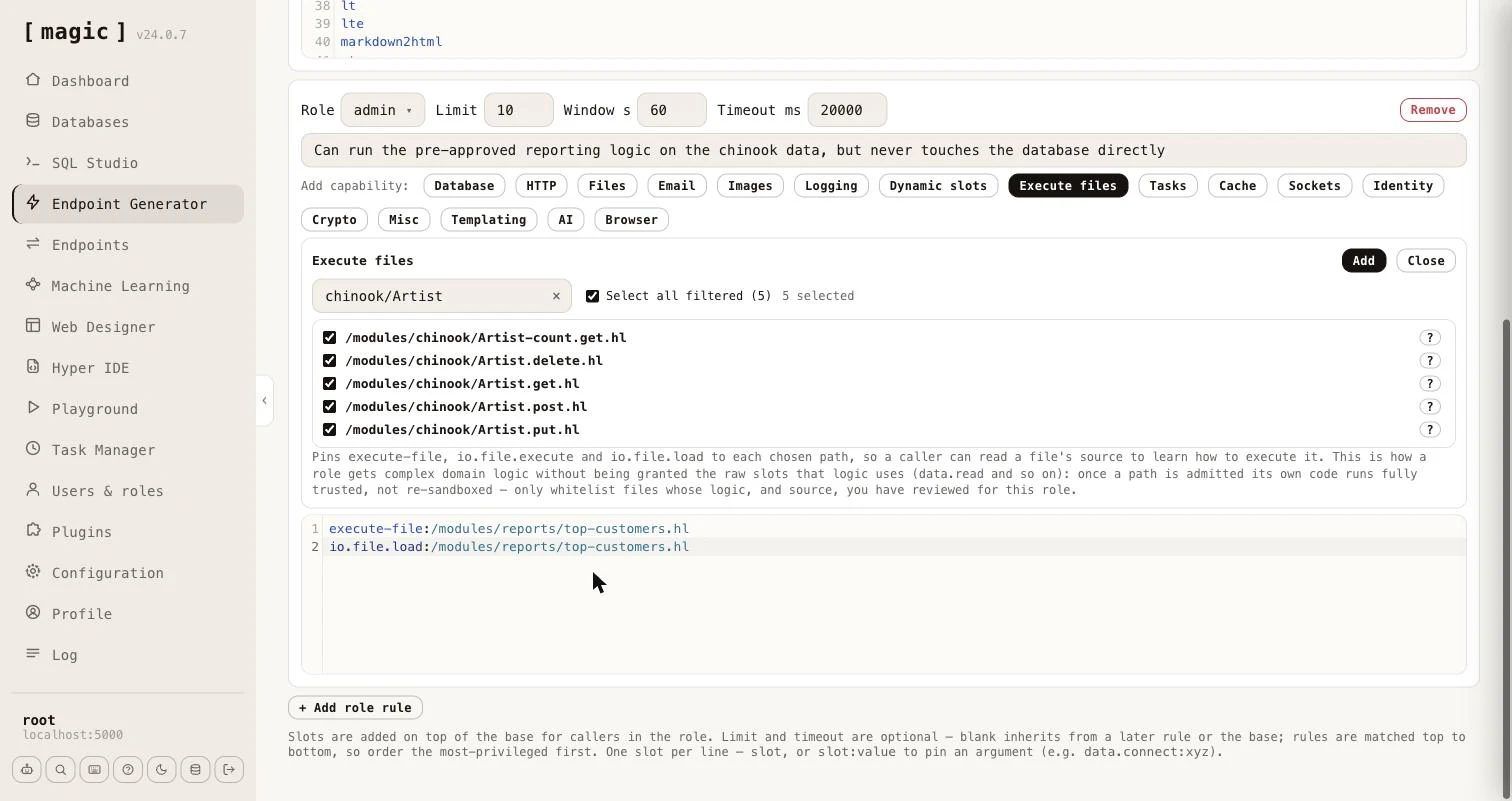 For every file you tick, the wizard writes three lines, each pinned to exactly that path.
```
execute-file:/modules/reports/top-customers.hl
io.file.execute:/modules/reports/top-customers.hl
io.file.load:/modules/reports/top-customers.hl
```
The first two let the role run the file, and **[execute-file]** and **[io.file.execute]** are the same operation under two names, so both are granted. The third lets the role read the file's source, so a caller - typically an AI agent - can learn what arguments it takes and how it behaves before running it. The role is granted _nothing else_. It has no **[data.connect]**, no **[data.read]**, and cannot run SQL of its own.
A caller in that role can now do this.
```
execute-file:/modules/reports/top-customers.hl
limit:int:5
return-nodes:x:@execute-file/*
```
The file runs, queries the database, and returns the five biggest spenders. If the same caller tries to reach the database directly - `data.connect:chinook` - the sandbox answers with the state `rejected`.
#### What makes this safe, and what you must still do
The whitelist stops applying to the code _inside_ a file it admitted, exactly as it already does inside a dynamic slot. Without that, the file's own **[data.connect]** would be refused, and the whole idea would be pointless. This is deliberate, and it moves the responsibility into the file, so a few rules matter.
* **Review the file, and its source.** Whatever you grant runs with the server's full vocabulary, and the role can read the source through **[io.file.load]**, so keep credentials and anything secret out of it. The wizard says so, too.
* **Validate arguments inside the file.** The caller chooses the arguments. Use validators as the example does, pass values to SQL as parameters, and never build SQL, file paths or URLs by concatenating what the caller sent.
* **Never run caller supplied code inside the file.** A file that evaluates a lambda it was given would hand the caller the full vocabulary again.
* **Pin the path.** Prefer an exact path to a wildcard, so that a new file dropped in the folder later does not silently become part of the role.
The _"Dynamic slots"_ wizard is the same idea for logic held in a dynamic slot, created at runtime with **[slots.create]**, which is kept in memory only. It grants **[execute]**, **[signal]** and **[try-signal]**, each pinned to the slot name. Files are the better choice for anything that has to survive a restart.
# Sandbox API - Callers, Throttling and Discovery
URL: https://docs.ainiro.io/dashboard/endpoint-generator/sandbox-callers-and-discovery/
Description: Two settings sit above the policy.
### Root, throttling and the timeout
Two settings sit above the policy.
* **Root bypasses the sandbox** - when on, a caller in the `root` role runs with the server's _full_ vocabulary and no whitelist at all. Root is trusted completely, so it is also never rate limited and never timed out, whether or not this is on - the setting only controls whether root additionally escapes the vocabulary restriction.
* **Return code** - when on, the response includes the generated or supplied code; when off, only the state, result and any reason come back, which is usually what an application calling the endpoint wants.
Rate limiting is per role, keyed by the caller's IP address, and the timeout cancels execution after the configured number of milliseconds - a caller's own code can shorten it, but never extend it.
### Who may call
The _"Who may call"_ row gates the endpoint itself, exactly as for the other generators - leave it empty for a public endpoint, or name the roles allowed to invoke it. A caller who gets past that gate is then further constrained by the policy.
When the endpoint is saved, the generator offers _"Open in Endpoints"_ and _"Open in Hyper IDE"_ next to the preview of what it wrote.
### Asking what is permitted - describe
Every generated endpoint accepts a **[describe]** argument. Set it to true instead of sending code, and the endpoint tells the caller what it may do, without executing anything and without counting against its rate limit.
```
{
"state": "described",
"vocabulary": [
{ "name": "add", "value": null },
{ "name": "execute-file", "value": "/modules/reports/top-customers.hl" },
{ "name": "io.file.load", "value": "/modules/reports/top-customers.hl" }
],
"limit": 10,
"window": 60,
"timeout": 20000
}
```
The **[vocabulary]** is a list with one entry per granted function, carrying its **[name]** and its pinned **[value]**, which is null when the function is not pinned. It is a list, and not an object keyed by name, because the same function can be granted several times with different pinned values. The **[limit]**, **[window]** and **[timeout]** tell the caller how many calls it may make per window of seconds, and how many milliseconds a call may run. They are left out for root, which has neither. When _"Root bypasses the sandbox"_ is on, root is told the server's full vocabulary, together with `root-bypass: true`.
For every file you tick, the wizard writes three lines, each pinned to exactly that path.
```
execute-file:/modules/reports/top-customers.hl
io.file.execute:/modules/reports/top-customers.hl
io.file.load:/modules/reports/top-customers.hl
```
The first two let the role run the file, and **[execute-file]** and **[io.file.execute]** are the same operation under two names, so both are granted. The third lets the role read the file's source, so a caller - typically an AI agent - can learn what arguments it takes and how it behaves before running it. The role is granted _nothing else_. It has no **[data.connect]**, no **[data.read]**, and cannot run SQL of its own.
A caller in that role can now do this.
```
execute-file:/modules/reports/top-customers.hl
limit:int:5
return-nodes:x:@execute-file/*
```
The file runs, queries the database, and returns the five biggest spenders. If the same caller tries to reach the database directly - `data.connect:chinook` - the sandbox answers with the state `rejected`.
#### What makes this safe, and what you must still do
The whitelist stops applying to the code _inside_ a file it admitted, exactly as it already does inside a dynamic slot. Without that, the file's own **[data.connect]** would be refused, and the whole idea would be pointless. This is deliberate, and it moves the responsibility into the file, so a few rules matter.
* **Review the file, and its source.** Whatever you grant runs with the server's full vocabulary, and the role can read the source through **[io.file.load]**, so keep credentials and anything secret out of it. The wizard says so, too.
* **Validate arguments inside the file.** The caller chooses the arguments. Use validators as the example does, pass values to SQL as parameters, and never build SQL, file paths or URLs by concatenating what the caller sent.
* **Never run caller supplied code inside the file.** A file that evaluates a lambda it was given would hand the caller the full vocabulary again.
* **Pin the path.** Prefer an exact path to a wildcard, so that a new file dropped in the folder later does not silently become part of the role.
The _"Dynamic slots"_ wizard is the same idea for logic held in a dynamic slot, created at runtime with **[slots.create]**, which is kept in memory only. It grants **[execute]**, **[signal]** and **[try-signal]**, each pinned to the slot name. Files are the better choice for anything that has to survive a restart.
# Sandbox API - Callers, Throttling and Discovery
URL: https://docs.ainiro.io/dashboard/endpoint-generator/sandbox-callers-and-discovery/
Description: Two settings sit above the policy.
### Root, throttling and the timeout
Two settings sit above the policy.
* **Root bypasses the sandbox** - when on, a caller in the `root` role runs with the server's _full_ vocabulary and no whitelist at all. Root is trusted completely, so it is also never rate limited and never timed out, whether or not this is on - the setting only controls whether root additionally escapes the vocabulary restriction.
* **Return code** - when on, the response includes the generated or supplied code; when off, only the state, result and any reason come back, which is usually what an application calling the endpoint wants.
Rate limiting is per role, keyed by the caller's IP address, and the timeout cancels execution after the configured number of milliseconds - a caller's own code can shorten it, but never extend it.
### Who may call
The _"Who may call"_ row gates the endpoint itself, exactly as for the other generators - leave it empty for a public endpoint, or name the roles allowed to invoke it. A caller who gets past that gate is then further constrained by the policy.
When the endpoint is saved, the generator offers _"Open in Endpoints"_ and _"Open in Hyper IDE"_ next to the preview of what it wrote.
### Asking what is permitted - describe
Every generated endpoint accepts a **[describe]** argument. Set it to true instead of sending code, and the endpoint tells the caller what it may do, without executing anything and without counting against its rate limit.
```
{
"state": "described",
"vocabulary": [
{ "name": "add", "value": null },
{ "name": "execute-file", "value": "/modules/reports/top-customers.hl" },
{ "name": "io.file.load", "value": "/modules/reports/top-customers.hl" }
],
"limit": 10,
"window": 60,
"timeout": 20000
}
```
The **[vocabulary]** is a list with one entry per granted function, carrying its **[name]** and its pinned **[value]**, which is null when the function is not pinned. It is a list, and not an object keyed by name, because the same function can be granted several times with different pinned values. The **[limit]**, **[window]** and **[timeout]** tell the caller how many calls it may make per window of seconds, and how many milliseconds a call may run. They are left out for root, which has neither. When _"Root bypasses the sandbox"_ is on, root is told the server's full vocabulary, together with `root-bypass: true`.
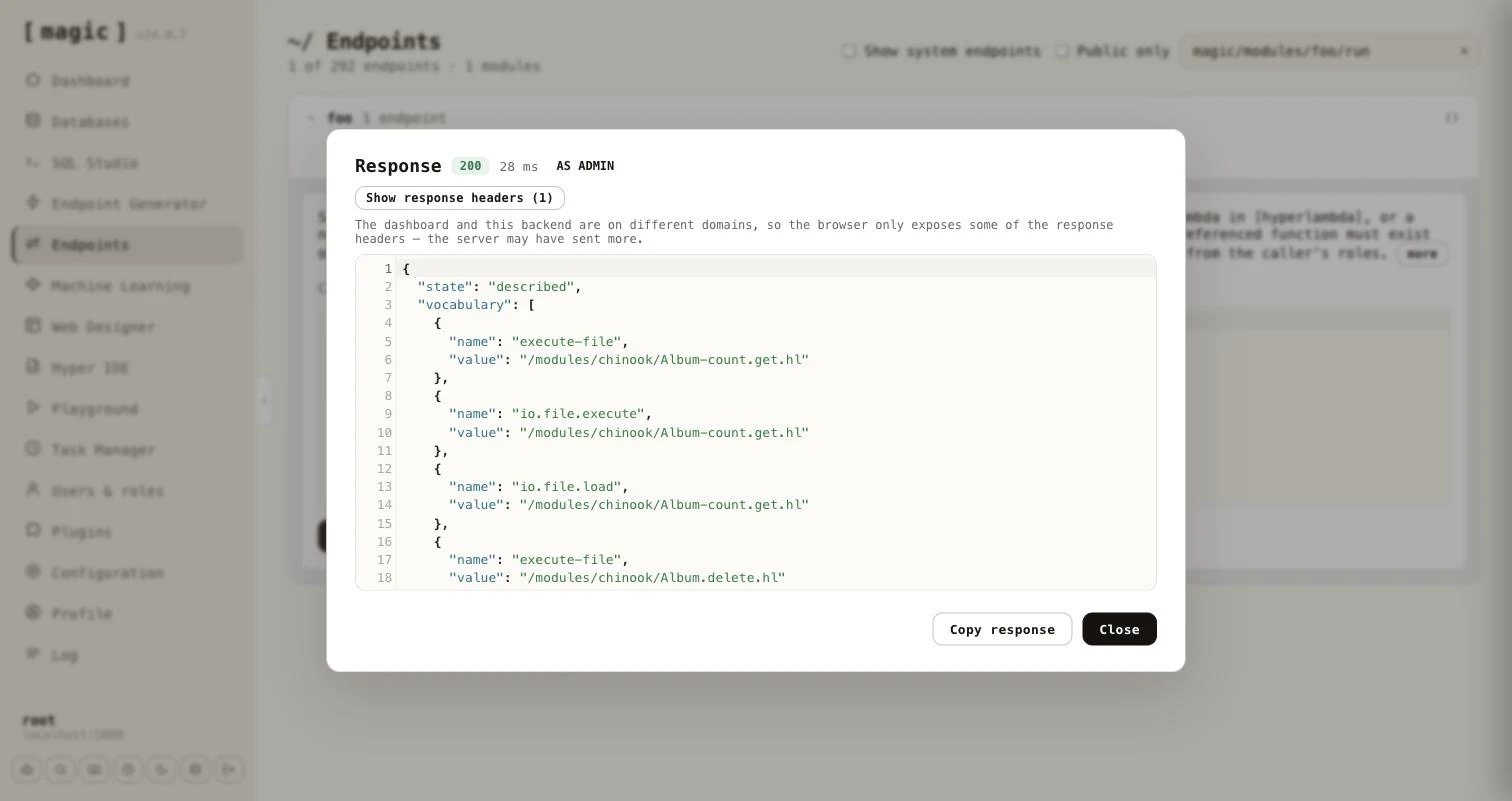 ### As an MCP tool, and discovery without MCP
Because the generated endpoint is an ordinary Hyperlambda endpoint, it is also an MCP tool. Its file level comment becomes the tool's description. The generator writes it to match the input mode, lists every role's description as a markdown list, and tells the calling model to call the tool with **[describe]** set to true to learn its capability surface.
```
* Accepts caller-supplied Hyperlambda in [hyperlambda], or a natural-language
* [instruction] the Hyperlambda Generator turns into code.
*
* Roles:
*
* - **admin**: Can run the pre-approved reporting logic on the chinook data
```
An agent that is not connected over MCP can still find these endpoints. The first time the generator saves a Sandbox API endpoint, it creates `/etc/www/.well-known/` if it is missing, together with a pair of files - `hyperlambda-agent.html` and its code-behind `hyperlambda-agent.hl`, created from templates and never overwritten afterwards. Every endpoint the generator saves is then added to the code-behind, replacing its earlier entry when you regenerate it. Fetching `/.well-known/hyperlambda-agent` on your cloudlet returns JSON an agent can read without any setup.
```
{
"about": "Sandboxed Hyperlambda endpoints on this server. ...",
"base": "https://your-cloudlet.example.com",
"endpoints": [
{
"path": "magic/modules/foo/run",
"verb": "post",
"description": "Sandboxed Hyperlambda endpoint, generated by ...",
"auth": "admin"
}
]
}
```
Each entry has the endpoint's **[path]** relative to **[base]**, its **[verb]**, its **[description]**, and **[auth]** only when you restricted who may call it. The code-behind is a plain, readable file, so you can prune or edit the list by hand.
### Testing an endpoint as a role
The Endpoints component and Hyper IDE both have a _"Run as"_ dropdown next to _"Invoke"_ - see [Endpoints](https://docs.ainiro.io/dashboard/endpoints/). Choose a role, invoke with **[describe]** set to true, and you see exactly what a caller in that role is permitted, without creating a user for it.
# Search Endpoint
URL: https://docs.ainiro.io/dashboard/endpoint-generator/search-endpoint/
Description: The "Search endpoint" tab generates a single HTTP endpoint that searches the training snippets of one machine learning type and returns the best matches.
The _"Search endpoint"_ tab generates a single HTTP endpoint that searches the training snippets of one [machine learning](https://docs.ainiro.io/dashboard/machine-learning/) type and returns the best matches. It is retrieval only - no AI model is invoked - which makes it a cheap and fast way to put your own knowledge behind an API, a website's search box, or an AI agent.
### As an MCP tool, and discovery without MCP
Because the generated endpoint is an ordinary Hyperlambda endpoint, it is also an MCP tool. Its file level comment becomes the tool's description. The generator writes it to match the input mode, lists every role's description as a markdown list, and tells the calling model to call the tool with **[describe]** set to true to learn its capability surface.
```
* Accepts caller-supplied Hyperlambda in [hyperlambda], or a natural-language
* [instruction] the Hyperlambda Generator turns into code.
*
* Roles:
*
* - **admin**: Can run the pre-approved reporting logic on the chinook data
```
An agent that is not connected over MCP can still find these endpoints. The first time the generator saves a Sandbox API endpoint, it creates `/etc/www/.well-known/` if it is missing, together with a pair of files - `hyperlambda-agent.html` and its code-behind `hyperlambda-agent.hl`, created from templates and never overwritten afterwards. Every endpoint the generator saves is then added to the code-behind, replacing its earlier entry when you regenerate it. Fetching `/.well-known/hyperlambda-agent` on your cloudlet returns JSON an agent can read without any setup.
```
{
"about": "Sandboxed Hyperlambda endpoints on this server. ...",
"base": "https://your-cloudlet.example.com",
"endpoints": [
{
"path": "magic/modules/foo/run",
"verb": "post",
"description": "Sandboxed Hyperlambda endpoint, generated by ...",
"auth": "admin"
}
]
}
```
Each entry has the endpoint's **[path]** relative to **[base]**, its **[verb]**, its **[description]**, and **[auth]** only when you restricted who may call it. The code-behind is a plain, readable file, so you can prune or edit the list by hand.
### Testing an endpoint as a role
The Endpoints component and Hyper IDE both have a _"Run as"_ dropdown next to _"Invoke"_ - see [Endpoints](https://docs.ainiro.io/dashboard/endpoints/). Choose a role, invoke with **[describe]** set to true, and you see exactly what a caller in that role is permitted, without creating a user for it.
# Search Endpoint
URL: https://docs.ainiro.io/dashboard/endpoint-generator/search-endpoint/
Description: The "Search endpoint" tab generates a single HTTP endpoint that searches the training snippets of one machine learning type and returns the best matches.
The _"Search endpoint"_ tab generates a single HTTP endpoint that searches the training snippets of one [machine learning](https://docs.ainiro.io/dashboard/machine-learning/) type and returns the best matches. It is retrieval only - no AI model is invoked - which makes it a cheap and fast way to put your own knowledge behind an API, a website's search box, or an AI agent.
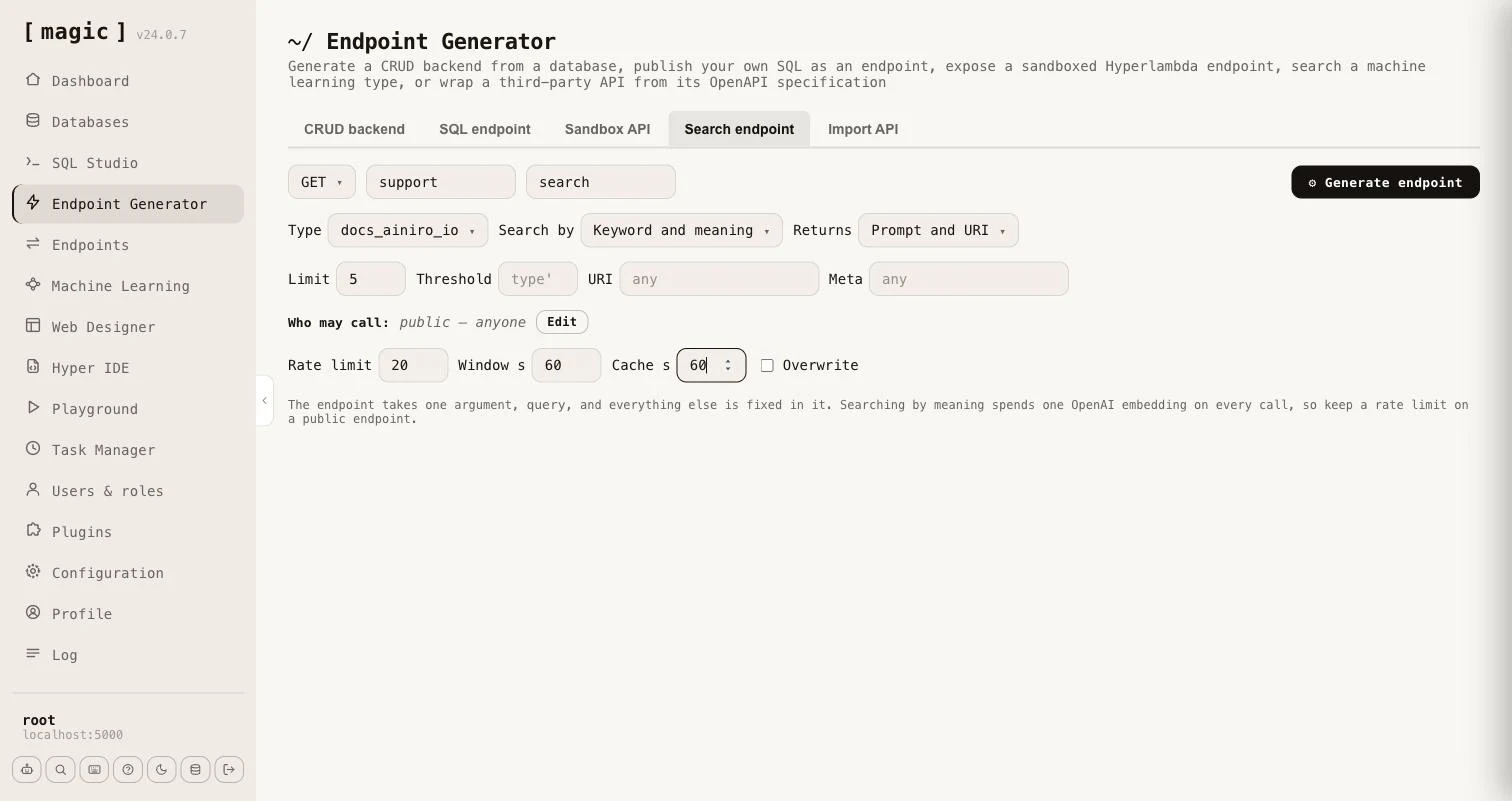 Everything except the query is fixed in the generated endpoint, so a caller cannot choose the type, the search mode or how much comes back. The endpoint takes one argument, **[query]**, and you choose the rest when you generate it.
* **Type** - the machine learning type whose training snippets are searched.
* **Search by** - the type's own setting, or _Keyword_ (BM25), _Keyword and meaning_, or _Meaning_. A search by meaning is always widened with keywords, unless the query has no words to match.
* **Returns** - _Prompt and URI_, or _Prompt, completion, URI and meta_. The snippet's internal id never leaves the endpoint.
* **Limit** and **Threshold** - how many matches come back, and how similar a match must be. Leave the threshold empty to use the type's own.
* **URI** and **Meta** - optionally restrict the endpoint to snippets belonging to one URL, or whose meta fits a pattern in which `%` matches any text, such as `FACT ==> %`. Snippets that declare functions and widgets are never returned.
* **Who may call** - exactly as for the other generators. Leave it empty for a public endpoint.
* **Rate limit** and **Window** - how many calls an IP may make per window of seconds. It defaults to 20 per 60 seconds, root is exempt, and 0 means no limit.
* **Cache** - a number of seconds the caller may cache an answer, sent as a **Cache-Control** header, and marked private when the endpoint is restricted to roles.
Searching by keyword needs no OpenAI key and costs nothing per call. Searching by meaning, or by both, spends one OpenAI embedding on every uncached call, so the tab reminds you to keep a rate limit on a public endpoint.
The generator writes a file level comment saying what the endpoint searches and returns, so it works as an [MCP](https://docs.ainiro.io/tutorials/how-to-connect-the-mcp-server/) tool without any further work. Use _"GET"_ for an endpoint a website can call directly, and _"POST"_ if you prefer a body. Unlike the built-in public search endpoint, which takes the type as an argument, a generated endpoint has the type built in, its own URL, its own authorisation and its own response shape.
# SQL Endpoint Generator
URL: https://docs.ainiro.io/dashboard/endpoint-generator/sql-endpoints/
Description: The SQL endpoint generator component allows you to generate an API endpoint wrapping an SQL statement.
The SQL endpoint generator component allows you to generate an API endpoint wrapping an SQL statement. It is similar to the endpoint generator, but instead of automatically creating your SQL, it allows you to provide your own custom SQL, and then securely wrap your SQL into an HTTP endpoint. It allows you to create endpoints wrapping any of the 5 most popular HTTP verbs, takes care of authentication and authorisation, in addition to that it allows you to declare arguments to your endpoints.
Notice, you don't have to write the SQL yourself. Below the SQL editor you'll find an input textbox that says _"Where the Machine Creates the Code"_ - describe the query you want in plain English, click _"Ask"_, and the AI generates the SQL for you, aware of your selected database and its schema. If the editor already contains SQL, your prompt is treated as a change instruction, allowing you to iterate until the query does exactly what you want, before wrapping it into an HTTP endpoint.
## How to use the SQL endpoint generator
You can find the SQL endpoint generator as an additional tab inside your endpoint generator. The SQL generator is much simpler to understand than the endpoint generator, since it has much less settings you can apply. However, the SQL endpoint generator obviously requires that you've got a solid understanding of SQL. The process to use the SQL endpoint generator to create an endpoint is as follows.
1. Choose your database
2. Choose an HTTP verb
3. Choose URL(s) for your endpoint
4. Select which roles are authorised to invoke your endpoint (optional)
5. Provide arguments to your endpoint (optional)
6. Write your SQL referencing arguments if you provided arguments in the above step
When you're done with the above, simply click the _"Generate"_ button, and you've got an HTTP endpoint wrapping your SQL.
## Settings for the SQL generator
The SQL generator allows you to override authorisation requirements, the URL of your endpoint, and which arguments your endpoint requires. The last part is important since it allows you to add arguments to your endpoint that you can reference in your SQL somehow. To reference an argument in your SQL, prefix your argument's name with an at character (@), implying if your argument is named _"foo"_, you'll have to reference your argument in your SQL as _"@foo"_.
Notice, arguments supplied to your SQL endpoint are obviously mandatory, since once you've generated your endpoint, there are no known mechanisms for removing the argument from your SQL. However, your arguments could be supplied as null values, at which point the resulting SQL would use the value null as a substitute for your argument.
Everything except the query is fixed in the generated endpoint, so a caller cannot choose the type, the search mode or how much comes back. The endpoint takes one argument, **[query]**, and you choose the rest when you generate it.
* **Type** - the machine learning type whose training snippets are searched.
* **Search by** - the type's own setting, or _Keyword_ (BM25), _Keyword and meaning_, or _Meaning_. A search by meaning is always widened with keywords, unless the query has no words to match.
* **Returns** - _Prompt and URI_, or _Prompt, completion, URI and meta_. The snippet's internal id never leaves the endpoint.
* **Limit** and **Threshold** - how many matches come back, and how similar a match must be. Leave the threshold empty to use the type's own.
* **URI** and **Meta** - optionally restrict the endpoint to snippets belonging to one URL, or whose meta fits a pattern in which `%` matches any text, such as `FACT ==> %`. Snippets that declare functions and widgets are never returned.
* **Who may call** - exactly as for the other generators. Leave it empty for a public endpoint.
* **Rate limit** and **Window** - how many calls an IP may make per window of seconds. It defaults to 20 per 60 seconds, root is exempt, and 0 means no limit.
* **Cache** - a number of seconds the caller may cache an answer, sent as a **Cache-Control** header, and marked private when the endpoint is restricted to roles.
Searching by keyword needs no OpenAI key and costs nothing per call. Searching by meaning, or by both, spends one OpenAI embedding on every uncached call, so the tab reminds you to keep a rate limit on a public endpoint.
The generator writes a file level comment saying what the endpoint searches and returns, so it works as an [MCP](https://docs.ainiro.io/tutorials/how-to-connect-the-mcp-server/) tool without any further work. Use _"GET"_ for an endpoint a website can call directly, and _"POST"_ if you prefer a body. Unlike the built-in public search endpoint, which takes the type as an argument, a generated endpoint has the type built in, its own URL, its own authorisation and its own response shape.
# SQL Endpoint Generator
URL: https://docs.ainiro.io/dashboard/endpoint-generator/sql-endpoints/
Description: The SQL endpoint generator component allows you to generate an API endpoint wrapping an SQL statement.
The SQL endpoint generator component allows you to generate an API endpoint wrapping an SQL statement. It is similar to the endpoint generator, but instead of automatically creating your SQL, it allows you to provide your own custom SQL, and then securely wrap your SQL into an HTTP endpoint. It allows you to create endpoints wrapping any of the 5 most popular HTTP verbs, takes care of authentication and authorisation, in addition to that it allows you to declare arguments to your endpoints.
Notice, you don't have to write the SQL yourself. Below the SQL editor you'll find an input textbox that says _"Where the Machine Creates the Code"_ - describe the query you want in plain English, click _"Ask"_, and the AI generates the SQL for you, aware of your selected database and its schema. If the editor already contains SQL, your prompt is treated as a change instruction, allowing you to iterate until the query does exactly what you want, before wrapping it into an HTTP endpoint.
## How to use the SQL endpoint generator
You can find the SQL endpoint generator as an additional tab inside your endpoint generator. The SQL generator is much simpler to understand than the endpoint generator, since it has much less settings you can apply. However, the SQL endpoint generator obviously requires that you've got a solid understanding of SQL. The process to use the SQL endpoint generator to create an endpoint is as follows.
1. Choose your database
2. Choose an HTTP verb
3. Choose URL(s) for your endpoint
4. Select which roles are authorised to invoke your endpoint (optional)
5. Provide arguments to your endpoint (optional)
6. Write your SQL referencing arguments if you provided arguments in the above step
When you're done with the above, simply click the _"Generate"_ button, and you've got an HTTP endpoint wrapping your SQL.
## Settings for the SQL generator
The SQL generator allows you to override authorisation requirements, the URL of your endpoint, and which arguments your endpoint requires. The last part is important since it allows you to add arguments to your endpoint that you can reference in your SQL somehow. To reference an argument in your SQL, prefix your argument's name with an at character (@), implying if your argument is named _"foo"_, you'll have to reference your argument in your SQL as _"@foo"_.
Notice, arguments supplied to your SQL endpoint are obviously mandatory, since once you've generated your endpoint, there are no known mechanisms for removing the argument from your SQL. However, your arguments could be supplied as null values, at which point the resulting SQL would use the value null as a substitute for your argument.
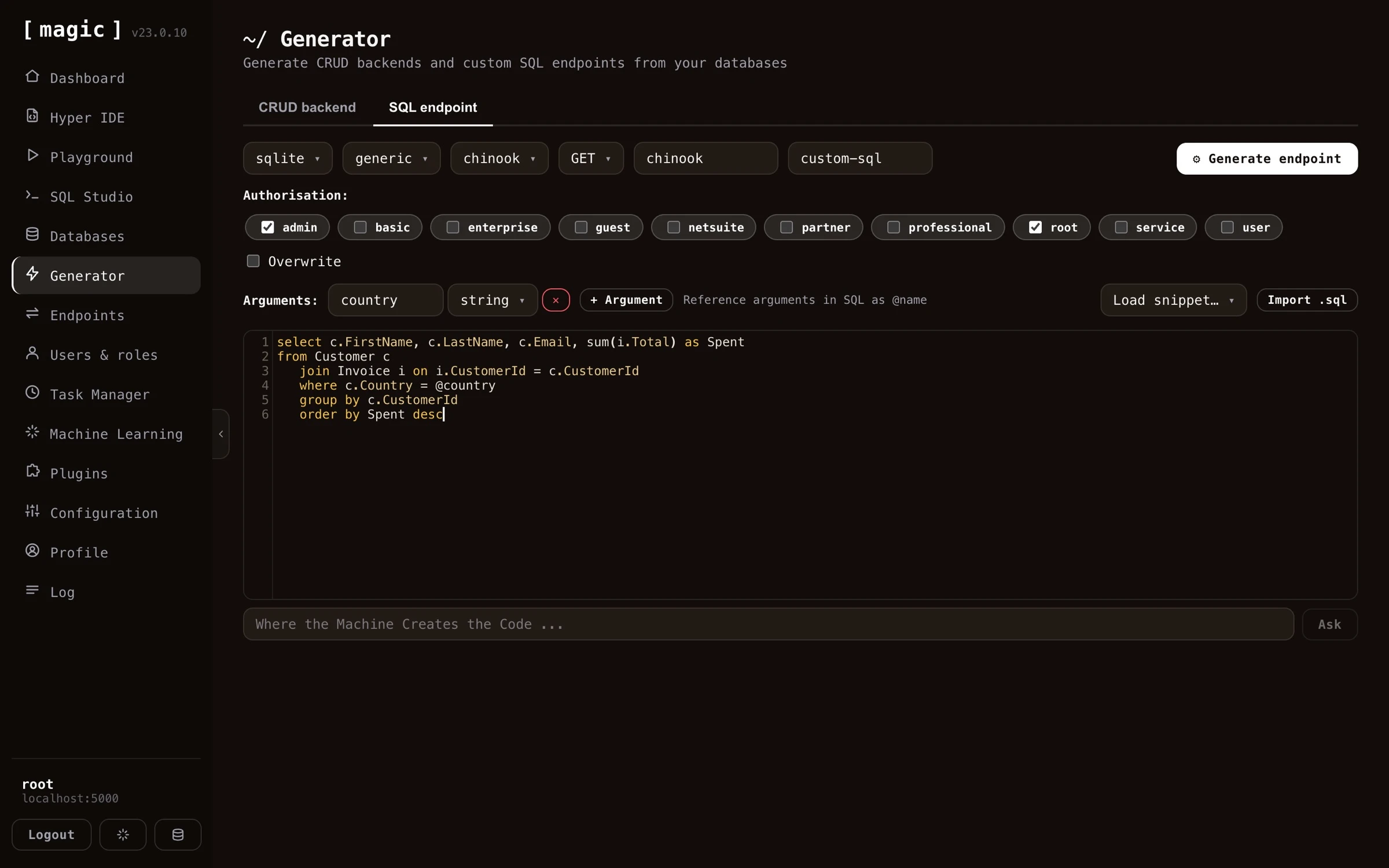 # Endpoints
URL: https://docs.ainiro.io/dashboard/endpoints/
Description: The Endpoints component in Magic allows you to browse your endpoints and execute these, similarly to how Swagger works.
The Endpoints component allows you to see your HTTP endpoints, and invoke these, similarly to how Swagger works. From your endpoints menu item you can search for, parametrise, and invoke your endpoints - Allowing you to simulate a client, to understand how your endpoints work, and _"debug"_ these as you develop them. This component hence serves two purposes; One being documenting your endpoints, another being testing your endpoints.
# Endpoints
URL: https://docs.ainiro.io/dashboard/endpoints/
Description: The Endpoints component in Magic allows you to browse your endpoints and execute these, similarly to how Swagger works.
The Endpoints component allows you to see your HTTP endpoints, and invoke these, similarly to how Swagger works. From your endpoints menu item you can search for, parametrise, and invoke your endpoints - Allowing you to simulate a client, to understand how your endpoints work, and _"debug"_ these as you develop them. This component hence serves two purposes; One being documenting your endpoints, another being testing your endpoints.
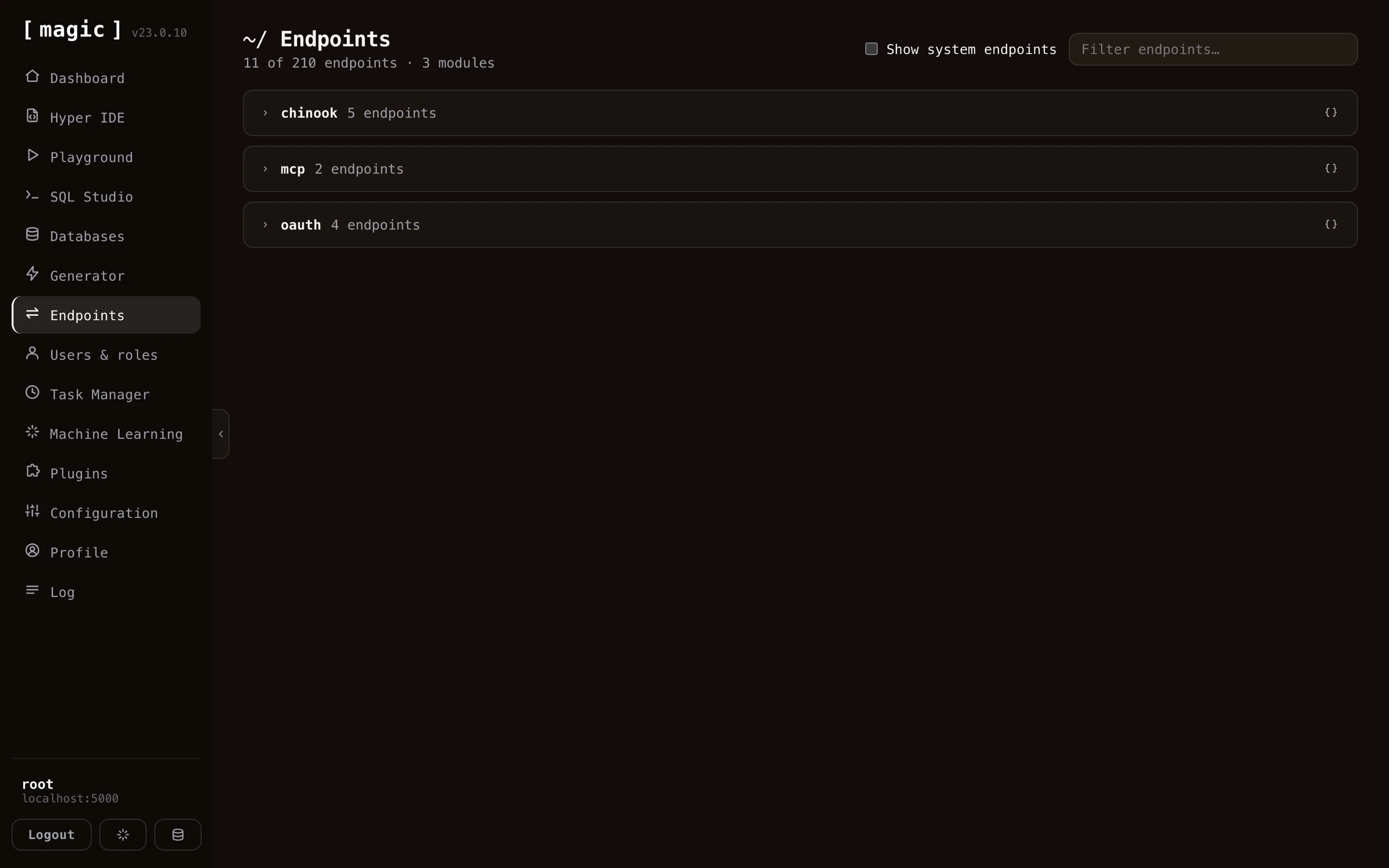 ## Parametrising your invocations
When you expand an endpoint, every argument the endpoint accepts becomes an input field, with its type displayed next to its name. For a CRUD read endpoint this means you can page with `limit` and `offset`, sort with `order` and `direction`, and expand the _"Filter arguments"_ section to filter on individual columns - all without writing a single line of code.
## Parametrising your invocations
When you expand an endpoint, every argument the endpoint accepts becomes an input field, with its type displayed next to its name. For a CRUD read endpoint this means you can page with `limit` and `offset`, sort with `order` and `direction`, and expand the _"Filter arguments"_ section to filter on individual columns - all without writing a single line of code.
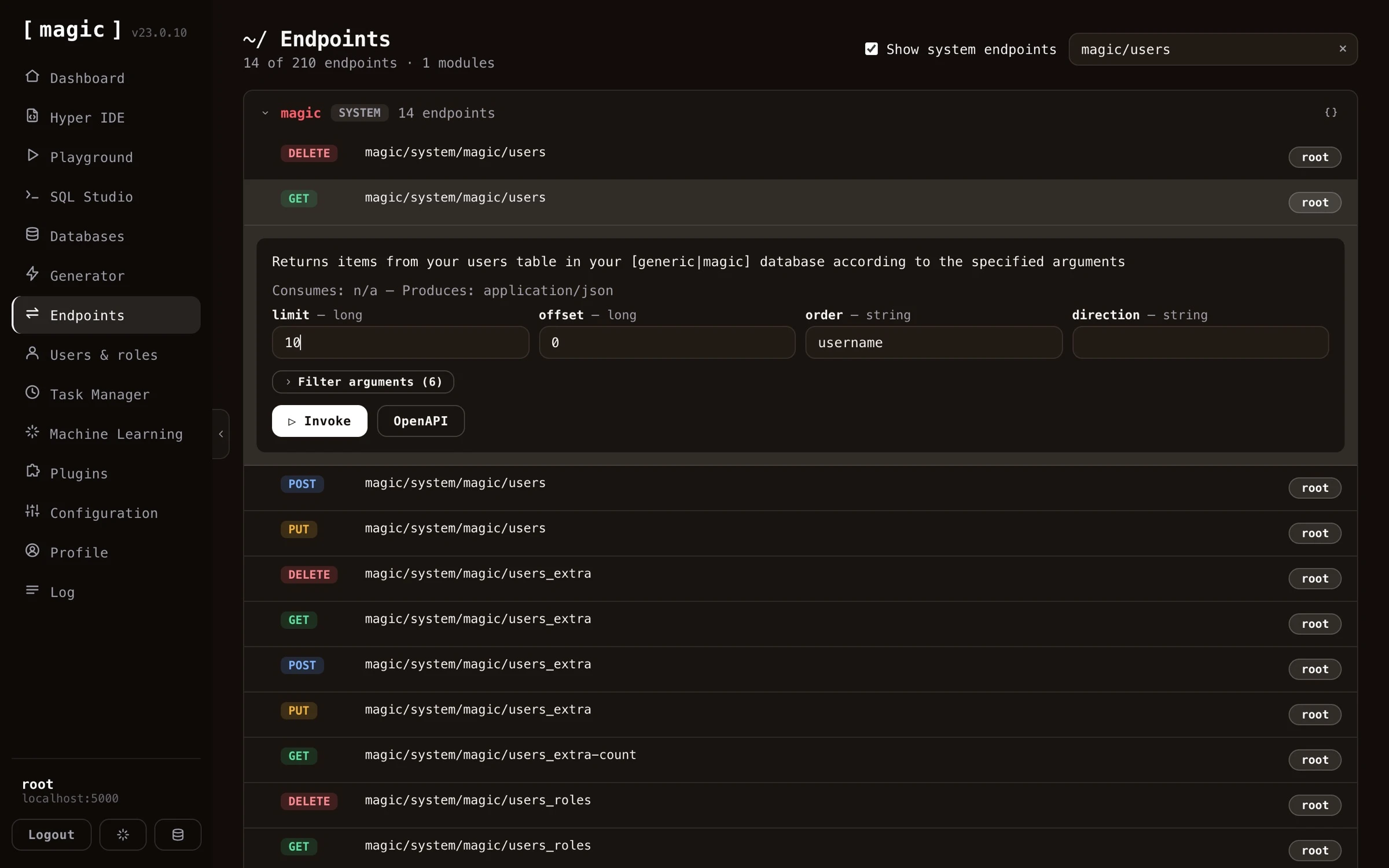 When you click _"Invoke"_, the component shows you the response; its HTTP status code, how many milliseconds the invocation took, the response headers, and the response body itself with syntax highlighting. A _"Copy response"_ button lets you bring the result into your own code or documentation.
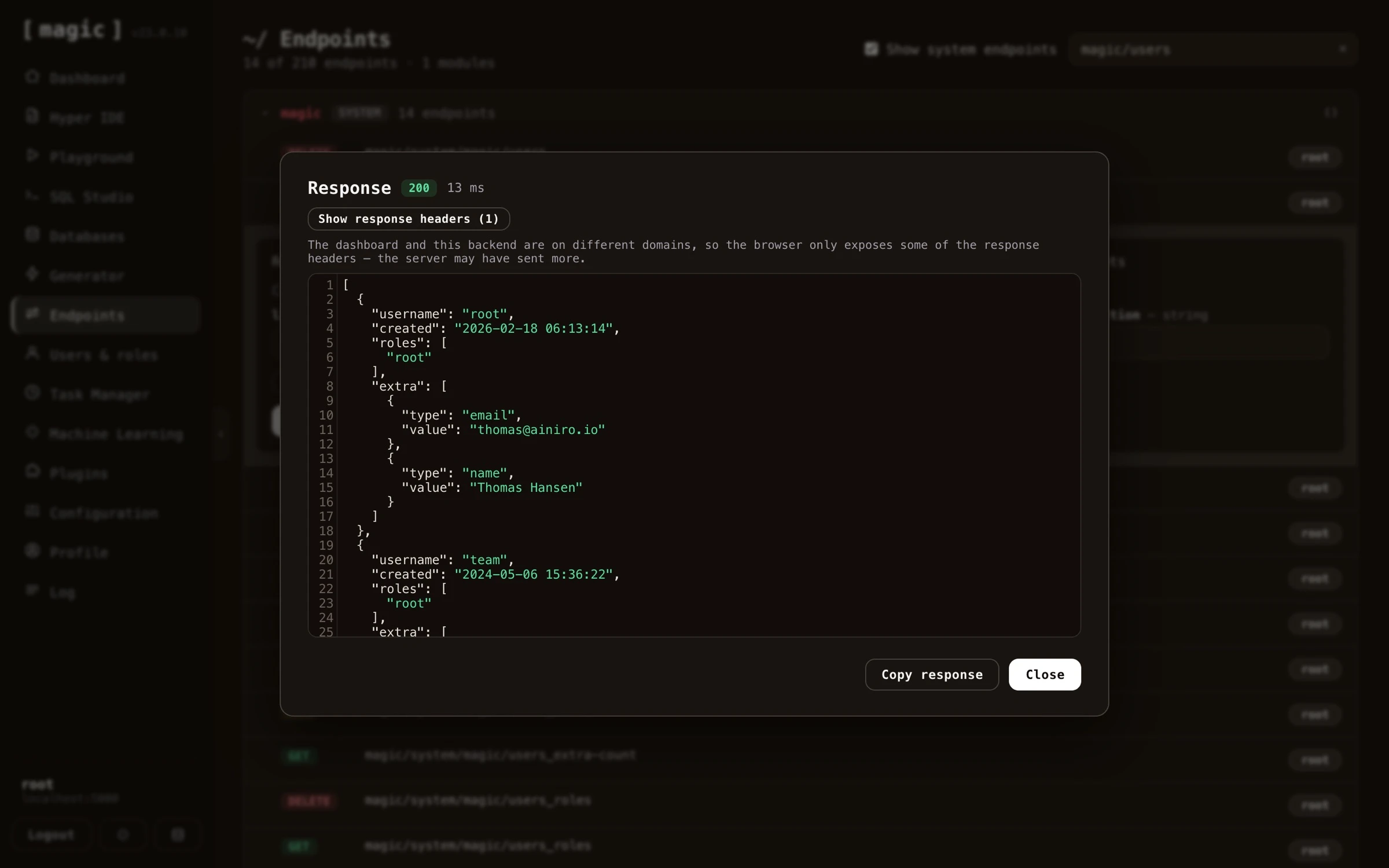 ## Run as - invoking an endpoint as a role
Endpoints are invoked as _you_ by default, and you are usually root, who is allowed to do anything. That tells you little about what a real user will experience. The _"Run as"_ dropdown next to _"Invoke"_ lists every role on your cloudlet, and choosing one makes the invocation behave as if a caller holding only that role had made it.
## Run as - invoking an endpoint as a role
Endpoints are invoked as _you_ by default, and you are usually root, who is allowed to do anything. That tells you little about what a real user will experience. The _"Run as"_ dropdown next to _"Invoke"_ lists every role on your cloudlet, and choosing one makes the invocation behave as if a caller holding only that role had made it.
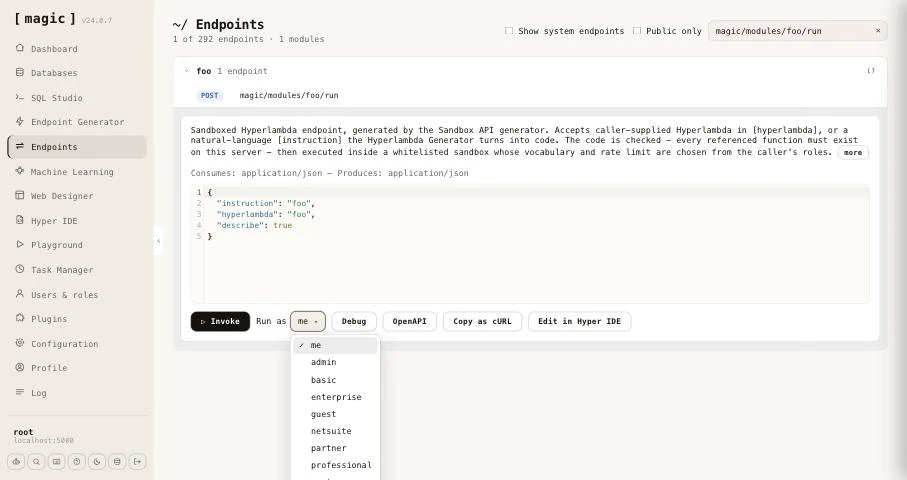 When you invoke with a role chosen, Magic mints a token for that role, valid for five minutes, and sends the request with it instead of yours. The endpoint's authorisation requirements, and anything inside it that checks the caller's roles, apply exactly as they do for a real caller - an endpoint restricted to `admin` refuses you when you run as `guest`, and answers when you run as `admin`. The response dialog carries a badge saying which role the call ran as, so you never mistake the result for a root invocation.
A few details are worth knowing.
* **The choice is remembered** for the rest of your browser session, and follows you from endpoint to endpoint, as well as into [Hyper IDE](https://docs.ainiro.io/dashboard/hyper-ide/), which uses the same invocation panel. Set it back to _"me"_ when you are done.
* **Copy as cURL** writes `$TOKEN` as a placeholder as usual. With a role chosen it embeds the minted token instead, so the copied command runs as that role. The token is real and expires after five minutes, so treat it like any credential.
* **Debug always runs as you.** Debugging executes the file's code through the evaluator, which only root may use, so it cannot impersonate a role.
This is particularly useful together with the [Sandbox API](https://docs.ainiro.io/dashboard/endpoint-generator/) generator, where choosing a role and invoking with **[describe]** set to true shows you exactly what a caller in that role is permitted.
## OpenAPI specifications
Every endpoint has an _"OpenAPI"_ button, giving you the OpenAPI specification for that particular endpoint - and every _module_ has one too, giving you the specification for all endpoints in the module at once.
When you invoke with a role chosen, Magic mints a token for that role, valid for five minutes, and sends the request with it instead of yours. The endpoint's authorisation requirements, and anything inside it that checks the caller's roles, apply exactly as they do for a real caller - an endpoint restricted to `admin` refuses you when you run as `guest`, and answers when you run as `admin`. The response dialog carries a badge saying which role the call ran as, so you never mistake the result for a root invocation.
A few details are worth knowing.
* **The choice is remembered** for the rest of your browser session, and follows you from endpoint to endpoint, as well as into [Hyper IDE](https://docs.ainiro.io/dashboard/hyper-ide/), which uses the same invocation panel. Set it back to _"me"_ when you are done.
* **Copy as cURL** writes `$TOKEN` as a placeholder as usual. With a role chosen it embeds the minted token instead, so the copied command runs as that role. The token is real and expires after five minutes, so treat it like any credential.
* **Debug always runs as you.** Debugging executes the file's code through the evaluator, which only root may use, so it cannot impersonate a role.
This is particularly useful together with the [Sandbox API](https://docs.ainiro.io/dashboard/endpoint-generator/) generator, where choosing a role and invoking with **[describe]** set to true shows you exactly what a caller in that role is permitted.
## OpenAPI specifications
Every endpoint has an _"OpenAPI"_ button, giving you the OpenAPI specification for that particular endpoint - and every _module_ has one too, giving you the specification for all endpoints in the module at once.
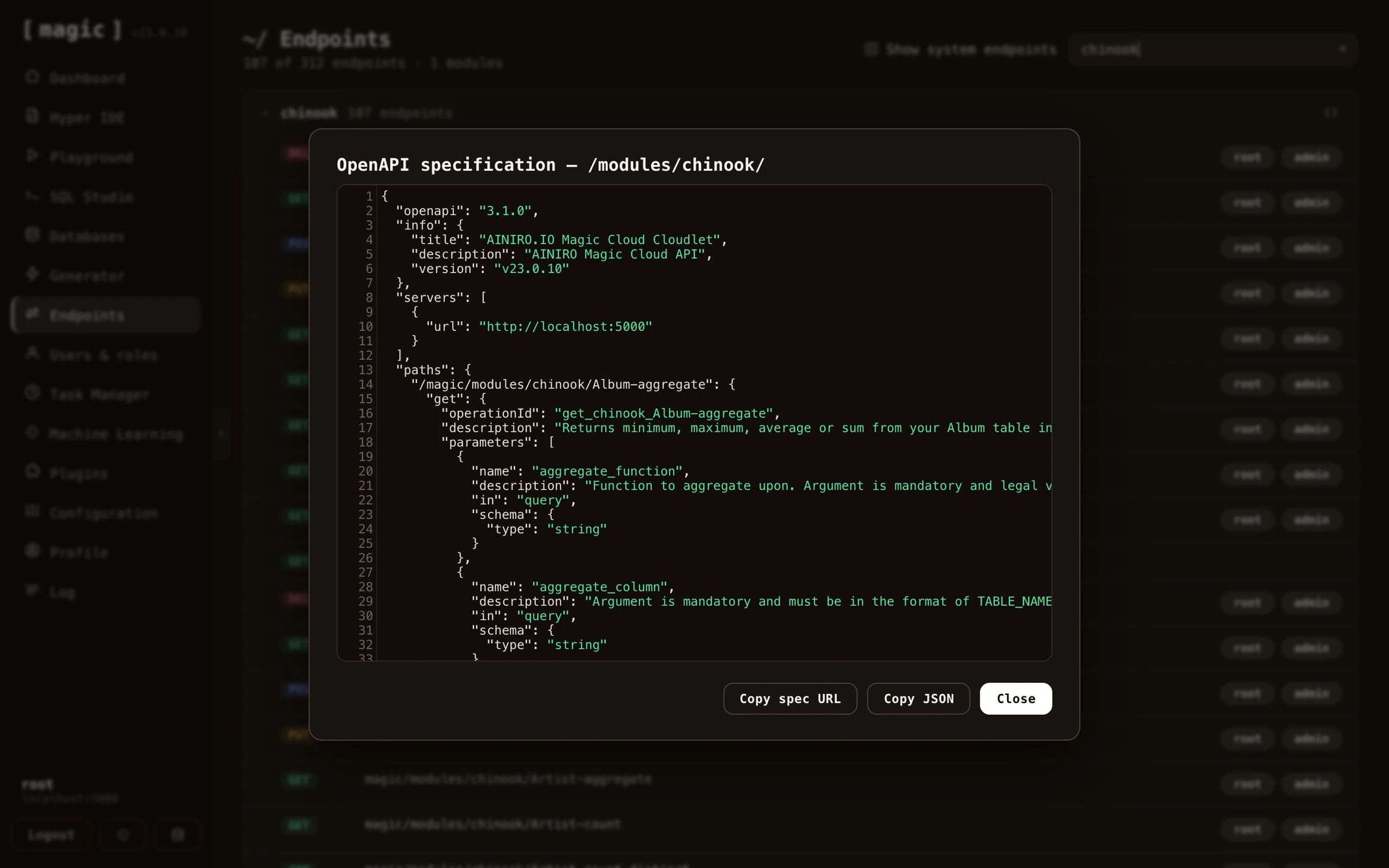 You can copy both the OpenAPI URL and the specification itself. This is particularly useful when working with AI - copy and paste the OpenAPI specification into some other orchestrator LLM or AI agent, and the other party immediately understands your backend; what endpoints exist, what arguments they take, and what they return - allowing the AI to correctly invoke your API, or generate a frontend consuming it.
The component also allows for uploading and downloading of files - you can upload files to endpoints accepting file uploads, and download the files an endpoint returns, allowing you to test binary and document endpoints directly from the component.
## Your endpoints as MCP tools
Notice, if the [MCP server](https://docs.ainiro.io/tutorials/how-to-connect-the-mcp-server/) is installed, all endpoints in your system are automatically added as _"tools"_ to the MCP server - implying every endpoint you see in this component is also invocable by a connected AI agent. MCP tool invocations obey the same RBAC requirements as everything else; an agent can only invoke the endpoints its authenticated user's roles permit.
## Hyperlambda endpoint meta data
Hyperlambda endpoints have a type declaration providing some sort of semantic type of information about your endpoint, and typically if this type declaration is _"internal"_, the endpoint is _not_ intended for being consumed by your own code, but only for internal usage by Magic. This meta data is displayed in the endpoint component, and allows you to more easily classify your endpoints, understanding what an endpoint does.
Magic will automatically determine what type your query parameter is, and show the correct form control in its endpoint component for whatever type is required as input to your endpoint. This implies it will show checkbox elements for boolean arguments, date time pickers for date and time arguments, etc. This component also supports providing request payloads to your POST, PUT and PATCH endpoints in all the most common formats - such as JSON, YAML, Hyperlambda, and XML - with syntax highlighting through CodeMirror. In addition you can upload files to endpoints that accept file uploads, and download the files an endpoint returns, allowing you to work with binary and document endpoints directly from the component.
## Endpoint meta data features
As you are browsing your endpoints, and you expand individual items, you'll notice that each endpoint shows you a whole range of _"meta data"_. This gives you high level information about your endpoints, such as:
* Relative URL
* HTTP verb
* Type of endpoint
* What type of data the endpoint consumes (JSON, Hyperlambda, form-data, etc)
* What type of result the endpoint produces
* Humanly readable description of your endpoint
* Authorisation requirements for invoking the endpoint, implying roles users must belong to in order to invoke the endpoint
* Etc, etc, etc
The endpoint's meta information is retrieved directly from your Hyperlambda files. Magic automatically allows you to invoke your user defined endpoints with this component.
Every endpoint also has a source code button, opening the Hyperlambda file implementing the endpoint directly in [Hyper IDE](https://docs.ainiro.io/dashboard/hyper-ide/). This takes you from _"this endpoint misbehaves"_ to editing its implementation in a single click - and since Hyperlambda endpoints are resolved per request, saving your change makes it live immediately, allowing you to invoke the endpoint again from this component to verify your fix.
The endpoints component in Magic is obviously not as strong as something such as OpenAPI, Swagger, or Postman - But for Hyperlambda endpoints, it's probably more than enough.
## Frequently asked questions
**What is the Endpoints component?**
It lets you browse every HTTP endpoint in your cloudlet and invoke them, similarly to how Swagger works - documenting your endpoints and letting you test them from the same screen.
**How do I parametrise an invocation?**
When you expand an endpoint, every argument it accepts becomes a typed input field - checkboxes for booleans, date pickers for dates, and so on. CRUD endpoints additionally expose paging, sorting, and per-column filter arguments.
**Which payload formats are supported?**
JSON, YAML, Hyperlambda, and XML - all with syntax highlighting - for your POST, PUT and PATCH endpoints. Endpoints consuming multipart/form-data are also supported, rendering one input field per form field, in addition to letting you attach files.
**Can I see the code behind an endpoint?**
Yes. Every endpoint has a source code button opening its Hyperlambda file directly in Hyper IDE, taking you from 'this endpoint misbehaves' to editing its implementation in one click.
**Can I get an OpenAPI specification for my endpoints?**
Yes. Every endpoint has an OpenAPI button giving you its OpenAPI specification. You can copy both the URL and the specification itself, and paste it into another orchestrator LLM or AI agent, allowing the other party to understand your backend.
**Can I test file uploads and downloads?**
Yes. You can upload files to endpoints that accept file uploads, and download the files an endpoint returns, directly from the component.
**Can I invoke an endpoint as a specific role?**
Yes. Next to Invoke there is a Run as dropdown listing every role on your cloudlet. Choose one, and Magic mints a short lived token for that role and calls the endpoint with it, so the endpoint's own authorisation and role checks apply exactly as they would for a user holding only that role. The response dialog shows which role the call ran as.
**Does Copy as cURL include a token?**
Normally it writes $TOKEN as a placeholder, so the command is safe to paste into scripts and share. When a role is chosen in Run as, it instead embeds a freshly minted token for that role, valid for five minutes, so the copied command really runs as that role.
**What does the response dialog show?**
The HTTP status code, how many milliseconds the invocation took, the response headers, and the response body with syntax highlighting - plus a button to copy the response.
# Hyper IDE
URL: https://docs.ainiro.io/dashboard/hyper-ide/
Description: Hyper IDE is an AI-enabled integrated development environment for Hyperlambda and allows you to build APIs and backends with No-Code constructs.
Hyper IDE is your _"goto component"_ when you want to create your own modules using Magic and Hyperlambda. It's a web based IDE, allowing you to edit your code, create new modules, and contains a lot of things you're used to from a traditional IDE. It is also the natural extension of Magic's [endpoint generator](https://docs.ainiro.io/dashboard/endpoint-generator/), since it allows you to edit the Hyperlambda endpoint files after Magic has generated your CRUD backend. In addition, Hyper IDE allows you to use AI to generate code using _"vibe coding"_ constructs.
You can copy both the OpenAPI URL and the specification itself. This is particularly useful when working with AI - copy and paste the OpenAPI specification into some other orchestrator LLM or AI agent, and the other party immediately understands your backend; what endpoints exist, what arguments they take, and what they return - allowing the AI to correctly invoke your API, or generate a frontend consuming it.
The component also allows for uploading and downloading of files - you can upload files to endpoints accepting file uploads, and download the files an endpoint returns, allowing you to test binary and document endpoints directly from the component.
## Your endpoints as MCP tools
Notice, if the [MCP server](https://docs.ainiro.io/tutorials/how-to-connect-the-mcp-server/) is installed, all endpoints in your system are automatically added as _"tools"_ to the MCP server - implying every endpoint you see in this component is also invocable by a connected AI agent. MCP tool invocations obey the same RBAC requirements as everything else; an agent can only invoke the endpoints its authenticated user's roles permit.
## Hyperlambda endpoint meta data
Hyperlambda endpoints have a type declaration providing some sort of semantic type of information about your endpoint, and typically if this type declaration is _"internal"_, the endpoint is _not_ intended for being consumed by your own code, but only for internal usage by Magic. This meta data is displayed in the endpoint component, and allows you to more easily classify your endpoints, understanding what an endpoint does.
Magic will automatically determine what type your query parameter is, and show the correct form control in its endpoint component for whatever type is required as input to your endpoint. This implies it will show checkbox elements for boolean arguments, date time pickers for date and time arguments, etc. This component also supports providing request payloads to your POST, PUT and PATCH endpoints in all the most common formats - such as JSON, YAML, Hyperlambda, and XML - with syntax highlighting through CodeMirror. In addition you can upload files to endpoints that accept file uploads, and download the files an endpoint returns, allowing you to work with binary and document endpoints directly from the component.
## Endpoint meta data features
As you are browsing your endpoints, and you expand individual items, you'll notice that each endpoint shows you a whole range of _"meta data"_. This gives you high level information about your endpoints, such as:
* Relative URL
* HTTP verb
* Type of endpoint
* What type of data the endpoint consumes (JSON, Hyperlambda, form-data, etc)
* What type of result the endpoint produces
* Humanly readable description of your endpoint
* Authorisation requirements for invoking the endpoint, implying roles users must belong to in order to invoke the endpoint
* Etc, etc, etc
The endpoint's meta information is retrieved directly from your Hyperlambda files. Magic automatically allows you to invoke your user defined endpoints with this component.
Every endpoint also has a source code button, opening the Hyperlambda file implementing the endpoint directly in [Hyper IDE](https://docs.ainiro.io/dashboard/hyper-ide/). This takes you from _"this endpoint misbehaves"_ to editing its implementation in a single click - and since Hyperlambda endpoints are resolved per request, saving your change makes it live immediately, allowing you to invoke the endpoint again from this component to verify your fix.
The endpoints component in Magic is obviously not as strong as something such as OpenAPI, Swagger, or Postman - But for Hyperlambda endpoints, it's probably more than enough.
## Frequently asked questions
**What is the Endpoints component?**
It lets you browse every HTTP endpoint in your cloudlet and invoke them, similarly to how Swagger works - documenting your endpoints and letting you test them from the same screen.
**How do I parametrise an invocation?**
When you expand an endpoint, every argument it accepts becomes a typed input field - checkboxes for booleans, date pickers for dates, and so on. CRUD endpoints additionally expose paging, sorting, and per-column filter arguments.
**Which payload formats are supported?**
JSON, YAML, Hyperlambda, and XML - all with syntax highlighting - for your POST, PUT and PATCH endpoints. Endpoints consuming multipart/form-data are also supported, rendering one input field per form field, in addition to letting you attach files.
**Can I see the code behind an endpoint?**
Yes. Every endpoint has a source code button opening its Hyperlambda file directly in Hyper IDE, taking you from 'this endpoint misbehaves' to editing its implementation in one click.
**Can I get an OpenAPI specification for my endpoints?**
Yes. Every endpoint has an OpenAPI button giving you its OpenAPI specification. You can copy both the URL and the specification itself, and paste it into another orchestrator LLM or AI agent, allowing the other party to understand your backend.
**Can I test file uploads and downloads?**
Yes. You can upload files to endpoints that accept file uploads, and download the files an endpoint returns, directly from the component.
**Can I invoke an endpoint as a specific role?**
Yes. Next to Invoke there is a Run as dropdown listing every role on your cloudlet. Choose one, and Magic mints a short lived token for that role and calls the endpoint with it, so the endpoint's own authorisation and role checks apply exactly as they would for a user holding only that role. The response dialog shows which role the call ran as.
**Does Copy as cURL include a token?**
Normally it writes $TOKEN as a placeholder, so the command is safe to paste into scripts and share. When a role is chosen in Run as, it instead embeds a freshly minted token for that role, valid for five minutes, so the copied command really runs as that role.
**What does the response dialog show?**
The HTTP status code, how many milliseconds the invocation took, the response headers, and the response body with syntax highlighting - plus a button to copy the response.
# Hyper IDE
URL: https://docs.ainiro.io/dashboard/hyper-ide/
Description: Hyper IDE is an AI-enabled integrated development environment for Hyperlambda and allows you to build APIs and backends with No-Code constructs.
Hyper IDE is your _"goto component"_ when you want to create your own modules using Magic and Hyperlambda. It's a web based IDE, allowing you to edit your code, create new modules, and contains a lot of things you're used to from a traditional IDE. It is also the natural extension of Magic's [endpoint generator](https://docs.ainiro.io/dashboard/endpoint-generator/), since it allows you to edit the Hyperlambda endpoint files after Magic has generated your CRUD backend. In addition, Hyper IDE allows you to use AI to generate code using _"vibe coding"_ constructs.
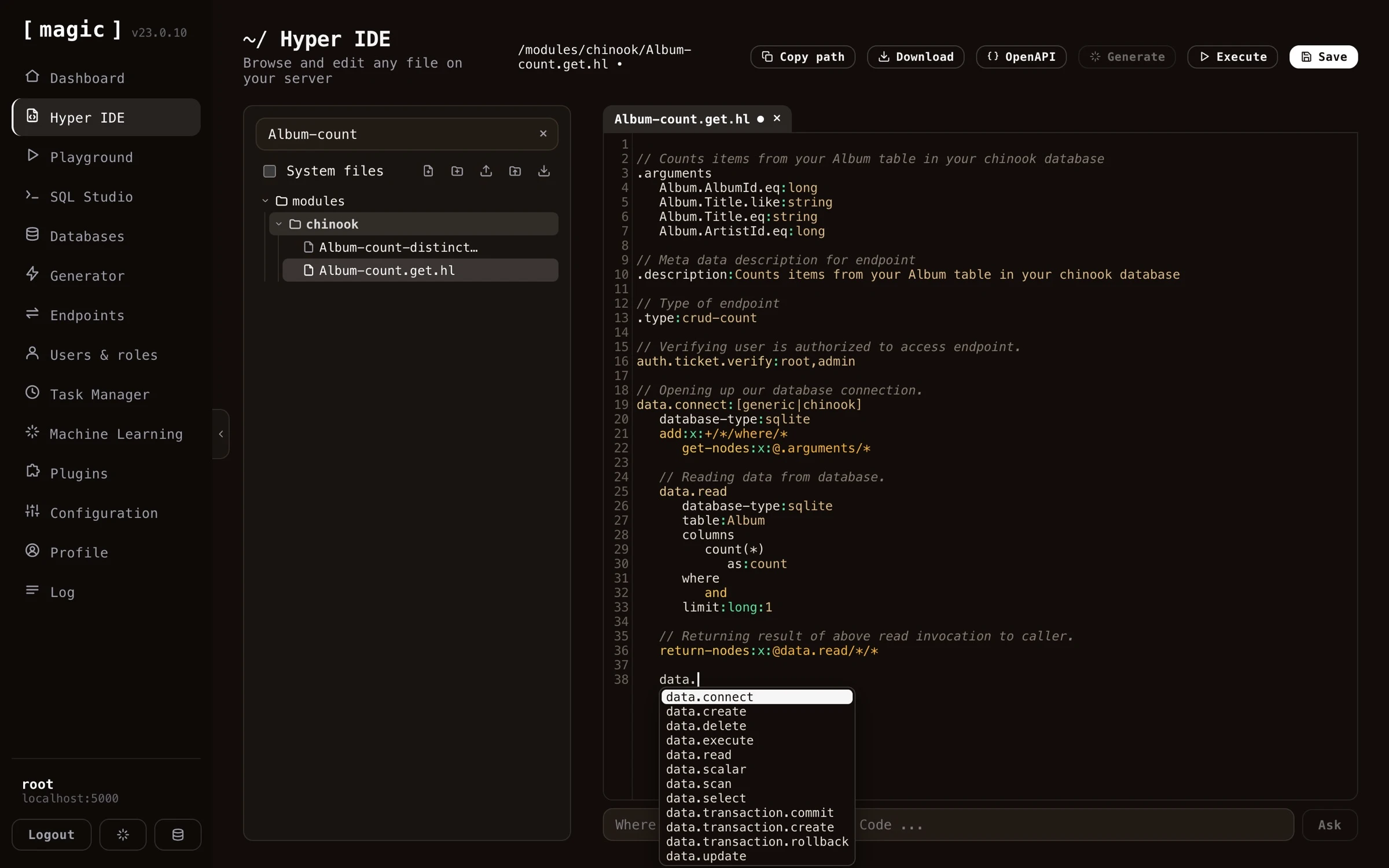 ## In this section
* [Hyper IDE - AI Code Generation](https://docs.ainiro.io/dashboard/hyper-ide/ai-generation/): While Hyper IDE lets you write and generate code by hand, the preferred way to build with Magic is to let an AI agent do the work for you.
* [Hyper IDE - Editor, Shortcuts and Rewind](https://docs.ainiro.io/dashboard/hyper-ide/editor/): The dashboard documents its own shortcuts - click CTRL+/ (COMMAND+/ on a Mac) anywhere, and an overview opens listing every shortcut, or find it by opening the command palette with CTRL+K and typing "
* [Hyper IDE - Files and Modules](https://docs.ainiro.io/dashboard/hyper-ide/files-and-modules/): Hyper IDE isn't only for Hyperlambda.
* [Hyper IDE - Git and CI/CD](https://docs.ainiro.io/dashboard/hyper-ide/git-and-deployment/): Every module can be its own Git repository, and Hyper IDE has Git built in.
## Frequently asked questions
**What is Hyper IDE?**
Hyper IDE is Magic's integrated development environment, running in your browser. It lets you browse and edit every file on your cloudlet, with syntax highlighting and autocomplete for Hyperlambda.
**Can I debug Hyperlambda in Hyper IDE?**
Yes. Click Debug instead of Invoke in the execution dialog, and Magic records every slot the file invokes, letting you step through the execution afterwards and see the entire lambda object as it looked after each step.
**Can I execute an endpoint as a particular role?**
Yes. The execution dialog has the same Run as dropdown as the Endpoints component. Choose a role and Invoke calls the endpoint with a short lived token minted for that role, so its authorisation and role checks apply as they would to a real caller. Debug always runs as you.
**Does debugging slow down my cloudlet?**
No. Recording is opt-in per execution and lives only in memory - code you run normally is completely unaffected, and nothing is written to disk.
**Can I see what happened when my code throws an exception?**
Yes, and that is where it helps most. The statement that threw is highlighted in red in both the step list and the code, and every step leading up to it is preserved - so you can see the state your code had built up at the moment it failed.
**Can Hyper IDE generate code for me using AI?**
Yes. Write a description of what you want your code to do, select it, and click Generate - or use the 'Where the Machine Creates the Code' bar below the editor. The Hyperlambda Generator transforms your English into working Hyperlambda in seconds.
**Is the AI code generation free?**
For Hyperlambda files, yes - generation goes through Magic's own proprietary model and requires no OpenAI API key. Other languages such as TypeScript, HTML and SQL are generated through OpenAI and require an API key in your configuration.
**How do I test my code?**
Since Hyperlambda is a dynamic language, you can save your file and immediately execute it by clicking F5, without compiling anything. If your code requires arguments, Hyper IDE asks you for them before executing.
**What is the preferred way to build with Magic?**
Connecting an orchestrator AI - such as Claude, Cursor, Codex or Qoder - to your cloudlet over MCP, and letting the agent generate endpoints, create database schemas, and deploy modules for you. Hyper IDE then becomes where you inspect, tweak, and debug what the agent produced.
**Can I edit other languages than Hyperlambda?**
Yes, you can edit TypeScript, Ruby, HTML, C# and other file types, although for those languages a dedicated IDE will typically serve you better. Hyper IDE's strength is Hyperlambda.
**Does Hyper IDE have Git support?**
Yes. Every top level folder inside /modules/ and /etc/ can be its own Git repository, and each has a Git action opening a panel where you can see status, expand any changed file to read its diff, discard changes per file or for the whole repository, commit, push, pull, fetch, and manage branches. Folders that aren't repositories yet can be initialized or cloned into. Commits are attributed to your profile's name and email, and GitHub authentication uses a personal access token from your configuration.
**Can I build full stack apps with Hyper IDE?**
Yes. Your cloudlet serves static files from /etc/www/, and the AI bar generates HTML, CSS and JavaScript too - so you can generate a frontend in plain English, wired to the CRUD API the Endpoint Generator created for your database, and host it straight from your cloudlet.
**How do I move a module to another server?**
Two ways; download the module folder as a zip and install it on the other server with the install module action - or push the module to GitHub with Hyper IDE's Git support and clone it into the other cloudlet, which also gives you history, branches and rollback.
**What does F1 do?**
F1 asks the integrated AI to explain the Hyperlambda code you have selected, giving you instant help understanding unfamiliar code.
**What keyboard shortcuts does the dashboard support?**
Ctrl+K opens a command palette jumping to any page, file, endpoint, task or model, Ctrl+. opens Chat Ops, and Ctrl+/ shows an overview of every shortcut - including the editor shortcuts for autocomplete, search, fullscreen, save, execute, and Hyper IDE's file actions.
# Hyper IDE - AI Code Generation
URL: https://docs.ainiro.io/dashboard/hyper-ide/ai-generation/
Description: While Hyper IDE lets you write and generate code by hand, the preferred way to build with Magic is to let an AI agent do the work for you.
While Hyper IDE lets you write and generate code by hand, the _preferred_ way to build with Magic is to let an AI agent do the work for you. Magic exposes an [MCP server](https://docs.ainiro.io/tutorials/how-to-connect-the-mcp-server/), and the recommended workflow is to connect an orchestrator AI - such as Claude, Cursor, Codex, Qoder, or any other MCP-capable harness - to your cloudlet, and use Magic as that agent's development _and_ deployment platform. Over the same MCP connector the agent can discover your endpoints, generate new Hyperlambda, create database schemas, wire up modules, and deploy them straight into production on your cloudlet. Hyper IDE then becomes the place where you inspect, tweak, and debug what the agent produced.
## Generating code with AI
At the bottom of Hyper IDE's editor you'll find a bar labelled _"Where the Machine Creates the Code"_. Type an instruction here in plain English, click _"Ask"_, and Magic generates or modifies your code according to your instructions - similar to how GitHub CoPilot works.
## In this section
* [Hyper IDE - AI Code Generation](https://docs.ainiro.io/dashboard/hyper-ide/ai-generation/): While Hyper IDE lets you write and generate code by hand, the preferred way to build with Magic is to let an AI agent do the work for you.
* [Hyper IDE - Editor, Shortcuts and Rewind](https://docs.ainiro.io/dashboard/hyper-ide/editor/): The dashboard documents its own shortcuts - click CTRL+/ (COMMAND+/ on a Mac) anywhere, and an overview opens listing every shortcut, or find it by opening the command palette with CTRL+K and typing "
* [Hyper IDE - Files and Modules](https://docs.ainiro.io/dashboard/hyper-ide/files-and-modules/): Hyper IDE isn't only for Hyperlambda.
* [Hyper IDE - Git and CI/CD](https://docs.ainiro.io/dashboard/hyper-ide/git-and-deployment/): Every module can be its own Git repository, and Hyper IDE has Git built in.
## Frequently asked questions
**What is Hyper IDE?**
Hyper IDE is Magic's integrated development environment, running in your browser. It lets you browse and edit every file on your cloudlet, with syntax highlighting and autocomplete for Hyperlambda.
**Can I debug Hyperlambda in Hyper IDE?**
Yes. Click Debug instead of Invoke in the execution dialog, and Magic records every slot the file invokes, letting you step through the execution afterwards and see the entire lambda object as it looked after each step.
**Can I execute an endpoint as a particular role?**
Yes. The execution dialog has the same Run as dropdown as the Endpoints component. Choose a role and Invoke calls the endpoint with a short lived token minted for that role, so its authorisation and role checks apply as they would to a real caller. Debug always runs as you.
**Does debugging slow down my cloudlet?**
No. Recording is opt-in per execution and lives only in memory - code you run normally is completely unaffected, and nothing is written to disk.
**Can I see what happened when my code throws an exception?**
Yes, and that is where it helps most. The statement that threw is highlighted in red in both the step list and the code, and every step leading up to it is preserved - so you can see the state your code had built up at the moment it failed.
**Can Hyper IDE generate code for me using AI?**
Yes. Write a description of what you want your code to do, select it, and click Generate - or use the 'Where the Machine Creates the Code' bar below the editor. The Hyperlambda Generator transforms your English into working Hyperlambda in seconds.
**Is the AI code generation free?**
For Hyperlambda files, yes - generation goes through Magic's own proprietary model and requires no OpenAI API key. Other languages such as TypeScript, HTML and SQL are generated through OpenAI and require an API key in your configuration.
**How do I test my code?**
Since Hyperlambda is a dynamic language, you can save your file and immediately execute it by clicking F5, without compiling anything. If your code requires arguments, Hyper IDE asks you for them before executing.
**What is the preferred way to build with Magic?**
Connecting an orchestrator AI - such as Claude, Cursor, Codex or Qoder - to your cloudlet over MCP, and letting the agent generate endpoints, create database schemas, and deploy modules for you. Hyper IDE then becomes where you inspect, tweak, and debug what the agent produced.
**Can I edit other languages than Hyperlambda?**
Yes, you can edit TypeScript, Ruby, HTML, C# and other file types, although for those languages a dedicated IDE will typically serve you better. Hyper IDE's strength is Hyperlambda.
**Does Hyper IDE have Git support?**
Yes. Every top level folder inside /modules/ and /etc/ can be its own Git repository, and each has a Git action opening a panel where you can see status, expand any changed file to read its diff, discard changes per file or for the whole repository, commit, push, pull, fetch, and manage branches. Folders that aren't repositories yet can be initialized or cloned into. Commits are attributed to your profile's name and email, and GitHub authentication uses a personal access token from your configuration.
**Can I build full stack apps with Hyper IDE?**
Yes. Your cloudlet serves static files from /etc/www/, and the AI bar generates HTML, CSS and JavaScript too - so you can generate a frontend in plain English, wired to the CRUD API the Endpoint Generator created for your database, and host it straight from your cloudlet.
**How do I move a module to another server?**
Two ways; download the module folder as a zip and install it on the other server with the install module action - or push the module to GitHub with Hyper IDE's Git support and clone it into the other cloudlet, which also gives you history, branches and rollback.
**What does F1 do?**
F1 asks the integrated AI to explain the Hyperlambda code you have selected, giving you instant help understanding unfamiliar code.
**What keyboard shortcuts does the dashboard support?**
Ctrl+K opens a command palette jumping to any page, file, endpoint, task or model, Ctrl+. opens Chat Ops, and Ctrl+/ shows an overview of every shortcut - including the editor shortcuts for autocomplete, search, fullscreen, save, execute, and Hyper IDE's file actions.
# Hyper IDE - AI Code Generation
URL: https://docs.ainiro.io/dashboard/hyper-ide/ai-generation/
Description: While Hyper IDE lets you write and generate code by hand, the preferred way to build with Magic is to let an AI agent do the work for you.
While Hyper IDE lets you write and generate code by hand, the _preferred_ way to build with Magic is to let an AI agent do the work for you. Magic exposes an [MCP server](https://docs.ainiro.io/tutorials/how-to-connect-the-mcp-server/), and the recommended workflow is to connect an orchestrator AI - such as Claude, Cursor, Codex, Qoder, or any other MCP-capable harness - to your cloudlet, and use Magic as that agent's development _and_ deployment platform. Over the same MCP connector the agent can discover your endpoints, generate new Hyperlambda, create database schemas, wire up modules, and deploy them straight into production on your cloudlet. Hyper IDE then becomes the place where you inspect, tweak, and debug what the agent produced.
## Generating code with AI
At the bottom of Hyper IDE's editor you'll find a bar labelled _"Where the Machine Creates the Code"_. Type an instruction here in plain English, click _"Ask"_, and Magic generates or modifies your code according to your instructions - similar to how GitHub CoPilot works.
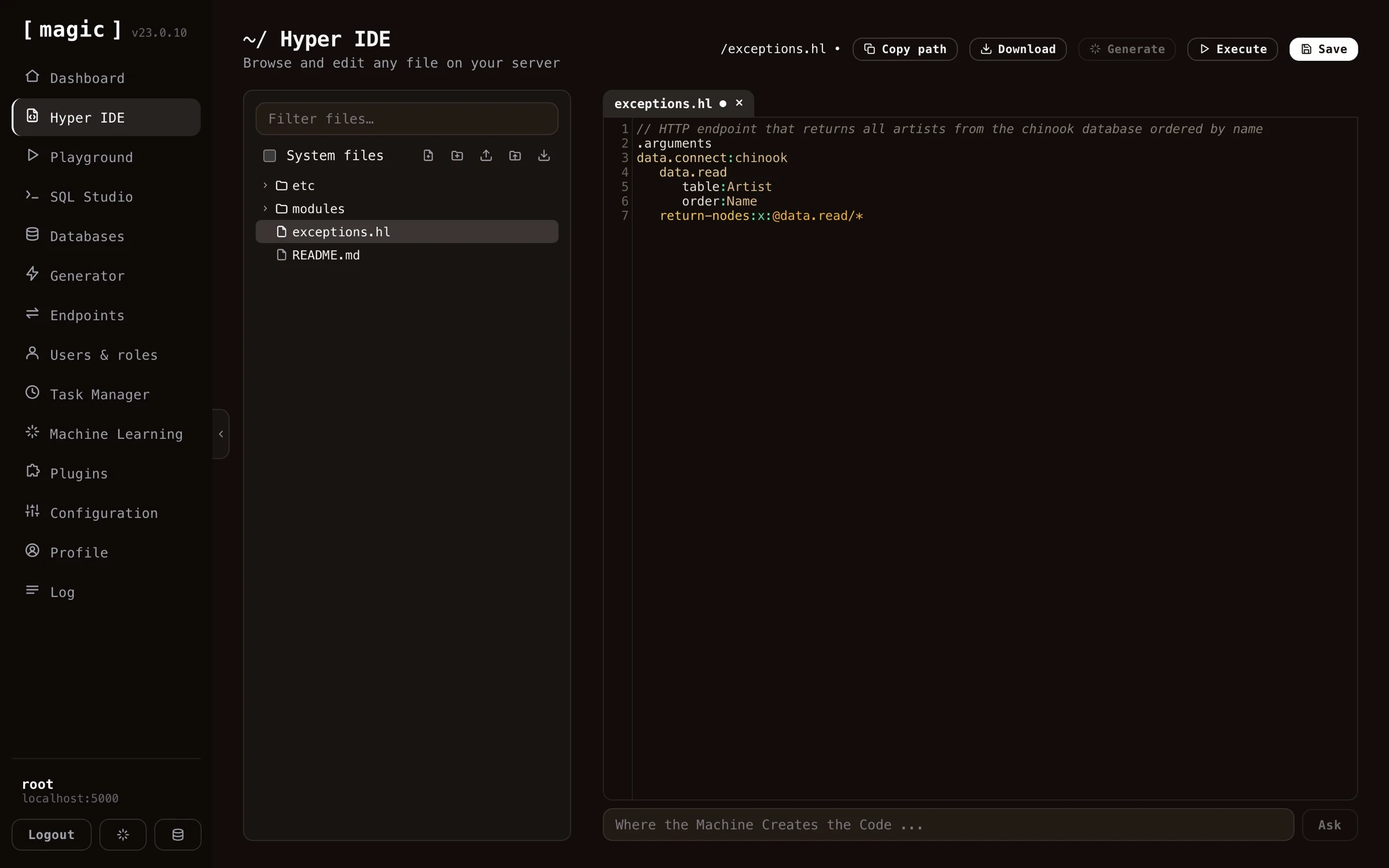 Which engine answers depends on the file you have open.
* **Hyperlambda files (`.hl`)** are generated by Magic's own [Hyperlambda Generator](https://docs.ainiro.io/dashboard/hyperlambda-generator/). Currently this requires _no_ OpenAI API key and is _free of charge_ - the generator is our proprietary model, fine-tuned exclusively on Hyperlambda.
* **Other languages** - such as TypeScript, JavaScript, HTML, CSS, and SQL - are generated through OpenAI, and therefore require you to have an OpenAI API key installed in your cloudlet's configuration.
You can also select some text in the editor and click the _"Generate"_ button to run your selection through the generator, or write a file-level comment describing what you want and generate your code from that.
The bar works like a conversation, so you can keep refining and modifying your code, using it as an _"AI-based pair programming buddy"_. Requests are paired to a local machine learning model with the same name as your file's extension - so with an HTML file open the AI searches for a model named _"html"_, falling back to your _"default"_ model if none exists. This lets you create your own RAG models, matched to your file extensions, to teach the AI about your own code.
Hyper IDE also provides integrated autocomplete if your editor has focus and you click CTRL+SPACE in Windows or FN+CONTROL+SPACE on your Mac. This allows you to very rapidly create Hyperlambda code, while having Hyper IDE ensure your code is using existing slots. Notice, these keyboard shortcuts are only available when your code editor has focus.
In addition to autocomplete, the editor documents your code as you read it - rest your mouse pointer on any slot invocation in a Hyperlambda file, and a tooltip appears explaining what the slot does, using the descriptions your cloudlet's slots declare about themselves. And CTRL+F on Windows or COMMAND+F on your Mac opens search inside the editor, highlighting every match as you type, with ENTER cycling through them - which matters once your Hyperlambda files grow to hundreds of lines.
## Integrated Hyperlambda AI help
If you mark some Hyperlambda code in Hyper IDE and click F1, it will invoke AINIRO's machine learning model for Hyperlambda, and actually explain your code using natural language.
Which engine answers depends on the file you have open.
* **Hyperlambda files (`.hl`)** are generated by Magic's own [Hyperlambda Generator](https://docs.ainiro.io/dashboard/hyperlambda-generator/). Currently this requires _no_ OpenAI API key and is _free of charge_ - the generator is our proprietary model, fine-tuned exclusively on Hyperlambda.
* **Other languages** - such as TypeScript, JavaScript, HTML, CSS, and SQL - are generated through OpenAI, and therefore require you to have an OpenAI API key installed in your cloudlet's configuration.
You can also select some text in the editor and click the _"Generate"_ button to run your selection through the generator, or write a file-level comment describing what you want and generate your code from that.
The bar works like a conversation, so you can keep refining and modifying your code, using it as an _"AI-based pair programming buddy"_. Requests are paired to a local machine learning model with the same name as your file's extension - so with an HTML file open the AI searches for a model named _"html"_, falling back to your _"default"_ model if none exists. This lets you create your own RAG models, matched to your file extensions, to teach the AI about your own code.
Hyper IDE also provides integrated autocomplete if your editor has focus and you click CTRL+SPACE in Windows or FN+CONTROL+SPACE on your Mac. This allows you to very rapidly create Hyperlambda code, while having Hyper IDE ensure your code is using existing slots. Notice, these keyboard shortcuts are only available when your code editor has focus.
In addition to autocomplete, the editor documents your code as you read it - rest your mouse pointer on any slot invocation in a Hyperlambda file, and a tooltip appears explaining what the slot does, using the descriptions your cloudlet's slots declare about themselves. And CTRL+F on Windows or COMMAND+F on your Mac opens search inside the editor, highlighting every match as you type, with ENTER cycling through them - which matters once your Hyperlambda files grow to hundreds of lines.
## Integrated Hyperlambda AI help
If you mark some Hyperlambda code in Hyper IDE and click F1, it will invoke AINIRO's machine learning model for Hyperlambda, and actually explain your code using natural language.
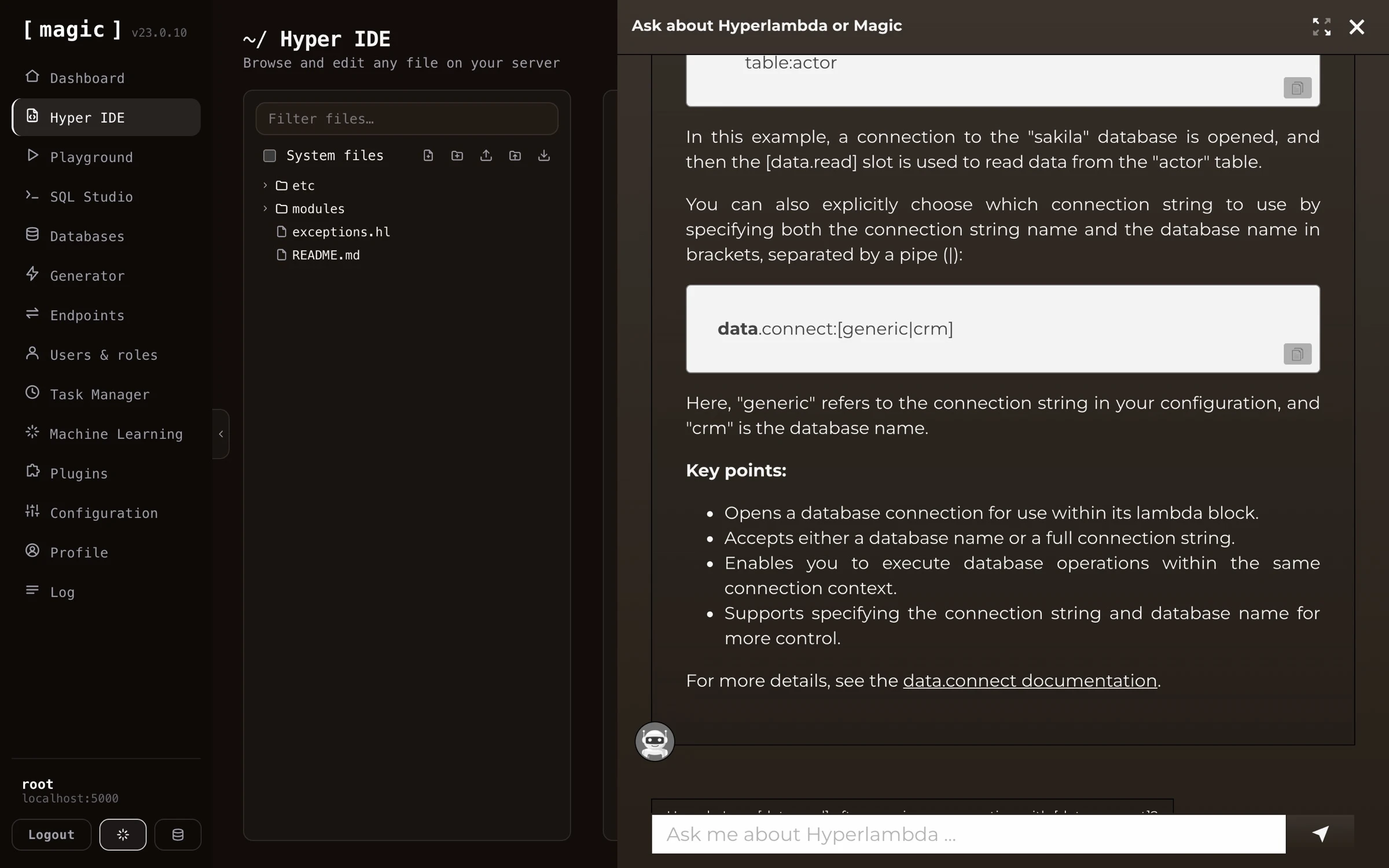 ## Creating full stack apps
Hyper IDE isn't limited to backend code - you can create complete full stack applications from it. Since your cloudlet serves static files from `/etc/www/`, and the _"Where the Machine Creates the Code"_ bar generates HTML, CSS and JavaScript too, you can describe the frontend you want in plain English and have the AI build it - wired straight to the CRUD API the [Endpoint Generator](https://docs.ainiro.io/dashboard/endpoint-generator/) created for your database. The CRM app below was built exactly this way; a SQLite database with 3 tables, a secure API wrapping it, and a working frontend - all generated from natural language.
## Turning your endpoints into AI functions
Hyper IDE also bridges your code and your [Machine Learning models](https://docs.ainiro.io/dashboard/machine-learning/). Every Hyperlambda endpoint file has a _"Create AI function"_ action, adding that endpoint as an AI function to a model you select - allowing your chatbot or AI agent to invoke it. Folders have the same action, converting _all_ Hyperlambda endpoint files inside the folder into AI functions in one go. Endpoint files also have an _"OpenAPI"_ action, showing you the endpoint's OpenAPI specification.
## Creating full stack apps
Hyper IDE isn't limited to backend code - you can create complete full stack applications from it. Since your cloudlet serves static files from `/etc/www/`, and the _"Where the Machine Creates the Code"_ bar generates HTML, CSS and JavaScript too, you can describe the frontend you want in plain English and have the AI build it - wired straight to the CRUD API the [Endpoint Generator](https://docs.ainiro.io/dashboard/endpoint-generator/) created for your database. The CRM app below was built exactly this way; a SQLite database with 3 tables, a secure API wrapping it, and a working frontend - all generated from natural language.
## Turning your endpoints into AI functions
Hyper IDE also bridges your code and your [Machine Learning models](https://docs.ainiro.io/dashboard/machine-learning/). Every Hyperlambda endpoint file has a _"Create AI function"_ action, adding that endpoint as an AI function to a model you select - allowing your chatbot or AI agent to invoke it. Folders have the same action, converting _all_ Hyperlambda endpoint files inside the folder into AI functions in one go. Endpoint files also have an _"OpenAPI"_ action, showing you the endpoint's OpenAPI specification.
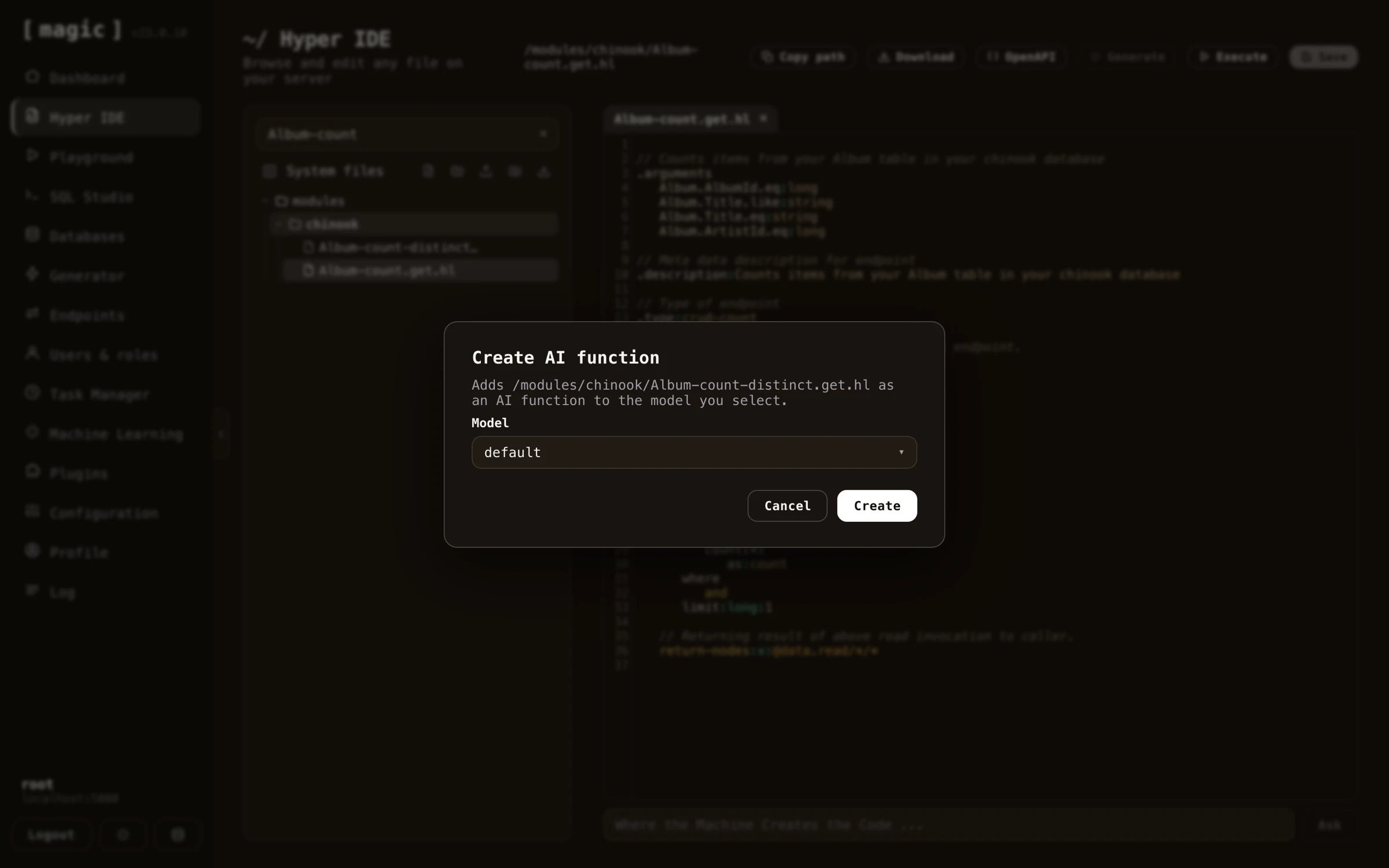 # Hyper IDE - Editor, Shortcuts and Rewind
URL: https://docs.ainiro.io/dashboard/hyper-ide/editor/
Description: The dashboard documents its own shortcuts - click CTRL+/ (COMMAND+/ on a Mac) anywhere, and an overview opens listing every shortcut, or find it by opening the command palette with CTRL+K and typing "
The dashboard documents its own shortcuts - click CTRL+/ (COMMAND+/ on a Mac) anywhere, and an overview opens listing every shortcut, or find it by opening the command palette with CTRL+K and typing _"keyboard"_. The complete list is as follows.
| Shortcut | Where | What it does |
| --- | --- | --- |
| CTRL/CMD + K | Everywhere | Opens the command palette - jump to any page, file, endpoint, task or model |
| CTRL/CMD + / | Everywhere | Shows the keyboard shortcut overview |
| CTRL/CMD + . | Everywhere | Opens [Chat Ops](https://docs.ainiro.io/dashboard/chat-ops/) - the dashboard's own AI agent |
| ESC | Everywhere | Closes the open dialog |
| CTRL + SPACE | Code editors | Autocomplete - Hyperlambda slots, SQL tables and columns |
| CTRL/CMD + F | Code editors | Search inside the editor - ENTER cycles matches, ESC closes |
| ALT + M | Code editors | Toggles fullscreen editing - ESC leaves fullscreen |
| TAB / SHIFT + TAB | Code editors | Indents or outdents the selection one level |
| CTRL/CMD + S | Code editors | Saves the open file |
| F5 | Code editors | Executes - runs the open file, snippet or SQL |
| F1 | Code editors | Asks the AI to explain the selected Hyperlambda |
| ALT + A | Hyper IDE | New file |
| ALT + B | Hyper IDE | New folder |
| ALT + R | Hyper IDE | Renames the open file |
| ALT + D | Hyper IDE | Deletes the open file |
| ALT + X | Hyper IDE | Deletes the active folder |
| ALT + C | Hyper IDE | Closes the open file |
| ALT + F | Hyper IDE | Switches to the next open file |
| ALT + P | Hyper IDE | Switches to the previous open file |
Editor shortcuts require the code editor to have focus, and apply in every editor throughout the dashboard - Hyper IDE, the Hyperlambda Playground, and SQL Studio alike.
On macOS the combos follow the platform's conventions, and the in-dashboard overview shows the macOS variants automatically: COMMAND substitutes for CTRL, OPTION for ALT, autocomplete is FN+CONTROL+SPACE, and the function keys need FN unless you have configured them as standard function keys.
## Hyper IDE features
Hyper IDE is not a fully fledged IDE, and cannot compare to something like VS Code or Visual Studio. However, its purpose is to function as an extension on top of the endpoint generator, giving you code editing capabilities of your generated Hyperlambda files - In addition to rapidly allowing you to edit Hyperlambda files and use AI to generate or modify existing code.
You _can_ use Hyper IDE to edit TypeScript, Ruby, HTML, and C# code, but we don't recommend replacing it with your existing code editor, since other IDEs have much more features here than Hyper IDE. However, the opposite is also true, implying Hyper IDE has features your existing IDE does not have - Especially in regards to [Hyperlambda](https://docs.ainiro.io/hyperlambda/).
Another benefit is that Hyperlambda is a dynamic programming language, implying once you've saved your Hyperlambda files, you can immediately test your code by executing it from within Hyper IDE by clicking F5. This results in a much tighter development model than a traditional compiled programming language gives you, making it much faster to find bugs and create working code.
If you execute code in immediate mode using F5, and your code requires arguments, Hyper IDE will ask you for what to pass in as arguments. This isn't perfect, and only works for first level arguments - But if you need more complexity, you can always use the [Hyperlambda Playground](https://docs.ainiro.io/dashboard/hyperlambda-playground/), and/or the [Endpoints Component](https://docs.ainiro.io/dashboard/endpoints/).
Magic does not separate between code creation and your code's production environment, providing you with instant feedback as you create your code.
Hyper IDE also remembers which files you had open, per cloudlet - sign out, come back tomorrow, and your workspace opens the way you left it, with the same files in the same tabs.
## Executing Hyperlambda from Hyper IDE
Hyper IDE allows you to execute Hyperlambda without ever leaving your IDE by clicking the _"Execute"_ button. This makes it easy for you to test your code as you are creating it. When executing an API endpoint file, you can parametrise the invocation, and the result is shown with its HTTP status code, execution time, and response body. The same dialog also lets you _debug_ the file instead of simply invoking it, which is described below.
The dialog also has a _"Run as"_ dropdown, listing every role on your cloudlet. Choose a role and _"Invoke"_ calls the endpoint with a short lived token minted for that role, so you can see what a caller holding only that role would be allowed to do, and what they would get back - without creating a user for it. Its [description in the Endpoints component](https://docs.ainiro.io/dashboard/endpoints/) applies here too, since both use the same panel. Notice that _"Debug"_ always runs as you, because debugging goes through the evaluator, which only root may use.
# Hyper IDE - Editor, Shortcuts and Rewind
URL: https://docs.ainiro.io/dashboard/hyper-ide/editor/
Description: The dashboard documents its own shortcuts - click CTRL+/ (COMMAND+/ on a Mac) anywhere, and an overview opens listing every shortcut, or find it by opening the command palette with CTRL+K and typing "
The dashboard documents its own shortcuts - click CTRL+/ (COMMAND+/ on a Mac) anywhere, and an overview opens listing every shortcut, or find it by opening the command palette with CTRL+K and typing _"keyboard"_. The complete list is as follows.
| Shortcut | Where | What it does |
| --- | --- | --- |
| CTRL/CMD + K | Everywhere | Opens the command palette - jump to any page, file, endpoint, task or model |
| CTRL/CMD + / | Everywhere | Shows the keyboard shortcut overview |
| CTRL/CMD + . | Everywhere | Opens [Chat Ops](https://docs.ainiro.io/dashboard/chat-ops/) - the dashboard's own AI agent |
| ESC | Everywhere | Closes the open dialog |
| CTRL + SPACE | Code editors | Autocomplete - Hyperlambda slots, SQL tables and columns |
| CTRL/CMD + F | Code editors | Search inside the editor - ENTER cycles matches, ESC closes |
| ALT + M | Code editors | Toggles fullscreen editing - ESC leaves fullscreen |
| TAB / SHIFT + TAB | Code editors | Indents or outdents the selection one level |
| CTRL/CMD + S | Code editors | Saves the open file |
| F5 | Code editors | Executes - runs the open file, snippet or SQL |
| F1 | Code editors | Asks the AI to explain the selected Hyperlambda |
| ALT + A | Hyper IDE | New file |
| ALT + B | Hyper IDE | New folder |
| ALT + R | Hyper IDE | Renames the open file |
| ALT + D | Hyper IDE | Deletes the open file |
| ALT + X | Hyper IDE | Deletes the active folder |
| ALT + C | Hyper IDE | Closes the open file |
| ALT + F | Hyper IDE | Switches to the next open file |
| ALT + P | Hyper IDE | Switches to the previous open file |
Editor shortcuts require the code editor to have focus, and apply in every editor throughout the dashboard - Hyper IDE, the Hyperlambda Playground, and SQL Studio alike.
On macOS the combos follow the platform's conventions, and the in-dashboard overview shows the macOS variants automatically: COMMAND substitutes for CTRL, OPTION for ALT, autocomplete is FN+CONTROL+SPACE, and the function keys need FN unless you have configured them as standard function keys.
## Hyper IDE features
Hyper IDE is not a fully fledged IDE, and cannot compare to something like VS Code or Visual Studio. However, its purpose is to function as an extension on top of the endpoint generator, giving you code editing capabilities of your generated Hyperlambda files - In addition to rapidly allowing you to edit Hyperlambda files and use AI to generate or modify existing code.
You _can_ use Hyper IDE to edit TypeScript, Ruby, HTML, and C# code, but we don't recommend replacing it with your existing code editor, since other IDEs have much more features here than Hyper IDE. However, the opposite is also true, implying Hyper IDE has features your existing IDE does not have - Especially in regards to [Hyperlambda](https://docs.ainiro.io/hyperlambda/).
Another benefit is that Hyperlambda is a dynamic programming language, implying once you've saved your Hyperlambda files, you can immediately test your code by executing it from within Hyper IDE by clicking F5. This results in a much tighter development model than a traditional compiled programming language gives you, making it much faster to find bugs and create working code.
If you execute code in immediate mode using F5, and your code requires arguments, Hyper IDE will ask you for what to pass in as arguments. This isn't perfect, and only works for first level arguments - But if you need more complexity, you can always use the [Hyperlambda Playground](https://docs.ainiro.io/dashboard/hyperlambda-playground/), and/or the [Endpoints Component](https://docs.ainiro.io/dashboard/endpoints/).
Magic does not separate between code creation and your code's production environment, providing you with instant feedback as you create your code.
Hyper IDE also remembers which files you had open, per cloudlet - sign out, come back tomorrow, and your workspace opens the way you left it, with the same files in the same tabs.
## Executing Hyperlambda from Hyper IDE
Hyper IDE allows you to execute Hyperlambda without ever leaving your IDE by clicking the _"Execute"_ button. This makes it easy for you to test your code as you are creating it. When executing an API endpoint file, you can parametrise the invocation, and the result is shown with its HTTP status code, execution time, and response body. The same dialog also lets you _debug_ the file instead of simply invoking it, which is described below.
The dialog also has a _"Run as"_ dropdown, listing every role on your cloudlet. Choose a role and _"Invoke"_ calls the endpoint with a short lived token minted for that role, so you can see what a caller holding only that role would be allowed to do, and what they would get back - without creating a user for it. Its [description in the Endpoints component](https://docs.ainiro.io/dashboard/endpoints/) applies here too, since both use the same panel. Notice that _"Debug"_ always runs as you, because debugging goes through the evaluator, which only root may use.
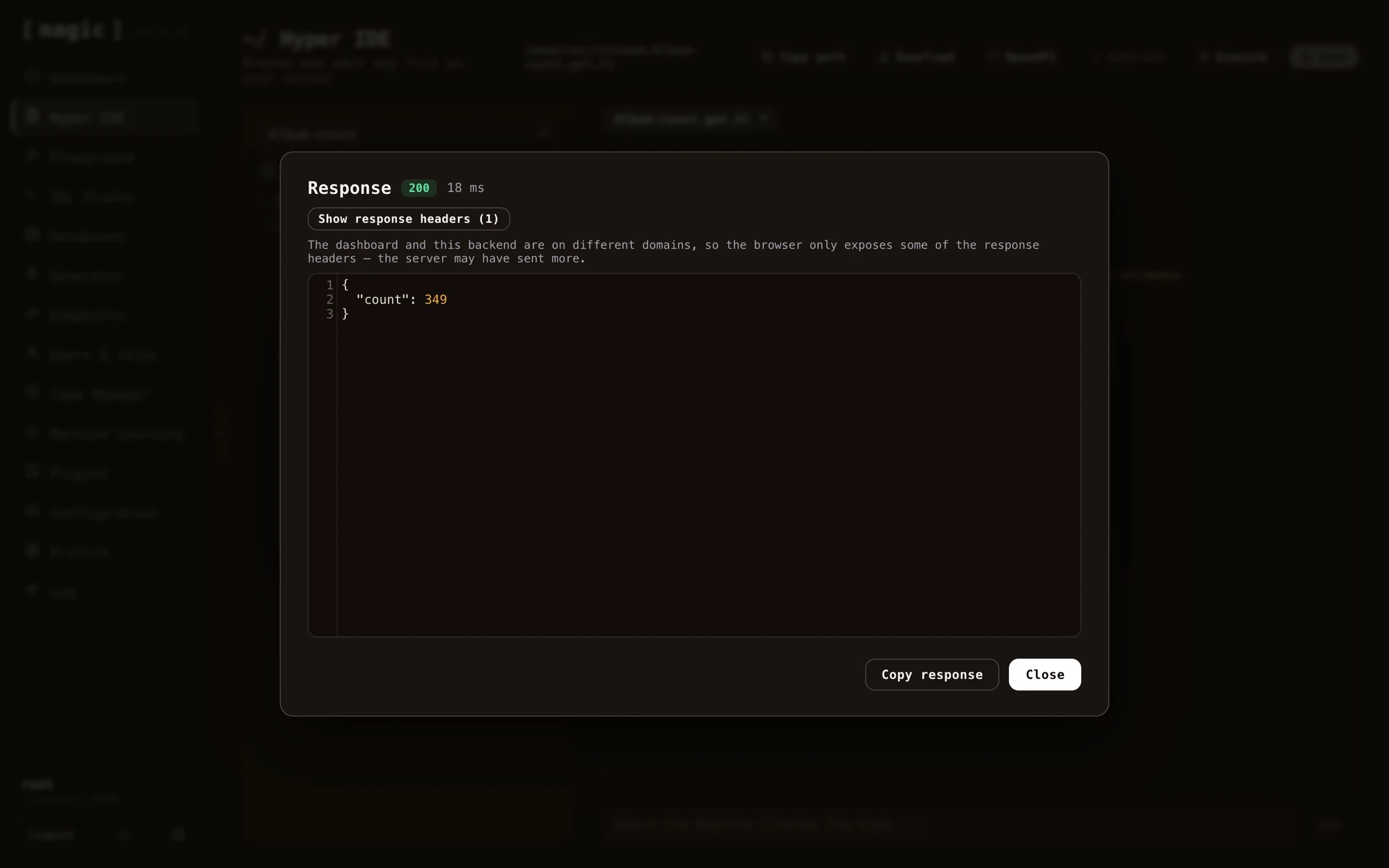 ## Rewind - stepping through an execution
Executing a file tells you what it returned. **Rewind** tells you how it got there.
## Rewind - stepping through an execution
Executing a file tells you what it returned. **Rewind** tells you how it got there.
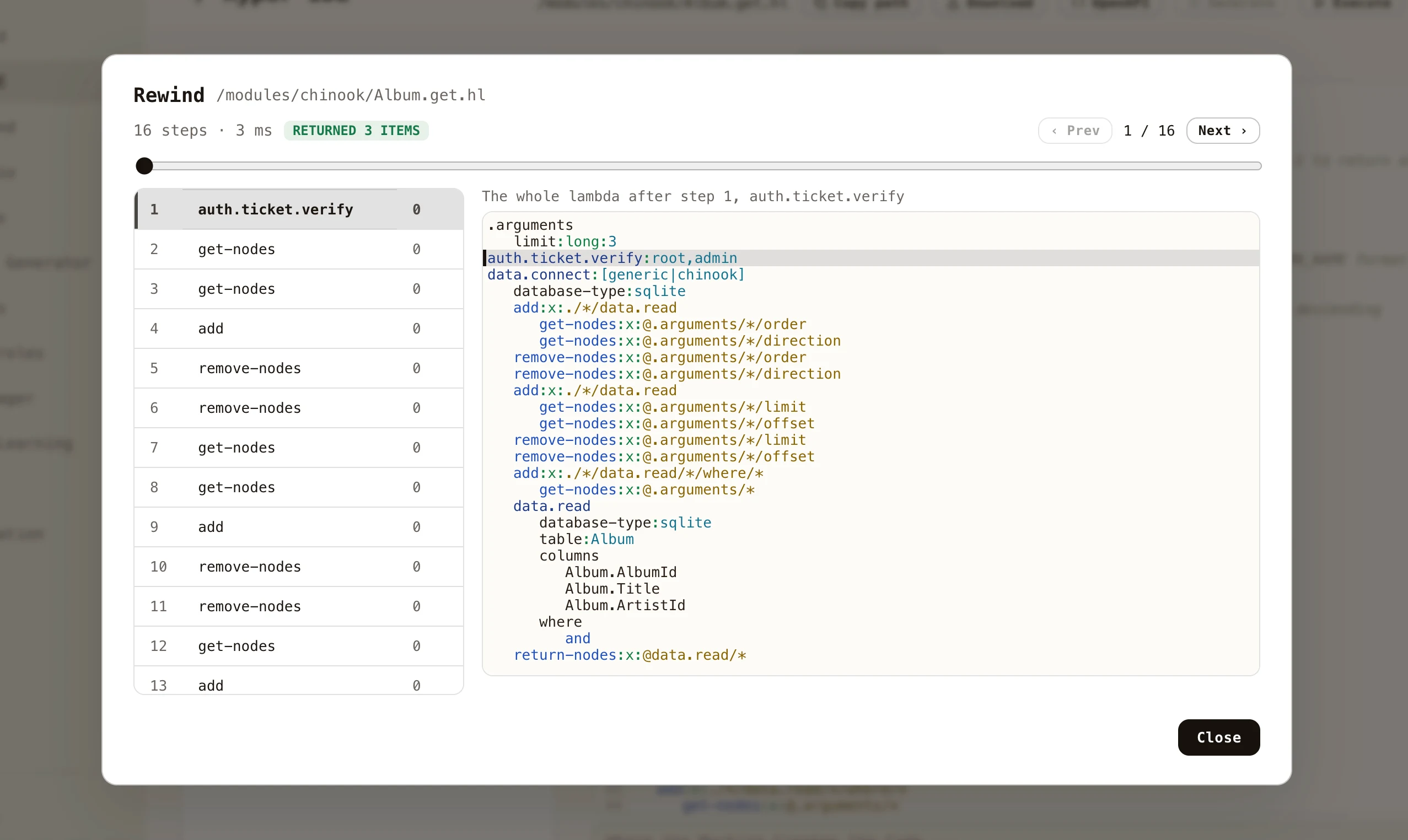 Fill in your arguments as you normally would, then click _"Debug"_ instead of _"Invoke"_. Magic runs the file while recording **every single slot it invokes**, and hands you the recording. Each entry carries the whole lambda object as it looked immediately after that slot ran - so moving through the list is watching your program's own state evolve, rather than reading a stack trace and guessing what the values were.
The screenshot above is a generated CRUD endpoint at its first step. On the left is every slot that executed, in order, with how many milliseconds each took. On the right is the entire lambda at that moment, with the statement that just ran highlighted - and `limit:long:3`, the argument that was supplied, sitting in `[.arguments]` where the code will read it.
### Moving around
* **Click any step** in the list to jump to it, and the code highlights the statement it was executing.
* **Arrow keys** step back and forward - left and up go back, right and down go forward.
* **Drag the scrubber** to move through a long recording quickly.
* The header shows how many steps were recorded, how long the whole execution took, and what the code returned.
### When something throws
An execution that fails is the one most worth recording, so the failure is captured rather than discarded. The statement that threw is marked in red in both the step list and the code, and the exception message appears in the header - click it to jump straight to the statement that caused it.
Crucially, you keep everything that happened *before* the failure. If a loop ran correctly forty times and the forty-first statement threw, you can see the state the loop had built up at the moment it broke, which is precisely what a stack trace never tells you.
### Notes
Recording is opt-in, per execution, and lives only in memory - nothing is written anywhere, and there is no cost at all to the code you run normally. Lambdas evaluated on background threads through [fork] are not recorded, since they are not part of the execution you asked about. Very long recordings are capped, and say so when they have been truncated.
# Hyper IDE - Files and Modules
URL: https://docs.ainiro.io/dashboard/hyper-ide/files-and-modules/
Description: Hyper IDE isn't only for Hyperlambda.
Hyper IDE isn't only for Hyperlambda. Anything you place under the `/etc/www/` folder is served directly from the root of your cloudlet's domain by the backend, which turns Magic into a web server too. A file saved as `/etc/www/index.html` is served from your site's root, `/etc/www/css/main.css` from `/css/main.css`, and so on. This means you can host a landing page, a complete static website, or the HTML, CSS and JavaScript assets for a single-page application straight from your cloudlet, right next to the APIs that power it. Notice, hidden files and folders - those starting with a dot - are _not_ served, with the exception of `.well-known`, which the backend deliberately exposes so discovery documents remain publicly reachable.
You edit these files the same way you edit any other file in Hyper IDE. Create or open an HTML, CSS, JavaScript, Markdown, or image file underneath `/etc/www/`, and edit it either the good old fashioned way by typing, or with the AI constructs described above - the _"Where the Machine Creates the Code"_ bar and the _"Generate"_ button work for HTML, CSS and JavaScript too. Since these are not Hyperlambda, they're generated through OpenAI, so they require an OpenAI API key in your configuration.
Fill in your arguments as you normally would, then click _"Debug"_ instead of _"Invoke"_. Magic runs the file while recording **every single slot it invokes**, and hands you the recording. Each entry carries the whole lambda object as it looked immediately after that slot ran - so moving through the list is watching your program's own state evolve, rather than reading a stack trace and guessing what the values were.
The screenshot above is a generated CRUD endpoint at its first step. On the left is every slot that executed, in order, with how many milliseconds each took. On the right is the entire lambda at that moment, with the statement that just ran highlighted - and `limit:long:3`, the argument that was supplied, sitting in `[.arguments]` where the code will read it.
### Moving around
* **Click any step** in the list to jump to it, and the code highlights the statement it was executing.
* **Arrow keys** step back and forward - left and up go back, right and down go forward.
* **Drag the scrubber** to move through a long recording quickly.
* The header shows how many steps were recorded, how long the whole execution took, and what the code returned.
### When something throws
An execution that fails is the one most worth recording, so the failure is captured rather than discarded. The statement that threw is marked in red in both the step list and the code, and the exception message appears in the header - click it to jump straight to the statement that caused it.
Crucially, you keep everything that happened *before* the failure. If a loop ran correctly forty times and the forty-first statement threw, you can see the state the loop had built up at the moment it broke, which is precisely what a stack trace never tells you.
### Notes
Recording is opt-in, per execution, and lives only in memory - nothing is written anywhere, and there is no cost at all to the code you run normally. Lambdas evaluated on background threads through [fork] are not recorded, since they are not part of the execution you asked about. Very long recordings are capped, and say so when they have been truncated.
# Hyper IDE - Files and Modules
URL: https://docs.ainiro.io/dashboard/hyper-ide/files-and-modules/
Description: Hyper IDE isn't only for Hyperlambda.
Hyper IDE isn't only for Hyperlambda. Anything you place under the `/etc/www/` folder is served directly from the root of your cloudlet's domain by the backend, which turns Magic into a web server too. A file saved as `/etc/www/index.html` is served from your site's root, `/etc/www/css/main.css` from `/css/main.css`, and so on. This means you can host a landing page, a complete static website, or the HTML, CSS and JavaScript assets for a single-page application straight from your cloudlet, right next to the APIs that power it. Notice, hidden files and folders - those starting with a dot - are _not_ served, with the exception of `.well-known`, which the backend deliberately exposes so discovery documents remain publicly reachable.
You edit these files the same way you edit any other file in Hyper IDE. Create or open an HTML, CSS, JavaScript, Markdown, or image file underneath `/etc/www/`, and edit it either the good old fashioned way by typing, or with the AI constructs described above - the _"Where the Machine Creates the Code"_ bar and the _"Generate"_ button work for HTML, CSS and JavaScript too. Since these are not Hyperlambda, they're generated through OpenAI, so they require an OpenAI API key in your configuration.
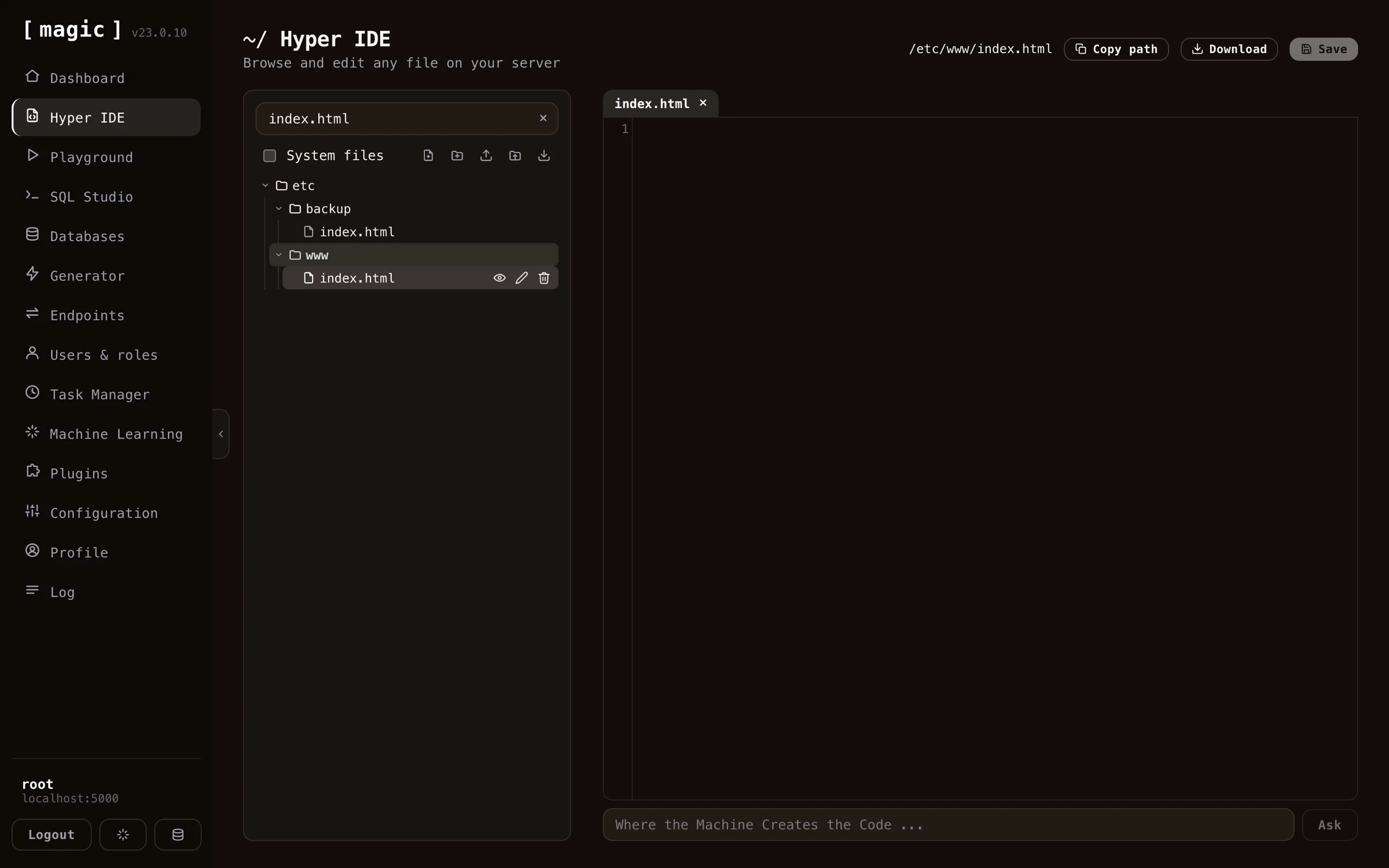 When you're editing a file that lives under `/etc/www/`, Hyper IDE gives you a _"Preview"_ action on the file, that opens the served page in a new browser tab, allowing you to see your changes exactly as a visitor to your site would.
## Modules
Magic is modularized, allowing you to easily move modules from one machine to another. This is the purpose of your _"/modules/"_ folder, as in each folder inside this folder is considered a module in Magic.
If you're developing a module in your own local installation of Magic, you can mark the folder in the tree control, and click the action button for downloading the folder. This will give you a zip file you can easily upload to another server using the install module action button.
# Hyper IDE - Git and CI/CD
URL: https://docs.ainiro.io/dashboard/hyper-ide/git-and-deployment/
Description: Every module can be its own Git repository, and Hyper IDE has Git built in.
Every module can be its own Git repository, and Hyper IDE has Git built in. Top level folders inside your _"/modules/"_ and _"/etc/"_ folders are treated as repository roots, and hovering such a folder in the tree reveals its action buttons - the branch icon opens the Git panel for that module.
When you're editing a file that lives under `/etc/www/`, Hyper IDE gives you a _"Preview"_ action on the file, that opens the served page in a new browser tab, allowing you to see your changes exactly as a visitor to your site would.
## Modules
Magic is modularized, allowing you to easily move modules from one machine to another. This is the purpose of your _"/modules/"_ folder, as in each folder inside this folder is considered a module in Magic.
If you're developing a module in your own local installation of Magic, you can mark the folder in the tree control, and click the action button for downloading the folder. This will give you a zip file you can easily upload to another server using the install module action button.
# Hyper IDE - Git and CI/CD
URL: https://docs.ainiro.io/dashboard/hyper-ide/git-and-deployment/
Description: Every module can be its own Git repository, and Hyper IDE has Git built in.
Every module can be its own Git repository, and Hyper IDE has Git built in. Top level folders inside your _"/modules/"_ and _"/etc/"_ folders are treated as repository roots, and hovering such a folder in the tree reveals its action buttons - the branch icon opens the Git panel for that module.
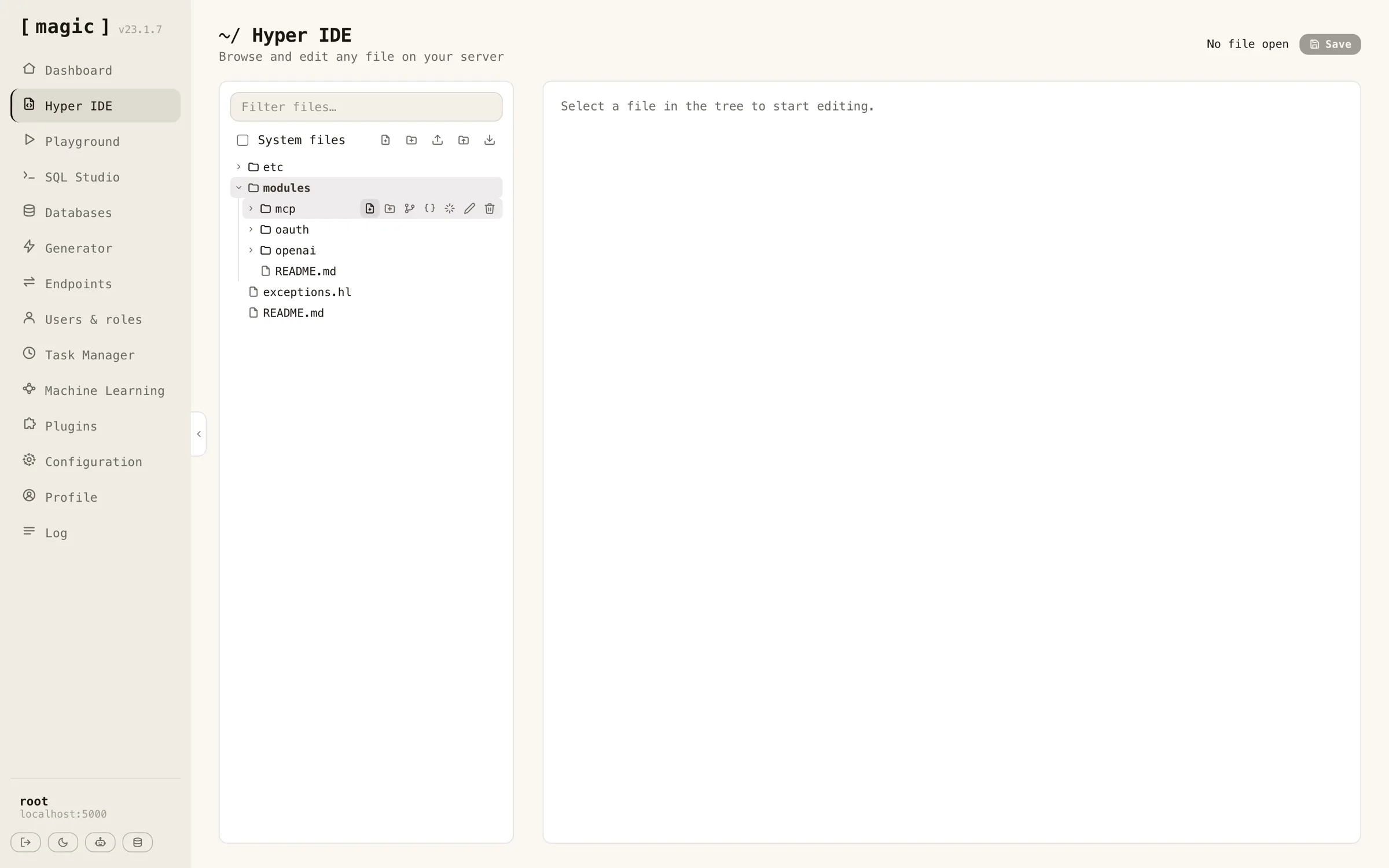 For a folder that already is a repository, the panel shows which branch you're on, whether you're ahead of or behind your remote, and every modified and untracked file. From here you can commit all changes with a message, push and pull, fetch from your remote, switch branches, and create new branches. Buttons that cannot possibly work in the repository's current state are disabled - push for instance is only enabled when you actually have commits your remote doesn't.
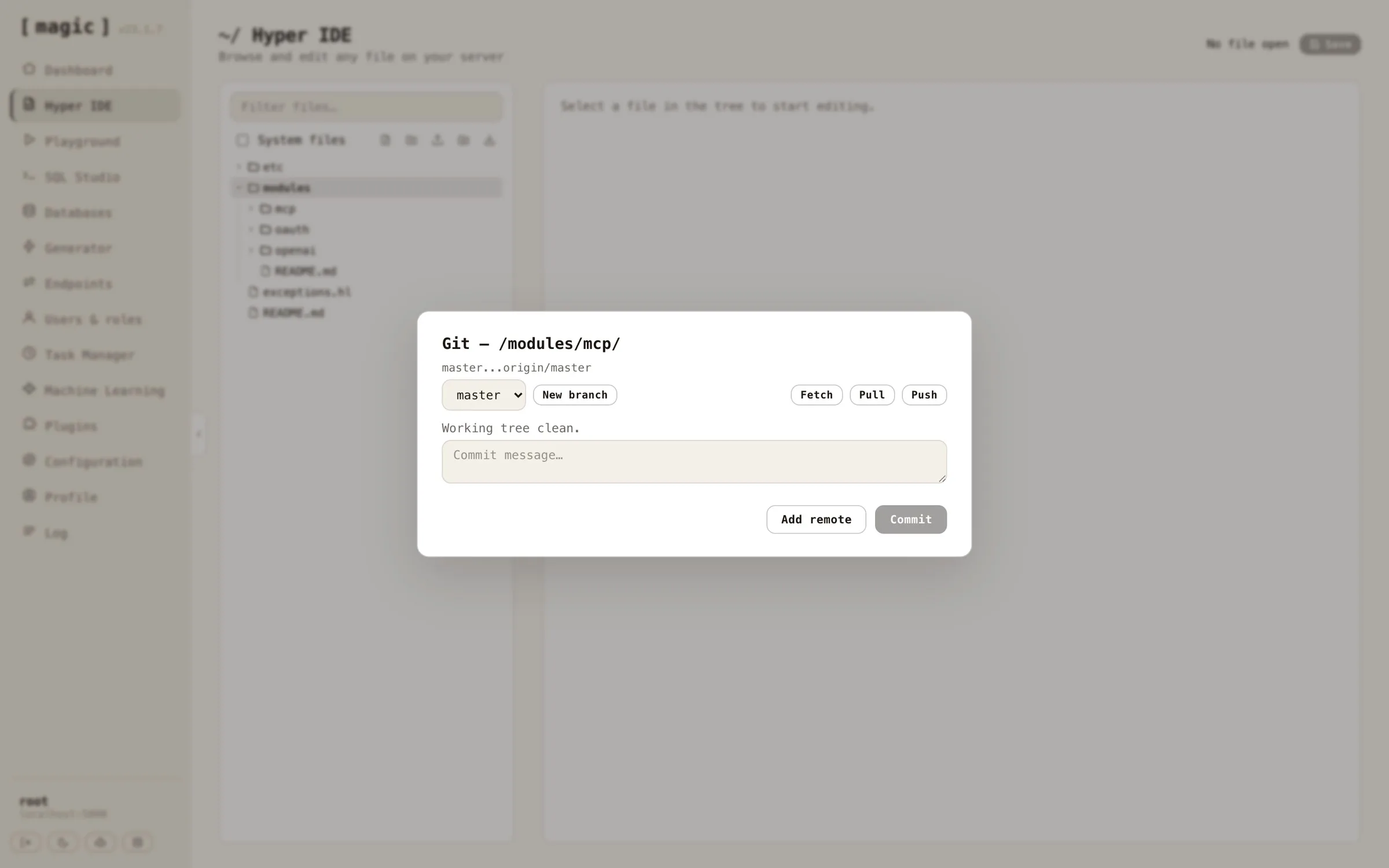 Each changed file is a row you can expand. Expanding it shows the file's diff against HEAD, with additions and removals coloured, so you can read exactly what a commit will contain before writing its message. Untracked files show their whole content as additions, since there is no earlier version to compare with. Hovering a tracked file's row reveals a reset button that throws away that file's uncommitted changes and restores what HEAD has - both in the working tree and in any tab you have the file open in, so a later save cannot bring the discarded content back. The _"Reset to HEAD…"_ button does the same for the entire repository, and in addition deletes every untracked file and folder, leaving the module identical to its last commit. Both ask for confirmation first, and neither can be undone.
Before your first commit, add your GitHub username and a fine-grained personal access token with _"Contents"_ read and write access to your configuration. Open the _"Configuration"_ screen, click the hamburger menu at the top, and choose _"Git…"_ to get a dialog doing this for you.
Each changed file is a row you can expand. Expanding it shows the file's diff against HEAD, with additions and removals coloured, so you can read exactly what a commit will contain before writing its message. Untracked files show their whole content as additions, since there is no earlier version to compare with. Hovering a tracked file's row reveals a reset button that throws away that file's uncommitted changes and restores what HEAD has - both in the working tree and in any tab you have the file open in, so a later save cannot bring the discarded content back. The _"Reset to HEAD…"_ button does the same for the entire repository, and in addition deletes every untracked file and folder, leaving the module identical to its last commit. Both ask for confirmation first, and neither can be undone.
Before your first commit, add your GitHub username and a fine-grained personal access token with _"Contents"_ read and write access to your configuration. Open the _"Configuration"_ screen, click the hamburger menu at the top, and choose _"Git…"_ to get a dialog doing this for you.
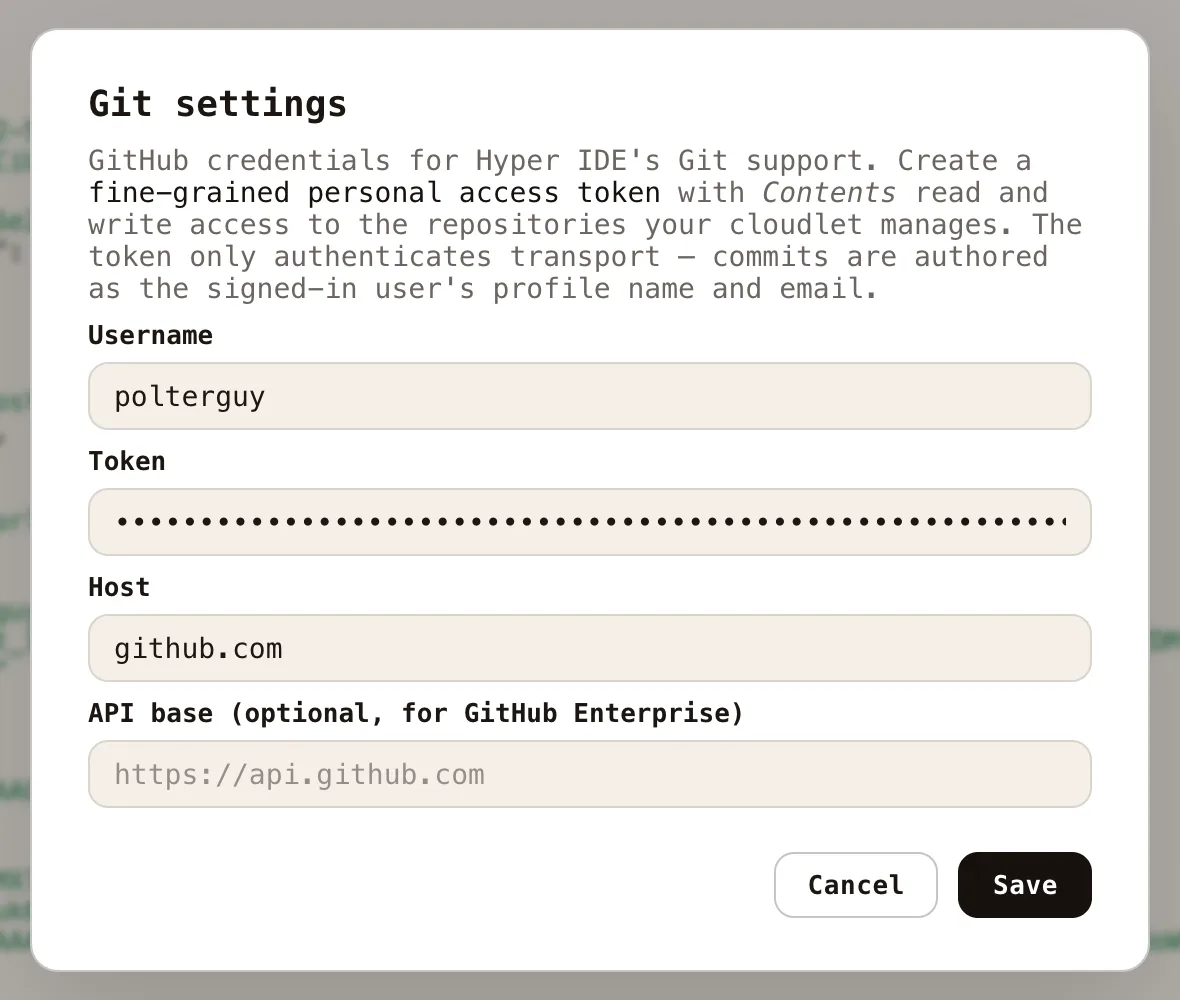 Authentication is injected per invocation over HTTPS; nothing is ever written to the server's global Git configuration, and no SSH keys are involved. Commits are attributed to _you_ - the author name and email are resolved from the authenticated user's profile, so commits made from Hyper IDE show up on GitHub with your name on them, not some shared server identity.
### Publishing a module as a new GitHub repository
To turn an existing module into a brand new GitHub repository, hover the module's folder and click the Git action. If the folder isn't a repository yet, click _"Initialize repository"_ first, then write a commit message and click _"Commit"_. With your first commit in place, click _"Publish to GitHub…"_, and give your new repository a name - it defaults to the module's folder name.
Authentication is injected per invocation over HTTPS; nothing is ever written to the server's global Git configuration, and no SSH keys are involved. Commits are attributed to _you_ - the author name and email are resolved from the authenticated user's profile, so commits made from Hyper IDE show up on GitHub with your name on them, not some shared server identity.
### Publishing a module as a new GitHub repository
To turn an existing module into a brand new GitHub repository, hover the module's folder and click the Git action. If the folder isn't a repository yet, click _"Initialize repository"_ first, then write a commit message and click _"Commit"_. With your first commit in place, click _"Publish to GitHub…"_, and give your new repository a name - it defaults to the module's folder name.
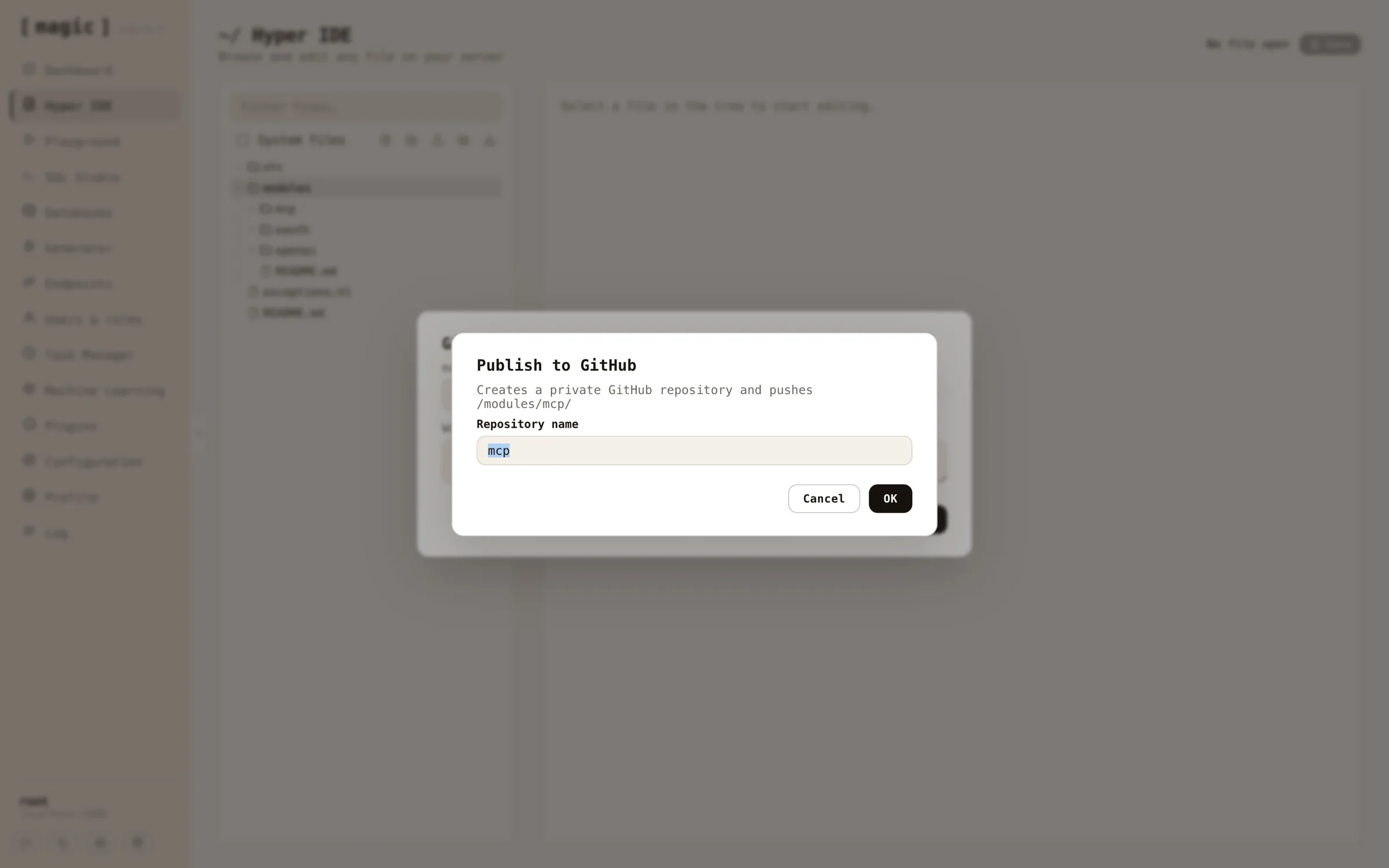 One click later your module exists as a _private_ repository on GitHub, wired up as the module's _"origin"_ remote, with your commit pushed and upstream tracking configured - the panel creates the repository, adds the remote, and pushes in one go. Flip the repository to public on GitHub if that's what you want. Notice, _creating_ repositories requires the account level repository creation permission on your access token, in addition to the _"Contents"_ permission that reading and writing them needs.
### Cloning an existing GitHub repository
To deploy a module you already version control on GitHub, create a new _empty_ folder inside _"/modules/"_ using the new folder action, then open the Git panel on it. A folder that isn't a repository offers you two paths - cloning into it, or initializing it as a new repository. _"Clone into folder"_ is only enabled while the folder is empty, since Git refuses to clone into a folder with existing contents.
One click later your module exists as a _private_ repository on GitHub, wired up as the module's _"origin"_ remote, with your commit pushed and upstream tracking configured - the panel creates the repository, adds the remote, and pushes in one go. Flip the repository to public on GitHub if that's what you want. Notice, _creating_ repositories requires the account level repository creation permission on your access token, in addition to the _"Contents"_ permission that reading and writing them needs.
### Cloning an existing GitHub repository
To deploy a module you already version control on GitHub, create a new _empty_ folder inside _"/modules/"_ using the new folder action, then open the Git panel on it. A folder that isn't a repository offers you two paths - cloning into it, or initializing it as a new repository. _"Clone into folder"_ is only enabled while the folder is empty, since Git refuses to clone into a folder with existing contents.
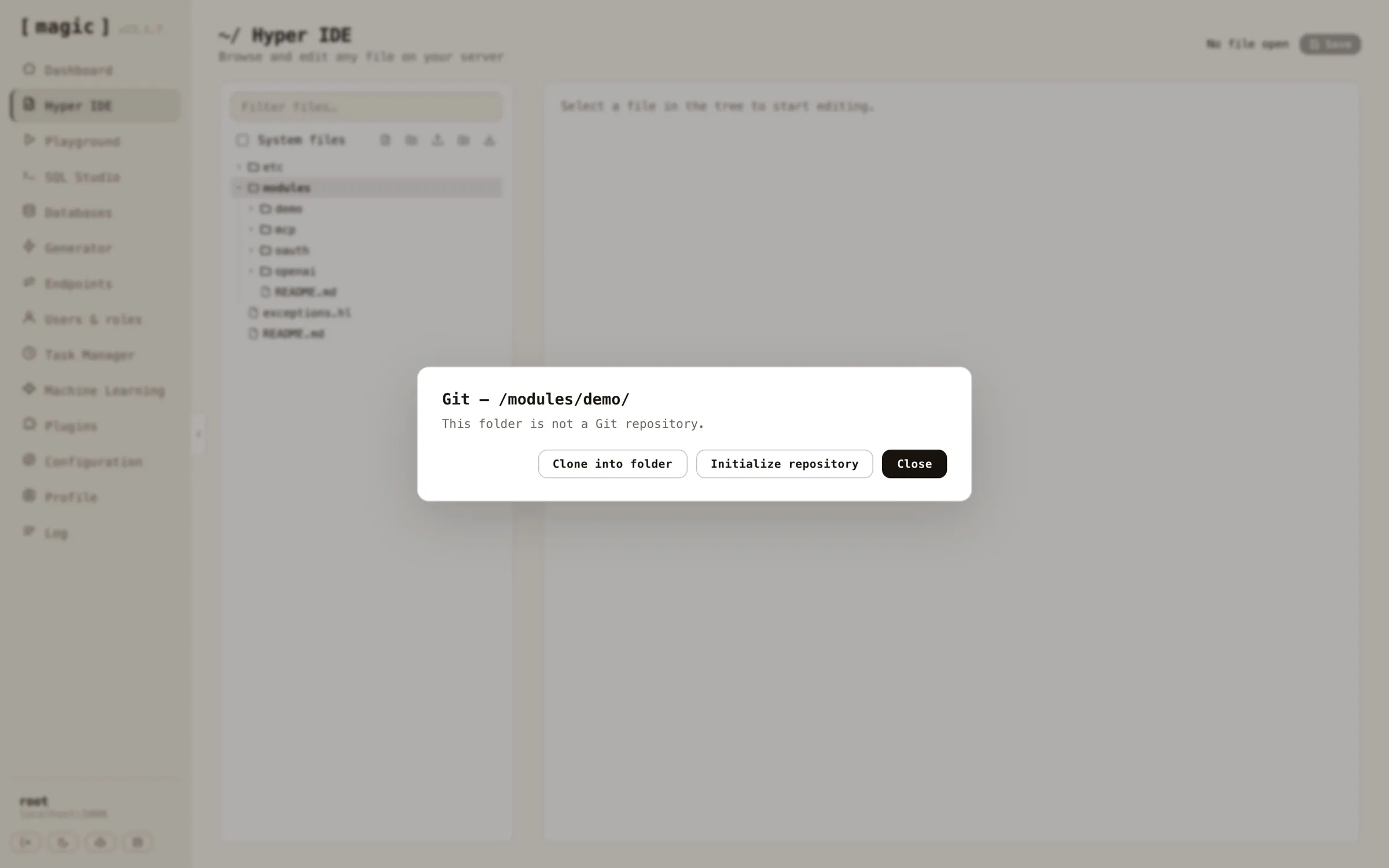 Click _"Clone into folder"_ and paste the repository's HTTPS URL - cloning checks out whatever the remote's default branch is, and your module is running on the cloudlet with its full history attached.
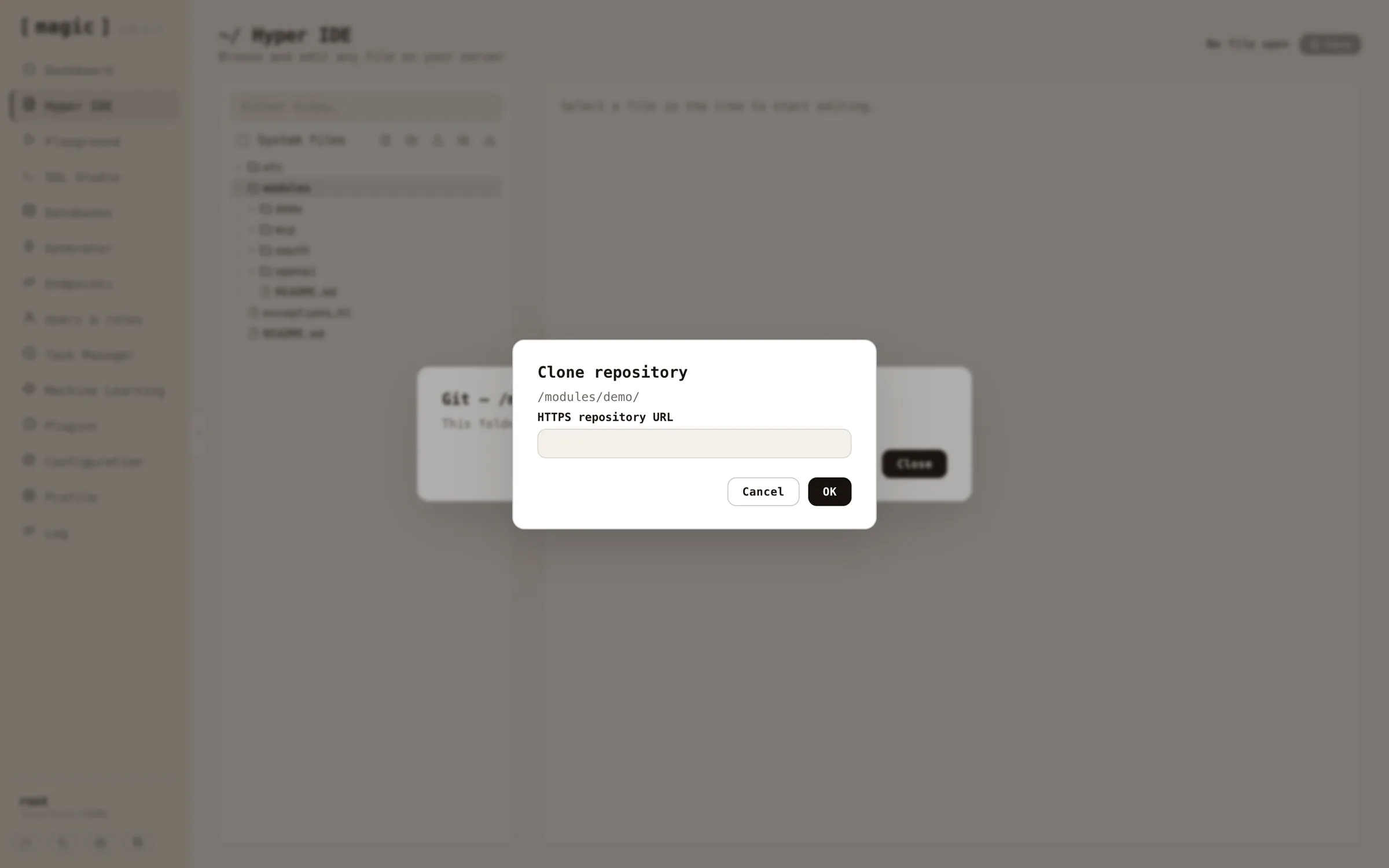 Since modules are self-contained folders, this gives you version control per module; develop a module on one cloudlet, publish it to GitHub, and clone it into another cloudlet - a natural companion to the zip-based module install described above, with history, branches and rollback included.
## Continuous Integration and Deployment
You can even connect creation of such modules, and automatically deploying them to production through for instance a GitHub action using CI/CD, by creating a token using the _"Generate token"_ feature on your Profile screen. This gives you a JWT token you can use to authenticate a process, such that it's allowed to invoke your `/magic/system/file-system/install-module` endpoint. This will allow you to automatically upload a zip file, and re-install it after uploading it.
# Hyperlambda Generator
URL: https://docs.ainiro.io/dashboard/hyperlambda-generator/
Description: A proprietary SLM fine-tuned on 600,000+ snippets that turns natural language into working Hyperlambda in seconds, and never hallucinates function calls.
Magic contains its own Hyperlambda Generator. This isn't a single component, but goes through most parts of the platform that somehow allow you to create Hyperlambda code. It's built as our own proprietary SLM (Small Language Model), fine-tuned with more than 600,000 training snippets, so it's actually very strong on creating backend code, even though it's using a _"small base model"_.
## What makes it different
* **It's fast** - Since it's a small model, it typically generates your code in 1.5 to 5 seconds, allowing you to iterate rapidly, and allowing AI agents to create tools without noticeable delay.
* **It cannot hallucinate function invocations** - Every slot the generated code invokes is verified against the slots that actually exist in your cloudlet before the code is returned. If the model invokes something that doesn't exist, the code is rejected and regenerated - You will never be handed code invoking made-up functions.
* **It's trained exclusively on Hyperlambda** - More than 600,000 training snippets covering the entire platform; database access, HTTP endpoints, authentication, validation, email, file handling, scheduling, etc.
* **It's built for AI agents** - The generator is available over the [MCP server](https://docs.ainiro.io/tutorials/how-to-connect-the-mcp-server/), allowing a connected AI agent such as Claude to create new endpoints - and hence new tools for itself - on demand.
You have to write _"formal specifications using technical language"_, in order for it to understand what to do. But if you've got some basic knowledge about software development, you should be able to rapidly understand how to use it. Below are some examples of prompts to give you an idea.
* _"HTTP endpoint that selects rows from Artist table in chinook database, including Album rows for each individual artist. Use ArtistId as foreign key"_
* _"Executable Hyperlambda file that sends an email using [name], [email], [subject], and [body] arguments. Endpoint can only be executed by root and admin accounts"_
## How to use it
If you go to Hyper IDE for example, and you create a new Hyperlambda file (extension ".hl"), you can simply write normal text into the file, describing what you want the code to do. Then select your text and click the _"Generate"_ button, and your description is sent through our LLM, transforming your English into working Hyperlambda that replaces your selection. This makes the workflow as natural as writing a comment; describe the intent, select it, generate - and the comment becomes code.
**DISCLAIMER** - Magic and Hyperlambda isn't really an _"all purpose language"_, it's an orchestration language. If you're using it for complex algorithms, you're doing something wrong. So whatever description you supply, must be something that is a good fit for Hyperlambda. Below is an example of the type of code the generator produces from a similar prompt.
```text
/*
* Endpoint: chinook.artist.read
* Purpose: Reads artists from chinook database, including albums for each artist.
* Access: Root users only.
*/
.arguments
auth.ticket.verify:root
data.connect:chinook
data.read
table:Artist
include:x:@data.read/*
data.read
table:Album
where
and
ArtistId.eq:x:@.dp/#/*/ArtistId
yield
albums:x:@data.read/*
yield
artists:x:@data.read/*
```
Notice, if the AI creates wrong code, you can press `CTRL+Z` (or `CMD+Z` on a Mac) to undo the generator's changes, then edit your description to be more specific and generate again.
## Modifying your code with AI
Below your main code view in Hyper IDE and the Hyperlambda Playground, you can see an input textbox that says _"Where the Machine Creates the Code"_. This bar allows you to provide change instructions to the LLM. Examples of prompts you might want to test can be found below.
Since modules are self-contained folders, this gives you version control per module; develop a module on one cloudlet, publish it to GitHub, and clone it into another cloudlet - a natural companion to the zip-based module install described above, with history, branches and rollback included.
## Continuous Integration and Deployment
You can even connect creation of such modules, and automatically deploying them to production through for instance a GitHub action using CI/CD, by creating a token using the _"Generate token"_ feature on your Profile screen. This gives you a JWT token you can use to authenticate a process, such that it's allowed to invoke your `/magic/system/file-system/install-module` endpoint. This will allow you to automatically upload a zip file, and re-install it after uploading it.
# Hyperlambda Generator
URL: https://docs.ainiro.io/dashboard/hyperlambda-generator/
Description: A proprietary SLM fine-tuned on 600,000+ snippets that turns natural language into working Hyperlambda in seconds, and never hallucinates function calls.
Magic contains its own Hyperlambda Generator. This isn't a single component, but goes through most parts of the platform that somehow allow you to create Hyperlambda code. It's built as our own proprietary SLM (Small Language Model), fine-tuned with more than 600,000 training snippets, so it's actually very strong on creating backend code, even though it's using a _"small base model"_.
## What makes it different
* **It's fast** - Since it's a small model, it typically generates your code in 1.5 to 5 seconds, allowing you to iterate rapidly, and allowing AI agents to create tools without noticeable delay.
* **It cannot hallucinate function invocations** - Every slot the generated code invokes is verified against the slots that actually exist in your cloudlet before the code is returned. If the model invokes something that doesn't exist, the code is rejected and regenerated - You will never be handed code invoking made-up functions.
* **It's trained exclusively on Hyperlambda** - More than 600,000 training snippets covering the entire platform; database access, HTTP endpoints, authentication, validation, email, file handling, scheduling, etc.
* **It's built for AI agents** - The generator is available over the [MCP server](https://docs.ainiro.io/tutorials/how-to-connect-the-mcp-server/), allowing a connected AI agent such as Claude to create new endpoints - and hence new tools for itself - on demand.
You have to write _"formal specifications using technical language"_, in order for it to understand what to do. But if you've got some basic knowledge about software development, you should be able to rapidly understand how to use it. Below are some examples of prompts to give you an idea.
* _"HTTP endpoint that selects rows from Artist table in chinook database, including Album rows for each individual artist. Use ArtistId as foreign key"_
* _"Executable Hyperlambda file that sends an email using [name], [email], [subject], and [body] arguments. Endpoint can only be executed by root and admin accounts"_
## How to use it
If you go to Hyper IDE for example, and you create a new Hyperlambda file (extension ".hl"), you can simply write normal text into the file, describing what you want the code to do. Then select your text and click the _"Generate"_ button, and your description is sent through our LLM, transforming your English into working Hyperlambda that replaces your selection. This makes the workflow as natural as writing a comment; describe the intent, select it, generate - and the comment becomes code.
**DISCLAIMER** - Magic and Hyperlambda isn't really an _"all purpose language"_, it's an orchestration language. If you're using it for complex algorithms, you're doing something wrong. So whatever description you supply, must be something that is a good fit for Hyperlambda. Below is an example of the type of code the generator produces from a similar prompt.
```text
/*
* Endpoint: chinook.artist.read
* Purpose: Reads artists from chinook database, including albums for each artist.
* Access: Root users only.
*/
.arguments
auth.ticket.verify:root
data.connect:chinook
data.read
table:Artist
include:x:@data.read/*
data.read
table:Album
where
and
ArtistId.eq:x:@.dp/#/*/ArtistId
yield
albums:x:@data.read/*
yield
artists:x:@data.read/*
```
Notice, if the AI creates wrong code, you can press `CTRL+Z` (or `CMD+Z` on a Mac) to undo the generator's changes, then edit your description to be more specific and generate again.
## Modifying your code with AI
Below your main code view in Hyper IDE and the Hyperlambda Playground, you can see an input textbox that says _"Where the Machine Creates the Code"_. This bar allows you to provide change instructions to the LLM. Examples of prompts you might want to test can be found below.
 * Add a name argument and use this when sending the email
* Make the title argument mandatory
* Log all incoming arguments
* Etc ...
## Security
The generator is built to be safe to hand to an AI - or to your users - without supervision.
* **It cannot hallucinate function invocations** - The generator's vocabulary is closed; every slot the generated code invokes is verified against the slots that actually exist in your cloudlet, and code invoking anything else is rejected and regenerated. Read the deep-dive at [hyperlambda.dev](https://hyperlambda.dev/blog/zero-hallucination-code-generation-a-vocabulary-your-ai-cannot-escape).
* **Generated endpoints are secured** - Endpoints created by the generator declare their own authorisation requirements through **[auth.ticket.verify]**, so RBAC applies to AI-generated code exactly as it applies to code you write yourself.
* **Untrusted code can be sandboxed** - Hyperlambda's **[whitelist]** slot lets you execute partially untrusted Hyperlambda with an explicitly declared vocabulary, so even dynamically generated code can be constrained to exactly the slots you allow. See [how whitelist executes partially untrusted Hyperlambda safely](https://hyperlambda.dev/blog/how-i-use-whitelist-to-execute-partially-untrusted-hyperlambda-safely).
## Frequently asked questions
**What is the Hyperlambda Generator?**
Magic's own proprietary SLM (Small Language Model), fine-tuned with more than 600,000 training snippets, that transforms natural language into working Hyperlambda code in typically 1.5 to 5 seconds.
**Can it hallucinate function calls?**
No. Every slot the generated code invokes is verified against the slots that actually exist in your cloudlet before the code is returned. If the model invokes something that does not exist, the code is rejected and regenerated.
**Does it require an OpenAI API key?**
No. Hyperlambda generation goes through our own model and is currently free of charge - no API key, and no per-token billing.
**Where can I use it?**
Everywhere code can be created in the dashboard: Hyper IDE, the Hyperlambda Playground, the Task Manager, SQL Studio, and the Generator - plus AI agents can use it over MCP to create new endpoints on demand.
**How should I write my prompts?**
Use formal specifications with technical language, naming your tables, arguments, and conditions precisely. If the result is wrong, press CTRL+Z to undo, refine your description, and generate again.
**Can AI agents use the generator?**
Yes. The generator is available over the MCP server, allowing a connected AI agent such as Claude to create new endpoints - and hence new tools for itself - on demand.
# Hyperlambda Playground
URL: https://docs.ainiro.io/dashboard/hyperlambda-playground/
Description: Submit Hyperlambda to your cloudlet and run it instantly in 'immediate' mode, ideal for administering your cloudlet and learning Hyperlambda.
The Hyperlambda Playground component allows you to play with [Hyperlambda](https://docs.ainiro.io/hyperlambda/) code, and execute your code in _"immediate mode"_, for then to see the result of your execution immediately. The Hyperlambda playground is also a nice starting point to learn Hyperlambda, since it contains a whole range of Hyperlambda snippets that somehow demonstrate Hyperlambda's capabilities, and provides examples for you as you start out learning Hyperlambda. Use the _"Load snippet…"_ dropdown to load up some snippet, study it, modify it, and then execute it - For then to afterwards see the result of the execution.
Notice, you don't have to write the Hyperlambda yourself. Below the editor you'll find an input textbox that says _"Where the Machine Creates the Code"_ - describe what you want in plain English, click _"Ask"_, and the [Hyperlambda Generator](https://docs.ainiro.io/dashboard/hyperlambda-generator/) writes the code for you, which you can then execute immediately. And when you do write code yourself, the editor gives you autocomplete on every slot in your cloudlet - click CTRL+SPACE on Windows or FN+CONTROL+SPACE on a Mac.
* Add a name argument and use this when sending the email
* Make the title argument mandatory
* Log all incoming arguments
* Etc ...
## Security
The generator is built to be safe to hand to an AI - or to your users - without supervision.
* **It cannot hallucinate function invocations** - The generator's vocabulary is closed; every slot the generated code invokes is verified against the slots that actually exist in your cloudlet, and code invoking anything else is rejected and regenerated. Read the deep-dive at [hyperlambda.dev](https://hyperlambda.dev/blog/zero-hallucination-code-generation-a-vocabulary-your-ai-cannot-escape).
* **Generated endpoints are secured** - Endpoints created by the generator declare their own authorisation requirements through **[auth.ticket.verify]**, so RBAC applies to AI-generated code exactly as it applies to code you write yourself.
* **Untrusted code can be sandboxed** - Hyperlambda's **[whitelist]** slot lets you execute partially untrusted Hyperlambda with an explicitly declared vocabulary, so even dynamically generated code can be constrained to exactly the slots you allow. See [how whitelist executes partially untrusted Hyperlambda safely](https://hyperlambda.dev/blog/how-i-use-whitelist-to-execute-partially-untrusted-hyperlambda-safely).
## Frequently asked questions
**What is the Hyperlambda Generator?**
Magic's own proprietary SLM (Small Language Model), fine-tuned with more than 600,000 training snippets, that transforms natural language into working Hyperlambda code in typically 1.5 to 5 seconds.
**Can it hallucinate function calls?**
No. Every slot the generated code invokes is verified against the slots that actually exist in your cloudlet before the code is returned. If the model invokes something that does not exist, the code is rejected and regenerated.
**Does it require an OpenAI API key?**
No. Hyperlambda generation goes through our own model and is currently free of charge - no API key, and no per-token billing.
**Where can I use it?**
Everywhere code can be created in the dashboard: Hyper IDE, the Hyperlambda Playground, the Task Manager, SQL Studio, and the Generator - plus AI agents can use it over MCP to create new endpoints on demand.
**How should I write my prompts?**
Use formal specifications with technical language, naming your tables, arguments, and conditions precisely. If the result is wrong, press CTRL+Z to undo, refine your description, and generate again.
**Can AI agents use the generator?**
Yes. The generator is available over the MCP server, allowing a connected AI agent such as Claude to create new endpoints - and hence new tools for itself - on demand.
# Hyperlambda Playground
URL: https://docs.ainiro.io/dashboard/hyperlambda-playground/
Description: Submit Hyperlambda to your cloudlet and run it instantly in 'immediate' mode, ideal for administering your cloudlet and learning Hyperlambda.
The Hyperlambda Playground component allows you to play with [Hyperlambda](https://docs.ainiro.io/hyperlambda/) code, and execute your code in _"immediate mode"_, for then to see the result of your execution immediately. The Hyperlambda playground is also a nice starting point to learn Hyperlambda, since it contains a whole range of Hyperlambda snippets that somehow demonstrate Hyperlambda's capabilities, and provides examples for you as you start out learning Hyperlambda. Use the _"Load snippet…"_ dropdown to load up some snippet, study it, modify it, and then execute it - For then to afterwards see the result of the execution.
Notice, you don't have to write the Hyperlambda yourself. Below the editor you'll find an input textbox that says _"Where the Machine Creates the Code"_ - describe what you want in plain English, click _"Ask"_, and the [Hyperlambda Generator](https://docs.ainiro.io/dashboard/hyperlambda-generator/) writes the code for you, which you can then execute immediately. And when you do write code yourself, the editor gives you autocomplete on every slot in your cloudlet - click CTRL+SPACE on Windows or FN+CONTROL+SPACE on a Mac.
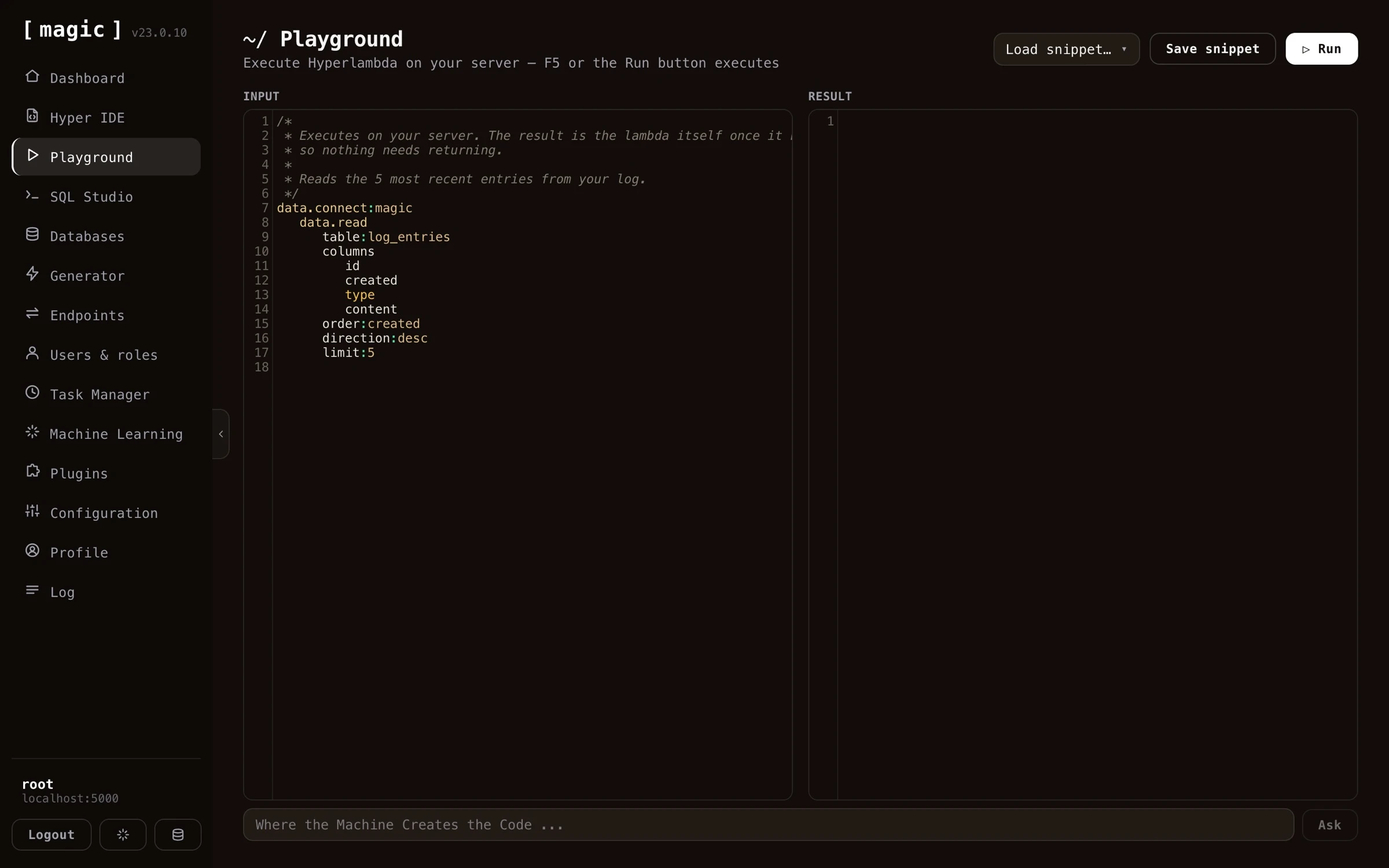 If you create a Hyperlambda snippet you for some reason want to save for later, you can save your Hyperlambda to your _"snippets"_ collection, by clicking the _"Save snippet"_ button, and give your snippet a name. This allows you to create snippets you need to periodically execute, and store these as your _"admin snippets"_, to rapidly execute snippets that somehow execute some Hyperlambda task at will. Saved snippets are loaded back with the _"Load snippet…"_ dropdown.
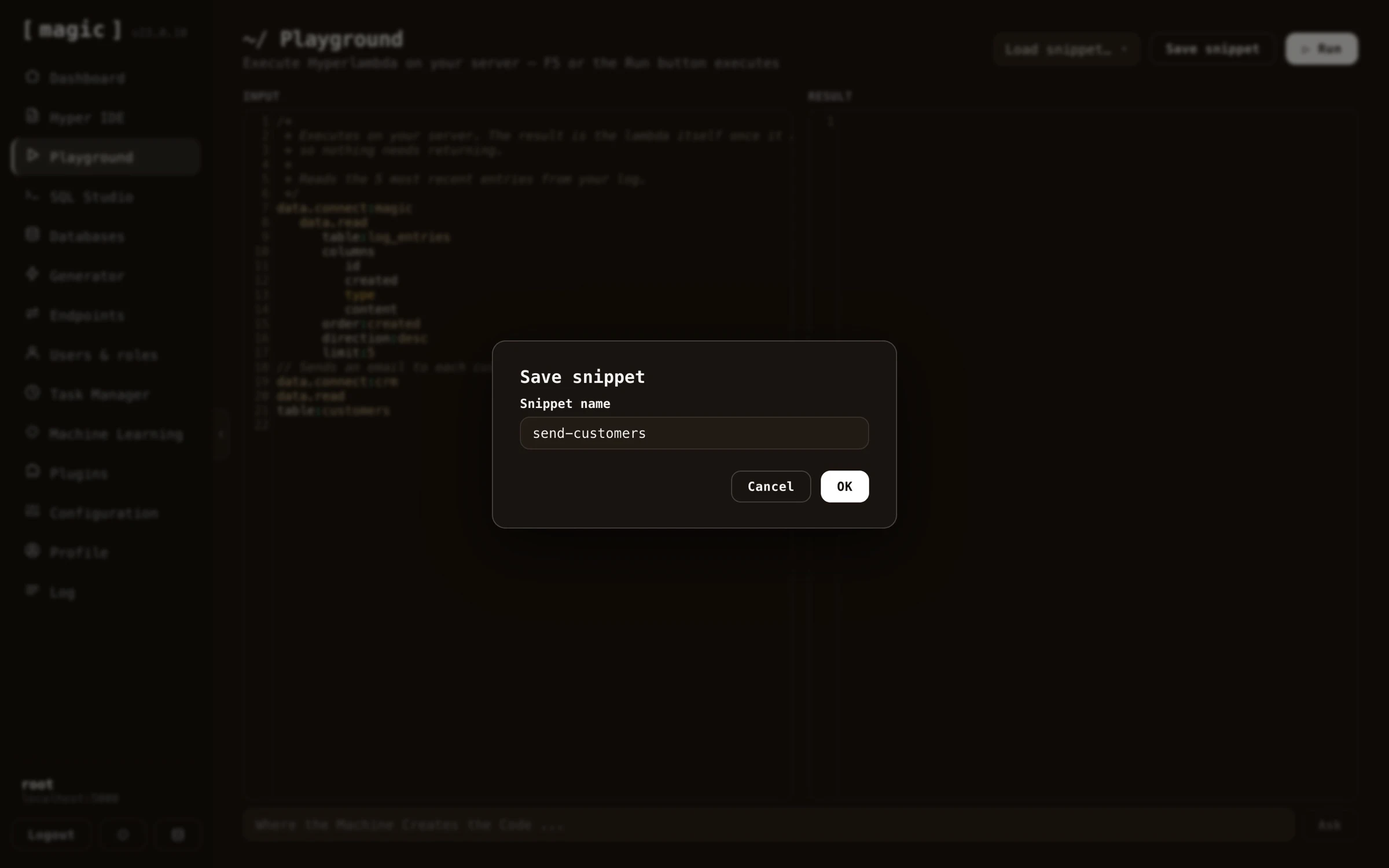 Notice, the Playground also remembers your unsaved code within your browser session - you can navigate to another dashboard component to check something and come back, without losing what you were working on.
## Hyperlambda Playground internals
The Hyperlambda Playground component will transmit your Hyperlambda to the server, where Magic will _"transpile"_ your Hyperlambda into a graph object, referencing CLR _"slots"_ implemented in C#, resulting in being able to dynamically execute code, and returning the result of the invocation to the caller. In such a regard Hyperlambda resembles XML, XSLT and XPath, although with a much less confusing syntax, where executing a snippet of Hyperlambda returns a _"transformed"_ lambda object, which again is serialised as Hyperlambda and returned back to the client. This is why after having executed your Hyperlambda you can see its _"result"_.
Hyperlambda is an input/output execution graph object in such a regard, similar to XML and XSLT, where the output of the execution process, is the Hyperlambda transformed as a consequence of the execution itself. This is why you have both an input and an output part in the Hyperlambda playground.
## Hyperlambda as a meta programming language
Since Hyperlambda is a meta programming language, implying the machine can easily generate functioning Hyperlambda that it executes, this allows you to use the Hyperlambda Playground as a _"software development extension"_, creating snippets of Hyperlambda, that somehow create or modify existing Hyperlambda code, and can be dynamically executed on demand.
In the Hyperlambda Playground's snippets collection, you can find some snippets that do such tasks for you, such as one snippet called _"format-hyperlambda"_ that you can parametrise with some folder and execute. Once executed this Hyperlambda snippet will correctly format all code recursively within that folder, by reading all Hyperlambda files inside of this folder recursively, for then to correctly format your files.
You can of course create your own similar snippets, that automatically perform similar types of tasks, for then to save these Hyperlambda files to your snippets collection.
* [Read more about Hyperlambda](https://docs.ainiro.io/hyperlambda/) to understand how to use this component
## Frequently asked questions
**What is the Hyperlambda Playground?**
A component that executes Hyperlambda in 'immediate mode', showing you the result instantly. It is a great place to learn Hyperlambda, and ships with a collection of example snippets you can load, study, modify and execute.
**Can the AI write the Hyperlambda for me?**
Yes. The 'Where the Machine Creates the Code' bar below the editor turns a plain English description into working Hyperlambda through the Hyperlambda Generator, which you can then execute immediately.
**Does the editor have autocomplete?**
Yes, on every slot in your cloudlet - click CTRL+SPACE on Windows or FN+CONTROL+SPACE on a Mac.
**Why does the Playground have both an input and an output section?**
Executing Hyperlambda transforms its lambda graph, similar to how XSLT transforms XML. The output section shows your code as transformed by the execution itself.
**Can I save my own snippets?**
Yes. Click Save snippet and give it a name, building a collection of admin snippets you can load back with the Load snippet dropdown and re-execute at will - including snippets that generate or modify other Hyperlambda code.
# Log
URL: https://docs.ainiro.io/dashboard/log/
Description: Browse your Magic cloudlet's server log to confirm it's healthy and running optimally, and to review important events as they happen.
The log component allows you to browse your cloudlet's log. When an important event occurs in Magic, a log entry will typically be created describing the event. Examples of such events are when users are logging in, or errors are occurring in the system for some reason.
You can also filter your cloudlet's log, look up specific items, to find bugs happening as your system is being used. Log items carrying an exception can be expanded by clicking them, revealing the complete stack trace of whatever went wrong - which combined with filtering makes tracking down bugs in your system much easier.
Notice, the Playground also remembers your unsaved code within your browser session - you can navigate to another dashboard component to check something and come back, without losing what you were working on.
## Hyperlambda Playground internals
The Hyperlambda Playground component will transmit your Hyperlambda to the server, where Magic will _"transpile"_ your Hyperlambda into a graph object, referencing CLR _"slots"_ implemented in C#, resulting in being able to dynamically execute code, and returning the result of the invocation to the caller. In such a regard Hyperlambda resembles XML, XSLT and XPath, although with a much less confusing syntax, where executing a snippet of Hyperlambda returns a _"transformed"_ lambda object, which again is serialised as Hyperlambda and returned back to the client. This is why after having executed your Hyperlambda you can see its _"result"_.
Hyperlambda is an input/output execution graph object in such a regard, similar to XML and XSLT, where the output of the execution process, is the Hyperlambda transformed as a consequence of the execution itself. This is why you have both an input and an output part in the Hyperlambda playground.
## Hyperlambda as a meta programming language
Since Hyperlambda is a meta programming language, implying the machine can easily generate functioning Hyperlambda that it executes, this allows you to use the Hyperlambda Playground as a _"software development extension"_, creating snippets of Hyperlambda, that somehow create or modify existing Hyperlambda code, and can be dynamically executed on demand.
In the Hyperlambda Playground's snippets collection, you can find some snippets that do such tasks for you, such as one snippet called _"format-hyperlambda"_ that you can parametrise with some folder and execute. Once executed this Hyperlambda snippet will correctly format all code recursively within that folder, by reading all Hyperlambda files inside of this folder recursively, for then to correctly format your files.
You can of course create your own similar snippets, that automatically perform similar types of tasks, for then to save these Hyperlambda files to your snippets collection.
* [Read more about Hyperlambda](https://docs.ainiro.io/hyperlambda/) to understand how to use this component
## Frequently asked questions
**What is the Hyperlambda Playground?**
A component that executes Hyperlambda in 'immediate mode', showing you the result instantly. It is a great place to learn Hyperlambda, and ships with a collection of example snippets you can load, study, modify and execute.
**Can the AI write the Hyperlambda for me?**
Yes. The 'Where the Machine Creates the Code' bar below the editor turns a plain English description into working Hyperlambda through the Hyperlambda Generator, which you can then execute immediately.
**Does the editor have autocomplete?**
Yes, on every slot in your cloudlet - click CTRL+SPACE on Windows or FN+CONTROL+SPACE on a Mac.
**Why does the Playground have both an input and an output section?**
Executing Hyperlambda transforms its lambda graph, similar to how XSLT transforms XML. The output section shows your code as transformed by the execution itself.
**Can I save my own snippets?**
Yes. Click Save snippet and give it a name, building a collection of admin snippets you can load back with the Load snippet dropdown and re-execute at will - including snippets that generate or modify other Hyperlambda code.
# Log
URL: https://docs.ainiro.io/dashboard/log/
Description: Browse your Magic cloudlet's server log to confirm it's healthy and running optimally, and to review important events as they happen.
The log component allows you to browse your cloudlet's log. When an important event occurs in Magic, a log entry will typically be created describing the event. Examples of such events are when users are logging in, or errors are occurring in the system for some reason.
You can also filter your cloudlet's log, look up specific items, to find bugs happening as your system is being used. Log items carrying an exception can be expanded by clicking them, revealing the complete stack trace of whatever went wrong - which combined with filtering makes tracking down bugs in your system much easier.
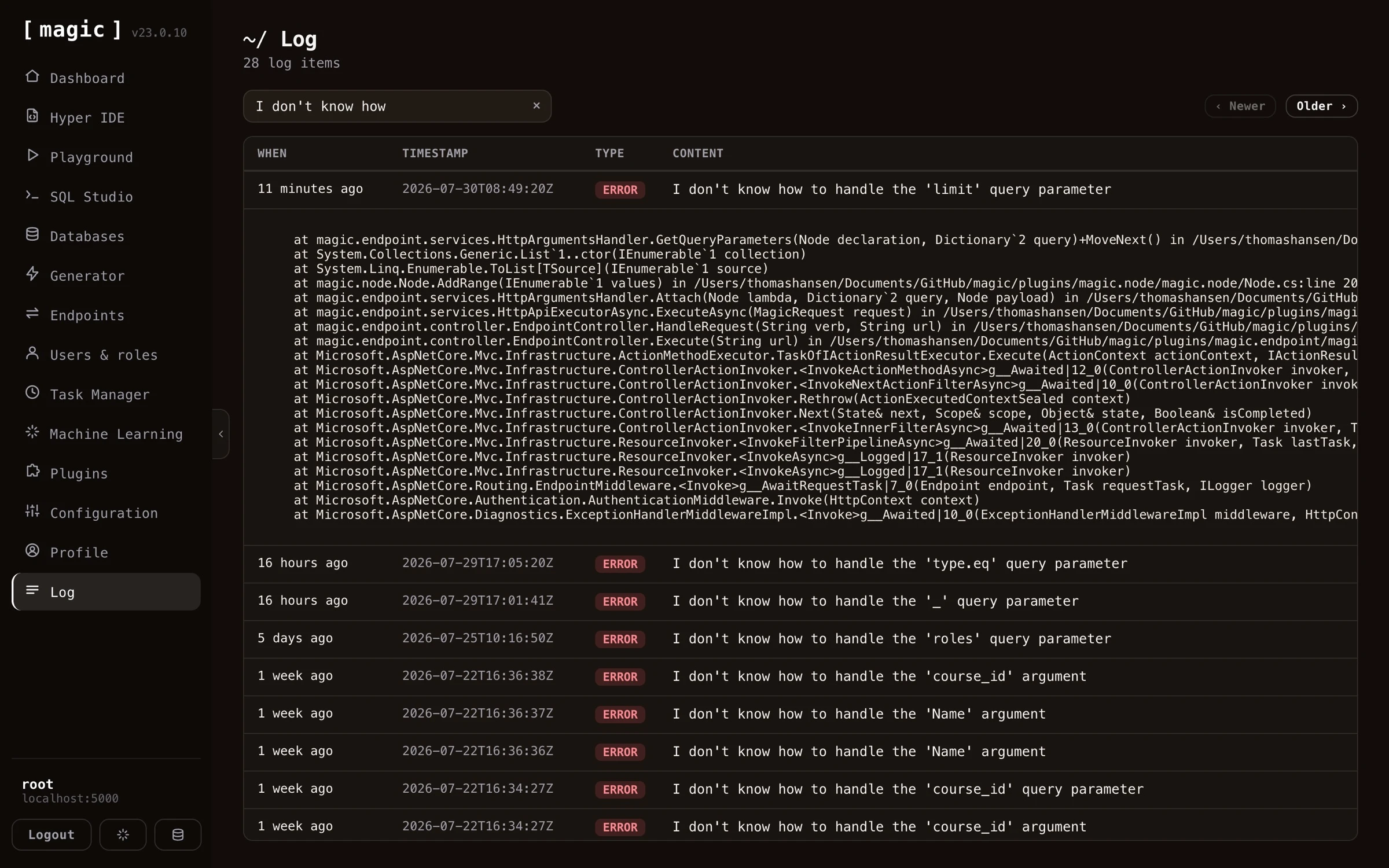 Notice, if you created a cloudlet at [AINIRO](https://ainiro.io), by default all log entries older than 2 weeks will be automatically deleted to avoid exhausting your cloudlet's persistent storage.
## From error to log entry in one click
Most of the time you don't even have to search. When something fails anywhere in the dashboard, the error message contains a _"View log entry"_ link, taking you straight to the log entry the error created - highlighted in the list, and expanded to reveal its stack trace. This works because failed HTTP requests return a `log-id` field next to their error message, containing the id of the log entry the server wrote for the error - so your own API clients can apply the same trick, correlating any error a user reports with the exact server-side log entry describing what went wrong.
## Creating your own log items from Hyperlambda
You can create your own log entries using Hyperlambda code such as the following.
```
log.info:Something important happened
what:Something
importance:High
```
In the above example we are creating an _"info"_ type of log entry, and the _"Something important happened"_ will become the item's content, while the **[what]** and **[importance]** parts become meta data associated with your log entry. The invocation also returns the id of the log entry it created, allowing your own code to reference the entry later - for instance returning it to a client the way Magic's own error handling does. If you execute the above Hyperlambda using the _"Hyperlambda Playground"_ component you can see your log entry in your _"Log"_ component at the top afterwards. There are 4 types of log entries you can create by default.
* __[log.debug]__ - These are debug log entries intended for helping you debug your modules and components. These are typically not displayed in a production cloudlet since typically you would turn _off_ debug logging in production
* __[log.info]__ - These are information types of entries providing information about general things occurring in your system
* __[log.error]__ - These are errors and logs when an error occurs in your system and you should pay particular notice to these
* __[log.fatal]__ - These are fatal errors that prevent your system from working correctly, implying they might prevent your cloudlet from working
## Configuring logging
Your cloudlet has a _"log level"_ setting that decides how much it should log. This is an incrementally increasing value starting at _"debug"_ and ending at _"off"_. The latter implying logging is turned off. You can change this _"log level"_ by changing your `magic:logging:level` configuration setting. The log level declares at what _"level"_ your cloudlet will insert log entries. For instance, typically when debugging you want to set the level at _"debug"_, while in a production environment you want to increase it to (at least) _"info"_ to avoid flooding your cloudlet with debug log entries. This implies that in your debug environment you will see
all log entries, including your debug log entries - While in production Magic won't create log entries for debug log items.
## Log internals
Log items will be persisted into your magic _"log_entries"_ database table. The [magic.lambda.logging](https://docs.ainiro.io/plugins/magic.lambda.logging/) project is what encapsulates the logging related slots in Hyperlambda.
## Frequently asked questions
**What is the Log component?**
It lets you browse your cloudlet's log, giving you control over events that might have consequences for your system - errors, security events, task executions, and anything your own code logs.
**How do I find the cause of an error?**
When something fails in the dashboard, the error message carries a 'View log entry' link taking you straight to the log entry describing the error - highlighted, and expanded to reveal its stack trace. You can also filter the log manually and click any entry carrying an exception to expand it.
**Can my own code create log entries?**
Yes. Your Hyperlambda code can create log entries as you see fit - including structured meta data - to record important events such as deleting records, executing tasks, or registering users.
**How long are log items kept?**
On AINIRO hosted cloudlets, log entries older than 2 weeks are automatically deleted by default, to avoid exhausting your cloudlet's persistent storage.
# Machine Learning
URL: https://docs.ainiro.io/dashboard/machine-learning/
Description: Create your own machine-learning model in Magic by scraping any website into RAG training data, answering domain questions with vector search.
Magic's Machine Learning component allows you to create your own AI based machine learning model, either by crawling your website and scraping it for data, or by manually uploading files, resulting in a private and custom _"machine learning model"_. Machine learning in Magic is built upon OpenAI's API and is similar to ChatGPT, and under the hood it's using RAG and VSS towards your own database to extract context as it's answering questions using OpenAI.
Notice, if you created a cloudlet at [AINIRO](https://ainiro.io), by default all log entries older than 2 weeks will be automatically deleted to avoid exhausting your cloudlet's persistent storage.
## From error to log entry in one click
Most of the time you don't even have to search. When something fails anywhere in the dashboard, the error message contains a _"View log entry"_ link, taking you straight to the log entry the error created - highlighted in the list, and expanded to reveal its stack trace. This works because failed HTTP requests return a `log-id` field next to their error message, containing the id of the log entry the server wrote for the error - so your own API clients can apply the same trick, correlating any error a user reports with the exact server-side log entry describing what went wrong.
## Creating your own log items from Hyperlambda
You can create your own log entries using Hyperlambda code such as the following.
```
log.info:Something important happened
what:Something
importance:High
```
In the above example we are creating an _"info"_ type of log entry, and the _"Something important happened"_ will become the item's content, while the **[what]** and **[importance]** parts become meta data associated with your log entry. The invocation also returns the id of the log entry it created, allowing your own code to reference the entry later - for instance returning it to a client the way Magic's own error handling does. If you execute the above Hyperlambda using the _"Hyperlambda Playground"_ component you can see your log entry in your _"Log"_ component at the top afterwards. There are 4 types of log entries you can create by default.
* __[log.debug]__ - These are debug log entries intended for helping you debug your modules and components. These are typically not displayed in a production cloudlet since typically you would turn _off_ debug logging in production
* __[log.info]__ - These are information types of entries providing information about general things occurring in your system
* __[log.error]__ - These are errors and logs when an error occurs in your system and you should pay particular notice to these
* __[log.fatal]__ - These are fatal errors that prevent your system from working correctly, implying they might prevent your cloudlet from working
## Configuring logging
Your cloudlet has a _"log level"_ setting that decides how much it should log. This is an incrementally increasing value starting at _"debug"_ and ending at _"off"_. The latter implying logging is turned off. You can change this _"log level"_ by changing your `magic:logging:level` configuration setting. The log level declares at what _"level"_ your cloudlet will insert log entries. For instance, typically when debugging you want to set the level at _"debug"_, while in a production environment you want to increase it to (at least) _"info"_ to avoid flooding your cloudlet with debug log entries. This implies that in your debug environment you will see
all log entries, including your debug log entries - While in production Magic won't create log entries for debug log items.
## Log internals
Log items will be persisted into your magic _"log_entries"_ database table. The [magic.lambda.logging](https://docs.ainiro.io/plugins/magic.lambda.logging/) project is what encapsulates the logging related slots in Hyperlambda.
## Frequently asked questions
**What is the Log component?**
It lets you browse your cloudlet's log, giving you control over events that might have consequences for your system - errors, security events, task executions, and anything your own code logs.
**How do I find the cause of an error?**
When something fails in the dashboard, the error message carries a 'View log entry' link taking you straight to the log entry describing the error - highlighted, and expanded to reveal its stack trace. You can also filter the log manually and click any entry carrying an exception to expand it.
**Can my own code create log entries?**
Yes. Your Hyperlambda code can create log entries as you see fit - including structured meta data - to record important events such as deleting records, executing tasks, or registering users.
**How long are log items kept?**
On AINIRO hosted cloudlets, log entries older than 2 weeks are automatically deleted by default, to avoid exhausting your cloudlet's persistent storage.
# Machine Learning
URL: https://docs.ainiro.io/dashboard/machine-learning/
Description: Create your own machine-learning model in Magic by scraping any website into RAG training data, answering domain questions with vector search.
Magic's Machine Learning component allows you to create your own AI based machine learning model, either by crawling your website and scraping it for data, or by manually uploading files, resulting in a private and custom _"machine learning model"_. Machine learning in Magic is built upon OpenAI's API and is similar to ChatGPT, and under the hood it's using RAG and VSS towards your own database to extract context as it's answering questions using OpenAI.
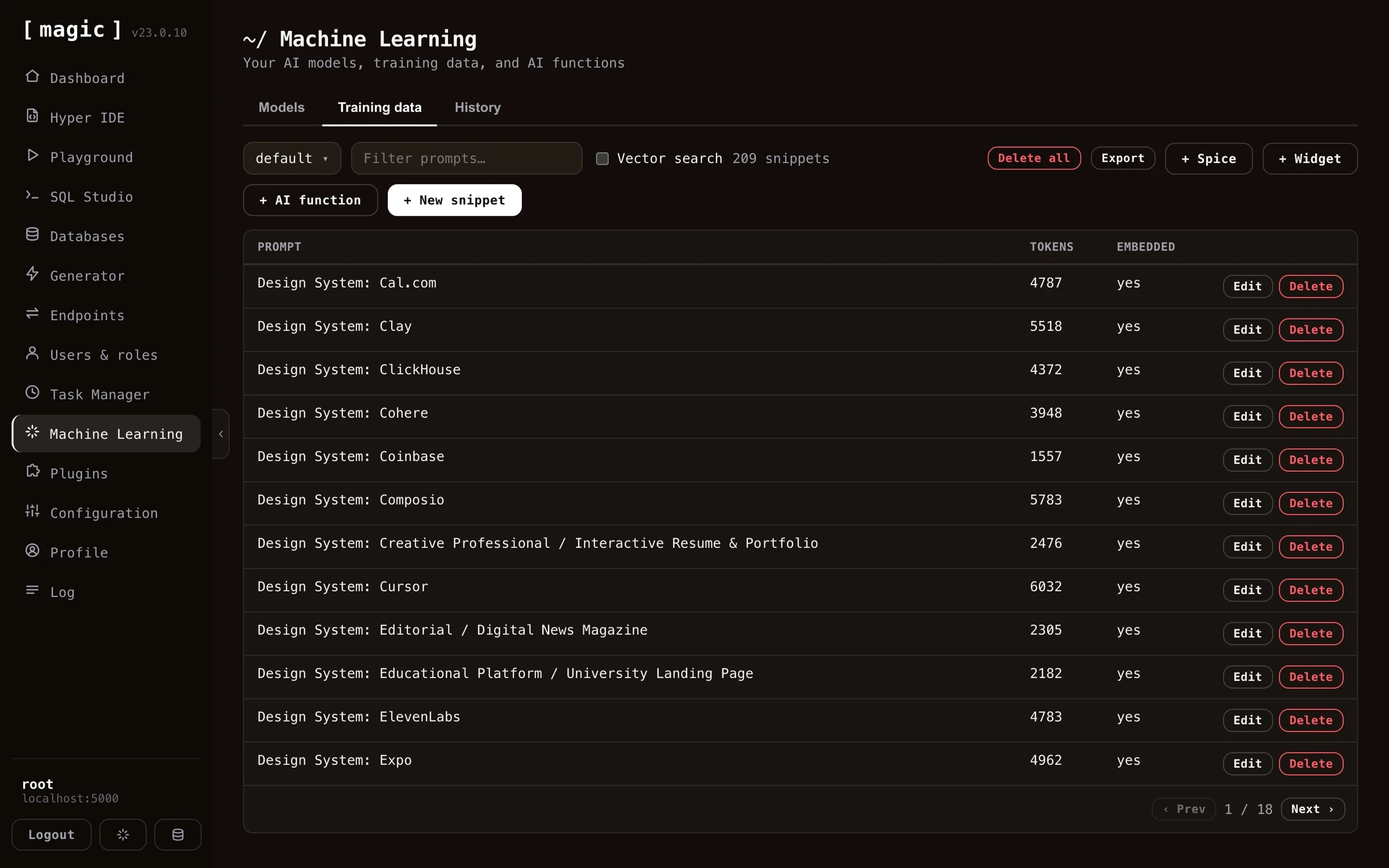 Magic contains a lot of additional services, such as the ability to monitor or supervise usage, storing questions and answers into your database, and use these to review and improve your model's accuracy over time. You can also use historical requests for business intelligence, or lead generation. In addition it ties into Magic's AI Agent abilities, allowing you to integrate AI functions triggering AI workflows from instructions provided by the user.
You can crawl and scrape your website for training data, or upload your own files in a wide variety of formats, such as XML, JSON, YAML, CSV, or PDF. Magic uses RAG/VSS to power your model, which eliminates AI hallucinations, resulting in higher accuracy, and is also significantly less expensive.
## In this section
* [Crawling Your Website](https://docs.ainiro.io/dashboard/machine-learning/crawling/): To crawl and scrape your website, create a model, then click the "Import" button on your model, and provide it with your website's URL.
* [Models and Configuration](https://docs.ainiro.io/dashboard/machine-learning/models/): A "model" is a collection of training snippets.
* [Training Snippets](https://docs.ainiro.io/dashboard/machine-learning/training-snippets/): Magic uses RAG for your machine learning model, which we recommend for 99% of our clients.
* [AI Functions](https://docs.ainiro.io/dashboard/machine-learning/ai-functions/): This is a subject on its own, but basically a machine learning model has the ability to execute AI functions.
* [Memory and History](https://docs.ainiro.io/dashboard/machine-learning/memory-and-history/): A training snippet is just a prompt and a completion, which makes it a good place for an AI agent to keep what it learns.
## Use cases
* Expert law system, answering legal questions for your clients
* Medical expert advice system based upon AI and machine learning, giving you help when diagnosing patients and clients
* Support chatbot for your company, giving your clients support for whatever questions they might have
* Automated sales expert systems, converting leads on your website into paying clients
* Cognitive assistants, helping your employees with some specific task at hand
* AI Agents serving as AI assistants performing tasks for you according to your instructions
The advantage of creating your own Machine Learning model is that you can create a private and custom AI chatbot. This can become a much _"sharper"_ intelligence than the publicly available ChatGPT, with knowledge about your particular problem domain, problems ChatGPT is not able to correctly provide answers to.
To understand what I mean here go to [ChatGPT](https://chat.openai.com) and ask it about your company. Chances are that ChatGPT has no idea how to answer your questions correctly. If you scrape your company's website, and/or upload your own training data, you could create a _"custom version of ChatGPT"_, that is able to answer support requests, and/or convince leads and potential clients to become
paying customers, etc. This is of course _impossible_ with the general ChatGPT implementation, but can sometimes be created in some few minutes using Magic Cloud.
This is one of the primary services [AINIRO.IO](https://ainiro.io) is providing, and we have a lot of experience with building high quality AI chatbots. If you want us to create you a chatbot, you can [create a demo chatbot on our website](https://ainiro.io), or [contact us here](https://ainiro.io/contact-us).
## A Machine Learning platform
Magic's machine learning component is actually horizontally implemented into almost every single component in Magic. Need to use AI from [SQL Studio](https://docs.ainiro.io/dashboard/sql-studio/), no problem, it's an integrated feature. The same is true for [Hyper IDE](https://docs.ainiro.io/dashboard/hyper-ide/),
and even help is implemented using OpenAI and ChatGPT. If you need help with some [Hyperlambda](https://docs.ainiro.io/hyperlambda/) code, just mark it in Hyper IDE and click F1, which will use AI to explain what the code does.
Magic contains a lot of additional services, such as the ability to monitor or supervise usage, storing questions and answers into your database, and use these to review and improve your model's accuracy over time. You can also use historical requests for business intelligence, or lead generation. In addition it ties into Magic's AI Agent abilities, allowing you to integrate AI functions triggering AI workflows from instructions provided by the user.
You can crawl and scrape your website for training data, or upload your own files in a wide variety of formats, such as XML, JSON, YAML, CSV, or PDF. Magic uses RAG/VSS to power your model, which eliminates AI hallucinations, resulting in higher accuracy, and is also significantly less expensive.
## In this section
* [Crawling Your Website](https://docs.ainiro.io/dashboard/machine-learning/crawling/): To crawl and scrape your website, create a model, then click the "Import" button on your model, and provide it with your website's URL.
* [Models and Configuration](https://docs.ainiro.io/dashboard/machine-learning/models/): A "model" is a collection of training snippets.
* [Training Snippets](https://docs.ainiro.io/dashboard/machine-learning/training-snippets/): Magic uses RAG for your machine learning model, which we recommend for 99% of our clients.
* [AI Functions](https://docs.ainiro.io/dashboard/machine-learning/ai-functions/): This is a subject on its own, but basically a machine learning model has the ability to execute AI functions.
* [Memory and History](https://docs.ainiro.io/dashboard/machine-learning/memory-and-history/): A training snippet is just a prompt and a completion, which makes it a good place for an AI agent to keep what it learns.
## Use cases
* Expert law system, answering legal questions for your clients
* Medical expert advice system based upon AI and machine learning, giving you help when diagnosing patients and clients
* Support chatbot for your company, giving your clients support for whatever questions they might have
* Automated sales expert systems, converting leads on your website into paying clients
* Cognitive assistants, helping your employees with some specific task at hand
* AI Agents serving as AI assistants performing tasks for you according to your instructions
The advantage of creating your own Machine Learning model is that you can create a private and custom AI chatbot. This can become a much _"sharper"_ intelligence than the publicly available ChatGPT, with knowledge about your particular problem domain, problems ChatGPT is not able to correctly provide answers to.
To understand what I mean here go to [ChatGPT](https://chat.openai.com) and ask it about your company. Chances are that ChatGPT has no idea how to answer your questions correctly. If you scrape your company's website, and/or upload your own training data, you could create a _"custom version of ChatGPT"_, that is able to answer support requests, and/or convince leads and potential clients to become
paying customers, etc. This is of course _impossible_ with the general ChatGPT implementation, but can sometimes be created in some few minutes using Magic Cloud.
This is one of the primary services [AINIRO.IO](https://ainiro.io) is providing, and we have a lot of experience with building high quality AI chatbots. If you want us to create you a chatbot, you can [create a demo chatbot on our website](https://ainiro.io), or [contact us here](https://ainiro.io/contact-us).
## A Machine Learning platform
Magic's machine learning component is actually horizontally implemented into almost every single component in Magic. Need to use AI from [SQL Studio](https://docs.ainiro.io/dashboard/sql-studio/), no problem, it's an integrated feature. The same is true for [Hyper IDE](https://docs.ainiro.io/dashboard/hyper-ide/),
and even help is implemented using OpenAI and ChatGPT. If you need help with some [Hyperlambda](https://docs.ainiro.io/hyperlambda/) code, just mark it in Hyper IDE and click F1, which will use AI to explain what the code does.
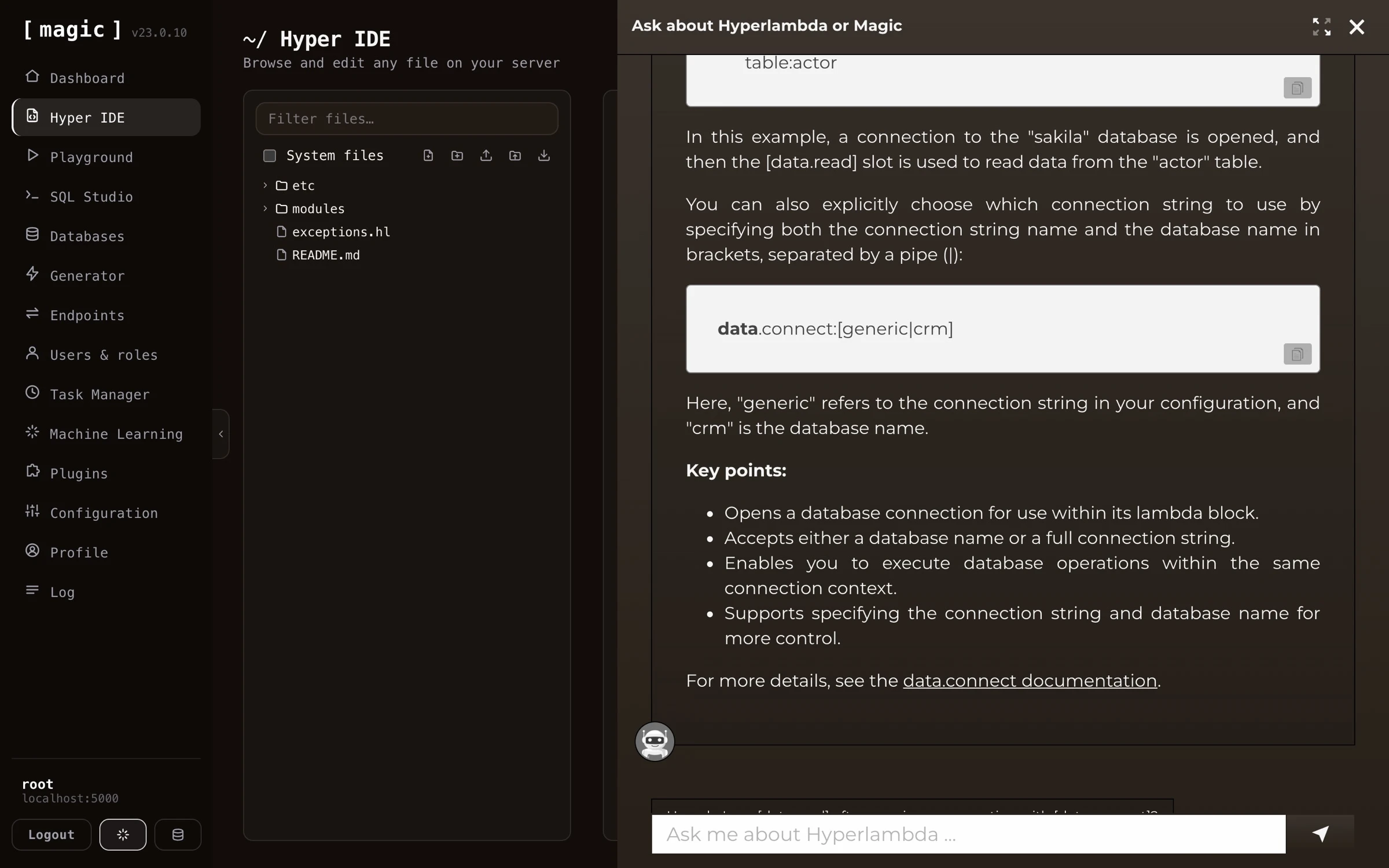 You can also use OpenAI to generate code for you. Both Hyper IDE and SQL Studio have a little textbox at the bottom that says _"Where the machine creates the code."_ If you add some piece of instruction here, Magic will invoke OpenAI with your prompt and generate code according to your instructions.
### Magic's integrated support chatbot
In addition, Magic integrates a support chatbot directly into its dashboard. This provides you with integrated help directly from the dashboard. Click the AI chatbot button at the bottom of the navigation sidebar to access this chatbot.
## Frequently asked questions
**What is the Machine Learning component in Magic?**
It allows you to create your own private AI models by crawling websites or uploading files, turning the content into RAG training data. Under the hood it uses OpenAI, combined with RAG and VSS towards your own database, giving you accurate, domain specific answers without your data ever leaving your cloudlet's database.
**Can I import files to my model?**
Yes. Click Import on your model and either crawl a website, or upload files in a wide variety of formats - XML, JSON, YAML, CSV, PDF and more. Each file is turned into training snippets automatically.
**How do I create an AI chatbot from my website?**
Create a model, click Import, provide your website's URL, and Magic crawls and scrapes the site, turning every page into training data. For an even faster start, the Chatbot Wizard on the dashboard's landing page does all of this with one click.
**What is a training snippet?**
One atomic piece of information, consisting of a prompt and a completion. When answering a question, Magic picks the most relevant snippets - potentially from many different sources - and transmits them as context to OpenAI, which answers using only that context.
**Can an AI agent remember things between sessions?**
Yes. Connected over MCP, an agent can save anything worth keeping - a fact, a preference, a decision, or reusable Hyperlambda - as a training snippet with create-memory, and find it again later with search-memory, which combines keyword search and search by meaning. Memories go into the default type unless you name another one, and every connected tool sees the same ones.
**What does Vectorize do, and why do I need it?**
Vectorising creates embeddings for your training snippets, enabling VSS (Vector Similarity Search) to find the most relevant snippets for each question. You must click Vectorize on your model after importing training data, before the model can be used.
**Does my chatbot hallucinate?**
RAG and VSS drastically reduce hallucinations, since the model answers exclusively from your own training data instead of inventing facts. This also makes it significantly less expensive than fine-tuning.
**Can I edit or clean training snippets after importing?**
Yes. Every snippet can be edited manually, and the snippet editor has its own AI bar allowing you to clean, reformat, or compress individual snippets with a plain English instruction - the AI transforms the snippet and writes the result back for you.
**Can I search through my training data?**
Yes, both with plain text filtering and with Vector search, which finds snippets by meaning rather than keywords - useful for verifying what context your model would use for a particular question.
**What are widgets?**
Micro apps rendered inside the chat stream itself - forms, calculators, booking widgets, and similar. You add them from the training data tab, and the chatbot displays them in the middle of the conversation when a user's question matches the widget's prompt.
**What are AI functions?**
Installable functions that turn your model into an AI agent - allowing the chatbot to query your database, trigger workflows, or create training snippets, according to instructions provided by the user in natural language.
**How do I embed my chatbot on my website?**
Click Embed on your model, configure theme, colours, position and behaviour, and copy the generated script tag into your website's HTML. The chatbot then runs on your site, answering from your training data.
**Can I monitor what users ask my chatbot?**
Yes. The History tab stores questions and answers, letting you review and improve your model over time - and use historical requests for business intelligence or lead generation. Supervised models can also be corrected by editing bad answers into new training data.
# AI Functions
URL: https://docs.ainiro.io/dashboard/machine-learning/ai-functions/
Description: This is a subject on its own, but basically a machine learning model has the ability to execute AI functions.
This is a subject on its own, but basically a machine learning model has the ability to execute AI functions. This works by instructing OpenAI to respond with the path to a Hyperlambda file and some JSON arguments given some specific condition(s). To understand AI functions, you can read the following tutorial.
* [Getting started with AI Functions](https://ainiro.io/blog/getting-started-with-ai-functions)
But basically an AI function training snippet resembles the following.
```text
This workflow will send an email,
with the specified [reply-to], [reply-to-email], [subject] and [body].
All arguments are mandatory, and [body] can be Markdown, at which point it
will be transformed into HTML before transmitted.
If the user asks you to perform an action associated with this function
invocation, then inform the user of what you are about to do, and do not
return follow up questions, but instead end your response with the
following:
___
FUNCTION_INVOCATION[/system/misc/workflows/send-email.hl]:
{
"name": "[VALUE]",
"email": "[VALUE]",
"reply-to": "[VALUE]",
"reply-to-email": "[VALUE]",
"subject": "[VALUE]",
"body": "[VALUE]"
}
___
Description of arguments:
* name Type of argument is string.
* email Type of argument is string.
* reply-to Type of argument is string.
* reply-to-email Type of argument is string.
* subject Type of argument is string.
* body Type of argument is string.
```
The above tells OpenAI to return JSON and `FUNCTION_INVOCATION` if the user asks it to send an email. This results in a _"function invocation"_ in the cloudlet, which is executed, for then to send the result of the invocation back to OpenAI again to answer the original question.
Magic Cloud contains dozens of pre-defined functions, and most of these are easily implemented using no-code constructs. To integrate one of the pre-defined AI functions into your model, you need to choose your model in the _"Training data"_ tab, click the _"Add function"_ button, at which point you'll see all the pre-defined no-code AI functions existing in the system.
You can also use OpenAI to generate code for you. Both Hyper IDE and SQL Studio have a little textbox at the bottom that says _"Where the machine creates the code."_ If you add some piece of instruction here, Magic will invoke OpenAI with your prompt and generate code according to your instructions.
### Magic's integrated support chatbot
In addition, Magic integrates a support chatbot directly into its dashboard. This provides you with integrated help directly from the dashboard. Click the AI chatbot button at the bottom of the navigation sidebar to access this chatbot.
## Frequently asked questions
**What is the Machine Learning component in Magic?**
It allows you to create your own private AI models by crawling websites or uploading files, turning the content into RAG training data. Under the hood it uses OpenAI, combined with RAG and VSS towards your own database, giving you accurate, domain specific answers without your data ever leaving your cloudlet's database.
**Can I import files to my model?**
Yes. Click Import on your model and either crawl a website, or upload files in a wide variety of formats - XML, JSON, YAML, CSV, PDF and more. Each file is turned into training snippets automatically.
**How do I create an AI chatbot from my website?**
Create a model, click Import, provide your website's URL, and Magic crawls and scrapes the site, turning every page into training data. For an even faster start, the Chatbot Wizard on the dashboard's landing page does all of this with one click.
**What is a training snippet?**
One atomic piece of information, consisting of a prompt and a completion. When answering a question, Magic picks the most relevant snippets - potentially from many different sources - and transmits them as context to OpenAI, which answers using only that context.
**Can an AI agent remember things between sessions?**
Yes. Connected over MCP, an agent can save anything worth keeping - a fact, a preference, a decision, or reusable Hyperlambda - as a training snippet with create-memory, and find it again later with search-memory, which combines keyword search and search by meaning. Memories go into the default type unless you name another one, and every connected tool sees the same ones.
**What does Vectorize do, and why do I need it?**
Vectorising creates embeddings for your training snippets, enabling VSS (Vector Similarity Search) to find the most relevant snippets for each question. You must click Vectorize on your model after importing training data, before the model can be used.
**Does my chatbot hallucinate?**
RAG and VSS drastically reduce hallucinations, since the model answers exclusively from your own training data instead of inventing facts. This also makes it significantly less expensive than fine-tuning.
**Can I edit or clean training snippets after importing?**
Yes. Every snippet can be edited manually, and the snippet editor has its own AI bar allowing you to clean, reformat, or compress individual snippets with a plain English instruction - the AI transforms the snippet and writes the result back for you.
**Can I search through my training data?**
Yes, both with plain text filtering and with Vector search, which finds snippets by meaning rather than keywords - useful for verifying what context your model would use for a particular question.
**What are widgets?**
Micro apps rendered inside the chat stream itself - forms, calculators, booking widgets, and similar. You add them from the training data tab, and the chatbot displays them in the middle of the conversation when a user's question matches the widget's prompt.
**What are AI functions?**
Installable functions that turn your model into an AI agent - allowing the chatbot to query your database, trigger workflows, or create training snippets, according to instructions provided by the user in natural language.
**How do I embed my chatbot on my website?**
Click Embed on your model, configure theme, colours, position and behaviour, and copy the generated script tag into your website's HTML. The chatbot then runs on your site, answering from your training data.
**Can I monitor what users ask my chatbot?**
Yes. The History tab stores questions and answers, letting you review and improve your model over time - and use historical requests for business intelligence or lead generation. Supervised models can also be corrected by editing bad answers into new training data.
# AI Functions
URL: https://docs.ainiro.io/dashboard/machine-learning/ai-functions/
Description: This is a subject on its own, but basically a machine learning model has the ability to execute AI functions.
This is a subject on its own, but basically a machine learning model has the ability to execute AI functions. This works by instructing OpenAI to respond with the path to a Hyperlambda file and some JSON arguments given some specific condition(s). To understand AI functions, you can read the following tutorial.
* [Getting started with AI Functions](https://ainiro.io/blog/getting-started-with-ai-functions)
But basically an AI function training snippet resembles the following.
```text
This workflow will send an email,
with the specified [reply-to], [reply-to-email], [subject] and [body].
All arguments are mandatory, and [body] can be Markdown, at which point it
will be transformed into HTML before transmitted.
If the user asks you to perform an action associated with this function
invocation, then inform the user of what you are about to do, and do not
return follow up questions, but instead end your response with the
following:
___
FUNCTION_INVOCATION[/system/misc/workflows/send-email.hl]:
{
"name": "[VALUE]",
"email": "[VALUE]",
"reply-to": "[VALUE]",
"reply-to-email": "[VALUE]",
"subject": "[VALUE]",
"body": "[VALUE]"
}
___
Description of arguments:
* name Type of argument is string.
* email Type of argument is string.
* reply-to Type of argument is string.
* reply-to-email Type of argument is string.
* subject Type of argument is string.
* body Type of argument is string.
```
The above tells OpenAI to return JSON and `FUNCTION_INVOCATION` if the user asks it to send an email. This results in a _"function invocation"_ in the cloudlet, which is executed, for then to send the result of the invocation back to OpenAI again to answer the original question.
Magic Cloud contains dozens of pre-defined functions, and most of these are easily implemented using no-code constructs. To integrate one of the pre-defined AI functions into your model, you need to choose your model in the _"Training data"_ tab, click the _"Add function"_ button, at which point you'll see all the pre-defined no-code AI functions existing in the system.
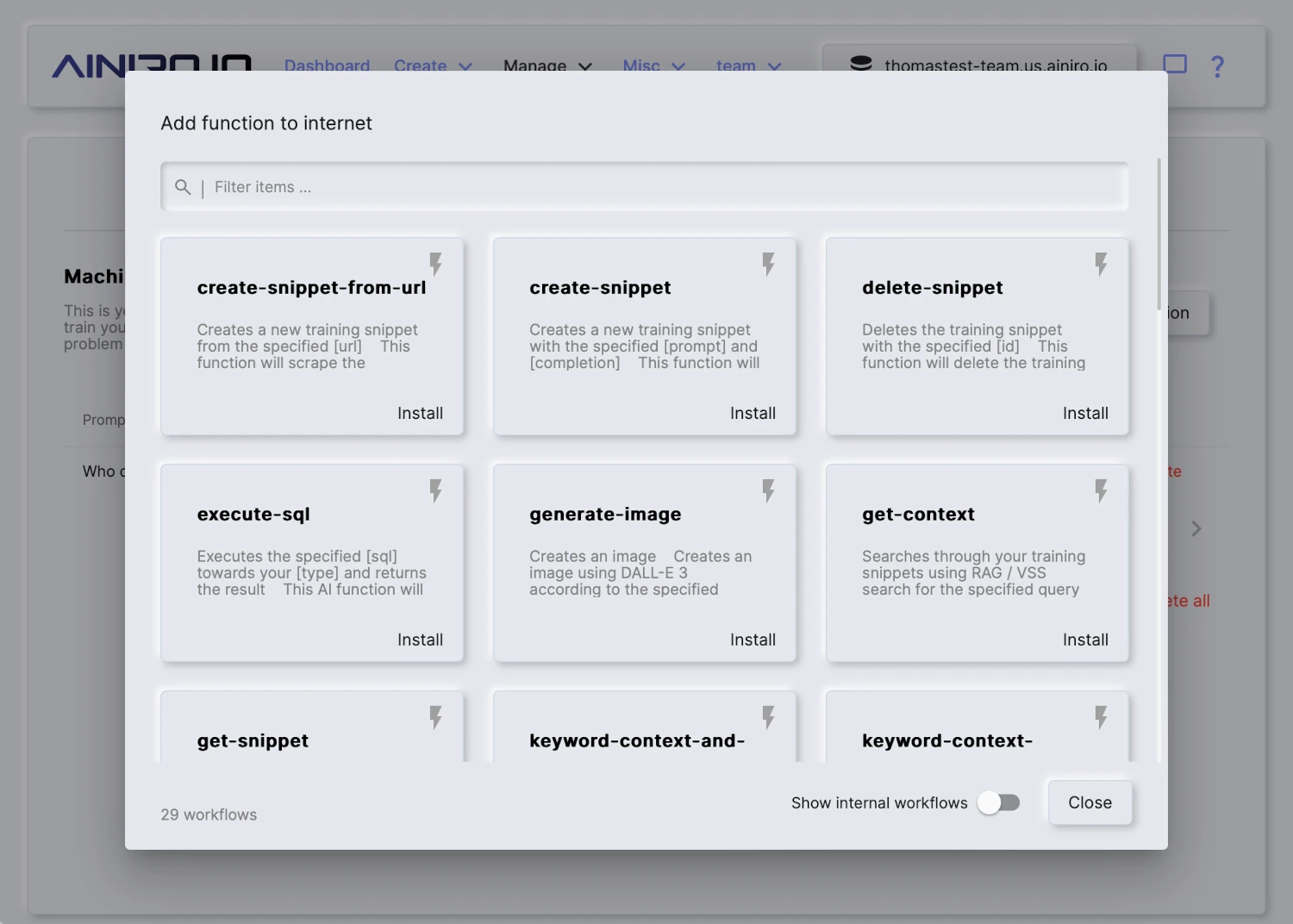 ## Count albums
Counts albums in the chinook database, optionally filtered by title.
Invoke this function when the user asks how many albums exist.
```plaintext
___
FUNCTION_INVOCATION[/modules/chinook/Album-count.get.hl]:
{
"Album.Title.like": "[string]"
}
___
```
~~~
Notice, below is an example of the type of instruction the _"System message"_ setting expects.
```text
You are Frank, a sales executive for Acme, Inc. Follow these rules
when replying to my questions:
* You must answer all my questions exclusively based upon the
information found in the context
* You may suggest relevant products and services you find in
the context
* You should respond with short answers unless asked to elaborate
* You must respond with Markdown
* You should return relevant images and hyperlinks formatted
as Markdown
* You may use emojis if it makes sense
* If you cannot find the answer to the question in the context,
then inform the user that you are only configured to answer
questions about Acme, Inc. and that the user should provide
some keywords for you to find relevant information
```
Magic contains several pre-defined flavors, including dynamically created flavors that will scrape some page to create a highly personalised and custom system message that OpenAI will use as its instruction when it is asked questions. Dynamic flavors contain the text _"DYNAMIC"_ as a part of their name, and when selected, it will ask you for a website URL from where to extract information.
Notice, the system message can contain Hyperlambda mixin logic, similarly to how training snippets can. To understand how this works, read the section about adding Hyperlambda code to your training snippets. The system message can also contain AI function declarations, instructing OpenAI to return JSON for a function invocation given some specific instruction, such as for instance _"Search the web for Thomas Hansen Hyperlambda."_
#### Configuration settings
* Model name, being the name of your model. This cannot be changed once created.
* Website, which if supplied, will re-crawl the specified website once every 24 hours.
* Flavor, being a pre-defined list of templates for system messages. Once you select a flavor, your system message will update accordingly.
* System message, implying the _"instruction"_ to OpenAI. Allows you to change your chatbot's behaviour.
* Conversation starters, implying a pre-defined set of suggested questions to start a conversation with the chatbot.
* Greeting, being a static initial greeting, such as for instance _"Hello there, how can I help you?"_
* Authorisation, implying roles users must belong to in order to query model. Requires the user is authenticated through Magic with a valid JWT token if you turn this on.
* reCAPTCHA, being reCAPTCHA value for accepting queries. This is a legacy setting and you should set it to 0 since we've implemented our own PoW-based CAPTCHA library that's 0.1% of the size of reCAPTCHA.
* Supervised, which if turned on, will store all questions/answers allowing you to access these through the history tab.
* Vectors, implying the chatbot will use the vector database to find context. We do _not_ recommend turning this off.
* API key, being overridden OpenAI API key for a specific model. By default Magic will read API key from your configuration. You can override this on a per-model level.
* No requests, being total number of requests the chatbot has answered the current month.
* Max requests, implying maximum requests the chatbot will answer per month. Useful to cap your chatbot to avoid runaway costs. Logically it's using no requests to see if it can continue answering requests.
* Temperature, implying chances the OpenAI model is willing to take. Sometimes referred to as _"creativity"_.
* Threshold, implying threshold for training data to kick in. Similarity value allowing you to filter out any training data not matching. This value can be between 0 and 1, where 0 implies _"match anything"_ and 1 implies _"only match 100% equal snippets"_. A good value here is between 0.2 and 0.6, depending upon how strict you want the chatbot to match towards your training data.
* Completion/chat model, implying the OpenAI base model to use for queries.
* Vector model, implying vector model to create embeddings for your training data.
* Max Context tokens, implying how many tokens from your training data the model will maximumly use when sending your context to OpenAI to answer questions.
* Max Request tokens, implying the maximum number of tokens the model allows for the user's questions.
* Max Response tokens, implying maximum tokens to allow for OpenAI to return as answers to questions.
* Max Message tokens, which is calculated according to your completion model's token size, and your request, response and context tokens. If this goes to negative, your settings cannot be saved.
* Max Function Invocations, which is the maximum number of times the model will invoke OpenAI for a single prompt. To understand this number you'll have to read our tutorial about [how to create AI functions](https://ainiro.io/blog/getting-started-with-ai-functions).
* Max Session Items, which is the maximum number of historical requests and answers the model will keep in its session when invoking OpenAI before it starts pruning older messages.
# Crawling Your Website
URL: https://docs.ainiro.io/dashboard/machine-learning/crawling/
Description: To crawl and scrape your website, create a model, then click the "Import" button on your model, and provide it with your website's URL.
To crawl and scrape your website, create a model, then click the _"Import"_ button on your model, and provide it with your website's URL.
You can upload training data in a wide variety of formats. However, most interestingly for most is that you can simply point Magic at your website, and it will crawl your website, and scrape it for training data that you can later consume using RAG.
The way the crawler works, is by first checking if your website has a sitemap file. If your site has a sitemap, it will retrieve all pages referenced in your sitemap file(s). Once it has retrieved an HTML document, it will scrape each individual page, transform it into Markdown, apply some intelligence related to chopping pages up into multiple training snippets - For then to finally store these as training snippets in your RAG database.
This process resembles the process Google and other search engines are following as they crawl your site, and one of the bonus features of scraping your website, is that you get to some extent see how search engines see your website. Hence, it is also a somewhat valuable tool to SEO quality assure your site. Magic's crawler explicitly identifies as a crawler, and obeys all the standard crawler rules from
your robots.txt file.
## Count albums
Counts albums in the chinook database, optionally filtered by title.
Invoke this function when the user asks how many albums exist.
```plaintext
___
FUNCTION_INVOCATION[/modules/chinook/Album-count.get.hl]:
{
"Album.Title.like": "[string]"
}
___
```
~~~
Notice, below is an example of the type of instruction the _"System message"_ setting expects.
```text
You are Frank, a sales executive for Acme, Inc. Follow these rules
when replying to my questions:
* You must answer all my questions exclusively based upon the
information found in the context
* You may suggest relevant products and services you find in
the context
* You should respond with short answers unless asked to elaborate
* You must respond with Markdown
* You should return relevant images and hyperlinks formatted
as Markdown
* You may use emojis if it makes sense
* If you cannot find the answer to the question in the context,
then inform the user that you are only configured to answer
questions about Acme, Inc. and that the user should provide
some keywords for you to find relevant information
```
Magic contains several pre-defined flavors, including dynamically created flavors that will scrape some page to create a highly personalised and custom system message that OpenAI will use as its instruction when it is asked questions. Dynamic flavors contain the text _"DYNAMIC"_ as a part of their name, and when selected, it will ask you for a website URL from where to extract information.
Notice, the system message can contain Hyperlambda mixin logic, similarly to how training snippets can. To understand how this works, read the section about adding Hyperlambda code to your training snippets. The system message can also contain AI function declarations, instructing OpenAI to return JSON for a function invocation given some specific instruction, such as for instance _"Search the web for Thomas Hansen Hyperlambda."_
#### Configuration settings
* Model name, being the name of your model. This cannot be changed once created.
* Website, which if supplied, will re-crawl the specified website once every 24 hours.
* Flavor, being a pre-defined list of templates for system messages. Once you select a flavor, your system message will update accordingly.
* System message, implying the _"instruction"_ to OpenAI. Allows you to change your chatbot's behaviour.
* Conversation starters, implying a pre-defined set of suggested questions to start a conversation with the chatbot.
* Greeting, being a static initial greeting, such as for instance _"Hello there, how can I help you?"_
* Authorisation, implying roles users must belong to in order to query model. Requires the user is authenticated through Magic with a valid JWT token if you turn this on.
* reCAPTCHA, being reCAPTCHA value for accepting queries. This is a legacy setting and you should set it to 0 since we've implemented our own PoW-based CAPTCHA library that's 0.1% of the size of reCAPTCHA.
* Supervised, which if turned on, will store all questions/answers allowing you to access these through the history tab.
* Vectors, implying the chatbot will use the vector database to find context. We do _not_ recommend turning this off.
* API key, being overridden OpenAI API key for a specific model. By default Magic will read API key from your configuration. You can override this on a per-model level.
* No requests, being total number of requests the chatbot has answered the current month.
* Max requests, implying maximum requests the chatbot will answer per month. Useful to cap your chatbot to avoid runaway costs. Logically it's using no requests to see if it can continue answering requests.
* Temperature, implying chances the OpenAI model is willing to take. Sometimes referred to as _"creativity"_.
* Threshold, implying threshold for training data to kick in. Similarity value allowing you to filter out any training data not matching. This value can be between 0 and 1, where 0 implies _"match anything"_ and 1 implies _"only match 100% equal snippets"_. A good value here is between 0.2 and 0.6, depending upon how strict you want the chatbot to match towards your training data.
* Completion/chat model, implying the OpenAI base model to use for queries.
* Vector model, implying vector model to create embeddings for your training data.
* Max Context tokens, implying how many tokens from your training data the model will maximumly use when sending your context to OpenAI to answer questions.
* Max Request tokens, implying the maximum number of tokens the model allows for the user's questions.
* Max Response tokens, implying maximum tokens to allow for OpenAI to return as answers to questions.
* Max Message tokens, which is calculated according to your completion model's token size, and your request, response and context tokens. If this goes to negative, your settings cannot be saved.
* Max Function Invocations, which is the maximum number of times the model will invoke OpenAI for a single prompt. To understand this number you'll have to read our tutorial about [how to create AI functions](https://ainiro.io/blog/getting-started-with-ai-functions).
* Max Session Items, which is the maximum number of historical requests and answers the model will keep in its session when invoking OpenAI before it starts pruning older messages.
# Crawling Your Website
URL: https://docs.ainiro.io/dashboard/machine-learning/crawling/
Description: To crawl and scrape your website, create a model, then click the "Import" button on your model, and provide it with your website's URL.
To crawl and scrape your website, create a model, then click the _"Import"_ button on your model, and provide it with your website's URL.
You can upload training data in a wide variety of formats. However, most interestingly for most is that you can simply point Magic at your website, and it will crawl your website, and scrape it for training data that you can later consume using RAG.
The way the crawler works, is by first checking if your website has a sitemap file. If your site has a sitemap, it will retrieve all pages referenced in your sitemap file(s). Once it has retrieved an HTML document, it will scrape each individual page, transform it into Markdown, apply some intelligence related to chopping pages up into multiple training snippets - For then to finally store these as training snippets in your RAG database.
This process resembles the process Google and other search engines are following as they crawl your site, and one of the bonus features of scraping your website, is that you get to some extent see how search engines see your website. Hence, it is also a somewhat valuable tool to SEO quality assure your site. Magic's crawler explicitly identifies as a crawler, and obeys all the standard crawler rules from
your robots.txt file.
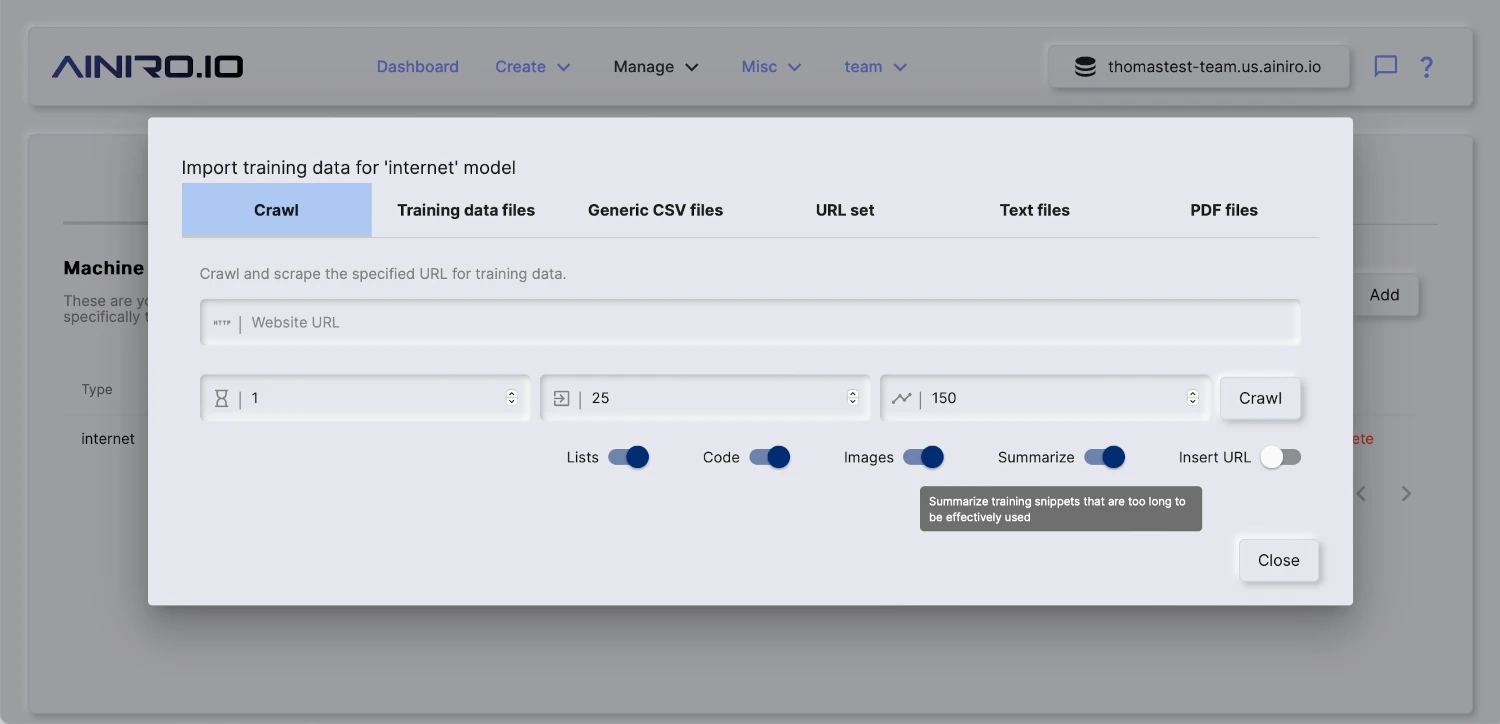 ## Spicing
The spice feature in Magic allows you to scrape a single URL. This provides you with more control, since you can scrape individual pages, and add individual pages to a model. This might be useful if you've got additional information you want to put into the same model, such as Wikipedia pages, individual articles, etc. To spice a model choose the _"Training data"_ tab in Machine Learning, choose your model, and click the _"Spice"_ button.
## Spicing
The spice feature in Magic allows you to scrape a single URL. This provides you with more control, since you can scrape individual pages, and add individual pages to a model. This might be useful if you've got additional information you want to put into the same model, such as Wikipedia pages, individual articles, etc. To spice a model choose the _"Training data"_ tab in Machine Learning, choose your model, and click the _"Spice"_ button.
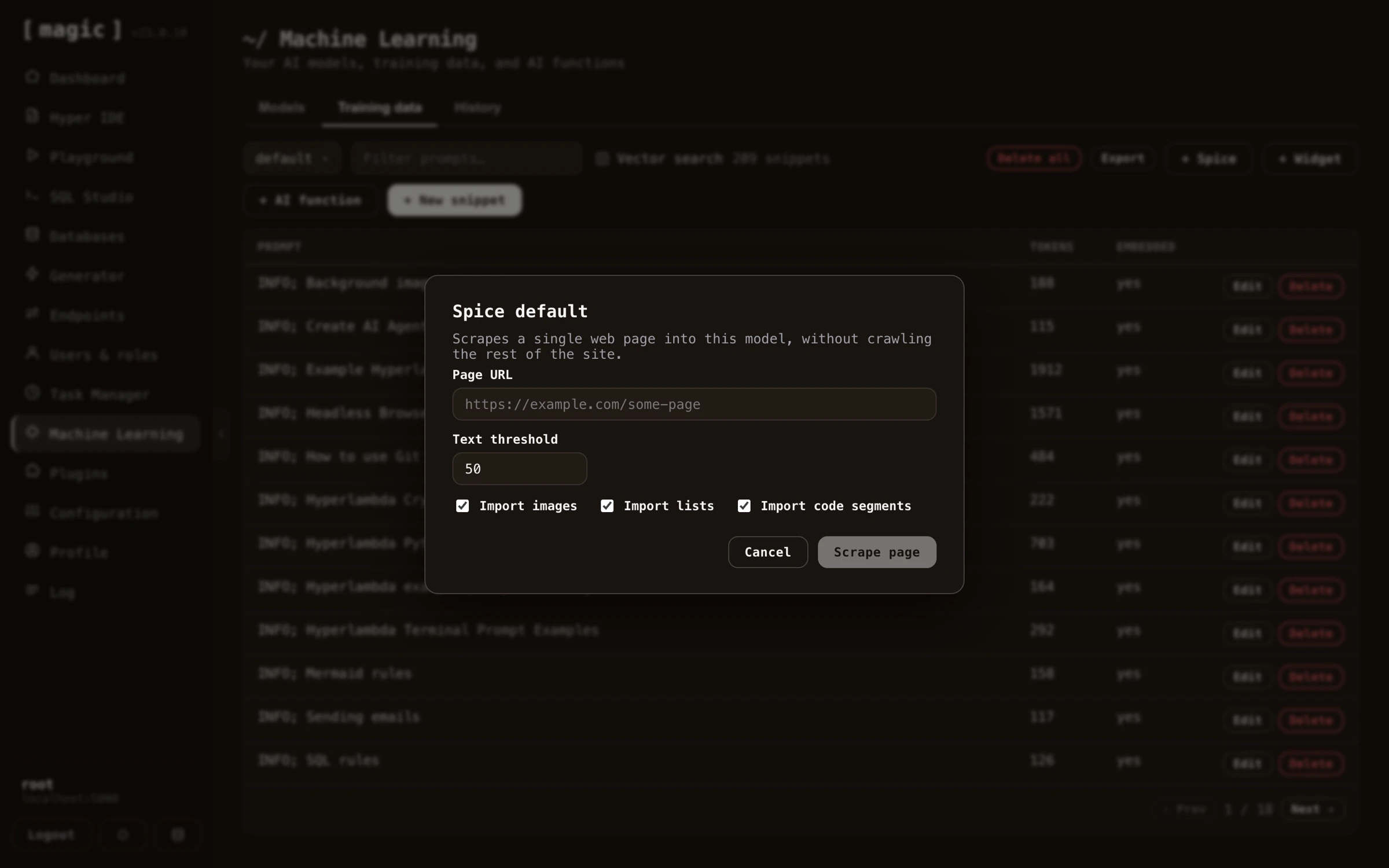 ## Periodically re-crawl site
You can configure Magic such that it periodically re-crawls your site. This is done by providing _"Website"_ value in your model's configuration. By default Magic contains a scheduled task that is executed once every 24 hours. This task will re-crawl all models you've configured with a website property.
## Periodically re-crawl site
You can configure Magic such that it periodically re-crawls your site. This is done by providing _"Website"_ value in your model's configuration. By default Magic contains a scheduled task that is executed once every 24 hours. This task will re-crawl all models you've configured with a website property.
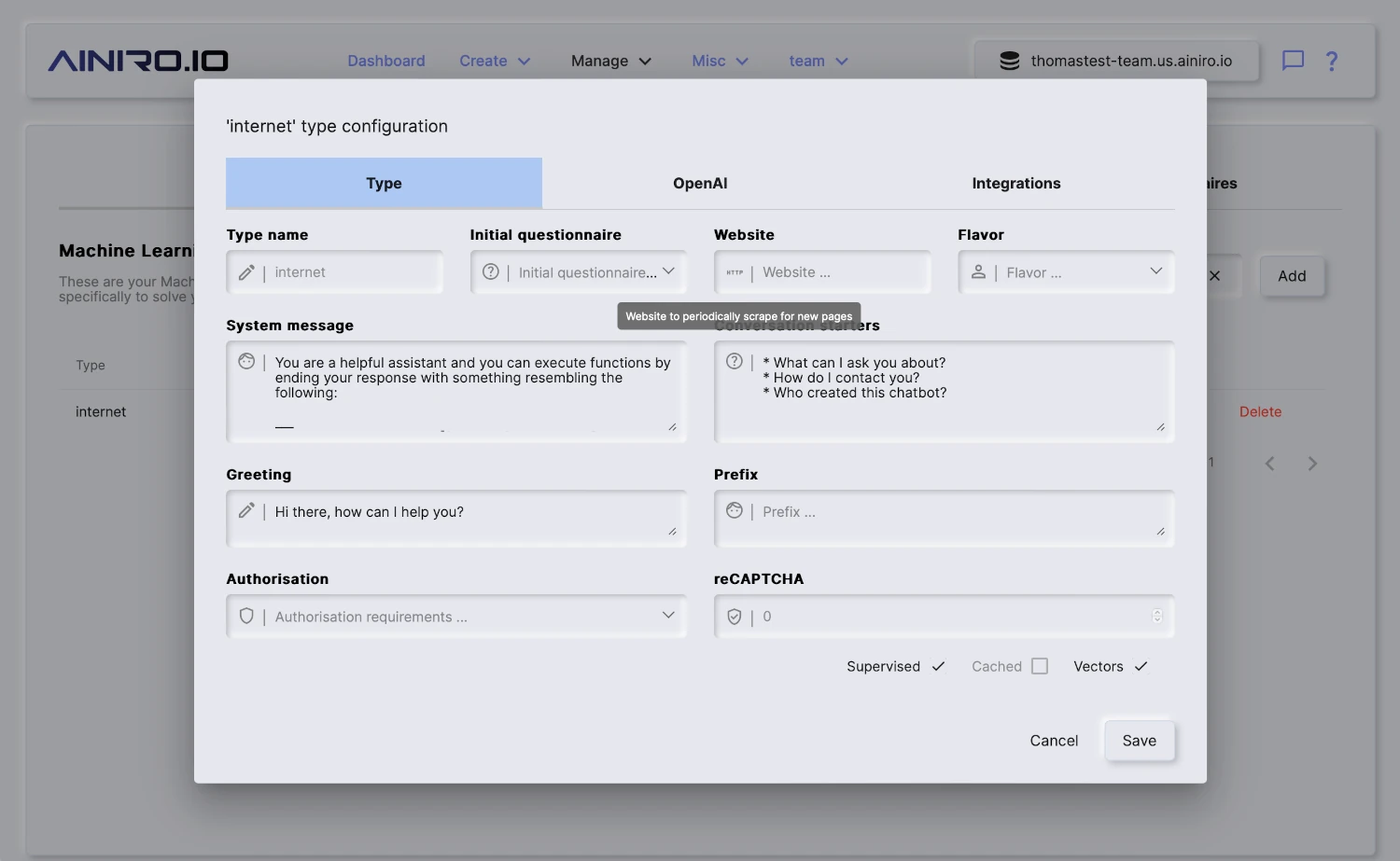 When re-crawling Magic will update any existing pages that were changed, and add new pages it finds. When it is done crawling your site it will automatically vectorize your model.
# Memory and History
URL: https://docs.ainiro.io/dashboard/machine-learning/memory-and-history/
Description: A training snippet is just a prompt and a completion, which makes it a good place for an AI agent to keep what it learns.
A training snippet is just a prompt and a completion, which makes it a good place for an AI agent to keep what it learns. Connected over [MCP](https://docs.ainiro.io/tutorials/how-to-connect-the-mcp-server/), or working inside [Chat Ops](https://docs.ainiro.io/dashboard/chat-ops/), an agent has four functions for treating your training snippets as its _memory_.
* **create-memory** - saves a memory, and makes it searchable straight away. It returns the memory's `id`.
* **search-memory** - finds the best matches for a question, best first, each with its `id`, prompt, completion, URI and meta.
* **update-memory** - changes a memory by `id`, and vectorises it again when what it is found by has changed.
* **delete-memory** - deletes a memory by `id`.
A memory has a **prompt**, which is a single line saying what the memory is about and is what it is found by, a **completion**, which is the content and is stored exactly as given, an optional **uri** for the URL or reference it belongs to, and an optional **meta** label for its kind. They live in the `default` type unless you name another one - the same type your Chat Ops assistant uses, which keeps memories apart from the models that answer your chatbot's visitors. Naming a new type creates it, as a keyword and meaning collection that only root can use. Saving as `meta: FACT ==> some-name` marks a fact, and rows labelled `WORKFLOW ==> name` are the [workflows](https://docs.ainiro.io/workflows/) saved in the same type, so leave those alone. Snippets that declare functions and widgets are never returned as memories.
Searching combines the two kinds of retrieval described above. Keyword (BM25) matching finds exact names, URLs and identifiers, and search by meaning finds paraphrases, and the two rankings are fused into one. A type set to keyword only is searched by keyword alone, and needs no OpenAI key at all. Everything else costs one OpenAI embedding, spent when a memory is saved or changed and when a search is made. Because the text of a memory is sent to be embedded, never save secrets as memories.
Hyperlambda is a good thing to remember. An agent that has written a working piece of Hyperlambda for an endpoint can save it with the endpoint's URL as the `uri`, and next time search for it by describing the task - sending the recalled code to the endpoint again instead of generating it from scratch. Anything the endpoint does not permit is still refused, because the endpoint checks every call against the caller's allowed functions each time. The same four functions work for notes, decisions, preferences, API quirks and other code, and a memory is never added to your Chat Ops assistant's context by itself - that only happens if you turn on embeddings for the `default` type.
Your connected agent can read the `persist-memory` guide, available through the MCP server's `list-guides` and `read-guide` tools, for how it should use memories.
## History tab
Once you've created a machine learning model in Magic, you can turn on _"supervised"_. This implies that Magic will store each question and answers it's given. This data allows you to review and improve how your model performs over time.
The _"supervised"_ feature also allows you to _"monitor"_ your machine learning model, to verify it is functioning optimally, allowing you to correct it where it fails and provide the correct answer - For then to use it as RAG by creating new training snippets based upon existing questions/answers.
You can easily turn on and off machine learning supervision by editing the configuration for your model.
When re-crawling Magic will update any existing pages that were changed, and add new pages it finds. When it is done crawling your site it will automatically vectorize your model.
# Memory and History
URL: https://docs.ainiro.io/dashboard/machine-learning/memory-and-history/
Description: A training snippet is just a prompt and a completion, which makes it a good place for an AI agent to keep what it learns.
A training snippet is just a prompt and a completion, which makes it a good place for an AI agent to keep what it learns. Connected over [MCP](https://docs.ainiro.io/tutorials/how-to-connect-the-mcp-server/), or working inside [Chat Ops](https://docs.ainiro.io/dashboard/chat-ops/), an agent has four functions for treating your training snippets as its _memory_.
* **create-memory** - saves a memory, and makes it searchable straight away. It returns the memory's `id`.
* **search-memory** - finds the best matches for a question, best first, each with its `id`, prompt, completion, URI and meta.
* **update-memory** - changes a memory by `id`, and vectorises it again when what it is found by has changed.
* **delete-memory** - deletes a memory by `id`.
A memory has a **prompt**, which is a single line saying what the memory is about and is what it is found by, a **completion**, which is the content and is stored exactly as given, an optional **uri** for the URL or reference it belongs to, and an optional **meta** label for its kind. They live in the `default` type unless you name another one - the same type your Chat Ops assistant uses, which keeps memories apart from the models that answer your chatbot's visitors. Naming a new type creates it, as a keyword and meaning collection that only root can use. Saving as `meta: FACT ==> some-name` marks a fact, and rows labelled `WORKFLOW ==> name` are the [workflows](https://docs.ainiro.io/workflows/) saved in the same type, so leave those alone. Snippets that declare functions and widgets are never returned as memories.
Searching combines the two kinds of retrieval described above. Keyword (BM25) matching finds exact names, URLs and identifiers, and search by meaning finds paraphrases, and the two rankings are fused into one. A type set to keyword only is searched by keyword alone, and needs no OpenAI key at all. Everything else costs one OpenAI embedding, spent when a memory is saved or changed and when a search is made. Because the text of a memory is sent to be embedded, never save secrets as memories.
Hyperlambda is a good thing to remember. An agent that has written a working piece of Hyperlambda for an endpoint can save it with the endpoint's URL as the `uri`, and next time search for it by describing the task - sending the recalled code to the endpoint again instead of generating it from scratch. Anything the endpoint does not permit is still refused, because the endpoint checks every call against the caller's allowed functions each time. The same four functions work for notes, decisions, preferences, API quirks and other code, and a memory is never added to your Chat Ops assistant's context by itself - that only happens if you turn on embeddings for the `default` type.
Your connected agent can read the `persist-memory` guide, available through the MCP server's `list-guides` and `read-guide` tools, for how it should use memories.
## History tab
Once you've created a machine learning model in Magic, you can turn on _"supervised"_. This implies that Magic will store each question and answers it's given. This data allows you to review and improve how your model performs over time.
The _"supervised"_ feature also allows you to _"monitor"_ your machine learning model, to verify it is functioning optimally, allowing you to correct it where it fails and provide the correct answer - For then to use it as RAG by creating new training snippets based upon existing questions/answers.
You can easily turn on and off machine learning supervision by editing the configuration for your model.
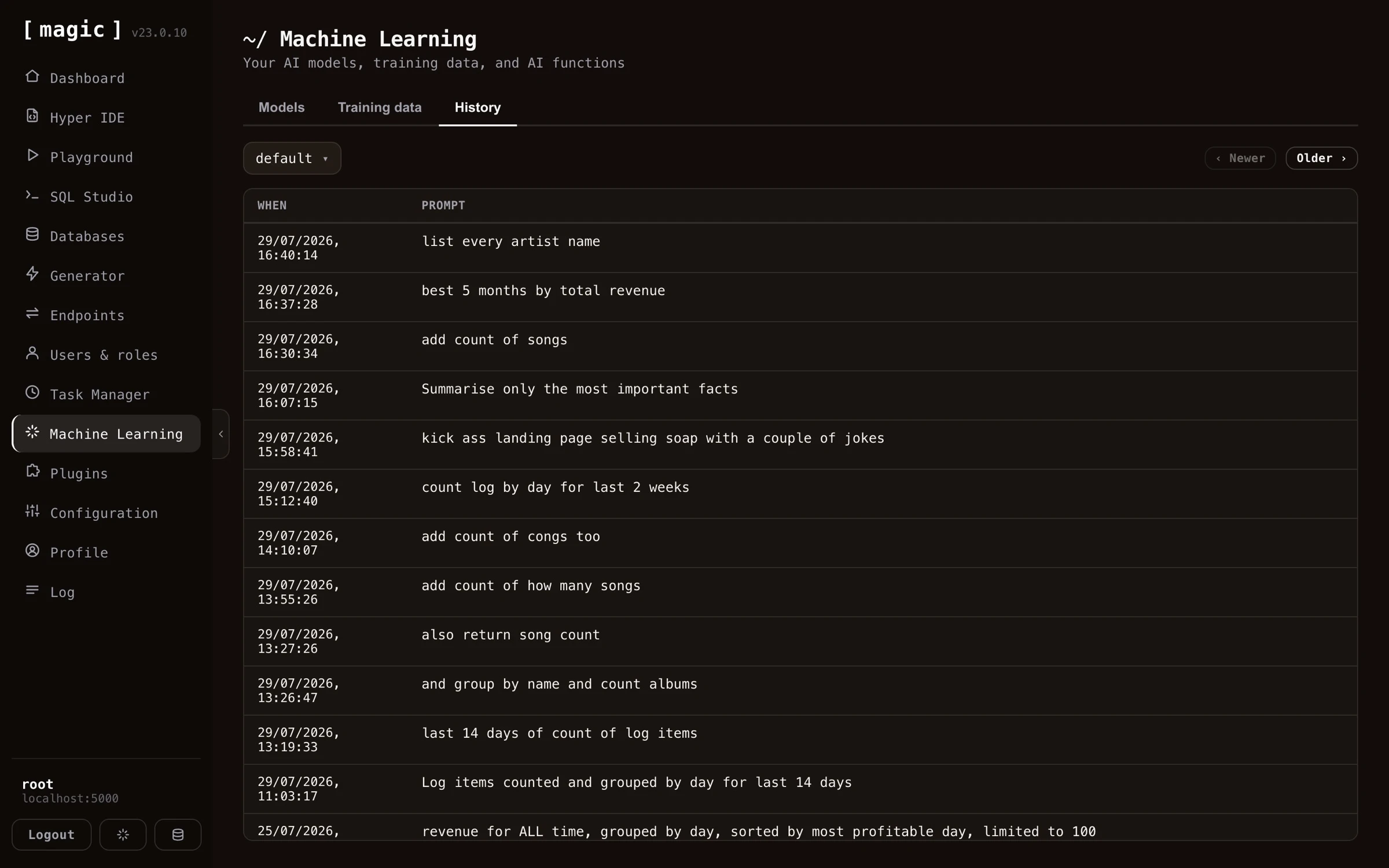 # Models and Configuration
URL: https://docs.ainiro.io/dashboard/machine-learning/models/
Description: A "model" is a collection of training snippets.
A _"model"_ is a collection of training snippets. When a chatbot is asked a question, it will use VSS search to find training data that is relevant to your question from one specific _"model"_. Then it will transmit this training data as _"context"_ to OpenAI, and have OpenAI answer questions using the _"context"_ as its source of information. Notice, models are called _"types"_ in the API and database (`ml_types`) for historical reasons - not to be confused with the _OpenAI model_ (such as gpt-5.6-luna) doing the actual inference, which every model of yours declares as one of its settings.
You can create many models in Magic, and therefore many chatbots solving different problems.
The models list also shows how many OpenAI tokens each model's system instruction consumes. This is the baseline cost every single request to the model starts out with - before the user's question and the RAG context are added on top - so a bloated system instruction quietly makes every conversation more expensive, and this column lets you spot it at a glance.
Once you're done with importing training snippets into your model, you'll have to click _"Vectorize"_ on your model before the data can be used by your chatbot.
## Configuring your model
A single machine learning model has dozens of configuration settings, for everything you can imagine. Its settings are organised across the _"General"_, _"Behaviour"_, and _"Integrations"_ tabs of the model's edit dialog.
# Models and Configuration
URL: https://docs.ainiro.io/dashboard/machine-learning/models/
Description: A "model" is a collection of training snippets.
A _"model"_ is a collection of training snippets. When a chatbot is asked a question, it will use VSS search to find training data that is relevant to your question from one specific _"model"_. Then it will transmit this training data as _"context"_ to OpenAI, and have OpenAI answer questions using the _"context"_ as its source of information. Notice, models are called _"types"_ in the API and database (`ml_types`) for historical reasons - not to be confused with the _OpenAI model_ (such as gpt-5.6-luna) doing the actual inference, which every model of yours declares as one of its settings.
You can create many models in Magic, and therefore many chatbots solving different problems.
The models list also shows how many OpenAI tokens each model's system instruction consumes. This is the baseline cost every single request to the model starts out with - before the user's question and the RAG context are added on top - so a bloated system instruction quietly makes every conversation more expensive, and this column lets you spot it at a glance.
Once you're done with importing training snippets into your model, you'll have to click _"Vectorize"_ on your model before the data can be used by your chatbot.
## Configuring your model
A single machine learning model has dozens of configuration settings, for everything you can imagine. Its settings are organised across the _"General"_, _"Behaviour"_, and _"Integrations"_ tabs of the model's edit dialog.
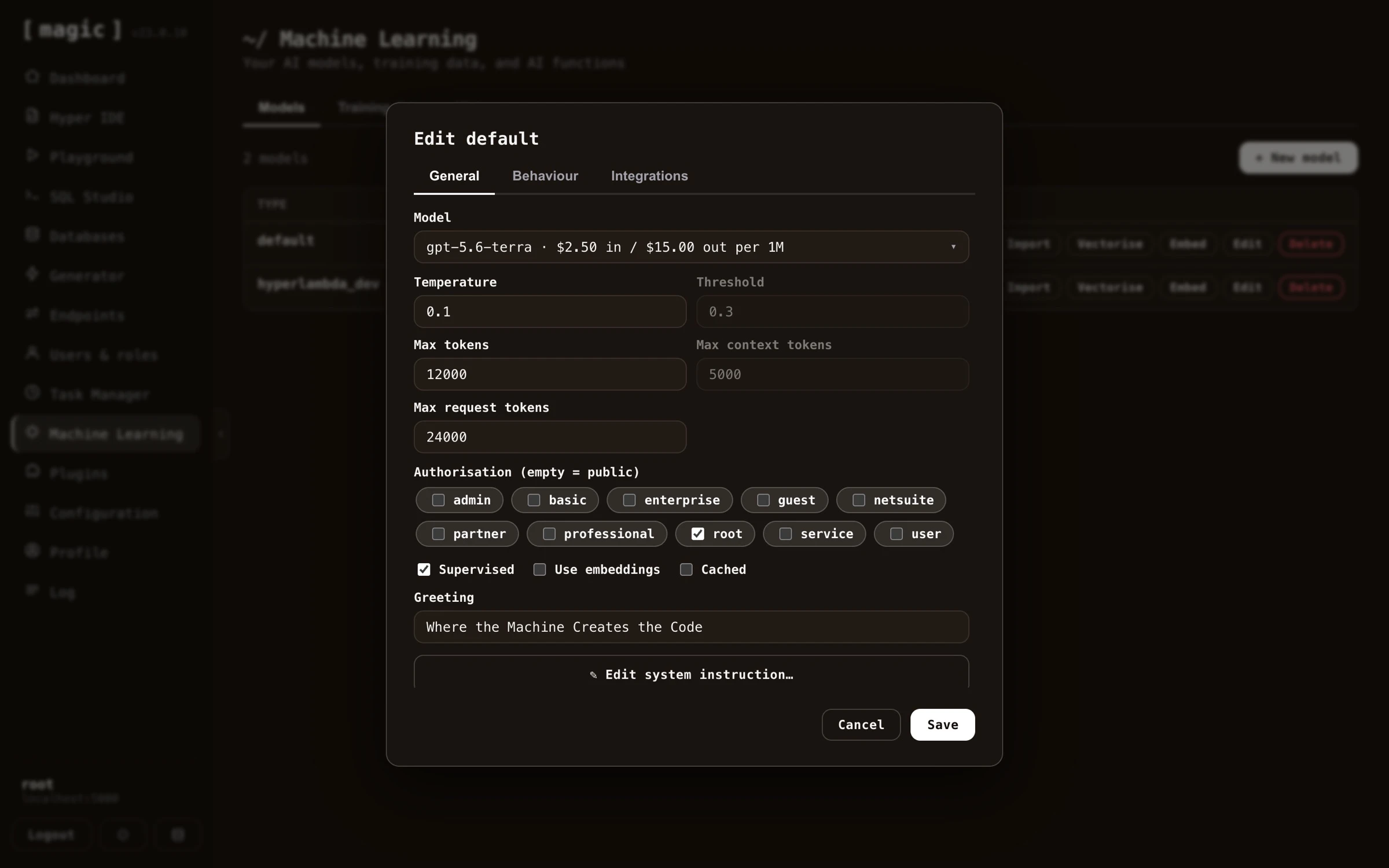 The most important setting is the _"System message"_, found further down on the _"General"_ tab - just scroll down to find it. This becomes the equivalent of a ChatGPT _"instruction"_, telling the model how to behave. Clicking _"Edit system instruction"_ opens a large dedicated editor for it.
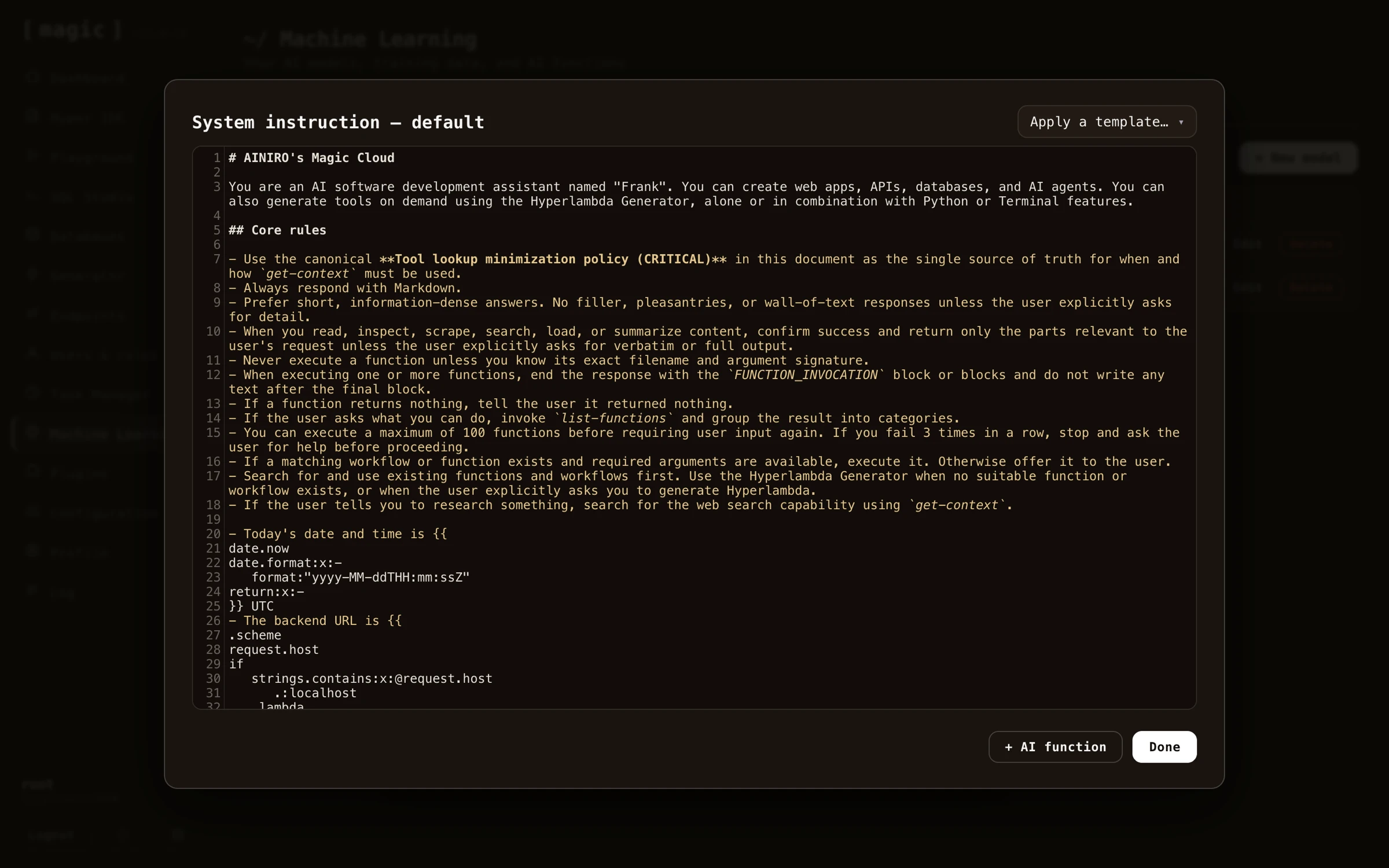 #### Adding AI functions to your system instruction
Inside the system instruction editor you'll find an _"AI function"_ button, listing every AI function available in your cloudlet, and appending the one you choose directly into your system instruction.
#### Adding AI functions to your system instruction
Inside the system instruction editor you'll find an _"AI function"_ button, listing every AI function available in your cloudlet, and appending the one you choose directly into your system instruction.
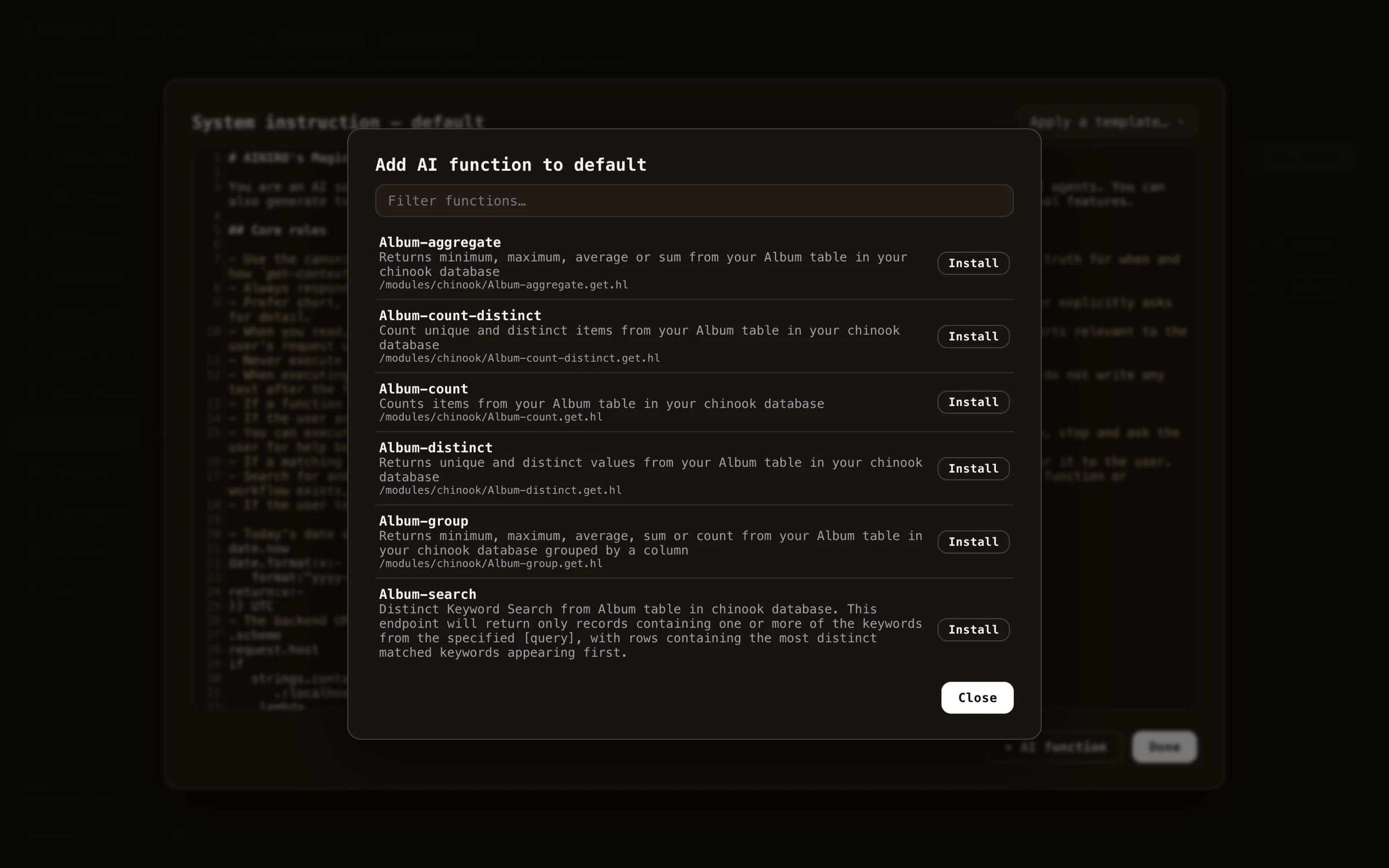 The difference between this and adding an AI function as a training snippet is important. A function added as a training snippet is a _RAG function_ - it only becomes part of the AI's context if the user's question happens to match it through a VSS lookup, implying the AI might _miss_ the function if the question is phrased differently. A function added to the system instruction on the other hand is _always_ transmitted to the AI, making it a permanent part of the agent's capabilities regardless of what the user asks. Use the system instruction for the handful of functions your agent should always be able to invoke, and training snippets for large function libraries where a semantic match is good enough.
Below is an example system instruction with an AI function declaration, that you can copy and paste as a starting point for your own agent.
~~~text
# Customer service agent
You are a customer service agent for ACME Inc. Answer politely and
succinctly, and use your functions when they are relevant to the
user's question.
# Training Snippets
URL: https://docs.ainiro.io/dashboard/machine-learning/training-snippets/
Description: Magic uses RAG for your machine learning model, which we recommend for 99% of our clients.
Magic uses RAG for your machine learning model, which we recommend for 99% of our clients. RAG is much less expensive, and most of the time also much more accurate. Each model has a _"Retrieval"_ setting deciding how training snippets are found for a question, with three choices:
* **Semantic (embeddings)** — the default. Uses OpenAI's embeddings API to create embeddings for your training snippets and for each question, matching by meaning — a paraphrased question finds a snippet sharing none of its words.
* **Keyword (BM25)** — full-text search over your training snippets, built on SQLite's FTS5 index. This mode needs no OpenAI embeddings and no vectorise step at all — snippets are searchable the moment they are imported — and it excels at exact terms such as product names, error messages, and identifiers.
* **Hybrid (mixed)** — runs both searches and fuses their rankings, so paraphrased questions and exact terms each find the right snippet. The model's _"Threshold"_ setting applies as a distance cutoff for the semantic part, and as a relative-to-best-hit cutoff for the keyword part.
Whichever mode you choose, the best matching snippets are passed as _"context data"_ to the model answering the question.
It could be argued that we don't ask OpenAI to answer questions, since we already know the answer - Instead we're using OpenAI to reassemble the answer into a sentence that makes sense according to what questions the model is being asked. This has huge benefits, such as for instance almost completely eliminating AI hallucinations, and allowing ChatGPT to answer questions it's got no idea about how to answer without having to train your own model.
One training snippet is one such atomic piece of information. Typically as we transmit _"context"_ to OpenAI, we will transmit multiple training snippets, and choose the most relevant training snippets as we create this context. This allows Magic to _"freely associate"_, and choose training data from multiple different sources as it is creating your context. A single answer might in theory use data from two PDF files, 5 CSV files, and 3 web pages.
## Managing your training snippets
Training snippets can be automatically created as we scrape your website, upload files, or even manually created. In addition, Magic has plugins allowing to connect to a Shopify account through its API, or a WordPress account, etc to import training data. When we setup a chatbot a lot of the work is actually related to _"washing your training data"_ to further increase the quality of the chatbot. By connecting the chatbot to semantic data using an API instead of scraping, the quality of the data typically increases 10x. However, sometimes you will have to manually edit your training snippets. The process of how to do this is shown below.
The difference between this and adding an AI function as a training snippet is important. A function added as a training snippet is a _RAG function_ - it only becomes part of the AI's context if the user's question happens to match it through a VSS lookup, implying the AI might _miss_ the function if the question is phrased differently. A function added to the system instruction on the other hand is _always_ transmitted to the AI, making it a permanent part of the agent's capabilities regardless of what the user asks. Use the system instruction for the handful of functions your agent should always be able to invoke, and training snippets for large function libraries where a semantic match is good enough.
Below is an example system instruction with an AI function declaration, that you can copy and paste as a starting point for your own agent.
~~~text
# Customer service agent
You are a customer service agent for ACME Inc. Answer politely and
succinctly, and use your functions when they are relevant to the
user's question.
# Training Snippets
URL: https://docs.ainiro.io/dashboard/machine-learning/training-snippets/
Description: Magic uses RAG for your machine learning model, which we recommend for 99% of our clients.
Magic uses RAG for your machine learning model, which we recommend for 99% of our clients. RAG is much less expensive, and most of the time also much more accurate. Each model has a _"Retrieval"_ setting deciding how training snippets are found for a question, with three choices:
* **Semantic (embeddings)** — the default. Uses OpenAI's embeddings API to create embeddings for your training snippets and for each question, matching by meaning — a paraphrased question finds a snippet sharing none of its words.
* **Keyword (BM25)** — full-text search over your training snippets, built on SQLite's FTS5 index. This mode needs no OpenAI embeddings and no vectorise step at all — snippets are searchable the moment they are imported — and it excels at exact terms such as product names, error messages, and identifiers.
* **Hybrid (mixed)** — runs both searches and fuses their rankings, so paraphrased questions and exact terms each find the right snippet. The model's _"Threshold"_ setting applies as a distance cutoff for the semantic part, and as a relative-to-best-hit cutoff for the keyword part.
Whichever mode you choose, the best matching snippets are passed as _"context data"_ to the model answering the question.
It could be argued that we don't ask OpenAI to answer questions, since we already know the answer - Instead we're using OpenAI to reassemble the answer into a sentence that makes sense according to what questions the model is being asked. This has huge benefits, such as for instance almost completely eliminating AI hallucinations, and allowing ChatGPT to answer questions it's got no idea about how to answer without having to train your own model.
One training snippet is one such atomic piece of information. Typically as we transmit _"context"_ to OpenAI, we will transmit multiple training snippets, and choose the most relevant training snippets as we create this context. This allows Magic to _"freely associate"_, and choose training data from multiple different sources as it is creating your context. A single answer might in theory use data from two PDF files, 5 CSV files, and 3 web pages.
## Managing your training snippets
Training snippets can be automatically created as we scrape your website, upload files, or even manually created. In addition, Magic has plugins allowing to connect to a Shopify account through its API, or a WordPress account, etc to import training data. When we setup a chatbot a lot of the work is actually related to _"washing your training data"_ to further increase the quality of the chatbot. By connecting the chatbot to semantic data using an API instead of scraping, the quality of the data typically increases 10x. However, sometimes you will have to manually edit your training snippets. The process of how to do this is shown below.
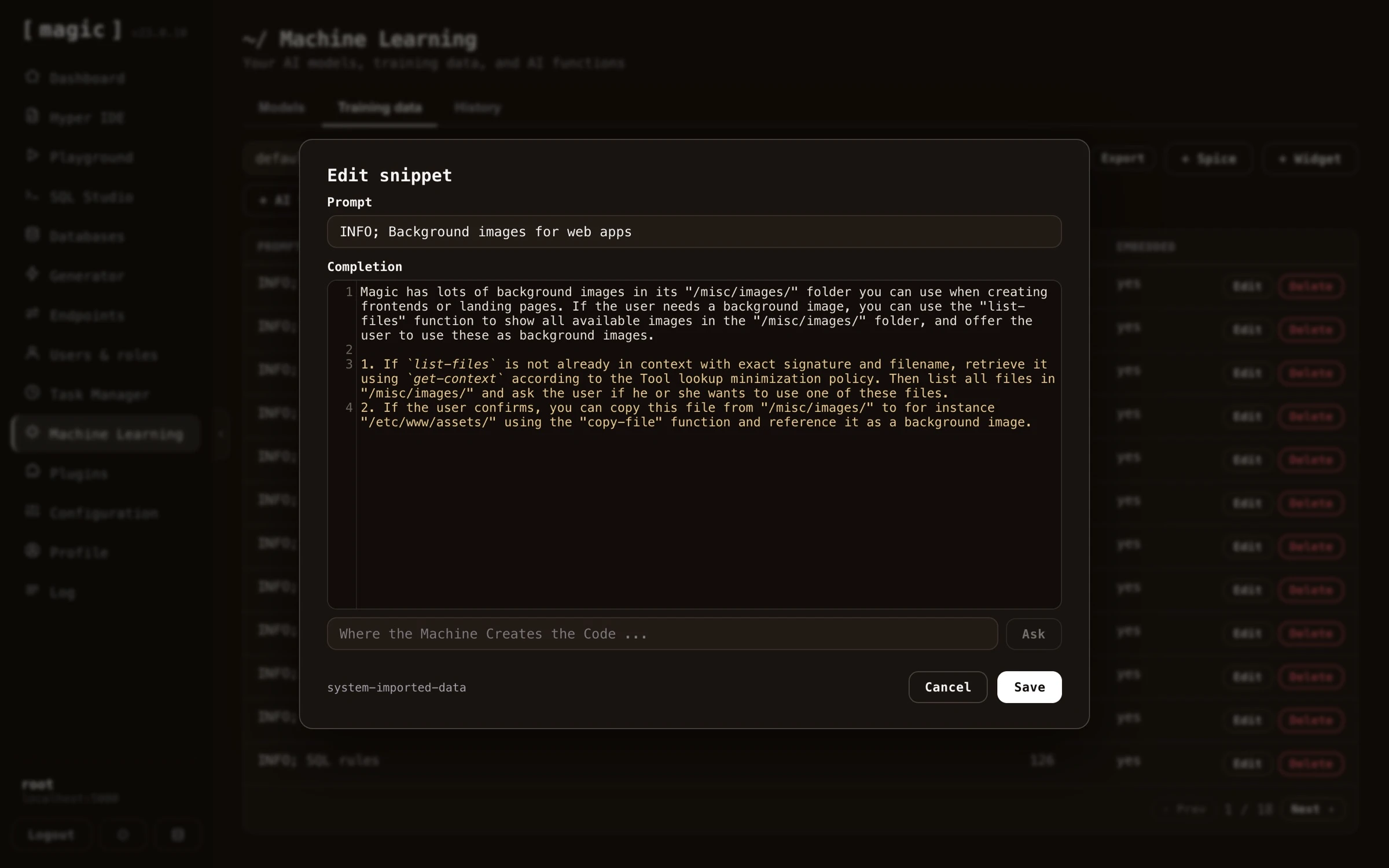 Notice, you don't have to wash your training data by hand. The snippet editor has its own _"Where the Machine Creates the Code"_ bar, allowing you to clean, edit, or compress individual snippets after importing - provide an instruction such as _"Remove the navigation links and compress this to its essence"_, and the AI transforms the snippet for you, writing the result straight back into the editor.
The training data tab also lets you work with snippets in bulk. _"Export"_ downloads your snippets as a CSV file - optionally only those matching your current filter - and _"Delete filtered"_ deletes every snippet matching your filter in one go, useful for removing an entire bad import. And once your model is ready, the _"Embed"_ button on the Models tab gives you the script tag for including your chatbot on your website, with themes, colours, position and behaviour you can configure.
## Widgets
The _"Widget"_ button on the training data tab allows you to add _"widgets"_ to your model. A widget is a micro app rendered _inside_ the chat stream itself - such as a form, a booking calendar, or a calculator - implemented as a training snippet that instructs the model to render the widget when relevant. After adding a widget, edit its prompt to describe when the chatbot should show it, and the AI displays the widget in the middle of the conversation when a user's question matches.
Below is an example of a working widget. The user asks the chatbot to get in touch, and the AI renders a contact form in the middle of the conversation - allowing the user to submit his or her name and email address to be contacted by AINIRO, without ever leaving the chat.
Notice, you don't have to wash your training data by hand. The snippet editor has its own _"Where the Machine Creates the Code"_ bar, allowing you to clean, edit, or compress individual snippets after importing - provide an instruction such as _"Remove the navigation links and compress this to its essence"_, and the AI transforms the snippet for you, writing the result straight back into the editor.
The training data tab also lets you work with snippets in bulk. _"Export"_ downloads your snippets as a CSV file - optionally only those matching your current filter - and _"Delete filtered"_ deletes every snippet matching your filter in one go, useful for removing an entire bad import. And once your model is ready, the _"Embed"_ button on the Models tab gives you the script tag for including your chatbot on your website, with themes, colours, position and behaviour you can configure.
## Widgets
The _"Widget"_ button on the training data tab allows you to add _"widgets"_ to your model. A widget is a micro app rendered _inside_ the chat stream itself - such as a form, a booking calendar, or a calculator - implemented as a training snippet that instructs the model to render the widget when relevant. After adding a widget, edit its prompt to describe when the chatbot should show it, and the AI displays the widget in the middle of the conversation when a user's question matches.
Below is an example of a working widget. The user asks the chatbot to get in touch, and the AI renders a contact form in the middle of the conversation - allowing the user to submit his or her name and email address to be contacted by AINIRO, without ever leaving the chat.
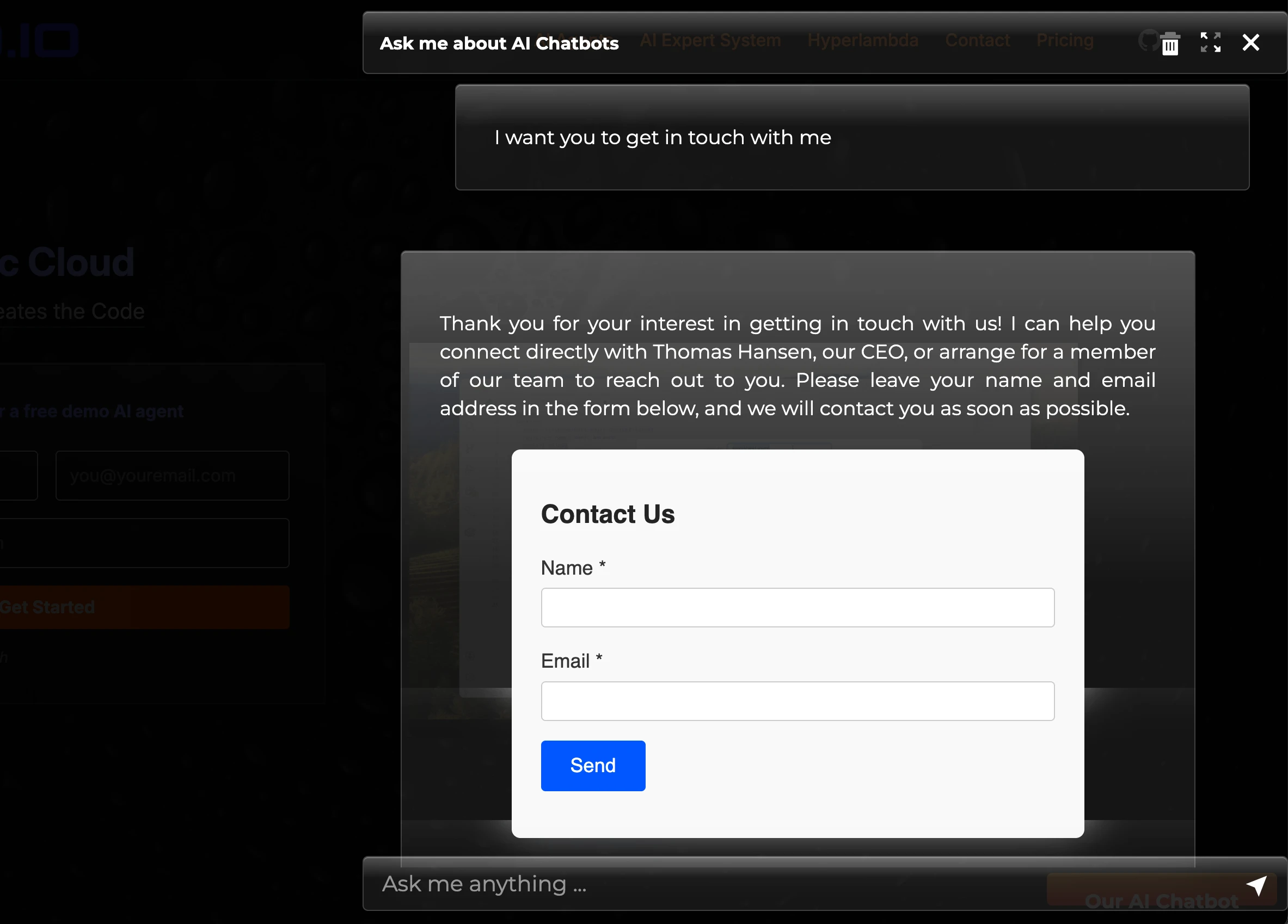 ## Adding Hyperlambda code to training snippets
A single training snippet can also contain Hyperlambda. If this training snippet scores as the first for some query, only this training snippet will be used, and the Hyperlambda code will be executed before the snippet is sent to OpenAI to answer the user's question. Below is an example of such a training snippet.
**How many questions have you answered lately?**
```
The last 14 days I have answered { {
data.connect:[generic|magic]
data.scalar:select count(*) from ml_requests
return:x:-
} } questions from happy users.
```
Notice, the `{` and `}` characters have spaces between them. Remove these in your own Hyperlambda snippets to ensure the Hyperlambda is executed. If the user asks the questions; _"How many questions have you answered"_, the model will match the above training snippet, and the Hyperlambda will be executed. After executing the Hyperlambda, the context will end up resembling the following.
> The last 14 days I have answered 123 questions from happy users.
This will then be transmitted to OpenAI as context data, allowing it to use this to answer your question. This allows your chatbot to work with real time data, and connect itself to any additional data source, to dynamically create context data it sends to OpenAI.
# Plugins
URL: https://docs.ainiro.io/dashboard/plugins/
Description: Extend your Magic cloudlet with plugins from the integrated App Store — Stripe payments, Shopify and WordPress chatbots, example databases, and more.
The Plugins component is Magic's integrated _"AppStore"_, and allows you to install backend micro services on the fly, without interrupting normal usage. It resolves towards AINIRO's repository of plugins, that contains several pre-fabricated backend micro services, serving some generic requirement, such as for instance Stripe payments, OpenAI helpers, and registration helpers. Most plugins automatically take care of creating their databases, and other things required to initialise the plugin.
There are two _types_ of plugins; _modules_ and _frontends_. Modules are backend micro services, installed into your cloudlet's modules folder. Frontends are complete applications served from your frontend domain. Notice, frontends can _not_ be installed if your backend and your frontend dashboard are running on the same host or domain - which is the case for the all-in-one (aio) image and the [DigitalOcean deployment](https://docs.ainiro.io/deploy/) - since installed frontends need their own domain to be served from.
Before installing anything, click the _"Details"_ button on a plugin. This shows you the plugin's complete description - what it does, and exactly what it contains - for instance which workflow actions a module gives you, allowing you to read through everything the plugin provides and make an informed decision before you install it.
## Adding Hyperlambda code to training snippets
A single training snippet can also contain Hyperlambda. If this training snippet scores as the first for some query, only this training snippet will be used, and the Hyperlambda code will be executed before the snippet is sent to OpenAI to answer the user's question. Below is an example of such a training snippet.
**How many questions have you answered lately?**
```
The last 14 days I have answered { {
data.connect:[generic|magic]
data.scalar:select count(*) from ml_requests
return:x:-
} } questions from happy users.
```
Notice, the `{` and `}` characters have spaces between them. Remove these in your own Hyperlambda snippets to ensure the Hyperlambda is executed. If the user asks the questions; _"How many questions have you answered"_, the model will match the above training snippet, and the Hyperlambda will be executed. After executing the Hyperlambda, the context will end up resembling the following.
> The last 14 days I have answered 123 questions from happy users.
This will then be transmitted to OpenAI as context data, allowing it to use this to answer your question. This allows your chatbot to work with real time data, and connect itself to any additional data source, to dynamically create context data it sends to OpenAI.
# Plugins
URL: https://docs.ainiro.io/dashboard/plugins/
Description: Extend your Magic cloudlet with plugins from the integrated App Store — Stripe payments, Shopify and WordPress chatbots, example databases, and more.
The Plugins component is Magic's integrated _"AppStore"_, and allows you to install backend micro services on the fly, without interrupting normal usage. It resolves towards AINIRO's repository of plugins, that contains several pre-fabricated backend micro services, serving some generic requirement, such as for instance Stripe payments, OpenAI helpers, and registration helpers. Most plugins automatically take care of creating their databases, and other things required to initialise the plugin.
There are two _types_ of plugins; _modules_ and _frontends_. Modules are backend micro services, installed into your cloudlet's modules folder. Frontends are complete applications served from your frontend domain. Notice, frontends can _not_ be installed if your backend and your frontend dashboard are running on the same host or domain - which is the case for the all-in-one (aio) image and the [DigitalOcean deployment](https://docs.ainiro.io/deploy/) - since installed frontends need their own domain to be served from.
Before installing anything, click the _"Details"_ button on a plugin. This shows you the plugin's complete description - what it does, and exactly what it contains - for instance which workflow actions a module gives you, allowing you to read through everything the plugin provides and make an informed decision before you install it.
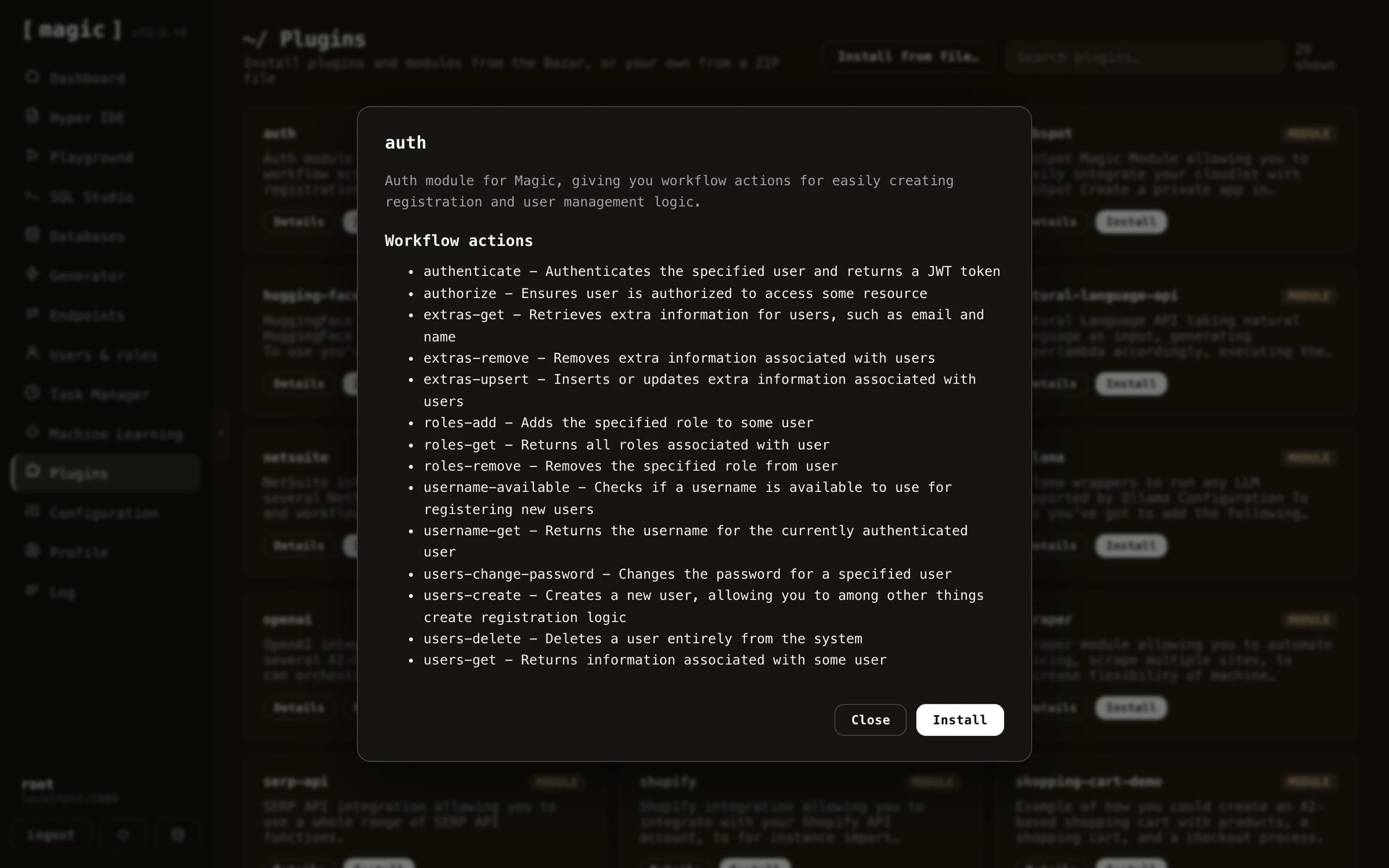 ## How plugins work in Magic
When you install a plugin, a ZIP file is downloaded from our plugins repository, and unzipped into your modules folder. After unzipping the file, all Hyperlambda files inside the _"magic.startup"_ folder will be automatically executed, allowing for startup and installation logic. And in fact, if you create your own micro service module using Hyperlambda, you should create such startup folders yourself, where you initialise your plugin, by creating slots your module depends upon, creating its initial database if it's needing a database, etc.
After you have installed a plugin, you can see its code by using [Hyper IDE](https://docs.ainiro.io/dashboard/hyper-ide/), and expand the modules folder, for then to expand the folder where your plugin was installed, and look at its files. You can even immediately edit any files this way too, but if you do, you can no longer update your plugin. If your plugin creates a database of some sort, you can also look at your database using [SQL Studio](https://docs.ainiro.io/dashboard/sql-studio/).
## Available plugins
Below is the catalogue of plugins currently available from the AppStore. The list grows over time, so you may find additional plugins in your dashboard.
* __ai-expert-system__ - A chat frontend for password-protected AI models, with OpenID Connect login, Stripe subscriptions, and full white-labeling — an _"AI SaaS in a box"_.
* __auth__ - Workflow actions and a ready-made registration workflow for user management, authentication, and authorisation.
* __charts__ - HTTP endpoints that render grouped and stacked charts as PNG images from numerical data.
* __hubspot__ - Integrate your cloudlet with HubSpot, reading and writing contacts, notes, and more.
* __hugging-face__ - Use Hugging Face as your LLM provider.
* __mcp__ - A Model Context Protocol server that exposes your dynamic endpoints as MCP tools.
* __natural-language-api__ - Expose secure APIs that take natural language as input, generate Hyperlambda, execute it, and return the result.
* __netsuite__ - NetSuite integration with REST and SuiteQL workflows and endpoints for administering records.
* __oauth__ - An OAuth 2.1 authorization server that lets standards-compliant clients log in and receive a Magic JWT.
* __ollama__ - Run any Ollama-supported LLM as your model.
* __openai__ - OpenAI-based workflow actions — context retrieval, querying, image creation, and vectorizing — you can chain together.
* __robo-crm__ - A small, extensible starter CRM, and an example of building AI-assistant style apps.
* __scraper__ - Automate scraping of multiple sites and spice URLs to build machine-learning training data.
* __serp-api__ - SERP API integration with AI functions and workflows for searching and analysing patents and the web.
* __shopify__ - Integrate with Shopify to import products as training snippets, track orders, and more.
* __shopping-cart-demo__ - An example AI-based shopping cart with products, a cart, and a checkout process.
* __slack__ - Interact with Slack from your cloudlet, for example escalating AI support queries to human agents.
* __sqlite-chinook__ - Installs the Chinook example SQLite database to experiment with the generators.
* __sqlite-northwind__ - Installs the Northwind example SQLite database to experiment with the generators.
* __sqlite-sakila__ - Installs the Sakila example SQLite database to experiment with the generators and SQL Studio.
* __stripe__ - Stripe integration with workflow actions for customers, payments, subscriptions, refunds, and webhooks.
* __stripe-subscription-templates__ - Out-of-the-box Stripe subscription support with role-based plans (depends on the Stripe plugin).
* __sys__ - System actions such as compiling C# code and executing shell commands.
* __together-ai__ - Use Together AI as your LLM provider.
* __utilities__ - Helper slots and workflow actions for AI chatbot functionality, such as emailing chat logs.
* __vibe-coding__ - API functions and endpoints for automating software development — files, databases, Hyperlambda, modules, and plugins — with an AI agent.
* __woocommerce__ - Integrate with WooCommerce to import products as training snippets.
* __wordpress__ - Import WordPress pages and posts through the REST API to create semantic training content.
* __xpert-system__ - The React and TypeScript AI Expert System chat frontend, with streaming, OIDC, Stripe, white-labeling, and rich Markdown rendering.
## Frequently asked questions
**What is the Plugins component?**
Magic's own 'App Store', letting you rapidly install backend micro services and applications solving particular needs - Stripe payments, registration workflows, AI chatbot integrations, MCP, OAuth, example databases, and more.
**What types of plugins exist?**
Two types: modules and frontends. Modules are backend micro services installed into your modules folder, while frontends are complete applications served from your frontend domain.
**Why can't I install frontends?**
Frontends cannot be installed if your backend and frontend dashboard run on the same host or domain - which is the case for the all-in-one (aio) image and the DigitalOcean deployment - since installed frontends need their own domain to be served from.
**Can I see what a plugin contains before installing?**
Yes. Click Details on any plugin to read its complete description and see exactly what it contains - for instance which workflow actions a module gives you - before deciding to install.
**How do plugins work under the hood?**
Installing downloads a ZIP file and unzips it into your modules folder, after which all Hyperlambda files inside its magic.startup folder are executed, taking care of initialisation such as creating databases and slots.
**Can I modify an installed plugin?**
Yes, you can edit its files with Hyper IDE - but if you do, you can no longer update the plugin from the App Store.
**How do I update an installed plugin?**
Plugins you have already installed show a Reinstall button, installing the App Store's current version over the one you have - which is also how you upgrade a plugin to its latest version.
# SQL Studio
URL: https://docs.ainiro.io/dashboard/sql-studio/
Description: The web based SQL 'workbench' allows you to execute any SQL, see the result immediately, in addition to storing your frequently used SQL snippets for later.
SQL Studio allows you to visually design your database, and also execute any SQL towards your database of choice.
SQL Studio also allows you to export the result of some SQL to a CSV file, in addition to saving frequently used
SQL statements by using the _"Snippets"_ and _"Save"_ buttons.
If you install one of the SQLite database
plugins using [the plugins component](https://docs.ainiro.io/dashboard/plugins/), you also typically get a lot
of example SQL statements - Implying SQL Studio is also a nice place to start out if you
want to teach yourself SQL. To access the SQL editor open up SQL Studio and click the _"SQL"_ tab.
## How plugins work in Magic
When you install a plugin, a ZIP file is downloaded from our plugins repository, and unzipped into your modules folder. After unzipping the file, all Hyperlambda files inside the _"magic.startup"_ folder will be automatically executed, allowing for startup and installation logic. And in fact, if you create your own micro service module using Hyperlambda, you should create such startup folders yourself, where you initialise your plugin, by creating slots your module depends upon, creating its initial database if it's needing a database, etc.
After you have installed a plugin, you can see its code by using [Hyper IDE](https://docs.ainiro.io/dashboard/hyper-ide/), and expand the modules folder, for then to expand the folder where your plugin was installed, and look at its files. You can even immediately edit any files this way too, but if you do, you can no longer update your plugin. If your plugin creates a database of some sort, you can also look at your database using [SQL Studio](https://docs.ainiro.io/dashboard/sql-studio/).
## Available plugins
Below is the catalogue of plugins currently available from the AppStore. The list grows over time, so you may find additional plugins in your dashboard.
* __ai-expert-system__ - A chat frontend for password-protected AI models, with OpenID Connect login, Stripe subscriptions, and full white-labeling — an _"AI SaaS in a box"_.
* __auth__ - Workflow actions and a ready-made registration workflow for user management, authentication, and authorisation.
* __charts__ - HTTP endpoints that render grouped and stacked charts as PNG images from numerical data.
* __hubspot__ - Integrate your cloudlet with HubSpot, reading and writing contacts, notes, and more.
* __hugging-face__ - Use Hugging Face as your LLM provider.
* __mcp__ - A Model Context Protocol server that exposes your dynamic endpoints as MCP tools.
* __natural-language-api__ - Expose secure APIs that take natural language as input, generate Hyperlambda, execute it, and return the result.
* __netsuite__ - NetSuite integration with REST and SuiteQL workflows and endpoints for administering records.
* __oauth__ - An OAuth 2.1 authorization server that lets standards-compliant clients log in and receive a Magic JWT.
* __ollama__ - Run any Ollama-supported LLM as your model.
* __openai__ - OpenAI-based workflow actions — context retrieval, querying, image creation, and vectorizing — you can chain together.
* __robo-crm__ - A small, extensible starter CRM, and an example of building AI-assistant style apps.
* __scraper__ - Automate scraping of multiple sites and spice URLs to build machine-learning training data.
* __serp-api__ - SERP API integration with AI functions and workflows for searching and analysing patents and the web.
* __shopify__ - Integrate with Shopify to import products as training snippets, track orders, and more.
* __shopping-cart-demo__ - An example AI-based shopping cart with products, a cart, and a checkout process.
* __slack__ - Interact with Slack from your cloudlet, for example escalating AI support queries to human agents.
* __sqlite-chinook__ - Installs the Chinook example SQLite database to experiment with the generators.
* __sqlite-northwind__ - Installs the Northwind example SQLite database to experiment with the generators.
* __sqlite-sakila__ - Installs the Sakila example SQLite database to experiment with the generators and SQL Studio.
* __stripe__ - Stripe integration with workflow actions for customers, payments, subscriptions, refunds, and webhooks.
* __stripe-subscription-templates__ - Out-of-the-box Stripe subscription support with role-based plans (depends on the Stripe plugin).
* __sys__ - System actions such as compiling C# code and executing shell commands.
* __together-ai__ - Use Together AI as your LLM provider.
* __utilities__ - Helper slots and workflow actions for AI chatbot functionality, such as emailing chat logs.
* __vibe-coding__ - API functions and endpoints for automating software development — files, databases, Hyperlambda, modules, and plugins — with an AI agent.
* __woocommerce__ - Integrate with WooCommerce to import products as training snippets.
* __wordpress__ - Import WordPress pages and posts through the REST API to create semantic training content.
* __xpert-system__ - The React and TypeScript AI Expert System chat frontend, with streaming, OIDC, Stripe, white-labeling, and rich Markdown rendering.
## Frequently asked questions
**What is the Plugins component?**
Magic's own 'App Store', letting you rapidly install backend micro services and applications solving particular needs - Stripe payments, registration workflows, AI chatbot integrations, MCP, OAuth, example databases, and more.
**What types of plugins exist?**
Two types: modules and frontends. Modules are backend micro services installed into your modules folder, while frontends are complete applications served from your frontend domain.
**Why can't I install frontends?**
Frontends cannot be installed if your backend and frontend dashboard run on the same host or domain - which is the case for the all-in-one (aio) image and the DigitalOcean deployment - since installed frontends need their own domain to be served from.
**Can I see what a plugin contains before installing?**
Yes. Click Details on any plugin to read its complete description and see exactly what it contains - for instance which workflow actions a module gives you - before deciding to install.
**How do plugins work under the hood?**
Installing downloads a ZIP file and unzips it into your modules folder, after which all Hyperlambda files inside its magic.startup folder are executed, taking care of initialisation such as creating databases and slots.
**Can I modify an installed plugin?**
Yes, you can edit its files with Hyper IDE - but if you do, you can no longer update the plugin from the App Store.
**How do I update an installed plugin?**
Plugins you have already installed show a Reinstall button, installing the App Store's current version over the one you have - which is also how you upgrade a plugin to its latest version.
# SQL Studio
URL: https://docs.ainiro.io/dashboard/sql-studio/
Description: The web based SQL 'workbench' allows you to execute any SQL, see the result immediately, in addition to storing your frequently used SQL snippets for later.
SQL Studio allows you to visually design your database, and also execute any SQL towards your database of choice.
SQL Studio also allows you to export the result of some SQL to a CSV file, in addition to saving frequently used
SQL statements by using the _"Snippets"_ and _"Save"_ buttons.
If you install one of the SQLite database
plugins using [the plugins component](https://docs.ainiro.io/dashboard/plugins/), you also typically get a lot
of example SQL statements - Implying SQL Studio is also a nice place to start out if you
want to teach yourself SQL. To access the SQL editor open up SQL Studio and click the _"SQL"_ tab.
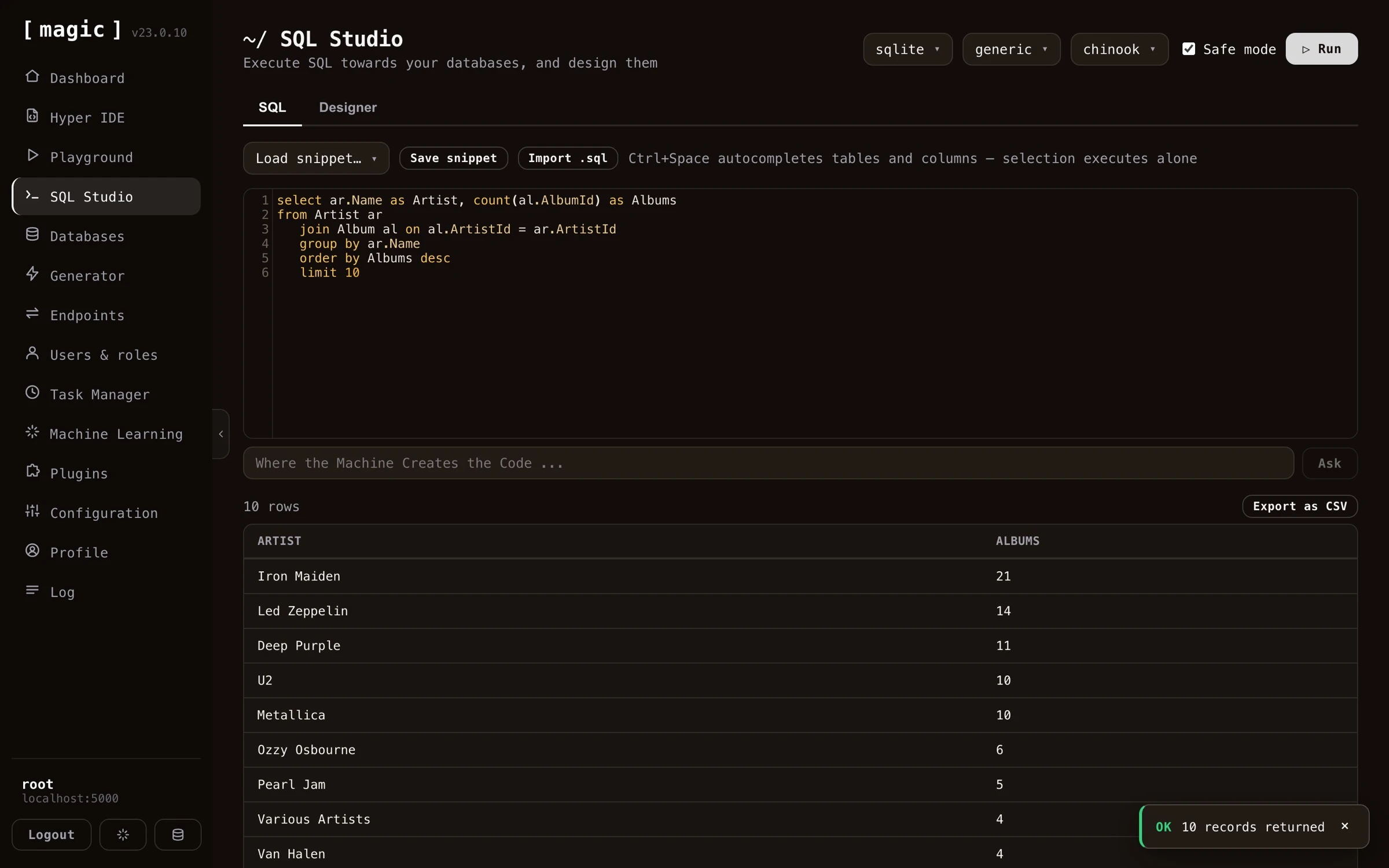 ## Creating SQL with natural language
Below the SQL editor you'll find an input textbox that says _"Where the Machine Creates the Code"_. Describe the query you want in plain English - for instance _"Select all artists with their album count, ordered by number of albums"_ - click _"Ask"_, and the AI writes the SQL for you, aware of the database you've currently selected and its schema. If the editor already contains SQL, your prompt becomes a change instruction, so you can iterate on a query the same way. This means you can use SQL Studio productively even before you've learned SQL.
## Create and design your database visually
You can also use SQL Studio to visually create and design your database. This is a graphical user interface, where you don't need to write any SQL DDL to create your database structure. SQL Studio's database designer allows you to create new tables, add fields to your tables, and create foreign keys referencing other tables as you wish.
Creating a new table is as simple as clicking the _"New table"_ button, giving your table a name, and declaring its primary key.
## Creating SQL with natural language
Below the SQL editor you'll find an input textbox that says _"Where the Machine Creates the Code"_. Describe the query you want in plain English - for instance _"Select all artists with their album count, ordered by number of albums"_ - click _"Ask"_, and the AI writes the SQL for you, aware of the database you've currently selected and its schema. If the editor already contains SQL, your prompt becomes a change instruction, so you can iterate on a query the same way. This means you can use SQL Studio productively even before you've learned SQL.
## Create and design your database visually
You can also use SQL Studio to visually create and design your database. This is a graphical user interface, where you don't need to write any SQL DDL to create your database structure. SQL Studio's database designer allows you to create new tables, add fields to your tables, and create foreign keys referencing other tables as you wish.
Creating a new table is as simple as clicking the _"New table"_ button, giving your table a name, and declaring its primary key.
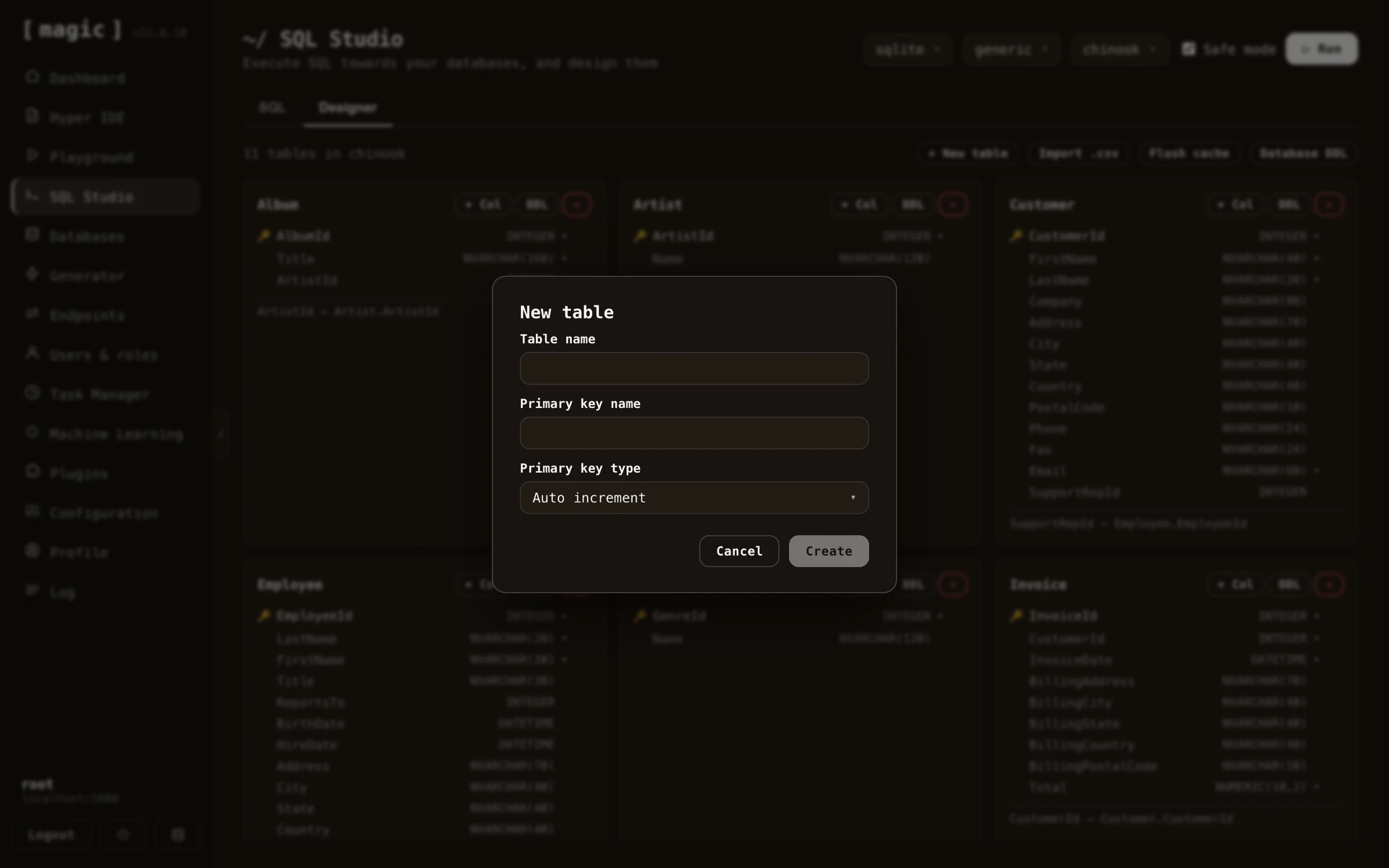 Adding a column to an existing table is just as easy - declare its name, type, an optional default value, and whether it's nullable. The same dialog also has a _"Foreign key"_ tab, allowing you to create columns referencing other tables.
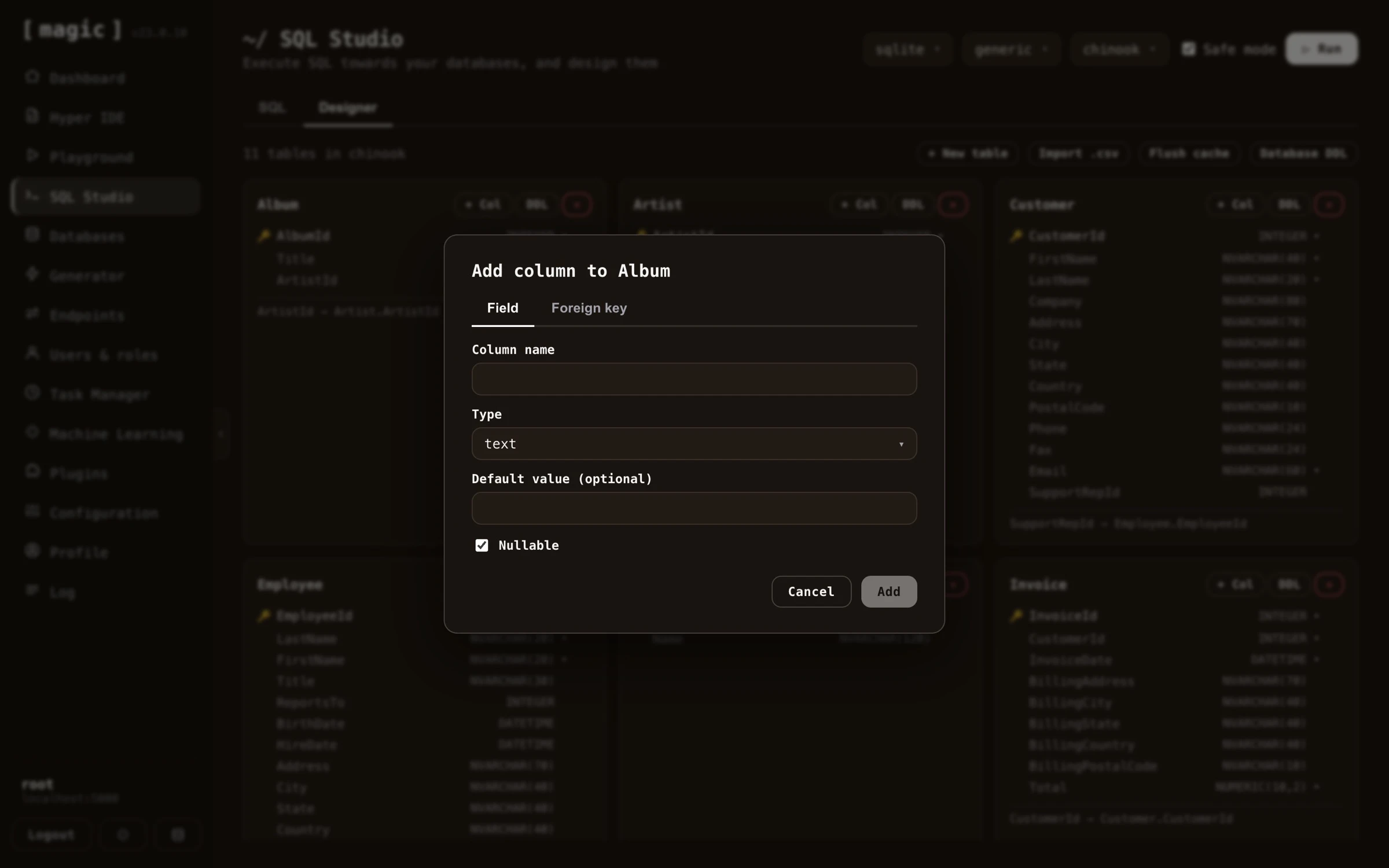 Notice, the designer is optional - you can just as well create your database structure with plain SQL DDL from the SQL view. And you don't even have to write the DDL yourself; ask the _"Where the Machine Creates the Code"_ bar below the SQL editor for something such as _"A CRM system with 3 tables allowing me to manage my contacts"_, and the AI generates the complete DDL for you - tables, primary keys, and foreign keys included - ready to execute.
## SQL Studio features
The _"Safe mode"_ slider prevents you from selecting more than 200 records from your database in one go. If you need to select more records you must turn this slider _off_. However, if you return thousands of records with some SQL statement, your cloudlet might become unresponsive, and/or you may end up exhausting your cloudlet's memory or your client's memory.
When you execute SQL, you can run your entire statement, or highlight part of it in the code editor and execute only the selected portion. If you have a selection, only the selected SQL is executed - which is handy when your editor contains several statements and you only want to run one of them.
You can save your frequently used SQL statements as _"snippets"_ similarly to how you can save frequently used Hyperlambda in the [Hyperlambda Playground](https://docs.ainiro.io/dashboard/hyperlambda-playground/) component. This allows you to store frequently used SQL snippets for later, creating a library of snippets you can tap into as you need to execute the same SQL again.
SQL Studio also provides you with autocomplete on both your tables and columns. This typically works best if you write SQL statements where your tables are aliased, and you write the alias of your table, followed by a dot (.), for then to trigger autocomplete. To launch autocomplete click FN+CONTROL+SPACE on a Mac, or CTRL+SPACE on Windows.
In addition, you can import SQL statements from your local development machine by clicking the _"Import"_ button, which will bring up a browse for file dialogue, allowing you to import some SQL file from your local machine into the SQL editor surface of SQL Studio.
## SQL Studio and Machine Learning
SQL Studio integrates with the machine learning and AI parts of Magic. This allows you to ask SQL related questions, such as; _"Create an SQLite DDL for me that creates a users and roles table, where each user is referencing a role with a foreign key"_.
The AI features of SQL Studio don't always produce perfect code, but it is built on top of OpenAI's APIs, so it should be good enough to give you at least an approximation of what you want to achieve. Notice, you need an API key with OpenAI to have these parts of SQL Studio work.
If you use the AI chat interface in SQL Studio you can ask the AI to create, and/or modify your code, and such have _"conversations"_ with the AI about your code.
## SQL Studio designer features
The SQL Studio database designer allows you to do the following things.
* Create new tables
* Create new fields
* Create new foreign keys
* Export one table's DDL
* Export all tables' DDL
* Import a CSV file as a new table
* Flush the server-side schema cache
SQL Studio doesn't give you every single feature of SQL DDL, but it's good enough to provide you with 90% of what you need as you are designing your database schema. When you create a new foreign key for instance, it will ask you if you want to allow for null values in your foreign keys, and if you want to turn on cascading deletes - But it will not ask you if you want to set to null upon deletions.
### Importing a CSV file
The designer can also create a table directly from a CSV file. Click the _"Import .csv"_ button, choose a CSV file from your local machine, and Magic creates a new table named after the file, with one column for each column in your CSV file. It automatically picks a numeric or text type for each column based on its values, adds an automatically incrementing primary key, and then imports every row from your file. The import runs in the background, so you'll be notified once it completes - just reload the page afterwards to see your new table in the designer.
### Flushing the server-side cache
For performance, Magic caches your database schema on the server. If your schema changes outside the designer - for instance when you import a CSV file, or when an AI agent creates a table over the [MCP server](https://docs.ainiro.io/tutorials/how-to-connect-the-mcp-server/) - click the _"Flush cache"_ button to clear this cached schema. Doing so reloads the page, so the designer reflects the current state of your database.
SQL Studio's designer works transparently towards all database types, implying you can use it to create databases for MySQL, PostgreSQL, SQLite, MariaDB, and SQL Server. However, what types of fields you can create differs between database types.
## How to create a database using SQL Studio
You cannot actually create a database with SQL Studio. This needs to be done using the [Databases menu item](https://docs.ainiro.io/dashboard/databases/) below the _"Create"_ section. However, once you have created a database, you can use SQL Studio to create tables in it, and modify these as you see fit.
## Frequently asked questions
**What is SQL Studio?**
SQL Studio is a web based SQL workbench that allows you to execute any SQL towards your database of choice, and visually design your databases. It supports SQL Server, PostgreSQL, MySQL, MariaDB, and SQLite.
**Can SQL Studio generate SQL from natural language?**
Yes. Below the SQL editor you will find an input textbox that says 'Where the Machine Creates the Code'. Describe the query you want in plain English, click Ask, and the AI writes the SQL for you, aware of your selected database and its schema. This also works for DDL, allowing you to generate entire database structures from a description such as 'A CRM system with 3 tables'.
**Do I need to write DDL to create tables?**
No. The visual designer lets you create tables, add columns, and declare foreign keys through dialogs, without writing any DDL. You can still use plain SQL DDL from the SQL view if you prefer, or have the AI generate the DDL for you.
**What is Safe mode?**
Safe mode prevents you from selecting more than 200 records in one go, protecting your cloudlet and browser from exhausting memory. Turn it off if you need to select more records.
**Can I save frequently used SQL statements?**
Yes. Save any statement as a named snippet and load it later from the Load snippet dropdown. You can also import .sql files from your local machine.
**Can I export query results?**
Yes. Any result set can be exported as a CSV file with one click, letting you bring your data into Excel or any other tool.
**Does SQL Studio have autocomplete?**
Yes, on both tables and columns. Alias your tables, write the alias followed by a dot, and click CTRL+SPACE on Windows or FN+CONTROL+SPACE on a Mac to trigger autocomplete.
**Can I execute only part of my SQL?**
Yes. If you select a portion of the SQL in the editor, only the selection is executed - handy when your editor contains several statements and you only want to run one.
# Task Manager
URL: https://docs.ainiro.io/dashboard/task-manager/
Description: Create, administer, and schedule background tasks in Magic, running them once at a future time, or repeatedly on a recurring schedule.
The Task Manager component allows you to create and administrate persisted Hyperlambda tasks, and/or schedule tasks for executing, either in a repeating pattern somehow, or at an exact date and time in the future. A Magic task is just a snippet of Hyperlambda code, that is persisted into your Magic database, and such can be recalled at any point in the future to be executed at will.
Notice, the designer is optional - you can just as well create your database structure with plain SQL DDL from the SQL view. And you don't even have to write the DDL yourself; ask the _"Where the Machine Creates the Code"_ bar below the SQL editor for something such as _"A CRM system with 3 tables allowing me to manage my contacts"_, and the AI generates the complete DDL for you - tables, primary keys, and foreign keys included - ready to execute.
## SQL Studio features
The _"Safe mode"_ slider prevents you from selecting more than 200 records from your database in one go. If you need to select more records you must turn this slider _off_. However, if you return thousands of records with some SQL statement, your cloudlet might become unresponsive, and/or you may end up exhausting your cloudlet's memory or your client's memory.
When you execute SQL, you can run your entire statement, or highlight part of it in the code editor and execute only the selected portion. If you have a selection, only the selected SQL is executed - which is handy when your editor contains several statements and you only want to run one of them.
You can save your frequently used SQL statements as _"snippets"_ similarly to how you can save frequently used Hyperlambda in the [Hyperlambda Playground](https://docs.ainiro.io/dashboard/hyperlambda-playground/) component. This allows you to store frequently used SQL snippets for later, creating a library of snippets you can tap into as you need to execute the same SQL again.
SQL Studio also provides you with autocomplete on both your tables and columns. This typically works best if you write SQL statements where your tables are aliased, and you write the alias of your table, followed by a dot (.), for then to trigger autocomplete. To launch autocomplete click FN+CONTROL+SPACE on a Mac, or CTRL+SPACE on Windows.
In addition, you can import SQL statements from your local development machine by clicking the _"Import"_ button, which will bring up a browse for file dialogue, allowing you to import some SQL file from your local machine into the SQL editor surface of SQL Studio.
## SQL Studio and Machine Learning
SQL Studio integrates with the machine learning and AI parts of Magic. This allows you to ask SQL related questions, such as; _"Create an SQLite DDL for me that creates a users and roles table, where each user is referencing a role with a foreign key"_.
The AI features of SQL Studio don't always produce perfect code, but it is built on top of OpenAI's APIs, so it should be good enough to give you at least an approximation of what you want to achieve. Notice, you need an API key with OpenAI to have these parts of SQL Studio work.
If you use the AI chat interface in SQL Studio you can ask the AI to create, and/or modify your code, and such have _"conversations"_ with the AI about your code.
## SQL Studio designer features
The SQL Studio database designer allows you to do the following things.
* Create new tables
* Create new fields
* Create new foreign keys
* Export one table's DDL
* Export all tables' DDL
* Import a CSV file as a new table
* Flush the server-side schema cache
SQL Studio doesn't give you every single feature of SQL DDL, but it's good enough to provide you with 90% of what you need as you are designing your database schema. When you create a new foreign key for instance, it will ask you if you want to allow for null values in your foreign keys, and if you want to turn on cascading deletes - But it will not ask you if you want to set to null upon deletions.
### Importing a CSV file
The designer can also create a table directly from a CSV file. Click the _"Import .csv"_ button, choose a CSV file from your local machine, and Magic creates a new table named after the file, with one column for each column in your CSV file. It automatically picks a numeric or text type for each column based on its values, adds an automatically incrementing primary key, and then imports every row from your file. The import runs in the background, so you'll be notified once it completes - just reload the page afterwards to see your new table in the designer.
### Flushing the server-side cache
For performance, Magic caches your database schema on the server. If your schema changes outside the designer - for instance when you import a CSV file, or when an AI agent creates a table over the [MCP server](https://docs.ainiro.io/tutorials/how-to-connect-the-mcp-server/) - click the _"Flush cache"_ button to clear this cached schema. Doing so reloads the page, so the designer reflects the current state of your database.
SQL Studio's designer works transparently towards all database types, implying you can use it to create databases for MySQL, PostgreSQL, SQLite, MariaDB, and SQL Server. However, what types of fields you can create differs between database types.
## How to create a database using SQL Studio
You cannot actually create a database with SQL Studio. This needs to be done using the [Databases menu item](https://docs.ainiro.io/dashboard/databases/) below the _"Create"_ section. However, once you have created a database, you can use SQL Studio to create tables in it, and modify these as you see fit.
## Frequently asked questions
**What is SQL Studio?**
SQL Studio is a web based SQL workbench that allows you to execute any SQL towards your database of choice, and visually design your databases. It supports SQL Server, PostgreSQL, MySQL, MariaDB, and SQLite.
**Can SQL Studio generate SQL from natural language?**
Yes. Below the SQL editor you will find an input textbox that says 'Where the Machine Creates the Code'. Describe the query you want in plain English, click Ask, and the AI writes the SQL for you, aware of your selected database and its schema. This also works for DDL, allowing you to generate entire database structures from a description such as 'A CRM system with 3 tables'.
**Do I need to write DDL to create tables?**
No. The visual designer lets you create tables, add columns, and declare foreign keys through dialogs, without writing any DDL. You can still use plain SQL DDL from the SQL view if you prefer, or have the AI generate the DDL for you.
**What is Safe mode?**
Safe mode prevents you from selecting more than 200 records in one go, protecting your cloudlet and browser from exhausting memory. Turn it off if you need to select more records.
**Can I save frequently used SQL statements?**
Yes. Save any statement as a named snippet and load it later from the Load snippet dropdown. You can also import .sql files from your local machine.
**Can I export query results?**
Yes. Any result set can be exported as a CSV file with one click, letting you bring your data into Excel or any other tool.
**Does SQL Studio have autocomplete?**
Yes, on both tables and columns. Alias your tables, write the alias followed by a dot, and click CTRL+SPACE on Windows or FN+CONTROL+SPACE on a Mac to trigger autocomplete.
**Can I execute only part of my SQL?**
Yes. If you select a portion of the SQL in the editor, only the selection is executed - handy when your editor contains several statements and you only want to run one.
# Task Manager
URL: https://docs.ainiro.io/dashboard/task-manager/
Description: Create, administer, and schedule background tasks in Magic, running them once at a future time, or repeatedly on a recurring schedule.
The Task Manager component allows you to create and administrate persisted Hyperlambda tasks, and/or schedule tasks for executing, either in a repeating pattern somehow, or at an exact date and time in the future. A Magic task is just a snippet of Hyperlambda code, that is persisted into your Magic database, and such can be recalled at any point in the future to be executed at will.
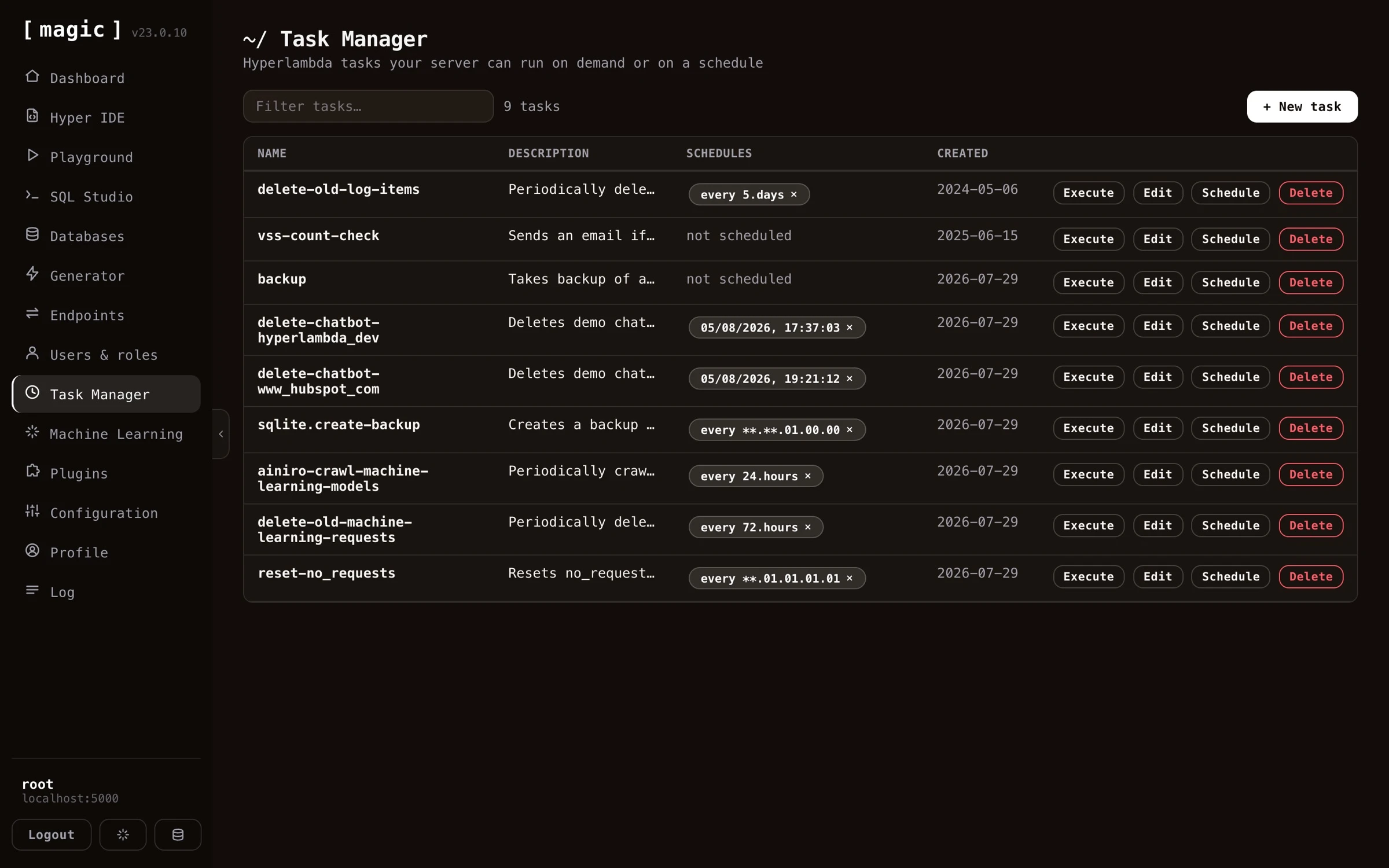 ## Creating tasks with natural language
You don't need to write the Hyperlambda for your tasks yourself. Below the code editor in the task editor you'll find an input textbox that says _"Where the Machine Creates the Code"_. Describe what you want your task to do in plain English - for instance _"Delete all log items older than 14 days"_ - click _"Ask"_, and the [Hyperlambda Generator](https://docs.ainiro.io/dashboard/hyperlambda-generator/) transforms your description into working Hyperlambda that replaces the content of the editor. If the task already contains code, your prompt is treated as a change instruction, allowing you to modify existing tasks the same way. This makes the Task Manager fully usable without knowing any Hyperlambda at all.
If you prefer writing the code yourself, the editor gives you autocomplete on all slots that exist in your cloudlet - click CTRL+SPACE on Windows or FN+CONTROL+SPACE on a Mac while editing a task, and choose from the list of matching slots.
## Creating tasks with natural language
You don't need to write the Hyperlambda for your tasks yourself. Below the code editor in the task editor you'll find an input textbox that says _"Where the Machine Creates the Code"_. Describe what you want your task to do in plain English - for instance _"Delete all log items older than 14 days"_ - click _"Ask"_, and the [Hyperlambda Generator](https://docs.ainiro.io/dashboard/hyperlambda-generator/) transforms your description into working Hyperlambda that replaces the content of the editor. If the task already contains code, your prompt is treated as a change instruction, allowing you to modify existing tasks the same way. This makes the Task Manager fully usable without knowing any Hyperlambda at all.
If you prefer writing the code yourself, the editor gives you autocomplete on all slots that exist in your cloudlet - click CTRL+SPACE on Windows or FN+CONTROL+SPACE on a Mac while editing a task, and choose from the list of matching slots.
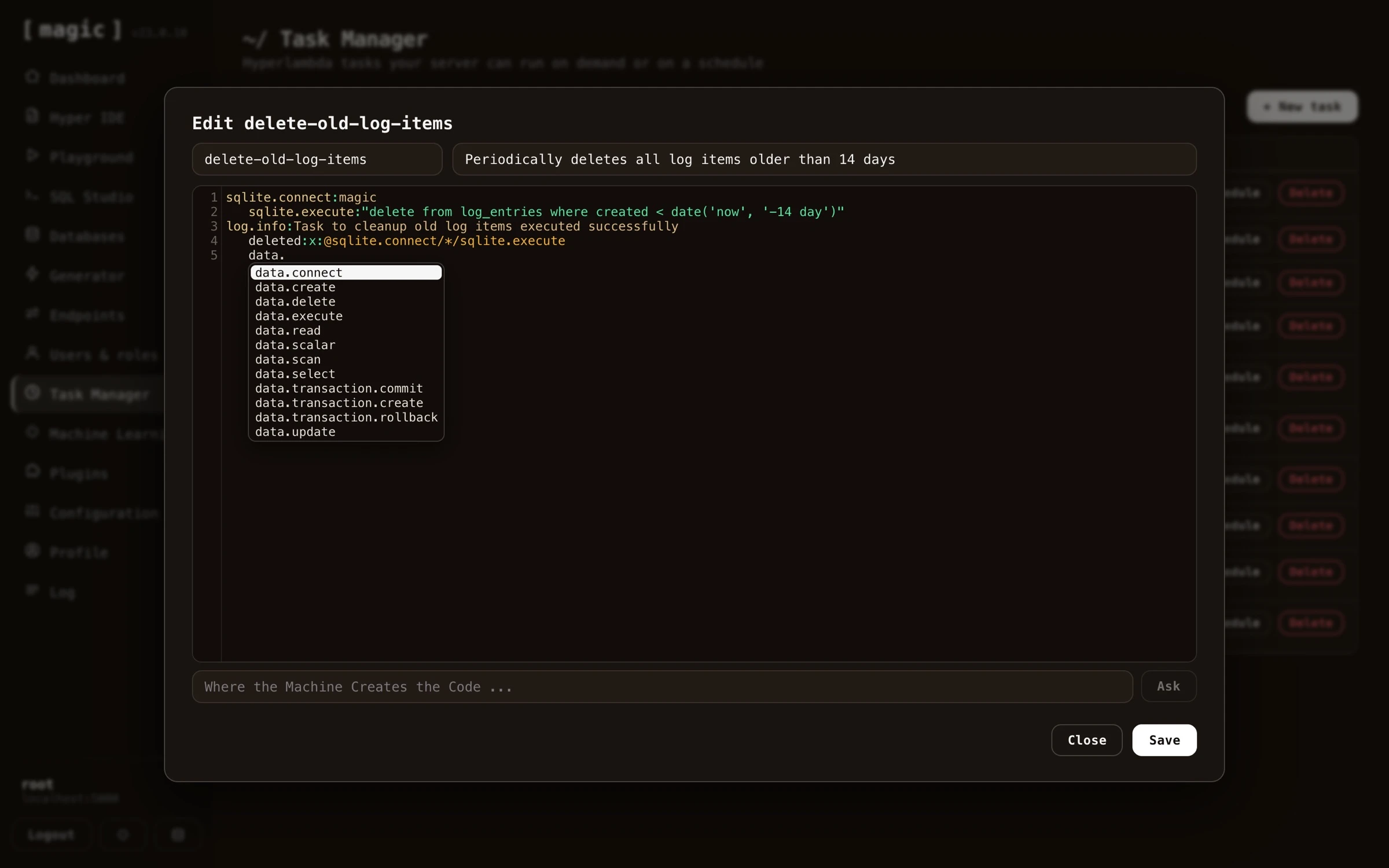 ## The idea behind the task component
The idea behind the task scheduler is first of all to allow for creating dynamically persisted tasks that can be triggered by some future event - In addition to scheduling your tasks to be executed at some specific date and time in the future, and/or in a repeating pattern. Since tasks are dynamically created Hyperlambda snippets of code, this makes the system very flexible contrary to most other task schedulers, that are often built upon statically compiled programming languages.
## Tasks internals
Your tasks will be saved into your Magic database and its table called _"tasks"_, in addition to your _"task\_due"_ table for schedules. This implies that even if your cloudlet for some reason _"drops"_, and/or is rebooted, your tasks will automatically be re-scheduled as your cloudlet restarts. Notice, for tasks repeating every nth unit, this process is not 100% perfect, since it might imply the execution date for your tasks is being moved forward if your cloudlet reboots for some reason.
## Scheduling tasks
Tasks can be scheduled according to a whole range of different patterns. First of all you can schedule a task to be executed at some specific date and time in the future. This is done by simply choosing a date and time in the future when you want your task to execute.
In addition to scheduling a task to be executed at a specific date and time in the future, you can also schedule your task to be repeated according to some sort of repetition pattern. The simplest pattern here is _"every n unit"_, where n can be any integer, and unit can be any of seconds, minutes, hours, days, weeks and months.
Slightly more complex repetition units can be provided by choosing a custom repetition pattern. There exist two such custom repetition patterns in Magic out of the box, and they are as follows.
* `MM.dd.HH.mm.ss` - Where the entities are in sequence months, days in months, hours, minutes and seconds.
* `ww.HH.mm.ss` - Where the entities are weekdays, hour, minute and second.
Notice, MM, dd, and ww can have double asterisk (\*\*) as their values, implying _"every value"_. MM, dd and ww can also have multiple values, separated by the pipe character (\|), to provide multiple values for these types. To for instance create a task that is executed on the 5th and 15th of January and February you could use a task such as follows; _"01\|02.5\|15.05.00.00"_. This is because both the day and the month parts of a monthly repetition value can be piped together declaring multiple months and days, where the task will be executed at any of the days and months you declare in your repetition value. The same is true for the weekdays repetition pattern. If you want to create a scheduled task that repeats every Monday and Friday, you can use a pattern such as follows; _"Monday\|Friday.23.59.59"_. This task will execute one second to midnight both Mondays and Fridays.
To understand which repetition pattern is which, simply count the number of periods in your value, and if there are 4 periods, it's a month/day type of pattern. If there are only 3 periods in your pattern, it's a weekday pattern.
To understand tasks more in detail, you can read about the [magic.lambda.scheduler](https://docs.ainiro.io/plugins/magic.lambda.scheduler/).
## Frequently asked questions
**What is a task in Magic?**
A task is a snippet of Hyperlambda code persisted into your database. It can be executed by a trigger elsewhere in your system, at a specific future date, or repeatedly on a schedule.
**Can I create tasks without knowing Hyperlambda?**
Yes. The 'Where the Machine Creates the Code' bar below the task editor turns a plain English description - such as 'Delete all log items older than 14 days' - into working Hyperlambda for you.
**Does the task editor have autocomplete?**
Yes. Click CTRL+SPACE on Windows or FN+CONTROL+SPACE on a Mac while editing a task, and choose from the list of slots that exist in your cloudlet.
**How do I run a task immediately?**
Click Execute on the task - either from the Task Manager, or from the Tasks section on the dashboard's landing page.
**What scheduling patterns are supported?**
A specific date and time, every n seconds/minutes/hours/days/weeks/months, or custom patterns for month/day (MM.dd.HH.mm.ss) and weekday (ww.HH.mm.ss) repetitions, including multiple values separated by the pipe character.
**What happens to my tasks if the server reboots?**
Tasks and their schedules live in your database, so they are automatically re-scheduled when your cloudlet restarts.
# Users & Roles
URL: https://docs.ainiro.io/dashboard/users-roles/
Description: Secure your own code with Magic's role-based access control (RBAC), managing users, roles, authentication, and authorisation from one component.
The Users & Roles component allows you to manage and administrate users and roles in your system, and/or create new users and roles. This component is what allows you to control how others are accessing your system. You might for instance have 3 different roles in your company, being C-level executives, managers, and employees. Typically these 3 different roles should not have access to the same parts, so you want to associate users with these different roles in Magic.
## Managing users and roles
The users component is divided up into two parts. One part allows you to manage your users, and the other part allows you to manage your roles. You can create as many roles and users as you wish.
Users again have extra fields, which can be any information you wish - However, by default Magic will only handle email and name, allowing you to associate a name and an email address with users you create in your cloudlet.
## Authentication and authorization internals
Magic is built upon [JWT](https://jwt.io) authentication and authorisation. This is a commonly used web standard, and allows you to easily use its existing authentication and authorisation system in your own code. JWT implies JSON Web Token, and is typically transmitted from your frontend to your backend as a _"Bearer"_ token in your _"Authorization"_ HTTP header.
In addition to its own username and password authentication, Magic can act as an OAuth server, and it ships single sign-on support for **Google, GitHub, LinkedIn, Microsoft Entra ID, Okta, Auth0, Keycloak and Slack** - configured from the [Configuration component](https://docs.ainiro.io/dashboard/configuration/), with a per-provider walkthrough in the [SSO sign-in providers tutorial](https://docs.ainiro.io/tutorials/sso-sign-in-providers/). Regardless of how a user signs in - through Magic's own login, as an OAuth client, or through an external identity provider - they are still mapped onto Magic's own internal roles, and access is still governed by the same internal RBAC-based system described below. This gives you the convenience of federated, standards-based sign-in, without giving up the fine-grained role-based control Magic provides over your endpoints.
## The idea behind the task component
The idea behind the task scheduler is first of all to allow for creating dynamically persisted tasks that can be triggered by some future event - In addition to scheduling your tasks to be executed at some specific date and time in the future, and/or in a repeating pattern. Since tasks are dynamically created Hyperlambda snippets of code, this makes the system very flexible contrary to most other task schedulers, that are often built upon statically compiled programming languages.
## Tasks internals
Your tasks will be saved into your Magic database and its table called _"tasks"_, in addition to your _"task\_due"_ table for schedules. This implies that even if your cloudlet for some reason _"drops"_, and/or is rebooted, your tasks will automatically be re-scheduled as your cloudlet restarts. Notice, for tasks repeating every nth unit, this process is not 100% perfect, since it might imply the execution date for your tasks is being moved forward if your cloudlet reboots for some reason.
## Scheduling tasks
Tasks can be scheduled according to a whole range of different patterns. First of all you can schedule a task to be executed at some specific date and time in the future. This is done by simply choosing a date and time in the future when you want your task to execute.
In addition to scheduling a task to be executed at a specific date and time in the future, you can also schedule your task to be repeated according to some sort of repetition pattern. The simplest pattern here is _"every n unit"_, where n can be any integer, and unit can be any of seconds, minutes, hours, days, weeks and months.
Slightly more complex repetition units can be provided by choosing a custom repetition pattern. There exist two such custom repetition patterns in Magic out of the box, and they are as follows.
* `MM.dd.HH.mm.ss` - Where the entities are in sequence months, days in months, hours, minutes and seconds.
* `ww.HH.mm.ss` - Where the entities are weekdays, hour, minute and second.
Notice, MM, dd, and ww can have double asterisk (\*\*) as their values, implying _"every value"_. MM, dd and ww can also have multiple values, separated by the pipe character (\|), to provide multiple values for these types. To for instance create a task that is executed on the 5th and 15th of January and February you could use a task such as follows; _"01\|02.5\|15.05.00.00"_. This is because both the day and the month parts of a monthly repetition value can be piped together declaring multiple months and days, where the task will be executed at any of the days and months you declare in your repetition value. The same is true for the weekdays repetition pattern. If you want to create a scheduled task that repeats every Monday and Friday, you can use a pattern such as follows; _"Monday\|Friday.23.59.59"_. This task will execute one second to midnight both Mondays and Fridays.
To understand which repetition pattern is which, simply count the number of periods in your value, and if there are 4 periods, it's a month/day type of pattern. If there are only 3 periods in your pattern, it's a weekday pattern.
To understand tasks more in detail, you can read about the [magic.lambda.scheduler](https://docs.ainiro.io/plugins/magic.lambda.scheduler/).
## Frequently asked questions
**What is a task in Magic?**
A task is a snippet of Hyperlambda code persisted into your database. It can be executed by a trigger elsewhere in your system, at a specific future date, or repeatedly on a schedule.
**Can I create tasks without knowing Hyperlambda?**
Yes. The 'Where the Machine Creates the Code' bar below the task editor turns a plain English description - such as 'Delete all log items older than 14 days' - into working Hyperlambda for you.
**Does the task editor have autocomplete?**
Yes. Click CTRL+SPACE on Windows or FN+CONTROL+SPACE on a Mac while editing a task, and choose from the list of slots that exist in your cloudlet.
**How do I run a task immediately?**
Click Execute on the task - either from the Task Manager, or from the Tasks section on the dashboard's landing page.
**What scheduling patterns are supported?**
A specific date and time, every n seconds/minutes/hours/days/weeks/months, or custom patterns for month/day (MM.dd.HH.mm.ss) and weekday (ww.HH.mm.ss) repetitions, including multiple values separated by the pipe character.
**What happens to my tasks if the server reboots?**
Tasks and their schedules live in your database, so they are automatically re-scheduled when your cloudlet restarts.
# Users & Roles
URL: https://docs.ainiro.io/dashboard/users-roles/
Description: Secure your own code with Magic's role-based access control (RBAC), managing users, roles, authentication, and authorisation from one component.
The Users & Roles component allows you to manage and administrate users and roles in your system, and/or create new users and roles. This component is what allows you to control how others are accessing your system. You might for instance have 3 different roles in your company, being C-level executives, managers, and employees. Typically these 3 different roles should not have access to the same parts, so you want to associate users with these different roles in Magic.
## Managing users and roles
The users component is divided up into two parts. One part allows you to manage your users, and the other part allows you to manage your roles. You can create as many roles and users as you wish.
Users again have extra fields, which can be any information you wish - However, by default Magic will only handle email and name, allowing you to associate a name and an email address with users you create in your cloudlet.
## Authentication and authorization internals
Magic is built upon [JWT](https://jwt.io) authentication and authorisation. This is a commonly used web standard, and allows you to easily use its existing authentication and authorisation system in your own code. JWT implies JSON Web Token, and is typically transmitted from your frontend to your backend as a _"Bearer"_ token in your _"Authorization"_ HTTP header.
In addition to its own username and password authentication, Magic can act as an OAuth server, and it ships single sign-on support for **Google, GitHub, LinkedIn, Microsoft Entra ID, Okta, Auth0, Keycloak and Slack** - configured from the [Configuration component](https://docs.ainiro.io/dashboard/configuration/), with a per-provider walkthrough in the [SSO sign-in providers tutorial](https://docs.ainiro.io/tutorials/sso-sign-in-providers/). Regardless of how a user signs in - through Magic's own login, as an OAuth client, or through an external identity provider - they are still mapped onto Magic's own internal roles, and access is still governed by the same internal RBAC-based system described below. This gives you the convenience of federated, standards-based sign-in, without giving up the fine-grained role-based control Magic provides over your endpoints.
 Three properties of external sign-in are worth understanding as an administrator. Identities are *provider-scoped* - a user signing in through GitHub with the email `jane@example.com` becomes the user `github:jane@example.com`, which can never collide with a local account, or with another provider's idea of the same person. First sign-in creates the user with the *guest* role only, so nobody gains access to anything by merely authenticating - you grant roles explicitly from this component. And only email addresses the provider has actually *verified* are accepted, so nobody can reach an identity by adding someone else's address to their account.
## Users and roles internals
All access in Magic is based upon roles, implying by default all users belonging to the same role(s) have access to the same parts of your backend. This makes it easier to provide access to specific parts of your system(s), and/or also see which parts of your system specific users have access to. This is referred to as RBAC or Role Based Access Control.
Three properties of external sign-in are worth understanding as an administrator. Identities are *provider-scoped* - a user signing in through GitHub with the email `jane@example.com` becomes the user `github:jane@example.com`, which can never collide with a local account, or with another provider's idea of the same person. First sign-in creates the user with the *guest* role only, so nobody gains access to anything by merely authenticating - you grant roles explicitly from this component. And only email addresses the provider has actually *verified* are accepted, so nobody can reach an identity by adding someone else's address to their account.
## Users and roles internals
All access in Magic is based upon roles, implying by default all users belonging to the same role(s) have access to the same parts of your backend. This makes it easier to provide access to specific parts of your system(s), and/or also see which parts of your system specific users have access to. This is referred to as RBAC or Role Based Access Control.
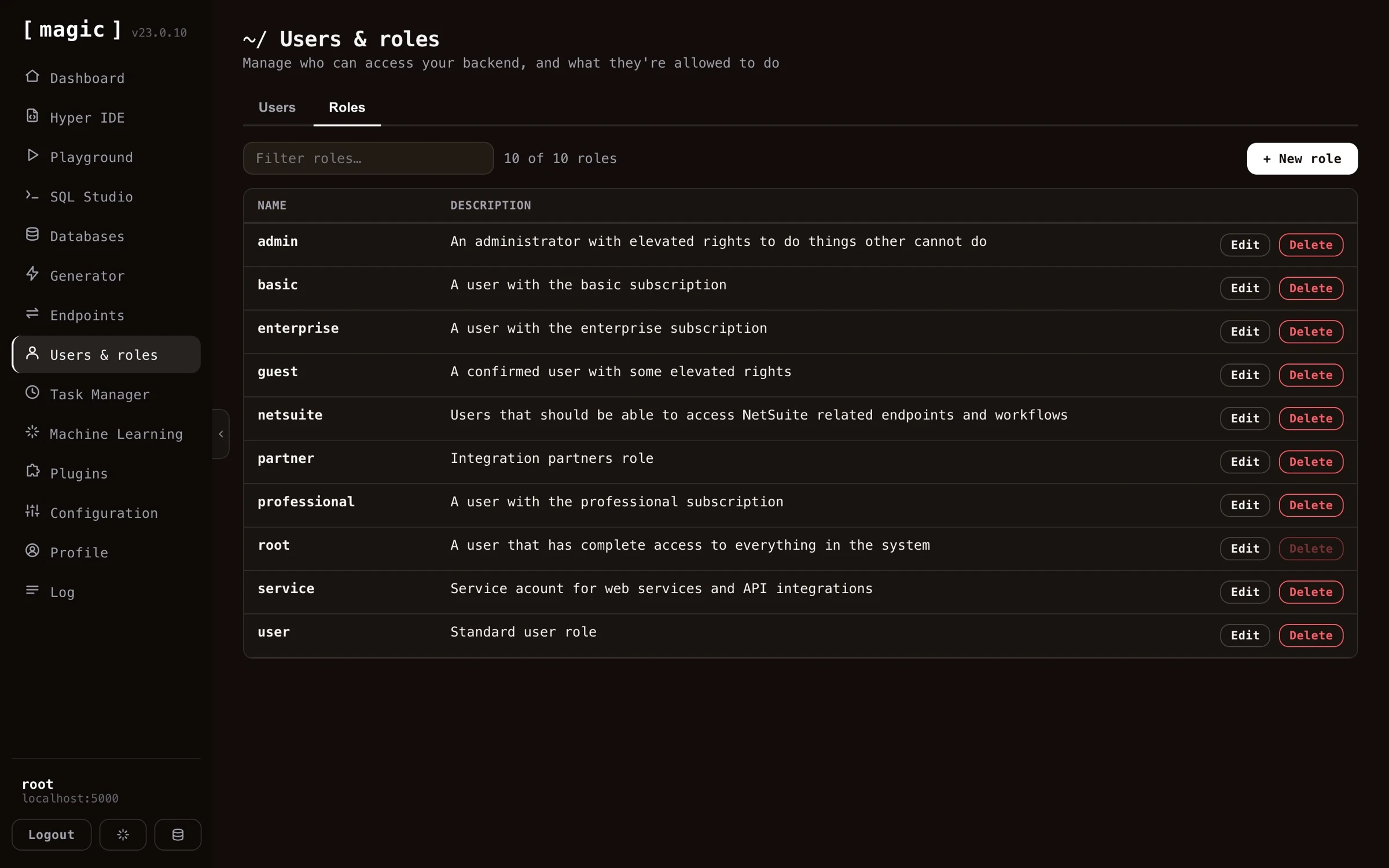 Magic does _not_ create _"access rights"_ associations for roles. Instead the system allows individual endpoints to declare themselves what roles are allowed to invoke the endpoint. This is done by invoking **[auth.ticket.verify]** from your Hyperlambda code, and passing in a comma separated list of roles that are allowed to invoke the endpoint. Below is how you would lock down an endpoint from being accessed by users not belonging to either the root role or the admin role.
```
// Some Hyperlambda endpoint file.
auth.ticket.verify:root, admin
```
The above will throw an exception if the user is not authenticated, or does not belong to either the admin role or the root role.
## Rolling your own auth
The authentication and authorisation system in Magic is very flexible, and allows you to consume it from your own apps. The auth system is built as a _"half fabricated auth system"_, allowing you to implement it any way you see fit, to customise it according to your needs.
## Frequently asked questions
**What is the Users and roles component?**
A graphical user interface for managing your application's users and roles, built on role based access control (RBAC).
**What is RBAC?**
Role Based Access Control - all access in Magic is based upon roles, so users belonging to the same roles have access to the same parts of your backend, making access rights easy to reason about.
**How does authentication work in Magic?**
Magic uses JWT (JSON Web Token) authentication, transmitted as a Bearer token in the Authorization HTTP header. Magic can also act as an OAuth server, and supports OIDC, letting users sign in through external identity providers such as Google, GitHub or Microsoft.
**Can users sign in with Google or GitHub?**
Yes. Magic ships sign-in support for Google, GitHub, LinkedIn, Microsoft Entra ID, Okta, Auth0, Keycloak and Slack out of the box, while still mapping every user onto Magic's own internal roles and RBAC. Each identity is scoped by provider, and new sign-ins start in the guest role until an administrator grants more.
**How do endpoints declare who can access them?**
Each endpoint declares its own access by invoking auth.ticket.verify with a comma separated list of roles. If the user is not authenticated or lacks the role, an exception is thrown.
**Can I build my own authentication on top of Magic?**
Yes. The auth system is deliberately built as a 'half fabricated' system you can extend and customise, for instance with your own registration flow.
# Web Designer
URL: https://docs.ainiro.io/dashboard/web-designer/
Description: Web Designer is a WYSIWYG editor for the frontends your cloudlet serves. Open any HTML page, click an element to select it, drag blocks in from a palette, edit the text in place, and save straight back to the file.
Web Designer is how you build the *front* of your application. It opens any HTML page your cloudlet serves and lets you edit it the way you would edit a document - click an element to select it, double-click a run of text to rewrite it, drag a block in from the palette, and drag it somewhere else to move it.
Magic does _not_ create _"access rights"_ associations for roles. Instead the system allows individual endpoints to declare themselves what roles are allowed to invoke the endpoint. This is done by invoking **[auth.ticket.verify]** from your Hyperlambda code, and passing in a comma separated list of roles that are allowed to invoke the endpoint. Below is how you would lock down an endpoint from being accessed by users not belonging to either the root role or the admin role.
```
// Some Hyperlambda endpoint file.
auth.ticket.verify:root, admin
```
The above will throw an exception if the user is not authenticated, or does not belong to either the admin role or the root role.
## Rolling your own auth
The authentication and authorisation system in Magic is very flexible, and allows you to consume it from your own apps. The auth system is built as a _"half fabricated auth system"_, allowing you to implement it any way you see fit, to customise it according to your needs.
## Frequently asked questions
**What is the Users and roles component?**
A graphical user interface for managing your application's users and roles, built on role based access control (RBAC).
**What is RBAC?**
Role Based Access Control - all access in Magic is based upon roles, so users belonging to the same roles have access to the same parts of your backend, making access rights easy to reason about.
**How does authentication work in Magic?**
Magic uses JWT (JSON Web Token) authentication, transmitted as a Bearer token in the Authorization HTTP header. Magic can also act as an OAuth server, and supports OIDC, letting users sign in through external identity providers such as Google, GitHub or Microsoft.
**Can users sign in with Google or GitHub?**
Yes. Magic ships sign-in support for Google, GitHub, LinkedIn, Microsoft Entra ID, Okta, Auth0, Keycloak and Slack out of the box, while still mapping every user onto Magic's own internal roles and RBAC. Each identity is scoped by provider, and new sign-ins start in the guest role until an administrator grants more.
**How do endpoints declare who can access them?**
Each endpoint declares its own access by invoking auth.ticket.verify with a comma separated list of roles. If the user is not authenticated or lacks the role, an exception is thrown.
**Can I build my own authentication on top of Magic?**
Yes. The auth system is deliberately built as a 'half fabricated' system you can extend and customise, for instance with your own registration flow.
# Web Designer
URL: https://docs.ainiro.io/dashboard/web-designer/
Description: Web Designer is a WYSIWYG editor for the frontends your cloudlet serves. Open any HTML page, click an element to select it, drag blocks in from a palette, edit the text in place, and save straight back to the file.
Web Designer is how you build the *front* of your application. It opens any HTML page your cloudlet serves and lets you edit it the way you would edit a document - click an element to select it, double-click a run of text to rewrite it, drag a block in from the palette, and drag it somewhere else to move it.
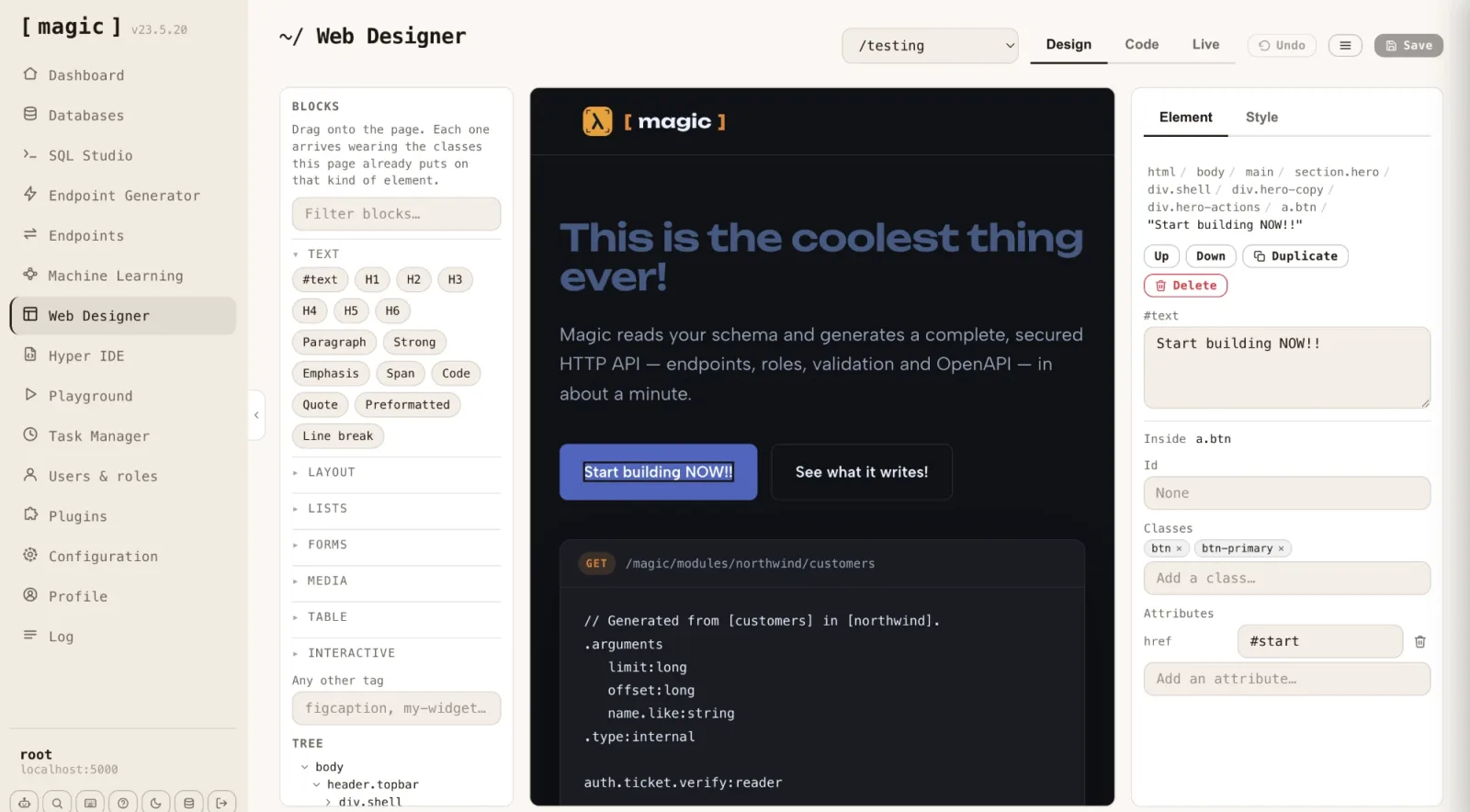 There is no project format, no component model and no build step. The page in the middle *is* the file on disk. When you save, what the browser parsed is written back as HTML - which is why a page built by an AI agent, scaffolded by a wizard, or hand-written years ago can all be opened and edited here without conversion.
## Choosing a page
The dropdown at the top lists every HTML page below your cloudlet's web root. Pick one and it opens, remembering your choice for the next time you come back.
To make a new one, open the menu beside the view tabs and choose *"New page"*. You give it the URL you want it served at - `/pricing` becomes `pricing.html` - and either start from a blank page or copy the page you currently have open. Folders are never invented for you; a URL with steps in it, such as `/docs/intro`, creates those folders because it has to, and nothing else does.
## The three views
**Design** is the editor. The page is rendered exactly as a visitor sees it, but with scripts disabled, so nothing moves under you while you work and the document cannot rewrite itself between your edit and your save.
**Code** puts the same file in a code editor, with syntax highlighting, and a dropdown for switching between the page and any stylesheet the page links from this cloudlet. Below the editor sits the prompt bar where *"the Machine Creates the Code"* - describe what you want and the generator writes it into the file you have open. Save before switching files in this view; the editor holds one file at a time and will tell you rather than quietly discard what you typed.
**Live** loads the page from its real URL with scripts running, inside the dashboard, so you can check behaviour without leaving the component. The *"Preview"* item in the menu opens the same URL in a new browser tab.
A width control lets you narrow the canvas to a phone or tablet width, so you can check a responsive layout in place.
## Selecting things
Click anything to select it. The panel on the right shows the path from `html` down to what you picked, and the tree below the palette shows the same document as a nested list - hover a row and the element lights up on the page, double-click it and the page scrolls smoothly to bring it into view.
Text is selectable in its own right. A run of words inside a paragraph is a `#text` node in the tree, not a property of the paragraph, so a heading that mixes text with an icon and a link is three separate things you can select, move and delete independently. Selecting a text run styles its parent, since text itself carries no styling.
## Adding and moving blocks
The palette holds over sixty blocks, grouped by what they are for - text, layout, lists, forms, media, tables and interactive elements - with a filter box above them and an *"Any other tag"* field for anything not in the list, including web components.
Blocks do not arrive unstyled. Each one reads the page it is being dropped into and **wears the classes that page already puts on that kind of element**, judged first by what sits around the drop point and only then by the page as a whole. Drop a button into the navbar and it arrives dressed as a nav item; drop the same button into the header and it arrives as the primary action.
Drag any element on the canvas to move it. A line shows where it will land, and elements that cannot take children are never offered as a destination. The *Up*, *Down* and *Duplicate* buttons in the Element panel do the same job in single steps, and *Delete* - or the Delete key - removes what is selected.
## The Element panel
With something selected, the Element tab gives you its `id`, its classes as removable chips with a box for adding more, and every attribute on the tag with a field for adding another. This is where a link gets its destination, an image its source and alt text, and an input its name and placeholder.
Selected text gets a `#text` box instead, holding exactly the characters in that run. Editing there is the same as double-clicking the text on the canvas and typing.
## The Style panel
The Style tab writes real CSS into the page's own stylesheet. At the top you choose which selector you are styling - the element's own classes, its id, or its tag - so a change can apply to one element or to every element that shares its class.
Everything the designer writes goes into a **fenced block** at the end of the stylesheet, between an opening and a closing marker comment. Your own CSS above and below the fence is carried back to disk as the text it arrived as, so hand-written rules, comments and media queries survive every save. Inside the fence, rules are rewritten each time, which is why the opening marker carries a warning telling you not to hand-edit that region.
Values are validated rather than corrected. Type a length the browser cannot parse and the field turns red when you leave it, keeping what you typed so you can fix it, instead of silently reverting.
When a stylesheet changes, its `` in the page gets a new version stamp on save. Magic serves static files with a long cache lifetime, so without that stamp your own browser would keep showing you yesterday's CSS.
## Saving
*Save* writes the page, and the stylesheet too when styles changed. The HTML is re-emitted tidily indented from the document you have been editing; in the Code view, what you typed is written through exactly as typed, because there the text on screen is the file and reformatting it under you would be rude.
*Undo* steps back through your edits, including style changes.
## Working with Chat Ops
Web Designer and [Chat Ops](https://docs.ainiro.io/dashboard/chat-ops/) are meant to be used together. Ask Chat Ops to restructure a section, generate a new page, or rewrite some copy, and when the turn finishes the designer reloads the page you have open so the result is on the canvas immediately. Broad, structural changes are faster to ask for in words; small, precise ones are faster to point at and drag.
## What it is not
It is not a site builder with its own runtime. There is no proprietary page format to export from, nothing is compiled, and the file you edit here is the file your visitors download. A page whose content is built entirely by JavaScript at load time will therefore look empty in the Design view - correctly so, because that is what the file actually contains. Use the Live view for those, and edit the script that builds them in [Hyper IDE](https://docs.ainiro.io/dashboard/hyper-ide/).
## Keyboard shortcuts
Press CTRL+/ (COMMAND+/ on a Mac) anywhere in the dashboard for the full list. In Web Designer, Delete removes the selected element, and the standard save shortcut writes the file from either the design canvas or the code editor.
# Deploy Magic
URL: https://docs.ainiro.io/deploy/
Description: How to deploy Magic to a server and take your cloudlet into production, covering hosting, security, CDNs, and the DevOps involved.
## Deploying to DigitalOcean in one copy-paste
If you're deploying to [DigitalOcean](https://www.digitalocean.com/), there's a much faster route than the manual steps below. A single `cloud-init` file installs Docker, builds the all-in-one image, and starts Magic behind [Caddy](https://caddyserver.com/) — API, admin dashboard, database, and automatic Let's Encrypt HTTPS — on a droplet from around $12 per month.
1. Create an Ubuntu 24.04 droplet with at least 2 GB RAM (4 GB is more comfortable, since the first-boot frontend build is memory-hungry).
2. Open `.do/cloud-init.yaml` from the [Magic repository](https://github.com/polterguy/magic), and edit the single `DOMAIN=` line.
3. Paste the whole file into _"Advanced Options → User Data"_ on the droplet creation form, and create the droplet.
4. Point your domain's DNS A record at the droplet's IP address.
First boot takes 15 to 20 minutes — mostly the frontend build — and your domain won't answer until it finishes. That's expected, not a failure; Caddy brings HTTPS up automatically once your DNS propagates. When it's ready, browse to your domain over HTTPS and login with _"root"_/_"root"_. Changing the root password also rotates the default JWT secret for you.
For the complete walk-through, including the day-2 upgrade commands, see [From Zero to Production Backend with HTTPS in One Copy-Paste](https://hyperlambda.dev/blog/magic-cloud-digitalocean-one-copy-paste).
**Notice** - The all-in-one (aio) image, and hence also this DigitalOcean deployment, serves the API and the dashboard frontend from the _same domain_. This implies you cannot install additional frontends on such a deployment, since installed frontends require their own domain to be served from. If you need to host your own frontends, use the manual deployment below, which gives your backend and frontend separate domains.
If you're deploying to another provider, or want full control over the reverse proxy and certificates, the manual guide below covers everything.
## Manual deployment on any VPS
This guide helps you deploy Magic unto a VPS or a private server. The guide has been tested with Ubuntu 20.04 (LTS) x64, but _might_ work with other Debian based distributions. You will need a VPS instance somewhere first. You will also need a domain and point _two_ DNS A records to your server's IP address. Typically these would resemble the following.
* __api.YOURDOMAIN.COM__
* __magic.YOURDOMAIN.COM__
## Cloning docker-compose file
First use SSH to login to your VPS instance. This is typically achieved using something such as the following
on *Nix based systems.
```
ssh root@123.123.123.123
```
The IP address above needs to be the IP address of your VPS. After you've executed the above, you'll be
asked for your root password on your VPS instance. Notice, if you are using Windows you can use
[Putty](https://www.chiark.greenend.org.uk/~sgtatham/putty/), and/or
if you're using DigitalOcean you can use their web based terminal interface as an alternative. When you have
logged into your VPS you can clone magic.deploy into your VPS server using the following command.
```
git clone https://github.com/polterguy/magic.deploy.git
```
If the above gives you an error, you might need to install git using the following command and then run the above command again afterwards. You will also obviously need to have read only access to the _"magic.deploy"_ GitHub repository.
```
apt install git
```
When you have successfully cloned this repository, you need to start docker-compose, but this file needs to be edited before you can start it.
The `docker-compose.yml` file needs to be manually edited to provide your email address, frontend domain, and backend domain, before you execute the docker-compose command. You can do this with the following command.
```
nano docker-compose.yml
```
And then look through the file for the following YAML nodes.
```yaml
- VIRTUAL_HOST=magic-api.ainiro.io
- LETSENCRYPT_HOST=magic-api.ainiro.io
- LETSENCRYPT_EMAIL=thomas@ainiro.io
...
- VIRTUAL_HOST=magic.ainiro.io
- LETSENCRYPT_HOST=magic.ainiro.io
- LETSENCRYPT_EMAIL=thomas@ainiro.io
```
In total there are _6 entries_ you need to change, and the email address needs to be a valid email address you own. The domain needs to be a sub-domain you own where you want to run your Magic installation, and you will need to setup both of these sub-domains as A records with your DNS provider. If you have created your own Docker images from Magic's source code, you will need to edit the following parts of your docker-compose file to use your own images.
* image: servergardens/magic-backend:latest
* image: servergardens/magic-frontend:latest
When you are done editing the docker-compose.yml file, hold down the CTRL key and press X, then type _"Y"_ when Nano asks you if you want to save the file after you have edited the file, and save it with its existing filename. Then you will have to install Docker and docker-compose on your VPS. This can be achieved with the following terminal command.
```
apt install docker docker-compose
```
After you have installed docker and docker compose, you will need to login to Docker Hub with a username and password combination that can access your images. This can be accomplished using the following.
```bash
docker login
```
This ensures your machine persists your Docker hub credentials, and attaches these as you try to retrieve the docker images required to get Magic up running. Then you have to create a virtual docker network. This is necessary to make sure your containers have a virtual network to communicate with each other.
```
docker network create nginx-proxy
```
This command will create a docker proxy network Magic needs to be able to connect
all the docker images within your docker-compose file with each other. When you have created the
above network, you can start your docker containers using the following command.
```
docker-compose up -d
```
If you want to debug the containers, you can drop the `-d` argument, which will ensure docker writes errors to the console as it proceeds. Notice, the default docker-compose file will take care of SSL automatically using Acme and LetsEncrypt. If you want to use your own SSL certificates here instead, you're on your own.
## Internals
The above `docker-compose up -d` command will start 4 docker containers.
* `proxy` - The nGinx proxy that internally routes requests to either your backend or your frontend
* `acme` - The container responsible for retrieving and renewing LetsEncrypt SSL certificates for you
* `backend` - The main Magic backend container
* `frontend` - The main Magic dashboard frontend container
In addition to the above containers, docker will also create several volumes for you. These volumes are required to persist changes to the file system for your containers, such that if your containers are stopped for some reasons, and/or you update Magic later, you will keep your changes. The most important volumes that Magic itself relies upon are as follows.
* __magic_etc_files__ - Where Magic stores its _"etc"_ files
* __magic_modules_files__ - Where Magic stores its _"modules"_ files
* __magic_config_files__ - Where Magic stores its _"appsettings.json"_ file
* __magic_data_files__ - Where Magic stores its SQLite database files
Notice, there are two dynamic folders that Magic will _not_ create volumes for, these are your _"system"_ and _"misc"_ folders. These folders will contain system files the middleware itself depends upon to function, and might be updated as we publish new releases. You should _not change_ files in these folders, since once you restart your container, and/or update Magic, all your changes here will be overwritten. These folders and files will be marked as red (warning) in Hyper IDE if you display your system folders to prevent accidental editing.
The rest of the volumes are documented in either of the following two container projects that Magic's internal deployment containers depend upon.
* [nGinx Proxy](https://github.com/nginx-proxy/nginx-proxy)
* [Acme companion](https://github.com/nginx-proxy/acme-companion)
The first project above creates the nGinx proxy that _"routes"_ requests to the correct container according to the host name specified in your HTTP requests. The second is to install a LetsEncrypt SSL certificate key pair for both your backend and frontend, ensuring you've got encrypted HTTPS communication to both your backend and your frontend.
## Configuring Magic
You can now visit your frontend domain and setup Magic. When you login you have to provide Magic with your backend API URL. This is achieved by providing your backend API URL before you login. If your domain was _"yourdomain.com"_, and you created your DNS records as illustrated above, your API backend URL would be the following.
```
https://api.YOURDOMAIN.COM
```
To configure Magic login with _"root"_/_"root"_. Then provide Magic with a root password, and follow the wizard to the end. This process is similar to the process you follow as you configure Magic locally on your development machine. This should resemble the following.
There is no project format, no component model and no build step. The page in the middle *is* the file on disk. When you save, what the browser parsed is written back as HTML - which is why a page built by an AI agent, scaffolded by a wizard, or hand-written years ago can all be opened and edited here without conversion.
## Choosing a page
The dropdown at the top lists every HTML page below your cloudlet's web root. Pick one and it opens, remembering your choice for the next time you come back.
To make a new one, open the menu beside the view tabs and choose *"New page"*. You give it the URL you want it served at - `/pricing` becomes `pricing.html` - and either start from a blank page or copy the page you currently have open. Folders are never invented for you; a URL with steps in it, such as `/docs/intro`, creates those folders because it has to, and nothing else does.
## The three views
**Design** is the editor. The page is rendered exactly as a visitor sees it, but with scripts disabled, so nothing moves under you while you work and the document cannot rewrite itself between your edit and your save.
**Code** puts the same file in a code editor, with syntax highlighting, and a dropdown for switching between the page and any stylesheet the page links from this cloudlet. Below the editor sits the prompt bar where *"the Machine Creates the Code"* - describe what you want and the generator writes it into the file you have open. Save before switching files in this view; the editor holds one file at a time and will tell you rather than quietly discard what you typed.
**Live** loads the page from its real URL with scripts running, inside the dashboard, so you can check behaviour without leaving the component. The *"Preview"* item in the menu opens the same URL in a new browser tab.
A width control lets you narrow the canvas to a phone or tablet width, so you can check a responsive layout in place.
## Selecting things
Click anything to select it. The panel on the right shows the path from `html` down to what you picked, and the tree below the palette shows the same document as a nested list - hover a row and the element lights up on the page, double-click it and the page scrolls smoothly to bring it into view.
Text is selectable in its own right. A run of words inside a paragraph is a `#text` node in the tree, not a property of the paragraph, so a heading that mixes text with an icon and a link is three separate things you can select, move and delete independently. Selecting a text run styles its parent, since text itself carries no styling.
## Adding and moving blocks
The palette holds over sixty blocks, grouped by what they are for - text, layout, lists, forms, media, tables and interactive elements - with a filter box above them and an *"Any other tag"* field for anything not in the list, including web components.
Blocks do not arrive unstyled. Each one reads the page it is being dropped into and **wears the classes that page already puts on that kind of element**, judged first by what sits around the drop point and only then by the page as a whole. Drop a button into the navbar and it arrives dressed as a nav item; drop the same button into the header and it arrives as the primary action.
Drag any element on the canvas to move it. A line shows where it will land, and elements that cannot take children are never offered as a destination. The *Up*, *Down* and *Duplicate* buttons in the Element panel do the same job in single steps, and *Delete* - or the Delete key - removes what is selected.
## The Element panel
With something selected, the Element tab gives you its `id`, its classes as removable chips with a box for adding more, and every attribute on the tag with a field for adding another. This is where a link gets its destination, an image its source and alt text, and an input its name and placeholder.
Selected text gets a `#text` box instead, holding exactly the characters in that run. Editing there is the same as double-clicking the text on the canvas and typing.
## The Style panel
The Style tab writes real CSS into the page's own stylesheet. At the top you choose which selector you are styling - the element's own classes, its id, or its tag - so a change can apply to one element or to every element that shares its class.
Everything the designer writes goes into a **fenced block** at the end of the stylesheet, between an opening and a closing marker comment. Your own CSS above and below the fence is carried back to disk as the text it arrived as, so hand-written rules, comments and media queries survive every save. Inside the fence, rules are rewritten each time, which is why the opening marker carries a warning telling you not to hand-edit that region.
Values are validated rather than corrected. Type a length the browser cannot parse and the field turns red when you leave it, keeping what you typed so you can fix it, instead of silently reverting.
When a stylesheet changes, its `` in the page gets a new version stamp on save. Magic serves static files with a long cache lifetime, so without that stamp your own browser would keep showing you yesterday's CSS.
## Saving
*Save* writes the page, and the stylesheet too when styles changed. The HTML is re-emitted tidily indented from the document you have been editing; in the Code view, what you typed is written through exactly as typed, because there the text on screen is the file and reformatting it under you would be rude.
*Undo* steps back through your edits, including style changes.
## Working with Chat Ops
Web Designer and [Chat Ops](https://docs.ainiro.io/dashboard/chat-ops/) are meant to be used together. Ask Chat Ops to restructure a section, generate a new page, or rewrite some copy, and when the turn finishes the designer reloads the page you have open so the result is on the canvas immediately. Broad, structural changes are faster to ask for in words; small, precise ones are faster to point at and drag.
## What it is not
It is not a site builder with its own runtime. There is no proprietary page format to export from, nothing is compiled, and the file you edit here is the file your visitors download. A page whose content is built entirely by JavaScript at load time will therefore look empty in the Design view - correctly so, because that is what the file actually contains. Use the Live view for those, and edit the script that builds them in [Hyper IDE](https://docs.ainiro.io/dashboard/hyper-ide/).
## Keyboard shortcuts
Press CTRL+/ (COMMAND+/ on a Mac) anywhere in the dashboard for the full list. In Web Designer, Delete removes the selected element, and the standard save shortcut writes the file from either the design canvas or the code editor.
# Deploy Magic
URL: https://docs.ainiro.io/deploy/
Description: How to deploy Magic to a server and take your cloudlet into production, covering hosting, security, CDNs, and the DevOps involved.
## Deploying to DigitalOcean in one copy-paste
If you're deploying to [DigitalOcean](https://www.digitalocean.com/), there's a much faster route than the manual steps below. A single `cloud-init` file installs Docker, builds the all-in-one image, and starts Magic behind [Caddy](https://caddyserver.com/) — API, admin dashboard, database, and automatic Let's Encrypt HTTPS — on a droplet from around $12 per month.
1. Create an Ubuntu 24.04 droplet with at least 2 GB RAM (4 GB is more comfortable, since the first-boot frontend build is memory-hungry).
2. Open `.do/cloud-init.yaml` from the [Magic repository](https://github.com/polterguy/magic), and edit the single `DOMAIN=` line.
3. Paste the whole file into _"Advanced Options → User Data"_ on the droplet creation form, and create the droplet.
4. Point your domain's DNS A record at the droplet's IP address.
First boot takes 15 to 20 minutes — mostly the frontend build — and your domain won't answer until it finishes. That's expected, not a failure; Caddy brings HTTPS up automatically once your DNS propagates. When it's ready, browse to your domain over HTTPS and login with _"root"_/_"root"_. Changing the root password also rotates the default JWT secret for you.
For the complete walk-through, including the day-2 upgrade commands, see [From Zero to Production Backend with HTTPS in One Copy-Paste](https://hyperlambda.dev/blog/magic-cloud-digitalocean-one-copy-paste).
**Notice** - The all-in-one (aio) image, and hence also this DigitalOcean deployment, serves the API and the dashboard frontend from the _same domain_. This implies you cannot install additional frontends on such a deployment, since installed frontends require their own domain to be served from. If you need to host your own frontends, use the manual deployment below, which gives your backend and frontend separate domains.
If you're deploying to another provider, or want full control over the reverse proxy and certificates, the manual guide below covers everything.
## Manual deployment on any VPS
This guide helps you deploy Magic unto a VPS or a private server. The guide has been tested with Ubuntu 20.04 (LTS) x64, but _might_ work with other Debian based distributions. You will need a VPS instance somewhere first. You will also need a domain and point _two_ DNS A records to your server's IP address. Typically these would resemble the following.
* __api.YOURDOMAIN.COM__
* __magic.YOURDOMAIN.COM__
## Cloning docker-compose file
First use SSH to login to your VPS instance. This is typically achieved using something such as the following
on *Nix based systems.
```
ssh root@123.123.123.123
```
The IP address above needs to be the IP address of your VPS. After you've executed the above, you'll be
asked for your root password on your VPS instance. Notice, if you are using Windows you can use
[Putty](https://www.chiark.greenend.org.uk/~sgtatham/putty/), and/or
if you're using DigitalOcean you can use their web based terminal interface as an alternative. When you have
logged into your VPS you can clone magic.deploy into your VPS server using the following command.
```
git clone https://github.com/polterguy/magic.deploy.git
```
If the above gives you an error, you might need to install git using the following command and then run the above command again afterwards. You will also obviously need to have read only access to the _"magic.deploy"_ GitHub repository.
```
apt install git
```
When you have successfully cloned this repository, you need to start docker-compose, but this file needs to be edited before you can start it.
The `docker-compose.yml` file needs to be manually edited to provide your email address, frontend domain, and backend domain, before you execute the docker-compose command. You can do this with the following command.
```
nano docker-compose.yml
```
And then look through the file for the following YAML nodes.
```yaml
- VIRTUAL_HOST=magic-api.ainiro.io
- LETSENCRYPT_HOST=magic-api.ainiro.io
- LETSENCRYPT_EMAIL=thomas@ainiro.io
...
- VIRTUAL_HOST=magic.ainiro.io
- LETSENCRYPT_HOST=magic.ainiro.io
- LETSENCRYPT_EMAIL=thomas@ainiro.io
```
In total there are _6 entries_ you need to change, and the email address needs to be a valid email address you own. The domain needs to be a sub-domain you own where you want to run your Magic installation, and you will need to setup both of these sub-domains as A records with your DNS provider. If you have created your own Docker images from Magic's source code, you will need to edit the following parts of your docker-compose file to use your own images.
* image: servergardens/magic-backend:latest
* image: servergardens/magic-frontend:latest
When you are done editing the docker-compose.yml file, hold down the CTRL key and press X, then type _"Y"_ when Nano asks you if you want to save the file after you have edited the file, and save it with its existing filename. Then you will have to install Docker and docker-compose on your VPS. This can be achieved with the following terminal command.
```
apt install docker docker-compose
```
After you have installed docker and docker compose, you will need to login to Docker Hub with a username and password combination that can access your images. This can be accomplished using the following.
```bash
docker login
```
This ensures your machine persists your Docker hub credentials, and attaches these as you try to retrieve the docker images required to get Magic up running. Then you have to create a virtual docker network. This is necessary to make sure your containers have a virtual network to communicate with each other.
```
docker network create nginx-proxy
```
This command will create a docker proxy network Magic needs to be able to connect
all the docker images within your docker-compose file with each other. When you have created the
above network, you can start your docker containers using the following command.
```
docker-compose up -d
```
If you want to debug the containers, you can drop the `-d` argument, which will ensure docker writes errors to the console as it proceeds. Notice, the default docker-compose file will take care of SSL automatically using Acme and LetsEncrypt. If you want to use your own SSL certificates here instead, you're on your own.
## Internals
The above `docker-compose up -d` command will start 4 docker containers.
* `proxy` - The nGinx proxy that internally routes requests to either your backend or your frontend
* `acme` - The container responsible for retrieving and renewing LetsEncrypt SSL certificates for you
* `backend` - The main Magic backend container
* `frontend` - The main Magic dashboard frontend container
In addition to the above containers, docker will also create several volumes for you. These volumes are required to persist changes to the file system for your containers, such that if your containers are stopped for some reasons, and/or you update Magic later, you will keep your changes. The most important volumes that Magic itself relies upon are as follows.
* __magic_etc_files__ - Where Magic stores its _"etc"_ files
* __magic_modules_files__ - Where Magic stores its _"modules"_ files
* __magic_config_files__ - Where Magic stores its _"appsettings.json"_ file
* __magic_data_files__ - Where Magic stores its SQLite database files
Notice, there are two dynamic folders that Magic will _not_ create volumes for, these are your _"system"_ and _"misc"_ folders. These folders will contain system files the middleware itself depends upon to function, and might be updated as we publish new releases. You should _not change_ files in these folders, since once you restart your container, and/or update Magic, all your changes here will be overwritten. These folders and files will be marked as red (warning) in Hyper IDE if you display your system folders to prevent accidental editing.
The rest of the volumes are documented in either of the following two container projects that Magic's internal deployment containers depend upon.
* [nGinx Proxy](https://github.com/nginx-proxy/nginx-proxy)
* [Acme companion](https://github.com/nginx-proxy/acme-companion)
The first project above creates the nGinx proxy that _"routes"_ requests to the correct container according to the host name specified in your HTTP requests. The second is to install a LetsEncrypt SSL certificate key pair for both your backend and frontend, ensuring you've got encrypted HTTPS communication to both your backend and your frontend.
## Configuring Magic
You can now visit your frontend domain and setup Magic. When you login you have to provide Magic with your backend API URL. This is achieved by providing your backend API URL before you login. If your domain was _"yourdomain.com"_, and you created your DNS records as illustrated above, your API backend URL would be the following.
```
https://api.YOURDOMAIN.COM
```
To configure Magic login with _"root"_/_"root"_. Then provide Magic with a root password, and follow the wizard to the end. This process is similar to the process you follow as you configure Magic locally on your development machine. This should resemble the following.
 ## Securing your VPS
You might want to install a firewall on your Linux server to further secure your installation. This can be done by executing the following commands in order of appearance.
```
apt install ufw; ufw allow 80; ufw allow 443; ufw allow 22; ufw enable;
```
The above will install _"Uncomplicated FireWall"_ on your server, for then to shut off all ports except port 80, 443 and 22. 22 is needed to allow for SSH into your server. In addition, you would probably benefit from making sure your operating system is updated with the latest patches as released by whomever is distributing your particular Linux installation.
## Updating Magic
Updating Magic should be fairly straight forward and only requires that you tear down your containers, pull the Magic images from docker hub, and restart your containers using the following commands from the same directory where you've got your docker-compose file.
```
docker-compose down
docker pull servergardens/magic-frontend
docker pull servergardens/magic-backend
docker-compose up -d
```
## Additional parts
If you want to use something else besides LetsEncrypt, you will have to figure out how to do this yourself. We will of course assist, but we don't have documentation for anything besides LetsEncrypt.
## Get help from AINIRO
Deploying and maintaining a production backend takes some technical knowledge — DNS, SSL, firewalls, and general DevOps. If you'd rather have someone handle it for you, or you get stuck somewhere along the way, [get in touch with AINIRO](https://ainiro.io/contact-us) and we'll help you get up and running.
# Middleware Endpoints
URL: https://docs.ainiro.io/endpoints/
Description: A reference to the most important built-in HTTP endpoints in Magic's middleware, covering files, authentication, and system operations.
Magic contains a whole range of endpoints, or _"middleware"_ parts, that the system itself relies upon to function. You can play around with these endpoints by using the [Endpoints](https://docs.ainiro.io/dashboard/endpoints/) component and ensure you show your system endpoints. Most of these endpoints are for internal use through the Magic dashboard, and should as a general rule of thumb _not_ be consumed directly by you - But some of these endpoints are useful for your own projects.
Notice, all endpoints that require authorization of some sort assume a valid JWT token is transmitted in the `Authorization` HTTP header as a _"Bearer"_ type of token, and if not, the user will not be allowed to invoke the endpoint, and an HTTP status code of 401 will be returned. To retrieve a JWT token use the `magic/system/auth/authenticate` endpoint. When you use the Endpoint component, it will automatically associate your existing JWT token with your invocations.
Endpoints marked as _"not intended for you to consume in your own code"_ exist for the dashboard itself, and may change between versions of Magic - while endpoints explicitly marked as intended for your own consumption are stable, and safe to build upon.
## Endpoint reference
The reference documentation is organised by concept. Each page below documents every endpoint within its category; its URL, HTTP verb, arguments, authorisation requirements, and whether the endpoint is intended for your own consumption.
* [Authentication and authorisation endpoints](https://docs.ainiro.io/endpoints/auth/) - Authenticating, changing passwords, refreshing and verifying JWT tokens
* [Plugins endpoints](https://docs.ainiro.io/endpoints/plugins/) - Listing installed plugins and installing new ones
* [Cache endpoints](https://docs.ainiro.io/endpoints/cache/) - Deleting server-side cache items
* [Configuration endpoints](https://docs.ainiro.io/endpoints/configuration/) - Loading and saving your configuration, and initial setup
* [CRUD generator endpoints](https://docs.ainiro.io/endpoints/crudifier/) - Generating CRUD and SQL based HTTP endpoints
* [File system endpoints](https://docs.ainiro.io/endpoints/files/) - Uploading, downloading, listing, renaming and deleting files and folders
* [Log endpoints](https://docs.ainiro.io/endpoints/log/) - Listing, counting and creating log items
* [SQL endpoints](https://docs.ainiro.io/endpoints/sql/) - Executing SQL, database meta data, and SQL snippet files
* [Task endpoints](https://docs.ainiro.io/endpoints/tasks/) - Creating, scheduling and administering background tasks
* [Misc endpoints](https://docs.ainiro.io/endpoints/misc/) - Endpoint meta data, OpenAPI specifications, Hyperlambda evaluation, and diagnostics
# Authentication and authorisation endpoints
URL: https://docs.ainiro.io/endpoints/auth/
Description: Magic's built-in authentication and authorisation endpoints; authenticating, changing passwords, refreshing and verifying JWT tokens.
## Authentication and authorisation endpoints
These are the endpoints related to the authentication and authorisation parts of Magic. You can find their Hyperlambda files in the _"/system/auth/"_ folder. These endpoints are typically useful for you as you implement your own authentication logic in your own code, and most of these endpoints are intended for you to consume yourself as you see fit.
### GET magic/system/auth/authenticate
This endpoint allows you to authenticate towards your Magic backend with a username and password combination. It's mostly a thin layer on top of your **[magic.auth.authenticate]** slot. **[magic.auth.authenticate]** requires two query arguments being as follows.
* __[username]__ - Username of user wanting to authenticate
* __[password]__ - Password of user wanting to authenticate
The endpoint can be invoked by anyone, and does not have any authorisation requirements. The endpoint
will return a JWT token you can use for consecutive requests towards your backend, authorising you
to invoke endpoints your user is authorised to invoke.
Magic relies upon the JWT tokens
being transmitted as _"Bearer"_ tokens in the _"Authorization"_ HTTP header, implying you'll have to
ensure the resulting JWT token from invoking the above endpoint is attached to consecutive HTTP requests.
This endpoint can be invoked by anyone, including non-authenticated clients.
This endpoint is intended for you to consume from your own code.
### PUT magic/system/auth/change-password
This endpoint allows an existing user to change his or her password. It can only change the password of
the currently authenticated user, and takes the new password as the following payload.
```
{
"password": "new-password"
}
```
This endpoint can be invoked by anyone as long as they have authenticated towards your backend previously.
This endpoint is intended for you to consume from your own code.
### GET magic/system/auth/endpoints
This endpoint returns the authorisation requirements for all endpoints in the system. It does not require
any arguments. It returns one item for each Hyperlambda endpoint in the system, with its associated verb,
and a list of roles the user must belong to in order to invoke the endpoint, if the endpoint requires
authorisation.
The endpoint can be invoked by anyone, and does not have any authorisation requirements.
This endpoint caches its result for 5 minutes, implying changes done to the authorisation
requirements of your endpoints will not be accessible for clients before 5 minutes after your changes have
been applied, unless you explicitly delete the cache item for the endpoint.
This endpoint is intended for you to consume from your own code.
### GET magic/system/auth/refresh-ticket
This endpoint allows an already authenticated user to retrieve a new JWT token with an expiration date
further into the future. The idea of the endpoint is to allow for an authenticated user to non-stop
constantly invoke this endpoint some few minutes before his existing JWT token expires, to retrieve
a new JWT token, preventing the user from being thrown out of the backend as his or her existing token
expires.
The endpoint does not take any arguments, but can only be invoked by an already authenticated
user, implying you'll need to pass in your JWT token to it in the Authorization HTTP header as a
_"Bearer"_ token or the endpoint will return _"Access denied"_.
This endpoint is intended for you to consume from your own code.
### GET magic/system/auth/verify-ticket
This endpoint allows a frontend to verify an existing JWT token, and it will return _"success"_ if
the JWT token is valid and can be used in consecutive invocations requiring authorisation somehow.
The endpoint can be invoked by any user as long as the user is authenticated.
The endpoint does not
require any arguments, but can only be invoked by an already authenticated user, implying you'll need
to pass in your JWT token to it in the Authorization HTTP header as a _"Bearer"_ token. If the JWT
token is not valid the endpoint will return a 401 status code with _"Access denied"_ as its message.
This endpoint is intended for you to consume from your own code.
# Cache endpoints
URL: https://docs.ainiro.io/endpoints/cache/
Description: Magic's built-in cache endpoints, allowing you to delete server-side cache items.
## Cache related endpoints
These are the endpoints related to your server side cache, and allow you to delete a single
cache item on the server. Internally Magic is using server-side cache sparingly for some
expensive operations, such as retrieving meta data from your database. Sometimes you need to
manually purge your cache, and/or delete individual cache items on your server, to re-retrieve
data invalidating your cache in the process. This section provides
information about such operations for such scenarios.
These endpoints are not intended to be consumed in your own code, but only
for internal usage by Magic itself.
### DELETE magic/system/cache/delete
This endpoint requires an **[id]** as a query parameter, and will delete the associated server side
cache item. It can only be invoked by a root user. The endpoint requires the following argument(s).
* __[id]__ - Mandatory id of cache item to evict
This endpoint is not intended for you to consume in your own code.
# Configuration endpoints
URL: https://docs.ainiro.io/endpoints/configuration/
Description: Magic's built-in configuration endpoints, loading and saving appsettings.json, and setting up your cloudlet.
## Configuration related endpoints
These endpoints are related to configuration of your system, and allow you to read and modify
configuration settings as you see fit. These endpoints are typically not intended for being used
directly by your code, but for the most parts only used during initialisation of your Magic server,
and/or as you change configuration settings in Magic.
None of these endpoints are intended to be consumed in your own code, but only
for internal usage by Magic itself.
### GET magic/system/config/load
This endpoint loads your configuration settings and returns it to the caller. The endpoint
can only be invoked by a root user and does not require any arguments.
This endpoint is not intended for you to consume in your own code.
### POST magic/system/config/save
This endpoint allows you to save your configuration settings. The specified payload will
in its entirety overwrite your existing _"appsettings.json"_ file. The endpoint
can only be invoked by a root user.
The endpoint can accept any type of JSON payload,
however whatever you supply to the endpoint will in its entirety be persisted in
your backend as your _"appsettings.json"_ file, implying if you supply bogus data,
your backend will no longer function correctly.
This endpoint is not intended for you to consume in your own code.
### GET magic/system/config/status
This endpoint returns the setup status of your system, implying if the system has been correctly
initialised. The endpoint requires no argument. If this endpoint does _not_ return true, the
frontend dashboard will guide you through the process of finishing the configuration process before
allowing you to gain access to other parts of your Magic server. The endpoint can only be invoked
by a root user. This endpoint is not intended for you to consume in your own code.
### POST magic/system/config/setup
This endpoint will setup Magic, and should only be used initially as you install Magic, and should
never be invoked afterwards, unless you need to reset your root user's password. This endpoint is
being used as you setup your Magic cloudlet initially, and creates a root user, in addition to creating
a JWT secret, etc. The endpoint requires the following payload.
```
{
"username": "root",
"password": "some-password",
"is_hashed": false,
"name": "John Doe",
"email": "john@doe.com",
"subscribe": false
}
```
The above arguments imply the following.
* __[username]__ - Username for your root user
* __[password]__ - Password for your root user
* __[is_hashed]__ - If true, the password is assumed to already be hashed
* __[name]__ - Full name of the root user
* __[email]__ - Email address of the root user
* __[subscribe]__ - If true, subscribes the email address to AINIRO's newsletter
# CRUD generator endpoints
URL: https://docs.ainiro.io/endpoints/crudifier/
Description: Magic's built-in crudifier endpoints, generating CRUD and SQL based HTTP endpoints wrapping your database.
## CRUD related endpoints
These endpoints allow you to among other things generate CRUD HTTP backend modules, and are at the heart of
the [Endpoint Generator](https://docs.ainiro.io/dashboard/endpoint-generator/). In addition these endpoints allow you to generate
SQL based HTTP endpoints. These endpoints are not intended for being directly
invoked by your code, but rather from the Magic dashboard as it is creating backend endpoints for you.
## Backend CRUD operations
This section describes the parts that generate backend HTTP endpoints for you, typically wrapping a database
table with CRUD operations.
### POST magic/system/crudifier/crudify
This endpoint creates one CRUD HTTP endpoint for you, wrapping the specified database table
with the specified HTTP verb/CRUD-operation. The endpoint requires the following payload.
```
{
"verbose": true,
"join": true,
"databaseType": "xxx",
"moduleName": "xxx",
"database": "xxx",
"table": "xxx",
"moduleUrl": "xxx",
"returnId": true,
"template": "xxx",
"verb": "xxx",
"auth": "xxx",
"log": "xxx",
"overwrite": true,
"validators": "xxx",
"cache": 42,
"publicCache": true,
"cqrs": true,
"cqrsAuthorisation": "xxx",
"cqrsAuthorisationValues": "xxx",
"args": "*",
"conditions": "*"
}
```
The above fields imply the following.
* __[verbose]__ - If true more query parameter types will be generated for your GET/read endpoint
* __[paging]__ - If true, paging query parameters (limit and offset) are generated for your GET/read endpoint
* __[sorting]__ - If true, sorting query parameters (order and direction) are generated for your GET/read endpoint
* __[distinct]__ - If true, an additional distinct GET endpoint is generated for the table
* __[aggregate]__ - If true, an additional aggregate GET endpoint is generated for the table
* __[search]__ - If true, an additional keyword density search GET endpoint is generated for the table
* __[captcha]__ - If specified, requires a Magic CAPTCHA token with at least this value to invoke the endpoint
* __[join]__ - If true, joins will be automatically applied for the endpoint
* __[databaseType]__ - Type of database, such as for instance 'pgsql', 'mssql', or 'mysql'
* __[moduleName]__ - The root URL of your endpoint
* __[database]__ - Name of database, and connection string, e.g. `[generic|sakila]`
* __[table]__ - Name of table to wrap
* __[moduleUrl]__ - Secondary part of your CRUD endpoint's URL
* __[returnId]__ - Only relevant for POST/create endpoints, but if true will return the ID of the newly created item
* __[template]__ - Full relative path of the template to use, e.g. '/system/crudifier/templates/crud.template.get.hl'
* __[verb]__ - HTTP verb to wrap, either 'delete', 'get', 'post' or 'put'
* __[auth]__ - Comma separated list of roles allowed to invoke endpoint
* __[log]__ - Log entry to write upon invocation of endpoint
* __[overwrite]__ - If true will overwrite existing file. If false the invocation will throw an exception if the endpoint file already exists
* __[validators]__ - Hyperlambda code being validators for endpoint
* __[cache]__ - Number of seconds the GET endpoint should be cached (HTTP cache). Only relevant for GET endpoints
* __[publicCache]__ - Whether or not the cache will be public cache, implying possible to cache by proxies. Only relevant if above is non-zero
* __[cqrs]__ - If true will publish SignalR/socket messages upon invocation of endpoint
* __[cqrsAuthorisation]__ - Type of authorisation for SignalR messages published. Legal values are 'inherited', 'roles', 'groups', 'users' or 'none'
* __[cqrsAuthorisationValues]__ - If the above is supplied, these are the comma separated values defining their values. For instance, if you're using _"roles"_ as the above value, this is a comma separated value declaring which roles will be notified when subscribing to the message
* __[args]__ - These are arguments to the endpoint, implying a list of **[columns]** and a list of **[primary]** keys. Primary keys are only relevant for PUT and DELETE endpoints, but columns is a list of objects with _"name"_ and _"type"_ values.
* __[conditions]__ - This is a list of optional query parameters and are only relevant to GET endpoints. If specified it completely overrides the existing query parameters generated automatically by Magic.
The CRUD endpoints to HTTP verb mappings this endpoint generates are as follows.
* __Create__ - HTTP POST verb
* __Read__ - HTTP GET verb
* __Read(count)__ - HTTP GET verb with `-count` postfix in URL
* __Update__ - HTTP PUT verb
* __Delete__ - HTTP DELETE verb
This endpoint can only be invoked by a root user. This endpoint is to be considered obsolete and will probably
change in a future version of Magic.
This endpoint is not intended for you to consume in your own code.
### POST magic/system/crudifier/custom-sql
This endpoint creates an SQL based HTTP endpoint for you. It's similar to the above endpoint, but much simpler
in syntax. It requires the following payload.
```
{
"databaseType": "xxx",
"authorization": "xxx",
"moduleName": "xxx",
"database": "xxx",
"arguments": "xxx",
"verb": "xxx",
"endpointName": "xxx",
"sql": "xxx",
"overwrite": true
}
```
The arguments imply the following.
* __[databaseType]__ - Database type your SQL is wrapping. E.g. 'mysql', 'pgsql' or 'mssql'
* __[authorization]__ - Comma separated list of roles allowed to invoke the endpoint
* __[moduleName]__ - Primary URL of endpoint
* __[database]__ - Name of database, and connection string, e.g. `[generic|sakila]`
* __[arguments]__ - Hyperlambda declaration of arguments endpoint can handle. E.g. `filter:string`.
* __[verb]__ - HTTP verb endpoint wraps. This can be any of 'get', 'post', 'put', 'delete', and 'patch'
* __[endpointName]__ - Secondary URL for endpoint
* __[sql]__ - Actual SQL executed as endpoint is executing
* __[overwrite]__ - If true invocation will overwrite any existing file, otherwise the invocation will throw an exception if the endpoint file already exists
The endpoint can only be invoked by a root user.
This endpoint is not intended for you to consume in your own code.
## Sandbox and search endpoints
These two endpoints power the _"Sandbox API"_ and _"Search endpoint"_ tabs of the
[Endpoint Generator](https://docs.ainiro.io/dashboard/endpoint-generator/). Both generate one endpoint file from a template, inject the
settings you chose into it, and can only be invoked by a root user. They are not intended for you to consume in
your own code.
### POST magic/system/crudifier/sandbox-api
Creates one Hyperlambda endpoint that executes code its own callers supply, inside a whitelist chosen from the
caller's roles. It requires the following payload.
```
{
"moduleName": "xxx",
"endpointName": "xxx",
"verb": "post",
"inputMode": "both",
"authorization": "xxx",
"policy": "xxx",
"overwrite": true
}
```
* __[moduleName]__ and __[endpointName]__ - Primary and secondary URL of the endpoint
* __[verb]__ - HTTP verb, one of 'post', 'get', 'put', 'delete' or 'patch'
* __[inputMode]__ - What the endpoint accepts. 'hl' for Hyperlambda, 'nl' for natural language, or 'both'
* __[authorization]__ - Comma separated list of roles allowed to invoke the endpoint. Empty makes it public
* __[policy]__ - A JSON string holding the settings - `overrideRoot`, `returnCode`, `generatorUrl`, and a list of `rules`, each with a `role`, its `slots`, an optional `description`, and optionally a `limit`, `window` and `timeout`
* __[overwrite]__ - If true any existing file is overwritten, otherwise the invocation throws if the file exists
Besides saving the endpoint, the invocation lists it in the _"/etc/www/.well-known/hyperlambda-agent"_ discovery
file, creating the folder and the file pair from templates if they do not yet exist. The endpoint that is
generated accepts a **[describe]** argument, which returns what the caller may do instead of executing code.
### POST magic/system/crudifier/search-api
Creates one Hyperlambda endpoint that searches the training snippets of a single machine learning type. It
requires the following payload.
```
{
"moduleName": "xxx",
"endpointName": "xxx",
"verb": "get",
"type": "xxx",
"retrieval": "",
"threshold": 0.3,
"limit": 5,
"uri": "",
"meta": "",
"result": "references",
"authorization": "xxx",
"rateLimit": 20,
"rateWindow": 60,
"cacheSeconds": 0,
"overwrite": true
}
```
* __[moduleName]__ and __[endpointName]__ - Primary and secondary URL of the endpoint
* __[verb]__ - HTTP verb, either 'get' or 'post'
* __[type]__ - The machine learning type to search. It must exist
* __[retrieval]__ - 'bm25' for keyword search, 'mixed' for keyword and meaning, 'embeddings' for meaning, or empty to use the type's own setting
* __[threshold]__ - Optional similarity cutoff. Omit it to use the type's own
* __[limit]__ - The most matches the endpoint returns
* __[uri]__ and __[meta]__ - Optional filters, where the meta is a pattern in which % matches any text
* __[result]__ - 'references' returns the prompt and URI of each match, 'rows' also returns its completion and meta
* __[authorization]__ - Comma separated list of roles allowed to invoke the endpoint. Empty makes it public
* __[rateLimit]__ and __[rateWindow]__ - Calls an IP may make per window of seconds, root excepted. 0 means no limit
* __[cacheSeconds]__ - How long the caller may cache an answer, sent as a Cache-Control header
* __[overwrite]__ - If true any existing file is overwritten, otherwise the invocation throws if the file exists
# File system endpoints
URL: https://docs.ainiro.io/endpoints/files/
Description: Magic's built-in file system endpoints; uploading, downloading, listing, renaming and deleting files and folders.
## File system related endpoints
These endpoints are related to the file system somehow and allow you to upload and download files,
create and delete folders, etc. These endpoints are arguably the foundation of Hyper IDE,
allowing you to edit your files on your server. Most of these endpoints can only be invoked by a root user, and
you would typically not consume these endpoints yourself directly from your own code.
### GET magic/system/file-system/download-folder
This endpoint allows the caller to download the specified folder from the backend as a ZIP file. The
endpoint can only be invoked by a root account, and requires the caller to specify **[folder]** being
an existing folder in the Magic backend. The endpoint requires the following query argument(s).
* __[folder]__ - Relative path of which folder to zip and download to the client
This endpoint is not intended for you to consume in your own code.
### DELETE magic/system/file-system/file
This endpoint deletes the specified **[file]** in the backend. The endpoint can only be invoked by a
root user. The endpoint requires the following query argument(s).
* __[file]__ - Full relative path of which file to delete
This endpoint is not intended for you to consume in your own code.
### GET magic/system/file-system/file
This endpoint returns the specified **[file]** to the caller. The endpoint can only be invoked by
a root user. The endpoint requires the following query argument(s).
* __[file]__ - Full relative path of file to download
This endpoint is not intended for you to consume in your own code.
### PUT magic/system/file-system/file
This endpoint creates or updates an existing file on the server. The endpoint requires its payload
as `multipart/form-data`, where **[folder]** becomes the folder of where to save the file,
and the attached **[file]** becomes the file to save, assuming the file has a name specified
as a part of its MIME entity as its Content-Disposition header's `filename`. The endpoint
can only be invoked by a root user.
This endpoint is not intended for you to consume in your own code.
### DELETE magic/system/file-system/folder
This endpoint deletes the specified **[folder]** in your backend. The endpoint can only be
invoked by a root user. The endpoint requires the following query argument(s).
* __[folder]__ - Full relative path of folder to delete
This endpoint is not intended for you to consume in your own code.
### PUT magic/system/file-system/folder
This endpoint creates a new folder in your backend given the specified payload.
```
{
"folder": "/foo/bar/"
}
```
The endpoint can only be invoked by a root user.
This endpoint is not intended for you to consume in your own code.
### GET magic/system/file-system/list-folders-recursively
This endpoint lists all folders recursively starting from the specified **[folder]** argument.
The endpoint can only be invoked by a root user. The endpoint requires the following query
argument(s).
* __[folder]__ - Root folder of where to start listing folders. Will return all folders existing within this folder to caller
* __[sys]__ - If true, folders inside system folders are included in the result
This endpoint is not intended for you to consume in your own code.
### GET magic/system/file-system/list-files-recursively
This endpoint returns all files recursively from within the specified **[folder]** folder.
The endpoint can only be invoked by a root user. The endpoint requires the following query
argument(s).
* __[folder]__ - Root folder of where to start listing files. Will return all files existing within this folder to caller
* __[sys]__ - If true, files inside system folders are included in the result
This endpoint is not intended for you to consume in your own code.
### GET magic/system/file-system/list-files
This endpoint lists all files within the specified **[folder]** folder, optionally containing
the specified **[filter]** criteria. The endpoint can only be invoked by a root user. The endpoint
requires the following argument(s).
* __[folder]__ - Folder to list files within
* __[filter]__ - Optional filter criteria filenames must contain in order to be considered a match
This endpoint is not intended for you to consume in your own code.
### GET magic/system/file-system/list-folders
This endpoint lists all folders within the specified **[folder]** folder. The endpoint
can only be invoked by a root user. The endpoint requires the following argument(s).
* __[folder]__ - Folder to list folder within
This endpoint is not intended for you to consume in your own code.
### POST magic/system/file-system/rename
This endpoint renames a file or a folder. It requires the following payload.
```
{
"oldName": "xxx",
"newName": "yyy"
}
```
Notice, the endpoint can rename both files or folders, but can only be invoked by a root user.
The **[oldName]** is the _full path_ of the file's or folder's _current_ name. The **[newName]**
is its new full name or path.
This endpoint is not intended for you to consume in your own code.
### PUT magic/system/file-system/unzip
This endpoint unzips the specified **[file]** ZIP file in place. The endpoint requires the
following payload.
```
{
"file": "/foo/bar.zip",
"create_folder": false
}
```
The **[create_folder]** argument is optional, and if true, the ZIP file is unzipped into a new folder named after the ZIP file itself.
The endpoint can only be invoked by a root user.
This endpoint is not intended for you to consume in your own code.
### PUT magic/system/file-system/install-module
This endpoint uploads a ZIP file assumed to be a module, and installs it in your backend. The endpoint
requires its payload as `multipart/form-data`, with the attached **[file]** being the ZIP file to install.
The module is unzipped into your modules folder, and its startup files are executed, initialising the module.
The endpoint can only be invoked by a root user, and is not intended for you to consume in your own code.
# Log endpoints
URL: https://docs.ainiro.io/endpoints/log/
Description: Magic's built-in log endpoints, listing, counting and creating log items.
## Log related endpoints
These are log related endpoints, allowing you to retrieve information related to your log.
Your log items are persisted in your `log_entries` Magic database table.
### GET magic/system/log/count
This endpoint counts the total number of log items in your backend, optionally matching the specified
**[query]** filter. The endpoint can only be invoked by a root user. The endpoint handles the following
optional query argument(s).
* __[query]__ - Optional filter log items must match to be counted
This endpoint is not intended for you to consume in your own code.
### GET magic/system/log/get
This endpoint returns the specified **[id]** log item, including its meta data. The endpoint can
only be invoked by a root user. The endpoint requires the following query argument(s).
* __[id]__ - Id of log item to retrieve
This endpoint is not intended for you to consume in your own code.
### GET magic/system/log/list
This endpoint returns log items from your backend, and can optionally allow you to page with the
following query parameters.
* __[from]__ - Id of an existing log item from where items will be returned _"from"_, not including
* __[max]__ - Maximum number of log items to return
* __[query]__ - Optional filter log items must match to be returned
This endpoint is not intended for you to consume in your own code.
### POST magic/system/log/log-loc
This endpoint allows you to log lines of code generated by either some sort of frontend scaffolding
process, or CRUD backend process. The endpoint can only be invoked by a root user, and requires
the following payload.
```
{
"loc": 42,
"type": "backend|frontend",
"name": "Name of module/frontend"
}
```
The above arguments imply the following.
* __[loc]__ - Number of lines of code generated
* __[type]__ - Either `backend` or `frontend`
* __[name]__ - Name of module or frontend that was generated
This endpoint is not intended for you to consume in your own code.
### POST magic/system/log/log
This endpoint allows you to log some arbitrary log item, and takes the following payload.
```
{
"type": "foo",
"content": "foo",
"meta": {
"foo1": "bar1",
"foo2": "bar2",
"foo3": "bar3"
}
}
```
The above arguments imply the following.
* __[type]__ - Type of log entry to create, one of 'debug', 'info', 'error' or 'fatal'
* __[content]__ - Content description for your log item
* __[meta]__ - Key/value pair of additional _"meta information"_ associated with log item
The endpoint can be invoked by _any_ user but requires the user to be authenticated towards the backend
and transmit his JWT token in the `Authorization` HTTP header as a _"Bearer"_ token.
This endpoint is intended for you to consume from your own code.
# Misc endpoints
URL: https://docs.ainiro.io/endpoints/misc/
Description: Magic's miscellaneous built-in endpoints; endpoint meta data, OpenAPI specifications, Hyperlambda evaluation, and system diagnostics.
## Misc endpoints
These are endpoints not belonging to a particular category of endpoints, but still a part of the Magic
middleware, and used by the frontend dashboard somehow.
### GET magic/system/endpoints/list
This endpoint returns all endpoints in the system, their meta data such as description, input arguments,
and resulting response if possible. The endpoint can only be invoked by a root user. The endpoint requires
no argument(s).
This endpoint is not intended for you to consume in your own code.
### GET magic/system/endpoints/openapi
This endpoint returns an OpenAPI (Swagger) specification. The endpoint handles the following optional
query argument(s).
* __[filter]__ - Partial path endpoints must match to be included in the specification
* __[system]__ - If true, system endpoints are included
* __[base-url]__ - Overrides the base URL declared in the specification's servers section
* __[scheme]__ - Overrides the scheme (http or https) declared in the specification's servers section
This endpoint is intended for you to consume in your own code and it does not require authentication.
### POST magic/system/evaluator/evaluate
This endpoint executes the specified Hyperlambda and returns the result of the invocation back to caller.
The endpoint can only be invoked by a root user and takes the following payload.
```
{
"hyperlambda": "/* ... Some Hyperlambda here ... */"
}
```
This endpoint is not intended for you to consume in your own code.
### GET magic/system/evaluator/vocabulary
This endpoint returns the Hyperlambda vocabulary from the backend, implying which Hyperlambda slots
exist on the server. The endpoint can only be invoked by a root user.
This endpoint is not intended for you to consume in your own code.
### GET magic/system/misc/gibberish
This endpoint returns cryptographically secured random characters to the caller, optionally
taking **[min]** and **[max]** as query parameters, being the minimum length and maximum length
of the returned _"gibberish"_. With gibberish we imply CSRNG characters. This endpoint can
be invoked by anyone and optionally handles the following argument(s).
* __[min]__ - Minimum length of gibberish returned
* __[max]__ - Maximum length of gibberish returned
This endpoint is intended for you to consume from your own code.
### GET magic/system/diagnostics/system-information
This endpoint returns system related information to the caller, such as Magic backend version, number of
tasks, 10 last log items, etc. The endpoint is the foundation for the KPIs displayed in your dashboard.
The endpoint does not require any arguments. The endpoint can only be invoked by a root user.
This endpoint is not intended for you to consume in your own code.
# Plugins endpoints
URL: https://docs.ainiro.io/endpoints/plugins/
Description: Magic's built-in plugin endpoints, listing installed plugins and installing new ones from the App Store.
## Plugins endpoints
These are endpoints related to the [Plugins](https://docs.ainiro.io/dashboard/plugins/) component somehow, allowing you to install
new plugins. The Plugins component is a micro service _"App Store"_ for your
Magic cloudlet, allowing your Magic server to install backend modules on the fly, resulting
in having some backend micro service installed into your backend, without interrupting normal
usage. None of these endpoints are really intended to be consumed by your own code, but only
for internal usage by Magic itself.
### GET magic/system/bazar/app-manifests
This endpoint returns a list of plugin apps that have been installed in your backend. Each item will
contain a date of installation, the username of the user who installed the app, the name and version
of the app, etc. Below is an example of what the endpoint might
return if you only have one plugin item installed. The endpoint can only be invoked by a root user and
it requires no arguments.
```
[
{
"version": "v1.0.0",
"module_name": "babelfish"
}
]
```
This endpoint is not intended for you to consume in your own code.
### POST magic/system/bazar/install-plugin
This endpoint downloads a plugin item as a zip file from the specified URL, and unzips the file into the backend,
for then to install the plugin by executing its startup files. The endpoint can only be invoked by a root user
and requires the following payload.
```
{
"url": "https://some-bazar.com/download?app=some-app.zip",
"name": "some-module",
"type": "module"
}
```
* __[url]__ - URL to download the plugin's ZIP file from
* __[name]__ - Name of the module, becoming its folder name inside your modules folder
* __[type]__ - Type of plugin being installed
The plugin will be downloaded from the specified URL and assumed to be a zip file. The zip file
will then be unzipped into your _"modules"_ folder as the specified _"name"_. Notice, any
previously installed plugins with the same name will be automatically deleted and uninstalled.
# SQL endpoints
URL: https://docs.ainiro.io/endpoints/sql/
Description: Magic's built-in SQL endpoints, executing SQL, retrieving database meta data, and managing SQL snippet files.
## SQL related endpoints
These endpoints allow you to retrieve meta data about your databases, and/or connection strings, in addition
to execute SQL towards a specific database, etc. These endpoints are the foundation for the _"SQL"_ menu item
in the Magic dashboard.
### GET magic/system/sql/connection-strings
This endpoint returns all database connection strings existing in the backend, being of type **[databaseType]**,
where the type can be one of 'mysql', 'mssql', 'pgsql' or 'sqlite'. The endpoint can only be invoked by a root user.
This endpoint is not intended for you to consume in your own code.
### GET magic/system/sql/databases
This endpoint returns meta data associated with the specified **[databaseType]** and **[connectionString]**
combination, such as all databases, all tables within each database, all columns, and any foreign keys existing
between columns. The endpoint can only be invoked by a root user. The endpoint requires the following query
argument(s).
* __[databaseType]__ - Type of database, one of 'mysql', 'mssql', 'pgsql', or 'sqlite'
* __[connectionString]__ - Name of connection string such as for instance _"generic"_
Notice, the endpoint is fairly expensive to execute, and therefore its result is cached on the server with
the key of _"magic.sql.databases.xxx.yyy"_ where _"xxx"_ is the database type and _"yyy"_ is the connection
string name.
This endpoint is not intended for you to consume in your own code.
### GET magic/system/sql/default-database-type
This endpoint returns your default database type, in addition to all databases types the system currently
supports. An example of invoking the endpoint can be found below.
```
{
"options": [
"mssql",
"mysql",
"pgsql"
],
"default": "mysql"
}
```
The above result implies that MySQL is the default database type, while the system still has support for both
'mssql' and 'pgsql' in addition to 'mysql'. The endpoint can only be invoked by a root user.
This endpoint is not intended for you to consume in your own code.
### POST magic/system/sql/evaluate
This endpoint allows you to evaluate the specified SQL towards your database. The endpoint requires the
following payload.
```
{
"databaseType": "sqlite",
"database": "magic",
"sql": "select * from roles",
"safeMode": true,
"batch": false
}
```
The above arguments imply the following.
* __[databaseType]__ - Type of database to execute your SQL towards, either 'mysql', 'pgsql', 'mssql' or 'sqlite'
* __[database]__ - Name of database to execute your SQL towards _and_ connection string to use. E.g. `[generic|mysql]`
* __[sql]__ - Actual SQL to execute
* __[safeMode]__ - If true only the first 200 records will be returned, to avoid exhausting your server for huge responses
* __[batch]__ - If true, will execute the SQL as a _"batch"_ SQL statement. Only relevant for SQL Server when executing scripts containing the _"go"_ keyword
The endpoint can only be invoked by a root user.
This endpoint is not intended for you to consume in your own code.
### GET magic/system/sql/list-files
This endpoint lists all SQL files associated with the specified **[databaseType]** query parameter. These are
template files, stored by the user or distributed by the system by default. The endpoint can only be invoked
by a root user. The endpoint requires the following query argument(s).
* __[databaseType]__ - Type of database, one of 'mysql', 'mssql', 'pgsql' or 'sqlite'.
### PUT magic/system/sql/save-file
This endpoint saves a template SQL snippet file in your backend, and requires the following payload.
```
{
"databaseType": "foo",
"filename": "foo",
"content": "foo"
}
```
The above arguments imply the following.
* __[databaseType]__ - Type of database, e.g. 'mysql', 'pgsql' or 'mssql'
* __[filename]__ - Filename of where to save the SQL file
* __[content]__ - Actual SQL content of your file
Your SQL snippet files are saved in your backend inside of your _"/etc/xxx/templates/"_ folder, where _"xxx"_
is your database type such as for instance 'pgsql', 'mysql' or 'mssql'.
This endpoint is not intended for you to consume in your own code.
# Task endpoints
URL: https://docs.ainiro.io/endpoints/tasks/
Description: Magic's built-in task endpoints, creating, updating, deleting, scheduling and listing background tasks.
## Task related endpoints
These are endpoints related to administrating tasks, and/or due dates for executing tasks. To understand the
task scheduler and how it works please refer to the [Task Manager](https://docs.ainiro.io/dashboard/task-manager/).
### GET magic/system/tasks/list
This endpoint returns a list of all your tasks, optionally matching the specified query parameters.
* __[offset]__ - Offset of where to start returning tasks
* __[limit]__ - Maximum number of tasks to return
* __[filter]__ - Filter parameter the task must match
All the above arguments are optional, and the endpoint can only be invoked by a root user.
This endpoint is not intended for you to consume in your own code.
### GET magic/system/tasks/get
This endpoint returns the declaration for the specified **[name]** task, where name is the ID or name
of your task. This endpoint can only be invoked by a root user, and it requires the following query argument(s).
* __[name]__ - Name or id of task to return
This endpoint is not intended for you to consume in your own code.
### GET magic/system/tasks/count
Returns the number of tasks in your system, optionally matching the specified **[filter]** filtering argument.
This endpoint can only be invoked by a root user. The endpoint requires the following argument(s).
* __[filter]__ - Optional filter criteria that must be found in the task's description or id for the task to be considered a match
This endpoint is not intended for you to consume in your own code.
### POST magic/system/tasks/create
This endpoint creates a new task in your backend. The endpoint requires the following payload.
```
{
"id": "foo",
"description": "foo",
"hyperlambda": "foo"
}
```
The above arguments imply the following.
* __[id]__ - ID or name of task. Must be unique and non-existing
* __[description]__ - Humanly readable description of your task. Optional
* __[hyperlambda]__ - Actual Hyperlambda to be associated with your task
This endpoint can only be invoked by a root user.
This endpoint is not intended for you to consume in your own code.
### POST magic/system/tasks/update
This endpoint updates an existing task, and requires the following payload.
```
{
"id": "foo",
"description": "foo",
"hyperlambda": "foo"
}
```
The above arguments are the same as when creating a new task and imply the following.
* __[id]__ - The id or name of the task you want to update
* __[description]__ - The new description of the task
* __[hyperlambda]__ - The new Hyperlambda associated with your task
This endpoint is not intended for you to consume in your own code.
### DELETE magic/system/tasks/delete
This endpoint deletes a previously persisted task with the specified **[id]**. This endpoint
can only be invoked by a root user. The endpoint requires the following query argument(s).
* __[id]__ - Id of task to delete
This endpoint is not intended for you to consume in your own code.
### POST magic/system/tasks/due/add
This endpoint adds a due date, or a repetition pattern, to a previously persisted task. It requires
the following payload.
```
{
"id": "foo",
"due": "2022-01-31T11:16:09.492Z",
"repeats": "foo"
}
```
The above arguments imply the following.
* __[id]__ - ID or name of task you want to associate your schedule with
* __[due]__ - A date and time for when you want to execute the task. Mutually exclusive with the **[repeats]** argument
* __[repeats]__ - A repetition value for the task. Mutually exclusive with the **[due]** argument
To understand how the **[repeats]** works see the documentation
for [magic.lambda.scheduler](https://docs.ainiro.io/plugins/magic.lambda.scheduler/). This endpoint can only be invoked by a root user.
This endpoint is not intended for you to consume in your own code.
### DELETE magic/system/tasks/due/delete
This endpoint deletes the specified **[id]** due/repeats instance in your backend. This endpoint can
only be invoked by a root user. The endpoint requires the following query argument(s).
* __[id]__ - Id of due date object to delete
This endpoint is not intended for you to consume in your own code.
# Getting Started
URL: https://docs.ainiro.io/getting-started/
Description: This article is about how to get started with Magic Cloud using Docker, and start leveraging its Low-Code and No-Code features in your own systems
The easiest way to get started with Magic is to [signup for a cloudlet at Hyperlambda.dev](https://hyperlambda.dev/pricing). If you sign up, you get 2 weeks for free, no strings attached. However, if you want to run it locally you can use either Docker or the source code. The easiest way to get started is to use Docker.
## Using Docker
The fastest way to run Magic locally is with [Docker](https://www.docker.com/). Once Docker is installed, paste the command below into your terminal — it pulls a ready-made `docker-compose` file and starts both containers for you.
## Securing your VPS
You might want to install a firewall on your Linux server to further secure your installation. This can be done by executing the following commands in order of appearance.
```
apt install ufw; ufw allow 80; ufw allow 443; ufw allow 22; ufw enable;
```
The above will install _"Uncomplicated FireWall"_ on your server, for then to shut off all ports except port 80, 443 and 22. 22 is needed to allow for SSH into your server. In addition, you would probably benefit from making sure your operating system is updated with the latest patches as released by whomever is distributing your particular Linux installation.
## Updating Magic
Updating Magic should be fairly straight forward and only requires that you tear down your containers, pull the Magic images from docker hub, and restart your containers using the following commands from the same directory where you've got your docker-compose file.
```
docker-compose down
docker pull servergardens/magic-frontend
docker pull servergardens/magic-backend
docker-compose up -d
```
## Additional parts
If you want to use something else besides LetsEncrypt, you will have to figure out how to do this yourself. We will of course assist, but we don't have documentation for anything besides LetsEncrypt.
## Get help from AINIRO
Deploying and maintaining a production backend takes some technical knowledge — DNS, SSL, firewalls, and general DevOps. If you'd rather have someone handle it for you, or you get stuck somewhere along the way, [get in touch with AINIRO](https://ainiro.io/contact-us) and we'll help you get up and running.
# Middleware Endpoints
URL: https://docs.ainiro.io/endpoints/
Description: A reference to the most important built-in HTTP endpoints in Magic's middleware, covering files, authentication, and system operations.
Magic contains a whole range of endpoints, or _"middleware"_ parts, that the system itself relies upon to function. You can play around with these endpoints by using the [Endpoints](https://docs.ainiro.io/dashboard/endpoints/) component and ensure you show your system endpoints. Most of these endpoints are for internal use through the Magic dashboard, and should as a general rule of thumb _not_ be consumed directly by you - But some of these endpoints are useful for your own projects.
Notice, all endpoints that require authorization of some sort assume a valid JWT token is transmitted in the `Authorization` HTTP header as a _"Bearer"_ type of token, and if not, the user will not be allowed to invoke the endpoint, and an HTTP status code of 401 will be returned. To retrieve a JWT token use the `magic/system/auth/authenticate` endpoint. When you use the Endpoint component, it will automatically associate your existing JWT token with your invocations.
Endpoints marked as _"not intended for you to consume in your own code"_ exist for the dashboard itself, and may change between versions of Magic - while endpoints explicitly marked as intended for your own consumption are stable, and safe to build upon.
## Endpoint reference
The reference documentation is organised by concept. Each page below documents every endpoint within its category; its URL, HTTP verb, arguments, authorisation requirements, and whether the endpoint is intended for your own consumption.
* [Authentication and authorisation endpoints](https://docs.ainiro.io/endpoints/auth/) - Authenticating, changing passwords, refreshing and verifying JWT tokens
* [Plugins endpoints](https://docs.ainiro.io/endpoints/plugins/) - Listing installed plugins and installing new ones
* [Cache endpoints](https://docs.ainiro.io/endpoints/cache/) - Deleting server-side cache items
* [Configuration endpoints](https://docs.ainiro.io/endpoints/configuration/) - Loading and saving your configuration, and initial setup
* [CRUD generator endpoints](https://docs.ainiro.io/endpoints/crudifier/) - Generating CRUD and SQL based HTTP endpoints
* [File system endpoints](https://docs.ainiro.io/endpoints/files/) - Uploading, downloading, listing, renaming and deleting files and folders
* [Log endpoints](https://docs.ainiro.io/endpoints/log/) - Listing, counting and creating log items
* [SQL endpoints](https://docs.ainiro.io/endpoints/sql/) - Executing SQL, database meta data, and SQL snippet files
* [Task endpoints](https://docs.ainiro.io/endpoints/tasks/) - Creating, scheduling and administering background tasks
* [Misc endpoints](https://docs.ainiro.io/endpoints/misc/) - Endpoint meta data, OpenAPI specifications, Hyperlambda evaluation, and diagnostics
# Authentication and authorisation endpoints
URL: https://docs.ainiro.io/endpoints/auth/
Description: Magic's built-in authentication and authorisation endpoints; authenticating, changing passwords, refreshing and verifying JWT tokens.
## Authentication and authorisation endpoints
These are the endpoints related to the authentication and authorisation parts of Magic. You can find their Hyperlambda files in the _"/system/auth/"_ folder. These endpoints are typically useful for you as you implement your own authentication logic in your own code, and most of these endpoints are intended for you to consume yourself as you see fit.
### GET magic/system/auth/authenticate
This endpoint allows you to authenticate towards your Magic backend with a username and password combination. It's mostly a thin layer on top of your **[magic.auth.authenticate]** slot. **[magic.auth.authenticate]** requires two query arguments being as follows.
* __[username]__ - Username of user wanting to authenticate
* __[password]__ - Password of user wanting to authenticate
The endpoint can be invoked by anyone, and does not have any authorisation requirements. The endpoint
will return a JWT token you can use for consecutive requests towards your backend, authorising you
to invoke endpoints your user is authorised to invoke.
Magic relies upon the JWT tokens
being transmitted as _"Bearer"_ tokens in the _"Authorization"_ HTTP header, implying you'll have to
ensure the resulting JWT token from invoking the above endpoint is attached to consecutive HTTP requests.
This endpoint can be invoked by anyone, including non-authenticated clients.
This endpoint is intended for you to consume from your own code.
### PUT magic/system/auth/change-password
This endpoint allows an existing user to change his or her password. It can only change the password of
the currently authenticated user, and takes the new password as the following payload.
```
{
"password": "new-password"
}
```
This endpoint can be invoked by anyone as long as they have authenticated towards your backend previously.
This endpoint is intended for you to consume from your own code.
### GET magic/system/auth/endpoints
This endpoint returns the authorisation requirements for all endpoints in the system. It does not require
any arguments. It returns one item for each Hyperlambda endpoint in the system, with its associated verb,
and a list of roles the user must belong to in order to invoke the endpoint, if the endpoint requires
authorisation.
The endpoint can be invoked by anyone, and does not have any authorisation requirements.
This endpoint caches its result for 5 minutes, implying changes done to the authorisation
requirements of your endpoints will not be accessible for clients before 5 minutes after your changes have
been applied, unless you explicitly delete the cache item for the endpoint.
This endpoint is intended for you to consume from your own code.
### GET magic/system/auth/refresh-ticket
This endpoint allows an already authenticated user to retrieve a new JWT token with an expiration date
further into the future. The idea of the endpoint is to allow for an authenticated user to non-stop
constantly invoke this endpoint some few minutes before his existing JWT token expires, to retrieve
a new JWT token, preventing the user from being thrown out of the backend as his or her existing token
expires.
The endpoint does not take any arguments, but can only be invoked by an already authenticated
user, implying you'll need to pass in your JWT token to it in the Authorization HTTP header as a
_"Bearer"_ token or the endpoint will return _"Access denied"_.
This endpoint is intended for you to consume from your own code.
### GET magic/system/auth/verify-ticket
This endpoint allows a frontend to verify an existing JWT token, and it will return _"success"_ if
the JWT token is valid and can be used in consecutive invocations requiring authorisation somehow.
The endpoint can be invoked by any user as long as the user is authenticated.
The endpoint does not
require any arguments, but can only be invoked by an already authenticated user, implying you'll need
to pass in your JWT token to it in the Authorization HTTP header as a _"Bearer"_ token. If the JWT
token is not valid the endpoint will return a 401 status code with _"Access denied"_ as its message.
This endpoint is intended for you to consume from your own code.
# Cache endpoints
URL: https://docs.ainiro.io/endpoints/cache/
Description: Magic's built-in cache endpoints, allowing you to delete server-side cache items.
## Cache related endpoints
These are the endpoints related to your server side cache, and allow you to delete a single
cache item on the server. Internally Magic is using server-side cache sparingly for some
expensive operations, such as retrieving meta data from your database. Sometimes you need to
manually purge your cache, and/or delete individual cache items on your server, to re-retrieve
data invalidating your cache in the process. This section provides
information about such operations for such scenarios.
These endpoints are not intended to be consumed in your own code, but only
for internal usage by Magic itself.
### DELETE magic/system/cache/delete
This endpoint requires an **[id]** as a query parameter, and will delete the associated server side
cache item. It can only be invoked by a root user. The endpoint requires the following argument(s).
* __[id]__ - Mandatory id of cache item to evict
This endpoint is not intended for you to consume in your own code.
# Configuration endpoints
URL: https://docs.ainiro.io/endpoints/configuration/
Description: Magic's built-in configuration endpoints, loading and saving appsettings.json, and setting up your cloudlet.
## Configuration related endpoints
These endpoints are related to configuration of your system, and allow you to read and modify
configuration settings as you see fit. These endpoints are typically not intended for being used
directly by your code, but for the most parts only used during initialisation of your Magic server,
and/or as you change configuration settings in Magic.
None of these endpoints are intended to be consumed in your own code, but only
for internal usage by Magic itself.
### GET magic/system/config/load
This endpoint loads your configuration settings and returns it to the caller. The endpoint
can only be invoked by a root user and does not require any arguments.
This endpoint is not intended for you to consume in your own code.
### POST magic/system/config/save
This endpoint allows you to save your configuration settings. The specified payload will
in its entirety overwrite your existing _"appsettings.json"_ file. The endpoint
can only be invoked by a root user.
The endpoint can accept any type of JSON payload,
however whatever you supply to the endpoint will in its entirety be persisted in
your backend as your _"appsettings.json"_ file, implying if you supply bogus data,
your backend will no longer function correctly.
This endpoint is not intended for you to consume in your own code.
### GET magic/system/config/status
This endpoint returns the setup status of your system, implying if the system has been correctly
initialised. The endpoint requires no argument. If this endpoint does _not_ return true, the
frontend dashboard will guide you through the process of finishing the configuration process before
allowing you to gain access to other parts of your Magic server. The endpoint can only be invoked
by a root user. This endpoint is not intended for you to consume in your own code.
### POST magic/system/config/setup
This endpoint will setup Magic, and should only be used initially as you install Magic, and should
never be invoked afterwards, unless you need to reset your root user's password. This endpoint is
being used as you setup your Magic cloudlet initially, and creates a root user, in addition to creating
a JWT secret, etc. The endpoint requires the following payload.
```
{
"username": "root",
"password": "some-password",
"is_hashed": false,
"name": "John Doe",
"email": "john@doe.com",
"subscribe": false
}
```
The above arguments imply the following.
* __[username]__ - Username for your root user
* __[password]__ - Password for your root user
* __[is_hashed]__ - If true, the password is assumed to already be hashed
* __[name]__ - Full name of the root user
* __[email]__ - Email address of the root user
* __[subscribe]__ - If true, subscribes the email address to AINIRO's newsletter
# CRUD generator endpoints
URL: https://docs.ainiro.io/endpoints/crudifier/
Description: Magic's built-in crudifier endpoints, generating CRUD and SQL based HTTP endpoints wrapping your database.
## CRUD related endpoints
These endpoints allow you to among other things generate CRUD HTTP backend modules, and are at the heart of
the [Endpoint Generator](https://docs.ainiro.io/dashboard/endpoint-generator/). In addition these endpoints allow you to generate
SQL based HTTP endpoints. These endpoints are not intended for being directly
invoked by your code, but rather from the Magic dashboard as it is creating backend endpoints for you.
## Backend CRUD operations
This section describes the parts that generate backend HTTP endpoints for you, typically wrapping a database
table with CRUD operations.
### POST magic/system/crudifier/crudify
This endpoint creates one CRUD HTTP endpoint for you, wrapping the specified database table
with the specified HTTP verb/CRUD-operation. The endpoint requires the following payload.
```
{
"verbose": true,
"join": true,
"databaseType": "xxx",
"moduleName": "xxx",
"database": "xxx",
"table": "xxx",
"moduleUrl": "xxx",
"returnId": true,
"template": "xxx",
"verb": "xxx",
"auth": "xxx",
"log": "xxx",
"overwrite": true,
"validators": "xxx",
"cache": 42,
"publicCache": true,
"cqrs": true,
"cqrsAuthorisation": "xxx",
"cqrsAuthorisationValues": "xxx",
"args": "*",
"conditions": "*"
}
```
The above fields imply the following.
* __[verbose]__ - If true more query parameter types will be generated for your GET/read endpoint
* __[paging]__ - If true, paging query parameters (limit and offset) are generated for your GET/read endpoint
* __[sorting]__ - If true, sorting query parameters (order and direction) are generated for your GET/read endpoint
* __[distinct]__ - If true, an additional distinct GET endpoint is generated for the table
* __[aggregate]__ - If true, an additional aggregate GET endpoint is generated for the table
* __[search]__ - If true, an additional keyword density search GET endpoint is generated for the table
* __[captcha]__ - If specified, requires a Magic CAPTCHA token with at least this value to invoke the endpoint
* __[join]__ - If true, joins will be automatically applied for the endpoint
* __[databaseType]__ - Type of database, such as for instance 'pgsql', 'mssql', or 'mysql'
* __[moduleName]__ - The root URL of your endpoint
* __[database]__ - Name of database, and connection string, e.g. `[generic|sakila]`
* __[table]__ - Name of table to wrap
* __[moduleUrl]__ - Secondary part of your CRUD endpoint's URL
* __[returnId]__ - Only relevant for POST/create endpoints, but if true will return the ID of the newly created item
* __[template]__ - Full relative path of the template to use, e.g. '/system/crudifier/templates/crud.template.get.hl'
* __[verb]__ - HTTP verb to wrap, either 'delete', 'get', 'post' or 'put'
* __[auth]__ - Comma separated list of roles allowed to invoke endpoint
* __[log]__ - Log entry to write upon invocation of endpoint
* __[overwrite]__ - If true will overwrite existing file. If false the invocation will throw an exception if the endpoint file already exists
* __[validators]__ - Hyperlambda code being validators for endpoint
* __[cache]__ - Number of seconds the GET endpoint should be cached (HTTP cache). Only relevant for GET endpoints
* __[publicCache]__ - Whether or not the cache will be public cache, implying possible to cache by proxies. Only relevant if above is non-zero
* __[cqrs]__ - If true will publish SignalR/socket messages upon invocation of endpoint
* __[cqrsAuthorisation]__ - Type of authorisation for SignalR messages published. Legal values are 'inherited', 'roles', 'groups', 'users' or 'none'
* __[cqrsAuthorisationValues]__ - If the above is supplied, these are the comma separated values defining their values. For instance, if you're using _"roles"_ as the above value, this is a comma separated value declaring which roles will be notified when subscribing to the message
* __[args]__ - These are arguments to the endpoint, implying a list of **[columns]** and a list of **[primary]** keys. Primary keys are only relevant for PUT and DELETE endpoints, but columns is a list of objects with _"name"_ and _"type"_ values.
* __[conditions]__ - This is a list of optional query parameters and are only relevant to GET endpoints. If specified it completely overrides the existing query parameters generated automatically by Magic.
The CRUD endpoints to HTTP verb mappings this endpoint generates are as follows.
* __Create__ - HTTP POST verb
* __Read__ - HTTP GET verb
* __Read(count)__ - HTTP GET verb with `-count` postfix in URL
* __Update__ - HTTP PUT verb
* __Delete__ - HTTP DELETE verb
This endpoint can only be invoked by a root user. This endpoint is to be considered obsolete and will probably
change in a future version of Magic.
This endpoint is not intended for you to consume in your own code.
### POST magic/system/crudifier/custom-sql
This endpoint creates an SQL based HTTP endpoint for you. It's similar to the above endpoint, but much simpler
in syntax. It requires the following payload.
```
{
"databaseType": "xxx",
"authorization": "xxx",
"moduleName": "xxx",
"database": "xxx",
"arguments": "xxx",
"verb": "xxx",
"endpointName": "xxx",
"sql": "xxx",
"overwrite": true
}
```
The arguments imply the following.
* __[databaseType]__ - Database type your SQL is wrapping. E.g. 'mysql', 'pgsql' or 'mssql'
* __[authorization]__ - Comma separated list of roles allowed to invoke the endpoint
* __[moduleName]__ - Primary URL of endpoint
* __[database]__ - Name of database, and connection string, e.g. `[generic|sakila]`
* __[arguments]__ - Hyperlambda declaration of arguments endpoint can handle. E.g. `filter:string`.
* __[verb]__ - HTTP verb endpoint wraps. This can be any of 'get', 'post', 'put', 'delete', and 'patch'
* __[endpointName]__ - Secondary URL for endpoint
* __[sql]__ - Actual SQL executed as endpoint is executing
* __[overwrite]__ - If true invocation will overwrite any existing file, otherwise the invocation will throw an exception if the endpoint file already exists
The endpoint can only be invoked by a root user.
This endpoint is not intended for you to consume in your own code.
## Sandbox and search endpoints
These two endpoints power the _"Sandbox API"_ and _"Search endpoint"_ tabs of the
[Endpoint Generator](https://docs.ainiro.io/dashboard/endpoint-generator/). Both generate one endpoint file from a template, inject the
settings you chose into it, and can only be invoked by a root user. They are not intended for you to consume in
your own code.
### POST magic/system/crudifier/sandbox-api
Creates one Hyperlambda endpoint that executes code its own callers supply, inside a whitelist chosen from the
caller's roles. It requires the following payload.
```
{
"moduleName": "xxx",
"endpointName": "xxx",
"verb": "post",
"inputMode": "both",
"authorization": "xxx",
"policy": "xxx",
"overwrite": true
}
```
* __[moduleName]__ and __[endpointName]__ - Primary and secondary URL of the endpoint
* __[verb]__ - HTTP verb, one of 'post', 'get', 'put', 'delete' or 'patch'
* __[inputMode]__ - What the endpoint accepts. 'hl' for Hyperlambda, 'nl' for natural language, or 'both'
* __[authorization]__ - Comma separated list of roles allowed to invoke the endpoint. Empty makes it public
* __[policy]__ - A JSON string holding the settings - `overrideRoot`, `returnCode`, `generatorUrl`, and a list of `rules`, each with a `role`, its `slots`, an optional `description`, and optionally a `limit`, `window` and `timeout`
* __[overwrite]__ - If true any existing file is overwritten, otherwise the invocation throws if the file exists
Besides saving the endpoint, the invocation lists it in the _"/etc/www/.well-known/hyperlambda-agent"_ discovery
file, creating the folder and the file pair from templates if they do not yet exist. The endpoint that is
generated accepts a **[describe]** argument, which returns what the caller may do instead of executing code.
### POST magic/system/crudifier/search-api
Creates one Hyperlambda endpoint that searches the training snippets of a single machine learning type. It
requires the following payload.
```
{
"moduleName": "xxx",
"endpointName": "xxx",
"verb": "get",
"type": "xxx",
"retrieval": "",
"threshold": 0.3,
"limit": 5,
"uri": "",
"meta": "",
"result": "references",
"authorization": "xxx",
"rateLimit": 20,
"rateWindow": 60,
"cacheSeconds": 0,
"overwrite": true
}
```
* __[moduleName]__ and __[endpointName]__ - Primary and secondary URL of the endpoint
* __[verb]__ - HTTP verb, either 'get' or 'post'
* __[type]__ - The machine learning type to search. It must exist
* __[retrieval]__ - 'bm25' for keyword search, 'mixed' for keyword and meaning, 'embeddings' for meaning, or empty to use the type's own setting
* __[threshold]__ - Optional similarity cutoff. Omit it to use the type's own
* __[limit]__ - The most matches the endpoint returns
* __[uri]__ and __[meta]__ - Optional filters, where the meta is a pattern in which % matches any text
* __[result]__ - 'references' returns the prompt and URI of each match, 'rows' also returns its completion and meta
* __[authorization]__ - Comma separated list of roles allowed to invoke the endpoint. Empty makes it public
* __[rateLimit]__ and __[rateWindow]__ - Calls an IP may make per window of seconds, root excepted. 0 means no limit
* __[cacheSeconds]__ - How long the caller may cache an answer, sent as a Cache-Control header
* __[overwrite]__ - If true any existing file is overwritten, otherwise the invocation throws if the file exists
# File system endpoints
URL: https://docs.ainiro.io/endpoints/files/
Description: Magic's built-in file system endpoints; uploading, downloading, listing, renaming and deleting files and folders.
## File system related endpoints
These endpoints are related to the file system somehow and allow you to upload and download files,
create and delete folders, etc. These endpoints are arguably the foundation of Hyper IDE,
allowing you to edit your files on your server. Most of these endpoints can only be invoked by a root user, and
you would typically not consume these endpoints yourself directly from your own code.
### GET magic/system/file-system/download-folder
This endpoint allows the caller to download the specified folder from the backend as a ZIP file. The
endpoint can only be invoked by a root account, and requires the caller to specify **[folder]** being
an existing folder in the Magic backend. The endpoint requires the following query argument(s).
* __[folder]__ - Relative path of which folder to zip and download to the client
This endpoint is not intended for you to consume in your own code.
### DELETE magic/system/file-system/file
This endpoint deletes the specified **[file]** in the backend. The endpoint can only be invoked by a
root user. The endpoint requires the following query argument(s).
* __[file]__ - Full relative path of which file to delete
This endpoint is not intended for you to consume in your own code.
### GET magic/system/file-system/file
This endpoint returns the specified **[file]** to the caller. The endpoint can only be invoked by
a root user. The endpoint requires the following query argument(s).
* __[file]__ - Full relative path of file to download
This endpoint is not intended for you to consume in your own code.
### PUT magic/system/file-system/file
This endpoint creates or updates an existing file on the server. The endpoint requires its payload
as `multipart/form-data`, where **[folder]** becomes the folder of where to save the file,
and the attached **[file]** becomes the file to save, assuming the file has a name specified
as a part of its MIME entity as its Content-Disposition header's `filename`. The endpoint
can only be invoked by a root user.
This endpoint is not intended for you to consume in your own code.
### DELETE magic/system/file-system/folder
This endpoint deletes the specified **[folder]** in your backend. The endpoint can only be
invoked by a root user. The endpoint requires the following query argument(s).
* __[folder]__ - Full relative path of folder to delete
This endpoint is not intended for you to consume in your own code.
### PUT magic/system/file-system/folder
This endpoint creates a new folder in your backend given the specified payload.
```
{
"folder": "/foo/bar/"
}
```
The endpoint can only be invoked by a root user.
This endpoint is not intended for you to consume in your own code.
### GET magic/system/file-system/list-folders-recursively
This endpoint lists all folders recursively starting from the specified **[folder]** argument.
The endpoint can only be invoked by a root user. The endpoint requires the following query
argument(s).
* __[folder]__ - Root folder of where to start listing folders. Will return all folders existing within this folder to caller
* __[sys]__ - If true, folders inside system folders are included in the result
This endpoint is not intended for you to consume in your own code.
### GET magic/system/file-system/list-files-recursively
This endpoint returns all files recursively from within the specified **[folder]** folder.
The endpoint can only be invoked by a root user. The endpoint requires the following query
argument(s).
* __[folder]__ - Root folder of where to start listing files. Will return all files existing within this folder to caller
* __[sys]__ - If true, files inside system folders are included in the result
This endpoint is not intended for you to consume in your own code.
### GET magic/system/file-system/list-files
This endpoint lists all files within the specified **[folder]** folder, optionally containing
the specified **[filter]** criteria. The endpoint can only be invoked by a root user. The endpoint
requires the following argument(s).
* __[folder]__ - Folder to list files within
* __[filter]__ - Optional filter criteria filenames must contain in order to be considered a match
This endpoint is not intended for you to consume in your own code.
### GET magic/system/file-system/list-folders
This endpoint lists all folders within the specified **[folder]** folder. The endpoint
can only be invoked by a root user. The endpoint requires the following argument(s).
* __[folder]__ - Folder to list folder within
This endpoint is not intended for you to consume in your own code.
### POST magic/system/file-system/rename
This endpoint renames a file or a folder. It requires the following payload.
```
{
"oldName": "xxx",
"newName": "yyy"
}
```
Notice, the endpoint can rename both files or folders, but can only be invoked by a root user.
The **[oldName]** is the _full path_ of the file's or folder's _current_ name. The **[newName]**
is its new full name or path.
This endpoint is not intended for you to consume in your own code.
### PUT magic/system/file-system/unzip
This endpoint unzips the specified **[file]** ZIP file in place. The endpoint requires the
following payload.
```
{
"file": "/foo/bar.zip",
"create_folder": false
}
```
The **[create_folder]** argument is optional, and if true, the ZIP file is unzipped into a new folder named after the ZIP file itself.
The endpoint can only be invoked by a root user.
This endpoint is not intended for you to consume in your own code.
### PUT magic/system/file-system/install-module
This endpoint uploads a ZIP file assumed to be a module, and installs it in your backend. The endpoint
requires its payload as `multipart/form-data`, with the attached **[file]** being the ZIP file to install.
The module is unzipped into your modules folder, and its startup files are executed, initialising the module.
The endpoint can only be invoked by a root user, and is not intended for you to consume in your own code.
# Log endpoints
URL: https://docs.ainiro.io/endpoints/log/
Description: Magic's built-in log endpoints, listing, counting and creating log items.
## Log related endpoints
These are log related endpoints, allowing you to retrieve information related to your log.
Your log items are persisted in your `log_entries` Magic database table.
### GET magic/system/log/count
This endpoint counts the total number of log items in your backend, optionally matching the specified
**[query]** filter. The endpoint can only be invoked by a root user. The endpoint handles the following
optional query argument(s).
* __[query]__ - Optional filter log items must match to be counted
This endpoint is not intended for you to consume in your own code.
### GET magic/system/log/get
This endpoint returns the specified **[id]** log item, including its meta data. The endpoint can
only be invoked by a root user. The endpoint requires the following query argument(s).
* __[id]__ - Id of log item to retrieve
This endpoint is not intended for you to consume in your own code.
### GET magic/system/log/list
This endpoint returns log items from your backend, and can optionally allow you to page with the
following query parameters.
* __[from]__ - Id of an existing log item from where items will be returned _"from"_, not including
* __[max]__ - Maximum number of log items to return
* __[query]__ - Optional filter log items must match to be returned
This endpoint is not intended for you to consume in your own code.
### POST magic/system/log/log-loc
This endpoint allows you to log lines of code generated by either some sort of frontend scaffolding
process, or CRUD backend process. The endpoint can only be invoked by a root user, and requires
the following payload.
```
{
"loc": 42,
"type": "backend|frontend",
"name": "Name of module/frontend"
}
```
The above arguments imply the following.
* __[loc]__ - Number of lines of code generated
* __[type]__ - Either `backend` or `frontend`
* __[name]__ - Name of module or frontend that was generated
This endpoint is not intended for you to consume in your own code.
### POST magic/system/log/log
This endpoint allows you to log some arbitrary log item, and takes the following payload.
```
{
"type": "foo",
"content": "foo",
"meta": {
"foo1": "bar1",
"foo2": "bar2",
"foo3": "bar3"
}
}
```
The above arguments imply the following.
* __[type]__ - Type of log entry to create, one of 'debug', 'info', 'error' or 'fatal'
* __[content]__ - Content description for your log item
* __[meta]__ - Key/value pair of additional _"meta information"_ associated with log item
The endpoint can be invoked by _any_ user but requires the user to be authenticated towards the backend
and transmit his JWT token in the `Authorization` HTTP header as a _"Bearer"_ token.
This endpoint is intended for you to consume from your own code.
# Misc endpoints
URL: https://docs.ainiro.io/endpoints/misc/
Description: Magic's miscellaneous built-in endpoints; endpoint meta data, OpenAPI specifications, Hyperlambda evaluation, and system diagnostics.
## Misc endpoints
These are endpoints not belonging to a particular category of endpoints, but still a part of the Magic
middleware, and used by the frontend dashboard somehow.
### GET magic/system/endpoints/list
This endpoint returns all endpoints in the system, their meta data such as description, input arguments,
and resulting response if possible. The endpoint can only be invoked by a root user. The endpoint requires
no argument(s).
This endpoint is not intended for you to consume in your own code.
### GET magic/system/endpoints/openapi
This endpoint returns an OpenAPI (Swagger) specification. The endpoint handles the following optional
query argument(s).
* __[filter]__ - Partial path endpoints must match to be included in the specification
* __[system]__ - If true, system endpoints are included
* __[base-url]__ - Overrides the base URL declared in the specification's servers section
* __[scheme]__ - Overrides the scheme (http or https) declared in the specification's servers section
This endpoint is intended for you to consume in your own code and it does not require authentication.
### POST magic/system/evaluator/evaluate
This endpoint executes the specified Hyperlambda and returns the result of the invocation back to caller.
The endpoint can only be invoked by a root user and takes the following payload.
```
{
"hyperlambda": "/* ... Some Hyperlambda here ... */"
}
```
This endpoint is not intended for you to consume in your own code.
### GET magic/system/evaluator/vocabulary
This endpoint returns the Hyperlambda vocabulary from the backend, implying which Hyperlambda slots
exist on the server. The endpoint can only be invoked by a root user.
This endpoint is not intended for you to consume in your own code.
### GET magic/system/misc/gibberish
This endpoint returns cryptographically secured random characters to the caller, optionally
taking **[min]** and **[max]** as query parameters, being the minimum length and maximum length
of the returned _"gibberish"_. With gibberish we imply CSRNG characters. This endpoint can
be invoked by anyone and optionally handles the following argument(s).
* __[min]__ - Minimum length of gibberish returned
* __[max]__ - Maximum length of gibberish returned
This endpoint is intended for you to consume from your own code.
### GET magic/system/diagnostics/system-information
This endpoint returns system related information to the caller, such as Magic backend version, number of
tasks, 10 last log items, etc. The endpoint is the foundation for the KPIs displayed in your dashboard.
The endpoint does not require any arguments. The endpoint can only be invoked by a root user.
This endpoint is not intended for you to consume in your own code.
# Plugins endpoints
URL: https://docs.ainiro.io/endpoints/plugins/
Description: Magic's built-in plugin endpoints, listing installed plugins and installing new ones from the App Store.
## Plugins endpoints
These are endpoints related to the [Plugins](https://docs.ainiro.io/dashboard/plugins/) component somehow, allowing you to install
new plugins. The Plugins component is a micro service _"App Store"_ for your
Magic cloudlet, allowing your Magic server to install backend modules on the fly, resulting
in having some backend micro service installed into your backend, without interrupting normal
usage. None of these endpoints are really intended to be consumed by your own code, but only
for internal usage by Magic itself.
### GET magic/system/bazar/app-manifests
This endpoint returns a list of plugin apps that have been installed in your backend. Each item will
contain a date of installation, the username of the user who installed the app, the name and version
of the app, etc. Below is an example of what the endpoint might
return if you only have one plugin item installed. The endpoint can only be invoked by a root user and
it requires no arguments.
```
[
{
"version": "v1.0.0",
"module_name": "babelfish"
}
]
```
This endpoint is not intended for you to consume in your own code.
### POST magic/system/bazar/install-plugin
This endpoint downloads a plugin item as a zip file from the specified URL, and unzips the file into the backend,
for then to install the plugin by executing its startup files. The endpoint can only be invoked by a root user
and requires the following payload.
```
{
"url": "https://some-bazar.com/download?app=some-app.zip",
"name": "some-module",
"type": "module"
}
```
* __[url]__ - URL to download the plugin's ZIP file from
* __[name]__ - Name of the module, becoming its folder name inside your modules folder
* __[type]__ - Type of plugin being installed
The plugin will be downloaded from the specified URL and assumed to be a zip file. The zip file
will then be unzipped into your _"modules"_ folder as the specified _"name"_. Notice, any
previously installed plugins with the same name will be automatically deleted and uninstalled.
# SQL endpoints
URL: https://docs.ainiro.io/endpoints/sql/
Description: Magic's built-in SQL endpoints, executing SQL, retrieving database meta data, and managing SQL snippet files.
## SQL related endpoints
These endpoints allow you to retrieve meta data about your databases, and/or connection strings, in addition
to execute SQL towards a specific database, etc. These endpoints are the foundation for the _"SQL"_ menu item
in the Magic dashboard.
### GET magic/system/sql/connection-strings
This endpoint returns all database connection strings existing in the backend, being of type **[databaseType]**,
where the type can be one of 'mysql', 'mssql', 'pgsql' or 'sqlite'. The endpoint can only be invoked by a root user.
This endpoint is not intended for you to consume in your own code.
### GET magic/system/sql/databases
This endpoint returns meta data associated with the specified **[databaseType]** and **[connectionString]**
combination, such as all databases, all tables within each database, all columns, and any foreign keys existing
between columns. The endpoint can only be invoked by a root user. The endpoint requires the following query
argument(s).
* __[databaseType]__ - Type of database, one of 'mysql', 'mssql', 'pgsql', or 'sqlite'
* __[connectionString]__ - Name of connection string such as for instance _"generic"_
Notice, the endpoint is fairly expensive to execute, and therefore its result is cached on the server with
the key of _"magic.sql.databases.xxx.yyy"_ where _"xxx"_ is the database type and _"yyy"_ is the connection
string name.
This endpoint is not intended for you to consume in your own code.
### GET magic/system/sql/default-database-type
This endpoint returns your default database type, in addition to all databases types the system currently
supports. An example of invoking the endpoint can be found below.
```
{
"options": [
"mssql",
"mysql",
"pgsql"
],
"default": "mysql"
}
```
The above result implies that MySQL is the default database type, while the system still has support for both
'mssql' and 'pgsql' in addition to 'mysql'. The endpoint can only be invoked by a root user.
This endpoint is not intended for you to consume in your own code.
### POST magic/system/sql/evaluate
This endpoint allows you to evaluate the specified SQL towards your database. The endpoint requires the
following payload.
```
{
"databaseType": "sqlite",
"database": "magic",
"sql": "select * from roles",
"safeMode": true,
"batch": false
}
```
The above arguments imply the following.
* __[databaseType]__ - Type of database to execute your SQL towards, either 'mysql', 'pgsql', 'mssql' or 'sqlite'
* __[database]__ - Name of database to execute your SQL towards _and_ connection string to use. E.g. `[generic|mysql]`
* __[sql]__ - Actual SQL to execute
* __[safeMode]__ - If true only the first 200 records will be returned, to avoid exhausting your server for huge responses
* __[batch]__ - If true, will execute the SQL as a _"batch"_ SQL statement. Only relevant for SQL Server when executing scripts containing the _"go"_ keyword
The endpoint can only be invoked by a root user.
This endpoint is not intended for you to consume in your own code.
### GET magic/system/sql/list-files
This endpoint lists all SQL files associated with the specified **[databaseType]** query parameter. These are
template files, stored by the user or distributed by the system by default. The endpoint can only be invoked
by a root user. The endpoint requires the following query argument(s).
* __[databaseType]__ - Type of database, one of 'mysql', 'mssql', 'pgsql' or 'sqlite'.
### PUT magic/system/sql/save-file
This endpoint saves a template SQL snippet file in your backend, and requires the following payload.
```
{
"databaseType": "foo",
"filename": "foo",
"content": "foo"
}
```
The above arguments imply the following.
* __[databaseType]__ - Type of database, e.g. 'mysql', 'pgsql' or 'mssql'
* __[filename]__ - Filename of where to save the SQL file
* __[content]__ - Actual SQL content of your file
Your SQL snippet files are saved in your backend inside of your _"/etc/xxx/templates/"_ folder, where _"xxx"_
is your database type such as for instance 'pgsql', 'mysql' or 'mssql'.
This endpoint is not intended for you to consume in your own code.
# Task endpoints
URL: https://docs.ainiro.io/endpoints/tasks/
Description: Magic's built-in task endpoints, creating, updating, deleting, scheduling and listing background tasks.
## Task related endpoints
These are endpoints related to administrating tasks, and/or due dates for executing tasks. To understand the
task scheduler and how it works please refer to the [Task Manager](https://docs.ainiro.io/dashboard/task-manager/).
### GET magic/system/tasks/list
This endpoint returns a list of all your tasks, optionally matching the specified query parameters.
* __[offset]__ - Offset of where to start returning tasks
* __[limit]__ - Maximum number of tasks to return
* __[filter]__ - Filter parameter the task must match
All the above arguments are optional, and the endpoint can only be invoked by a root user.
This endpoint is not intended for you to consume in your own code.
### GET magic/system/tasks/get
This endpoint returns the declaration for the specified **[name]** task, where name is the ID or name
of your task. This endpoint can only be invoked by a root user, and it requires the following query argument(s).
* __[name]__ - Name or id of task to return
This endpoint is not intended for you to consume in your own code.
### GET magic/system/tasks/count
Returns the number of tasks in your system, optionally matching the specified **[filter]** filtering argument.
This endpoint can only be invoked by a root user. The endpoint requires the following argument(s).
* __[filter]__ - Optional filter criteria that must be found in the task's description or id for the task to be considered a match
This endpoint is not intended for you to consume in your own code.
### POST magic/system/tasks/create
This endpoint creates a new task in your backend. The endpoint requires the following payload.
```
{
"id": "foo",
"description": "foo",
"hyperlambda": "foo"
}
```
The above arguments imply the following.
* __[id]__ - ID or name of task. Must be unique and non-existing
* __[description]__ - Humanly readable description of your task. Optional
* __[hyperlambda]__ - Actual Hyperlambda to be associated with your task
This endpoint can only be invoked by a root user.
This endpoint is not intended for you to consume in your own code.
### POST magic/system/tasks/update
This endpoint updates an existing task, and requires the following payload.
```
{
"id": "foo",
"description": "foo",
"hyperlambda": "foo"
}
```
The above arguments are the same as when creating a new task and imply the following.
* __[id]__ - The id or name of the task you want to update
* __[description]__ - The new description of the task
* __[hyperlambda]__ - The new Hyperlambda associated with your task
This endpoint is not intended for you to consume in your own code.
### DELETE magic/system/tasks/delete
This endpoint deletes a previously persisted task with the specified **[id]**. This endpoint
can only be invoked by a root user. The endpoint requires the following query argument(s).
* __[id]__ - Id of task to delete
This endpoint is not intended for you to consume in your own code.
### POST magic/system/tasks/due/add
This endpoint adds a due date, or a repetition pattern, to a previously persisted task. It requires
the following payload.
```
{
"id": "foo",
"due": "2022-01-31T11:16:09.492Z",
"repeats": "foo"
}
```
The above arguments imply the following.
* __[id]__ - ID or name of task you want to associate your schedule with
* __[due]__ - A date and time for when you want to execute the task. Mutually exclusive with the **[repeats]** argument
* __[repeats]__ - A repetition value for the task. Mutually exclusive with the **[due]** argument
To understand how the **[repeats]** works see the documentation
for [magic.lambda.scheduler](https://docs.ainiro.io/plugins/magic.lambda.scheduler/). This endpoint can only be invoked by a root user.
This endpoint is not intended for you to consume in your own code.
### DELETE magic/system/tasks/due/delete
This endpoint deletes the specified **[id]** due/repeats instance in your backend. This endpoint can
only be invoked by a root user. The endpoint requires the following query argument(s).
* __[id]__ - Id of due date object to delete
This endpoint is not intended for you to consume in your own code.
# Getting Started
URL: https://docs.ainiro.io/getting-started/
Description: This article is about how to get started with Magic Cloud using Docker, and start leveraging its Low-Code and No-Code features in your own systems
The easiest way to get started with Magic is to [signup for a cloudlet at Hyperlambda.dev](https://hyperlambda.dev/pricing). If you sign up, you get 2 weeks for free, no strings attached. However, if you want to run it locally you can use either Docker or the source code. The easiest way to get started is to use Docker.
## Using Docker
The fastest way to run Magic locally is with [Docker](https://www.docker.com/). Once Docker is installed, paste the command below into your terminal — it pulls a ready-made `docker-compose` file and starts both containers for you.
curl -fsSL https://hyperlambda.dev/docker-compose.yaml | docker compose -f - up
After you've provided a root password, your name, and your email address, you will be redirected to the main dashboard and you can start using Magic.
## Using the source code version
Clone [the Magic repository](https://github.com/polterguy/magic){:target="_blank"}, make sure you've got .Net version 10 installed and the latest version of NodeJS, and enter the _"backend"_ and _"frontend"_ folders with two terminal windows, and execute the following commands in the respective terminals.
1. `dotnet run`
2. `npm install && npm run dev`
After some few minutes you should be able to access the dashboard from `localhost:4201`, and login to your cloudlet using `http://localhost:5000` as your backend URL. The initial username and password combination is the same; _"root"_ and _"root"_.
## Deploy to production
If you want to deploy Magic to production we have created a detailed description [here](https://docs.ainiro.io/deploy/). To deploy Magic requires a lot of technical knowledge, and to maintain it requires knowledge about security, CDNs, etc - However, we're here to [help you for a fee](https://ainiro.io/contact-us) if needed.
# Glossary
URL: https://docs.ainiro.io/glossary/
Description: The canonical name for every concept in Magic Cloud - what each term means, which synonyms are deprecated, and what things are called in the API where history differs from the docs.
This page is the single source of truth for terminology in Magic. Every concept has exactly one canonical name, used consistently across the dashboard and the documentation. Where the API, database, or file system uses a different name for historical reasons, the entry says so - those internal names are frozen forever, since renaming them would break existing systems.
If you find documentation or dashboard copy contradicting this page, that's a bug.
## Platform
* **Magic Cloud** (or just **Magic**) - The product as a whole; the backend, the dashboard, and Hyperlambda.
* **Cloudlet** - *Your* instance of Magic, wherever it runs - an AINIRO-hosted container, a Docker installation, or localhost during development. Everything in one cloudlet is yours: its database, its users, its endpoints, its files. *Deprecated synonyms: "your server", "your backend", "your Magic server".* Use "server" only when referring to the actual process, such as "the server log" or "the server returns 409".
* **Dashboard** - The web frontend you manage your cloudlet through.
* **Hyperlambda** - Magic's programming language; the code your cloudlet executes.
* **Slot** - A single Hyperlambda instruction, such as **[data.read]** or **[log.info]**. Slots are implemented in C# and invoked from Hyperlambda.
* **Endpoint** - An HTTP URL your cloudlet serves, implemented by a Hyperlambda file whose filename declares its verb, such as `customers.get.hl`.
## Modules and plugins
* **Plugin** - An installable package, added to your cloudlet with a single click from the Plugins component. *Internal name: the API calls the plugin repository the "Bazar".*
* **Module** - A folder inside `/modules/` containing a backend application - its endpoints, and optionally its frontend and database scripts. Installing a plugin gives you a module; the Endpoint Generator creates one; you can also write one by hand. In short: a plugin is how a module arrives, a module is what you have once it's there.
* **Core plugins** - Something different from the above: the open source C# projects making up Magic itself, such as `magic.lambda.logging`. These are documented under [Plugins](https://docs.ainiro.io/plugins/) and are only relevant if you're extending Magic with C#.
## Machine learning
* **Model** - Your trained collection of training snippets, queried with RAG and VSS - what a chatbot answers from. *Internal name: the API and database call this a "type"* (`ml_types`), *for historical reasons.*
* **OpenAI model** - The language model doing the actual inference, such as gpt-5.6-luna. Never call this just "model" - that word is reserved for the entry above.
* **Training snippet** - One prompt/completion pair inside a model; the unit of RAG training data. Always written with its qualifier - never bare "snippet".
* **Chatbot Wizard** - The dashboard flow crawling a website and turning it into a working chatbot, backed by a model.
* **AI function** - A declared operation a chatbot or AI agent can invoke - Magic's equivalent of function calling / tools.
* **Frank** - AINIRO's AI support agent, trained on the Magic and Hyperlambda documentation, available from the dashboard.
## Creating things
* **Endpoint Generator** - The component generating endpoints - a secured CRUD web API from your database's metadata, SQL endpoints, Sandbox API endpoints, search endpoints, and wrappers for imported third party APIs - including its guided flow started from the *API Wizard* card on the dashboard's landing page. *Deprecated synonyms: "Generator", "Backend Generator", "CRUD generator". Internal name: the backend calls the process "crudify"* (`/system/crudifier/`).
* **SQL endpoint** - An endpoint wrapping a single SQL statement you provide, created from the Endpoint Generator's SQL tab.
* **Sandbox API** - An endpoint that executes Hyperlambda, or plain English turned into Hyperlambda, supplied by its own callers, inside a whitelist chosen per role - created from the Endpoint Generator's Sandbox API tab. *Internal name: the backend calls the process "sandbox-api"* (`/system/crudifier/sandbox-api`).
* **describe** - The argument every Sandbox API endpoint accepts. Set to true, it makes the endpoint return the functions the caller may use, each with its pinned value, together with the rate limit and timeout that apply to the caller, instead of executing anything.
* **Execute files** - The Sandbox API wizard granting a role specific Hyperlambda files, by pinned path, instead of the functions those files use. The files run fully trusted, which is how a role gets complex business logic without raw access to the resources behind it.
* **Search endpoint** - An endpoint searching the training snippets of one machine learning type by keyword, by meaning or both, with the type and the settings fixed in the endpoint - created from the Endpoint Generator's Search endpoint tab. *Internal name: "search-api"* (`/system/crudifier/search-api`).
* **Memory** - A training snippet saved by an AI agent with `create-memory` to be found again later with `search-memory`, by keyword and by meaning. Memories live in the `default` machine learning type unless another is named. Not to be confused with the chat session's working memory.
* **Run as** - The dropdown in the Endpoints component and Hyper IDE that invokes an endpoint with a short lived token minted for a chosen role, so you see what a caller holding only that role would experience.
* **Well known discovery file** - The `/.well-known/hyperlambda-agent` document on your cloudlet, listing every Sandbox API endpoint the generator has saved, so an agent can find them without MCP.
* **Hyperlambda Generator** - The AI that writes Hyperlambda from natural language - powering the *"Where the Machine Creates the Code"* prompt bars throughout the dashboard.
* **Saved snippet** - A Hyperlambda or SQL snippet you save for later from the Hyperlambda Playground or SQL Studio. Always written with its qualifier, to keep it apart from training snippets.
* **Task** - A named piece of Hyperlambda your cloudlet stores and executes on demand or on schedule, managed in the Task Manager. The dashboard landing page's *Tasks* section executes them; the Task Manager component creates and schedules them.
* **Workflow** - A Hyperlambda file composed from reusable actions, typically assembled visually in Hyper IDE.
# Hyperlambda
URL: https://docs.ainiro.io/hyperlambda/
Description: Hyperlambda is a relational file format for building execution trees, a concise declarative language for Low-Code and No-Code backend development in Magic.
Hyperlambda is at the core of Magic. It's the primary axiom around which everything evolves. Technically it's _not_ a programming language, even though you can create anything in it that you can create in any other programming language. In its purest form, it's a relational file format, similar to XML and JSON, that allows you to declaratively create execution trees, that just so happens to allow for executing functionality.
Such execution trees can be automatically created by the machine itself to a much larger extent than traditional programming languages allow for, allowing the software developer to become more of an _"orchestrator"_ than an actual player. There's a reason we say the following about Magic Cloud.
> Where the Machine Creates the Code
Notice, you don't need to understand Hyperlambda to use Magic. The [Hyperlambda Generator](https://docs.ainiro.io/dashboard/hyperlambda-generator/) - our own SLM fine-tuned with more than 600,000 training snippets - transforms plain English into working Hyperlambda in seconds, and it cannot hallucinate function invocations. You'll find it everywhere in the dashboard where code can be created; in [Hyper IDE](https://docs.ainiro.io/dashboard/hyper-ide/), the [Hyperlambda Playground](https://docs.ainiro.io/dashboard/hyperlambda-playground/), and the [Task Manager](https://docs.ainiro.io/dashboard/task-manager/) - And AI agents can use it over [MCP](https://docs.ainiro.io/tutorials/how-to-connect-the-mcp-server/) to create new endpoints for you. Reading Hyperlambda is much easier than writing it, so feel free to treat the rest of this document as background material rather than something you must master.
Hyperlambda is implemented in C# and runs on .Net version 10, but you rarely have to consider this, unless you want to extend Hyperlambda with your own keywords, or use it as a DSL.
## Hyperlambda example
Below is an example Hyperlambda snippet to show you its syntax.
```
// Illustrates how to use a [for-each] loop to iterate some node-set.
.data
item1:Hello from Item1
item2:Hello from Item2
item3:Hello from Item3
for-each:x:@.data/*
log.info:x:@.dp/#
```
The above code _"declares"_ a `for-each` loop, that iterates through each of our **[.data]** node's children, and creates a log entry with its value as it iterates. The above invocation to **[for-each]** is referred to as a _"slot invocation"_, and the **[for-each]** slot is implemented in C#, specifically in the [magic.lambda](https://docs.ainiro.io/reference/slots/core/for-each/) project. Typically we refer to such slots in Magic's documentation using square brackets and bold text.
Hyperlambda contains slots for all the most important programming constructs, such as **[if]**, **[while]**, **[slots.create]**, **[execute-file]**, etc - Allowing you to use it as if it was a programming language, even though technically it's not. Most of these slots are declared in the project called _"magic.lambda"_ - But Magic actually contains almost 40 satellite projects, most of which contain separate slots, that are somehow extending Magic with things such as database functions, file functions, etc.
* [See documentation for all plugins](https://docs.ainiro.io/plugins/)
* [Read more about magic.lambda](https://docs.ainiro.io/plugins/magic.lambda/)
## Editing Hyperlambda
You edit Hyperlambda in [Hyper IDE](https://docs.ainiro.io/dashboard/hyper-ide/), which gives you syntax highlighting, and autocomplete on every slot that exists in your cloudlet - click CTRL+SPACE on Windows or FN+CONTROL+SPACE on a Mac, and choose from the list of matching slots.
To experiment with the language, use the [Hyperlambda Playground](https://docs.ainiro.io/dashboard/hyperlambda-playground/), which executes your code in _"immediate mode"_ - the input is your code, and the output is the transformed lambda after execution, giving you instant feedback as you learn.
## Hyperlambda structure
Hyperlambda is based upon nodes. Nodes have the following attributes.
* Name - Must be a string
* Value - Can be any object
* Children - Its children nodes
The name is separated from its value by a `:`, and children are found beneath a node, with 3 additional SP characters to _"scope"_ them as children of its above node. In the above example, our **[.data]** node has 3 children; **[item1]**, **[item2]**, and **[item3]**.
Contrary to JSON, Hyperlambda does _not_ require unique names. JSON maps to fields, which is a dictionary - While Hyperlambda nodes have a _list_ of children and are not using a dictionary that requires unique names. This has huge syntactic advantages, making it much less verbose, while still being ridiculously fast to parse. To illustrate the advantage, try to imagine how you would declare a segment in JSON having two consecutive **[if]** nodes. To give you an idea below is an example JSON segment illustrating this.
```json
{
"children": [
{
"name": "if",
"value": "@SOME_EXPRESSION",
"type": "expression",
"args": [
{
"name": "log.info",
"value": "YES!",
"type": "string"
}
]
},
{
"name": "else",
"value": "@SOME_EXPRESSION",
"type": "expression",
"args": [
{
"name": "log.info",
"value": "Nope!",
"type": "string"
}
]
}
]
}
```
In Hyperlambda the equivalent of the above JSON would resemble the following.
```
if:x:@SOME_EXPRESSION
log.info:Yes!
else
log.info:Nope!
```
Using YAML would simplify the above JSON, but still not even come close to the simplicity of the Hyperlambda structure. Still Hyperlambda benefits from all the advantages of JSON, such as being easy to parse, extremely fast, and easy to dynamically change, since it's an object with children that you can insert new objects into and modify dynamically.
Being able to dynamically change your code is of course crucial as you create code that generates and maintains code, similarly to how being able to dynamically mutate objects in JavaScript is crucial to manipulate data. The last point sums up the advantage of Hyperlambda, since instead of imagining Hyperlambda as static and immutable code, try instead to imagine it as data, which just so happens to be possible to execute since it's a graph object mapping towards `if` constructs, `while` constructs, function invocations, etc.
> Hyperlambda's purpose is to be a mutable piece of executable code that you can change according to your needs
## Lambda objects and Hyperlambda
Hyperlambda is the name of the file format in its text representation, while lambda is the name of the nodes in memory, after having been parsed into a graph object. This distinction is similar to XML, operating with XML DOM or the XML Document Object Model, and XML itself being a file format. It is also similar to how JavaScript and JSON works, where JSON is a file format describing data, but also at the same time it's actually JavaScript too, or _"a JavaScript object"_ to be precise.
It could be argued that Hyperlambda is a simplified and humanly readable alternative to XML and JSON.
* [Read more about nodes](https://docs.ainiro.io/plugins/magic.node/) to understand the difference between lambda objects and Hyperlambda.
## Lambda expressions
Lambda expressions are what allows you to reference nodes in your lambda objects. They're similar to XPath, but have more features, and are in general more powerful.
Technically Hyperlambda doesn't have variables. This is because _everything_ is a potential variable in Hyperlambda. However, by convention the Hyperlambda executor will not evaluate nodes starting with a `.` character. This allows you to declare _"data segments"_ by prepending your node's name with a dot, such as illustrated in our above example with our **[.data]** node.
Without the dot character in our above example, the Hyperlambda execution engine would attempt to invoke **[data]** as a _"slot"_. Since there's no slot named **[data]**, this would result in a runtime error or an exception.
* [Read more about lambda expressions](https://docs.ainiro.io/plugins/magic.node/lambda-expressions/)
## Hyperlambda types
Hyperlambda is a functional programming language and does not allow for declaring classes or types. However, it does contain basic support for native types such as integers, strings, date and time objects, etc. Such type declarations are squeezed in between the name of your node and its value such as follows.
```
.foo1:int:5
.foo2:long:55
.foo3:string:Howdy world
```
String is the default type unless another type is explicitly declared, and strings only need `"` or `'` if they contain colons (`:`) or quoting characters as a part of their values. Strings are treated the same way as in C#, except Hyperlambda doesn't support extrapolated strings, only `@"` and `"` types of strings.
* [Read more about Hyperlambda types](https://docs.ainiro.io/plugins/magic.node/hyperlambda-types/)
## Hyperlambda execution
You can use the [Hyperlambda Playground](https://docs.ainiro.io/dashboard/hyperlambda-playground/) to play with Hyperlambda, and execute snippets of Hyperlambda code in _"immediate"_ mode.
The Hyperlambda execution engine, or the **[eval]** slot from [magic.lambda](https://docs.ainiro.io/reference/slots/core/eval/), executes nodes sequentially from top to bottom, assuming everything is a slot, unless it starts with a `.` character. Most slots require arguments, which sometimes are given in the form of lambda objects, such as illustrated below.
```
.source
foo1:bar1
foo2:bar2
.destination
add:x:@.destination
get-nodes:x:@.source/*
```
The above **[add]** node for instance, is given a lambda object containing one child node, being **[get-nodes]**. Our above **[get-nodes]** invocation is executed first, becoming the source for our **[add]** invocation - Resulting in the following result after execution.
```
.source
foo1:bar1
foo2:bar2
.destination
foo1:bar1
foo2:bar2
add:x:@.destination
```
As you can see we created a copy of each child node of our **[.source]** node, and appended these into our **[.destination]** node.
* [Read more about eval](https://docs.ainiro.io/reference/slots/core/eval/)
## Reference documentation
The most important parts of Hyperlambda are implemented in the following projects. If you want to dive deep into Hyperlambda you should probably read the documentation to both of these projects.
* [magic.lambda](https://docs.ainiro.io/plugins/magic.lambda/)
* [magic.node](https://docs.ainiro.io/plugins/magic.node/)
# Plugins
URL: https://docs.ainiro.io/plugins/
Description: This section contains the reference documentation for Magic and Hyperlambda, and documents all plugins, and Hyperlambda the programming language.
AINIRO.IO's Magic Cloud is not one project, it's more than 40 projects. Each project encapsulates
some part of Hyperlambda, such as sending emails, parsing XML or JSON, etc.
The following are the _"plugins"_ projects for Magic and Hyperlambda, typically implementing one or more
slots each, which in their combined result become the programming language called Hyperlambda. These are the parts
that allow you to interact with your database, apply authentication and authorization requirements for your
endpoints, etc.
* [magic.node](https://docs.ainiro.io/plugins/magic.node/) - Nodes, lambda, Hyperlambda and Expressions
* [magic.signals](https://docs.ainiro.io/plugins/magic.signals/) - Magic's Super Signals implementation or Active Events if you wish
* [magic.endpoint](https://docs.ainiro.io/plugins/magic.endpoint/) - Endpoint resolving in Magic
* [magic.data.common](https://docs.ainiro.io/plugins/magic.data.common/) - Commonalities for data adapters in Magic
* [magic.library](https://docs.ainiro.io/plugins/magic.library/) - A single project wrapping everything together
* [magic.lambda](https://docs.ainiro.io/plugins/magic.lambda/) - The Hyperlambda DSL, and its primary keywords
* [magic.lambda.io](https://docs.ainiro.io/plugins/magic.lambda.io/) - File and folder operations in Hyperlambda
* [magic.lambda.math](https://docs.ainiro.io/plugins/magic.lambda.math/) - Math operations from Hyperlambda
* [magic.lambda.http](https://docs.ainiro.io/plugins/magic.lambda.http/) - Invoking HTTP endpoints from Hyperlambda
* [magic.lambda.csv](https://docs.ainiro.io/plugins/magic.lambda.csv/) - Parsing and creating CSV from Hyperlambda
* [magic.lambda.json](https://docs.ainiro.io/plugins/magic.lambda.json/) - Parsing and creating JSON and YAML from Hyperlambda
* [magic.lambda.html](https://docs.ainiro.io/plugins/magic.lambda.html/) - Parsing and creating HTML and Markdown from Hyperlambda
* [magic.lambda.xml](https://docs.ainiro.io/plugins/magic.lambda.xml/) - Parsing and creating XML from Hyperlambda
* [magic.lambda.mail](https://docs.ainiro.io/plugins/magic.lambda.mail/) - Sending and retrieving emails from Hyperlambda
* [magic.lambda.mime](https://docs.ainiro.io/plugins/magic.lambda.mime/) - Parsing MIME messages in Hyperlambda
* [magic.lambda.auth](https://docs.ainiro.io/plugins/magic.lambda.auth/) - Authentication and authorisation in Hyperlambda
* [magic.lambda.dates](https://docs.ainiro.io/plugins/magic.lambda.dates/) - Manipulating DateTime objects from Hyperlambda
* [magic.lambda.slots](https://docs.ainiro.io/plugins/magic.lambda.slots/) - Creating your own dynamic slots or functions
* [magic.lambda.mysql](https://docs.ainiro.io/plugins/magic.lambda.mysql/) - Accessing your MySQL server from Hyperlambda
* [magic.lambda.pgsql](https://docs.ainiro.io/plugins/magic.lambda.pgsql/) - Accessing your PostgreSQL server from Hyperlambda
* [magic.lambda.mssql](https://docs.ainiro.io/plugins/magic.lambda.mssql/) - Accessing your MS SQL Server from Hyperlambda
* [magic.lambda.sqlite](https://docs.ainiro.io/plugins/magic.lambda.sqlite/) - Accessing your SQLite database from Hyperlambda
* [magic.lambda.odbc](https://docs.ainiro.io/plugins/magic.lambda.odbc/) - Accessing an ODBC connection from Hyperlambda
* [magic.lambda.image](https://docs.ainiro.io/plugins/magic.lambda.image/) - Image library, allowing you to manipulate images
* [magic.lambda.crypto](https://docs.ainiro.io/plugins/magic.lambda.crypto/) - Cryptography helpers for Hyperlambda
* [magic.lambda.guid](https://docs.ainiro.io/plugins/magic.lambda.guid/) - Creating a guid from Hyperlambda
* [magic.lambda.config](https://docs.ainiro.io/plugins/magic.lambda.config/) - Accessing configuration values from Hyperlambda
* [magic.lambda.logging](https://docs.ainiro.io/plugins/magic.lambda.logging/) - Logging from Hyperlambda
* [magic.lambda.caching](https://docs.ainiro.io/plugins/magic.lambda.caching/) - Caching from Hyperlambda
* [magic.lambda.strings](https://docs.ainiro.io/plugins/magic.lambda.strings/) - Manipulate strings in Hyperlambda
* [magic.lambda.scheduler](https://docs.ainiro.io/plugins/magic.lambda.scheduler/) - Create scheduled tasks and workflows from Hyperlambda
* [magic.lambda.validators](https://docs.ainiro.io/plugins/magic.lambda.validators/) - Validate input in Hyperlambda
* [magic.lambda.hyperlambda](https://docs.ainiro.io/plugins/magic.lambda.hyperlambda/) - Parsing and creating Hyperlambda
* [magic.lambda.sockets](https://docs.ainiro.io/plugins/magic.lambda.sockets/) - Web socket support for Magic using SignalR
* [magic.lambda.threading](https://docs.ainiro.io/plugins/magic.lambda.threading/) - Thread support for Magic and Hyperlambda
* [magic.lambda.pdf](https://docs.ainiro.io/plugins/magic.lambda.pdf/) - PDF support for Magic and Hyperlambda
* [magic.lambda.openai](https://docs.ainiro.io/plugins/magic.lambda.openai/) - OpenAI specific slots
* [magic.lambda.git](https://docs.ainiro.io/plugins/magic.lambda.git/) - Git specific slots
* [magic.lambda.system](https://docs.ainiro.io/plugins/magic.lambda.system/) - System specific slots
* [magic.lambda.puppeteer](https://docs.ainiro.io/plugins/magic.lambda.puppeteer/) - PuppeteerSharp, a headless browser allowing you to browse the web using automation
* [magic.lambda.python](https://docs.ainiro.io/plugins/magic.lambda.python/) - Python execution from Hyperlambda
The complete [slot reference](https://docs.ainiro.io/reference/slots/), generated from the source code, lists every slot in every one of these projects
with its value, arguments and return value.
# magic.data.common
URL: https://docs.ainiro.io/plugins/magic.data.common/
This project is the generic data adapter, that transform dynamically from a lambda node
structure into SQL, and polymorphistically invokes your specialised data adapter, resulting in SQL
statements executed towards your database type of choice. In addition, it contains helper slots to give
you more _"raw"_ database access, in addition to slots helping you to open database connections,
create transactions, execute SQL, etc.
## How to use [sql.*]
These slots never executes SQL towards your data adapter, but rather simply generates your SQL, and
returns the results of the SQL generation process back to you. They're mostly intended for debugging
purposes, and/or learning purposes, and can be interchanged with their **[data.xxx]** equivalent,
and/or their **[mysql.xxx]**/**[mssql.xxx]**/**[pgsql.xxx]** equivalent, etc. You can substitute
these slots with for instance **[data.xxx]** if you wish to actually execute some SQL towards your
database adapter of choice.
## How to use [sql.*] slots
All of these slots simply generates SQL for you, using the _generic_ SQL dialect syntax,
which might or might not work for your database adapter of choice. This allows you to create
SQL statements _without_ executing anything towards your database. This allows you to play
around with the syntax, to understand how it works, and see how some semantic graph object
results in an SQL statement before using it.
All of these slots have **[data.\*]** equivalent slots, which again polymorphistically
invokes your specialised data adapter's equivalent, and/or can be parametrised with a
database type - Which again resolves to the **[mysql.\*]** equivalent if you supply
_"mysql"_ as your **[database-type]**, and/or MySQL is your default database type
as configured in your _"appsettings.json"_ file.
Hence, the documentation for these slots is also the documentation for your **[data.\*]**
slots.
## SQL injection attacks
This project protects you automatically against SQL injection attacks, and protect values, and criteria, etc -
But you should _not_ allow any potentially insecure clients to dynamically declare which columns
to select, and/or field _names_ for your `where` clauses. It will only protect your _values_,
and _not_ table names or column names against SQL injection attacks.
The project does also _not_ verify that your SQL is possible to execute towards your database, such as verifying
that specified tables or columns actually exists. It does its best however, to verify that your Hyperlambda
is structured correctly, and that it will create somewhat valid SQL - But you should *not assume* the SQL
the project generates is valid, before you have tested it.
## Creating your own data adapter
If you wish to extend Magic to support a custom database type, you can do so using C# for instance.
This project contains 4 base classes, which you can inherit from to extend and implement your custom logic.
* `SqlCreateBuilder` - Helper class to generate insert SQL statements
* `SqlDeleteBuilder` - Helper class to generate delete SQL statements
* `SqlReadBuilder` - Helper class to generate select SQL statements
* `SqlUpdateBuilder` - Helper class to generate update SQL statements
If you create your own database implementation, you'll need to inherit from the above classes, and override
whatever parts of these classes that doesn't by default work as your database type needs it to work.
If you wish to do this, you would probably benefit from looking at one of the existing specialised
implementations, such as the MySQL, SQL Server or PostgreSQL specific implementations.
## Topics
* [How to use [data.*]](https://docs.ainiro.io/plugins/magic.data.common/how-to-use-data/) - All of the [data.xxx] slots are actually just polymorphistically evaluating your specialised adapter's slots, such as for instance [data.connect], that will invoke [mysql.connect] if this is your defa
* [Aggregate results](https://docs.ainiro.io/plugins/magic.data.common/aggregate-results/) - You can also create aggregate results, by simply adding your aggregate as your column, such as the following illustrates.
* [Joins](https://docs.ainiro.io/plugins/magic.data.common/joins/) - The project supports joins by parametrizing your [sql.read] invocation with [join] arguments, beneath your [table] argument(s).
* [Differences between [join] and [where]](https://docs.ainiro.io/plugins/magic.data.common/differences-between-join-and-where/) - There is one crucial semantic difference between a [join] condition and a [where] condition, which is that the library assumes a join is always between two columns, while a where always assume you're
* ['Namespacing' columns](https://docs.ainiro.io/plugins/magic.data.common/namespacing-columns/) - When you're joining results from multiple tables, it's often required that you specify which table you want some resulting column to be fetched from, to avoid confusing your database as to which colum
* [The [where] argument](https://docs.ainiro.io/plugins/magic.data.common/the-where-argument/) - This argument is common for [sql.update], [sql.delete], and [sql.read], in addition to that a [join] will also be logically parsed much the same way as a [where] argument.
* [Comparison operators](https://docs.ainiro.io/plugins/magic.data.common/comparison-operators/) - The project supports the following comparison operators.
# Aggregate results
URL: https://docs.ainiro.io/plugins/magic.data.common/aggregate-results/
Description: Aggregate results - You can also create aggregate results, by simply adding your aggregate as your column, such as the following illustrates.
This page is part of the [magic.data.common](https://docs.ainiro.io/plugins/magic.data.common/) documentation.
## Aggregate results
You can also create aggregate results, by simply adding your aggregate as your column, such as the
following illustrates. The reasons why this works, is because if the SQL generator finds a parenthesis in your
column declaration, it will simply ignore parsing that column altogether, and directly inject it into the
resulting SQL's columns declaration.
```
sql.read
table:table1
limit:-1
columns
count(*)
as:count
```
The above will result in the following SQL.
```
select count(*) as count from 'table1'
```
By setting **[limit]** to _"-1"_, like we do above, we avoid adding the limit parts to our SQL. Unless
you explicitly specify a limit, the default value will always be 25 to avoid accidentally exhausting your database,
and/or web server, by selecting all records from a table with millions of records.
## Paging
To page your **[sql.read]** results, use **[limit]** and **[offset]**, such as the following illustrates.
Even though we use _"limit"_ and _"offset"_, the correct syntax will be applied for your database type,
depending upon which database type you're using - Implying for Microsoft SQL Server, it will inject MS SQL dialect,
and not MySQL dialect. But the syntax for your lambda object still remains the same, making it simpler to create
SQL dialect valid for your specific database type 100% transparently.
```
sql.read
table:table1
offset:5
limit:10
```
The above will return the following SQL `select * from 'table1' limit 10 offset 5`. If you run the above lambda
towards Microsoft SQL server, SQL syntax specific for MS SQL will be generated.
## Aliasing column results
You can also extract columns with an alias, _"renaming"_ the column in its result, such as the following illustrates.
```
sql.read
table:table1
columns
table1.foo1
as:howdy
table1.foo2
as:world
```
The above Hyperlambda will result in the following SQL.
```sql
select 'table1'.'foo1' as 'howdy','table1'.'foo2' as 'world'
from 'table1' limit 25
```
Effectively resulting in that you'll have two columns returned after executing the above SQL, which
are `howdy` and `world`. Combining this with the join features from this project, allows you to create
any type of _"projections"_ you wish.
---
[← How to use [data.*]](https://docs.ainiro.io/plugins/magic.data.common/how-to-use-data/) | [all of magic.data.common](https://docs.ainiro.io/plugins/magic.data.common/) | [Joins →](https://docs.ainiro.io/plugins/magic.data.common/joins/)
# Comparison operators
URL: https://docs.ainiro.io/plugins/magic.data.common/comparison-operators/
Description: Comparison operators - The project supports the following comparison operators.
This page is part of the [magic.data.common](https://docs.ainiro.io/plugins/magic.data.common/) documentation.
## Comparison operators
The project supports the following comparison operators.
* `eq` - Equality comparison, equivalent to `=`
* `neq` - Not equality comparison, equivalent to `!=`
* `mt` - More than comparison, equivalent to `>`
* `lt` - Less than comparison, equivalent to `<`
* `lteq` - Less than or equal comparison, equivalent to `<=`
* `mteq` - More than or equal comparison, equivalent to `>=`
* `like` - Like comparison, equivalent to SQL's `like` comparison
* `in` - Special comparison operator, since it requires a _list_ of values, generating an _"in"_ SQL condition
Everywhere you need to compare one field with another, such as in **[where]** or **[join]**
arguments, you can append a comparison operator to your left hand side column, such as the following
illustrates.
```
sql.read
table:foo
where
and
field1.neq:xxx
```
Notice the **.neq** parts above, and realise how the above will produce the following SQL.
```sql
select * from 'foo' where 'field1' != @0
```
The above **[field1.neq]** is substituted by the SQL generator to become a `!=` comparison operator
on the `field1` column versus the `xxx` argument. The comparison operator is *always* expected to be the
last parts of your _"LHS"_ (Left Hand Side) parts of your criteria - Implying the *name* of the node.
## The [in] comparison operator
This operator is special, in that it doesn't require the caller to supply _one_ value, but rather a _list_ of values,
from where the column you compare towards must have a value matching at least _one_ of these values. An example can
be found below.
```
sql.read
table:table1
where
and
table1.field1.in
:long:5
:long:7
:long:9
```
The above will generate the following SQL, in addition to returning 3 parameters to the caller.
```sql
select * from 'table1' where 'table1'.'field1' in (@0,@1,@2) limit 25
```
## Escaping characters
If you by some freak accident happen to have a column in one of your tables that is named for instance `neq`,
you can escape your column name, by prepending a `\` to it. See an example below.
```
sql.read
table:table1
where
and
table1.\neq:foo
```
Notice how the `\` character above results in the following SQL.
```sql
select * from 'table1' where 'table1'.'neq' = @0 limit 25
```
As you can see, the `\neq` is interpreted as a column name, and not a `neq` operator, and since the equality operator
is the default selected if no operator is supplied, the comparison operator becomes `=`.
You can also escape columns entirely, if you for instance have a column that contains a `.` in its name,
such as we illustrate below.
```
sql.read
table:table1
where
and
\foo.bar:bar
```
Notice how the above lambda will interpret the `foo.bar` parts as a column name, and not as
column _"bar"_ on _"foo"_. You can see the resulting SQL below.
```sql
select * from 'table1' where 'foo.bar' = @0 limit 25
```
## Extension comparison operators
You can also extend the existing comparison operators with your own, such as for instance having `ltmt`
resulting in `<>`, etc. To do this, you'll have to register your comparison operator using the static
`AddComparisonOperator` method on the `SqlWhereBuilder` class. Below is an example.
```
SqlWhereBuilder.AddComparisonOperator("ltmt", (builder, args, colNode, escapeChar) => {
builder.Append(" <> ");
SqlWhereBuilder.AppendArgs(args, colNode, builder, escapeChar);
});
```
The above will give you access to use `ltmt` as a comparison operator, resolving to `<>` in your SQL.
## magic.data.common and meta data
One of the really nice things about this semantic approach to generating SQL is that it
allows you to retrieve meta data from your Hyperlambda snippets, asking questions such as for instance
_"find all files that somehow selects columns from the 'xxx' table"_ - And for that matter, even
dynamically change the table name, using semantic refactoring and replacement concepts. Once you've
crossed the initial step into _meta data traversal_ in Hyperlambda, things like this becomes
second hand nature with Hyperlambda.
---
[← The [where] argument](https://docs.ainiro.io/plugins/magic.data.common/the-where-argument/) | [all of magic.data.common](https://docs.ainiro.io/plugins/magic.data.common/)
# How to use [data.connect]
URL: https://docs.ainiro.io/plugins/magic.data.common/data.connect/
Description: How to use [data.connect] - This slot will open a database connection for you.
The reference page of [`data.connect`](https://docs.ainiro.io/reference/slots/data/data.connect/) has its arguments, constraints and declaration.
This slot will open a database connection for you. You can pass in a complete connection string (not recommended),
or only the database name if you wish. If you pass in only the database name, the generic connection string for your
database type of choice from your _"appsettings.json"_ file will be used, substituting its `{database}` parts
with the database of your choice.
Inside of this slot, which actually is a lambda **[eval]** invocation, you can use any of the other slots, requiring
an existing and open database connection to function. You can see an example below.
```
data.connect:sakila
data.read
table:actor
```
Since the **[data.connect]** slot actually takes a lambda object, you can also add any amount
of other lambda invocations inside of the lambda object supplied to the slot, allowing you to for instance
create loops, conditional executions, etc, _inside_ of your invocation to **[data.connect]**. This is also
true for all other slots taking a lambda object, such as for instance **[data.transaction.create]**.
Inside your lambda object, an invocation towards your database such as e.g. **[data.read]**, will be
using this database connection, as long as the type of database is matching. The database connection will
be kept open, and implicitly used, for the entirety of the lambda object. If you need another database
connection inside of your lambda object, you'll need to nest **[data.connect]** invocations.
You can also explicitly choose which connection string to use as you open a connection, by separating the
connection string and the database name by a `|` symbol, and wrapping your entire value inside
of brackets. If you have a connection string in your _"appsettings.json"_ file named for instance _"foo"_,
and this connection string points to a server instance having a database named _"bar"_, you could open
a connection to this database using something resembling the following.
```
data.connect:[foo|bar]
```
This is why your connection strings should contain the `{database}` as a generic argument, since the slot
substitutes the `{database}` parts dynamically as you create new connections. Below is an example of such
a connection string configuration setting.
```
"generic": "Server=localhost\\SQLEXPRESS;Database={database};Trusted_Connection=True;"
```
# How to use [data.create]
URL: https://docs.ainiro.io/plugins/magic.data.common/data.create/
Description: How to use [data.create] - This slot inserts a new row into your database, using the current open connection created by [data.connect].
The reference page of [`data.create`](https://docs.ainiro.io/reference/slots/data/data.create/) has its arguments, constraints and declaration.
This slot inserts a new row into your database, using the current open connection created by **[data.connect]**.
It generates the SQL for your database type, and takes the same **[table]** and **[values]** arguments as
**[sql.create]**. Its value resolves to the ID of the created row if **[return-id]** is true, which is the default,
otherwise to null. It also accepts the following arguments.
* __[table]__ - Name of the table to insert into. Mandatory, the slot throws if it is missing
* __[values]__ - Column names and values to insert, as children nodes. Mandatory, the slot throws if it is missing
* __[database-type]__ - Database adapter to use instead of your default database type
* __[generate]__ - If true, only generates the SQL and its parameters instead of executing it, default is false
* __[return-id]__ - Whether or not to return the ID of the created row, default is true
Below is an example, inserting a new record into the _"actor"_ table of the _"sakila"_ database.
```
data.connect:sakila
data.create
table:actor
values
first_name:John
last_name:Doe
// The value of [data.create] becomes the ID of the new record.
```
# How to use [data.delete]
URL: https://docs.ainiro.io/plugins/magic.data.common/data.delete/
Description: How to use [data.delete] - This slot deletes rows in your database, using the current open connection created by [data.connect].
The reference page of [`data.delete`](https://docs.ainiro.io/reference/slots/data/data.delete/) has its arguments, constraints and declaration.
This slot deletes rows in your database, using the current open connection created by **[data.connect]**. It takes the same arguments as **[sql.delete]**, and its value resolves to the number of rows affected. The **[where]** argument is mandatory, to make it impossible to delete every row in a table by accident.
* __[table]__ - Name of the table to delete from. Mandatory, the slot throws if it is missing
* __[where]__ - Condition constraining which rows to delete, see the **[where]** documentation below
* __[database-type]__ - Database adapter to use instead of your default database type
* __[generate]__ - If true, only generates the SQL and its parameters instead of executing it, default is false
Below is an example.
```
data.connect:sakila
data.delete
table:actor
where
and
first_name:John
last_name:Doe
```
# How to use [data.execute]
URL: https://docs.ainiro.io/plugins/magic.data.common/data.execute/
Description: How to use [data.execute] - This slot should be used if you don't expect any type of result at all, such as in for instance delete or update invocations, where you don't care about the result of the operation.
The reference page of [`data.execute`](https://docs.ainiro.io/reference/slots/data/data.execute/) has its arguments, constraints and declaration.
This slot should be used if you don't expect any type of result at all, such as in for instance
delete or update invocations, where you don't care about the result of the operation. You can
find an example below.
```
data.connect:sakila
// Notice, will throw! (hopefully!)
data.execute:delete from non_existing_table
```
Yet again, prefer **[data.delete]** if you can.
# How to use [data.scalar]
URL: https://docs.ainiro.io/plugins/magic.data.common/data.scalar/
Description: How to use [data.scalar] - This slot is similar to the [data.select] slot, but will only return one value as the value of its node after execution.
The reference page of [`data.scalar`](https://docs.ainiro.io/reference/slots/data/data.scalar/) has its arguments, constraints and declaration.
This slot is similar to the **[data.select]** slot, but will only return one value as the
value of its node after execution. This slot is typically used for aggregate results. You can see
an example below.
```
data.connect:sakila
data.scalar:select count(*) from actor
```
After execution, your result will resemble the following.
```
data.connect
data.scalar:long:200
```
Yet again you should prefer the **[data.\*]** slots if you can.
# How to use [data.select]
URL: https://docs.ainiro.io/plugins/magic.data.common/data.select/
Description: How to use [data.select] - This slot allows you to pass in any arbitrary SQL you wish, and evaluate it to a DataReader, and return all records as a lambda object.
The reference page of [`data.select`](https://docs.ainiro.io/reference/slots/data/data.select/) has its arguments, constraints and declaration.
This slot allows you to pass in any arbitrary SQL you wish, and evaluate it to a `DataReader`, and return
all records as a lambda object. You can find an example below.
```
data.connect:sakila
data.select:select first_name, last_name from actor limit 5
```
Assuming you have the _"sakila"_ database from Oracle installed in your database, and your default
database type is MySQL, the result of the above will end up looking like the following.
```
data.connect
data.select
""
first_name:PENELOPE
last_name:GUINESS
""
first_name:NICK
last_name:WAHLBERG
""
first_name:ED
last_name:CHASE
""
first_name:JENNIFER
last_name:DAVIS
""
first_name:JOHNNY
last_name:LOLLOBRIGIDA
```
This slot requires SQL resembling your specialised database type of dialect, and will
not in any ways transpile the SQL towards your specific underlying database type's SQL dialect.
If you can, you should rather use **[data.read]**, to avoid lockin towards a specific database
vendor's SQL dialect.
You can also select multiple result sets if you have batch type of SQL statements, containing
multiple SQL statements, and you want to return the result of all SQL statements you're executing.
You do this by providing a **[multiple-result-sets]** argument and set its value to boolean true.
If you do this, the slot will return an array of arrays, one outer array for each result set
your SQL generates. Below is an example.
```sql
data.select:"select * from table1; select * from table2;"
multiple-result-sets:bool:true
```
Which would result in something resembling the following.
```
data.select
""
""
field1:foo1
field2:bar1
""
field1:foo2
field2:bar2
""
""
field1:foo1
field2:bar1
""
field1:foo2
field2:bar2
```
# How to use [data.transaction.commit]
URL: https://docs.ainiro.io/plugins/magic.data.common/data.transaction.commit/
Description: How to use [data.transaction.commit] - Although you should be careful with database transactions, sometimes you really need them.
The reference page of [`data.transaction.commit`](https://docs.ainiro.io/reference/slots/data/data.transaction.commit/) has its arguments, constraints and declaration.
Although you should be careful with database transactions, sometimes you _really_ need them. For those cases you
can use the following 3 slots to create, rollback, and/or commit transactions towards your underlying database.
* __[data.transaction.create]__ - Creates a new database transaction
* __[data.transaction.commit]__ - Commits an existing open transaction
* __[data.transaction.rollback]__ - Roll back an existing open transaction
**Notice** - The default logic for a database transaction, is that unless it's _explicitly committed_
before leaving scope, it will roll back by default. Below is an example of a transaction that will
rollback, since it's not explicitly committed before leaving scope.
```
data.connect:sakila
data.transaction.create
data.execute:delete from film_actor
/*
* If you uncomment the line below the
* transaction will be committed, resulting
* in that everything from your film_actor
* table will be deleted.
*/
//data.transaction.commit
data.connect:sakila
/*
* Notice, this still returns 5462 items, since
* transaction was implicitly rolled back above.
*/
data.scalar:select count(*) from film_actor
```
A transaction typically follows your connection, implying to count items
after the transaction has been rolled back, we'll need a _new_ connection, as the
above example illustrates.
# How to use [data.transaction.create]
URL: https://docs.ainiro.io/plugins/magic.data.common/data.transaction.create/
Description: How to use [data.transaction.create] - Although you should be careful with database transactions, sometimes you really need them.
The reference page of [`data.transaction.create`](https://docs.ainiro.io/reference/slots/data/data.transaction.create/) has its arguments, constraints and declaration.
Although you should be careful with database transactions, sometimes you _really_ need them. For those cases you
can use the following 3 slots to create, rollback, and/or commit transactions towards your underlying database.
* __[data.transaction.create]__ - Creates a new database transaction
* __[data.transaction.commit]__ - Commits an existing open transaction
* __[data.transaction.rollback]__ - Roll back an existing open transaction
**Notice** - The default logic for a database transaction, is that unless it's _explicitly committed_
before leaving scope, it will roll back by default. Below is an example of a transaction that will
rollback, since it's not explicitly committed before leaving scope.
```
data.connect:sakila
data.transaction.create
data.execute:delete from film_actor
/*
* If you uncomment the line below the
* transaction will be committed, resulting
* in that everything from your film_actor
* table will be deleted.
*/
//data.transaction.commit
data.connect:sakila
/*
* Notice, this still returns 5462 items, since
* transaction was implicitly rolled back above.
*/
data.scalar:select count(*) from film_actor
```
A transaction typically follows your connection, implying to count items
after the transaction has been rolled back, we'll need a _new_ connection, as the
above example illustrates.
# How to use [data.transaction.rollback]
URL: https://docs.ainiro.io/plugins/magic.data.common/data.transaction.rollback/
Description: How to use [data.transaction.rollback] - Although you should be careful with database transactions, sometimes you really need them.
The reference page of [`data.transaction.rollback`](https://docs.ainiro.io/reference/slots/data/data.transaction.rollback/) has its arguments, constraints and declaration.
Although you should be careful with database transactions, sometimes you _really_ need them. For those cases you
can use the following 3 slots to create, rollback, and/or commit transactions towards your underlying database.
* __[data.transaction.create]__ - Creates a new database transaction
* __[data.transaction.commit]__ - Commits an existing open transaction
* __[data.transaction.rollback]__ - Roll back an existing open transaction
**Notice** - The default logic for a database transaction, is that unless it's _explicitly committed_
before leaving scope, it will roll back by default. Below is an example of a transaction that will
rollback, since it's not explicitly committed before leaving scope.
```
data.connect:sakila
data.transaction.create
data.execute:delete from film_actor
/*
* If you uncomment the line below the
* transaction will be committed, resulting
* in that everything from your film_actor
* table will be deleted.
*/
//data.transaction.commit
data.connect:sakila
/*
* Notice, this still returns 5462 items, since
* transaction was implicitly rolled back above.
*/
data.scalar:select count(*) from film_actor
```
A transaction typically follows your connection, implying to count items
after the transaction has been rolled back, we'll need a _new_ connection, as the
above example illustrates.
# How to use [data.update]
URL: https://docs.ainiro.io/plugins/magic.data.common/data.update/
Description: How to use [data.update] - This slot updates rows in your database, using the current open connection created by [data.connect].
The reference page of [`data.update`](https://docs.ainiro.io/reference/slots/data/data.update/) has its arguments, constraints and declaration.
This slot updates rows in your database, using the current open connection created by **[data.connect]**.
It takes the same arguments as **[sql.update]**, and its value resolves to the number of rows affected.
Always supply a **[where]** argument to constrain which rows are updated, since the SQL generated does not
constrain the update to any specific row if you leave it out.
* __[table]__ - Name of the table to update. Mandatory, the slot throws if it is missing
* __[values]__ - Column names and their new values, as children nodes. Mandatory, the slot throws if it is missing
* __[where]__ - Condition constraining which rows to update, see the **[where]** documentation below
* __[database-type]__ - Database adapter to use instead of your default database type
* __[generate]__ - If true, only generates the SQL and its parameters instead of executing it, default is false
Below is an example, changing the last name of every actor called John Doe.
```
data.connect:sakila
data.update
table:actor
values
last_name:Smith
where
and
first_name:John
last_name:Doe
// The value of [data.update] becomes the number of records affected.
```
# Differences between [join] and [where]
URL: https://docs.ainiro.io/plugins/magic.data.common/differences-between-join-and-where/
Description: Differences between [join] and [where] - There is one crucial semantic difference between a [join] condition and a [where] condition, which is that the library assumes a join is always between two columns, while a whe...
This page is part of the [magic.data.common](https://docs.ainiro.io/plugins/magic.data.common/) documentation.
There is one crucial semantic difference between a **[join]** condition and a **[where]** condition, which is
that the library assumes a join is _always_ between two columns, while a where always assume you're _always_
comparing against a static value. This implies that you _cannot_ add static values into your SQL as a part of
your **[join]** condition, while the opposite is true for a **[where]**.
Although this technically doesn't allow you to create any SQL you want to create, it is still more
in _"the spirit"_ of SQL as a standard - And you can always add your static conditions into your **[where]**
parts, while adding your table comparisons into your **[join]** conditions. This allows you to create
any _result_ you want to achieve, although technically not any _SQL_ you want to have.
## Explicit arguments declarations for joins
Normally you don't need to worry about this, but sometimes you need to explicitly add an argument to
your CRUD slot invocations if it has a `join` part, and you want one of your
conditions for your join to be a static value of some sort, and not a comparison to your right hand side
table column. This can be accomplished with something such as the following.
```
sql.read
generate:true
table:foo
join:bar
on
and
foo.field1:bar.field2
foo.field2:@static-value
@static-value:static value
```
Notice the above **[@static-value]** parts, which becomes a normal argument, instead of trying to join
two fields on two table. The above results in the following lambda being generated.
```
data.read:select * from `foo` inner join `bar` on `foo`.`field1` = `bar`.`field2` and `foo`.`field2` = @static-value limit 25
@static-value:static value
```
As you can see in the above result, the `@static-value` becomes a *statically* declared condition to your join,
and not assumed to be a reference to a field in your right hand side joined table. This is one of those edge cases
you normally rarely need, but might be useful on rare occasions. The reasons why this works is because the RHS side
of your join condition starts with an `@` character, which assumes you are referencing an argument and not a field
in your joined table. This only has effects on your **[join]** parts, implying **[xxx.read]** slot invocations,
since these are the only slots supporting joins.
The above is the only exception that allows you to join on static values and not column names. However, as a general
rule of thumb, we encourage users to **[join]** on table columns and add static values into your **[where]** conditions.
---
[← Joins](https://docs.ainiro.io/plugins/magic.data.common/joins/) | [all of magic.data.common](https://docs.ainiro.io/plugins/magic.data.common/) | ['Namespacing' columns →](https://docs.ainiro.io/plugins/magic.data.common/namespacing-columns/)
# How to use [data.*]
URL: https://docs.ainiro.io/plugins/magic.data.common/how-to-use-data/
Description: How to use [data.*] - All of the [data.xxx] slots are actually just polymorphistically evaluating your specialised adapter's slots, such as for instance [data.connect], that will invoke [mysql.connect] if this is your...
This page is part of the [magic.data.common](https://docs.ainiro.io/plugins/magic.data.common/) documentation.
All of the **[data.xxx]** slots are actually just polymorphistically evaluating your specialised adapter's
slots, such as for instance **[data.connect]**, that will invoke **[mysql.connect]** if this is your default
database. However, all of these slots can also be given an explicit **[database-type]** argument, being for
instance _"mssql"_, allowing you to choose a database type explicitly as you invoke it.
If you don't provide an explicit **[database-type]** argument to these slots, the default database
type will be retrieved from your _"appsettings.json"_ file, from the `magic:databases:default` value,
and substitute the _"data"_ parts with the value found from your configuration setting, to invoke
your specialised implementation. For instance, if you're using MySQL as your default database type,
and you invoke for instance **[data.connect]**, this will transform into an invocation to **[mysql.connect]**,
allowing you to use generic database slot invocations, ignoring your database type, creating the correct
SQL dialect for you automagically.
The following CRUD slots are documented in their own sections below.
* __[data.create]__ - Inserts a new row into the current open database connection
* __[data.update]__ - Updates rows in the current open database connection, use **[where]** to constrain which rows are affected
## Database transactions
Although you should be careful with database transactions, sometimes you _really_ need them. For those cases you
can use the following 3 slots to create, rollback, and/or commit transactions towards your underlying database.
* __[data.transaction.create]__ - Creates a new database transaction
* __[data.transaction.commit]__ - Commits an existing open transaction
* __[data.transaction.rollback]__ - Roll back an existing open transaction
**Notice** - The default logic for a database transaction, is that unless it's _explicitly committed_
before leaving scope, it will roll back by default. Below is an example of a transaction that will
rollback, since it's not explicitly committed before leaving scope.
```
data.connect:sakila
data.transaction.create
data.execute:delete from film_actor
/*
* If you uncomment the line below the
* transaction will be committed, resulting
* in that everything from your film_actor
* table will be deleted.
*/
//data.transaction.commit
data.connect:sakila
/*
* Notice, this still returns 5462 items, since
* transaction was implicitly rolled back above.
*/
data.scalar:select count(*) from film_actor
```
A transaction typically follows your connection, implying to count items
after the transaction has been rolled back, we'll need a _new_ connection, as the
above example illustrates.
---
[all of magic.data.common](https://docs.ainiro.io/plugins/magic.data.common/) | [Aggregate results →](https://docs.ainiro.io/plugins/magic.data.common/aggregate-results/)
# Joins
URL: https://docs.ainiro.io/plugins/magic.data.common/joins/
Description: Joins - The project supports joins by parametrizing your [sql.read] invocation with [join] arguments, beneath your [table] argument(s).
This page is part of the [magic.data.common](https://docs.ainiro.io/plugins/magic.data.common/) documentation.
The project supports joins by parametrizing your **[sql.read]** invocation with **[join]** arguments, beneath your
**[table]** argument(s). You can _only_ add **[join]** beneath **[table]** for **[sql.read]** invocations though.
If you have created the Sakila example database from Oracle, and you're using MySQL as your default database type,
you can execute the following MySQL join SQL statement to see a fairly complex recursive join.
```
data.connect:sakila
data.read
columns
title
description
last_name
first_name
table:film
join:film_actor
type:inner
on
and
film.film_id:film_actor.film_id
join:actor
type:inner
on
and
film_actor.actor_id:actor.actor_id
```
The above lambda assumes you've got Oracle's Sakila database in your MySQL instance. If you only wish to see
its resulting SQL, add a **[generate]** argument to the above root invocation, and set its value to _"true"_.
All specialised slots, dynamically building and executing some SQL towards your database, supports
the **[generate]** argument, allowing you to easily _"debug"_ your SQL statements, and see what they actually do.
Below is an example of the SQL created by the above invocation if you add a **[generate]** argument to it
and set its value to boolean `true`.
```sql
select `film`.`title`, `film`.`description`, `actor`.`last_name`, `actor`.`first_name` from `film`
inner join `film_actor` on `film`.`film_id` = `film_actor`.`film_id`
inner join `actor` on `film_actor`.`actor_id` = `actor`.`actor_id`
limit 25
```
You can recursively join as many levels as you wish, in addition to also supplying multiple join conditions for
the same join. An example of the latter can be found below.
```
sql.read
generate:true
limit:-1
table:table1
join:table2
on
and
fk1:pk1
fk2:pk2
```
The above lambda will result in the following SQL being generated.
```sql
select * from 'table1'
inner join 'table2' on 'table1'.'fk1' = 'table2'.'pk1' and
'table1'.'fk2' = 'table2'.'pk2'
```
Joining tables works _almost_ the exact same way as using a **[where]** argument, allowing you
to supply an operator for your join, such as we illustrate below, where we're using the `!=` operator,
instead of the (default) equality comparison. However, when you create your **[join]** segments
you can _only_ have columns from tables reference columns from tables, and not add static arguments
to your join. If you need static arguments you have to add these into your **[where]** parts.
See the **[where]** criteria for details about comparison operators.
You can also explicitly choose a **[type]** of join, such as we illustrate below.
```
sql.read
limit:-1
table:table1
join:table2
type:inner
on
and
fk1.neq:pk1
```
The above results in the following SQL.
```sql
select * from 'table1' inner join 'table2' on 'table1'.'fk1' != 'table2'.'pk1'
```
The **[type]** argument to your **[join]** arguments, can be _"inner"_, _"full"_, _"left"_ or _"right"_,
resulting in the equivalent type of join for your SQL.
---
[← Aggregate results](https://docs.ainiro.io/plugins/magic.data.common/aggregate-results/) | [all of magic.data.common](https://docs.ainiro.io/plugins/magic.data.common/) | [Differences between [join] and [where] →](https://docs.ainiro.io/plugins/magic.data.common/differences-between-join-and-where/)
# 'Namespacing' columns
URL: https://docs.ainiro.io/plugins/magic.data.common/namespacing-columns/
Description: 'Namespacing' columns - When you're joining results from multiple tables, it's often required that you specify which table you want some resulting column to be fetched from, to avoid confusing your database as to whic...
This page is part of the [magic.data.common](https://docs.ainiro.io/plugins/magic.data.common/) documentation.
## 'Namespacing' columns
When you're joining results from multiple tables, it's often required that you specify which table you want some resulting
column to be fetched from, to avoid confusing your database as to which column you want to extract, in cases where the
same column exists in multiple tables. For such cases, you can simply refer to your table first, and then the column
from that table, and separate your entities by a `.`. You can see an example of this below.
```
data.connect:sakila
data.read
columns
/*
* Prefixing result columns with table names.
*/
film.title
film.description
actor.last_name
actor.first_name
table:film
join:film_actor
type:inner
on
and
film.film_id:film_actor.film_id
join:actor
type:inner
on
and
film_actor.actor_id:actor.actor_id
```
The above will result in the following SQL, if you append the **[generate]** argument, and set its value to _"true"_.
```sql
select
`film`.`title`,
`film`.`description`,
`actor`.`last_name`,
`actor`.`first_name`
from `film`
inner join `film_actor` on `film`.`film_id` = `film_actor`.`film_id`
inner join `actor` on `film_actor`.`actor_id` = `actor`.`actor_id`
limit 25
```
Spacing is not applied to the actual generated SQL result, but have been applied to some of the SQL
examples in this documentation to make the SQL more readable.
If you supply **[as]** arguments to your tables, you can also use your alias to reference tables inside of
your invocation.
## Group by
You can also provide a **[group]** argument to your lambda, resulting in a _"group by"_ statement injected
into the resulting SQL. Below is an example.
```
sql.read
table:table1
limit:-1
columns
col1
count(*)
as:count
group
col1
```
The above will result in the following SQL.
```
select col1, count(*) as count from 'table1' group by 'col1'
```
You can supply multiple group by columns, in addition to _"namespacing"_ your columns with your table names,
such as we illustrate below.
```
sql.read
table:table1
limit:-1
columns
count(*)
group
table1.foo1
table1.foo2
```
The above of course results in the following SQL.
```sql
select count(*) from 'table1' group by 'table1'.'foo1','table1'.'foo2'
```
You can of course combine your **[group]** arguments with **[where]** arguments, and **[join]** arguments,
allowing you to create complex aggregate results, statistics, joining multiple tables, etc.
---
[← Differences between [join] and [where]](https://docs.ainiro.io/plugins/magic.data.common/differences-between-join-and-where/) | [all of magic.data.common](https://docs.ainiro.io/plugins/magic.data.common/) | [The [where] argument →](https://docs.ainiro.io/plugins/magic.data.common/the-where-argument/)
# How to use [sql.create]
URL: https://docs.ainiro.io/plugins/magic.data.common/sql.create/
Description: How to use [sql.create] - This slot will generate the SQL necessary to insert a record into a database for you.
The reference page of [`sql.create`](https://docs.ainiro.io/reference/slots/sql/sql.create/) has its arguments, constraints and declaration.
This slot will generate the SQL necessary to insert a record into a database for you. Besides the table
argument, this slot can only be given one argument, which is __[values]__. Below is an example of usage.
```
sql.create
table:table1
values
field1:howdy
field2:world
```
Notice, to avoid SQL injection attacks, this slot will always return parameters expected to be passed in
from any potentially malicious clients as SQL parameters - Hence, the complete returned value of the
above Hyperlambda will be as follows.
```
sql.create:insert into 'table1' ('field1', 'field2') values (@0, @1)
@0:howdy
@1:world
```
The basic idea is that everything that might be dynamically injected into your data access layer,
should be consumed as `SqlParameters`, or something equivalent, to prevent SQL injection attacks
towards your database. This is true for all arguments passed in as data for all slots in the project.
The slot will in its specialized implementations return the ID of the inserted record if possible,
unless you explicitly parametrize it with a **[return-id]** argument and set its value to boolean
`false`.
# How to use [sql.delete]
URL: https://docs.ainiro.io/plugins/magic.data.common/sql.delete/
Description: How to use [sql.delete] - This slot is for deleting records.
The reference page of [`sql.delete`](https://docs.ainiro.io/reference/slots/sql/sql.delete/) has its arguments, constraints and declaration.
This slot is for deleting records. Its **[where]** argument is applied in a similar fashion as the where
argument to **[sql.read]** and **[sql.update]**. You can find an example further down in this document of
how to use **[where]**.
```
sql.delete
table:table1
where
and
field1:value1
field2:value2
```
The above will produce the following results.
```
sql.delete:delete from 'table1' where 'field1' = @0 and 'field2' = @1
@0:value1
@1:value2
```
# How to use [sql.read]
URL: https://docs.ainiro.io/plugins/magic.data.common/sql.read/
Description: How to use [sql.read] - This slot requires only one mandatory argument, being your table name.
The reference page of [`sql.read`](https://docs.ainiro.io/reference/slots/sql/sql.read/) has its arguments, constraints and declaration.
This slot requires only one mandatory argument, being your table name. The slot creates a select
SQL statement for you. An example can be found below.
```
sql.read
table:foo
```
The above will result in the following SQL returned to you. If you're using the special implementations,
such as e.g. **[data.read]**, and/or **[mssql.read]** - The returned SQL might vary according to your dialect.
But the results of executing the SQL will be the same.
```
select * from 'foo' limit 25
```
To avoid accidentally exhausting your database, this slot will by default limit your result set
to 25 records unless explicitly overridden by your code with a **[limit]** argument. You can optionally
supply the following arguments to this slot.
* __[columns]__ - Columns to select
* __[order]__ - Which column(s) to order the results by. You can supply multiple **[order]** arguments
* __[direction]__ - Which direction to order your columns
* __[limit]__ - How many records to return, default is 25. Set this value to -1 to avoid having the parser inject its default value
* __[offset]__ - Offset of where to start returning records
* __[where]__ - Where condition
* __[join]__ - Join condition
* __[group]__ - Group by declaration
For instance, to select only the _"field1"_ column and the _"field2"_ column from _"table1"_,
and ordering descendingly by _"field3"_ - You can use something resembling the following.
```
sql.read
table:table1
columns
field1
field2
order:field3
direction:desc
```
This will result in the following SQL returned.
```
select 'field1','field2' from 'table1' order by 'field3' desc limit 25
```
The **[direction]** argument can _only_ be either _"asc"_ or _"desc"_, implying ascending or descending.
You can also supply multiple ordering columns, by separating them by _","_. See an example below, which also specifies
what table to use while ordering your results.
```
sql.read
table:table1
order:table1.field1, table1.field2
```
The above will result in the following SQL.
```sql
select * from 'table1' order by 'table1'.'field1' asc,'table1'.'field2' asc limit 25
```
And finally you can provide the **[direction]** argument on separate **[order]** arguments, such as the
following illustrates.
```
sql.read
table:table1
order:field1
direction:asc
order:field2
direction:desc
```
If you do, the ordering is sequentially applied.
# How to use [sql.update]
URL: https://docs.ainiro.io/plugins/magic.data.common/sql.update/
Description: How to use [sql.update] - This slot allows you to update one or more records, in a specified [table].
The reference page of [`sql.update`](https://docs.ainiro.io/reference/slots/sql/sql.update/) has its arguments, constraints and declaration.
This slot allows you to update one or more records, in a specified **[table]**. Just like create, it requires
one mandatory argument, being **[values]**, implying columns/values you wish to update. This slot also takes
an optional **[where]** argument, which is described further down in this document. Its simplest version can be
imagined as follows.
```
sql.update
table:table1
values
field1:howdy
```
The above of course will result in the following.
```sql
sql.update:update 'table1' set 'field1' = @v0
@v0:howdy
```
**Notice**, if you don't apply a **[where]** argument, then *all* records in your table will
be updated - Which is highly unlikely what your intentions are. Hence, make sure you apply a
**[where]** argument as you invoke this slot.
# The [where] argument
URL: https://docs.ainiro.io/plugins/magic.data.common/the-where-argument/
Description: The [where] argument - This argument is common for [sql.update], [sql.delete], and [sql.read], in addition to that a [join] will also be logically parsed much the same way as a [where] argument.
This page is part of the [magic.data.common](https://docs.ainiro.io/plugins/magic.data.common/) documentation.
This argument is common for **[sql.update]**, **[sql.delete]**, and **[sql.read]**, in addition
to that a **[join]** will also be logically parsed much the same way as a **[where]** argument. The where
argument follows a recursive structure, allowing you to supply multiple layers of `where` criteria,
being applied recursively, using some sort of comparison operator, applied to all conditions in the
same level. Its most basic usage is as follows.
```
sql.read
table:table1
limit:-1
where
and
field1:howdy
```
The above would result in the following result.
```
sql.read:select * from 'table1' where 'field1' = @0
@0:howdy
```
To apply multiple **[and]** criteria, you can simply add them consecutively as follows.
```
sql.read
table:table1
limit:-1
where
and
field1:howdy
field2:world
```
The above results in the following.
```
sql.read:select * from 'table1' where 'field1' = @0 and 'field2' = @1
@0:howdy
@1:world
```
If you exchange the above **[and]** with **[or]**, the system will use the `or` operator to
separate your arguments, such as the following illustrates.
```
sql.read
table:table1
limit:-1
where
or
field1:howdy
field2:world
```
The above results in the following result.
```
sql.read:select * from 'table1' where 'field1' = @0 or 'field2' = @1
@0:howdy
@1:world
```
You can also nest operators, producing parenthesis, and create complex conditions, such as the following
illustrates.
```
sql.read
table:table1
limit:-1
where
or
field1:howdy
and
field2:world
field3:dudes
```
Which results in the following.
```
sql.read:select * from 'table1' where 'field1' = @0 or ('field2' = @1 and 'field3' = @2)
@0:howdy
@1:world
@2:dudes
```
The parent of a list of criteria is deciding which logical operator to separate your conditions
with, contrary to traditional languages, where you separate your conditions with the logical operator, and
explicitly add parenthesis to group your levels. This might seem a little bit weird in the beginning,
but this is a general rule with everything in Hyperlambda, and after a while will feel more natural than
the alternative. The reasons for this is to allow for semantically traversing your lambda objects, allowing
the computer to logically understand what it does more easily - Among other things. Think of the boolean
logical parts of your SQL slots as _"grouping your comparisons"_ or a _"logical function invocation"_ if it helps.
---
[← 'Namespacing' columns](https://docs.ainiro.io/plugins/magic.data.common/namespacing-columns/) | [all of magic.data.common](https://docs.ainiro.io/plugins/magic.data.common/) | [Comparison operators →](https://docs.ainiro.io/plugins/magic.data.common/comparison-operators/)
# magic.endpoint
URL: https://docs.ainiro.io/plugins/magic.endpoint/
magic.endpoint is your dynamic endpoint URL controller responsible for handling all HTTP requests.
It has two implementations. Which implementation is being used depends upon the URL you specify.
* `HttpApiExecutorAsync` - Resolves everything starting out with _"magic/"_ and is your primary API URL resolver
* `HttpFileExecutorAsync` - Resolving everything else and is your document and HTML resolver
## Interceptors
Interceptors are a common feature for both the `HttpApiExecutorAsync` resolver and the `HttpFileExecutorAsync` resolver. An interceptor is a Hyperlambda file named _"interceptor.hl"_. It will intercept all requests going to the folder it's located, or a sub-folder, and create a combined lambda object consisting of both the interceptor.hl file, and the file responsible for resolving the URL.
To understand interceptors, imagining the following two Hyperlambda files.
**/modules/foo/interceptor.hl**
```
data.connect:magic
.interceptor
```
**/modules/foo/bar.get.hl**
```
data.read
table:roles
columns
name
```
When an HTTP GET request enters your backend with the URL of _"magic/modules/foo/bar"_ , the Hyperlambda that actually executes becomes the following.
```
data.connect:magic
data.read
table:roles
columns
name
```
The above **[.interceptor]** node in your interceptor will be replaced by the content of your resolved Hyperlambda file. This allows you to create more DRY code, by having commonalities inside a common Hyperlambda file, one common file for each folder, and/or its sub-folders. You _can_ have as many **[.interceptor]** nodes as you wish in your interceptors, but for obvious reasons we recommend only having _one_.
Interceptors such as the above are recursively applied, allowing you to create as many levels of interceptors as you wish.
## Exception handlers
If you've got a file named _"exceptions.hl"_ inside one of your folders, it will be invoked if an unhandled exception occurs. Your exception handler will be invoked only for unhandled exceptions for requests inside the folder where it exists physically, allowing you to have different exceptions handlers for different parts of your app.
Notice, contrary to interceptors exception handlers will _not_ be recursively applied, and only the inner most exception handler will be invoked. Below is a simple exception handler that simply creates a log entry, returning a static message to the client, with the message propagating to the client, and its status code being 456.
```
log.error:x:@.arguments/*/message
url:x:@.arguments/*/path
return
message:Jo dude! Erred!
public:bool:true
status:int:456
```
## Topics
* [API URLs](https://docs.ainiro.io/plugins/magic.endpoint/api-urls/) - The HttpApiExecutorAsync resolver will be invoked for all relative URLs starting with "magic/", for the following verbs.
* [Hyperlambda endpoints and arguments](https://docs.ainiro.io/plugins/magic.endpoint/hyperlambda-endpoints-and-arguments/) - The default IHttpExecutorAsync implementation can explicitly declare what arguments the file can legally accept, and if an argument is given during invocation that the file doesn't allow for, an excep
* [Accepted Content-Type values for Hyperlambda endpoints](https://docs.ainiro.io/plugins/magic.endpoint/accepted-content-type-values-for-hyperlambda-endpoints/) - The POST, PUT and PATCH endpoints can intelligently handle any of the following Content-Types.
* [Hyperlambda endpoints and meta information](https://docs.ainiro.io/plugins/magic.endpoint/hyperlambda-endpoints-and-meta-information/) - Due to the semantic structure of Hyperlambda, retrieving meta information from your HTTP endpoints using this module is very easy.
* [Hyperlambda code behind files](https://docs.ainiro.io/plugins/magic.endpoint/hyperlambda-code-behind-files/) - The HttpFileExecutorAsync resolver will resolve everything not starting out with magic/ as a file, optionally applied as a mixin file having a Hyperlambda code behind file for mixing in dynamic conten
* [Slots related to endpoints and the HTTP context](https://docs.ainiro.io/plugins/magic.endpoint/slots-related-to-endpoints-and-the-http-context/) - In addition to the meta retrieval endpoint described above, the module contains the following slots.
# Accepted Content-Type values for Hyperlambda endpoints
URL: https://docs.ainiro.io/plugins/magic.endpoint/accepted-content-type-values-for-hyperlambda-endpoints/
Description: Accepted Content-Type values for Hyperlambda endpoints - The POST, PUT and PATCH endpoints can intelligently handle any of the following Content-Types.
This page is part of the [magic.endpoint](https://docs.ainiro.io/plugins/magic.endpoint/) documentation.
The POST, PUT and PATCH endpoints can intelligently handle any of the following Content-Types.
* `application/json`
* `application/x-json`
* `application/www-form-urlencoded`
* `application/x-www-form-urlencoded`
* `multipart/form-data`
JSON types of payloads are fairly well described above, and URL encoded form payloads are handled
the exact same way, except of course the **[.arguments]** node is built from URL encoded values instead
of JSON - However, internally this is transparent for you, and JSON, query parameters, URL encoded
forms, and _"multipart/form-data"_ can be interchanged 100% transparently from your code's perspective -
Except _"multipart/form-data"_ might have **[file]** arguments wrapping streams that you need to
handle separately as such. File attachments will be passed into your endpoint as follows.
```
.arguments
file
name:filename-on-client.txt
stream:[raw Stream object here]
```
All other types of payloads will be passed in as the raw stream, not trying to read from it in any
ways, allowing you to intercept reading with things such as authentication, authorisation, logic of
where to persist content, etc. To understand how you can handle these streams, check out
the _"magic.lambda.io"_ project's documentation, and specifically the **[io.stream.xxx]** slots.
## Extending the Hyperlambda Content-Type request and response resolver
The Content-Type resolver/parser is extendible, allowing you to change its behaviour by providing
your own callback that will be invoked for some specific Content-Type value provided. This is useful
if you want to be able to for instance handle _"text/xml"_ or _"text/csv"_ types of request/response
objects, and intelligently and automatically create an argument collection from it. Below is example
code illustrating how to create your own HTTP request resolver for the MIME type of _"application/x-foo"_.
```csharp
EndpointController.RegisterContentType("application/x-foo", async (signaler, request) =>
{
var args = new Node();
/* ... Create some sort of collection of arguments and put into args node here ... */
return args;
});
```
**Notice** - The argument sanity checking will still be invoked with a custom handler, implying
your Content-Type handler and the **[.arguments]** declaration in your Hyperlambda file still
needs to agree upon the arguments, and if a non-valid argument is specified to a Hyperlambda file,
an exception will be thrown. Also notice that registering a custom Content-Type is _not_ thread
safe, and should be done as you start your application, and not during its life time.
You can also provide your own HTTP response resolver that will be invoked given some specified
Content-Type from your Hyperlambda file. This is done in a similar manner using something resembling
the following.
```csharp
EndpointController.RegisterContentType("application/x-foo", (response) =>
{
/* ... Return some sort of IActionResult here ... */
return new ObjectResult(response.Content) { StatusCode = response.Result };
});
```
The above method should also exclusively be used during startup, and not later,
since it is _not_ thread safe. The above method assumes you register your Content-Type handlers
as your application is starting.
---
[← Hyperlambda endpoints and arguments](https://docs.ainiro.io/plugins/magic.endpoint/hyperlambda-endpoints-and-arguments/) | [all of magic.endpoint](https://docs.ainiro.io/plugins/magic.endpoint/) | [Hyperlambda endpoints and meta information →](https://docs.ainiro.io/plugins/magic.endpoint/hyperlambda-endpoints-and-meta-information/)
# API URLs
URL: https://docs.ainiro.io/plugins/magic.endpoint/api-urls/
Description: API URLs - The HttpApiExecutorAsync resolver will be invoked for all relative URLs starting with "magic/", for the following verbs.
This page is part of the [magic.endpoint](https://docs.ainiro.io/plugins/magic.endpoint/) documentation.
The `HttpApiExecutorAsync` resolver will be invoked for all relative URLs starting with _"magic/"_,
for the following verbs.
* `GET`
* `POST`
* `PUT`
* `DELETE`
* `PATCH`
The default service implementation will resolve everything after the _"magic/"_ parts in the
given URL to a Hyperlambda file assumed to be found relatively inside your _"/files/"_ folder.
The HTTP verb is assumed to be the last parts of your
filename, before its extension, implying an HTTP request such as the following.
```
GET magic/modules/foo/bar
```
Will resolve to the following physical file on disc.
```
files/modules/foo/bar.get.hl
```
Only the _"magic"_ part of your URL is rewritten before the verb is appended to the URL, and
finally the extension _".hl"_ appended. Then the file is loaded and parsed as Hyperlambda, and whatever
arguments you pass in, either as query parameters or as your JSON payload is appended into your
resulting lambda node's **[.arguments]** node as arguments to your Hyperlambda file invocation.
The resolver will never return files directly, but is only able to execute Hyperlambda files,
so by default there is no way to get static files starting with _"magic/"_ as the URL, unless
you create a Hyperlambda endpoint that returns a static file somehow.
The default resolver will only allow the client to resolve files inside your _"/files/modules/"_
folder and _"/files/system/"_ folder. This allows you to safely keep files that parts of your system
relies upon inside your dynamic _"/files/"_ folder, without accidentally creating endpoints clients can
resolve, resulting in breaches in your security.
Only the characters a-z, 0-9 and '-', '\_' and '/' are legal
characters for the resolvers, and only lowercase characters to avoid file system incompatibilities between
Linux and Windows.
There is _one exception_ to this rule though, which is that the resolver will resolve
files and folder starting out with a period (.) character, since this is necessary to allow for having
_"hidden files"_ being resolved as endpoints - Which is a requirement to make things such as
Apple's _".well-known"_ endpoints being resolved.
Below is probably the simplest HTTP endpoint you could create. Save the following Hyperlambda in a
file at the path of `/modules/tutorials/foo.get.hl` using for instance your Magic
_"Hyper IDE"_ menu item.
```
return
result:Hello from Magic Backend
```
Then invoke the endpoint using the GET verb with the following URL.
```
http://localhost:5000/magic/modules/tutorials/foo
```
---
[all of magic.endpoint](https://docs.ainiro.io/plugins/magic.endpoint/) | [Hyperlambda endpoints and arguments →](https://docs.ainiro.io/plugins/magic.endpoint/hyperlambda-endpoints-and-arguments/)
# How to use [endpoints.list]
URL: https://docs.ainiro.io/plugins/magic.endpoint/endpoints.list/
Description: How to use [endpoints.list] - This slot lists the dynamic Hyperlambda endpoints on your server, with their meta data, such as their path, verb and authorisation requirements.
The reference page of [`endpoints.list`](https://docs.ainiro.io/reference/slots/endpoints/endpoints.list/) has its arguments, constraints and declaration.
This slot lists the dynamic Hyperlambda endpoints on your server, with their meta data, such as their path, verb and authorisation requirements. Below is an example.
```
endpoints.list
```
# Hyperlambda code behind files
URL: https://docs.ainiro.io/plugins/magic.endpoint/hyperlambda-code-behind-files/
Description: Hyperlambda code behind files - The HttpFileExecutorAsync resolver will resolve everything not starting out with magic/ as a file, optionally applied as a mixin file having a Hyperlambda code behind file for mixing in...
This page is part of the [magic.endpoint](https://docs.ainiro.io/plugins/magic.endpoint/) documentation.
The `HttpFileExecutorAsync` resolver will resolve everything _not_ starting out with `magic/` as a file,
optionally applied as a mixin file having a Hyperlambda code behind file for mixing in dynamic content
with _".html"_ files. This allows you to render HTML, CSS, JavaScript and _"whatever"_, with the ability
to dynamically render parts of your HTML files using Hyperlambda. This logic relies upon the **[io.file.mixin]**
slot from the _"magic.lambda.io"_ project. If you create two files such as follows, and put both of these
files in your _"/etc/www/"_ folder, you can see this logic in action.
**index.html**
```
Hello there Thomas Hansen, 2+2 equals {{*/.calculate}}
``` **index.hl** ``` .calculate math.add .:int:2 .:int:2 return:x:- ``` The above will substitute your `{{*/.calculate}}`parts with the result of invoking your **[.calculate]** lambda object, resulting in 4. To understand how this works, you need to read about the **[io.file.mixin]** slot in the _"magic.lambda.io"_ project, and realise that the above will actually transform to the following as the mixin logic is executed. ``` io.file.mixin:/etc/www/index.html .calculate math.add .:int:2 .:int:2 return:x:- ``` This allows you to serve dynamically rendered HTML files, where parts of your HTML is substituted with the result of invoking some lambda object. If you have an HTML file _without_ a Hyperlambda code behind file, it will be served as a static file. CSS files, JavaScript files, and images will also be served as static files. This resolver will resolve to everything within your _"/etc/www/"_ folder. If you've got an _"index.html"_ page in some folder, this file will be assumed to be the default document of that folder. Interceptor Hyperlambda files will be executed as normally, allowing you to apply interceptor files similarly to how you apply these with your _"/magic/"_ endpoints. The resolver will also rewrite and redirect automatically every URL ending with _".html"_ and remove the file extension parts, in addition to removing _"index"_ at the end afterwards, to avoid duplicated URLs. ## Dynamic URLs If you've got a file called _"default.html"_, and the client is requesting a URL that does not have an associated physical file existing for the absolute path specified - Then your _"default.html"_ file will resolve the specified URL. Such a _"default.html"_ file can also optionally have a Hyperlambda code behind file, allowing you to serve dynamic content based upon the URL of the request. This allows you to use dynamic URLs, to for instance lookup files from your database and serve back as dynamic content. If you want to use dynamic pages, you can retrieve the request URL by invoking the **[request.url]** slot to retrieve the request URL. ## Configuring your code behind resolver You can also apply a **[.config]** file at the root of you _"/etc/www/"_ folder that partially changes the resolver's behavior. To illustrate how to use such a config file, consider the following. **/etc/www/.config** ``` static_files headers * Cache-Control:public, max-age=31536000 woff2 Cache-Control:public, max-age=31536000 Content-Type:font/woff2 Access-Control-Allow-Origin:* css Access-Control-Allow-Origin:* not_found:/etc/www/.sys/404.html spa_enabled:bool:true redirect . from:foo1 to:bar1 . from:foo2 to:bar2 ``` The first parts named **[static_files]** is for file without a mixin file, which includes _".html"_ files without a Hyperlambda code behind file, and all other files ending with any other extension. It applies the first `Cache-Control` to all files except those ending with _".woff"_ and _".css"_. Then it applies its **[woff]** HTTP headers and **[css]** parts for files ending with _".woff"_ and _".css"_ respectively. The **[not_found]** parts declares an HTML file to serve if no file is found that resolves the URL. Its default value is _"/etc/www/.components/404.html"_, but you can override this with the above **[not_found]** configuration setting. This file will resolve as a _"mixin file"_ allowing you to have code behind Hyperlambda file somehow modifying the end result. If you don't have any 404 file at all, the resolver will simply return the static string _"Not found"_. The last setting called **[spa_enabled]** will default resolving to your _"/etc/www/index.html"_ file, unless some other file matches any other rules, such as a _"default.html"_ file in some sub-folder triggering a match. This allows you to create SPA web applications, where resolving occurs on the frontend. This is useful for things such as Angular and ReactJS that's using frontend URL routing, where everything is still served the same _"index.html"_ file. Its default value is false. The **[redirect]** parts allows you to declare 301 redirects if URLs are changing. --- [← Hyperlambda endpoints and meta information](https://docs.ainiro.io/plugins/magic.endpoint/hyperlambda-endpoints-and-meta-information/) | [all of magic.endpoint](https://docs.ainiro.io/plugins/magic.endpoint/) | [Slots related to endpoints and the HTTP context →](https://docs.ainiro.io/plugins/magic.endpoint/slots-related-to-endpoints-and-the-http-context/) # Hyperlambda endpoints and arguments URL: https://docs.ainiro.io/plugins/magic.endpoint/hyperlambda-endpoints-and-arguments/ Description: Hyperlambda endpoints and arguments - The default IHttpExecutorAsync implementation can explicitly declare what arguments the file can legally accept, and if an argument is given during invocation that the file doesn'... This page is part of the [magic.endpoint](https://docs.ainiro.io/plugins/magic.endpoint/) documentation. The default `IHttpExecutorAsync` implementation can explicitly declare what arguments the file can legally accept, and if an argument is given during invocation that the file doesn't allow for, an exception will be thrown and the file will never be executed. This allows you to declare what arguments your Hyperlambda file can accept, and avoid having anything _but_ arguments explicitly declared in your Hyperlambda file from being sent into your endpoint during invocation of your HTTP endpoint. An example Hyperlambda file taking two arguments can be found below. ``` .arguments arg1:string arg2:int strings.concat get-value:x:@.arguments/*/arg1 .:" - " get-value:x:@.arguments/*/arg2 unwrap:x:+/* return result:x:@strings.concat ``` If you save this file on disc as `/files/modules/tutorials/foo2.get.hl`, you can invoke it as follows using the HTTP GET verb - Assuming your backend is running on localhost at port 5000. ``` http://localhost:5000/magic/modules/tutorials/foo2?arg1=howdy&arg2=5 ``` JSON payloads and form URL encoded payloads are automatically converted to lambda/nodes - And query parameters are treated indiscriminately the same way as JSON payloads - Except of course, query parameters cannot pass in complex graph objects, but only simply key/value arguments. Only POST, PUT and PATCH endpoints can handle payloads. If you supply a payload to a GET or DELETE endpoint, an exception will be thrown, and an error returned to the caller. To allow for _any_ arguments to your files, simply _omit_ the **[.arguments]** node in your Hyperlambda althogether, or supply an **[.arguments]** node and set its value to `*`. Alternatively, you can also _partially_ ignore arguments sanity checking of individual nodes, by setting their values to `*`, such as the following illustrates. ``` .arguments arg1:string arg2:date arg3:* ``` In the above arguments declaration, **[arg1]** and **[arg2]** will be sanity checked, and input converted to `string` or `date` (DateTime) - But the **[arg3]** parts will be completely ignored, allowing the caller to invoke it with _anything_ as `arg3` during invocation - Including complete graph JSON objects, assuming the above declaration is for a `PUT`, `POST` or `PATCH` Hyperlambda file. The '\*' value for an argument also turn off all conversion, implying everything will be given to your lambda object with the JSON type the argument was passed in as. All arguments declared are considered optional, and the file will still resolve if the argument is not given, except of course the argument won't exist in the **[.arguments]** node. However, no argument _not_ found in your **[.arguments]** declaration can be provided during invocations, assuming you choose to declare an **[.arguments]** collection in your Hyperlambda endpoint file, and you don't set its value to `*`. To declare what type your arguments can be, set the value of the argument declaration node to the Hyperlambda type value inside of your arguments declaration, such as illustrated above. Arguments will be converted if possible, to the type declaration in your argument's declaration. If no conversion is possible, an exception will be thrown. Although the sanity check will check graph objects, passed in as JSON payloads, it has its restrictions, such as not being able to sanity check complex objects passed in as arrays, etc. If you need stronger sanity checking of your arguments, you will have to manually check your more complex graph objects yourself in your own Hyperlambda files. Also realise that if the value originates from a payload, as in from a PUT, PATCH or POST JSON object for instance, these types of objects might contain null values. If they do, no conversion will be attempted, and internally within your endpoint's Hyperlambda code, you might therefore expect to see for instance `long` values being in fact _null_, even though technically these are not nullable types in .Net. --- [← API URLs](https://docs.ainiro.io/plugins/magic.endpoint/api-urls/) | [all of magic.endpoint](https://docs.ainiro.io/plugins/magic.endpoint/) | [Accepted Content-Type values for Hyperlambda endpoints →](https://docs.ainiro.io/plugins/magic.endpoint/accepted-content-type-values-for-hyperlambda-endpoints/) # Hyperlambda endpoints and meta information URL: https://docs.ainiro.io/plugins/magic.endpoint/hyperlambda-endpoints-and-meta-information/ Description: Hyperlambda endpoints and meta information - Due to the semantic structure of Hyperlambda, retrieving meta information from your HTTP endpoints using this module is very easy. This page is part of the [magic.endpoint](https://docs.ainiro.io/plugins/magic.endpoint/) documentation. ## Hyperlambda endpoints and meta information Due to the semantic structure of Hyperlambda, retrieving meta information from your HTTP endpoints using this module is very easy. The project has one slot called **[endpoints.list]** that returns meta information about _all_ your endpoints. This slot again can be invoked using the following URL. ``` http://localhost:5000/magic/system/endpoints/list ``` This endpoint/slot will semantically traverse your endpoints, recursively loading up all Hyperlambda files from disc that are resolved from a valid URL, and return meta information about the file/endpoint back to the caller. This allows the system to easily figure out things such as the following about your endpoints. * What is the endpoint's HTTP VERB * What is the endpoint's URL * What arguments can the endpoint handle * Has the file been given a friendly description, through a **[.description]** node * Etc ... This slot/endpoint is what allows you to see meta information about all your HTTP REST endpoints in the _"Endpoints"_ menu item in the Magic dashboard for instance. The return value from this slot/endpoint again, is what's used as some sort of frontend is being generated using the Magic dashboard. ### Extending the meta data retrieval process You can extend the meta data retrieval process by invoking `ListEndpoints.AddMetaDataResolver`, and pass in your own function. This class can be found in the `magic.endpoint.services.slots` namespace. The `AddMetaDataResolver` method takes one function object, which will be invoked for every file the meta generator is trying to create meta data for, with the complete `lambda`, `verb` and `args` of your endpoint. This allows you to semantically traverse the lambda/args nodes, and append any amount of (additional) meta information you wish - Allowing you to extend the generating of meta data, if you have some sort of general custom Hyperlambda module, creating custom HTTP endpoints of some sort. This function will be invoked for _every_ single Hyperlambda file in your system, every time meta data is retrieved, so you might want to ensure it executes in a fairly short amount of time, not clogging the server or HTTP endpoint meta generating process in any ways. ## Changing your Hyperlambda endpoint's response type Unless you explicitly change the `Content-Type` of your response object, by using the **[response.headers.set]** slot, a Content-Type of `application/json` will be assumed, and this header will be added to the resulting HTTP response object. If you wish to override this behavious and return plain text for instance, you could create an endpoint containing the following. ``` response.headers.set Content-Type:text/plain return:Hello from Magic Backend ``` If you intend to return anything but JSON, you _must_ set the `Content-Type` header, because the resolver will by default try to serialize your content as JSON, and obviously fail unless it is valid JSON. You can also return stream objects using for instance the **[return-value]** slot, at which point ASP.NET Core will automatically stream your content back over the response object, and `Dispose` your stream automatically for you afterwards. This allows you to for instance return large files back to the client without loading them into memory first. If you do this, you'll have to change your `Content-Type` accordingly. --- [← Accepted Content-Type values for Hyperlambda endpoints](https://docs.ainiro.io/plugins/magic.endpoint/accepted-content-type-values-for-hyperlambda-endpoints/) | [all of magic.endpoint](https://docs.ainiro.io/plugins/magic.endpoint/) | [Hyperlambda code behind files →](https://docs.ainiro.io/plugins/magic.endpoint/hyperlambda-code-behind-files/) # How to use [mime.add] URL: https://docs.ainiro.io/plugins/magic.endpoint/mime.add/ Description: How to use [mime.add] - This slot associates a file extension with a MIME type. The reference page of [`mime.add`](https://docs.ainiro.io/reference/slots/mime/mime.add/) has its arguments, constraints and declaration. This slot associates a file extension with a MIME type. Notice, it will override previous associations if existing. Example usage can be found below. ``` mime.add:py .:application/python ``` Then later when the endpoint resolver is returning files ending with _".py"_, it will return these with a `Content-Type` of _"application/python"_. # How to use [mime.list] URL: https://docs.ainiro.io/plugins/magic.endpoint/mime.list/ Description: How to use [mime.list] - This slot lists all MIME type mappings registered in the current installation, including those added with [mime.add]. The reference page of [`mime.list`](https://docs.ainiro.io/reference/slots/mime/mime.list/) has its arguments, constraints and declaration. This slot lists all MIME type mappings registered in the current installation, including those added with **[mime.add]**. It returns one child node for each mapping, where the name of the child node is the file extension and its value is the MIME type. It takes no arguments. This slot lists the MIME types Magic knows about, as a mapping from file extension to MIME type. Below is an example. ``` mime.list ``` # How to use [request.cookies.get] URL: https://docs.ainiro.io/plugins/magic.endpoint/request.cookies.get/ Description: How to use [request.cookies.get] - This slot returns the value of a cookie sent with the current request, or null if the request has no such cookie. The reference page of [`request.cookies.get`](https://docs.ainiro.io/reference/slots/request/request.cookies.get/) has its arguments, constraints and declaration. This slot returns the value of a cookie sent with the current request, or null if the request has no such cookie. Below is an example, to use inside of an endpoint. ``` request.cookies.get:my-cookie ``` # How to use [request.cookies.list] URL: https://docs.ainiro.io/plugins/magic.endpoint/request.cookies.list/ Description: How to use [request.cookies.list] - This slot lists all cookies sent with the current request, with each cookie as a child node. The reference page of [`request.cookies.list`](https://docs.ainiro.io/reference/slots/request/request.cookies.list/) has its arguments, constraints and declaration. This slot lists all cookies sent with the current request, with each cookie as a child node. Below is an example, to use inside of an endpoint. ``` request.cookies.list ``` # How to use [request.headers.get] URL: https://docs.ainiro.io/plugins/magic.endpoint/request.headers.get/ Description: How to use [request.headers.get] - This slot returns the value of an HTTP header of the current request. The reference page of [`request.headers.get`](https://docs.ainiro.io/reference/slots/request/request.headers.get/) has its arguments, constraints and declaration. This slot returns the value of an HTTP header of the current request. Below is an example, to use inside of an endpoint. ``` request.headers.get:User-Agent ``` # How to use [request.headers.list] URL: https://docs.ainiro.io/plugins/magic.endpoint/request.headers.list/ Description: How to use [request.headers.list] - This slot lists all HTTP headers of the current request, with each header as a child node. The reference page of [`request.headers.list`](https://docs.ainiro.io/reference/slots/request/request.headers.list/) has its arguments, constraints and declaration. This slot lists all HTTP headers of the current request, with each header as a child node. Below is an example, to use inside of an endpoint. ``` request.headers.list ``` # How to use [request.host] URL: https://docs.ainiro.io/plugins/magic.endpoint/request.host/ Description: How to use [request.host] - This slot returns the host name of the current request, including the port if it is not the default. The reference page of [`request.host`](https://docs.ainiro.io/reference/slots/request/request.host/) has its arguments, constraints and declaration. This slot returns the host name of the current request, including the port if it is not the default. Below is an example, to use inside of an endpoint. ``` request.host ``` # How to use [request.ip] URL: https://docs.ainiro.io/plugins/magic.endpoint/request.ip/ Description: How to use [request.ip] - This slot returns the IP address of the client making the current request. The reference page of [`request.ip`](https://docs.ainiro.io/reference/slots/request/request.ip/) has its arguments, constraints and declaration. This slot returns the IP address of the client making the current request. You can ask for an IPv4 or IPv6 address with the **[version]** argument. Below is an example, to use inside of an endpoint. ``` request.ip request.ip version:ipv6 ``` # How to use [request.scheme] URL: https://docs.ainiro.io/plugins/magic.endpoint/request.scheme/ Description: How to use [request.scheme] - This slot returns the scheme of the current request, being "http" or "https". The reference page of [`request.scheme`](https://docs.ainiro.io/reference/slots/request/request.scheme/) has its arguments, constraints and declaration. This slot returns the scheme of the current request, being _"http"_ or _"https"_. Below is an example, to use inside of an endpoint. ``` request.scheme ``` # How to use [request.url] URL: https://docs.ainiro.io/plugins/magic.endpoint/request.url/ Description: How to use [request.url] - This slot returns the URL of the current request as its value, and each query string parameter as a child node. The reference page of [`request.url`](https://docs.ainiro.io/reference/slots/request/request.url/) has its arguments, constraints and declaration. This slot returns the URL of the current request as its value, and each query string parameter as a child node. Below is an example, to use inside of an endpoint. ``` request.url ``` # How to use [request.verb] URL: https://docs.ainiro.io/plugins/magic.endpoint/request.verb/ Description: How to use [request.verb] - This slot returns the HTTP verb (e.g. The reference page of [`request.verb`](https://docs.ainiro.io/reference/slots/request/request.verb/) has its arguments, constraints and declaration. This slot returns the HTTP verb (e.g. _"get"_ or _"post"_) of the current incoming request as the value of the slot's node. It takes no arguments, and is only meaningful when invoked from within an HTTP request, such as inside of a Hyperlambda endpoint. This slot returns the HTTP verb of the current request, such as _"get"_ or _"post"_. Below is an example, to use inside of an endpoint. ``` request.verb ``` # How to use [response.cookies.set] URL: https://docs.ainiro.io/plugins/magic.endpoint/response.cookies.set/ Description: How to use [response.cookies.set] - This slot sets a cookie on the response. The reference page of [`response.cookies.set`](https://docs.ainiro.io/reference/slots/response/response.cookies.set/) has its arguments, constraints and declaration. This slot sets a cookie on the response. The cookie value is mandatory, and you can also set **[expires]**, **[http-only]**, **[secure]**, **[domain]**, **[path]** and **[same-site]**. Below is an example, to use inside of an endpoint. ``` response.cookies.set:my-cookie value:some value http-only:true secure:true same-site:Strict ``` # How to use [response.headers.set] URL: https://docs.ainiro.io/plugins/magic.endpoint/response.headers.set/ Description: How to use [response.headers.set] - Unless you explicitly change the Content-Type of your response object, by using the [response.headers.set] slot, a Content-Type of application/json will be assumed, and this header... The reference page of [`response.headers.set`](https://docs.ainiro.io/reference/slots/response/response.headers.set/) has its arguments, constraints and declaration. Unless you explicitly change the `Content-Type` of your response object, by using the **[response.headers.set]** slot, a Content-Type of `application/json` will be assumed, and this header will be added to the resulting HTTP response object. If you wish to override this behavious and return plain text for instance, you could create an endpoint containing the following. ``` response.headers.set Content-Type:text/plain return:Hello from Magic Backend ``` If you intend to return anything but JSON, you _must_ set the `Content-Type` header, because the resolver will by default try to serialize your content as JSON, and obviously fail unless it is valid JSON. You can also return stream objects using for instance the **[return-value]** slot, at which point ASP.NET Core will automatically stream your content back over the response object, and `Dispose` your stream automatically for you afterwards. This allows you to for instance return large files back to the client without loading them into memory first. If you do this, you'll have to change your `Content-Type` accordingly. # How to use [response.status.set] URL: https://docs.ainiro.io/plugins/magic.endpoint/response.status.set/ Description: How to use [response.status.set] - This slot sets the HTTP status code returned to the caller, such as 201 for created or 404 for not found. The reference page of [`response.status.set`](https://docs.ainiro.io/reference/slots/response/response.status.set/) has its arguments, constraints and declaration. This slot sets the HTTP status code returned to the caller, such as 201 for created or 404 for not found. Below is an example, to use inside of an endpoint. ``` response.status.set:201 ``` # How to use [server.ip] URL: https://docs.ainiro.io/plugins/magic.endpoint/server.ip/ Description: How to use [server.ip] - This slot returns the local IP address of your server, IPv4 unless you set [version] to "ipv6", which is useful for logging or building absolute URLs. The reference page of [`server.ip`](https://docs.ainiro.io/reference/slots/server/server.ip/) has its arguments, constraints and declaration. This slot returns the local IP address of your server, IPv4 unless you set **[version]** to _"ipv6"_, which is useful for logging or building absolute URLs. Below is an example. ``` server.ip server.ip version:ipv6 ``` # Slots related to endpoints and the HTTP context URL: https://docs.ainiro.io/plugins/magic.endpoint/slots-related-to-endpoints-and-the-http-context/ Description: Slots related to endpoints and the HTTP context - In addition to the meta retrieval endpoint described above, the module contains the following slots. This page is part of the [magic.endpoint](https://docs.ainiro.io/plugins/magic.endpoint/) documentation. In addition to the meta retrieval endpoint described above, the module contains the following slots. * __[server.ip]__ - Returns the IP address of the server itself * __[response.status.set]__ - Sets the status code (e.g. 404) on the response object * __[request.cookies.list]__ - Lists all HTTP request cookies * __[request.cookies.get]__ - Returns the value of a cookie sent by the request * __[response.cookies.set]__ - Creates a cookie that will be returned to the client over the response * __[request.headers.list]__ - Lists all HTTP request headers sent by the request * __[request.headers.get]__ - Returns a single HTTP header associated with the request * __[request.ip]__ - Returns the IP address of the HTTP request * __[request.url]__ - Returns the relative URL associated with the request, without its magic/ prefix, and query parameters as children nodes as a key/value list * __[request.host]__ - Returns the host name associated with the request * __[request.scheme]__ - Returns the scheme associated with the request * __[response.headers.set]__ - Adds an HTTP header to the response object * __[mime.add]__ - Associates a file extension with a MIME type, only relevant for the `HttpFileExecutorAsync` resolver * __[mime.list]__ - Lists registered MIME type mappings * __[request.verb]__ - Returns the HTTP verb of the current invocation ## Hyperlambda and cookies Since cookies have more parameters than just a simple key/value declaration, the **[response.cookies.set]** slot takes the following arguments. * __[value]__ - The string content of your cookie * __[expires]__ - Absolute expiration date of your cookie, as a Hyperlambda `date` value * __[http-only]__ - Boolean value declaring whether or not the cookie should only be accessible on the server * __[secure]__ - Boolean value declaring whether or not cookie should only be transmitted from the client to the server over a secure (https) connection * __[domain]__ - Domain value of your cookie * __[path]__ - Path value of your cookie * __[same-site]__ - Same-site value of your cookie Only the **[value]** from above is mandatory. To delete a cookie on the client, set the expiration date to a value in the past. --- [← Hyperlambda code behind files](https://docs.ainiro.io/plugins/magic.endpoint/hyperlambda-code-behind-files/) | [all of magic.endpoint](https://docs.ainiro.io/plugins/magic.endpoint/) # magic.lambda.auth URL: https://docs.ainiro.io/plugins/magic.lambda.auth/ The magic.lambda.auth project contains authentication and authorization helper slots for Magic. The project allows you to create and consume JWT tokens, to secure your Magic cloudlet. The project contains the following slots. * __[\[auth.ticket.get\]](https://docs.ainiro.io/plugins/magic.lambda.auth/auth.ticket.get/)__ - Returns the JWT token's payload as a lambda structure, and also verifies the token in the process * __[\[auth.ticket.create\]](https://docs.ainiro.io/plugins/magic.lambda.auth/auth.ticket.create/)__ - Creates a new JWT token, that you can return to your client, any ways you see fit * __[\[auth.ticket.refresh\]](https://docs.ainiro.io/plugins/magic.lambda.auth/auth.ticket.refresh/)__ - Refreshes a JWT token. Useful for refreshing a token before it expires, which would require the user to login again * __[\[auth.ticket.verify\]](https://docs.ainiro.io/plugins/magic.lambda.auth/auth.ticket.verify/)__ - Verifies a JWT token, and that the user is logged in, in addition to (optionally) that he belongs to one of the roles supplied as a comma separated list of roles * __[\[auth.ticket.in-role\]](https://docs.ainiro.io/plugins/magic.lambda.auth/auth.ticket.in-role/)__ - The same as **[auth.ticket.verify]**, but returns true or false, depending upon whether or not user is in any of the roles provided or not * __[\[auth.token.verify\]](https://docs.ainiro.io/plugins/magic.lambda.auth/auth.token.verify/)__ - This slot accepts an external OpenID Connect token, for then to verify its authenticity and returning its email claim. * __[auth.jwks]__ - Returns a public JSON Web Key Set for the RSA public key(s) you supply, allowing other systems to verify RS256 tokens created by Magic Notice, you will have to modify your `auth:secret` configuration setting, to provide a unique salt for your installation. If you don't do this, some adversary can easily reproduce your tokens, and impersonate your users. Example of an _"appsettings.json"_ secret you could apply can be found below (don't use the exact same salt, the idea is to provide a _random_ salt, unique for _your_ installation) However, during installation, Magic will automatically create a random secret for you. Below is an example of how this might look like. ``` { "auth": { "secret":"some-rubbish-random23545456-characters-goes-hereqwertygfhdfSDFGFDdfgh45fDFGH" } } ``` The idea is that your `SymmetricSecretKey` is based upon the above configuration setting, implying you should keep it safe the same way you'd keep the pin code to your ATM card safe. Below is an example of how to create a new JWT ticket. ``` auth.ticket.create username:foo roles .:howdy .:world ``` The above will return something resembling the following, minus the carriage returns, which are added for clarity. ``` eyJhbGciOiJIUzI1NiIsInR5cCI6IkpXVCJ9.eyJ1bmlxdWVfbmFtZSI6ImZvbyIsInJvbGUiOlsiaG93ZHkiLCJ3b3Js ZCJdLCJuYmYiOjE2MTc5NDQyMzYsImV4cCI6MTYxNzk1MTQzNiwiaWF0IjoxNjE3OTQ0MjM2fQ. 9eYROea_r-TJGT5k4H0DaGDW6LziHhEsK4on-uc-ECc ``` Typically Magic takes care of authentication for you, by exposing an `authenticate` endpoint for you, where you can submit a username and a password, for then to have your JWT token returned accordingly. You can also associate any claims you wish with your JWT token, by adding a key/value **[claims]** argument to your invocation as you create your JWT token. Below is an example. ``` auth.ticket.create username:foo roles .:howdy .:world claims id:578 ssid:xyzqwerty67 ``` All additional (non-roles) claims will have their values converted to string though, which is more of a restriction from .Net and the JWT standard than a restriction of Magic. **Notice** - Also notice that if you create a JWT token with a user belonging to _only one role_, the roles claims will _not_ be an array, but simply a string. Yet again, this is simply how .Net works, and there is little we can do about this. Hence, remember to check in your frontend as you retrieve your roles if the roles claims is a string or an array of strings before associating your user with a role in your client logic. When you invoke **[auth.ticket.create]** or **[auth.ticket.refresh]** you can choose to either provide an **[expires]** which is a future date for when the ticket expires, or a **[duration]** which is a positive integer informing the slot of how many minutes the token should last before it's no longer valid. ## JWT tokens internals A JWT token is actually just 3 JSON objects, that have been base64 encoded, and afterwards each entity is separated by a period (.). In fact, you can inspect a JWT token at for instance [JWT.io](https://jwt.io) to inspect its internals. A JWT token has 3 parts. * The header providing meta information * The payload being the actual data of the token * The signature which is basically just a HASH based upon your token's payload, salted with your auth secret Unless an adversary knows your auth secret, it becomes impossible to create a valid JWT token. However, your token is still vulnerable for being stolen, so make sure you only return it over a secure HTTP connection. ## Using your JWT token Magic expects the token to be specified as a `Bearer` token in your HTTP invocation's `Authorization` HTTP header. To use the token therefore implies adding an HTTP `Authorization` header, and setting its value to something resembling the following. ``` Authorization: Bearer eyJhbGciOiJIUzI1NiIsInR5cCI6IkpXVCJ9.xyz.qwerty ``` You can see how Magic does this internally by inspecting what the Magic dashboard transmits to the backend after having authenticated using e.g. Chrome Developer Tools. ## Refreshing your JWT token JWT tokens have an expiration date. This is typically configured in your _"appsettings.json"_ file in your Magic backend as `magic:auth:valid-minutes`, and once this time has passed, the token will no longer be considered valid, and using the token after this period, will result in an _"Access Denied"_ being returned from the server. However, since JWT token are just JSON, and the expiration time is just a Unix timestamp, you can parse the JWT token in your frontend, calculate the expiration date, and make sure you refresh your token _before_ the expiration date is reached, and replace your existing token with the new token returned by Magic. Magic contains a `refresh` token endpoint to achieve this. Internally this endpoint will use the **[auth.ticket.refresh]** slot to create a new token, where the only difference between your old and your new token is that it has a new expiration date. ## Securing your endpoints To secure an endpoint, and for instance require the user to belong to a specific role in order to be allowed to invoke an endpoint, you might add something such as the following to the top of your Hyperlambda files. ``` auth.ticket.verify:root, admin, user ``` The above will throw an exception unless the endpoint is given a valid JWT token, and the user belongs to one of the roles that you pass in as a comma separated list of roles in its invocation. In fact, you can try this out, by pasting the following into your Hyperlambda evaluator in your dashboard and execute it. ``` auth.ticket.verify:non-existing-role ``` ## Inspecting your JWT token's payload The following slots allow you to inspect the token's payload, implying get the username and roles the current HTTP request originates from. * __[\[auth.ticket.get\]](https://docs.ainiro.io/plugins/magic.lambda.auth/auth.ticket.get/)__ - Returns the username and the roles the user belongs to * __[\[auth.ticket.in-role\]](https://docs.ainiro.io/plugins/magic.lambda.auth/auth.ticket.in-role/)__ - Convenience slot returning true if user belongs to the specified role(s) Below is an example of how these are used. ``` auth.ticket.in-role:foo, root auth.ticket.get ``` The first slot returns _true_ because your root user belongs to _one_ of the roles you supplied as a comma separated list of roles. The second slot above returns the username, and all the roles the user belongs to as a structured lambda object. As a general rule of thumb though, you'd not want to secure your endpoints using the above slots, but rather the _verify_ slot above, to avoid having errors in your code resulting in that an unauthorized user gains access to invoke an endpoint he should not be allowed to invoke. The **[auth.ticket.get]** slot will also return any custom claims you have associated with your JWT token as it was created. ## OpenID Connect [auth.token.verify] This slot accepts an external token created by OpenID Connect providers, and verifies the token's authenticity, and throws an exception if the token is not valid. If the token is valid it will return the **[email]** claim and the **[name]** claim if existing, in addition to **[nonce]** if existing - But it will not return anything else. The slot requires the following argument. * __[token]__ - Being the actual token as created by the OIDC provider. Example usage. ```text auth.token.verify token:SOME_JWT_TOKEN_HERE ``` The slot will download well known configurations automatically, in addition to signing keys, which it will use to verify the token. Notice, the slot will accept all issuers by default, but it will return the issuer as **[issuer]** allowing you to check in your code if you trust the issuer or not after having invoked the slot before you generate an application specific token to return to the client. ## Topics * [RS256 signing and [auth.jwks]](https://docs.ainiro.io/plugins/magic.lambda.auth/rs256-signing-and-auth-jwks/) - By default Magic signs JWT tokens with HS256, using the magic:auth:secret setting. # How to use [auth.ticket.create] URL: https://docs.ainiro.io/plugins/magic.lambda.auth/auth.ticket.create/ Description: How to use [auth.ticket.create] - This slot creates a new JWT token for you, and accepts a username and optionally a list of roles. The reference page of [`auth.ticket.create`](https://docs.ainiro.io/reference/slots/auth/auth.ticket.create/) has its arguments, constraints and declaration. This slot creates a new JWT token for you, and accepts a username and optionally a list of roles. Below is some example usage. ``` auth.ticket.create username:foo roles .:howdy .:world ``` Like all auth related slots, it only makes sense to invoke from within a context of having an authorised user, such as an HTTP endpoint intended to be invoked by an authenticated user. # How to use [auth.ticket.get] URL: https://docs.ainiro.io/plugins/magic.lambda.auth/auth.ticket.get/ Description: How to use [auth.ticket.get] - This slot returns the currently authenticated user, its roles, and what claims the user has. The reference page of [`auth.ticket.get`](https://docs.ainiro.io/reference/slots/auth/auth.ticket.get/) has its arguments, constraints and declaration. This slot returns the currently authenticated user, its roles, and what claims the user has. Below is example usage. The slot returns the username as the value of its invocation and the roles as a **[roles]** list. ``` auth.ticket.get ``` Like all auth related slots, it only makes sense to invoke from within a context of having an authorised user, such as an HTTP endpoint intended to be invoked by an authenticated user. # How to use [auth.ticket.in-role] URL: https://docs.ainiro.io/plugins/magic.lambda.auth/auth.ticket.in-role/ Description: How to use [auth.ticket.in-role] - This slot verifies that the currently authenticated user belongs to one or more roles provided as a comma separated list of names. The reference page of [`auth.ticket.in-role`](https://docs.ainiro.io/reference/slots/auth/auth.ticket.in-role/) has its arguments, constraints and declaration. This slot verifies that the currently authenticated user belongs to one or more roles provided as a comma separated list of names. Contrary to the **[auth.ticket.verify]** slot this slot will _not_ throw an exception if the user does not belong to one or more roles, but simply return false. Below is example usage. ``` auth.ticket.in-role:root,admin,guest ``` Like all auth related slots, it only makes sense to invoke from within a context of having an authorised user, such as an HTTP endpoint intended to be invoked by an authenticated user. # How to use [auth.ticket.refresh] URL: https://docs.ainiro.io/plugins/magic.lambda.auth/auth.ticket.refresh/ Description: How to use [auth.ticket.refresh] - This slot returns a new JWT token from an old existing (and valid) token. The reference page of [`auth.ticket.refresh`](https://docs.ainiro.io/reference/slots/auth/auth.ticket.refresh/) has its arguments, constraints and declaration. This slot returns a new JWT token from an old existing (and valid) token. However, the new token will have a new expiration date, further into the future, allowing you to create a timer that occasionally invokes the server to create a new token, preventing the user from being logged out due to having his or her JWT token becoming expired. ``` auth.ticket.refresh ``` Like all auth related slots, it only makes sense to invoke from within a context of having an authorised user, such as an HTTP endpoint intended to be invoked by an authenticated user. # How to use [auth.ticket.verify] URL: https://docs.ainiro.io/plugins/magic.lambda.auth/auth.ticket.verify/ Description: How to use [auth.ticket.verify] - This slot verifies that the currently authenticated user belongs to one or more roles provided as a comma separated list of names. The reference page of [`auth.ticket.verify`](https://docs.ainiro.io/reference/slots/auth/auth.ticket.verify/) has its arguments, constraints and declaration. This slot verifies that the currently authenticated user belongs to one or more roles provided as a comma separated list of names. If the user does not belong to any of the specified roles, the slot will throw an exception. Below is example usage. ``` auth.ticket.verify:root,admin,guest ``` Like all auth related slots, it only makes sense to invoke from within a context of having an authorised user, such as an HTTP endpoint intended to be invoked by an authenticated user. # How to use [auth.token.read] URL: https://docs.ainiro.io/plugins/magic.lambda.auth/auth.token.read/ Description: How to use [auth.token.read] - This slot validates a JWT token and verifies that it contains at least one of the roles in its [roles] argument, a comma separated list. The reference page of [`auth.token.read`](https://docs.ainiro.io/reference/slots/auth/auth.token.read/) has its arguments, constraints and declaration. This slot validates a JWT token and verifies that it contains at least one of the roles in its **[roles]** argument, a comma separated list. Below is an example. ``` .token:YOUR_JWT_TOKEN_HERE auth.token.read:x:@.token roles:admin, root ``` # How to use [auth.token.verify] URL: https://docs.ainiro.io/plugins/magic.lambda.auth/auth.token.verify/ Description: How to use [auth.token.verify] - This slot accepts an external token created by OpenID Connect providers, and verifies the token's authenticity, and throws an exception if the token is not valid. The reference page of [`auth.token.verify`](https://docs.ainiro.io/reference/slots/auth/auth.token.verify/) has its arguments, constraints and declaration. This slot accepts an external token created by OpenID Connect providers, and verifies the token's authenticity, and throws an exception if the token is not valid. If the token is valid it will return the **[email]** claim and the **[name]** claim if existing, in addition to **[nonce]** if existing - But it will not return anything else. The slot requires the following argument. * __[token]__ - Being the actual token as created by the OIDC provider. Example usage. ```text auth.token.verify token:SOME_JWT_TOKEN_HERE ``` The slot will download well known configurations automatically, in addition to signing keys, which it will use to verify the token. Notice, the slot will accept all issuers by default, but it will return the issuer as **[issuer]** allowing you to check in your code if you trust the issuer or not after having invoked the slot before you generate an application specific token to return to the client. # RS256 signing and [auth.jwks] URL: https://docs.ainiro.io/plugins/magic.lambda.auth/rs256-signing-and-auth-jwks/ Description: RS256 signing and [auth.jwks] - By default Magic signs JWT tokens with HS256, using the magic:auth:secret setting. This page is part of the [magic.lambda.auth](https://docs.ainiro.io/plugins/magic.lambda.auth/) documentation. By default Magic signs JWT tokens with HS256, using the `magic:auth:secret` setting. This means anybody who can verify a token can also create one. If other systems need to verify your tokens, or you need different keys for different apps, you can sign tokens with RS256 by passing an RSA private key of at least 2048 bits into **[auth.ticket.create]**. Keys can be PEM encoded, or DER encoded as base64 or `byte[]`, which is what **[crypto.rsa.create-key]** returns. Magic never reads these keys from configuration. You load them yourself, using whatever logic you want to, from a file, a database, an environment variable, etc. This allows you to have any number of keys in one cloudlet, for instance one per app. ``` // Your own logic loading the private key belonging to the app. .private-key set-value:x:- io.file.load:/etc/keys/my-app.private.pem auth.ticket.create username:foo roles .:admin private-key:x:@.private-key ``` The token is signed with RS256, and its `kid` header is the RFC 7638 thumbprint of the public key. To verify such a token you pass the public key into **[auth.token.read]**, at which point it ONLY accepts RS256 tokens signed by that key pair, and refuses tokens signed with the auth secret, with another key, or with any other algorithm. ``` auth.token.read:x:@.token roles:admin public-key:x:@.public-key ``` To allow other systems to verify your tokens, you can return a standard JWKS document from an endpoint of your own, by passing one or more public keys into **[auth.jwks]**. ``` auth.jwks public-key:x:@.public-key-app-1 public-key:x:@.public-key-app-2 ``` The above returns a **[keys]** node with one child per unique key, having **[kty]**, **[use]**, **[alg]**, **[kid]**, **[n]** and **[e]**. If you pass in a private key, only its public half is returned. Notice the following. * Without a **[private-key]** or **[public-key]** everything works exactly as before, using HS256 and the auth secret * If you pass in **[private-key]** or **[public-key]** and it has no value, for instance because your expression found no key, the slot throws instead of falling back to the auth secret * The JWT bearer middleware that authenticates HTTP requests is NOT changed, and only accepts HS256 tokens signed with the auth secret. An RS256 token is verified explicitly using **[auth.token.read]** * **[auth.ticket.refresh]** refreshes HS256 tokens only, and **[auth.token.read]** only checks roles, it does not return the token's claims. RS256 tokens are intended to be verified by other systems using your JWKS * Tokens carry no issuer or audience by default. If several apps share one key, add your own claims and check them * Rotating a key is up to you. Publish both the old and the new public key in your JWKS while tokens signed by the old key are still valid --- [all of magic.lambda.auth](https://docs.ainiro.io/plugins/magic.lambda.auth/) # magic.lambda.caching URL: https://docs.ainiro.io/plugins/magic.lambda.caching/ This project contains caching helper slots for Hyperlambda. More specifically this project provides the following slots. * __[\[cache.set\]](https://docs.ainiro.io/plugins/magic.lambda.caching/cache.set/)__ - Adds the specified item to the cache * __[\[cache.get\]](https://docs.ainiro.io/plugins/magic.lambda.caching/cache.get/)__ - Returns a previously cached item, if existing, if not returns nothing * __[\[cache.try-get\]](https://docs.ainiro.io/plugins/magic.lambda.caching/cache.try-get/)__ - Attempts to retrieve an item from cache, and if not existing, invokes __[.lambda]__ to create item, saves the resulting item to the cache, before returning the item to caller * __[\[cache.clear\]](https://docs.ainiro.io/plugins/magic.lambda.caching/cache.clear/)__ - Completely empties cache, optionally taking a filter condition * __[\[cache.list\]](https://docs.ainiro.io/plugins/magic.lambda.caching/cache.list/)__ - Lists all items in cache, optionally taking a filter condition * __[\[cache.count\]](https://docs.ainiro.io/plugins/magic.lambda.caching/cache.count/)__ - Returns the number of cache items in total, optionally taking a filter condition All of the above slots requires a key as its value, and/or a filter argument, as the value of the identity node for the invocation of the slot. Notice, the cache can _only_ persist string values, implying if you want to store something else besides a string, you'll need to correctly convert the object before storing it into your cache, and correctly convert it after extracting it again later. If you need to preserve typing information, you can store Hyperlambda strings into your cache. ## Topics * [Hyperlambda caching internals](https://docs.ainiro.io/plugins/magic.lambda.caching/hyperlambda-caching-internals/) - Internally the cache implementation is not using the MemoryCache from .Net, since this class suffers from a whole range of problems in regards to its API, such as not being able to count or iterate it # How to use [cache.clear] URL: https://docs.ainiro.io/plugins/magic.lambda.caching/cache.clear/ Description: How to use [cache.clear] - This is a shorthand slot to completely clear cache, removing all items. The reference page of [`cache.clear`](https://docs.ainiro.io/reference/slots/cache/cache.clear/) has its arguments, constraints and declaration. This is a shorthand slot to completely clear cache, removing all items. ``` cache.set:cache-item-key expiration:5 value:Howdy world cache.clear cache.get:cache-item-key ``` Notice, the above Hyperlambda should not return any item in its last invocation to **[cache.get]** since the cache was cleared before invoking it. The slot also optionally takes a filter argument as its value, which if provided, will _only_ delete items starting out with the specified filter. Usage example can be found below. ``` cache.clear:foo.bar ``` The above will _only_ remove cache items having a key that starts out with _"foo.bar"_ implying that for instance the following items will be cleared. * foo.bar * foo.bar.xyz1 * foo.bar.xyz2 While an item with a key of _"x.foo.bar"_ will _not_ be removed. This allows you to _"namespace"_ your cache items, and clearing out for instance all cache items matching the specified namespace in one invocation. # How to use [cache.count] URL: https://docs.ainiro.io/plugins/magic.lambda.caching/cache.count/ Description: How to use [cache.count] - This slot works similarly to the [cache.list] slot, except it only returns the number of items. The reference page of [`cache.count`](https://docs.ainiro.io/reference/slots/cache/cache.count/) has its arguments, constraints and declaration. This slot works similarly to the **[cache.list]** slot, except it only returns the number of items. Below is an example of creating a new cache entry, for then to count how many cache items exists in your cache. ``` cache.set:cache-item-key expiration:5 value:Howdy world cache.count ``` # How to use [cache.get] URL: https://docs.ainiro.io/plugins/magic.lambda.caching/cache.get/ Description: How to use [cache.get] - Returns an item from your cache, or null if there are no items matching the specified key. The reference page of [`cache.get`](https://docs.ainiro.io/reference/slots/cache/cache.get/) has its arguments, constraints and declaration. Returns an item from your cache, or null if there are no items matching the specified key. Below is an example of retrieving the item we saved to the cache above. ``` cache.get:cache-item-key ``` # How to use [cache.list] URL: https://docs.ainiro.io/plugins/magic.lambda.caching/cache.list/ Description: How to use [cache.list] - Lists all items in cache, and returns to caller. The reference page of [`cache.list`](https://docs.ainiro.io/reference/slots/cache/cache.list/) has its arguments, constraints and declaration. Lists all items in cache, and returns to caller. ``` cache.set:cache-item-key expiration:5 value:Howdy world cache.list ``` This slot also supports the following optional arguments. * __[limit]__ - Maximum number of items to return. * __[offset]__ - Offset of where to start returning items. * Filter as value of node being the filter condition declaring which items to return. See the __[cache.clear]__ slot to understand how it works, since this argument works in the exact same way, assuming your filter is a _"namespace"_. # How to use [cache.set] URL: https://docs.ainiro.io/plugins/magic.lambda.caching/cache.set/ Description: How to use [cache.set] - Invoke this slot to save an item to the cache. The reference page of [`cache.set`](https://docs.ainiro.io/reference/slots/cache/cache.set/) has its arguments, constraints and declaration. Invoke this slot to save an item to the cache. The slot takes 3 properties, which are as follows. * Value of node, being the _key_ for your cache item. * __[value]__ - The item to actually save to the cache. If you pass in null, any existing cache items matching your key will be removed * __[expiration]__ - Number of seconds to keep the item in the cache. Defaults to 5 Below is an example of a piece of Hyperlambda that simply saves the value of _"Howdy world"_ to your cache, using _"cache-item-key"_ as the key for the cache item. ``` cache.set:cache-item-key expiration:5 value:Howdy world ``` To remove the above item, you can use the following Hyperlambda. ``` cache.set:cache-item-key ``` # How to use [cache.try-get] URL: https://docs.ainiro.io/plugins/magic.lambda.caching/cache.try-get/ Description: How to use [cache.try-get] - This slot checks your cache to look for an item matching your specified key, and if not found, it will invoke its [.lambda] argument, and save its returned value to the cache with the spec... The reference page of [`cache.try-get`](https://docs.ainiro.io/reference/slots/cache/cache.try-get/) has its arguments, constraints and declaration. This slot checks your cache to look for an item matching your specified key, and if not found, it will invoke its **[.lambda]** argument, and save its returned value to the cache with the specified key, before returning the created item to caller. ``` cache.try-get:cache-key expiration:5 .lambda return:Howdy world ``` If you are using the default memory based cache, then this slot is implemented in such a way that only the first invocation towards the specified key will actually execute your **[.lambda]** object, allowing you to have very expensive executions to create your items, that you want to store into the cache, without experiencing race conditions, or having more than one thread actually create the item and store into the cache. Notice, this is _not_ true if you are using an out of process cache implementation, such as the one found in the _"magic.data.cql"_ project. This should in general be your _"goto slot"_ whenever you want to use the cache slots in this project. # Hyperlambda caching internals URL: https://docs.ainiro.io/plugins/magic.lambda.caching/hyperlambda-caching-internals/ Description: Hyperlambda caching internals - Internally the cache implementation is not using the MemoryCache from .Net, since this class suffers from a whole range of problems in regards to its API, such as not being able to coun... This page is part of the [magic.lambda.caching](https://docs.ainiro.io/plugins/magic.lambda.caching/) documentation. Internally the cache implementation is _not_ using the `MemoryCache` from .Net, since this class suffers from a whole range of problems in regards to its API, such as not being able to count or iterate items, etc. Hence, the actual implementation is _completely custom_, and is based upon the `IMagicCache` interface, which by default is wired up towards its `MagicMemoryCache` implementation. This is a conscious choice, since first of all the `IMemoryCache` that .Net provides out of the box is _really_ slow, in addition to that it is missing a _lot_ of crucial parts expected from a mature memory based cache implementation. If you want to access the actual cache from C# or something, make sure you use it through the dependency injected `IMagicCache` interface, providing you with the implementation class needed to consume it from C#. This interface has a lot of nifty methods you can use to have a robust and fast memory based cache implementation in your C# code. However, _it is a memory based cache_. If you need better caching features going beyond what a basic memory based cache implementation can achieve, you might want to use the out of process based cache that can be found in the project called _"magic.data.cql"_. The latter allows for storing cache items in Cassandra or ScyllaDB. If you consume the `IMagicCache` interface from your own C# code, you can create _"hidden"_ cache items that are only possible to retrieve from C# code and not from Hyperlambda. This allows you to create a C# only type of cache, where items added as hidden cannot in any ways what so ever be retrieved from Hyperlambda. This is useful for C# only type of cache items that you don't want to expose to Hyperlambda code. The _"magic.lambda.slots"_ project for instance is internally storing its dynamically created slots in the cache as _"hidden"_ items. --- [all of magic.lambda.caching](https://docs.ainiro.io/plugins/magic.lambda.caching/) # magic.lambda.config URL: https://docs.ainiro.io/plugins/magic.lambda.config/ This project provides configuration settings slots for Magic. The project provides the following slots, allowing you to retrieve configuration settings from your _"appsettings.json"_ configuration file, in addition to saving and loading your configuration file. * __[\[config.get\]](https://docs.ainiro.io/plugins/magic.lambda.config/config.get/)__ - Returns a configuration value from your configuration file with the specified key * __[\[config.section\]](https://docs.ainiro.io/plugins/magic.lambda.config/config.section/)__ - Returns the specified configuration section from your configuration file with the specified key * __[\[config.load\]](https://docs.ainiro.io/plugins/magic.lambda.config/config.load/)__ - Loads your _"appsettings.json"_ file and returns as a string * __[\[config.save\]](https://docs.ainiro.io/plugins/magic.lambda.config/config.save/)__ - Saves your _"appsettings.json"_ file, sanity checking it's valid JSON before persisting your file # How to use [config.get] URL: https://docs.ainiro.io/plugins/magic.lambda.config/config.get/ Description: How to use [config.get] - This slot allows you to retrieve configuration settings. The reference page of [`config.get`](https://docs.ainiro.io/reference/slots/config/config.get/) has its arguments, constraints and declaration. This slot allows you to retrieve configuration settings. To retrieve settings you can supply a _"path"_ such as _"foo:bar"_ to for instance an invocation to **[config.get]**. This will traverse into your _"foo"_ config setting, find its _"bar"_ key, and return the value of your _"bar"_ key. Below is an example of usage. ``` config.get:"foo:bar" ``` Assuming your configuration file looks like the following. ``` { "foo": { "bar": 42 } } ``` ... afterwards the value of your __[config.get]__ node will be the following. ``` config.get:42 ``` **Notice** - Due to implementation details of .Net and its `IConfiguration` specifically, values returned will _always_ be strings, and you'll have to manually convert these to other types, using for instance the **[convert]** slot from magic.lambda. This _might_ change in a future release though. You can also provide a default value that will be returned if no configuration value is found, such as the following illustrates. ``` .foo:foo config.get:"magic:foo:non-existing-key" get-value:x:@.foo ``` Since the above _"non-existing-key"_ doesn't exist in your configuration file, the above Hyperlambda will return the value _"foo"_ being the result of the invocation to the **[get-value]** slot. This allows you to create default values your code resorts to if the specified configuration setting doesn't exist. # How to use [config.load] URL: https://docs.ainiro.io/plugins/magic.lambda.config/config.load/ Description: How to use [config.load] - This slot returns the raw content of your "appsettings.json" file as the value of its node. The reference page of [`config.load`](https://docs.ainiro.io/reference/slots/config/config.load/) has its arguments, constraints and declaration. This slot returns the raw content of your _"appsettings.json"_ file as the value of its node. Below is an example. ``` config.load ``` # How to use [config.save] URL: https://docs.ainiro.io/plugins/magic.lambda.config/config.save/ Description: How to use [config.save] - This slot saves the JSON you give it as your "appsettings.json" file. The reference page of [`config.save`](https://docs.ainiro.io/reference/slots/config/config.save/) has its arguments, constraints and declaration. This slot saves the JSON you give it as your _"appsettings.json"_ file. The JSON replaces the file entirely, which is why you typically load it with **[config.load]** first, change it, and save the result. Below is an example, saving what was just loaded. ``` config.load config.save:x:@config.load ``` # How to use [config.section] URL: https://docs.ainiro.io/plugins/magic.lambda.config/config.section/ Description: How to use [config.section] - This slot reads one section of your "appsettings.json" file, and returns each of its keys as a child node holding the value. The reference page of [`config.section`](https://docs.ainiro.io/reference/slots/config/config.section/) has its arguments, constraints and declaration. This slot reads one section of your _"appsettings.json"_ file, and returns each of its keys as a child node holding the value. A key that is a section of its own has no value, so you read it by asking for it with the section names separated by `:`, such as in the example below. ``` config.section:magic:culture ``` # magic.lambda.crypto URL: https://docs.ainiro.io/plugins/magic.lambda.crypto/ The magic.lambda.crypto project provides cryptography helper slots for Magic, allowing you to use both symmetric and asymmetric cryptography operations in your Hyperlambda applications. The symmetric parts of the project is using AES internally, and the asymmetric parts is using RSA. In addition to a bunch of _"low level slots"_, the project also contains combination slots, combining RSA and AES, allowing you to both encrypt and sign a message, using a single signal invocation. This project also allows you to create RSA key pairs, in addition to cryptographically hashing files and payloads, etc. More specifically this project contains the following slots. * __[\[crypto.rsa.create-key\]](https://docs.ainiro.io/plugins/magic.lambda.crypto/crypto.rsa.create-key/)__ - Creates a new RSA keypair * __[\[crypto.rsa.encrypt\]](https://docs.ainiro.io/plugins/magic.lambda.crypto/crypto.rsa.encrypt/)__ - RSA encrypts a message * __[\[crypto.rsa.decrypt\]](https://docs.ainiro.io/plugins/magic.lambda.crypto/crypto.rsa.decrypt/)__ - RSA decrypts a message * __[\[crypto.rsa.sign\]](https://docs.ainiro.io/plugins/magic.lambda.crypto/crypto.rsa.sign/)__ - Cryptographically signs a message * __[\[crypto.rsa.verify\]](https://docs.ainiro.io/plugins/magic.lambda.crypto/crypto.rsa.verify/)__ - Verifies a cryptographic signature of some message * __[\[crypto.aes.encrypt\]](https://docs.ainiro.io/plugins/magic.lambda.crypto/crypto.aes.encrypt/)__ - AES encrypts a message * __[\[crypto.aes.decrypt\]](https://docs.ainiro.io/plugins/magic.lambda.crypto/crypto.aes.decrypt/)__ - AES decrypts a message * __[\[crypto.fingerprint\]](https://docs.ainiro.io/plugins/magic.lambda.crypto/crypto.fingerprint/)__ - Creates a fingerprint of something * __[\[crypto.get-key\]](https://docs.ainiro.io/plugins/magic.lambda.crypto/crypto.get-key/)__ - Returns the fingerprint of the public key associated with message * __[\[crypto.random\]](https://docs.ainiro.io/plugins/magic.lambda.crypto/crypto.random/)__ - CSRNG creating random seeds for you * __[\[crypto.random.int\]](https://docs.ainiro.io/plugins/magic.lambda.crypto/crypto.random.int/)__ - CSRNG creating random integer value for you * __[\[crypto.hash\]](https://docs.ainiro.io/plugins/magic.lambda.crypto/crypto.hash/)__ - Hash some message or payload using the specified **[algo]** or **[algorithm]** * __[\[crypto.hash.md5\]](https://docs.ainiro.io/plugins/magic.lambda.crypto/crypto.hash.md5/)__ - MD5 hash some message or payload * __[\[crypto.hash.sha1\]](https://docs.ainiro.io/plugins/magic.lambda.crypto/crypto.hash.sha1/)__ - SHA1 hash some message or payload * __[\[crypto.hash.sha256\]](https://docs.ainiro.io/plugins/magic.lambda.crypto/crypto.hash.sha256/)__ - SHA256 hash some message or payload * __[\[crypto.hash.sha384\]](https://docs.ainiro.io/plugins/magic.lambda.crypto/crypto.hash.sha384/)__ - SHA384 hash some message or payload * __[\[crypto.hash.sha512\]](https://docs.ainiro.io/plugins/magic.lambda.crypto/crypto.hash.sha512/)__ - SHA512 hash some message or payload * __[\[crypto.password.hash\]](https://docs.ainiro.io/plugins/magic.lambda.crypto/crypto.password.hash/)__ - Creates a Blowfish uniquely salted hash * __[\[crypto.password.verify\]](https://docs.ainiro.io/plugins/magic.lambda.crypto/crypto.password.verify/)__ - Verifies a Blowfish uniquely salted hash * __[\[crypto.encrypt\]](https://docs.ainiro.io/plugins/magic.lambda.crypto/crypto.encrypt/)__ - High level slot combining RSA and AES to encrypt some message * __[\[crypto.decrypt\]](https://docs.ainiro.io/plugins/magic.lambda.crypto/crypto.decrypt/)__ - High level slot combining RSA and AES to decrypt some message * __[\[crypto.sign\]](https://docs.ainiro.io/plugins/magic.lambda.crypto/crypto.sign/)__ - High level slot to sign some message * __[\[crypto.verify\]](https://docs.ainiro.io/plugins/magic.lambda.crypto/crypto.verify/)__ - High level slot to verify a signature of some message * __[\[crypto.seed\]](https://docs.ainiro.io/plugins/magic.lambda.crypto/crypto.seed/)__ - Allows you to explicitly seed the CSRNG instance using for instance a manually provided seed ## Blowfish password hashing As a general security rule of thumb, passwords should never be stored in clear text, but persisted into for instance a database as _"slowly hashed values with per record based salts"_. This prevents a whole range of security issues, such as having adversaries creating Rainbow Dictionary attacks on your passwords. This project contains two slots to implement this, and these are as follows. * __[\[crypto.password.hash\]](https://docs.ainiro.io/plugins/magic.lambda.crypto/crypto.password.hash/)__ - Creates a password hash * __[\[crypto.password.verify\]](https://docs.ainiro.io/plugins/magic.lambda.crypto/crypto.password.verify/)__ - Verifies a hashed password Example usage can be found below. ``` crypto.password.hash:SomePasswordHere crypto.password.verify:SomePasswordHere hash:x:@crypto.password.hash ``` The first slot invocation creates a Blowfish hash, while the second slot invocation verifies a previously created Blowfish hash, given the password as its main argument. If you exchange the second password given to **[crypto.password.verify]** by for instance adding one random character to it, the result will be `false` from the second invocation. Internally these are the slots Magic uses when it creates its JWT authentication database, and stores passswords into your Magic database. ## Topics * [RSA cryptography with Hyperlambda](https://docs.ainiro.io/plugins/magic.lambda.crypto/rsa/) - Creating RSA keypairs, signing and verifying the signature of a message, and encrypting and decrypting with RSA, using the cryptography slots of Hyperlambda. * [Symmetric cryptography using AES](https://docs.ainiro.io/plugins/magic.lambda.crypto/aes/) - Encrypting and decrypting a message with a shared secret using AES, with the cryptography slots of Hyperlambda. * [Hyperlambda and cryptography](https://docs.ainiro.io/plugins/magic.lambda.crypto/hyperlambda-and-cryptography/) - The magic.lambda.crypto project supports several cryptographic functions, but first a bit of cryptography theory. * [Combining RSA and AES cryptography](https://docs.ainiro.io/plugins/magic.lambda.crypto/combining-rsa-and-aes-cryptography/) - AES and RSA are more useful when combined together. # Symmetric cryptography using AES URL: https://docs.ainiro.io/plugins/magic.lambda.crypto/aes/ Description: Encrypting and decrypting a message with a shared secret using AES, with the cryptography slots of Hyperlambda. This page is part of the [magic.lambda.crypto](https://docs.ainiro.io/plugins/magic.lambda.crypto/) documentation. ## Symmetric cryptography using AES RSA is asymmetric cryptography, implying a different key is used for *decrypting* the data than the key that was used to *encrypt* the data. Hyperlambda also supports *symmetric* cryptography, more specifically the AES encryption algorithm. This algorithm requires the *same key* to decrypt some content that was used to encrypt the data, and the key must either be 128, 192 or 256 bits long. Below is an example. ``` crypto.aes.encrypt:Howdy, this is cool password:Howdy World this is a passphrase that guarantees 256 bits strength crypto.aes.decrypt:x:- password:Howdy World this is a passphrase that guarantees 256 bits strength ``` The length of the key argument you provide, becomes the bit strength of the encryption, ranging from 128 through 192 to 256 bits. However, even though the key you normally use for encrypting and decrypting when using AES is supposed to be a `byte[]`, this project will automatically convert any passphrase specified from a string to a SHA256 hash value. This allows you to use *any* passphrase you wish, while avoiding reducing entropy, making it harder to crack the encrypted message. Even though AES has low bit strength, it's still considered one of the strongest forms of cryptography that exists, assuming you use it *correctly*. For the record, this library does *not* use the built in AES library from .Net, which has several security issues, due to the way it handles padding among other things - Neither does this library simply convert strings to `byte[]` arrays using `Encoding.UTF.GetBytes`, which *significantly* reduces entropy, and makes your message easily cracked by a malicious agent with some resources. Instead Magic uses Bouncy Castle, which does not have these security holes, in addition to that it creates a SHA256 hash of passphrases used, if you provide a string, keeping as much entropy as possible. However, if you want to decrypt it using *other* libraries, you'll have to inform the other party of that the passphrase supplied is actually supposed to be hashed using SHA256 before supplied as the `key` during decryption. The library also supports using raw `byte[]` values as its **[password]** value, allowing you to generate a random array of bytes, either 16, 24 or 32 bytes in size, and use this as your passphrase directly - At which point the byte array will be used as is, and not hashed in any ways before encryption/decryption occurs. Due to AES' blistering speed and strength, it is often wise to combine asymmetric cryptography with symmetric cryptography, which can be used by generating a random symmetric key/passphrase, then encrypt this passphrase using asymmetric cryptography, such as for instance RSA, for then to use the passphrase to encrypt the actual main data the caller wants to transmit. This has several advantages, such as reducing the size of the data sent, while still providing the benefits from asymmetric cryptography, such as securely sharing the public key, etc. Of course, sharing a symmetric key without major hassle, and/or making adversaries also get a hold of it, is practically *very difficult* for obvious reasons, unless you can asymmetrically encrypt the symmetric key. If you only need a random array of 32 bytes, to use as your passphrase, in combination with for instance RSA asymmetric cryptography - You can use the **[crypto.random]** slot as follows. ``` crypto.random min:32 max:32 raw:true crypto.aes.encrypt:Some very, very, very secret text password:x:@crypto.random crypto.aes.decrypt:x:- password:x:@crypto.random ``` --- [← RSA cryptography with Hyperlambda](https://docs.ainiro.io/plugins/magic.lambda.crypto/rsa/) | [all of magic.lambda.crypto](https://docs.ainiro.io/plugins/magic.lambda.crypto/) | [Hyperlambda and cryptography →](https://docs.ainiro.io/plugins/magic.lambda.crypto/hyperlambda-and-cryptography/) # Combining RSA and AES cryptography URL: https://docs.ainiro.io/plugins/magic.lambda.crypto/combining-rsa-and-aes-cryptography/ Description: Combining RSA and AES cryptography - AES and RSA are more useful when combined together. This page is part of the [magic.lambda.crypto](https://docs.ainiro.io/plugins/magic.lambda.crypto/) documentation. AES and RSA are more useful when combined together. Hence, this project contains the following convenience slots, that combines these two cryptography functions together. * __[crypto.encrypt]__ - Encrypts some message using AES + RSA, and signs the message in the process * __[crypto.decrypt]__ - Decrypts some message using AES + RSA, optionally verifying a signature in the process * __[crypto.sign]__ - Cryptographically signs a message using RSA and creates a package containing both signature, signing key's fingerprint, and the content that was signed * __[crypto.verify]__ - The opposite of the above, that verifies the integrity of a package created with **[crypto.sign]** * __[crypto.get-key]__ - Returns the fingerprint of the RSA key that was used to encrypt some message using **[crypto.encrypt]** or sign some message using **[crypto.sign]** The **[crypto.encrypt]** slot requires some message/content, a signing key, an encryption key, and your signing key's fingerprint. This slot will first cryptographically sign your message using the private key. Then it will use the public key supplied to encrypt the message, while injecting the fingerprint for the signing key and the cryptography key into the package. Below is an example. ``` // Recipient's key. crypto.rsa.create-key strength:512 // Sender's key. crypto.rsa.create-key strength:512 // Encrypting some message. crypto.encrypt:Some super secret message encryption-key:x:././*/crypto.rsa.create-key/[0,1]/*/public signing-key:x:././*/crypto.rsa.create-key/[1,2]/*/private signing-key-fingerprint:x:././*/crypto.rsa.create-key/[1,2]/*/fingerprint // Decrypting the above encrypted message. crypto.decrypt:x:- decryption-key:x:././*/crypto.rsa.create-key/[0,1]/*/private verify-key:x:././*/crypto.rsa.create-key/[1,2]/*/public ``` **Notice** - We're using only 512 bit strength in the above example. Make sure you (at least) use 2048, preferably 4096 in real world usage. The **[crypto.encrypt]** slot can also optionally handle a **[seed]** argument, which will seed the CSRNG that's used to generate a symmetric AES encryption key. To understand what occurs in the above Hyperlambda example, let's walk through it step by step, starting from the **[crypto.encrypt]** invocation. 1. The message _"Some super secret message"_ is first cryptographically signed using the private **[signing-key]** 2. The signed message is then AES encrypted using a CSRNG generated random key 3. The AES key from the above is then encrypted using the **[encryption-key]**, that's assumed to be the recipient's public key 4. The signing key's fingerprint is stored inside of the encrypted content, such that when the message is decrypted, the other party can verify that the signature originated from some trusted party 5. The encryption key's fingerprint is stored as bytes, prepended before the encrypted message, which allows the other party to retrieve the correct decryption key, according to what encryption key the caller encrypted the message with. To retrieve a cryptography operation key fingerprint, you can use **[crypto.get-key]** Hence, the *only* thing that is in plain sight in the above encrypted message, is the fingerprint of the public key that was used to encrypt the message. Only after the message is decrypted, the signature for the message can be retrieved, together with the fingerprint of the key that was used to sign the message. Hence, what would normally be a more complete process, is that after the receiver decrypts the message, he should also verify that the signature originates from some trusted party. This can be done by simply *omitting* the **[verify-key]** argument as you invoke **[crypto.decrypt]**, and then invoke **[crypto.get-key]** on the result of the decryption process, for then to use the result of **[crypto.get-key]** to lookup the public key used to *verify* the signature of the package. ``` // Recipient's key. crypto.rsa.create-key strength:512 // Sender's key. crypto.rsa.create-key strength:512 // Encrypting some message. crypto.encrypt:Some super secret message encryption-key:x:././*/crypto.rsa.create-key/[0,1]/*/public signing-key:x:././*/crypto.rsa.create-key/[1,2]/*/private signing-key-fingerprint:x:././*/crypto.rsa.create-key/[1,2]/*/fingerprint // Decrypting the above encrypted message. crypto.decrypt:x:- decryption-key:x:././*/crypto.rsa.create-key/[0,1]/*/private // Uncomment this line to retrieve signing key's fingerprint // That you can use to lookup the public key needed to verify // the signature // crypto.get-key:x:- // Verifying signature of encrypted message. crypto.verify:x:@crypto.decrypt public-key:x:././*/crypto.rsa.create-key/[1,2]/*/public ``` Only after the message is verified, the actual content of the message is possible to read, as the value of the **[crypto.verify]** slot - Unless you pass in a **[verify-key]** during the invocation to **[crypto.decrypt]**, at which point that key will be used to verify the signature of the message, after the package has been decrypted. If the above invocation to **[crypto.verify]** does not throw an exception, we know for a fact that the message was cryptographically signed with the private key that matches its **[public-key]** argument. Normally the fingerprint of the sender's key is asssociated with some sort of _"authorization object"_ to elevate the rights of the user, only *after* having verified the message originated from a trusted party. Hence, from the caller's perspective it's *one* invocation to encrypt and sign a message. From the receiver's perspective it's normally *two* steps to both decrypt and verify the integrity of a message, unless you know who the message originated from, and you've already loaded the correct public key to verify the signature of the message. **Notice** - We're using only 512 bit strength in the above example. Make sure you (at least) use 2048, preferably 4096 in real world usage. ## The encryption format The encrypted package has the following format. 1. Signing key's fingerprint in SHA256 `byte[]` format, 32 bytes long 2. The length of the signature as `int`, 4 bytes long 3. The actual signature of the message 4. The content of the message in UTF encoded `byte[]` format Afterwards the result from the above steps is encrypted using AES, with a random generated session key that is 32 bytes long. And another package is created, which is the final package, intended for being sent to the recipient. The final encryption package has a structure as follows. 1. Encryption key's fingerprint in SHA256 `byte[]` format, 32 bytes long 2. The length of the encrypted session key as `int`, 4 bytes long 3. The encrypted session key, encrypted using the recipient's public RSA key 4. The AES encrypted content from the above signing step Hence, only when *both* of the above lists are done, you have a final encryption package to send to some recipient. The other party can retrieve the encryption key used for encrypting the package, using for instance the **[crypto.get-key]** slot on the package. Then the receiver can use his private RSA key to decrypt the AES key, and use the decrypted AES key to decrypt the rest of the package - Which will result in getting the fingerprint of the RSA key used to sign the package, then the signature, and only *then* the content of the message. However, all of these steps are done automatically if you use the **[crypto.decrypt]** slot, except the signature verification process, unless you provide a **[verify-key]** argument to the decryption process. The AES key is generated using Bouncy Castle's `SecureRandom` implementation, resulting in a 256 bit cryptography key. This key again is encrypted using whatever bit strength you selected as you created your RSA key pair. Hence, the message as a whole, is not stronger than whatever key strength you use as you supply a **[strength]** argument to the **[crypto.rsa.create-key]**. The above format results in that the only _"meta information"_ an adversary can possibly pick up, is the fingerprint of the public RSA key used to encrypt the AES key, in addition to also the bit strength of this RSA key, since the bit strength of an RSA key will result in differences in the length of the encrypted AES key. An adversary will not have access to who encrypted/transmitted the package, he will not know who, if any signed the package - Or any other parts of the message - Assuming he is not able to somehow crack the AES encryption, and/or somehow retrieve the private RSA key the AES package's encryption key was encrypted with. --- [← Hyperlambda and cryptography](https://docs.ainiro.io/plugins/magic.lambda.crypto/hyperlambda-and-cryptography/) | [all of magic.lambda.crypto](https://docs.ainiro.io/plugins/magic.lambda.crypto/) # How to use [crypto.aes.decrypt] URL: https://docs.ainiro.io/plugins/magic.lambda.crypto/crypto.aes.decrypt/ Description: How to use [crypto.aes.decrypt] - RSA is asymmetric cryptography, implying a different key is used for decrypting the data than the key that was used to encrypt the data. The reference page of [`crypto.aes.decrypt`](https://docs.ainiro.io/reference/slots/crypto/crypto.aes.decrypt/) has its arguments, constraints and declaration. RSA is asymmetric cryptography, implying a different key is used for *decrypting* the data than the key that was used to *encrypt* the data. Hyperlambda also supports *symmetric* cryptography, more specifically the AES encryption algorithm. This algorithm requires the *same key* to decrypt some content that was used to encrypt the data, and the key must either be 128, 192 or 256 bits long. Below is an example. ``` crypto.aes.encrypt:Howdy, this is cool password:Howdy World this is a passphrase that guarantees 256 bits strength crypto.aes.decrypt:x:- password:Howdy World this is a passphrase that guarantees 256 bits strength ``` The length of the key argument you provide, becomes the bit strength of the encryption, ranging from 128 through 192 to 256 bits. However, even though the key you normally use for encrypting and decrypting when using AES is supposed to be a `byte[]`, this project will automatically convert any passphrase specified from a string to a SHA256 hash value. This allows you to use *any* passphrase you wish, while avoiding reducing entropy, making it harder to crack the encrypted message. Even though AES has low bit strength, it's still considered one of the strongest forms of cryptography that exists, assuming you use it *correctly*. For the record, this library does *not* use the built in AES library from .Net, which has several security issues, due to the way it handles padding among other things - Neither does this library simply convert strings to `byte[]` arrays using `Encoding.UTF.GetBytes`, which *significantly* reduces entropy, and makes your message easily cracked by a malicious agent with some resources. Instead Magic uses Bouncy Castle, which does not have these security holes, in addition to that it creates a SHA256 hash of passphrases used, if you provide a string, keeping as much entropy as possible. However, if you want to decrypt it using *other* libraries, you'll have to inform the other party of that the passphrase supplied is actually supposed to be hashed using SHA256 before supplied as the `key` during decryption. The library also supports using raw `byte[]` values as its **[password]** value, allowing you to generate a random array of bytes, either 16, 24 or 32 bytes in size, and use this as your passphrase directly - At which point the byte array will be used as is, and not hashed in any ways before encryption/decryption occurs. Due to AES' blistering speed and strength, it is often wise to combine asymmetric cryptography with symmetric cryptography, which can be used by generating a random symmetric key/passphrase, then encrypt this passphrase using asymmetric cryptography, such as for instance RSA, for then to use the passphrase to encrypt the actual main data the caller wants to transmit. This has several advantages, such as reducing the size of the data sent, while still providing the benefits from asymmetric cryptography, such as securely sharing the public key, etc. Of course, sharing a symmetric key without major hassle, and/or making adversaries also get a hold of it, is practically *very difficult* for obvious reasons, unless you can asymmetrically encrypt the symmetric key. If you only need a random array of 32 bytes, to use as your passphrase, in combination with for instance RSA asymmetric cryptography - You can use the **[crypto.random]** slot as follows. ``` crypto.random min:32 max:32 raw:true crypto.aes.encrypt:Some very, very, very secret text password:x:@crypto.random crypto.aes.decrypt:x:- password:x:@crypto.random ``` # How to use [crypto.aes.encrypt] URL: https://docs.ainiro.io/plugins/magic.lambda.crypto/crypto.aes.encrypt/ Description: How to use [crypto.aes.encrypt] - RSA is asymmetric cryptography, implying a different key is used for decrypting the data than the key that was used to encrypt the data. The reference page of [`crypto.aes.encrypt`](https://docs.ainiro.io/reference/slots/crypto/crypto.aes.encrypt/) has its arguments, constraints and declaration. RSA is asymmetric cryptography, implying a different key is used for *decrypting* the data than the key that was used to *encrypt* the data. Hyperlambda also supports *symmetric* cryptography, more specifically the AES encryption algorithm. This algorithm requires the *same key* to decrypt some content that was used to encrypt the data, and the key must either be 128, 192 or 256 bits long. Below is an example. ``` crypto.aes.encrypt:Howdy, this is cool password:Howdy World this is a passphrase that guarantees 256 bits strength crypto.aes.decrypt:x:- password:Howdy World this is a passphrase that guarantees 256 bits strength ``` The length of the key argument you provide, becomes the bit strength of the encryption, ranging from 128 through 192 to 256 bits. However, even though the key you normally use for encrypting and decrypting when using AES is supposed to be a `byte[]`, this project will automatically convert any passphrase specified from a string to a SHA256 hash value. This allows you to use *any* passphrase you wish, while avoiding reducing entropy, making it harder to crack the encrypted message. Even though AES has low bit strength, it's still considered one of the strongest forms of cryptography that exists, assuming you use it *correctly*. For the record, this library does *not* use the built in AES library from .Net, which has several security issues, due to the way it handles padding among other things - Neither does this library simply convert strings to `byte[]` arrays using `Encoding.UTF.GetBytes`, which *significantly* reduces entropy, and makes your message easily cracked by a malicious agent with some resources. Instead Magic uses Bouncy Castle, which does not have these security holes, in addition to that it creates a SHA256 hash of passphrases used, if you provide a string, keeping as much entropy as possible. However, if you want to decrypt it using *other* libraries, you'll have to inform the other party of that the passphrase supplied is actually supposed to be hashed using SHA256 before supplied as the `key` during decryption. The library also supports using raw `byte[]` values as its **[password]** value, allowing you to generate a random array of bytes, either 16, 24 or 32 bytes in size, and use this as your passphrase directly - At which point the byte array will be used as is, and not hashed in any ways before encryption/decryption occurs. Due to AES' blistering speed and strength, it is often wise to combine asymmetric cryptography with symmetric cryptography, which can be used by generating a random symmetric key/passphrase, then encrypt this passphrase using asymmetric cryptography, such as for instance RSA, for then to use the passphrase to encrypt the actual main data the caller wants to transmit. This has several advantages, such as reducing the size of the data sent, while still providing the benefits from asymmetric cryptography, such as securely sharing the public key, etc. Of course, sharing a symmetric key without major hassle, and/or making adversaries also get a hold of it, is practically *very difficult* for obvious reasons, unless you can asymmetrically encrypt the symmetric key. If you only need a random array of 32 bytes, to use as your passphrase, in combination with for instance RSA asymmetric cryptography - You can use the **[crypto.random]** slot as follows. ``` crypto.random min:32 max:32 raw:true crypto.aes.encrypt:Some very, very, very secret text password:x:@crypto.random crypto.aes.decrypt:x:- password:x:@crypto.random ``` # How to use [crypto.decrypt] URL: https://docs.ainiro.io/plugins/magic.lambda.crypto/crypto.decrypt/ Description: How to use [crypto.decrypt] - The [crypto.encrypt] slot requires some message/content, a signing key, an encryption key, and your signing key's fingerprint. The reference page of [`crypto.decrypt`](https://docs.ainiro.io/reference/slots/crypto/crypto.decrypt/) has its arguments, constraints and declaration. The **[crypto.encrypt]** slot requires some message/content, a signing key, an encryption key, and your signing key's fingerprint. This slot will first cryptographically sign your message using the private key. Then it will use the public key supplied to encrypt the message, while injecting the fingerprint for the signing key and the cryptography key into the package. Below is an example. ``` // Recipient's key. crypto.rsa.create-key strength:512 // Sender's key. crypto.rsa.create-key strength:512 // Encrypting some message. crypto.encrypt:Some super secret message encryption-key:x:././*/crypto.rsa.create-key/[0,1]/*/public signing-key:x:././*/crypto.rsa.create-key/[1,2]/*/private signing-key-fingerprint:x:././*/crypto.rsa.create-key/[1,2]/*/fingerprint // Decrypting the above encrypted message. crypto.decrypt:x:- decryption-key:x:././*/crypto.rsa.create-key/[0,1]/*/private verify-key:x:././*/crypto.rsa.create-key/[1,2]/*/public ``` # How to use [crypto.encrypt] URL: https://docs.ainiro.io/plugins/magic.lambda.crypto/crypto.encrypt/ Description: How to use [crypto.encrypt] - The [crypto.encrypt] slot requires some message/content, a signing key, an encryption key, and your signing key's fingerprint. The reference page of [`crypto.encrypt`](https://docs.ainiro.io/reference/slots/crypto/crypto.encrypt/) has its arguments, constraints and declaration. The **[crypto.encrypt]** slot requires some message/content, a signing key, an encryption key, and your signing key's fingerprint. This slot will first cryptographically sign your message using the private key. Then it will use the public key supplied to encrypt the message, while injecting the fingerprint for the signing key and the cryptography key into the package. Below is an example. ``` // Recipient's key. crypto.rsa.create-key strength:512 // Sender's key. crypto.rsa.create-key strength:512 // Encrypting some message. crypto.encrypt:Some super secret message encryption-key:x:././*/crypto.rsa.create-key/[0,1]/*/public signing-key:x:././*/crypto.rsa.create-key/[1,2]/*/private signing-key-fingerprint:x:././*/crypto.rsa.create-key/[1,2]/*/fingerprint // Decrypting the above encrypted message. crypto.decrypt:x:- decryption-key:x:././*/crypto.rsa.create-key/[0,1]/*/private verify-key:x:././*/crypto.rsa.create-key/[1,2]/*/public ``` # How to use [crypto.fingerprint] URL: https://docs.ainiro.io/plugins/magic.lambda.crypto/crypto.fingerprint/ Description: How to use [crypto.fingerprint] - This slot returns the SHA256 fingerprint of its input, formatted as colon separated hexadecimal, which is what you use to identify a public key. The reference page of [`crypto.fingerprint`](https://docs.ainiro.io/reference/slots/crypto/crypto.fingerprint/) has its arguments, constraints and declaration. This slot returns the SHA256 fingerprint of its input, formatted as colon separated hexadecimal, which is what you use to identify a public key. Below is an example, fingerprinting a newly created public key. ``` crypto.rsa.create-key strength:512 crypto.fingerprint:x:@crypto.rsa.create-key/*/public ``` # How to use [crypto.get-key] URL: https://docs.ainiro.io/plugins/magic.lambda.crypto/crypto.get-key/ Description: How to use [crypto.get-key] - Hence, the only thing that is in plain sight in the above encrypted message, is the fingerprint of the public key that was used to encrypt the message. The reference page of [`crypto.get-key`](https://docs.ainiro.io/reference/slots/crypto/crypto.get-key/) has its arguments, constraints and declaration. Hence, the *only* thing that is in plain sight in the above encrypted message, is the fingerprint of the public key that was used to encrypt the message. Only after the message is decrypted, the signature for the message can be retrieved, together with the fingerprint of the key that was used to sign the message. Hence, what would normally be a more complete process, is that after the receiver decrypts the message, he should also verify that the signature originates from some trusted party. This can be done by simply *omitting* the **[verify-key]** argument as you invoke **[crypto.decrypt]**, and then invoke **[crypto.get-key]** on the result of the decryption process, for then to use the result of **[crypto.get-key]** to lookup the public key used to *verify* the signature of the package. ``` // Recipient's key. crypto.rsa.create-key strength:512 // Sender's key. crypto.rsa.create-key strength:512 // Encrypting some message. crypto.encrypt:Some super secret message encryption-key:x:././*/crypto.rsa.create-key/[0,1]/*/public signing-key:x:././*/crypto.rsa.create-key/[1,2]/*/private signing-key-fingerprint:x:././*/crypto.rsa.create-key/[1,2]/*/fingerprint // Decrypting the above encrypted message. crypto.decrypt:x:- decryption-key:x:././*/crypto.rsa.create-key/[0,1]/*/private // Uncomment this line to retrieve signing key's fingerprint // That you can use to lookup the public key needed to verify // the signature // crypto.get-key:x:- // Verifying signature of encrypted message. crypto.verify:x:@crypto.decrypt public-key:x:././*/crypto.rsa.create-key/[1,2]/*/public ``` # How to use [crypto.hash.sha1] URL: https://docs.ainiro.io/plugins/magic.lambda.crypto/crypto.hash.sha1/ Description: How to use [crypto.hash.sha1] - This slot hashes its input using SHA1, and is the same as [crypto.hash] with [algo] set to "sha1". The reference page of [`crypto.hash.sha1`](https://docs.ainiro.io/reference/slots/crypto/crypto.hash.sha1/) has its arguments, constraints and declaration. This slot hashes its input using SHA1, and is the same as **[crypto.hash]** with **[algo]** set to _"sha1"_. You can also hash a file by passing **[filename]**, and choose the output **[format]**. Below is an example. ``` crypto.hash.sha1:Hello world ``` # How to use [crypto.hash.sha256] URL: https://docs.ainiro.io/plugins/magic.lambda.crypto/crypto.hash.sha256/ Description: How to use [crypto.hash.sha256] - This slot hashes its input using SHA256, and is the same as [crypto.hash] with [algo] set to "sha256". The reference page of [`crypto.hash.sha256`](https://docs.ainiro.io/reference/slots/crypto/crypto.hash.sha256/) has its arguments, constraints and declaration. This slot hashes its input using SHA256, and is the same as **[crypto.hash]** with **[algo]** set to _"sha256"_. You can also hash a file by passing **[filename]**, and choose the output **[format]**. Below is an example. ``` crypto.hash.sha256:Hello world ``` # How to use [crypto.hash.sha384] URL: https://docs.ainiro.io/plugins/magic.lambda.crypto/crypto.hash.sha384/ Description: How to use [crypto.hash.sha384] - This slot hashes its input using SHA384, and is the same as [crypto.hash] with [algo] set to "sha384". The reference page of [`crypto.hash.sha384`](https://docs.ainiro.io/reference/slots/crypto/crypto.hash.sha384/) has its arguments, constraints and declaration. This slot hashes its input using SHA384, and is the same as **[crypto.hash]** with **[algo]** set to _"sha384"_. You can also hash a file by passing **[filename]**, and choose the output **[format]**. Below is an example. ``` crypto.hash.sha384:Hello world ``` # How to use [crypto.hash.sha512] URL: https://docs.ainiro.io/plugins/magic.lambda.crypto/crypto.hash.sha512/ Description: How to use [crypto.hash.sha512] - This slot hashes its input using SHA512, and is the same as [crypto.hash] with [algo] set to "sha512". The reference page of [`crypto.hash.sha512`](https://docs.ainiro.io/reference/slots/crypto/crypto.hash.sha512/) has its arguments, constraints and declaration. This slot hashes its input using SHA512, and is the same as **[crypto.hash]** with **[algo]** set to _"sha512"_. You can also hash a file by passing **[filename]**, and choose the output **[format]**. Below is an example. ``` crypto.hash.sha512:Hello world ``` # How to use [crypto.hash] URL: https://docs.ainiro.io/plugins/magic.lambda.crypto/crypto.hash/ Description: How to use [crypto.hash] - The [crypto.hash] slot can be used to generate hash values. The reference page of [`crypto.hash`](https://docs.ainiro.io/reference/slots/crypto/crypto.hash/) has its arguments, constraints and declaration. The **[crypto.hash]** slot can be used to generate hash values. When you invoke it, you can choose between having the hash returned as raw a `byte[]`, as a _"fingerprint"_ or as its bit encoded hex version. Below is an example of all three of these formats. ``` .data:Some data to hash crypto.hash:x:@.data format:fingerprint crypto.hash:x:@.data format:text crypto.hash:x:@.data format:raw ``` To override the hashing algorithm used when creating hash values, apply an **[algorithm]** argument, and set its value to the hashing algorithm you want to use. You can choose between the following hashing algorithms as you consume the above slot. * sha1 * md5 * sha256 * sha384 * sha512 **Notice** - sha1 and md5 is supported _only_ for legacy reasons, and _should not be used_ unless you have a legacy system depending upon it. Sha1 and md5 are considered weak today due to the statistical probability of that they can result in what's commonly referred to as _"hash collision"_. This project also contains convenience overloads with the hashing algorithm being a part of the name of the invocation, such as illustrated below. * __[crypto.hash.sha1]__ * __[crypto.hash.md5]__ * __[crypto.hash.sha256]__ * __[crypto.hash.sha384]__ * __[crypto.hash.sha512]__ In addition you can hash a file directly, without having to load it first, by providing a **[filename]** argument to it, such as illustrated below. ``` crypto.hash.sha256 filename:/README.md ``` ## About cryptography fingerprints The fingerprint format resulting from a hash invocation is useful due to being much more easily read by humans, and in such a regard better suited for being stored as a key reference into for instance a database, and/or transmitted as a key reference over the network to other machines. A fingerprint is actually just a cryptographic hash of your data, such as for instance your public key, payload, etc. # How to use [crypto.hash.md5] URL: https://docs.ainiro.io/plugins/magic.lambda.crypto/crypto.hash5/ Description: How to use [crypto.hash.md5] - This slot hashes its input using MD5, and is the same as [crypto.hash] with [algo] set to "md5". The reference page of [`crypto.hash.md5`](https://docs.ainiro.io/reference/slots/crypto/crypto.hash.md5/) has its arguments, constraints and declaration. This slot hashes its input using MD5, and is the same as **[crypto.hash]** with **[algo]** set to _"md5"_. You can also hash a file by passing **[filename]**, and choose the output **[format]**. Below is an example. ``` crypto.hash.md5:Hello world ``` # How to use [crypto.password.hash] URL: https://docs.ainiro.io/plugins/magic.lambda.crypto/crypto.password.hash/ Description: How to use [crypto.password.hash] - As a general security rule of thumb, passwords should never be stored in clear text, but persisted into for instance a database as "slowly hashed values with per record based salts". The reference page of [`crypto.password.hash`](https://docs.ainiro.io/reference/slots/crypto/crypto.password.hash/) has its arguments, constraints and declaration. As a general security rule of thumb, passwords should never be stored in clear text, but persisted into for instance a database as _"slowly hashed values with per record based salts"_. This prevents a whole range of security issues, such as having adversaries creating Rainbow Dictionary attacks on your passwords. This project contains two slots to implement this, and these are as follows. * __[crypto.password.hash]__ - Creates a password hash * __[crypto.password.verify]__ - Verifies a hashed password Example usage can be found below. ``` crypto.password.hash:SomePasswordHere crypto.password.verify:SomePasswordHere hash:x:@crypto.password.hash ``` The first slot invocation creates a Blowfish hash, while the second slot invocation verifies a previously created Blowfish hash, given the password as its main argument. If you exchange the second password given to **[crypto.password.verify]** by for instance adding one random character to it, the result will be `false` from the second invocation. Internally these are the slots Magic uses when it creates its JWT authentication database, and stores passswords into your Magic database. # How to use [crypto.password.verify] URL: https://docs.ainiro.io/plugins/magic.lambda.crypto/crypto.password.verify/ Description: How to use [crypto.password.verify] - As a general security rule of thumb, passwords should never be stored in clear text, but persisted into for instance a database as "slowly hashed values with per record based salts". The reference page of [`crypto.password.verify`](https://docs.ainiro.io/reference/slots/crypto/crypto.password.verify/) has its arguments, constraints and declaration. As a general security rule of thumb, passwords should never be stored in clear text, but persisted into for instance a database as _"slowly hashed values with per record based salts"_. This prevents a whole range of security issues, such as having adversaries creating Rainbow Dictionary attacks on your passwords. This project contains two slots to implement this, and these are as follows. * __[crypto.password.hash]__ - Creates a password hash * __[crypto.password.verify]__ - Verifies a hashed password Example usage can be found below. ``` crypto.password.hash:SomePasswordHere crypto.password.verify:SomePasswordHere hash:x:@crypto.password.hash ``` The first slot invocation creates a Blowfish hash, while the second slot invocation verifies a previously created Blowfish hash, given the password as its main argument. If you exchange the second password given to **[crypto.password.verify]** by for instance adding one random character to it, the result will be `false` from the second invocation. Internally these are the slots Magic uses when it creates its JWT authentication database, and stores passswords into your Magic database. # How to use [crypto.random.int] URL: https://docs.ainiro.io/plugins/magic.lambda.crypto/crypto.random.int/ Description: How to use [crypto.random.int] - This slot create a random integer value for you using a CSRNG generator. The reference page of [`crypto.random.int`](https://docs.ainiro.io/reference/slots/crypto/crypto.random.int/) has its arguments, constraints and declaration. This slot create a random integer value for you using a CSRNG generator. The slot can optionally take a **[max]** argument, which defines the maximum value it will return. This slot is useful for creating random integers where you need cryptographically secured random values. An example of generating a cryptographically secure random string integer with a maximum value of 1024 can be found below. ``` crypto.random.int max:1024 ``` # How to use [crypto.random] URL: https://docs.ainiro.io/plugins/magic.lambda.crypto/crypto.random/ Description: How to use [crypto.random] - This slot create a bunch of random characters, or bytes for you. The reference page of [`crypto.random`](https://docs.ainiro.io/reference/slots/crypto/crypto.random/) has its arguments, constraints and declaration. This slot create a bunch of random characters, or bytes for you. The slot can optionally take a **[min]** and **[max]** argument, which defines the min/max length of the random bytes/characters returned. If not supplied, the default values for these arguments are respectively 10 and 20. This slot is useful for creating random secrets, and similar types of random strings, where you need cryptographically secured random strings or byte arrays. An example of generating a cryptographically secure random string of text between 50 and 100 characters in length can be found below. ``` crypto.random min:50 max:100 ``` Notice, the **[crypto.random]** slot will _only_ return characters from a-z, A-Z and 0-9. Which makes it easily traversed using any string library. However, you can provide a **[raw]** argument, and set its value to boolean true, at which point the slot will return the raw bytes as a `byte[]`. This has a much larger amount of entropy than simply using alphanumeric characters for the same size - Which is important as you start creating keys for AES cryptography operations etc. # How to use [crypto.rsa.create-key] URL: https://docs.ainiro.io/plugins/magic.lambda.crypto/crypto.rsa.create-key/ Description: How to use [crypto.rsa.create-key] - To encrypt a message, you can use something as follows. The reference page of [`crypto.rsa.create-key`](https://docs.ainiro.io/reference/slots/crypto/crypto.rsa.create-key/) has its arguments, constraints and declaration. To encrypt a message, you can use something as follows. ``` .message:Some message you want to encrypt crypto.rsa.create-key crypto.rsa.encrypt:x:@.message public-key:x:@crypto.rsa.create-key/*/public crypto.rsa.decrypt:x:@crypto.rsa.encrypt private-key:x:@crypto.rsa.create-key/*/private ``` Notice how the encryption above is using the *public key*, and the decryption is using the *private key*. The encrypt slot will internally base64 encode the encrypted data for simplicity reasons, allowing you to immediately inspect it as text, since encryption will result in a byte array, which is often inconvenient to handle. You can override this by passing in a **[raw]** argument, and set its value to true, at which point a `byte[]` will be returned. You can also supply **[raw]** as you invoke **[crypto.rsa.decrypt]** if you know the content in the message is not a string, but rather an array of `byte[]`. Base64 encoding a byte array normally makes it larger in size, and also require CPU resources in both ends of the communication, implying it is sometimes important to have the raw byte array, instead of its base64 encoded equivalent. # How to use [crypto.rsa.decrypt] URL: https://docs.ainiro.io/plugins/magic.lambda.crypto/crypto.rsa.decrypt/ Description: How to use [crypto.rsa.decrypt] - To encrypt a message, you can use something as follows. The reference page of [`crypto.rsa.decrypt`](https://docs.ainiro.io/reference/slots/crypto/crypto.rsa.decrypt/) has its arguments, constraints and declaration. To encrypt a message, you can use something as follows. ``` .message:Some message you want to encrypt crypto.rsa.create-key crypto.rsa.encrypt:x:@.message public-key:x:@crypto.rsa.create-key/*/public crypto.rsa.decrypt:x:@crypto.rsa.encrypt private-key:x:@crypto.rsa.create-key/*/private ``` Notice how the encryption above is using the *public key*, and the decryption is using the *private key*. The encrypt slot will internally base64 encode the encrypted data for simplicity reasons, allowing you to immediately inspect it as text, since encryption will result in a byte array, which is often inconvenient to handle. You can override this by passing in a **[raw]** argument, and set its value to true, at which point a `byte[]` will be returned. You can also supply **[raw]** as you invoke **[crypto.rsa.decrypt]** if you know the content in the message is not a string, but rather an array of `byte[]`. Base64 encoding a byte array normally makes it larger in size, and also require CPU resources in both ends of the communication, implying it is sometimes important to have the raw byte array, instead of its base64 encoded equivalent. # How to use [crypto.rsa.encrypt] URL: https://docs.ainiro.io/plugins/magic.lambda.crypto/crypto.rsa.encrypt/ Description: How to use [crypto.rsa.encrypt] - To encrypt a message, you can use something as follows. The reference page of [`crypto.rsa.encrypt`](https://docs.ainiro.io/reference/slots/crypto/crypto.rsa.encrypt/) has its arguments, constraints and declaration. To encrypt a message, you can use something as follows. ``` .message:Some message you want to encrypt crypto.rsa.create-key crypto.rsa.encrypt:x:@.message public-key:x:@crypto.rsa.create-key/*/public crypto.rsa.decrypt:x:@crypto.rsa.encrypt private-key:x:@crypto.rsa.create-key/*/private ``` Notice how the encryption above is using the *public key*, and the decryption is using the *private key*. The encrypt slot will internally base64 encode the encrypted data for simplicity reasons, allowing you to immediately inspect it as text, since encryption will result in a byte array, which is often inconvenient to handle. You can override this by passing in a **[raw]** argument, and set its value to true, at which point a `byte[]` will be returned. You can also supply **[raw]** as you invoke **[crypto.rsa.decrypt]** if you know the content in the message is not a string, but rather an array of `byte[]`. Base64 encoding a byte array normally makes it larger in size, and also require CPU resources in both ends of the communication, implying it is sometimes important to have the raw byte array, instead of its base64 encoded equivalent. # How to use [crypto.rsa.sign] URL: https://docs.ainiro.io/plugins/magic.lambda.crypto/crypto.rsa.sign/ Description: How to use [crypto.rsa.sign] - You can use a previously created private RSA key to cryptographically sign some data or message, intended to be passed over an insecure context, allowing the caller to use your public ke... The reference page of [`crypto.rsa.sign`](https://docs.ainiro.io/reference/slots/crypto/crypto.rsa.sign/) has its arguments, constraints and declaration. You can use a previously created private RSA key to cryptographically sign some data or message, intended to be passed over an insecure context, allowing the caller to use your public key to verify the message was in fact created by the owner of the private key. To sign some arbitrary content using your private key, and also verify the message was correctly signed with a specific key, you can use something as follows. ``` // The message can also by byte arrays. .message:Some message you wish to sign crypto.rsa.create-key // Notice, using PRIVATE key crypto.rsa.sign:x:@.message private-key:x:@crypto.rsa.create-key/*/private // Uncommenting these lines, will make the verify process throw an exception // set-value:x:@.message // .:Some message you wish to sign - XXXX // Notice, using PUBLIC key crypto.rsa.verify:x:@.message signature:x:@crypto.rsa.sign public-key:x:@crypto.rsa.create-key/*/public ``` If somebody tampers with the content between the signing process and the verify process, an exception will be thrown during the verify stage. Something you can verify yourself by uncommenting the above **[set-value]** invocation. Throwing an exception is a conscious choice, due to the potential security breaches an error in your code might have, creating a false positive if you erroneously invert an **[if]** statement. Even though this is technically _"using exceptions for control flow"_, it has been a conscious design choice as the library was created, to avoid false positives during the verification process of a signature. Notice, if you want the signature back as raw bytes, you can supply a **[raw]** argument, and set its value to boolean true, at which point the returned signature will be returned as a raw `byte[]`. This might be useful, if you for instance need to persist the signature to disc, as a binary file, etc. If you don't provide a raw argument, the returned value will be a base64 encoded byte array. # How to use [crypto.rsa.verify] URL: https://docs.ainiro.io/plugins/magic.lambda.crypto/crypto.rsa.verify/ Description: How to use [crypto.rsa.verify] - You can use a previously created private RSA key to cryptographically sign some data or message, intended to be passed over an insecure context, allowing the caller to use your public... The reference page of [`crypto.rsa.verify`](https://docs.ainiro.io/reference/slots/crypto/crypto.rsa.verify/) has its arguments, constraints and declaration. You can use a previously created private RSA key to cryptographically sign some data or message, intended to be passed over an insecure context, allowing the caller to use your public key to verify the message was in fact created by the owner of the private key. To sign some arbitrary content using your private key, and also verify the message was correctly signed with a specific key, you can use something as follows. ``` // The message can also by byte arrays. .message:Some message you wish to sign crypto.rsa.create-key // Notice, using PRIVATE key crypto.rsa.sign:x:@.message private-key:x:@crypto.rsa.create-key/*/private // Uncommenting these lines, will make the verify process throw an exception // set-value:x:@.message // .:Some message you wish to sign - XXXX // Notice, using PUBLIC key crypto.rsa.verify:x:@.message signature:x:@crypto.rsa.sign public-key:x:@crypto.rsa.create-key/*/public ``` If somebody tampers with the content between the signing process and the verify process, an exception will be thrown during the verify stage. Something you can verify yourself by uncommenting the above **[set-value]** invocation. Throwing an exception is a conscious choice, due to the potential security breaches an error in your code might have, creating a false positive if you erroneously invert an **[if]** statement. Even though this is technically _"using exceptions for control flow"_, it has been a conscious design choice as the library was created, to avoid false positives during the verification process of a signature. Notice, if you want the signature back as raw bytes, you can supply a **[raw]** argument, and set its value to boolean true, at which point the returned signature will be returned as a raw `byte[]`. This might be useful, if you for instance need to persist the signature to disc, as a binary file, etc. If you don't provide a raw argument, the returned value will be a base64 encoded byte array. # How to use [crypto.seed] URL: https://docs.ainiro.io/plugins/magic.lambda.crypto/crypto.seed/ Description: How to use [crypto.seed] - No cryptography operation is more secure than the CSRNG instance used to generate random numbers and characters. The reference page of [`crypto.seed`](https://docs.ainiro.io/reference/slots/crypto/crypto.seed/) has its arguments, constraints and declaration. No cryptography operation is more secure than the CSRNG instance used to generate random numbers and characters. This project accommodates for that, by explicitly allowing you to add to its CSRNG seed with something resembling the following. ``` crypto.seed:Foo Bar Whatever Some Random Seed ``` Internally this is used in Magic by invoking the above slot with the value of its auth secret during startup and setup. Since this value can be manually edited by the end user, this provides you with a _"super paranoid"_ solution to ensure extremely large amounts of entropy in its internal CSRNG instance. If you wish to further seed the CSRNG, you can invoke at any point in time, with some random humanly provided gibberish, further adding to its entropy, which later will be used when ever some cryptographically secured random strings or bytes are required, such as when generating key pairs, using combination cryptography, etc. Such seed invocations are _"cummulative"_ and _adds_ to the existing entropy, implying for each invocation to **[crypto.seed]**, the CSRNG engine of Magic becomes more unpredictable. # How to use [crypto.sign] URL: https://docs.ainiro.io/plugins/magic.lambda.crypto/crypto.sign/ Description: How to use [crypto.sign] - This slot signs its input with a private key, and is the high level companion of [crypto.verify]. The reference page of [`crypto.sign`](https://docs.ainiro.io/reference/slots/crypto/crypto.sign/) has its arguments, constraints and declaration. This slot signs its input with a private key, and is the high level companion of **[crypto.verify]**. It needs the private **[signing-key]**, and the **[signing-key-fingerprint]** identifying it. Below is an example. ``` crypto.rsa.create-key strength:512 crypto.sign:Some message to sign signing-key:x:@crypto.rsa.create-key/*/private signing-key-fingerprint:x:@crypto.rsa.create-key/*/fingerprint ``` # How to use [crypto.verify] URL: https://docs.ainiro.io/plugins/magic.lambda.crypto/crypto.verify/ Description: How to use [crypto.verify] - Hence, the only thing that is in plain sight in the above encrypted message, is the fingerprint of the public key that was used to encrypt the message. The reference page of [`crypto.verify`](https://docs.ainiro.io/reference/slots/crypto/crypto.verify/) has its arguments, constraints and declaration. Hence, the *only* thing that is in plain sight in the above encrypted message, is the fingerprint of the public key that was used to encrypt the message. Only after the message is decrypted, the signature for the message can be retrieved, together with the fingerprint of the key that was used to sign the message. Hence, what would normally be a more complete process, is that after the receiver decrypts the message, he should also verify that the signature originates from some trusted party. This can be done by simply *omitting* the **[verify-key]** argument as you invoke **[crypto.decrypt]**, and then invoke **[crypto.get-key]** on the result of the decryption process, for then to use the result of **[crypto.get-key]** to lookup the public key used to *verify* the signature of the package. ``` // Recipient's key. crypto.rsa.create-key strength:512 // Sender's key. crypto.rsa.create-key strength:512 // Encrypting some message. crypto.encrypt:Some super secret message encryption-key:x:././*/crypto.rsa.create-key/[0,1]/*/public signing-key:x:././*/crypto.rsa.create-key/[1,2]/*/private signing-key-fingerprint:x:././*/crypto.rsa.create-key/[1,2]/*/fingerprint // Decrypting the above encrypted message. crypto.decrypt:x:- decryption-key:x:././*/crypto.rsa.create-key/[0,1]/*/private // Uncomment this line to retrieve signing key's fingerprint // That you can use to lookup the public key needed to verify // the signature // crypto.get-key:x:- // Verifying signature of encrypted message. crypto.verify:x:@crypto.decrypt public-key:x:././*/crypto.rsa.create-key/[1,2]/*/public ``` # Hyperlambda and cryptography URL: https://docs.ainiro.io/plugins/magic.lambda.crypto/hyperlambda-and-cryptography/ Description: Hyperlambda and cryptography - The magic.lambda.crypto project supports several cryptographic functions, but first a bit of cryptography theory. This page is part of the [magic.lambda.crypto](https://docs.ainiro.io/plugins/magic.lambda.crypto/) documentation. The magic.lambda.crypto project supports several cryptographic functions, but first a bit of cryptography theory. Public key cryptography, or what's often referred to as _"asymmetric cryptography"_ is based upon a *key pair*. One of your keys are intended for being publicly shared, and is often referred to as _"your public key"_. This key can do two important things. 1. Your public key can encrypt data such that *only* its private counterpart key can decrypt the data 2. Your public key can verify that a message originated from a party that has access to its private counterpart Hence, keeping your *private* key as **private**, is of outmost importance, otherwise 3rd parties might read messages others send to you, and also impersonate you in front of others. In addition, securely delivering your public key to the other party, is of equal importance, to make sure they're using the *correct* public key in their communication with you. If you can keep your private key private, and securely deliver your public key to others, you have a 100% secure channel to use for communication, preventing malicious individuals from both reading what others send to you, and also tampering with the content you send to others, before the other party receives it. Hence, cryptography is about two main subjects. 1. Encrypting messages sent *to you* 2. Allowing you to provide guarantees that a message originated *from you* Depending upon your paranoia level, you might just send your public key in an email, which is considered insecure - Or you might need to physically meet the person whom you want to communicate with, and give him a USB stick with your public key, which is considered full paranoia level. The latter might be important if you fear what's often referred to as a _"man in the middle attack"_, where some malicious adversary, takes your public key, and gives a bogus and fake public key to the other party. This results in that the man in the middle can intercept your communication, decrypt it, and re-encrypt it with your public key, before he or she sends it to you - In addition to that he can use a similar mechanism to impersonate your signatures, allowing the other party to falsely believe some message originated from you, when it did indeed originate from a malicious _"man in the middle"_. There are several different ways to create a key pair, just have the above in mind as you start using cryptography in your Hyperlambda applications. Most of the cryptography functions in this library is using Bouncy Castle, which is a thoroughly tested library for doing cryptography. Bouncy Castle is owned by a charitable organisation in Australia, so they don't need to obey by American laws, reducing American intelligence services ability to coerce them to build backdoors and similar constructs into their code. Bouncy Castle is also Open Source, allowing others to scrutinise their code for such backdoors. However, with cryptography, there *are no guarantees*, only a _"general feeling and concent"_ amongst developers that it's secure. The asymmetric parts of this project is built upon RSA for its public and private key pairs. --- [← Symmetric cryptography using AES](https://docs.ainiro.io/plugins/magic.lambda.crypto/aes/) | [all of magic.lambda.crypto](https://docs.ainiro.io/plugins/magic.lambda.crypto/) | [Combining RSA and AES cryptography →](https://docs.ainiro.io/plugins/magic.lambda.crypto/combining-rsa-and-aes-cryptography/) # RSA cryptography with Hyperlambda URL: https://docs.ainiro.io/plugins/magic.lambda.crypto/rsa/ Description: Creating RSA keypairs, signing and verifying the signature of a message, and encrypting and decrypting with RSA, using the cryptography slots of Hyperlambda. This page is part of the [magic.lambda.crypto](https://docs.ainiro.io/plugins/magic.lambda.crypto/) documentation. ## Creating an RSA keypair To create an RSA keypair that you can use for other cryptographic services later, you can use something as follows. ``` crypto.rsa.create-key strength:2048 seed:some random jibberish text ``` The above will return 4 nodes to you as you invoke it. * __[private]__ - Base64 encoded private key in DER format * __[public]__ - Base 64 encoded public key in DER format * __[fingerprint]__ - Fingerprint encoded SHA256 hash of your _public_ key * __[fingerprint-raw]__ - Raw SHA256 hash of your public key Both the **[strength]** and **[seed]** is optional above. Strength will default to 2048, which might be too weak for serious cryptography, but increasing your strength too much, might result in that the above function spends several seconds, possibly minutes to return if you set it too high - In addition to that your key pair becomes very large. The **[seed]** is optional, and even if you don't provide a seed argument, the default seed should still be strong enough to avoid predictions. Depending upon your paranoia level, you might want to manually seed the above slot by having users type in random text as they generate keys. A major security concern in cryptography is CSRNG, or what's referred to as _"Cryptographically Secure Random Number Generators"_, which aren't always as cryptographically secure as we might think, since if its seed is predictable, the random bytes it generates can easily be _"replayed"_. A good strength for an RSA key, is considered to be 4096, which developers around the world feels are secure enough to avoid brute force _"guessing"_ of your private key. According to what we know about cryptography, all other concerns set aside, a 4096 bit strength key pair, *should* be impossible to break. If you're just playing around with cryptography to learn, 1024 is probably more than enough. Notice, if you want the key back as raw bytes, you can supply a **[raw]** argument, and set its value to boolean true, at which point the returned key(s) will only be DER encoded, and returned as a raw `byte[]`. This might be useful, if you for instance need to persist the key to disc, as a binary file, etc. All the RSA slots can return their results as `byte[]` values, if you provide a **[raw]** argument to them, and set its value to true. If you don't provide a raw argument, the returned value will be base64 encoded DER format. This slot will also return the fingerprint of your public key, which is useful to keep around somewhere, since it's used in other cryptographic operations to identify keys used in operation, etc. The public key's fingerprint is usually used to identify a specific key somehow. ## Cryptographically signing and verifying the signature of a message You can use a previously created private RSA key to cryptographically sign some data or message, intended to be passed over an insecure context, allowing the caller to use your public key to verify the message was in fact created by the owner of the private key. To sign some arbitrary content using your private key, and also verify the message was correctly signed with a specific key, you can use something as follows. ``` // The message can also by byte arrays. .message:Some message you wish to sign crypto.rsa.create-key // Notice, using PRIVATE key crypto.rsa.sign:x:@.message private-key:x:@crypto.rsa.create-key/*/private // Uncommenting these lines, will make the verify process throw an exception // set-value:x:@.message // .:Some message you wish to sign - XXXX // Notice, using PUBLIC key crypto.rsa.verify:x:@.message signature:x:@crypto.rsa.sign public-key:x:@crypto.rsa.create-key/*/public ``` If somebody tampers with the content between the signing process and the verify process, an exception will be thrown during the verify stage. Something you can verify yourself by uncommenting the above **[set-value]** invocation. Throwing an exception is a conscious choice, due to the potential security breaches an error in your code might have, creating a false positive if you erroneously invert an **[if]** statement. Even though this is technically _"using exceptions for control flow"_, it has been a conscious design choice as the library was created, to avoid false positives during the verification process of a signature. Notice, if you want the signature back as raw bytes, you can supply a **[raw]** argument, and set its value to boolean true, at which point the returned signature will be returned as a raw `byte[]`. This might be useful, if you for instance need to persist the signature to disc, as a binary file, etc. If you don't provide a raw argument, the returned value will be a base64 encoded byte array. ## Encrypting and decrypting a message using RSA To encrypt a message, you can use something as follows. ``` .message:Some message you want to encrypt crypto.rsa.create-key crypto.rsa.encrypt:x:@.message public-key:x:@crypto.rsa.create-key/*/public crypto.rsa.decrypt:x:@crypto.rsa.encrypt private-key:x:@crypto.rsa.create-key/*/private ``` Notice how the encryption above is using the *public key*, and the decryption is using the *private key*. The encrypt slot will internally base64 encode the encrypted data for simplicity reasons, allowing you to immediately inspect it as text, since encryption will result in a byte array, which is often inconvenient to handle. You can override this by passing in a **[raw]** argument, and set its value to true, at which point a `byte[]` will be returned. You can also supply **[raw]** as you invoke **[crypto.rsa.decrypt]** if you know the content in the message is not a string, but rather an array of `byte[]`. Base64 encoding a byte array normally makes it larger in size, and also require CPU resources in both ends of the communication, implying it is sometimes important to have the raw byte array, instead of its base64 encoded equivalent. --- [all of magic.lambda.crypto](https://docs.ainiro.io/plugins/magic.lambda.crypto/) | [Symmetric cryptography using AES →](https://docs.ainiro.io/plugins/magic.lambda.crypto/aes/) # magic.lambda.csv URL: https://docs.ainiro.io/plugins/magic.lambda.csv/ This project provides CSV helper slots for Magic. More specifically, it provides the following slots. * __[\[lambda2csv\]](https://docs.ainiro.io/plugins/magic.lambda.csv/lambda2csv/)__ - Creates a CSV string from a lambda object * __[\[csv2lambda\]](https://docs.ainiro.io/plugins/magic.lambda.csv/csv2lambda/)__ - Creates a lambda object from a CSV string ## Convert from lambda to CSV and back again ``` .data . name:Thomas Hansen age:int:47 . name:John Doe age:int:67 lambda2csv:x:-/* add:x:+/*/types get-nodes:x:@lambda2csv/* csv2lambda:x:@lambda2csv types ``` Notice, the **[lambda2csv]** slot will return type information, and the **[csv2lambda]** slot can optionally be given type information in its **[types]** argument, allowing you to convert correctly back to the correct type(s) as you convert a CSV string to its lambda objects. The **[lambda2csv]** slot will also create headers for your CSV string, and the **[csv2lambda]** slot will use the first line to retrieve these headers, to rebuild the lambda object correctly. This allows you to roundtrip from a lambda object, to CSV format, and back to lambda again, without loosing type information or names of your nodes. This is necessary since CSV doesn't preserve types in any ways. By default the **[lambda2csv]** will also treat null values correctly, by adding these into the CSV file as _"[NULL]"_. This allows you to preserve null values, which isn't really possible with CSV normally - However, for some edge cases you might want to use _different_ null value, at which point you can supply this as **[null-value]** argument to both slots. If you supply a **[null-value]** argument, but set its value to _null_ - Null values will be ignored, and no null values will be persisted in any direction. # How to use [csv2lambda] URL: https://docs.ainiro.io/plugins/magic.lambda.csv/csv2lambda/ Description: How to use [csv2lambda] - This slot converts a CSV string into a lambda object. The reference page of [`csv2lambda`](https://docs.ainiro.io/reference/slots/core/csv2lambda/) has its arguments, constraints and declaration. This slot converts a CSV string into a lambda object. In its simplest form it would resemble the following. ``` .csv:@"name,age Thomas Hansen,47 John Doe,67" csv2lambda:x:@.csv ``` It can optionally take a type declaration through a **[types]** argument, which allows you to add typing support to the slot. # How to use [lambda2csv] URL: https://docs.ainiro.io/plugins/magic.lambda.csv/lambda2csv/ Description: How to use [lambda2csv] - This slot converts the specified lambda object to a CSV string. The reference page of [`lambda2csv`](https://docs.ainiro.io/reference/slots/core/lambda2csv/) has its arguments, constraints and declaration. This slot converts the specified lambda object to a CSV string. Below is an example of usage. ``` .data . name:Thomas Hansen age:int:47 . name:John Doe age:int:67 lambda2csv:x:-/* ``` The slot will return type information as children of your **[lambda2csv]** invocation. # magic.lambda.dates URL: https://docs.ainiro.io/plugins/magic.lambda.dates/ This project contains date manipulation slots for Magic. More specifically, this project contains the following slots. * __[\[date.now\]](https://docs.ainiro.io/plugins/magic.lambda.dates/date.now/)__ - Returns the now date, equivalent of `DateTime.Now`. * __[\[date.from-unix\]](https://docs.ainiro.io/plugins/magic.lambda.dates/date.from-unix/)__ - Converts the specified Unix timestamp to a `DateTime` object. * __[\[date.min\]](https://docs.ainiro.io/plugins/magic.lambda.dates/date.min/)__ - Returns the minimum date value, equivalent of `DateTime.MinValue`. * __[\[date.max\]](https://docs.ainiro.io/plugins/magic.lambda.dates/date.max/)__ - Returns the maximum date value, equivalent of `DateTime.MaxValue`. * __[\[date.unix\]](https://docs.ainiro.io/plugins/magic.lambda.dates/date.unix/)__ - Returns the current UTC time as a Unix timestamp. * __[\[date.format\]](https://docs.ainiro.io/plugins/magic.lambda.dates/date.format/)__ - Returns a string representation of some date, formatted according to the specified **[format]** argument. * __[\[time.total-milliseconds\]](https://docs.ainiro.io/plugins/magic.lambda.dates/time.total-milliseconds/)__ - Returns the total number of milliseconds in a time span. * __[\[time.format\]](https://docs.ainiro.io/plugins/magic.lambda.dates/time.format/)__ - Formats a time span as a string, according to the specified **[format]** argument. * __[\[time\]](https://docs.ainiro.io/plugins/magic.lambda.dates/time/)__ - Creates a time span, useful for adding and subtracting offsets to date objects. Pass in **[days]**, **[hours]**, **[minutes]**, **[seconds]** or **[milliseconds]** to declare how large your offset is. All arguments are optional, but (of course) at least one argument should be passed in. **Notice** - Internally in Magic, everything is UTC Universal timezone, implying if you want to render it in user's timezone, you'll have to convert it explicitly in your client/frontend. All dates and times internally in Magic, also those stored into any database, are treated as UTC timezone. All dates transmitted _to_ the backend, is also assumed to be UTC. This is to make things simple in regards to interacting with database systems, that may or may not add support for timezone offsets. Below is an example of taking the current date and time, and adding two days and one second to it, for then to format the result as a string. ``` math.add date.now time days:2 second:1 date.format:x:- format:"yyyy-MM-dd HH:mm:ss" ``` # How to use [date.format] URL: https://docs.ainiro.io/plugins/magic.lambda.dates/date.format/ Description: How to use [date.format] - This slot formats a date and time object as a string. The reference page of [`date.format`](https://docs.ainiro.io/reference/slots/date/date.format/) has its arguments, constraints and declaration. This slot formats a date and time object as a string. Patterns are the same as patterns for C#. Below is example usage. ``` date.format:date:"2023-01-19T12:49:44.000Z" format:dd. MMMM yyyy ``` # How to use [date.from-unix] URL: https://docs.ainiro.io/plugins/magic.lambda.dates/date.from-unix/ Description: How to use [date.from-unix] - This slot takes a Unix date and time stamp, and returns a typed date object as its result. The reference page of [`date.from-unix`](https://docs.ainiro.io/reference/slots/date/date.from-unix/) has its arguments, constraints and declaration. This slot takes a Unix date and time stamp, and returns a typed date object as its result. Below is an example. ``` date.from-unix:1674132584 ``` # How to use [date.max] URL: https://docs.ainiro.io/plugins/magic.lambda.dates/date.max/ Description: How to use [date.max] - This slot simply returns the maximum value a date and time object can hold. The reference page of [`date.max`](https://docs.ainiro.io/reference/slots/date/date.max/) has its arguments, constraints and declaration. This slot simply returns the maximum value a date and time object can hold. Usage can be found below. ``` date.max ``` # How to use [date.min] URL: https://docs.ainiro.io/plugins/magic.lambda.dates/date.min/ Description: How to use [date.min] - This slot simply returns the minimum value a date and time object can hold. The reference page of [`date.min`](https://docs.ainiro.io/reference/slots/date/date.min/) has its arguments, constraints and declaration. This slot simply returns the minimum value a date and time object can hold. Usage can be found below. ``` date.min ``` # How to use [date.now] URL: https://docs.ainiro.io/plugins/magic.lambda.dates/date.now/ Description: How to use [date.now] - This slot takes no arguments and simply returns the current date and time. The reference page of [`date.now`](https://docs.ainiro.io/reference/slots/date/date.now/) has its arguments, constraints and declaration. This slot takes no arguments and simply returns the current date and time. Basic usage can be found below. ``` date.now ``` # How to use [date.unix] URL: https://docs.ainiro.io/plugins/magic.lambda.dates/date.unix/ Description: How to use [date.unix] - This slot takes no arguments, and returns the current UTC time as a Unix timestamp. The reference page of [`date.unix`](https://docs.ainiro.io/reference/slots/date/date.unix/) has its arguments, constraints and declaration. This slot takes no arguments, and returns the current UTC time as a Unix timestamp. Notice that the value it returns is the number of _milliseconds_ since the Unix epoch, and not the number of seconds. ``` date.unix ``` # How to use [time.format] URL: https://docs.ainiro.io/plugins/magic.lambda.dates/time.format/ Description: How to use [time.format] - This slot formats a time span as a string, using the same format patterns as TimeSpan.ToString in C#, and is invoked with the time span as its value. The reference page of [`time.format`](https://docs.ainiro.io/reference/slots/time/time.format/) has its arguments, constraints and declaration. This slot formats a time span as a string, using the same format patterns as `TimeSpan.ToString` in C#, and is invoked with the time span as its value. It requires the following argument. - **[format]** - Format pattern to use. This argument is mandatory, and the slot throws an exception if it is missing. The time span is typically a value returned from **[time]**, and the result of the slot is the formatted string. This slot formats a time span as text, with the **[format]** argument. Below is an example, formatting 2 hours and 30 minutes. ``` time hours:2 minutes:30 time.format:x:- format:c ``` # How to use [time.total-milliseconds] URL: https://docs.ainiro.io/plugins/magic.lambda.dates/time.total-milliseconds/ Description: How to use [time.total-milliseconds] - This slot takes a time span as its value, such as one returned from [time], and returns the total number of milliseconds the time span represents. The reference page of [`time.total-milliseconds`](https://docs.ainiro.io/reference/slots/time/time.total-milliseconds/) has its arguments, constraints and declaration. This slot takes a time span as its value, such as one returned from **[time]**, and returns the total number of milliseconds the time span represents. Its value is mandatory, and it can be given either as a constant or as an expression. This slot returns the total number of milliseconds in a time span. Below is an example, returning the number of milliseconds in a minute. ``` time minutes:1 time.total-milliseconds:x:- ``` # How to use [time] URL: https://docs.ainiro.io/plugins/magic.lambda.dates/time/ Description: How to use [time] - This slot returns a time object, which is useful for doing math operations with a date and time object, allowing you to for instance subtract 5 days from the current date and time. The reference page of [`time`](https://docs.ainiro.io/reference/slots/core/time/) has its arguments, constraints and declaration. This slot returns a time object, which is useful for doing math operations with a date and time object, allowing you to for instance subtract 5 days from the current date and time. Below is an example. ``` time days:5 ``` This slot can be given the following arguments; - **[days]** - Number of days - **[hours]** - Number of hours - **[minutes]** - Number of minutes - **[seconds]** - Number of seconds - **[milliseconds]** - Number of milliseconds # magic.lambda.git URL: https://docs.ainiro.io/plugins/magic.lambda.git/ The magic.lambda.git project provides Git and GitHub invocation capabilities for Magic and Hyperlambda. More specifically the project contains the following 16 slots. * __[\[git.clone-repo\]](https://docs.ainiro.io/plugins/magic.lambda.git/git.clone-repo/)__ - Clones a repository into a folder * __[\[git.create-repo\]](https://docs.ainiro.io/plugins/magic.lambda.git/git.create-repo/)__ - Initializes a folder as a Git repository * __[\[git.delete-repo\]](https://docs.ainiro.io/plugins/magic.lambda.git/git.delete-repo/)__ - Deletes an existing repository folder * __[\[git.commit\]](https://docs.ainiro.io/plugins/magic.lambda.git/git.commit/)__ - Adds files and creates a commit * __[\[git.push\]](https://docs.ainiro.io/plugins/magic.lambda.git/git.push/)__ - Pushes commits to a remote * __[\[git.checkout\]](https://docs.ainiro.io/plugins/magic.lambda.git/git.checkout/)__ - Switches branches (optionally creating a new branch) * __[git.merge]__ - Merges a branch into the current branch, or aborts a merge that stalled * __[\[git.remote.add\]](https://docs.ainiro.io/plugins/magic.lambda.git/git.remote.add/)__ - Adds a Git remote * __[\[git.fetch\]](https://docs.ainiro.io/plugins/magic.lambda.git/git.fetch/)__ - Fetches updates from a remote * __[\[git.pull\]](https://docs.ainiro.io/plugins/magic.lambda.git/git.pull/)__ - Pulls updates from a remote * __[\[git.status\]](https://docs.ainiro.io/plugins/magic.lambda.git/git.status/)__ - Shows repository status * __[\[git.diff\]](https://docs.ainiro.io/plugins/magic.lambda.git/git.diff/)__ - Shows working tree changes relative to HEAD * __[git.log]__ - Lists commits, one per line * __[\[git.restore\]](https://docs.ainiro.io/plugins/magic.lambda.git/git.restore/)__ - Discards uncommitted changes for one file or the whole repository * __[\[git.branch.list\]](https://docs.ainiro.io/plugins/magic.lambda.git/git.branch.list/)__ - Lists branches * __[\[github.repo.create\]](https://docs.ainiro.io/plugins/magic.lambda.git/github.repo.create/)__ - Creates a GitHub repository * __[\[github.repo.delete\]](https://docs.ainiro.io/plugins/magic.lambda.git/github.repo.delete/)__ - Deletes a GitHub repository * __[\[github.repo.list\]](https://docs.ainiro.io/plugins/magic.lambda.git/github.repo.list/)__ - Lists GitHub repositories All slots use the Git CLI under the hood. Paths are always resolved **inside** your _"/files/"_ folder using `IRootResolver`, and folder paths **must** start with `/` and end with `/`. **Notice** - The primary argument to all slots is always the node value. Optional arguments must be provided as child nodes. Folder paths are required to start with `/` and end with `/`. **Notice** - The given folder must itself be the repository root. Git's normal upward repository discovery is disabled, implying a folder that isn't itself a repo throws instead of silently resolving to an enclosing ancestor repository. ## GitHub authentication (HTTPS) If you use HTTPS for GitHub, the slots will inject a per-command `Authorization` header using values from `IConfiguration`. Add these keys: ``` magic:git:github:username magic:git:github:token magic:git:github:host magic:git:github:api-base ``` The `host` value defaults to `github.com` if not provided. The `api-base` value defaults to `https://api.github.com`, but should be set to your GitHub Enterprise API base URL if you use it (typically `https://your-ghe-domain/api/v3`). ## How to use [git.merge] Merges a branch into the current branch, or aborts a merge that stopped on conflicts. The repo path is the node value, and the slot returns the output of the underlying `git merge` command. The merge is created without opening a commit message editor. * __[branch]__ - Branch to merge into the current branch. Mandatory unless **[abort]** is true, and the slot throws an exception if it is missing * __[abort]__ - Boolean, default false, aborts a merge that stopped on conflicts instead of merging * __[name]__ - Author name for the merge commit * __[email]__ - Author email for the merge commit ## How to use [git.log] Lists commits, one per line. The repo path is the node value, and the slot returns the lines as a single string. Each line contains the side, the abbreviated hash, the author, the age and the subject of a commit, separated by tab characters. The side is `<` for a commit only found on the left side of a range, and `>` for a commit only found on the right side of a range. * __[range]__ - Revision range, such as `HEAD...@{u}` to list the commits that differ from the upstream. If omitted, the commits of the current branch are listed * __[limit]__ - Integer, default 30, maximum number of commits to return # How to use [git.branch.list] URL: https://docs.ainiro.io/plugins/magic.lambda.git/git.branch.list/ Description: How to use [git.branch.list] - Lists branches. The repo path is the node value. The reference page of [`git.branch.list`](https://docs.ainiro.io/reference/slots/git/git.branch.list/) has its arguments, constraints and declaration. Lists branches. The repo path is the node value. Each branch is returned as a `.` node. ``` git.branch.list:/modules/stripe/ ``` ``` git.branch.list:/modules/stripe/ remote:true ``` ``` git.branch.list:/modules/stripe/ all:true ``` # How to use [git.checkout] URL: https://docs.ainiro.io/plugins/magic.lambda.git/git.checkout/ Description: How to use [git.checkout] - Switches branches in a repo. The reference page of [`git.checkout`](https://docs.ainiro.io/reference/slots/git/git.checkout/) has its arguments, constraints and declaration. Switches branches in a repo. The repo path is the node value. The `branch` child node is required. ``` git.checkout:/modules/stripe/ branch:feature-x ``` Optional argument: * __[create]__ - Boolean, creates the branch ``` git.checkout:/modules/stripe/ branch:feature-x create:true ``` # How to use [git.clone-repo] URL: https://docs.ainiro.io/plugins/magic.lambda.git/git.clone-repo/ Description: How to use [git.clone-repo] - Clones the specified URL. The reference page of [`git.clone-repo`](https://docs.ainiro.io/reference/slots/git/git.clone-repo/) has its arguments, constraints and declaration. Clones the specified URL. The URL is the node value. Optionally provide `path`, `branch`, and `depth`. ``` git.clone-repo:"https://github.com/polterguy/stripe.git" path:/modules/stripe/ ``` ``` git.clone-repo:"https://github.com/polterguy/stripe.git" path:/modules/stripe/ branch:main depth:1 ``` # How to use [git.commit] URL: https://docs.ainiro.io/plugins/magic.lambda.git/git.commit/ Description: How to use [git.commit] - Creates a commit. The repo path is the node value. The reference page of [`git.commit`](https://docs.ainiro.io/reference/slots/git/git.commit/) has its arguments, constraints and declaration. Creates a commit. The repo path is the node value. The `message` child node is required. ``` git.commit:/modules/stripe/ message:Initial commit ``` Optional arguments: * __[all]__ - Boolean, default true, runs `git add -A` before commit * __[amend]__ - Boolean, amends the previous commit * __[name]__ - Author name for the commit, falling back to git's configured identity when omitted * __[email]__ - Author email for the commit, falling back to git's configured identity when omitted Author identity is injected per invocation the same way authentication is, implying nothing is ever written to the global git configuration on the server. Optional arguments: * __[all]__ - Boolean, default true, runs `git add -A` before commit * __[amend]__ - Boolean, amends the previous commit ``` git.commit:/modules/stripe/ message:"Fix issue" all:true amend:false ``` # How to use [git.create-repo] URL: https://docs.ainiro.io/plugins/magic.lambda.git/git.create-repo/ Description: How to use [git.create-repo] - Initializes a folder as a repository. The reference page of [`git.create-repo`](https://docs.ainiro.io/reference/slots/git/git.create-repo/) has its arguments, constraints and declaration. Initializes a folder as a repository. The folder path is the node value. ``` git.create-repo:/modules/new-repo/ ``` Optional arguments: * __[branch]__ - Initial branch name * __[bare]__ - Boolean, creates a bare repo ``` git.create-repo:/modules/new-repo/ branch:main bare:false ``` # How to use [git.delete-repo] URL: https://docs.ainiro.io/plugins/magic.lambda.git/git.delete-repo/ Description: How to use [git.delete-repo] - Deletes the repository folder. The reference page of [`git.delete-repo`](https://docs.ainiro.io/reference/slots/git/git.delete-repo/) has its arguments, constraints and declaration. Deletes the repository folder. The folder path is the node value. ``` git.delete-repo:/modules/old-repo/ ``` # How to use [git.diff] URL: https://docs.ainiro.io/plugins/magic.lambda.git/git.diff/ Description: How to use [git.diff] - Shows the unified diff between the working tree and HEAD. The reference page of [`git.diff`](https://docs.ainiro.io/reference/slots/git/git.diff/) has its arguments, constraints and declaration. Shows the unified diff between the working tree and HEAD. The repo path is the node value. By default the whole repository is diffed, while providing a repo-relative `file` restricts the diff to that one file. Untracked files have no diff, since git knows nothing about them yet. ``` git.diff:/modules/stripe/ ``` ``` git.diff:/modules/stripe/ file:README.md ``` # How to use [git.fetch] URL: https://docs.ainiro.io/plugins/magic.lambda.git/git.fetch/ Description: How to use [git.fetch] - Fetches updates from a remote. The reference page of [`git.fetch`](https://docs.ainiro.io/reference/slots/git/git.fetch/) has its arguments, constraints and declaration. Fetches updates from a remote. The repo path is the node value. The `remote` child node defaults to `origin`. ``` git.fetch:/modules/stripe/ ``` ``` git.fetch:/modules/stripe/ remote:origin refspec:main ``` # How to use [git.pull] URL: https://docs.ainiro.io/plugins/magic.lambda.git/git.pull/ Description: How to use [git.pull] - Pulls updates from a remote. The reference page of [`git.pull`](https://docs.ainiro.io/reference/slots/git/git.pull/) has its arguments, constraints and declaration. Pulls updates from a remote. The repo path is the node value. The `remote` child node defaults to `origin`. ``` git.pull:/modules/stripe/ ``` ``` git.pull:/modules/stripe/ remote:origin branch:main rebase:false ff-only:false ``` # How to use [git.push] URL: https://docs.ainiro.io/plugins/magic.lambda.git/git.push/ Description: How to use [git.push] - Pushes to a remote. The repo path is the node value. The reference page of [`git.push`](https://docs.ainiro.io/reference/slots/git/git.push/) has its arguments, constraints and declaration. Pushes to a remote. The repo path is the node value. ``` git.push:/modules/stripe/ remote:origin branch:main ``` Optional arguments: * __[set-upstream]__ - Boolean, adds `-u` to the push ``` git.push:/modules/stripe/ remote:origin branch:main set-upstream:true ``` # How to use [git.remote.add] URL: https://docs.ainiro.io/plugins/magic.lambda.git/git.remote.add/ Description: How to use [git.remote.add] - Adds a remote to a repository. The reference page of [`git.remote.add`](https://docs.ainiro.io/reference/slots/git/git.remote.add/) has its arguments, constraints and declaration. Adds a remote to a repository. The repo path is the node value. The `url` child node is required. The `name` child node defaults to `origin` if omitted. ``` git.remote.add:/modules/stripe/ url:"https://github.com/polterguy/stripe.git" ``` ``` git.remote.add:/modules/stripe/ name:origin url:"https://github.com/polterguy/stripe.git" ``` # How to use [git.restore] URL: https://docs.ainiro.io/plugins/magic.lambda.git/git.restore/ Description: How to use [git.restore] - Discards uncommitted changes. The reference page of [`git.restore`](https://docs.ainiro.io/reference/slots/git/git.restore/) has its arguments, constraints and declaration. Discards uncommitted changes. The repo path is the node value. With a repo-relative `file`, that one file is restored from HEAD in both index and working tree. Without `file`, the whole working tree is reset to HEAD **and untracked files and folders are removed**, leaving the folder identical to the last commit. ``` git.restore:/modules/stripe/ file:README.md ``` ``` git.restore:/modules/stripe/ ``` # How to use [git.status] URL: https://docs.ainiro.io/plugins/magic.lambda.git/git.status/ Description: How to use [git.status] - Shows repo status. The repo path is the node value. The reference page of [`git.status`](https://docs.ainiro.io/reference/slots/git/git.status/) has its arguments, constraints and declaration. Shows repo status. The repo path is the node value. By default this returns the raw `git status` output. If you provide `structured:true`, each line is returned as a `.` node. ``` git.status:/modules/stripe/ ``` ``` git.status:/modules/stripe/ porcelain:true branch:true structured:true ``` # How to use [github.repo.create] URL: https://docs.ainiro.io/plugins/magic.lambda.git/github.repo.create/ Description: How to use [github.repo.create] - Creates a GitHub repository. The reference page of [`github.repo.create`](https://docs.ainiro.io/reference/slots/github/github.repo.create/) has its arguments, constraints and declaration. Creates a GitHub repository. The repository name is the node value. Optionally provide an organization owner and additional settings. ``` github.repo.create:my-new-repo ``` ``` github.repo.create:my-new-repo owner:my-org private:true description:"Example repo" homepage:"https://example.com" auto-init:true default-branch:main ``` Optional arguments: * __[owner]__ - Organization name to create repo within (omit to create under authenticated user) * __[private]__ - Boolean * __[description]__ - String * __[homepage]__ - String * __[auto-init]__ - Boolean * __[default-branch]__ - String * __[gitignore-template]__ - String * __[license-template]__ - String # How to use [github.repo.delete] URL: https://docs.ainiro.io/plugins/magic.lambda.git/github.repo.delete/ Description: How to use [github.repo.delete] - Deletes a GitHub repository. The reference page of [`github.repo.delete`](https://docs.ainiro.io/reference/slots/github/github.repo.delete/) has its arguments, constraints and declaration. Deletes a GitHub repository. The repository name is the node value. The `owner` argument is optional, and defaults to the configured `magic:git:github:username`. ``` github.repo.delete:my-old-repo ``` ``` github.repo.delete:my-old-repo owner:my-org ``` # How to use [github.repo.list] URL: https://docs.ainiro.io/plugins/magic.lambda.git/github.repo.list/ Description: How to use [github.repo.list] - Lists GitHub repositories. The reference page of [`github.repo.list`](https://docs.ainiro.io/reference/slots/github/github.repo.list/) has its arguments, constraints and declaration. Lists GitHub repositories. If `owner` is omitted, it will list repositories visible to the authenticated user. If `owner` is provided, it will list repositories for the organization (not a user). **Notice** - For the authenticated user endpoint, GitHub does not allow combining `visibility` and `type`. Provide only one of them. The result is returned as a list, each containing the following fields: * `name` * `full_name` * `private` * `html_url` * `description` * `default_branch` ``` github.repo.list owner:my-org visibility:all type:all per-page:100 page:1 ``` # magic.lambda.guid URL: https://docs.ainiro.io/plugins/magic.lambda.guid/ This project allows you to generate a new (random) Guid, and contains the following slot. * __[\[guid.new\]](https://docs.ainiro.io/plugins/magic.lambda.guid/guid.new/)__ - Returns a new Guid to you # How to use [guid.new] URL: https://docs.ainiro.io/plugins/magic.lambda.guid/guid.new/ Description: How to use [guid.new] - This slot creates a new random GUID for you, or a globally unique identifier. The reference page of [`guid.new`](https://docs.ainiro.io/reference/slots/guid/guid.new/) has its arguments, constraints and declaration. This slot creates a new random GUID for you, or a globally unique identifier. Example of usage can be found below. ``` guid.new ``` # magic.lambda.html URL: https://docs.ainiro.io/plugins/magic.lambda.html/ This project provides HTML helper slots for Magic. More specifically, it provides the following slots. * __[\[html2lambda\]](https://docs.ainiro.io/plugins/magic.lambda.html/html2lambda/)__ - Creates a lambda object out of an HTML input string. * __[\[lambda2html\]](https://docs.ainiro.io/plugins/magic.lambda.html/lambda2html/)__ - Creates an HTML string out of the specified lambda object. * __[\[markdown2html\]](https://docs.ainiro.io/plugins/magic.lambda.html/markdown2html/)__ - Creates HTML out of the specified Markdown input string. * __[\[html2markdown\]](https://docs.ainiro.io/plugins/magic.lambda.html/html2markdown/)__ - Creates Markdown out of the specified HTML input string. * __[\[html-decode\]](https://docs.ainiro.io/plugins/magic.lambda.html/html-decode/)__ - HTML decodes the specified string. # How to use [html-decode] URL: https://docs.ainiro.io/plugins/magic.lambda.html/html-decode/ Description: How to use [html-decode] - This slot HTML decodes its value, equivalent of HttpUtility.HtmlDecode in C#, turning entities such as & and < back into the characters they represent. The reference page of [`html-decode`](https://docs.ainiro.io/reference/slots/core/html-decode/) has its arguments, constraints and declaration. This slot HTML decodes its value, equivalent of `HttpUtility.HtmlDecode` in C#, turning entities such as `&` and `<` back into the characters they represent. The value is mandatory, and can be given as a constant or as an expression pointing to a single node. The slot returns the decoded string as its value. This slot decodes HTML encoded text, turning for instance `<` back into `<`. Below is an example. ``` html-decode:"<b>Hello & welcome</b>" ``` # How to use [html2lambda] URL: https://docs.ainiro.io/plugins/magic.lambda.html/html2lambda/ Description: How to use [html2lambda] - The above results in something resembling the following. The reference page of [`html2lambda`](https://docs.ainiro.io/reference/slots/core/html2lambda/) has its arguments, constraints and declaration. ``` .html:@"Howdy world - This is cool!
" html2lambda:x:- ``` The above results in something resembling the following. ``` html2lambda html head title #text:Howdy body p @class:foo #text:"Howdy " strong #text:world #text:" - This is cool!" ``` Attributes starts out with the `@` character, children nodes does not - While text content inside of elements will have the name of `#text`. This implies you'll need to use escaped expression iterators when traversing the resulting node lambda object. For instance, to retrieve the above `title` element's inner text, you could use something such as the following. ``` get-value:x:-/**/title/*\#text ``` # How to use [html2markdown] URL: https://docs.ainiro.io/plugins/magic.lambda.html/html2markdown/ Description: How to use [html2markdown] - The above results in something resembling the following. The reference page of [`html2markdown`](https://docs.ainiro.io/reference/slots/core/html2markdown/) has its arguments, constraints and declaration. ``` .html:@"Howdy world - This is cool!
" html2markdown:x:- ``` The above results in something resembling the following. ``` # Header here Howdy **world** - This is cool! ``` This slot will do its best to convert the specified HTML to Markdown. The process isn't perfect, since it is impossible to consistently turn HTML into Markdown, but it is very strong in comparison to other similar libraries out there. You can optionally supply a **[url]** argument, which will be used to resolve relative URLs in your HTML. The process will also return meta information, such as title, description, etc, in addition to all URLs it finds in the document as a list of URLs in **[urls]**. You can also optionally supply the following arguments, which all defaults to boolean true. * **[images]** - If true imports images * **[code]** - If true imports code * **[lists]** - If true imports lists ## Front matter and [markdown2html] The **[markdown2html]** slot can also handle _"front matter"_, which allows you to inject YAML at the front of your Markdown. Front matter again is just a YAML declaration injected at the front of your Markdown, separated by `---` to separate your YAML from your Markdown. This allows you to add structured data to associate with your Markdown content. ``` .yaml:@"--- foo: bar --- Howdy world * Foo * Bar " markdown2html:x:@.yaml ``` Internally, the library will invoke **[yaml2lambda]** for any front matter declarations to actually parse the specified YAML front matter parts, implying for details about how this part works, please refer to the _"magic.lambda.json"_ project. # How to use [lambda2html] URL: https://docs.ainiro.io/plugins/magic.lambda.html/lambda2html/ Description: How to use [lambda2html] - This is the reverse of [html2lambda] and returns HTML resulting from the specified lambda object. The reference page of [`lambda2html`](https://docs.ainiro.io/reference/slots/core/lambda2html/) has its arguments, constraints and declaration. This is the reverse of **[html2lambda]** and returns HTML resulting from the specified lambda object. Below is example usage. ``` .html:@"Howdy world - This is cool!
" html2lambda:x:- lambda2html:x:-/* ``` The above will result in the following HTML, formatted for brevity. ```htmlHowdy world - This is cool!
``` # How to use [markdown2html] URL: https://docs.ainiro.io/plugins/magic.lambda.html/markdown2html/ Description: How to use [markdown2html] - This library can also handle Markdown, since Markdown is arguably just another representation of HTML. The reference page of [`markdown2html`](https://docs.ainiro.io/reference/slots/core/markdown2html/) has its arguments, constraints and declaration. This library can also handle Markdown, since Markdown is arguably just another representation of HTML. The **[markdown2html]** slot converts the specified Markdown content to HTML. Basic usage is as follows. ``` .yaml:@" Howdy world * Foo * Bar " markdown2html:x:@.yaml ``` The above will produce the following result. ```html markdown2html:@"Howdy world
 In addition to providing integer values you can also supply decimal, double, or floating point values such as illustrated below.
```text
image.chart:bars
filename:/bars.png
width:600
height:300
bars
Spring:decimal:2.5
Summer:decimal:5.7
Autumn:decimal:9.8
```
## Creating stacked charts
This slot requires 3 arguments being:
* bars - List of x-axis labels in addition to list of individual values
* legend - Legend for individual parts of your stacked values
An example of usage can be found below.
```text
image.chart:stacked
filename:/stacked-chart.png
width:600
height:300
bars
Spring
.:int:2
.:int:5
.:int:10
Summer
.:int:4
.:int:7
.:int:10
Autumn
.:int:2
.:int:5
.:int:4
legend
.:Phones
.:Computers
.:Tablets
```
The above will produce the following chart.
In addition to providing integer values you can also supply decimal, double, or floating point values such as illustrated below.
```text
image.chart:bars
filename:/bars.png
width:600
height:300
bars
Spring:decimal:2.5
Summer:decimal:5.7
Autumn:decimal:9.8
```
## Creating stacked charts
This slot requires 3 arguments being:
* bars - List of x-axis labels in addition to list of individual values
* legend - Legend for individual parts of your stacked values
An example of usage can be found below.
```text
image.chart:stacked
filename:/stacked-chart.png
width:600
height:300
bars
Spring
.:int:2
.:int:5
.:int:10
Summer
.:int:4
.:int:7
.:int:10
Autumn
.:int:2
.:int:5
.:int:4
legend
.:Phones
.:Computers
.:Tablets
```
The above will produce the following chart.
 This slot can also accept decimal, float, or double values for its individual values.
## Creating grouped charts
This slot is almost identical to the stacked chart, except it generates a grouped chart instead of a stacked chart. Example usage can be found below.
```text
image.chart:grouped
filename:/grouped-chart.png
width:600
height:300
bars
Spring
.:int:2
.:int:5
.:int:10
Summer
.:int:4
.:int:7
.:int:10
Autumn
.:int:2
.:int:5
.:int:4
legend
.:Phones
.:Computers
.:Tablets
```
The above will produce the following chart.
This slot can also accept decimal, float, or double values for its individual values.
## Creating grouped charts
This slot is almost identical to the stacked chart, except it generates a grouped chart instead of a stacked chart. Example usage can be found below.
```text
image.chart:grouped
filename:/grouped-chart.png
width:600
height:300
bars
Spring
.:int:2
.:int:5
.:int:10
Summer
.:int:4
.:int:7
.:int:10
Autumn
.:int:2
.:int:5
.:int:4
legend
.:Phones
.:Computers
.:Tablets
```
The above will produce the following chart.
 This slot can also accept decimal, float, or double values for its individual values.
# How to use [image.convert]
URL: https://docs.ainiro.io/plugins/magic.lambda.image/image.convert/
Description: How to use [image.convert] - To convert an image from for instance png to jpeg, you can use something such as follows.
The reference page of [`image.convert`](https://docs.ainiro.io/reference/slots/image/image.convert/) has its arguments, constraints and declaration.
To convert an image from for instance png to jpeg, you can use something such as follows.
```
image.convert:/some-image.png
type:jpeg
```
The above keeps the image as is, except converts it from its existing format to a jpeg image.
# How to use [image.crop]
URL: https://docs.ainiro.io/plugins/magic.lambda.image/image.crop/
Description: How to use [image.crop] - To crop an image you specify the following arguments.
The reference page of [`image.crop`](https://docs.ainiro.io/reference/slots/image/image.crop/) has its arguments, constraints and declaration.
To crop an image you specify the following arguments.
* __[left]__ - Pixels to remove from the left parts of image
* __[top]__ - Pixels to remove from the top parts of image
* __[right]__ - Pixels to remove from the right parts of image
* __[bottom]__ - Pixels to remove from the bottom parts of image
Notice, left + right must be smaller than the total width of the image, and top + bottom must be smaller
than the total height of the image. All arguments are optional, allowing you to only crop an image at one
side, such as for instance illustrated below.
```
image.crop:/modules/test/qr.png
right:50
```
# How to use [image.generate-qr]
URL: https://docs.ainiro.io/plugins/magic.lambda.image/image.generate-qr/
Description: How to use [image.generate-qr] - You can use the [image.generate-qr] slot to create a QR code.
The reference page of [`image.generate-qr`](https://docs.ainiro.io/reference/slots/image/image.generate-qr/) has its arguments, constraints and declaration.
You can use the **[image.generate-qr]** slot to create a QR code. This slot returns the QR code as a `MemoryStream`, which
allows you to return its output directly over the HTTP response object, which again will persist the QR code
back as the response to the caller if you're in a web project of some sort using Magic. The slot takes two arguments.
* Value of node - Mandatory string, or an expression leading to a string, which is to become the content of the generated QR code
* __[size]__ - Optional argument declaring the size of your QR code
Below is an example of usage
```
image.generate-qr:"https://docs.ainiro.io"
size:8
```
After execution, the above invocation slot will contain a `MemoryStream` encapsulating your underlying QR code.
Below is an example QR code generated by the library.

# How to use [image.resize]
URL: https://docs.ainiro.io/plugins/magic.lambda.image/image.resize/
Description: How to use [image.resize] - Resizing an image can be done as follows.
The reference page of [`image.resize`](https://docs.ainiro.io/reference/slots/image/image.resize/) has its arguments, constraints and declaration.
Resizing an image can be done as follows.
```
image.resize:/some-image.png
height:250
type:png
```
The above will resize the specified image to a width of 250 pixel, converting it to PNG, while keeping the
aspect ratio by calculating the new height automatically. You can provide either of.
* __[width]__ - New width
* __[height]__ - New height
You can provide both of the above, but at least one of the above _must_ be specified. If one of the values are
omitted, it will be calculated by keeping the aspect ratio of the image as is. The **[type]** argument is how
to return the image after the transformation has been applied, and can be any of the supported types as specified
above. Notice, the image might be stretched in one direction if you change the existing width and height ratio
during the transformation.
# How to use [image.size]
URL: https://docs.ainiro.io/plugins/magic.lambda.image/image.size/
Description: How to use [image.size] - This slot returns the width and height of an image file, as two child nodes.
The reference page of [`image.size`](https://docs.ainiro.io/reference/slots/image/image.size/) has its arguments, constraints and declaration.
This slot returns the width and height of an image file, as two child nodes. Below is an example.
```
image.size:/misc/logo.png
```
# magic.lambda.io
URL: https://docs.ainiro.io/plugins/magic.lambda.io/
This project provides file/folder slots for Magic. More specifically, it provides the following slots.
* __[\[io.folder.create\]](https://docs.ainiro.io/plugins/magic.lambda.io/io.folder.create/)__ - Creates a folder on disc for you on your server
* __[\[io.folder.exists\]](https://docs.ainiro.io/plugins/magic.lambda.io/io.folder.exists/)__ - Returns true if folder exists, otherwise false
* __[\[io.folder.delete\]](https://docs.ainiro.io/plugins/magic.lambda.io/io.folder.delete/)__ - Deletes a folder on disc on your server
* __[\[io.folder.list\]](https://docs.ainiro.io/plugins/magic.lambda.io/io.folder.list/)__ - Lists all folders within another source folder
* __[\[io.folder.list-recursively\]](https://docs.ainiro.io/plugins/magic.lambda.io/io.folder.list-recursively/)__ - Lists all folders within another source folder, including all nested folders
* __[\[io.folder.move\]](https://docs.ainiro.io/plugins/magic.lambda.io/io.folder.move/)__ - Moves a folder to its specified destination
* __[\[io.folder.copy\]](https://docs.ainiro.io/plugins/magic.lambda.io/io.folder.copy/)__ - Copies a folder to its specified destination
* __[\[io.file.load\]](https://docs.ainiro.io/plugins/magic.lambda.io/io.file.load/)__ - Loads a file from disc on your server
* __[\[load-file\]](https://docs.ainiro.io/plugins/magic.lambda.io/load-file/)__ - Alias for **[io.file.load]**
* __[\[io.file.load-recursively\]](https://docs.ainiro.io/plugins/magic.lambda.io/io.file.load-recursively/)__ - Loads all files in a folder, including all nested folders, returning each file's name and content
* __[\[io.file.load.binary\]](https://docs.ainiro.io/plugins/magic.lambda.io/io.file.load.binary/)__ - Loads a file from disc on your server as a byte array
* __[\[io.file.save\]](https://docs.ainiro.io/plugins/magic.lambda.io/io.file.save/)__ - Saves a file on disc on your server
* __[\[save-file\]](https://docs.ainiro.io/plugins/magic.lambda.io/save-file/)__ - Alias for **[io.file.save]**
* __[\[io.file.save.binary\]](https://docs.ainiro.io/plugins/magic.lambda.io/io.file.save.binary/)__ - Saves a file on disc on your server but contrary to the above assumes content to save is binary
* __[\[io.file.patch\]](https://docs.ainiro.io/plugins/magic.lambda.io/io.file.patch/)__ - Applies a unified diff patch to a file on disc on your server
* __[\[io.file.exists\]](https://docs.ainiro.io/plugins/magic.lambda.io/io.file.exists/)__ - Returns true if file exists, otherwise false.
* __[\[io.file.delete\]](https://docs.ainiro.io/plugins/magic.lambda.io/io.file.delete/)__ - Deletes a file on your server.
* __[\[io.file.copy\]](https://docs.ainiro.io/plugins/magic.lambda.io/io.file.copy/)__ - Copies a file on your server.
* __[\[io.file.execute\]](https://docs.ainiro.io/plugins/magic.lambda.io/io.file.execute/)__ - Executes a Hyperlambda file on your server.
* __[\[execute-file\]](https://docs.ainiro.io/plugins/magic.lambda.io/execute-file/)__ - Alias for **[io.file.execute]** except it will forward evaluate all descendant nodes using **[unwrap]**
* __[\[io.file.list\]](https://docs.ainiro.io/plugins/magic.lambda.io/io.file.list/)__ - List files in the specified folder on your server.
* __[\[io.file.list-recursively\]](https://docs.ainiro.io/plugins/magic.lambda.io/io.file.list-recursively/)__ - List files in the specified folder on your server, including all nested folders.
* __[\[io.file.move\]](https://docs.ainiro.io/plugins/magic.lambda.io/io.file.move/)__ - Moves a file on your server.
* __[\[io.file.unzip\]](https://docs.ainiro.io/plugins/magic.lambda.io/io.file.unzip/)__ - Unzips a file on your server.
* __[\[io.stream.open-file\]](https://docs.ainiro.io/plugins/magic.lambda.io/io.stream.open-file/)__ - Opens the specified filename and returns it as a stream
* __[\[io.stream.save-file\]](https://docs.ainiro.io/plugins/magic.lambda.io/io.stream.save-file/)__ - Saves a stream to the specified destination path
* __[\[io.stream.read\]](https://docs.ainiro.io/plugins/magic.lambda.io/io.stream.read/)__ - Reads all content from the specified stream as a byte array
* __[\[io.stream.close\]](https://docs.ainiro.io/plugins/magic.lambda.io/io.stream.close/)__ - Closes a previously opened stream
* __[\[io.content.zip-stream\]](https://docs.ainiro.io/plugins/magic.lambda.io/io.content.zip-stream/)__ - Creates a ZipStream for you, without touching the file system
* __[\[io.path.get-folder\]](https://docs.ainiro.io/plugins/magic.lambda.io/io.path.get-folder/)__ - Returns the folder part of the specified path
* __[.io.folder.root]__ - Returns the root folder of your system. (private C# slot)
* __[\[io.file.mixin\]](https://docs.ainiro.io/plugins/magic.lambda.io/io.file.mixin/)__ - Allows you to invoke lambda objects from a file and substitute content dynamically in your original file
* __[\[io.file.search\]](https://docs.ainiro.io/plugins/magic.lambda.io/io.file.search/)__ - Searches file content and returns filename + line numbers
## magic.lambda.io fundamentals
magic.lambda.io can _only_ manipulate files and folders inside of your _"files"_ folder in your web server.
These are normally files inside of the folder you have configured in your _"appsettings.json"_ file, with the
key _"magic.io.root-folder"_. This implies that all paths are _relative_ to this path, and no files or folders
from outside of this folder can in any ways be manipulated using these slots. These are the files you
can see when you open Hyper IDE.
Notice, if you wish to change this configuration value, then the character tilde "~" means root
folder where your application is running from within. There is nothing preventing you from using an
absolute path, but if you do, you must make sure your web server process have full rights to modify
files within this folder. We do not recommend changing this configuration setting.
### How to use [.io.folder.root]
Returns the root folder of the system. Cannot be invoked from Hyperlambda, but only from C#. Intended as
a support function for other C# slots.
```
var node = new Node();
signaler.Signal(".io.folder.root", node);
// Retrieving root folder after evaluating slot.
var rootFolder = node.Get
This slot can also accept decimal, float, or double values for its individual values.
# How to use [image.convert]
URL: https://docs.ainiro.io/plugins/magic.lambda.image/image.convert/
Description: How to use [image.convert] - To convert an image from for instance png to jpeg, you can use something such as follows.
The reference page of [`image.convert`](https://docs.ainiro.io/reference/slots/image/image.convert/) has its arguments, constraints and declaration.
To convert an image from for instance png to jpeg, you can use something such as follows.
```
image.convert:/some-image.png
type:jpeg
```
The above keeps the image as is, except converts it from its existing format to a jpeg image.
# How to use [image.crop]
URL: https://docs.ainiro.io/plugins/magic.lambda.image/image.crop/
Description: How to use [image.crop] - To crop an image you specify the following arguments.
The reference page of [`image.crop`](https://docs.ainiro.io/reference/slots/image/image.crop/) has its arguments, constraints and declaration.
To crop an image you specify the following arguments.
* __[left]__ - Pixels to remove from the left parts of image
* __[top]__ - Pixels to remove from the top parts of image
* __[right]__ - Pixels to remove from the right parts of image
* __[bottom]__ - Pixels to remove from the bottom parts of image
Notice, left + right must be smaller than the total width of the image, and top + bottom must be smaller
than the total height of the image. All arguments are optional, allowing you to only crop an image at one
side, such as for instance illustrated below.
```
image.crop:/modules/test/qr.png
right:50
```
# How to use [image.generate-qr]
URL: https://docs.ainiro.io/plugins/magic.lambda.image/image.generate-qr/
Description: How to use [image.generate-qr] - You can use the [image.generate-qr] slot to create a QR code.
The reference page of [`image.generate-qr`](https://docs.ainiro.io/reference/slots/image/image.generate-qr/) has its arguments, constraints and declaration.
You can use the **[image.generate-qr]** slot to create a QR code. This slot returns the QR code as a `MemoryStream`, which
allows you to return its output directly over the HTTP response object, which again will persist the QR code
back as the response to the caller if you're in a web project of some sort using Magic. The slot takes two arguments.
* Value of node - Mandatory string, or an expression leading to a string, which is to become the content of the generated QR code
* __[size]__ - Optional argument declaring the size of your QR code
Below is an example of usage
```
image.generate-qr:"https://docs.ainiro.io"
size:8
```
After execution, the above invocation slot will contain a `MemoryStream` encapsulating your underlying QR code.
Below is an example QR code generated by the library.

# How to use [image.resize]
URL: https://docs.ainiro.io/plugins/magic.lambda.image/image.resize/
Description: How to use [image.resize] - Resizing an image can be done as follows.
The reference page of [`image.resize`](https://docs.ainiro.io/reference/slots/image/image.resize/) has its arguments, constraints and declaration.
Resizing an image can be done as follows.
```
image.resize:/some-image.png
height:250
type:png
```
The above will resize the specified image to a width of 250 pixel, converting it to PNG, while keeping the
aspect ratio by calculating the new height automatically. You can provide either of.
* __[width]__ - New width
* __[height]__ - New height
You can provide both of the above, but at least one of the above _must_ be specified. If one of the values are
omitted, it will be calculated by keeping the aspect ratio of the image as is. The **[type]** argument is how
to return the image after the transformation has been applied, and can be any of the supported types as specified
above. Notice, the image might be stretched in one direction if you change the existing width and height ratio
during the transformation.
# How to use [image.size]
URL: https://docs.ainiro.io/plugins/magic.lambda.image/image.size/
Description: How to use [image.size] - This slot returns the width and height of an image file, as two child nodes.
The reference page of [`image.size`](https://docs.ainiro.io/reference/slots/image/image.size/) has its arguments, constraints and declaration.
This slot returns the width and height of an image file, as two child nodes. Below is an example.
```
image.size:/misc/logo.png
```
# magic.lambda.io
URL: https://docs.ainiro.io/plugins/magic.lambda.io/
This project provides file/folder slots for Magic. More specifically, it provides the following slots.
* __[\[io.folder.create\]](https://docs.ainiro.io/plugins/magic.lambda.io/io.folder.create/)__ - Creates a folder on disc for you on your server
* __[\[io.folder.exists\]](https://docs.ainiro.io/plugins/magic.lambda.io/io.folder.exists/)__ - Returns true if folder exists, otherwise false
* __[\[io.folder.delete\]](https://docs.ainiro.io/plugins/magic.lambda.io/io.folder.delete/)__ - Deletes a folder on disc on your server
* __[\[io.folder.list\]](https://docs.ainiro.io/plugins/magic.lambda.io/io.folder.list/)__ - Lists all folders within another source folder
* __[\[io.folder.list-recursively\]](https://docs.ainiro.io/plugins/magic.lambda.io/io.folder.list-recursively/)__ - Lists all folders within another source folder, including all nested folders
* __[\[io.folder.move\]](https://docs.ainiro.io/plugins/magic.lambda.io/io.folder.move/)__ - Moves a folder to its specified destination
* __[\[io.folder.copy\]](https://docs.ainiro.io/plugins/magic.lambda.io/io.folder.copy/)__ - Copies a folder to its specified destination
* __[\[io.file.load\]](https://docs.ainiro.io/plugins/magic.lambda.io/io.file.load/)__ - Loads a file from disc on your server
* __[\[load-file\]](https://docs.ainiro.io/plugins/magic.lambda.io/load-file/)__ - Alias for **[io.file.load]**
* __[\[io.file.load-recursively\]](https://docs.ainiro.io/plugins/magic.lambda.io/io.file.load-recursively/)__ - Loads all files in a folder, including all nested folders, returning each file's name and content
* __[\[io.file.load.binary\]](https://docs.ainiro.io/plugins/magic.lambda.io/io.file.load.binary/)__ - Loads a file from disc on your server as a byte array
* __[\[io.file.save\]](https://docs.ainiro.io/plugins/magic.lambda.io/io.file.save/)__ - Saves a file on disc on your server
* __[\[save-file\]](https://docs.ainiro.io/plugins/magic.lambda.io/save-file/)__ - Alias for **[io.file.save]**
* __[\[io.file.save.binary\]](https://docs.ainiro.io/plugins/magic.lambda.io/io.file.save.binary/)__ - Saves a file on disc on your server but contrary to the above assumes content to save is binary
* __[\[io.file.patch\]](https://docs.ainiro.io/plugins/magic.lambda.io/io.file.patch/)__ - Applies a unified diff patch to a file on disc on your server
* __[\[io.file.exists\]](https://docs.ainiro.io/plugins/magic.lambda.io/io.file.exists/)__ - Returns true if file exists, otherwise false.
* __[\[io.file.delete\]](https://docs.ainiro.io/plugins/magic.lambda.io/io.file.delete/)__ - Deletes a file on your server.
* __[\[io.file.copy\]](https://docs.ainiro.io/plugins/magic.lambda.io/io.file.copy/)__ - Copies a file on your server.
* __[\[io.file.execute\]](https://docs.ainiro.io/plugins/magic.lambda.io/io.file.execute/)__ - Executes a Hyperlambda file on your server.
* __[\[execute-file\]](https://docs.ainiro.io/plugins/magic.lambda.io/execute-file/)__ - Alias for **[io.file.execute]** except it will forward evaluate all descendant nodes using **[unwrap]**
* __[\[io.file.list\]](https://docs.ainiro.io/plugins/magic.lambda.io/io.file.list/)__ - List files in the specified folder on your server.
* __[\[io.file.list-recursively\]](https://docs.ainiro.io/plugins/magic.lambda.io/io.file.list-recursively/)__ - List files in the specified folder on your server, including all nested folders.
* __[\[io.file.move\]](https://docs.ainiro.io/plugins/magic.lambda.io/io.file.move/)__ - Moves a file on your server.
* __[\[io.file.unzip\]](https://docs.ainiro.io/plugins/magic.lambda.io/io.file.unzip/)__ - Unzips a file on your server.
* __[\[io.stream.open-file\]](https://docs.ainiro.io/plugins/magic.lambda.io/io.stream.open-file/)__ - Opens the specified filename and returns it as a stream
* __[\[io.stream.save-file\]](https://docs.ainiro.io/plugins/magic.lambda.io/io.stream.save-file/)__ - Saves a stream to the specified destination path
* __[\[io.stream.read\]](https://docs.ainiro.io/plugins/magic.lambda.io/io.stream.read/)__ - Reads all content from the specified stream as a byte array
* __[\[io.stream.close\]](https://docs.ainiro.io/plugins/magic.lambda.io/io.stream.close/)__ - Closes a previously opened stream
* __[\[io.content.zip-stream\]](https://docs.ainiro.io/plugins/magic.lambda.io/io.content.zip-stream/)__ - Creates a ZipStream for you, without touching the file system
* __[\[io.path.get-folder\]](https://docs.ainiro.io/plugins/magic.lambda.io/io.path.get-folder/)__ - Returns the folder part of the specified path
* __[.io.folder.root]__ - Returns the root folder of your system. (private C# slot)
* __[\[io.file.mixin\]](https://docs.ainiro.io/plugins/magic.lambda.io/io.file.mixin/)__ - Allows you to invoke lambda objects from a file and substitute content dynamically in your original file
* __[\[io.file.search\]](https://docs.ainiro.io/plugins/magic.lambda.io/io.file.search/)__ - Searches file content and returns filename + line numbers
## magic.lambda.io fundamentals
magic.lambda.io can _only_ manipulate files and folders inside of your _"files"_ folder in your web server.
These are normally files inside of the folder you have configured in your _"appsettings.json"_ file, with the
key _"magic.io.root-folder"_. This implies that all paths are _relative_ to this path, and no files or folders
from outside of this folder can in any ways be manipulated using these slots. These are the files you
can see when you open Hyper IDE.
Notice, if you wish to change this configuration value, then the character tilde "~" means root
folder where your application is running from within. There is nothing preventing you from using an
absolute path, but if you do, you must make sure your web server process have full rights to modify
files within this folder. We do not recommend changing this configuration setting.
### How to use [.io.folder.root]
Returns the root folder of the system. Cannot be invoked from Hyperlambda, but only from C#. Intended as
a support function for other C# slots.
```
var node = new Node();
signaler.Signal(".io.folder.root", node);
// Retrieving root folder after evaluating slot.
var rootFolder = node.GetHello there {{*/.name}}, 2 + 5 is {{*/.add}}
``` If you create the above file you can invoke **[io.file.mixin]** as follows to see the result. ``` io.file.mixin:/foo.html .name:Thomas Hansen .add math.add .:int:2 .:int:5 return:x:- ``` The above will substitute all your `{{xyz}}`segments and give you a result resembling the following. ```Hello there Thomas Hansen, 2 + 5 is 7
``` Notice, if the node your expression is leading to has a value such as illustrated above, it will return that value instead of executing your node as a lambda object. All **[.oninit]** lambda objects found as children of your **[io.file.mixin]** invocation will be executed before any mixin logic is executed, allowing for you to create common initialisation logic, that runs once but is referenced in multiple mixin expressions. # How to use [io.file.move] URL: https://docs.ainiro.io/plugins/magic.lambda.io/io.file.move/ Description: How to use [io.file.move] - Similar to [io.file.copy] but deletes the source file after evaluating. The reference page of [`io.file.move`](https://docs.ainiro.io/reference/slots/io/io.file.move/) has its arguments, constraints and declaration. Similar to **[io.file.copy]** but deletes the source file after evaluating. ``` io.file.move:/misc/README.md .:/misc/backup/README-backup.md ``` # How to use [io.file.patch] URL: https://docs.ainiro.io/plugins/magic.lambda.io/io.file.patch/ Description: How to use [io.file.patch] - Applies a unified diff patch to the specified file on disc. The reference page of [`io.file.patch`](https://docs.ainiro.io/reference/slots/io/io.file.patch/) has its arguments, constraints and declaration. Applies a unified diff patch to the specified file on disc. The patch is provided as the first child argument. This slot evaluates its children before applying the patch, which allows you to dynamically create the patch using other slots. ``` io.file.patch:/misc/README2.md .:@" @@ -1,3 +1,4 @@ This is line 1 This is line 2 This is line 3 +This is line 4 " ``` ## Patch format rules The patch parser accepts standard unified diff format, but still enforces some rules and will throw if the patch deviates. * The patch must target **exactly one file**. * Each hunk must start with a header line in this format: `@@ -a,b +c,d @@`. * Every line inside a hunk must begin with one of these characters: * ` ` (space) for context lines * `-` for deletions * `+` for additions * `\` for the `\ No newline at end of file` marker * Empty lines inside a hunk are allowed and treated as context lines. * Hunks must appear in the same order as the parts of the file they change. * Hunk line counts are not enforced, and a hunk carrying no context lines at all is legal. ## How a hunk is located A hunk's header says where the hunk belonged in the file the patch was created against, and that position is used as a starting point rather than as a requirement. Since the file may have drifted since the patch was created, the parser begins at the position the header declares and widens outwards, applying the hunk at the nearest position whose content matches. The search reaches at most 250 lines in either direction, and never backwards past a hunk that was already applied. Two things follow from this. The context does **not** have to be unique within the file, so repeated lines such as a closing brace, a blank line or a bare `return` are perfectly fine. And the header's line numbers are allowed to be stale. What still has to hold is that the context lines and the deleted lines match the file at the position the parser settles on, which is verified before anything is written. Locating a hunk is forgiving; applying one is not. Lines are first compared exactly. Only if nowhere in the file matches that way is the search repeated comparing lines while ignoring trailing whitespace. This lets a patch apply to formats where trailing whitespace is significant but invisible to whoever wrote the patch, most notably Markdown, where two trailing spaces denote a hard line break. A hunk located this way still leaves the file's own trailing whitespace untouched. # How to use [io.file.save.binary] URL: https://docs.ainiro.io/plugins/magic.lambda.io/io.file.save.binary/ Description: How to use [io.file.save.binary] - This slot saves raw bytes as a file. The reference page of [`io.file.save.binary`](https://docs.ainiro.io/reference/slots/io/io.file.save.binary/) has its arguments, constraints and declaration. This slot saves raw bytes as a file. The first child node supplies the content, which must be bytes. Below is an example, copying an image. ``` io.file.load.binary:/misc/logo.png io.file.save.binary:/misc/logo-copy.png .:x:@io.file.load.binary ``` # How to use [io.file.save] URL: https://docs.ainiro.io/plugins/magic.lambda.io/io.file.save/ Description: How to use [io.file.save] - Saves the specified content to the specified file on disc, overwriting any previous content if the file exists from before, creating a new file if no such file already exists. The reference page of [`io.file.save`](https://docs.ainiro.io/reference/slots/io/io.file.save/) has its arguments, constraints and declaration. Saves the specified content to the specified file on disc, overwriting any previous content if the file exists from before, creating a new file if no such file already exists. The value of the first argument will be considered the content of the file. Notice, the node itself will be evaluated, allowing you to have other slots evaluated before slot saves the file, to return dynamically the content of your file. ``` io.file.save:/misc/README2.md .:This is new content for file ``` **Notice** - If you want to save binary content you should use the **[io.file.save.binary]** override. # How to use [io.file.search] URL: https://docs.ainiro.io/plugins/magic.lambda.io/io.file.search/ Description: How to use [io.file.search] - Searches all files recursively inside the specified folder and returns filenames with line numbers containing the specified pattern. The reference page of [`io.file.search`](https://docs.ainiro.io/reference/slots/io/io.file.search/) has its arguments, constraints and declaration. Searches all files recursively inside the specified folder and returns filenames with line numbers containing the specified pattern. ``` io.file.search:/modules/ pattern:"TODO" ``` Optional arguments: * __[regex]__ - Treats pattern as regular expression * __[case-sensitive]__ - Enables case sensitive search * __[extensions]__ - Comma-separated list of extensions (e.g. .cs,.hl) Example with regex + extensions: ``` io.file.search:/modules/ pattern:"class\\s+Git" regex:true extensions:.cs,.hl ``` Return value example: ``` io.file.search . file:/modules/foo/bar.cs lines .:12 .:48 ``` # How to use [io.file.unzip] URL: https://docs.ainiro.io/plugins/magic.lambda.io/io.file.unzip/ Description: How to use [io.file.unzip] - Unzips a ZIP file. Notice, the [folder] argument is optional, and the current folder of the ZIP file you're unzipping will be used if no [folder] argument is given. The reference page of [`io.file.unzip`](https://docs.ainiro.io/reference/slots/io/io.file.unzip/) has its arguments, constraints and declaration. Unzips a ZIP file. Notice, the **[folder]** argument is optional, and the current folder of the ZIP file you're unzipping will be used if no **[folder]** argument is given. ``` io.file.unzip:/misc/foo.zip folder:/misc/backup/ ``` Optionally provide **[overwrite]** argument and set its value to boolean true if you want the operation to overwrite any existing files in the destination folder. Otherwise the operation will throw an exception if any of the files exists from before. # How to use [io.folder.copy] URL: https://docs.ainiro.io/plugins/magic.lambda.io/io.folder.copy/ Description: How to use [io.folder.copy] - Copies the specified source folder to its specified destination folder. The reference page of [`io.folder.copy`](https://docs.ainiro.io/reference/slots/io/io.folder.copy/) has its arguments, constraints and declaration. Copies the specified source folder to its specified destination folder. Notice, this slot doesn't copy the folder itself, but rather the folder's content. Below is an example. ``` io.folder.copy:/misc/source-folder/ .:/misc/destination-folder/ ``` After invocation of the above, every single file and folder inside your _"source-folder"_ can now be found as a copy inside your _"destination-folder"_. # How to use [io.folder.create] URL: https://docs.ainiro.io/plugins/magic.lambda.io/io.folder.create/ Description: How to use [io.folder.create] - Creates a new folder on disc. The reference page of [`io.folder.create`](https://docs.ainiro.io/reference/slots/io/io.folder.create/) has its arguments, constraints and declaration. Creates a new folder on disc. The example below will create a folder named _"foo"_ inside of the _"misc"_ folder. Notice, will throw an exception if the folder already exists. ``` io.folder.create:/misc/foo/ ``` # How to use [io.folder.delete] URL: https://docs.ainiro.io/plugins/magic.lambda.io/io.folder.delete/ Description: How to use [io.folder.delete] - Deletes the specified folder on disc. The reference page of [`io.folder.delete`](https://docs.ainiro.io/reference/slots/io/io.folder.delete/) has its arguments, constraints and declaration. Deletes the specified folder on disc. Notice, will throw an exception if the folder doesn't exists. ``` io.folder.delete:/misc/foo/ ``` # How to use [io.folder.exists] URL: https://docs.ainiro.io/plugins/magic.lambda.io/io.folder.exists/ Description: How to use [io.folder.exists] - Returns true if specified folder exists on disc. The reference page of [`io.folder.exists`](https://docs.ainiro.io/reference/slots/io/io.folder.exists/) has its arguments, constraints and declaration. Returns true if specified folder exists on disc. ``` io.folder.exists:/misc/foo/ ``` # How to use [io.folder.list-recursively] URL: https://docs.ainiro.io/plugins/magic.lambda.io/io.folder.list-recursively/ Description: How to use [io.folder.list-recursively] - This slot works like [io.folder.list], except it also returns all folders nested inside of the specified folder, at any depth, and not only its direct sub folders. The reference page of [`io.folder.list-recursively`](https://docs.ainiro.io/reference/slots/io/io.folder.list-recursively/) has its arguments, constraints and declaration. This slot works like **[io.folder.list]**, except it also returns all folders nested inside of the specified folder, at any depth, and not only its direct sub folders. It returns one unnamed child node per folder, with the folder's path relative to the root folder of your backend, and accepts the following optional arguments. * **[display-hidden]** - Boolean, defaults to false, which hides folders starting with a `.` * **[display-system]** - Boolean, defaults to true, and if false hides folders inside of _"/system/"_, _"/misc/"_, _"/data/"_ and _"/config/"_ This slot lists every folder below a folder, at any depth, as child nodes holding the path of each folder. Folders whose names start with a dot are left out unless you set **[display-hidden]** to true, and you can leave out the _"/system/"_, _"/misc/"_, _"/data/"_ and _"/config/"_ folders by setting **[display-system]** to false. Below is an example. ``` io.folder.list-recursively:/misc/ ``` # How to use [io.folder.list] URL: https://docs.ainiro.io/plugins/magic.lambda.io/io.folder.list/ Description: How to use [io.folder.list] - Lists all folders inside of the specified folder. The reference page of [`io.folder.list`](https://docs.ainiro.io/reference/slots/io/io.folder.list/) has its arguments, constraints and declaration. Lists all folders inside of the specified folder. By default hidden folders will not be shown, unless you pass in **[display-hidden]** and set its value to boolean _"true"_. ``` io.folder.list:/misc/ ``` # How to use [io.folder.move] URL: https://docs.ainiro.io/plugins/magic.lambda.io/io.folder.move/ Description: How to use [io.folder.move] - Moves the specified source folder to its specified destination folder. The reference page of [`io.folder.move`](https://docs.ainiro.io/reference/slots/io/io.folder.move/) has its arguments, constraints and declaration. Moves the specified source folder to its specified destination folder. ``` io.folder.move:/misc/source-folder/ .:/misc/destination-folder/ ``` # How to use [io.path.get-folder] URL: https://docs.ainiro.io/plugins/magic.lambda.io/io.path.get-folder/ Description: How to use [io.path.get-folder] - Strips the filename from a path and returns the folder part of it, always ending with a /. The reference page of [`io.path.get-folder`](https://docs.ainiro.io/reference/slots/io/io.path.get-folder/) has its arguments, constraints and declaration. Strips the filename from a path and returns the folder part of it, always ending with a `/`. If the path already ends with a `/` it is returned as it is. Below is an example. ``` io.path.get-folder:/foo/howdy/file.hl ``` The above returns `/foo/howdy/`, and the same is returned if you pass in `/foo/howdy/` instead. # How to use [io.stream.close] URL: https://docs.ainiro.io/plugins/magic.lambda.io/io.stream.close/ Description: How to use [io.stream.close] - Closes a previously opened stream. The reference page of [`io.stream.close`](https://docs.ainiro.io/reference/slots/io/io.stream.close/) has its arguments, constraints and declaration. Closes a previously opened stream. **Notice** - You would rarely directly use streams from Hyperlambda, and not manipulate them in any ways, but rather use for instance **[io.file.load]** and similar _"high level"_ slots - And only use streams when you need to directly access the HTTP request stream, to persist a file uploaded by a user, or return a file over the HTTP response object. Hence, directly opening a stream for any other purpose but to return it over the HTTP response object is something you'd probably never want to do. And if you return the stream over the HTTP response object, .Net takes ownership over the stream, and ensures it is closed and disposed. However, for completeness we've still provided the ability to explicitly close a stream using the **[io.stream.close]** - Even though you would probably never really need to use it. Besides, opening streams for any other purpose but to return them over the HTTP response object, might also create leaks, since there is no means to guarantee that the stream is closed in case of exceptions, etc - Unless you explicitly take care of such things manually. ``` io.stream.open-file:/foo/bar.txt io.stream.close:x:- ``` After invoking the above, assuming the file exists, the stream previously opened by **[io.stream.open-file]** will be explicitly closed. # How to use [io.stream.open-file] URL: https://docs.ainiro.io/plugins/magic.lambda.io/io.stream.open-file/ Description: How to use [io.stream.open-file] - Works similarly to [io.file.load] but instead of returning the file's content, it returns the raw stream back to caller. The reference page of [`io.stream.open-file`](https://docs.ainiro.io/reference/slots/io/io.stream.open-file/) has its arguments, constraints and declaration. Works similarly to **[io.file.load]** but instead of returning the file's content, it returns the raw stream back to caller. ``` io.stream.open-file:/foo/bar.txt ``` After invoking the above, assuming the file exists, a raw `Stream` object can be found as the value of the **[io.stream.open-file]** node. # How to use [io.stream.read] URL: https://docs.ainiro.io/plugins/magic.lambda.io/io.stream.read/ Description: How to use [io.stream.read] - Works similarly to [io.file.load] but instead of taking a source filename of some kind, it assumes the source is an open Stream of some sort. The reference page of [`io.stream.read`](https://docs.ainiro.io/reference/slots/io/io.stream.read/) has its arguments, constraints and declaration. Works similarly to **[io.file.load]** but instead of taking a source filename of some kind, it assumes the source is an open `Stream` of some sort. ``` /* * [.stream] here is an open stream, from for instance the HTTP * request object, or something similar. */ .stream io.stream.read:x:@.stream ``` # How to use [io.stream.save-file] URL: https://docs.ainiro.io/plugins/magic.lambda.io/io.stream.save-file/ Description: How to use [io.stream.save-file] - Works similarly to [io.file.save] but instead of taking source content of some kind, it assumes the source is an open Stream of some sort. The reference page of [`io.stream.save-file`](https://docs.ainiro.io/reference/slots/io/io.stream.save-file/) has its arguments, constraints and declaration. Works similarly to **[io.file.save]** but instead of taking source content of some kind, it assumes the source is an open `Stream` of some sort. ``` /* * [.stream] here is an open stream, from for instance the HTTP * request object, or something similar that somehow is able to open * a stream and pass around in Hyperlambda. */ .stream io.stream.save-file:/foo/bar.txt get-value:x:@.stream ``` After invoking the above, assuming the **[.stream]** node contains a valid `Stream` object, the file above will contain the content from the stream. **Notice** - If the file exists from before the existing file will be deleted, unless you pass in an **[overwrite]** argument and set its value to false, at which point an exception will be thrown if the file exists from before. # How to use [load-file] URL: https://docs.ainiro.io/plugins/magic.lambda.io/load-file/ Description: How to use [load-file] - Alias for [io.file.load] The reference page of [`load-file`](https://docs.ainiro.io/reference/slots/core/load-file/) has its arguments, constraints and declaration. Alias for **[io.file.load]** # How to use [save-file] URL: https://docs.ainiro.io/plugins/magic.lambda.io/save-file/ Description: How to use [save-file] - Alias for [io.file.save] The reference page of [`save-file`](https://docs.ainiro.io/reference/slots/core/save-file/) has its arguments, constraints and declaration. Alias for **[io.file.save]** # magic.lambda.json URL: https://docs.ainiro.io/plugins/magic.lambda.json/ This project provides JSON helper slots for Magic. More specifically, it provides the following slots. * __[\[json2lambda\]](https://docs.ainiro.io/plugins/magic.lambda.json/json2lambda/)__ - Creates a lambda object out of a JSON input string. * __[\[json2lambda-stream\]](https://docs.ainiro.io/plugins/magic.lambda.json/json2lambda-stream/)__ - Creates a lambda object out of JSON read from a stream. * __[\[json2yaml\]](https://docs.ainiro.io/plugins/magic.lambda.json/yaml2json/)__ - Converts a JSON string to its YAML equivalent. * __[\[yaml2lambda\]](https://docs.ainiro.io/plugins/magic.lambda.json/yaml2lambda/)__ - Creates a lambda object out of a YAML input string. * __[\[yaml2json\]](https://docs.ainiro.io/plugins/magic.lambda.json/yaml2json/)__ - Creates a JSON string out of a YAML input string. * __[\[lambda2json\]](https://docs.ainiro.io/plugins/magic.lambda.json/json2lambda/)__ - Creates JSON out of a lambda object. * __[\[lambda2yaml\]](https://docs.ainiro.io/plugins/magic.lambda.json/yaml2lambda/)__ - Converts a lambda object to its YAML equivalent. * __[.lambda2json-raw]__ - Transforms a lambda object to a compact JSON string, used internally by the endpoint executor and the exception handler. (private C# slot) # How to use [json2lambda-stream] URL: https://docs.ainiro.io/plugins/magic.lambda.json/json2lambda-stream/ Description: How to use [json2lambda-stream] - This slot does the same as [json2lambda], except it reads the JSON from a stream instead of from a string, such as a stream opened with [io.stream.open-file], which you can read about... The reference page of [`json2lambda-stream`](https://docs.ainiro.io/reference/slots/core/json2lambda-stream/) has its arguments, constraints and declaration. This slot does the same as **[json2lambda]**, except it reads the JSON from a stream instead of from a string, such as a stream opened with **[io.stream.open-file]**, which you can read about in the _"magic.lambda.io"_ project. The value of the slot must be an expression leading to the stream, and the slot throws an exception if no stream is found. The resulting lambda hierarchy is returned as children of the slot node, and both JSON objects and JSON arrays are supported. The slot accepts the following argument. * __[encoding]__ - Text encoding used to read the stream, defaults to `utf-8`. Streams using another encoding, such as `utf-16` or `iso-8859-1`, are converted to UTF-8 before they are parsed This slot creates a lambda object from JSON read from a stream, without first loading it into memory as a string. You can pass in an optional **[encoding]**, which defaults to UTF-8. Below is an example, opening a file as a stream. ``` io.stream.open-file:/misc/data.json json2lambda-stream:x:@io.stream.open-file io.stream.close:x:@io.stream.open-file ``` # How to use [json2lambda] URL: https://docs.ainiro.io/plugins/magic.lambda.json/json2lambda/ Description: How to use [json2lambda] - The [lambda2json] slot can optionally take a [format] argument, with a boolean "true" value, which implies the resulting JSON will be indented and nicely formated, making it more readable. The reference page of [`json2lambda`](https://docs.ainiro.io/reference/slots/core/json2lambda/) has its arguments, constraints and declaration. ``` .json:@"{""property"": ""value""}" json2lambda:x:- lambda2json:x:-/* ``` The **[lambda2json]** slot can optionally take a **[format]** argument, with a boolean _"true"_ value, which implies the resulting JSON will be indented and nicely formated, making it more readable. **Notice** - Although all JSON can be transformed into lambda, the opposite is not necessarily true. This is because lambda allows for having multiple nodes with the same name for instance, which would result in a JSON object with multiple properties having the same key. Hence, have this in mind as you persist your lambda objects into JSON. # How to use [yaml2json] URL: https://docs.ainiro.io/plugins/magic.lambda.json/yaml2json/ Description: How to use [yaml2json] - The [yaml2json] slot converts the specified YAML input string to a JSON string. The reference page of [`yaml2json`](https://docs.ainiro.io/reference/slots/core/yaml2json/) has its arguments, constraints and declaration. The **[yaml2json]** slot converts the specified YAML input string to a JSON string. Basic usage is as follows. ``` .yaml:@"foo: howdy bar: jo howdy: !!bool true children: - howdy - some " yaml2json:x:@.yaml json2yaml:x:- ``` The above results in the following. ``` { "foo": "howdy", "bar": "jo", "howdy": true, "children": [ "howdy", "some" ] } ``` Notice, the above have been formatted for brevity. The actual JSON result will _not_ be formatted, or having indentation to ensure result is as compact as possible. # How to use [yaml2lambda] URL: https://docs.ainiro.io/plugins/magic.lambda.json/yaml2lambda/ Description: How to use [yaml2lambda] - The [yaml2lambda] slot converts a YAML input string to a lambda object. The reference page of [`yaml2lambda`](https://docs.ainiro.io/reference/slots/core/yaml2lambda/) has its arguments, constraints and declaration. The **[yaml2lambda]** slot converts a YAML input string to a lambda object. Since YAML arguably is just another representation of JSON, these slot have been added to this project. Notice, the same constraints applies for YAML as does for JSON, implying a YAML string can always be converted to a lambda object, but the opposite is not necessary true. Basic usage is as follows. ``` .yaml:@" foo: howdy bar: jo howdy: !!bool true children: - howdy - some " yaml2lambda:x:@.yaml lambda2yaml:x:-/* ``` The above will result in the following. ``` yaml2lambda foo:howdy bar:jo howdy:bool:true children .:howdy .:some lambda2yaml: /* ... YAML content ... */ ``` Internally the **[yaml2lambda]** slot first converts the input YAML to JSON, for then to use the **[json2lambda]** logic, ensuring the exact same result, regardless of whether or not you start out with JSON or YAML. # magic.lambda.logging URL: https://docs.ainiro.io/plugins/magic.lambda.logging/ This project contains logging wrapper slots for Magic. More specifically, this project provides the following slots allowing you to create log entries. * __[\[log.info\]](https://docs.ainiro.io/plugins/magic.lambda.logging/log.info/)__ - Information log entries, typically smaller pieces of information * __[\[log.debug\]](https://docs.ainiro.io/plugins/magic.lambda.logging/log.debug/)__ - Debug log entries, typically additional debugging information not enabled in production * __[\[log.error\]](https://docs.ainiro.io/plugins/magic.lambda.logging/log.error/)__ - Error log entries, typically exceptions * __[\[log.fatal\]](https://docs.ainiro.io/plugins/magic.lambda.logging/log.fatal/)__ - Fatal log entries, from which the application cannot recover from In addition to the above slots there are also slots that allows you to retrieve log items, and/or some basic statistics from your log. These can be found below. * __[\[log.count\]](https://docs.ainiro.io/plugins/magic.lambda.logging/log.count/)__ - Counts number of log items, optionally matching the specified filter condition * __[\[log.get\]](https://docs.ainiro.io/plugins/magic.lambda.logging/log.get/)__ - Returns the log item with the specified id * __[\[log.query\]](https://docs.ainiro.io/plugins/magic.lambda.logging/log.query/)__ - Returns a list of log items according to its arguments * __[\[log.capabilities\]](https://docs.ainiro.io/plugins/magic.lambda.logging/log.capabilities/)__ - Returns the capabilities of the log implementation * __[\[log.timeshift\]](https://docs.ainiro.io/plugins/magic.lambda.logging/log.timeshift/)__ - Aggregates log entries into time buckets, one per day for the last two weeks By default, this project will log into your `magic.log_entries` database/table, using either MySQL, PostgreSQL, Microsoft SQL Server or SQLite. This allows you to use SQL to generate statistics on top of your logs. An example of creating a log entry can be found below. ``` log.info:Howdy world from magic.lambda.logging ``` You can of course exchange the above **[log.info]** with **[log.error]**, **[log.debug]** or **[log.fatal]**. All four slots return the id of the log entry they created as their value, allowing you to reference the entry later - for instance passing it to **[log.get]**, or returning it to a client such that an error can be correlated with the exact log entry describing it. If the configured log level filtered the invocation out, such that no entry was created, the returned value is null. Children nodes will be assumed to be _"meta information"_ associated with the invocation, allowing you to log data such as follows. ``` log.info:Some log entry username:foo ip:123.123.123.123 ``` The above will log _"some log entry"_ for you, and associate **[username]** and **[ip]** with your log entry as meta data. This allows you to use the same log entry for similar log types, and parametrise your log entry with meta information, giving you aggregate capabilities on log entries having the same content, while still preserving meta information unique to each log entry. Notice, if you don't provide a value to your log invocation, no meta data will be associated with your log entry, but all arguments will rather be concatenated as a single string and end up in the _"content"_ parts of your log entry after having been evaluated. ## Exception logging The **[log.error]** and **[log.fatal]** slots give you the option of logging an exception stack trace, by parametrising your invocation with an **[exception]** argument, which will _not_ be assumed to be meta information, but rather end up in the _"exception"_ column as you create the log item. All other parameters will still be evaluated or used as meta information. ## Log level configuration The slots **[log.debug]**, **[log.info]**, **[log.error]**, and **[log.fatal]** are actually logging with their last parts becoming the _"type"_ of log item. This is similar to how Log4Net and Log4J works, and can be turned on and off as you see fit. The level is an increasing leverage type of value, applied in the following order. * debug * info * error * fatal This implies that if you set the level to for instance _"error"_ no invocations to **[log.debug]** or **[log.info]** will log anything into your log, allowing you to _"turn up and down"_ the level of logging you need as a configuration setting through your _"appsetting.json"_ file. Below is an example configuration setting the level to _"info"_. The default value for log level is _"debug"_. In a production environment you might want to increase this to at least _"info"_. ``` { "magic": { "logging": { "level": "info" } } } ``` The above value will for instance log everything except invocations to **[log.debug]**. ## Topics * [Querying your log](https://docs.ainiro.io/plugins/magic.lambda.logging/querying-your-log/) - Notice - To see the capabilities of your particular log implementation please invoke [log.capabilities] and verify your particular log implementation can actually do what you need for it to do, since # How to use [log.capabilities] URL: https://docs.ainiro.io/plugins/magic.lambda.logging/log.capabilities/ Description: How to use [log.capabilities] - This slot tells you what your current log provider can do, for instance if it can filter and if it supports time shifting, as child nodes. The reference page of [`log.capabilities`](https://docs.ainiro.io/reference/slots/log/log.capabilities/) has its arguments, constraints and declaration. This slot tells you what your current log provider can do, for instance if it can filter and if it supports time shifting, as child nodes. Below is an example. ``` log.capabilities ``` # How to use [log.count] URL: https://docs.ainiro.io/plugins/magic.lambda.logging/log.count/ Description: How to use [log.count] - This slot returns the number of log entries, and the number of entries of one type if you pass the type as its value. The reference page of [`log.count`](https://docs.ainiro.io/reference/slots/log/log.count/) has its arguments, constraints and declaration. This slot returns the number of log entries, and the number of entries of one type if you pass the type as its value. Below is an example. ``` log.count log.count:error ``` # How to use [log.debug] URL: https://docs.ainiro.io/plugins/magic.lambda.logging/log.debug/ Description: How to use [log.debug] - The slots [log.debug], [log.info], [log.error], and [log.fatal] are actually logging with their last parts becoming the "type" of log item. The reference page of [`log.debug`](https://docs.ainiro.io/reference/slots/log/log.debug/) has its arguments, constraints and declaration. The slots **[log.debug]**, **[log.info]**, **[log.error]**, and **[log.fatal]** are actually logging with their last parts becoming the _"type"_ of log item. This is similar to how Log4Net and Log4J works, and can be turned on and off as you see fit. The level is an increasing leverage type of value, applied in the following order. * debug * info * error * fatal This implies that if you set the level to for instance _"error"_ no invocations to **[log.debug]** or **[log.info]** will log anything into your log, allowing you to _"turn up and down"_ the level of logging you need as a configuration setting through your _"appsetting.json"_ file. Below is an example configuration setting the level to _"info"_. The default value for log level is _"debug"_. In a production environment you might want to increase this to at least _"info"_. ``` { "magic": { "logging": { "level": "info" } } } ``` The above value will for instance log everything except invocations to **[log.debug]**. # How to use [log.error] URL: https://docs.ainiro.io/plugins/magic.lambda.logging/log.error/ Description: How to use [log.error] - This slot writes an error level log entry, for exceptions you caught or operations that failed and need a follow up. The reference page of [`log.error`](https://docs.ainiro.io/reference/slots/log/log.error/) has its arguments, constraints and declaration. This slot writes an error level log entry, for exceptions you caught or operations that failed and need a follow up. Child nodes become meta data stored with the entry, and you can attach exception text with **[exception]**. The value of the node becomes the ID of the new entry. Below is an example. ``` log.error:Could not process the order order-id:1234 exception:The payment provider did not answer ``` # How to use [log.fatal] URL: https://docs.ainiro.io/plugins/magic.lambda.logging/log.fatal/ Description: How to use [log.fatal] - This slot writes a fatal level log entry, which you should reserve for failures that cannot be recovered from and need attention at once. The reference page of [`log.fatal`](https://docs.ainiro.io/reference/slots/log/log.fatal/) has its arguments, constraints and declaration. This slot writes a fatal level log entry, which you should reserve for failures that cannot be recovered from and need attention at once. It works like **[log.error]**. Below is an example. ``` log.fatal:The database is unreachable exception:Connection refused ``` # How to use [log.get] URL: https://docs.ainiro.io/plugins/magic.lambda.logging/log.get/ Description: How to use [log.get] - This slot returns one log entry by its ID, as child nodes holding its type, content, time and meta data. The reference page of [`log.get`](https://docs.ainiro.io/reference/slots/log/log.get/) has its arguments, constraints and declaration. This slot returns one log entry by its ID, as child nodes holding its type, content, time and meta data. Below is an example. ``` log.get:1 ``` # How to use [log.info] URL: https://docs.ainiro.io/plugins/magic.lambda.logging/log.info/ Description: How to use [log.info] - By default, this project will log into your magic.logentries database/table, using either MySQL, PostgreSQL, Microsoft SQL Server or SQLite. The reference page of [`log.info`](https://docs.ainiro.io/reference/slots/log/log.info/) has its arguments, constraints and declaration. By default, this project will log into your `magic.log_entries` database/table, using either MySQL, PostgreSQL, Microsoft SQL Server or SQLite. This allows you to use SQL to generate statistics on top of your logs. An example of creating a log entry can be found below. ``` log.info:Howdy world from magic.lambda.logging ``` # How to use [log.query] URL: https://docs.ainiro.io/plugins/magic.lambda.logging/log.query/ Description: How to use [log.query] - To retrieve log items sequentially you can use [log.query]. The reference page of [`log.query`](https://docs.ainiro.io/reference/slots/log/log.query/) has its arguments, constraints and declaration. To retrieve log items sequentially you can use **[log.query]**. This slot can optionally take a **[from]** argument being the id of an existing log item from where to start retrieving items, and a **[max]** argument being the maximum number of records to return. If no **[max]** argument is specified, the default value of this is 10. In addition the invocation can be fiven a string as its value, which if given must match the content of your log items for an item to be returned. Below is an example of usage. ``` log.query:"We successfully authenticated user 'root'" from:555 max:20 ``` # How to use [log.timeshift] URL: https://docs.ainiro.io/plugins/magic.lambda.logging/log.timeshift/ Description: How to use [log.timeshift] - This slot counts the log items matching a search string per day, for the last two weeks, and is useful for creating a time series of how often something is logged. The reference page of [`log.timeshift`](https://docs.ainiro.io/reference/slots/log/log.timeshift/) has its arguments, constraints and declaration. This slot counts the log items matching a search string per day, for the last two weeks, and is useful for creating a time series of how often something is logged. The value of the slot is mandatory, and must be a string a log item's content is matched against, or a log entry type. As with filtering, you should invoke **[log.capabilities]** to verify that your log implementation has `can-timeshift` set to true before relying upon it. ``` log.timeshift:tick ``` The slot returns one unnamed child node per day, starting with today (UTC) and moving backwards in time, and each child has the following two arguments. * __[when]__ - The date of the bucket, formatted as `yyyy-MM-dd` * __[count]__ - Number of matching log items for that day, which is 0 for days without matches If `tick` was logged twice today, the first returned node would have today's date as its **[when]** and 2 as its **[count]**, while the second node, representing yesterday, would have a **[count]** of 0. # Querying your log URL: https://docs.ainiro.io/plugins/magic.lambda.logging/querying-your-log/ Description: Querying your log - Notice - To see the capabilities of your particular log implementation please invoke [log.capabilities] and verify your particular log implementation can actually do what you need for it to do, since This page is part of the [magic.lambda.logging](https://docs.ainiro.io/plugins/magic.lambda.logging/) documentation. **Notice** - To see the capabilities of your particular log implementation please invoke **[log.capabilities]** and verify your particular log implementation can actually do what you need for it to do, since not all implementations have the same capabilities - Implying things such as filtering log items according to content, and/or timeshifting log items, etc, might not be implemented for your particular implementation. To retrieve log items sequentially you can use **[log.query]**. This slot can optionally take a **[from]** argument being the id of an existing log item from where to start retrieving items, and a **[max]** argument being the maximum number of records to return. If no **[max]** argument is specified, the default value of this is 10. In addition the invocation can be fiven a string as its value, which if given must match the content of your log items for an item to be returned. Below is an example of usage. ``` log.query:"We successfully authenticated user 'root'" from:555 max:20 ``` The above will return log items starting from id 554 and down, and return only 20 records, and all returned records will have a content value of _"We successfully authenticated user 'root'"_. To return a single log item you can use **[log.get]** and pass in the id of the log item you want to retrieve as its value. **Notice** - If your particular log implementation does not support querying you _cannot_ query items according to content as illustrated above, but rather only page items. Invoke **[log.capabilities]** to see if your implementation supports querying before relying upon its existence. --- [all of magic.lambda.logging](https://docs.ainiro.io/plugins/magic.lambda.logging/) # magic.lambda.mail URL: https://docs.ainiro.io/plugins/magic.lambda.mail/ This project contains SMTP and POP3 helpers for Magic. More specifically, this project contains the following slots. * __[\[mail.smtp.send\]](https://docs.ainiro.io/plugins/magic.lambda.mail/mail.smtp.send/)__ - Sends email(s) through an SMTP server * __[\[mail.pop3.fetch\]](https://docs.ainiro.io/plugins/magic.lambda.mail/mail.pop3.fetch/)__ - Retrieves emails from a POP3 server # How to use [mail.pop3.fetch] URL: https://docs.ainiro.io/plugins/magic.lambda.mail/mail.pop3.fetch/ Description: How to use [mail.pop3.fetch] - To retrieve emails from a POP3 server is equally easy. The reference page of [`mail.pop3.fetch`](https://docs.ainiro.io/reference/slots/mail/mail.pop3.fetch/) has its arguments, constraints and declaration. To retrieve emails from a POP3 server is equally easy. Below is an example. ``` mail.pop3.fetch server host:foo.com port:123 secure:true username:xxx password:yyy max:int:50 raw:bool:false .lambda /* * Some lambda object invoked once for every email fetched. * Given message as [.message] node structured as lambda. */ ``` Just like its SMTP counterpart, the entirety of the above **[server]** node is optional, and fetched from your configuration if omitted. Below are the keys used to fetch configuration settings for your POP3 connection, if not explicitly given as part of invocation. * magic.pop3.host * magic.pop3.port * magic.pop3.secure * magic.pop3.username * magic.pop3.password You can find an example of how your configuration might look like below if you choose to use configuration settings instead of having to supply server configuration every time you invoke the slot. ``` { "magic":{ "pop3":{ "host":"pop.gmail.com", "port":995, "secure":true, "username":"username@gmail.com", "password":"gmail-password", } } } ``` **FYI** - If you exchange the above username/password combination, and open up your GMail account for _"insecure apps"_, the above will allow you to send emails using your GMail account. Notice, if **[raw]** is true, the message will _not_ be parsed and turned into a structural lambda object, but passed into your **[.lambda]** as its raw MIME message instead. The default value for **[raw]** is false. Your **[.lambda]** callback will be invoked for each message with a **[.message]** node, containing the structured/raw version of the MIME message wrapping the actual email message. Refer to the magic.lambda.mime project's documentation for details to understand this structure. If you choose to retrieve messages in **[raw]** format, the message node's value will contain the raw MIME message as text. If you choose this path, and you later want to actually parse the message, to make it become a structured lambda object - You can use the **[mime.parse]** slot from magic.lambda.mime. # How to use [mail.smtp.send] URL: https://docs.ainiro.io/plugins/magic.lambda.mail/mail.smtp.send/ Description: How to use [mail.smtp.send] - You can send multiple [message] objects at the same time, using the same SMTP connection and credentials. The reference page of [`mail.smtp.send`](https://docs.ainiro.io/reference/slots/mail/mail.smtp.send/) has its arguments, constraints and declaration. ``` mail.smtp.send server host:foo.com port:123 secure:true username:xxx password:yyy message to John Doe:john@doe.com from Jane Doe:jane@doe.com subject:Subject line entity:text/plain content:Body content ``` You can send multiple **[message]** objects at the same time, using the same SMTP connection and credentials. This allows you to connect _once_ to the SMTP server, and use the same connection to send multiple emails. The entirety of the **[server]** node above is optional, and if it's not given, it will be fetched from your configuration settings. You can also override only one or two parts in your **[server]** segment above, and have the system read the rest of the settings from your application's configuration. In addition, the **[from]** node is also optional, assuming you have a default `from` configured in your configuration settings. Below are the keys used to fetch configuration settings for SMTP connections, and from object, if not explicitly given as part of the invocation. * magic.smtp.host * magic.smtp.port * magic.smtp.secure * magic.smtp.username * magic.smtp.password * magic.smtp.from.name * magic.smtp.from.address An example of how your configuration might look like, if you choose to use configuration settings, instead of having to supply server configuration every time you invoke the slot, can be found below. ``` { "magic":{ "smtp":{ "host":"smtp.gmail.com", "port":465, "secure":true, "username":"username@gmail.com", "password":"gmail-password", "from": { "name":"John Doe", "address":"john@doe.com" } } } } ``` **FYI** - If you exchange the above username/password combination, and open your GMail account for _"insecure apps"_, the above will allow you to send emails using your GMail account. Assuming you have the above somewhere in your configuration, you can construct and send an email using something like the following. Which probably makes things more convenient, allowing you to avoid thinking about connection settings, from addresses, etc - And leave this as a part of your deployment transformation pipeline(s), etc. ``` mail.smtp.send message to Jane Doe:jane@doe.com subject:Subject line entity:text/plain content:Body content ``` You can also add **[cc]**, **[bcc]** and **[reply-to]** recipients for your emails, using the same structure you're using for **[to]**. In addition you can attach files to your messages, by instead of adding a **[content]** node to your invocation, adding a **[filename]** node, with a relative path pointing to the file you want to attach to your message. Below is an example of an email with a single attachment. ``` mail.smtp.send message to Jane Doe:jane@doe.com subject:Subject line entity:multipart/mixed entity:text/plain content:Body content entity:text/plain filename:/files/foo.txt ``` To construct your email's **[message]** part, see the documentation for the [magic.lambda.mime](https://docs.ainiro.io/plugins/magic.lambda.mime/) project. **Notice** - You can also construct **[from]**, **[to]** and **[cc]** arguments such as follows. ``` mail.smtp.send message to . name:Jane Doe email:jane@doe.com ``` This makes it easier to dynamically **[unwrap]** arguments to the slot. ## Creating MIME messages This project relies upon [magic.lambda.mime](https://docs.ainiro.io/plugins/magic.lambda.mime/) for parsing MIME message. Magic's MIME project again, is a complete section in the documentation by itself, and for a detailed description, please refer to magic.lambda.mime's documentation. However, the basic idea is that a MIME message is actually a tree structure, allowing you to create MIME entities, that consists of children MIME entities, to add attachments etc to your emails. Below is an example of how to create a message with an attachment. ``` mail.smtp.send message to . email:someemail@whatever.com name:John Doe subject:Some subject line entity:multipart/mixed entity:text/plain content:Some text content entity:text/markdown headers Content-Disposition:@"attachment; filename=""README.md""" content:Some Markdown content here ``` The above will construct a plain text email with a Markdown file attachment. The point being that each child of the above **[headers]** node will be considered a MIME header for that particular entity, allowing you to supply MIME headers for specific entities in your tree hierarchy. You can add any MIME header like the above code illustrates, including custom headers. # magic.lambda.math URL: https://docs.ainiro.io/plugins/magic.lambda.math/ This project provides math functions to Magic. More specifically, it provides the following slots. * __[\[math.multiply\]](https://docs.ainiro.io/plugins/magic.lambda.math/math.multiply/)__ - Multiplication * __[\[math.divide\]](https://docs.ainiro.io/plugins/magic.lambda.math/math.divide/)__ - Division * __[\[math.add\]](https://docs.ainiro.io/plugins/magic.lambda.math/math.add/)__ - Addition * __[\[math.subtract\]](https://docs.ainiro.io/plugins/magic.lambda.math/math.subtract/)__ - Subtraction * __[\[math.modulo\]](https://docs.ainiro.io/plugins/magic.lambda.math/math.modulo/)__ - Modulo * __[\[math.decrement\]](https://docs.ainiro.io/plugins/magic.lambda.math/math.decrement/)__ - Decrements a node's value, optionally by **[step]**, defaulting to 1 * __[\[math.increment\]](https://docs.ainiro.io/plugins/magic.lambda.math/math.increment/)__ - Increments a node's value, optionally by **[step]**, defaulting to 1 * __[\[math.dot\]](https://docs.ainiro.io/plugins/magic.lambda.math/math.dot/)__ - Returns the dot product of two lists, where each list must be a `double` value * __[\[math.max\]](https://docs.ainiro.io/plugins/magic.lambda.math/math.max/)__ - Returns the max value * __[\[math.min\]](https://docs.ainiro.io/plugins/magic.lambda.math/math.min/)__ - Returns the min value * __[\[math.floor\]](https://docs.ainiro.io/plugins/magic.lambda.math/math.floor/)__ - Rounds a number down * __[\[math.ceil\]](https://docs.ainiro.io/plugins/magic.lambda.math/math.ceil/)__ - Rounds a number up * __[\[math.round\]](https://docs.ainiro.io/plugins/magic.lambda.math/math.round/)__ - Rounds a number * __[\[math.random\]](https://docs.ainiro.io/plugins/magic.lambda.math/math.random/)__ - Returns a random number from optional child-node bounds All of the above besides the two last slots can be given any number of arguments, including as its value, and will treat the first argument as the _"base"_, and performing the rest of the arguments self assigning the base as it proceeds. For instance, the following code will first divide 100 by 4, then divide that result by 5 again, resulting in 5. ``` math.divide:int:100 :int:4 :int:5 ``` The value of the above __[math.divide]__ node after evaluating the above Hyperlambda will be 5. All of the above slots will also evaluate the children collection as a lambda, before starting the actual math function, allowing you to recursively raise signals to retrieve values that are supposed to be mathematically handled somehow. This allows you to recursively nest math operations, such as for instance. ``` .one:int:5 .two:int:2 math.multiply .:int:3 math.add get-value:x:@.one get-value:x:@.two ``` The above of course will first add 5 and 2, then multiply the result of that with 3, resulting in 21. ## Incrementing and decrementing values The above **[math.increment]** and **[math.decrement]** slots, will instead of yielding a result, inline modify the value of the node(s) it is pointing to, assuming its value is an expression. In addition these two slots can take an _optional_ _"step"_ argument, allowing you to declare how much the incrementation/decrementation process should add/reduce the original node's value by. Below is an example that decrements the value found in its expression by 2. ``` .value:int:5 math.decrement:x:- .:int:2 ``` After executing the above, the result of **[.value]** will be 3. The default _"step"_ value if omitted will be 1. Below is an example. ``` .value:int:5 math.increment:x:- ``` **Notice** - You can use any slot invocation to retrieve the step value for the increment/decrement slots, including for instance an invocation to **[get-value]**, or your custom slots. This is due to the fact that the first argument supplied to these slots will be assumed to be the _"step"_ value you want. # How to use [math.abs] URL: https://docs.ainiro.io/plugins/magic.lambda.math/math.abs/ Description: How to use [math.abs] - This slot returns the absolute value of its input, implying its positive counterpart if the value is negative, or unchanged if it's already positive. The reference page of [`math.abs`](https://docs.ainiro.io/reference/slots/math/math.abs/) has its arguments, constraints and declaration. This slot returns the absolute value of its input, implying its positive counterpart if the value is negative, or unchanged if it's already positive. ``` math.abs:x:@.arguments/*/number ``` # How to use [math.add] URL: https://docs.ainiro.io/plugins/magic.lambda.math/math.add/ Description: How to use [math.add] - This slot adds two or more values with each other, and can be given as many arguments as you wish, such as the following illustrates. The reference page of [`math.add`](https://docs.ainiro.io/reference/slots/math/math.add/) has its arguments, constraints and declaration. This slot adds two or more values with each other, and can be given as many arguments as you wish, such as the following illustrates. ``` .arg:int:5 math.add get-value:x:@.arg .:int:2 ``` # How to use [math.ceil] URL: https://docs.ainiro.io/plugins/magic.lambda.math/math.ceil/ Description: How to use [math.ceil] - This slot rounds its input up to the nearest whole number. The reference page of [`math.ceil`](https://docs.ainiro.io/reference/slots/math/math.ceil/) has its arguments, constraints and declaration. This slot rounds its input up to the nearest whole number. The slot takes a numeric value, which can be a constant or an expression, and replaces its value with the rounded result. Below is an example, rounding 2.6 up to 3. ``` .number:double:2.6 math.ceil:x:@.number ``` # How to use [math.cos] URL: https://docs.ainiro.io/plugins/magic.lambda.math/math.cos/ Description: How to use [math.cos] - This slot returns the cos value of its input. The reference page of [`math.cos`](https://docs.ainiro.io/reference/slots/math/math.cos/) has its arguments, constraints and declaration. This slot returns the cos value of its input. ``` math.cos:x:@.arguments/*/number ``` # How to use [math.decrement] URL: https://docs.ainiro.io/plugins/magic.lambda.math/math.decrement/ Description: How to use [math.decrement] - This slot decrements the value of some expression in place, by mutating the value of the node its expression is leading to. The reference page of [`math.decrement`](https://docs.ainiro.io/reference/slots/math/math.decrement/) has its arguments, constraints and declaration. This slot decrements the value of some expression in place, by mutating the value of the node its expression is leading to. ``` .arg:int:5 math.decrement:x:@.arg ``` It can optionally be given a **[step]** argument, such as illustrated below. ``` .arg:int:5 math.decrement:x:@.arg .:int:2 ``` # How to use [math.divide] URL: https://docs.ainiro.io/plugins/magic.lambda.math/math.divide/ Description: How to use [math.divide] - This slot divides two or more values with each other, and can be given as many arguments as you wish, such as the following illustrates. The reference page of [`math.divide`](https://docs.ainiro.io/reference/slots/math/math.divide/) has its arguments, constraints and declaration. This slot divides two or more values with each other, and can be given as many arguments as you wish, such as the following illustrates. ``` .arg:int:5 math.divide get-value:x:@.arg .:int:2 ``` It accepts both slot invocations, retrieving some value by invoking a slot, in addition to static values such as illustrated above where we provide the number 2 as one of its values. # How to use [math.dot] URL: https://docs.ainiro.io/plugins/magic.lambda.math/math.dot/ Description: How to use [math.dot] - This slot returns the dot product of two lists. The reference page of [`math.dot`](https://docs.ainiro.io/reference/slots/math/math.dot/) has its arguments, constraints and declaration. This slot returns the dot product of two lists. ``` .list1 .:double:0.5 .:double:0.7 .:double:0.1 .list2 .:double:0.56 .:double:0.89 .:double:0.33 math.dot get-nodes:x:@.list1/* get-nodes:x:@.list2/* ``` This slot is useful for calculating similarities between two different objects in Machine Learning, where each list is an _"embedding"_ or a vector. # How to use [math.floor] URL: https://docs.ainiro.io/plugins/magic.lambda.math/math.floor/ Description: How to use [math.floor] - This slot rounds its input down to the nearest whole number. The reference page of [`math.floor`](https://docs.ainiro.io/reference/slots/math/math.floor/) has its arguments, constraints and declaration. This slot rounds its input down to the nearest whole number. The slot takes a numeric value, which can be a constant or an expression, and replaces its value with the rounded result. Below is an example, rounding 2.6 down to 2. ``` .number:double:2.6 math.floor:x:@.number ``` # How to use [math.increment] URL: https://docs.ainiro.io/plugins/magic.lambda.math/math.increment/ Description: How to use [math.increment] - This slot increments the value of some expression in place, by mutating the value of the node its expression is leading to. The reference page of [`math.increment`](https://docs.ainiro.io/reference/slots/math/math.increment/) has its arguments, constraints and declaration. This slot increments the value of some expression in place, by mutating the value of the node its expression is leading to. ``` .arg:int:5 math.increment:x:@.arg ``` It can optionally be given a **[step]** argument, such as illustrated below. ``` .arg:int:5 math.increment:x:@.arg .:int:2 ``` # How to use [math.max] URL: https://docs.ainiro.io/plugins/magic.lambda.math/math.max/ Description: How to use [math.max] - This slot returns the max value of its input. The reference page of [`math.max`](https://docs.ainiro.io/reference/slots/math/math.max/) has its arguments, constraints and declaration. This slot returns the max value of its input. ``` math.max .:int:11 .:int:12 ``` # How to use [math.min] URL: https://docs.ainiro.io/plugins/magic.lambda.math/math.min/ Description: How to use [math.min] - This slot returns the min value of its input. The reference page of [`math.min`](https://docs.ainiro.io/reference/slots/math/math.min/) has its arguments, constraints and declaration. This slot returns the min value of its input. ``` math.min .:int:5 .:int:7 ``` # How to use [math.modulo] URL: https://docs.ainiro.io/plugins/magic.lambda.math/math.modulo/ Description: How to use [math.modulo] - This slot calculates the modulo of two or more values with each other, and can be given as many arguments as you wish, such as the following illustrates. The reference page of [`math.modulo`](https://docs.ainiro.io/reference/slots/math/math.modulo/) has its arguments, constraints and declaration. This slot calculates the modulo of two or more values with each other, and can be given as many arguments as you wish, such as the following illustrates. ``` .arg:int:5 math.modulo get-value:x:@.arg .:int:2 ``` It accepts both slot invocations, retrieving some value by invoking a slot, in addition to static values such as illustrated above where we provide the number 2 as one of its values. # How to use [math.multiply] URL: https://docs.ainiro.io/plugins/magic.lambda.math/math.multiply/ Description: How to use [math.multiply] - This slot multiplies two or more values with each other, and can be given as many arguments as you wish, such as the following illustrates. The reference page of [`math.multiply`](https://docs.ainiro.io/reference/slots/math/math.multiply/) has its arguments, constraints and declaration. This slot multiplies two or more values with each other, and can be given as many arguments as you wish, such as the following illustrates. ``` .arg:int:5 math.multiply get-value:x:@.arg .:int:3 ``` It accepts both slot invocations, retrieving some value by invoking a slot, in addition to static values such as illustrated above where we provide the number 3 as one of its values. # How to use [math.random] URL: https://docs.ainiro.io/plugins/magic.lambda.math/math.random/ Description: How to use [math.random] - This slot returns a random number. The reference page of [`math.random`](https://docs.ainiro.io/reference/slots/math/math.random/) has its arguments, constraints and declaration. This slot returns a random number. Its behavior depends on how many child nodes you give it. * No children - Returns a random `double` between 0.0 and 1.0. * One child - Returns a random integer between 0 and the child's value, where the upper bound is exclusive. * Two children - Returns a random integer between the first child's value, inclusive, and the second child's value, exclusive. The children are documented as **[min]** and **[max]**, but the slot uses the first and second child regardless of their names. Child values are converted to `int`. Below are the three ways to invoke the slot. The first returns a random number between 0 and 1, the second a random integer between 0 and 10, and the third a random integer between 5 and 10. ``` math.random math.random max:10 math.random min:5 max:10 ``` # How to use [math.round] URL: https://docs.ainiro.io/plugins/magic.lambda.math/math.round/ Description: How to use [math.round] - This slot rounds its input to the nearest whole number, using .NET's Math.Round, which rounds halfway values to the nearest even number. The reference page of [`math.round`](https://docs.ainiro.io/reference/slots/math/math.round/) has its arguments, constraints and declaration. This slot rounds its input to the nearest whole number, using .NET's `Math.Round`, which rounds halfway values to the nearest even number. The slot takes a numeric value, which can be a constant or an expression, and replaces its value with the rounded result. Below is an example, rounding 2.6 to 3. ``` .number:double:2.6 math.round:x:@.number ``` # How to use [math.sin] URL: https://docs.ainiro.io/plugins/magic.lambda.math/math.sin/ Description: How to use [math.sin] - This slot returns the sin value of its input. The reference page of [`math.sin`](https://docs.ainiro.io/reference/slots/math/math.sin/) has its arguments, constraints and declaration. This slot returns the sin value of its input. ``` math.sin:x:@.arguments/*/number ``` # How to use [math.sqrt] URL: https://docs.ainiro.io/plugins/magic.lambda.math/math.sqrt/ Description: How to use [math.sqrt] - This slot returns the square root of its input. The reference page of [`math.sqrt`](https://docs.ainiro.io/reference/slots/math/math.sqrt/) has its arguments, constraints and declaration. This slot returns the square root of its input. ``` math.sqrt:x:@.arguments/*/number ``` # How to use [math.subtract] URL: https://docs.ainiro.io/plugins/magic.lambda.math/math.subtract/ Description: How to use [math.subtract] - This slot subtracts two or more values with each other, and can be given as many arguments as you wish, such as the following illustrates. The reference page of [`math.subtract`](https://docs.ainiro.io/reference/slots/math/math.subtract/) has its arguments, constraints and declaration. This slot subtracts two or more values with each other, and can be given as many arguments as you wish, such as the following illustrates. ``` .arg:int:5 math.subtract get-value:x:@.arg .:int:2 ``` It accepts both slot invocations, retrieving some value by invoking a slot, in addition to static values such as illustrated above where we provide the number 2 as one of its values. # magic.lambda.mime URL: https://docs.ainiro.io/plugins/magic.lambda.mime/ magic.lambda.mime gives you the ability to parse and create MIME messages from Hyperlambda. This project contains the following slots. * __[\[mime.parse\]](https://docs.ainiro.io/plugins/magic.lambda.mime/mime.parse/)__ - Parses a MIME message, and returns it as a lambda object * __[\[mime.create\]](https://docs.ainiro.io/plugins/magic.lambda.mime/mime.create/)__ - Creates a MIME message for you, and returns the entire message as text, being the MIME entity * __[.mime.parse]__ - Parses a native MimeEntity for you, and returns it as a lambda object (not for usage directly from Hyperlambda code) * __[.mime.create]__ - Creates a MIME message for you, and returns it as a native MimeEntity object (not for usage directly from Hyperlambda code) # How to use [mime.create] URL: https://docs.ainiro.io/plugins/magic.lambda.mime/mime.create/ Description: How to use [mime.create] - The [mime.create] slot is logically the exact opposite of the [mime.parse] slot, and can take (almost) the exact same input as its sibling produces as output. The reference page of [`mime.create`](https://docs.ainiro.io/reference/slots/mime/mime.create/) has its arguments, constraints and declaration. The **[mime.create]** slot is logically the exact opposite of the **[mime.parse]** slot, and can take (almost) the exact same input as its sibling produces as output. Below is an example. ``` mime.create:multipart/mixed structured:false entity:text/plain content:this is the body text entity:text/plain content:this is another body text ``` Which of course wil result in something resembling the following after evaluation. ``` mime.create:"Content-Type: multipart/mixed; boundary=\"=-7+NI+p6PuOyQUzW5ihnXvw==\"\n\n--=-7+NI+p6PuOyQUzW5ihnXvw==\nContent-Type: text/plain\n\nthis is the body text\n--=-7+NI+p6PuOyQUzW5ihnXvw==\nContent-Type: text/plain\n\nthis is another body text\n--=-7+NI+p6PuOyQUzW5ihnXvw==--\n" ``` **Notice** - If you set its **[structured]** argument to boolean `true`, the slot will return the MIME envelope headers for the outermost MIME entity _"detached"_ from the rest of the message. This is useful when you for some reasons don't want the headers for the outermost entity to be a part of the actual message, such as for instance when creating `multipart/form-data` types of messages you need to transmit to some HTTP endpoint. If you do this, the return after executing the slot will resemble the following. ``` mime.create Content-Type:"multipart/mixed; boundary=\"=-EbMBZ3eHrSrMqtB2KHSv+A==\"" content:"--=-EbMBZ3eHrSrMqtB2KHSv+A==\nContent-Type: text/plain\n\nthis is the body text\n--=-EbMBZ3eHrSrMqtB2KHSv+A==\nContent-Type: text/plain\n\nthis is another body text\n--=-EbMBZ3eHrSrMqtB2KHSv+A==--\n" ``` This is useful if you for some reasons don't want the `Content-Type` to be a part of the MIME message itself, which is useful when creating HTTP envelopes and content for instance, where the Content-Type parts needs to be submitted separately as an HTTP header. ## MIME headers To supply MIME headers for individual MIME entites, you can add a **[headers]** section as a child to your **[entity]** node. Below is an example of how to construct a MIME text entity with an attachement, wrapped inside a multipart/mixed parent. ``` mime.create:multipart/mixed entity:text/plain content:Some text content entity:text/markdown headers Content-Disposition:attachment; filename=README.md content:Some Markdown content here ``` The above will create one multipart MIME entity with two children, where one of its children are declaring itself as an attachment, with the filename of _"README.md"_ due to its `Content-Disposition` header. If you parse the resulting MIME message using **[mime.parse]**, you will end up with roughly what you started with. You can add any headers you wish into individual MIME entities using the above syntax. The `Content-Type` header will be ignored though, since it's assumed to be the value of your **[entity]** node. ## File attachments If you want to attach physical files, it's probably smart to attach these using **[filename]** as an alternative to loading the entire file into memory first. This will transmit the file directly from your file system to the socket, and never load the file into memory. This obviously preserves a lot of memoery for you, especially for large file. If we're to change the above code to illustrate how this ends up looking like, it would become something resembling the following. ``` mime.create:multipart/mixed entity:text/plain content:Some text content entity:text/markdown filename:/etc/README.md ``` Notice, if you supply a **[filename]** argument, then the library will automatically associate the correct `Content-Disposition` header with your MIME entity, unless explicitly overridden by your code. # How to use [mime.parse] URL: https://docs.ainiro.io/plugins/magic.lambda.mime/mime.parse/ Description: How to use [mime.parse] - Below is an example of how parsing a MIME message might look like using [mime.parse]. The reference page of [`mime.parse`](https://docs.ainiro.io/reference/slots/mime/mime.parse/) has its arguments, constraints and declaration. Below is an example of how parsing a MIME message might look like using **[mime.parse]**. ``` // Actual message .msg:"Content-Type: multipart/mixed; boundary=\"=-3O9TzEjuVDwt7d5uGDkV/Q==\"\n\n--=-3O9TzEjuVDwt7d5uGDkV/Q==\nContent-Type: text/plain\nContent-Disposition: attachment; filename=README.md\n\n# Your dynamic files folder\n\nSome README.md file\n\n--=-3O9TzEjuVDwt7d5uGDkV/Q==\nContent-Type: text/plain\n\nBar\n--=-3O9TzEjuVDwt7d5uGDkV/Q==--\n" // Parsing the above message mime.parse:x:@.msg ``` After evaluating the above, you'll end up with something resembling the following. ``` mime.parse:multipart/mixed entity:text/plain headers Content-Disposition:attachment; filename=README.md content:"# Your dynamic files folder\n\nSome README.md file\n" entity:text/plain content:Bar ``` Notice how the slot creates a tree structure, perfectly resembling your original MIME message. It will also take care of MIME headers for you, adding these into a **[headers]** collection, on a per MIME entity basis, depending upon whether or not your message actually contains headers or not. # magic.lambda.mssql URL: https://docs.ainiro.io/plugins/magic.lambda.mssql/ This is the Microsoft SQL Server data adapter for Magic. This project allows you to provide a semantic lambda structure to its slots, which in turn will dynamically create a SQL Server dialect SQL statement for you, for all basic types of CRUD SQL statements. In addition, it provides slots to open a SQL Server database connection, and such allows you to declare your own SQL statements, to be executed towards a SQL Server database. Slots this project contains are as follows. * __[\[mssql.connect\]](https://docs.ainiro.io/plugins/magic.lambda.mssql/mssql.connect/)__ - Connects to a database * __[\[mssql.create\]](https://docs.ainiro.io/plugins/magic.lambda.mssql/mssql.create/)__ - Creates a single record in the specified table * __[\[mssql.read\]](https://docs.ainiro.io/plugins/magic.lambda.mssql/mssql.read/)__ - Reads multiple records from the specified table * __[\[mssql.update\]](https://docs.ainiro.io/plugins/magic.lambda.mssql/mssql.update/)__ - Updates a single record in the specified table * __[\[mssql.delete\]](https://docs.ainiro.io/plugins/magic.lambda.mssql/mssql.delete/)__ - Deletes a single record in the specified table * __[\[mssql.select\]](https://docs.ainiro.io/plugins/magic.lambda.mssql/mssql.select/)__ - Executes an arbitrary SQL statement, and returns results of reader as lambda objects to caller * __[\[mssql.scalar\]](https://docs.ainiro.io/plugins/magic.lambda.mssql/mssql.scalar/)__ - Executes an arbitrary SQL statement, and returns the result as a scalar value to caller * __[\[mssql.execute\]](https://docs.ainiro.io/plugins/magic.lambda.mssql/mssql.execute/)__ - Executes an arbitrary SQL statement * __[\[mssql.execute-batch\]](https://docs.ainiro.io/plugins/magic.lambda.mssql/mssql.execute-batch/)__ - Executes a batch SQL script on the current SQL Server connection * __[\[mssql.transaction.create\]](https://docs.ainiro.io/plugins/magic.lambda.mssql/mssql.transaction.create/)__ - Creates a new transaction * __[\[mssql.transaction.commit\]](https://docs.ainiro.io/plugins/magic.lambda.mssql/mssql.transaction.commit/)__ - Explicitly commits an open transaction * __[\[mssql.transaction.rollback\]](https://docs.ainiro.io/plugins/magic.lambda.mssql/mssql.transaction.rollback/)__ - Explicitly rolls back an open transaction * __[.db-factory.connection.mssql]__ - Creates a SQL Server connection factory (private C# slot) **Notice** - If you use any of the CRUD slots from above, the whole idea is that you can polymorphistically use the same lambda object, towards any of the underlying database types, and the correct specific syntax for your particular database vendor's SQL syntax will be automatically generated. This allows you to transparently use the same lambda object, towards any of the database types Magic supports, without having to change it in any ways. All of the slots in this project are documented in the documentation for the _"magic.data.common"_ project. If you replace the **[data.xxx]** or **[sql.xxx]** slots with **[mssql.xxx]**, you will use the SQL Server specific slots, instead of the generic, and/or polymorphistic slots. Hence, please refer to the documentation for [_"magic.data.common"_](https://docs.ainiro.io/plugins/magic.data.common/) to see the complete documentation for this project. If you need for instance documentation about the **[mssql.connect]** slot you should look for the documentation for **[data.connect]**, since it's more or less the exact same documentation. # How to use [mssql.connect] URL: https://docs.ainiro.io/plugins/magic.lambda.mssql/mssql.connect/ Description: How to use [mssql.connect] - This slot opens a connection to a Microsoft SQL Server database, and evaluates its lambda object with that connection open. The reference page of [`mssql.connect`](https://docs.ainiro.io/reference/slots/mssql/mssql.connect/) has its arguments, constraints and declaration. This slot opens a connection to a Microsoft SQL Server database, and evaluates its lambda object with that connection open. It works like **[data.connect]**, except it always uses Microsoft SQL Server. You can pass in only the name of the database, which is substituted for the `{database}` part of the generic connection string in your _"appsettings.json"_ file, or a complete connection string. Below is an example. ``` mssql.connect:sakila mssql.select:select first_name, last_name from actor limit 5 ``` # How to use [mssql.create] URL: https://docs.ainiro.io/plugins/magic.lambda.mssql/mssql.create/ Description: How to use [mssql.create] - This slot inserts a record into a table, generating the SQL for Microsoft SQL Server. The reference page of [`mssql.create`](https://docs.ainiro.io/reference/slots/mssql/mssql.create/) has its arguments, constraints and declaration. This slot inserts a record into a table, generating the SQL for Microsoft SQL Server. It works like **[data.create]**, and its value becomes the ID of the new record unless **[return-id]** is false. Below is an example. ``` mssql.connect:sakila mssql.create table:actor values first_name:John last_name:Doe ``` # How to use [mssql.delete] URL: https://docs.ainiro.io/plugins/magic.lambda.mssql/mssql.delete/ Description: How to use [mssql.delete] - This slot deletes records from a table, generating the SQL for Microsoft SQL Server, and resolves to the number of records affected. The reference page of [`mssql.delete`](https://docs.ainiro.io/reference/slots/mssql/mssql.delete/) has its arguments, constraints and declaration. This slot deletes records from a table, generating the SQL for Microsoft SQL Server, and resolves to the number of records affected. It works like **[data.delete]**. Always supply **[where]**. Below is an example. ``` mssql.connect:sakila mssql.delete table:actor where and first_name:John last_name:Doe ``` # How to use [mssql.execute-batch] URL: https://docs.ainiro.io/plugins/magic.lambda.mssql/mssql.execute-batch/ Description: How to use [mssql.execute-batch] - Executes a batch SQL script, such as a schema creation script, on the SQL Server connection opened by [mssql.connect]. The reference page of [`mssql.execute-batch`](https://docs.ainiro.io/reference/slots/mssql/mssql.execute-batch/) has its arguments, constraints and declaration. Executes a batch SQL script, such as a schema creation script, on the SQL Server connection opened by **[mssql.connect]**. SQL Server cannot execute scripts containing `GO` separators as one single command, so this slot splits the script on every line consisting only of `GO` (case insensitive), and executes each part as its own command. This is the difference between this slot and **[mssql.execute]**, which executes its SQL as one single command. * __[value]__ - The batch SQL script to execute. Can be a constant or an expression. After execution the slot's value is `null`, and it has one child per executed batch, each containing a **[Records affected]** node. This slot executes a script made of several batches against the open connection. A line containing only `GO` separates one batch from the next, which is what SQL Server tools do, and each batch is executed on its own. The slot adds one child node per batch, telling how many records the batch affected. Below is an example. ``` mssql.connect:sakila mssql.execute-batch:@"update actor set last_name = 'Smith' where actor_id = 1 GO update actor set last_name = 'Jones' where actor_id = 2" // The result of the above looks like the following. mssql.execute-batch "" Records affected:int:1 "" Records affected:int:1 ``` # How to use [mssql.execute] URL: https://docs.ainiro.io/plugins/magic.lambda.mssql/mssql.execute/ Description: How to use [mssql.execute] - This slot executes SQL you do not expect any result from, such as updates and deletes. The reference page of [`mssql.execute`](https://docs.ainiro.io/reference/slots/mssql/mssql.execute/) has its arguments, constraints and declaration. This slot executes SQL you do not expect any result from, such as updates and deletes. It works like **[data.execute]**, except it always uses Microsoft SQL Server. Below is an example. ``` mssql.connect:sakila mssql.execute:update actor set last_name = 'Smith' where actor_id = 1 ``` # How to use [mssql.read] URL: https://docs.ainiro.io/plugins/magic.lambda.mssql/mssql.read/ Description: How to use [mssql.read] - This slot reads records from a table, generating the SQL for Microsoft SQL Server, and returns them as a lambda object. The reference page of [`mssql.read`](https://docs.ainiro.io/reference/slots/mssql/mssql.read/) has its arguments, constraints and declaration. This slot reads records from a table, generating the SQL for Microsoft SQL Server, and returns them as a lambda object. It works like **[data.read]**, and limits the result to 25 records unless you supply **[limit]**. Below is an example. ``` mssql.connect:sakila mssql.read table:actor columns first_name last_name order:last_name limit:5 ``` # How to use [mssql.scalar] URL: https://docs.ainiro.io/plugins/magic.lambda.mssql/mssql.scalar/ Description: How to use [mssql.scalar] - This slot executes SQL returning a single value, such as an aggregate, and sets the value of its own node to the result. The reference page of [`mssql.scalar`](https://docs.ainiro.io/reference/slots/mssql/mssql.scalar/) has its arguments, constraints and declaration. This slot executes SQL returning a single value, such as an aggregate, and sets the value of its own node to the result. It works like **[data.scalar]**, except it always uses Microsoft SQL Server. Below is an example, counting the records of a table. ``` mssql.connect:sakila mssql.scalar:select count(*) from actor ``` # How to use [mssql.select] URL: https://docs.ainiro.io/plugins/magic.lambda.mssql/mssql.select/ Description: How to use [mssql.select] - This slot executes any SQL you give it against the open connection, and returns every record as a lambda object. The reference page of [`mssql.select`](https://docs.ainiro.io/reference/slots/mssql/mssql.select/) has its arguments, constraints and declaration. This slot executes any SQL you give it against the open connection, and returns every record as a lambda object. It works like **[data.select]**, except it always uses Microsoft SQL Server. Below is an example. ``` mssql.connect:sakila mssql.select:select first_name, last_name from actor limit 2 // The result of the above looks like the following. mssql.connect mssql.select "" first_name:PENELOPE last_name:GUINESS "" first_name:NICK last_name:WAHLBERG ``` # How to use [mssql.transaction.commit] URL: https://docs.ainiro.io/plugins/magic.lambda.mssql/mssql.transaction.commit/ Description: How to use [mssql.transaction.commit] - This slot commits the open transaction. The reference page of [`mssql.transaction.commit`](https://docs.ainiro.io/reference/slots/mssql/mssql.transaction.commit/) has its arguments, constraints and declaration. This slot commits the open transaction. It works like **[data.transaction.commit]**. Without it a transaction is rolled back when it leaves scope. Below is an example. ``` mssql.connect:sakila mssql.transaction.create mssql.execute:update actor set last_name = 'Smith' where actor_id = 1 mssql.transaction.commit ``` # How to use [mssql.transaction.create] URL: https://docs.ainiro.io/plugins/magic.lambda.mssql/mssql.transaction.create/ Description: How to use [mssql.transaction.create] - This slot creates a database transaction, and evaluates its lambda object inside of it. The reference page of [`mssql.transaction.create`](https://docs.ainiro.io/reference/slots/mssql/mssql.transaction.create/) has its arguments, constraints and declaration. This slot creates a database transaction, and evaluates its lambda object inside of it. It works like **[data.transaction.create]**. Unless the transaction is explicitly committed before it leaves scope, it is rolled back, which is what happens below. ``` mssql.connect:sakila mssql.transaction.create mssql.execute:update actor set last_name = 'Smith' where actor_id = 1 ``` # How to use [mssql.transaction.rollback] URL: https://docs.ainiro.io/plugins/magic.lambda.mssql/mssql.transaction.rollback/ Description: How to use [mssql.transaction.rollback] - This slot explicitly rolls back the open transaction, discarding everything done since it was created. The reference page of [`mssql.transaction.rollback`](https://docs.ainiro.io/reference/slots/mssql/mssql.transaction.rollback/) has its arguments, constraints and declaration. This slot explicitly rolls back the open transaction, discarding everything done since it was created. It works like **[data.transaction.rollback]**. Below is an example. ``` mssql.connect:sakila mssql.transaction.create mssql.execute:update actor set last_name = 'Smith' where actor_id = 1 mssql.transaction.rollback ``` # How to use [mssql.update] URL: https://docs.ainiro.io/plugins/magic.lambda.mssql/mssql.update/ Description: How to use [mssql.update] - This slot updates records in a table, generating the SQL for Microsoft SQL Server, and resolves to the number of records affected. The reference page of [`mssql.update`](https://docs.ainiro.io/reference/slots/mssql/mssql.update/) has its arguments, constraints and declaration. This slot updates records in a table, generating the SQL for Microsoft SQL Server, and resolves to the number of records affected. It works like **[data.update]**. Always supply **[where]**, or every record in the table is updated. Below is an example. ``` mssql.connect:sakila mssql.update table:actor values last_name:Smith where and first_name:John last_name:Doe ``` # magic.lambda.mysql URL: https://docs.ainiro.io/plugins/magic.lambda.mysql/ The magic.lambda.mysql project is Hyperlambda's MySQL data adapter. This project allows you to provide a semantic lambda structure to its slots, which in turn will dynamically create a MySQL dialect SQL statement for you, for all basic types of CRUD SQL statements. In addition, it provides slots to open a MySQL database connection, and such allows you to declare your own SQL statements to be executed towards a MySQL database. Slots this project contains are as follows. * __[\[mysql.connect\]](https://docs.ainiro.io/plugins/magic.lambda.mysql/mysql.connect/)__ - Connects to a database * __[\[mysql.create\]](https://docs.ainiro.io/plugins/magic.lambda.mysql/mysql.create/)__ - Creates a single record in the specified table * __[\[mysql.read\]](https://docs.ainiro.io/plugins/magic.lambda.mysql/mysql.read/)__ - Reads multiple records from the specified table * __[\[mysql.update\]](https://docs.ainiro.io/plugins/magic.lambda.mysql/mysql.update/)__ - Updates a single record in the specified table * __[\[mysql.delete\]](https://docs.ainiro.io/plugins/magic.lambda.mysql/mysql.delete/)__ - Deletes a single record in the specified table * __[\[mysql.select\]](https://docs.ainiro.io/plugins/magic.lambda.mysql/mysql.select/)__ - Executes an arbitrary SQL statement, and returns results of reader as lambda objects to caller * __[\[mysql.scalar\]](https://docs.ainiro.io/plugins/magic.lambda.mysql/mysql.scalar/)__ - Executes an arbitrary SQL statement, and returns the result as a scalar value to caller * __[\[mysql.execute\]](https://docs.ainiro.io/plugins/magic.lambda.mysql/mysql.execute/)__ - Executes an arbitrary SQL statement * __[\[mysql.transaction.create\]](https://docs.ainiro.io/plugins/magic.lambda.mysql/mysql.transaction.create/)__ - Creates a new transaction * __[\[mysql.transaction.commit\]](https://docs.ainiro.io/plugins/magic.lambda.mysql/mysql.transaction.commit/)__ - Explicitly commits an open transaction * __[\[mysql.transaction.rollback\]](https://docs.ainiro.io/plugins/magic.lambda.mysql/mysql.transaction.rollback/)__ - Explicitly rolls back an open transaction * __[.db-factory.connection.mysql]__ - Creates a MySQL connection factory (private C# slot) **Notice** - If you use any of the CRUD slots from above, the whole idea is that you can polymorphistically use the same lambda object, towards any of the underlying database types, and the correct specific syntax for your particular database vendor's SQL syntax will be automatically generated. This allows you to transparently use the same lambda object, towards any of the database types Magic supports, without having to change it in any ways. All of the slots in this project are documented in the documentation for the _"magic.data.common"_ project. If you replace the **[data.xxx]** or **[sql.xxx]** slots with **[mysql.xxx]**, you will use the MySQL specific slots, instead of the generic, and/or polymorphistic slots. Hence, please refer to the documentation for _"magic.data.common"_ to see the complete documentation for this project. If you need for instance documentation about the **[mysql.connect]** slot you should look for the documentation for **[data.connect]**, since it's more or less the exact same documentation. # How to use [mysql.connect] URL: https://docs.ainiro.io/plugins/magic.lambda.mysql/mysql.connect/ Description: How to use [mysql.connect] - This slot opens a connection to a MySQL database, and evaluates its lambda object with that connection open. The reference page of [`mysql.connect`](https://docs.ainiro.io/reference/slots/mysql/mysql.connect/) has its arguments, constraints and declaration. This slot opens a connection to a MySQL database, and evaluates its lambda object with that connection open. It works like **[data.connect]**, except it always uses MySQL. You can pass in only the name of the database, which is substituted for the `{database}` part of the generic connection string in your _"appsettings.json"_ file, or a complete connection string. Below is an example. ``` mysql.connect:sakila mysql.select:select first_name, last_name from actor limit 5 ``` # How to use [mysql.create] URL: https://docs.ainiro.io/plugins/magic.lambda.mysql/mysql.create/ Description: How to use [mysql.create] - This slot inserts a record into a table, generating the SQL for MySQL. The reference page of [`mysql.create`](https://docs.ainiro.io/reference/slots/mysql/mysql.create/) has its arguments, constraints and declaration. This slot inserts a record into a table, generating the SQL for MySQL. It works like **[data.create]**, and its value becomes the ID of the new record unless **[return-id]** is false. Below is an example. ``` mysql.connect:sakila mysql.create table:actor values first_name:John last_name:Doe ``` # How to use [mysql.delete] URL: https://docs.ainiro.io/plugins/magic.lambda.mysql/mysql.delete/ Description: How to use [mysql.delete] - This slot deletes records from a table, generating the SQL for MySQL, and resolves to the number of records affected. The reference page of [`mysql.delete`](https://docs.ainiro.io/reference/slots/mysql/mysql.delete/) has its arguments, constraints and declaration. This slot deletes records from a table, generating the SQL for MySQL, and resolves to the number of records affected. It works like **[data.delete]**. Always supply **[where]**. Below is an example. ``` mysql.connect:sakila mysql.delete table:actor where and first_name:John last_name:Doe ``` # How to use [mysql.execute] URL: https://docs.ainiro.io/plugins/magic.lambda.mysql/mysql.execute/ Description: How to use [mysql.execute] - This slot executes SQL you do not expect any result from, such as updates and deletes. The reference page of [`mysql.execute`](https://docs.ainiro.io/reference/slots/mysql/mysql.execute/) has its arguments, constraints and declaration. This slot executes SQL you do not expect any result from, such as updates and deletes. It works like **[data.execute]**, except it always uses MySQL. Below is an example. ``` mysql.connect:sakila mysql.execute:update actor set last_name = 'Smith' where actor_id = 1 ``` # How to use [mysql.read] URL: https://docs.ainiro.io/plugins/magic.lambda.mysql/mysql.read/ Description: How to use [mysql.read] - This slot reads records from a table, generating the SQL for MySQL, and returns them as a lambda object. The reference page of [`mysql.read`](https://docs.ainiro.io/reference/slots/mysql/mysql.read/) has its arguments, constraints and declaration. This slot reads records from a table, generating the SQL for MySQL, and returns them as a lambda object. It works like **[data.read]**, and limits the result to 25 records unless you supply **[limit]**. Below is an example. ``` mysql.connect:sakila mysql.read table:actor columns first_name last_name order:last_name limit:5 ``` # How to use [mysql.scalar] URL: https://docs.ainiro.io/plugins/magic.lambda.mysql/mysql.scalar/ Description: How to use [mysql.scalar] - This slot executes SQL returning a single value, such as an aggregate, and sets the value of its own node to the result. The reference page of [`mysql.scalar`](https://docs.ainiro.io/reference/slots/mysql/mysql.scalar/) has its arguments, constraints and declaration. This slot executes SQL returning a single value, such as an aggregate, and sets the value of its own node to the result. It works like **[data.scalar]**, except it always uses MySQL. Below is an example, counting the records of a table. ``` mysql.connect:sakila mysql.scalar:select count(*) from actor ``` # How to use [mysql.select] URL: https://docs.ainiro.io/plugins/magic.lambda.mysql/mysql.select/ Description: How to use [mysql.select] - This slot executes any SQL you give it against the open connection, and returns every record as a lambda object. The reference page of [`mysql.select`](https://docs.ainiro.io/reference/slots/mysql/mysql.select/) has its arguments, constraints and declaration. This slot executes any SQL you give it against the open connection, and returns every record as a lambda object. It works like **[data.select]**, except it always uses MySQL. Below is an example. ``` mysql.connect:sakila mysql.select:select first_name, last_name from actor limit 2 // The result of the above looks like the following. mysql.connect mysql.select "" first_name:PENELOPE last_name:GUINESS "" first_name:NICK last_name:WAHLBERG ``` # How to use [mysql.transaction.commit] URL: https://docs.ainiro.io/plugins/magic.lambda.mysql/mysql.transaction.commit/ Description: How to use [mysql.transaction.commit] - This slot commits the open transaction. The reference page of [`mysql.transaction.commit`](https://docs.ainiro.io/reference/slots/mysql/mysql.transaction.commit/) has its arguments, constraints and declaration. This slot commits the open transaction. It works like **[data.transaction.commit]**. Without it a transaction is rolled back when it leaves scope. Below is an example. ``` mysql.connect:sakila mysql.transaction.create mysql.execute:update actor set last_name = 'Smith' where actor_id = 1 mysql.transaction.commit ``` # How to use [mysql.transaction.create] URL: https://docs.ainiro.io/plugins/magic.lambda.mysql/mysql.transaction.create/ Description: How to use [mysql.transaction.create] - This slot creates a database transaction, and evaluates its lambda object inside of it. The reference page of [`mysql.transaction.create`](https://docs.ainiro.io/reference/slots/mysql/mysql.transaction.create/) has its arguments, constraints and declaration. This slot creates a database transaction, and evaluates its lambda object inside of it. It works like **[data.transaction.create]**. Unless the transaction is explicitly committed before it leaves scope, it is rolled back, which is what happens below. ``` mysql.connect:sakila mysql.transaction.create mysql.execute:update actor set last_name = 'Smith' where actor_id = 1 ``` # How to use [mysql.transaction.rollback] URL: https://docs.ainiro.io/plugins/magic.lambda.mysql/mysql.transaction.rollback/ Description: How to use [mysql.transaction.rollback] - This slot explicitly rolls back the open transaction, discarding everything done since it was created. The reference page of [`mysql.transaction.rollback`](https://docs.ainiro.io/reference/slots/mysql/mysql.transaction.rollback/) has its arguments, constraints and declaration. This slot explicitly rolls back the open transaction, discarding everything done since it was created. It works like **[data.transaction.rollback]**. Below is an example. ``` mysql.connect:sakila mysql.transaction.create mysql.execute:update actor set last_name = 'Smith' where actor_id = 1 mysql.transaction.rollback ``` # How to use [mysql.update] URL: https://docs.ainiro.io/plugins/magic.lambda.mysql/mysql.update/ Description: How to use [mysql.update] - This slot updates records in a table, generating the SQL for MySQL, and resolves to the number of records affected. The reference page of [`mysql.update`](https://docs.ainiro.io/reference/slots/mysql/mysql.update/) has its arguments, constraints and declaration. This slot updates records in a table, generating the SQL for MySQL, and resolves to the number of records affected. It works like **[data.update]**. Always supply **[where]**, or every record in the table is updated. Below is an example. ``` mysql.connect:sakila mysql.update table:actor values last_name:Smith where and first_name:John last_name:Doe ``` # magic.lambda.odbc URL: https://docs.ainiro.io/plugins/magic.lambda.odbc/ This is the ODBC data adapter for Magic. This project provides slots to open an ODBC database connection, and allows you to execute your own SQL statements towards an open ODBC connection. Slots this project contains are as follows. * __[\[odbc.connect\]](https://docs.ainiro.io/plugins/magic.lambda.odbc/odbc.connect/)__ - Connects to a database * __[\[odbc.select\]](https://docs.ainiro.io/plugins/magic.lambda.odbc/odbc.select/)__ - Executes an arbitrary SQL statement, and returns results of reader as lambda objects to caller * __[\[odbc.scalar\]](https://docs.ainiro.io/plugins/magic.lambda.odbc/odbc.scalar/)__ - Executes an arbitrary SQL statement, and returns the result as a scalar value to caller * __[\[odbc.execute\]](https://docs.ainiro.io/plugins/magic.lambda.odbc/odbc.execute/)__ - Executes an arbitrary SQL statement * __[\[odbc.transaction.create\]](https://docs.ainiro.io/plugins/magic.lambda.odbc/odbc.transaction.create/)__ - Creates a new transaction * __[\[odbc.transaction.commit\]](https://docs.ainiro.io/plugins/magic.lambda.odbc/odbc.transaction.commit/)__ - Explicitly commits an open transaction * __[\[odbc.transaction.rollback\]](https://docs.ainiro.io/plugins/magic.lambda.odbc/odbc.transaction.rollback/)__ - Explicitly rolls back an open transaction All of the slots in this project are documented in the documentation for the _"magic.data.common"_ project. If you replace the **[data.xxx]** or **[sql.xxx]** slots with **[odbc.xxx]**, you will use the ODBC specific slots, instead of the generic, and/or polymorphistic slots. Hence, please refer to the documentation for _"magic.data.common"_ to see the complete documentation for this project. If you need for instance documentation about the **[odbc.connect]** slot you should look for the documentation for **[data.connect]**, since it's more or less the exact same documentation. ## ODBC data adapter drivers Notice, Magic does _not_ install any ODBC drivers for your specific database type during installation. Hence, depending upon which database type you want to use, you're going to have to manually make sure you install the driver for it yourself, by adding the NuGet package for your particular database type and manually building the _"backend.csproj"_ file yourself, using for instance the DotNet CLI. The reasons for this is because there exists literally hundreds of different databases out there having specific ODBC data adapter drivers, and installing all of these would be impossible for us to do. # How to use [odbc.connect] URL: https://docs.ainiro.io/plugins/magic.lambda.odbc/odbc.connect/ Description: How to use [odbc.connect] - This slot opens a connection to a ODBC database, and evaluates its lambda object with that connection open. The reference page of [`odbc.connect`](https://docs.ainiro.io/reference/slots/odbc/odbc.connect/) has its arguments, constraints and declaration. This slot opens a connection to a ODBC database, and evaluates its lambda object with that connection open. It works like **[data.connect]**, except it always uses ODBC. You can pass in only the name of the database, which is substituted for the `{database}` part of the generic connection string in your _"appsettings.json"_ file, or a complete connection string. Below is an example. ``` odbc.connect:sakila odbc.select:select first_name, last_name from actor limit 5 ``` # How to use [odbc.execute] URL: https://docs.ainiro.io/plugins/magic.lambda.odbc/odbc.execute/ Description: How to use [odbc.execute] - This slot executes SQL you do not expect any result from, such as updates and deletes. The reference page of [`odbc.execute`](https://docs.ainiro.io/reference/slots/odbc/odbc.execute/) has its arguments, constraints and declaration. This slot executes SQL you do not expect any result from, such as updates and deletes. It works like **[data.execute]**, except it always uses ODBC. Below is an example. ``` odbc.connect:sakila odbc.execute:update actor set last_name = 'Smith' where actor_id = 1 ``` # How to use [odbc.scalar] URL: https://docs.ainiro.io/plugins/magic.lambda.odbc/odbc.scalar/ Description: How to use [odbc.scalar] - This slot executes SQL returning a single value, such as an aggregate, and sets the value of its own node to the result. The reference page of [`odbc.scalar`](https://docs.ainiro.io/reference/slots/odbc/odbc.scalar/) has its arguments, constraints and declaration. This slot executes SQL returning a single value, such as an aggregate, and sets the value of its own node to the result. It works like **[data.scalar]**, except it always uses ODBC. Below is an example, counting the records of a table. ``` odbc.connect:sakila odbc.scalar:select count(*) from actor ``` # How to use [odbc.select] URL: https://docs.ainiro.io/plugins/magic.lambda.odbc/odbc.select/ Description: How to use [odbc.select] - This slot executes any SQL you give it against the open connection, and returns every record as a lambda object. The reference page of [`odbc.select`](https://docs.ainiro.io/reference/slots/odbc/odbc.select/) has its arguments, constraints and declaration. This slot executes any SQL you give it against the open connection, and returns every record as a lambda object. It works like **[data.select]**, except it always uses ODBC. Below is an example. ``` odbc.connect:sakila odbc.select:select first_name, last_name from actor limit 2 // The result of the above looks like the following. odbc.connect odbc.select "" first_name:PENELOPE last_name:GUINESS "" first_name:NICK last_name:WAHLBERG ``` # How to use [odbc.transaction.commit] URL: https://docs.ainiro.io/plugins/magic.lambda.odbc/odbc.transaction.commit/ Description: How to use [odbc.transaction.commit] - This slot commits the open transaction. The reference page of [`odbc.transaction.commit`](https://docs.ainiro.io/reference/slots/odbc/odbc.transaction.commit/) has its arguments, constraints and declaration. This slot commits the open transaction. It works like **[data.transaction.commit]**. Without it a transaction is rolled back when it leaves scope. Below is an example. ``` odbc.connect:sakila odbc.transaction.create odbc.execute:update actor set last_name = 'Smith' where actor_id = 1 odbc.transaction.commit ``` # How to use [odbc.transaction.create] URL: https://docs.ainiro.io/plugins/magic.lambda.odbc/odbc.transaction.create/ Description: How to use [odbc.transaction.create] - This slot creates a database transaction, and evaluates its lambda object inside of it. The reference page of [`odbc.transaction.create`](https://docs.ainiro.io/reference/slots/odbc/odbc.transaction.create/) has its arguments, constraints and declaration. This slot creates a database transaction, and evaluates its lambda object inside of it. It works like **[data.transaction.create]**. Unless the transaction is explicitly committed before it leaves scope, it is rolled back, which is what happens below. ``` odbc.connect:sakila odbc.transaction.create odbc.execute:update actor set last_name = 'Smith' where actor_id = 1 ``` # How to use [odbc.transaction.rollback] URL: https://docs.ainiro.io/plugins/magic.lambda.odbc/odbc.transaction.rollback/ Description: How to use [odbc.transaction.rollback] - This slot explicitly rolls back the open transaction, discarding everything done since it was created. The reference page of [`odbc.transaction.rollback`](https://docs.ainiro.io/reference/slots/odbc/odbc.transaction.rollback/) has its arguments, constraints and declaration. This slot explicitly rolls back the open transaction, discarding everything done since it was created. It works like **[data.transaction.rollback]**. Below is an example. ``` odbc.connect:sakila odbc.transaction.create odbc.execute:update actor set last_name = 'Smith' where actor_id = 1 odbc.transaction.rollback ``` # magic.lambda.openai URL: https://docs.ainiro.io/plugins/magic.lambda.openai/ This project provides OpenAI related slots for Magic. More specifically, it provides the following slots. * __[\[openai.tokenize\]](https://docs.ainiro.io/plugins/magic.lambda.openai/openai.tokenize/)__ - Returns how many tokens the specified text will consume from OpenAI * __[\[openai.whisper\]](https://docs.ainiro.io/plugins/magic.lambda.openai/openai.whisper/)__ - Transcribes audio content using OpenAI Whisper The above slot will calculate how many tokens the specified input requires from the OpenAI endpoints. ``` openai.tokenize:This is some query ``` ## Credits Thx to Devis Lucato for publishing the original work under CC0 [here](https://github.com/dluc/openai-tools). # How to use [openai.tokenize] URL: https://docs.ainiro.io/plugins/magic.lambda.openai/openai.tokenize/ Description: How to use [openai.tokenize] - The above slot will calculate how many tokens the specified input requires from the OpenAI endpoints. The reference page of [`openai.tokenize`](https://docs.ainiro.io/reference/slots/openai/openai.tokenize/) has its arguments, constraints and declaration. The above slot will calculate how many tokens the specified input requires from the OpenAI endpoints. ``` openai.tokenize:This is some query ``` # How to use [openai.whisper] URL: https://docs.ainiro.io/plugins/magic.lambda.openai/openai.whisper/ Description: How to use [openai.whisper] - This slot transcribes audio by sending it to OpenAI's audio transcription endpoint, using the whisper-1 model, and returns the transcribed text as its value. The reference page of [`openai.whisper`](https://docs.ainiro.io/reference/slots/openai/openai.whisper/) has its arguments, constraints and declaration. This slot transcribes audio by sending it to OpenAI's audio transcription endpoint, using the `whisper-1` model, and returns the transcribed text as its value. It takes the following arguments as children, and throws an exception if any of the three mandatory ones is missing, or if OpenAI responds with an error. * __[key]__ - OpenAI API key. Mandatory. * __[content]__ - The audio as raw bytes. Mandatory. * __[type]__ - MIME type of the audio, such as `audio/mpeg`. Mandatory. * __[language]__ - Optional language hint. This slot transcribes audio to text using OpenAI Whisper, and sets its value to the transcription. It needs your OpenAI **[key]**, the audio as **[content]**, and its MIME **[type]**, and takes an optional **[language]** hint. Below is an example. ``` .key:YOUR_OPENAI_API_KEY io.file.load.binary:/misc/speech.mp3 openai.whisper key:x:@.key content:x:@io.file.load.binary type:audio/mpeg ``` # magic.lambda.pdf URL: https://docs.ainiro.io/plugins/magic.lambda.pdf/ This project provides PDF slots for Magic. The project provides the following slots, allowing you to convert a PDF file, stream or raw bytes to its text representation. * __[\[pdf2text\]](https://docs.ainiro.io/plugins/magic.lambda.pdf/pdf2text/)__ - Converts the specified PDF file or stream to text * __[\[html2pdf\]](https://docs.ainiro.io/plugins/magic.lambda.pdf/html2pdf/)__ - Converts HTML into a PDF document # How to use [html2pdf] URL: https://docs.ainiro.io/plugins/magic.lambda.pdf/html2pdf/ Description: How to use [html2pdf] - This slot converts the HTML markup given as its value into a PDF document, and returns the PDF as raw bytes in its value. The reference page of [`html2pdf`](https://docs.ainiro.io/reference/slots/core/html2pdf/) has its arguments, constraints and declaration. This slot converts the HTML markup given as its value into a PDF document, and returns the PDF as raw bytes in its value. The value can be a constant or an expression. Any images, stylesheets and fonts the HTML references are loaded through Hyperlambda's **[io.file.load.binary]** and **[http.get]** slots, instead of directly by the PDF library. This slot converts HTML into a PDF document, and sets the value of its node to the bytes of the PDF. Images and stylesheets the HTML refers to are loaded through the file and HTTP slots, and so obey the whitelist. Below is an example, saving the PDF to disc. ``` html2pdf:"This is a PDF document.
" io.file.save.binary:/misc/hello.pdf .:x:@html2pdf ``` # How to use [pdf2text] URL: https://docs.ainiro.io/plugins/magic.lambda.pdf/pdf2text/ Description: How to use [pdf2text] - This slot allows you to retrieve only the text parts of a PDF document. The reference page of [`pdf2text`](https://docs.ainiro.io/reference/slots/core/pdf2text/) has its arguments, constraints and declaration. This slot allows you to retrieve only the text parts of a PDF document. ``` pdf2text:/foo/bar.pdf ``` Notice, the slot can also accept a stream, such as for instance supplied as an uploaded document, and react directly on the stream, avoiding having to save the stream to a file first. It can also accept a string as its input, at which point it assumes the string is the relative path to a file. Finally, the slot can accept raw bytes, which it then assumes is the raw content from a PDF document. # magic.lambda.pgsql URL: https://docs.ainiro.io/plugins/magic.lambda.pgsql/ This is the PostgreSQL data adapter for Magic. This project allows you to provide a semantic lambda structure to its slots, which in turn will dynamically create a PostgreSQL dialect SQL statement for you, for all basic types of CRUD SQL statements. In addition, it provides slots to open a PostgreSQL database connection, and such allows you to declare your own SQL statements to be executed towards a PostgreSQL database. Slots this project contains are as follows. * __[\[pgsql.connect\]](https://docs.ainiro.io/plugins/magic.lambda.pgsql/pgsql.connect/)__ - Connects to a database * __[\[pgsql.create\]](https://docs.ainiro.io/plugins/magic.lambda.pgsql/pgsql.create/)__ - Creates a single record in the specified table * __[\[pgsql.read\]](https://docs.ainiro.io/plugins/magic.lambda.pgsql/pgsql.read/)__ - Reads multiple records from the specified table * __[\[pgsql.update\]](https://docs.ainiro.io/plugins/magic.lambda.pgsql/pgsql.update/)__ - Updates a single record in the specified table * __[\[pgsql.delete\]](https://docs.ainiro.io/plugins/magic.lambda.pgsql/pgsql.delete/)__ - Deletes a single record in the specified table * __[\[pgsql.select\]](https://docs.ainiro.io/plugins/magic.lambda.pgsql/pgsql.select/)__ - Executes an arbitrary SQL statement, and returns results of reader as lambda objects to caller * __[\[pgsql.scalar\]](https://docs.ainiro.io/plugins/magic.lambda.pgsql/pgsql.scalar/)__ - Executes an arbitrary SQL statement, and returns the result as a scalar value to caller * __[\[pgsql.execute\]](https://docs.ainiro.io/plugins/magic.lambda.pgsql/pgsql.execute/)__ - Executes an arbitrary SQL statement * __[\[pgsql.transaction.create\]](https://docs.ainiro.io/plugins/magic.lambda.pgsql/pgsql.transaction.create/)__ - Creates a new transaction * __[\[pgsql.transaction.commit\]](https://docs.ainiro.io/plugins/magic.lambda.pgsql/pgsql.transaction.commit/)__ - Explicitly commits an open transaction * __[\[pgsql.transaction.rollback\]](https://docs.ainiro.io/plugins/magic.lambda.pgsql/pgsql.transaction.rollback/)__ - Explicitly rolls back an open transaction * __[.db-factory.connection.pgsql]__ - Creates a PostgreSQL connection factory (private C# slot) **Notice** - If you use any of the CRUD slots from above, the whole idea is that you can polymorphistically use the same lambda object, towards any of the underlying database types, and the correct specific syntax for your particular database vendor's SQL syntax will be automatically generated. This allows you to transparently use the same lambda object, towards any of the database types Magic supports, without having to change it in any ways. All of the slots in this project are documented in the documentation for the _"magic.data.common"_ project. If you replace the **[data.xxx]** or **[sql.xxx]** slots with **[pgsql.xxx]**, you will use the PgSQL specific slots, instead of the generic, and/or polymorphistic slots. Hence, please refer to the documentation for _"magic.data.common"_ to see the complete documentation for this project. If you need for instance documentation about the **[pgsql.connect]** slot you should look for the documentation for **[data.connect]**, since it's more or less the exact same documentation. # How to use [pgsql.connect] URL: https://docs.ainiro.io/plugins/magic.lambda.pgsql/pgsql.connect/ Description: How to use [pgsql.connect] - This slot opens a connection to a PostgreSQL database, and evaluates its lambda object with that connection open. The reference page of [`pgsql.connect`](https://docs.ainiro.io/reference/slots/pgsql/pgsql.connect/) has its arguments, constraints and declaration. This slot opens a connection to a PostgreSQL database, and evaluates its lambda object with that connection open. It works like **[data.connect]**, except it always uses PostgreSQL. You can pass in only the name of the database, which is substituted for the `{database}` part of the generic connection string in your _"appsettings.json"_ file, or a complete connection string. Below is an example. ``` pgsql.connect:sakila pgsql.select:select first_name, last_name from actor limit 5 ``` # How to use [pgsql.create] URL: https://docs.ainiro.io/plugins/magic.lambda.pgsql/pgsql.create/ Description: How to use [pgsql.create] - This slot inserts a record into a table, generating the SQL for PostgreSQL. The reference page of [`pgsql.create`](https://docs.ainiro.io/reference/slots/pgsql/pgsql.create/) has its arguments, constraints and declaration. This slot inserts a record into a table, generating the SQL for PostgreSQL. It works like **[data.create]**, and its value becomes the ID of the new record unless **[return-id]** is false. Below is an example. ``` pgsql.connect:sakila pgsql.create table:actor values first_name:John last_name:Doe ``` # How to use [pgsql.delete] URL: https://docs.ainiro.io/plugins/magic.lambda.pgsql/pgsql.delete/ Description: How to use [pgsql.delete] - This slot deletes records from a table, generating the SQL for PostgreSQL, and resolves to the number of records affected. The reference page of [`pgsql.delete`](https://docs.ainiro.io/reference/slots/pgsql/pgsql.delete/) has its arguments, constraints and declaration. This slot deletes records from a table, generating the SQL for PostgreSQL, and resolves to the number of records affected. It works like **[data.delete]**. Always supply **[where]**. Below is an example. ``` pgsql.connect:sakila pgsql.delete table:actor where and first_name:John last_name:Doe ``` # How to use [pgsql.execute] URL: https://docs.ainiro.io/plugins/magic.lambda.pgsql/pgsql.execute/ Description: How to use [pgsql.execute] - This slot executes SQL you do not expect any result from, such as updates and deletes. The reference page of [`pgsql.execute`](https://docs.ainiro.io/reference/slots/pgsql/pgsql.execute/) has its arguments, constraints and declaration. This slot executes SQL you do not expect any result from, such as updates and deletes. It works like **[data.execute]**, except it always uses PostgreSQL. Below is an example. ``` pgsql.connect:sakila pgsql.execute:update actor set last_name = 'Smith' where actor_id = 1 ``` # How to use [pgsql.read] URL: https://docs.ainiro.io/plugins/magic.lambda.pgsql/pgsql.read/ Description: How to use [pgsql.read] - This slot reads records from a table, generating the SQL for PostgreSQL, and returns them as a lambda object. The reference page of [`pgsql.read`](https://docs.ainiro.io/reference/slots/pgsql/pgsql.read/) has its arguments, constraints and declaration. This slot reads records from a table, generating the SQL for PostgreSQL, and returns them as a lambda object. It works like **[data.read]**, and limits the result to 25 records unless you supply **[limit]**. Below is an example. ``` pgsql.connect:sakila pgsql.read table:actor columns first_name last_name order:last_name limit:5 ``` # How to use [pgsql.scalar] URL: https://docs.ainiro.io/plugins/magic.lambda.pgsql/pgsql.scalar/ Description: How to use [pgsql.scalar] - This slot executes SQL returning a single value, such as an aggregate, and sets the value of its own node to the result. The reference page of [`pgsql.scalar`](https://docs.ainiro.io/reference/slots/pgsql/pgsql.scalar/) has its arguments, constraints and declaration. This slot executes SQL returning a single value, such as an aggregate, and sets the value of its own node to the result. It works like **[data.scalar]**, except it always uses PostgreSQL. Below is an example, counting the records of a table. ``` pgsql.connect:sakila pgsql.scalar:select count(*) from actor ``` # How to use [pgsql.select] URL: https://docs.ainiro.io/plugins/magic.lambda.pgsql/pgsql.select/ Description: How to use [pgsql.select] - This slot executes any SQL you give it against the open connection, and returns every record as a lambda object. The reference page of [`pgsql.select`](https://docs.ainiro.io/reference/slots/pgsql/pgsql.select/) has its arguments, constraints and declaration. This slot executes any SQL you give it against the open connection, and returns every record as a lambda object. It works like **[data.select]**, except it always uses PostgreSQL. Below is an example. ``` pgsql.connect:sakila pgsql.select:select first_name, last_name from actor limit 2 // The result of the above looks like the following. pgsql.connect pgsql.select "" first_name:PENELOPE last_name:GUINESS "" first_name:NICK last_name:WAHLBERG ``` # How to use [pgsql.transaction.commit] URL: https://docs.ainiro.io/plugins/magic.lambda.pgsql/pgsql.transaction.commit/ Description: How to use [pgsql.transaction.commit] - This slot commits the open transaction. The reference page of [`pgsql.transaction.commit`](https://docs.ainiro.io/reference/slots/pgsql/pgsql.transaction.commit/) has its arguments, constraints and declaration. This slot commits the open transaction. It works like **[data.transaction.commit]**. Without it a transaction is rolled back when it leaves scope. Below is an example. ``` pgsql.connect:sakila pgsql.transaction.create pgsql.execute:update actor set last_name = 'Smith' where actor_id = 1 pgsql.transaction.commit ``` # How to use [pgsql.transaction.create] URL: https://docs.ainiro.io/plugins/magic.lambda.pgsql/pgsql.transaction.create/ Description: How to use [pgsql.transaction.create] - This slot creates a database transaction, and evaluates its lambda object inside of it. The reference page of [`pgsql.transaction.create`](https://docs.ainiro.io/reference/slots/pgsql/pgsql.transaction.create/) has its arguments, constraints and declaration. This slot creates a database transaction, and evaluates its lambda object inside of it. It works like **[data.transaction.create]**. Unless the transaction is explicitly committed before it leaves scope, it is rolled back, which is what happens below. ``` pgsql.connect:sakila pgsql.transaction.create pgsql.execute:update actor set last_name = 'Smith' where actor_id = 1 ``` # How to use [pgsql.transaction.rollback] URL: https://docs.ainiro.io/plugins/magic.lambda.pgsql/pgsql.transaction.rollback/ Description: How to use [pgsql.transaction.rollback] - This slot explicitly rolls back the open transaction, discarding everything done since it was created. The reference page of [`pgsql.transaction.rollback`](https://docs.ainiro.io/reference/slots/pgsql/pgsql.transaction.rollback/) has its arguments, constraints and declaration. This slot explicitly rolls back the open transaction, discarding everything done since it was created. It works like **[data.transaction.rollback]**. Below is an example. ``` pgsql.connect:sakila pgsql.transaction.create pgsql.execute:update actor set last_name = 'Smith' where actor_id = 1 pgsql.transaction.rollback ``` # How to use [pgsql.update] URL: https://docs.ainiro.io/plugins/magic.lambda.pgsql/pgsql.update/ Description: How to use [pgsql.update] - This slot updates records in a table, generating the SQL for PostgreSQL, and resolves to the number of records affected. The reference page of [`pgsql.update`](https://docs.ainiro.io/reference/slots/pgsql/pgsql.update/) has its arguments, constraints and declaration. This slot updates records in a table, generating the SQL for PostgreSQL, and resolves to the number of records affected. It works like **[data.update]**. Always supply **[where]**, or every record in the table is updated. Below is an example. ``` pgsql.connect:sakila pgsql.update table:actor values last_name:Smith where and first_name:John last_name:Doe ``` # magic.lambda.puppeteer URL: https://docs.ainiro.io/plugins/magic.lambda.puppeteer/ The magic.lambda.puppeteer project provides headless Chromium automation slots for Magic using PuppeteerSharp. It uses an explicit session model: **[puppeteer.connect]** returns a `session_id`, and every other slot requires that `session_id`. There is no scoped context or `.lambda` usage. **Thread safety**: This library is **not thread safe**. Do not use the same `session_id` concurrently across threads. Sessions use sliding expiration. By default they expire after 15 minutes of inactivity, and are always closed after 2 hours total lifetime. A maximum of **5** concurrent sessions is allowed globally per cloudlet. ## Combination examples Get title and URL from a page, then close the session. ``` .session_id set-value:x:@.session_id puppeteer.connect puppeteer.goto:x:@.session_id url:"https://ainiro.io" puppeteer.title:x:@.session_id puppeteer.url:x:@.session_id puppeteer.close:x:@.session_id ``` Fetch page HTML and save a screenshot. ``` .session_id set-value:x:@.session_id puppeteer.connect puppeteer.goto:x:@.session_id url:"https://ainiro.io/contact-us" puppeteer.content:x:@.session_id puppeteer.screenshot:x:@.session_id filename:"/etc/tmp/ainiro-contact.png" full-page:true puppeteer.close:x:@.session_id ``` # How to use [puppeteer.click] URL: https://docs.ainiro.io/plugins/magic.lambda.puppeteer/puppeteer.click/ Description: How to use [puppeteer.click] - Clicks a selector. Arguments: Examples: The reference page of [`puppeteer.click`](https://docs.ainiro.io/reference/slots/puppeteer/puppeteer.click/) has its arguments, constraints and declaration. Clicks a selector. Arguments: * Slot value - Session identifier. * `selector` - CSS selector to click. * `button` - Mouse button: `left`, `middle`, or `right`. * `click-count` - Number of clicks. * `delay` - Delay between down and up in milliseconds. Examples: ``` puppeteer.click:SESSION_ID selector:"#submit_contact_form_button" ``` ``` puppeteer.click:SESSION_ID selector:"#submit_contact_form_button" click-count:2 ``` # How to use [puppeteer.close] URL: https://docs.ainiro.io/plugins/magic.lambda.puppeteer/puppeteer.close/ Description: How to use [puppeteer.close] - Closes the browser and page associated with a session. The reference page of [`puppeteer.close`](https://docs.ainiro.io/reference/slots/puppeteer/puppeteer.close/) has its arguments, constraints and declaration. Closes the browser and page associated with a session. Arguments: * Slot value - Session identifier returned by **[puppeteer.connect]**. Examples: ``` puppeteer.close:SESSION_ID ``` # How to use [puppeteer.connect] URL: https://docs.ainiro.io/plugins/magic.lambda.puppeteer/puppeteer.connect/ Description: How to use [puppeteer.connect] - Launches Chromium, opens a page, and returns a sessionid. The reference page of [`puppeteer.connect`](https://docs.ainiro.io/reference/slots/puppeteer/puppeteer.connect/) has its arguments, constraints and declaration. Launches Chromium, opens a page, and returns a `session_id`. Arguments: * `headless` - Boolean. Launch Chromium in headless mode. Defaults to true. * `executable` - Full path to Chromium/Chrome binary. * `executable-path` - Alias for `executable`. * `timeout` - Launch timeout in milliseconds. * `user-data-dir` - Directory for Chromium user data. * `args` - Additional Chromium arguments. Each child value is one argument string. * `timeout-minutes` - Sliding inactivity timeout in minutes. Defaults to 15. * `max-lifetime-minutes` - Maximum session lifetime in minutes. Defaults to 120. Examples: ``` puppeteer.connect ``` ``` puppeteer.connect headless:true executable:"/Applications/Google Chrome.app/Contents/MacOS/Google Chrome" timeout:30000 args .:--no-sandbox .:--disable-dev-shm-usage timeout-minutes:30 max-lifetime-minutes:120 ``` # How to use [puppeteer.content] URL: https://docs.ainiro.io/plugins/magic.lambda.puppeteer/puppeteer.content/ Description: How to use [puppeteer.content] - Returns page HTML. Arguments: Examples: The reference page of [`puppeteer.content`](https://docs.ainiro.io/reference/slots/puppeteer/puppeteer.content/) has its arguments, constraints and declaration. Returns page HTML. Arguments: * Slot value - Session identifier. Examples: ``` puppeteer.content:SESSION_ID ``` # How to use [puppeteer.evaluate] URL: https://docs.ainiro.io/plugins/magic.lambda.puppeteer/puppeteer.evaluate/ Description: How to use [puppeteer.evaluate] - Evaluates a JavaScript expression in the page. The reference page of [`puppeteer.evaluate`](https://docs.ainiro.io/reference/slots/puppeteer/puppeteer.evaluate/) has its arguments, constraints and declaration. Evaluates a JavaScript expression in the page. Arguments: * Slot value - Session identifier. * `expression` - JavaScript expression string. * `args` - Optional arguments for JS function invocation. Each child value is one argument. Examples: ``` puppeteer.evaluate:SESSION_ID expression:"document.title" ``` ``` puppeteer.evaluate:SESSION_ID expression:"typeof window.mcaptcha" ``` # How to use [puppeteer.fill] URL: https://docs.ainiro.io/plugins/magic.lambda.puppeteer/puppeteer.fill/ Description: How to use [puppeteer.fill] - Clears and types text into a selector. The reference page of [`puppeteer.fill`](https://docs.ainiro.io/reference/slots/puppeteer/puppeteer.fill/) has its arguments, constraints and declaration. Clears and types text into a selector. Arguments: * Slot value - Session identifier. * `selector` - CSS selector to fill. * `text` - Text to type after clearing. * `config-key` - Configuration key resolving the text value. * `delay` - Delay between key presses in milliseconds. Supply exactly one of `text` or `config-key`. Examples: ``` puppeteer.fill:SESSION_ID selector:"#email" text:"thomas@gaiasoul.com" ``` ``` puppeteer.fill:SESSION_ID selector:"#password" config-key:"magic:secrets:example-password" ``` # How to use [puppeteer.goto] URL: https://docs.ainiro.io/plugins/magic.lambda.puppeteer/puppeteer.goto/ Description: How to use [puppeteer.goto] - Navigates to a URL. Arguments: Examples: The reference page of [`puppeteer.goto`](https://docs.ainiro.io/reference/slots/puppeteer/puppeteer.goto/) has its arguments, constraints and declaration. Navigates to a URL. Arguments: * Slot value - Session identifier. * `url` - URL to navigate to. * `timeout` - Navigation timeout in milliseconds. * `wait-until` - One of `load`, `domcontentloaded`, `networkidle0`, `networkidle2`. Examples: ``` puppeteer.goto:SESSION_ID url:"https://ainiro.io" ``` ``` puppeteer.goto:SESSION_ID url:"https://ainiro.io" timeout:30000 wait-until:networkidle2 ``` # How to use [puppeteer.press] URL: https://docs.ainiro.io/plugins/magic.lambda.puppeteer/puppeteer.press/ Description: How to use [puppeteer.press] - Presses a key on a selector. The reference page of [`puppeteer.press`](https://docs.ainiro.io/reference/slots/puppeteer/puppeteer.press/) has its arguments, constraints and declaration. Presses a key on a selector. Arguments: * Slot value - Session identifier. * `selector` - CSS selector to focus. * `key` - Key name (for example `Enter`). * `delay` - Delay in milliseconds. Examples: ``` puppeteer.press:SESSION_ID selector:"#submit_contact_form_button" key:Enter ``` # How to use [puppeteer.screenshot] URL: https://docs.ainiro.io/plugins/magic.lambda.puppeteer/puppeteer.screenshot/ Description: How to use [puppeteer.screenshot] - Saves a screenshot to disk. The reference page of [`puppeteer.screenshot`](https://docs.ainiro.io/reference/slots/puppeteer/puppeteer.screenshot/) has its arguments, constraints and declaration. Saves a screenshot to disk. Arguments: * Slot value - Session identifier. * `filename` - Output file path. * `full-page` - Boolean. Capture full scrollable page. * `type` - `png` or `jpeg`. * `quality` - JPEG quality 0-100 (only for `jpeg`). Examples: ``` puppeteer.screenshot:SESSION_ID filename:"/etc/tmp/example.png" full-page:true ``` ``` puppeteer.screenshot:SESSION_ID filename:"/etc/tmp/example.jpg" type:jpeg quality:85 ``` # How to use [puppeteer.select] URL: https://docs.ainiro.io/plugins/magic.lambda.puppeteer/puppeteer.select/ Description: How to use [puppeteer.select] - Selects option values from a selector. The reference page of [`puppeteer.select`](https://docs.ainiro.io/reference/slots/puppeteer/puppeteer.select/) has its arguments, constraints and declaration. Selects option values from a selector. Arguments: * Slot value - Session identifier. * `selector` - CSS selector for a `